Battery Optimization for 
Android Apps 
Murat AYDIN 
STM 
#DV14 #BatteryOptimization @maydintr
About Me 
• Android Developer and blogger in his free time 
• Senior Software Developer at work 
• GDG Ankara member 
www.androiddeveloperdays.com 
• Author 
#DV14 #BatteryOptimization @maydintr
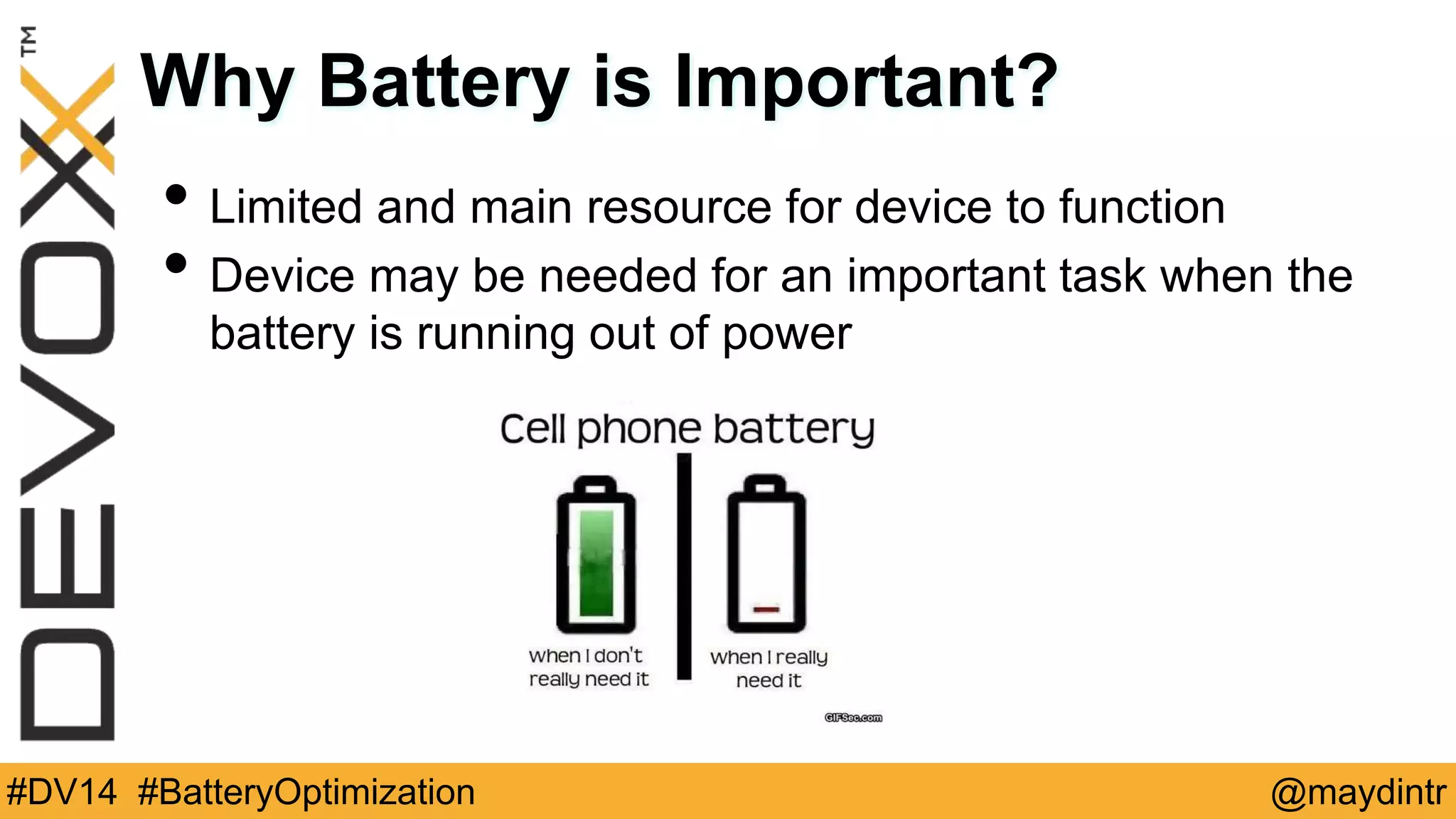
Why Battery is Important? 
• Limited and main resource for device to function 
• Device may be needed for an important task when the 
battery is running out of power 
#DV14 #BatteryOptimization @maydintr
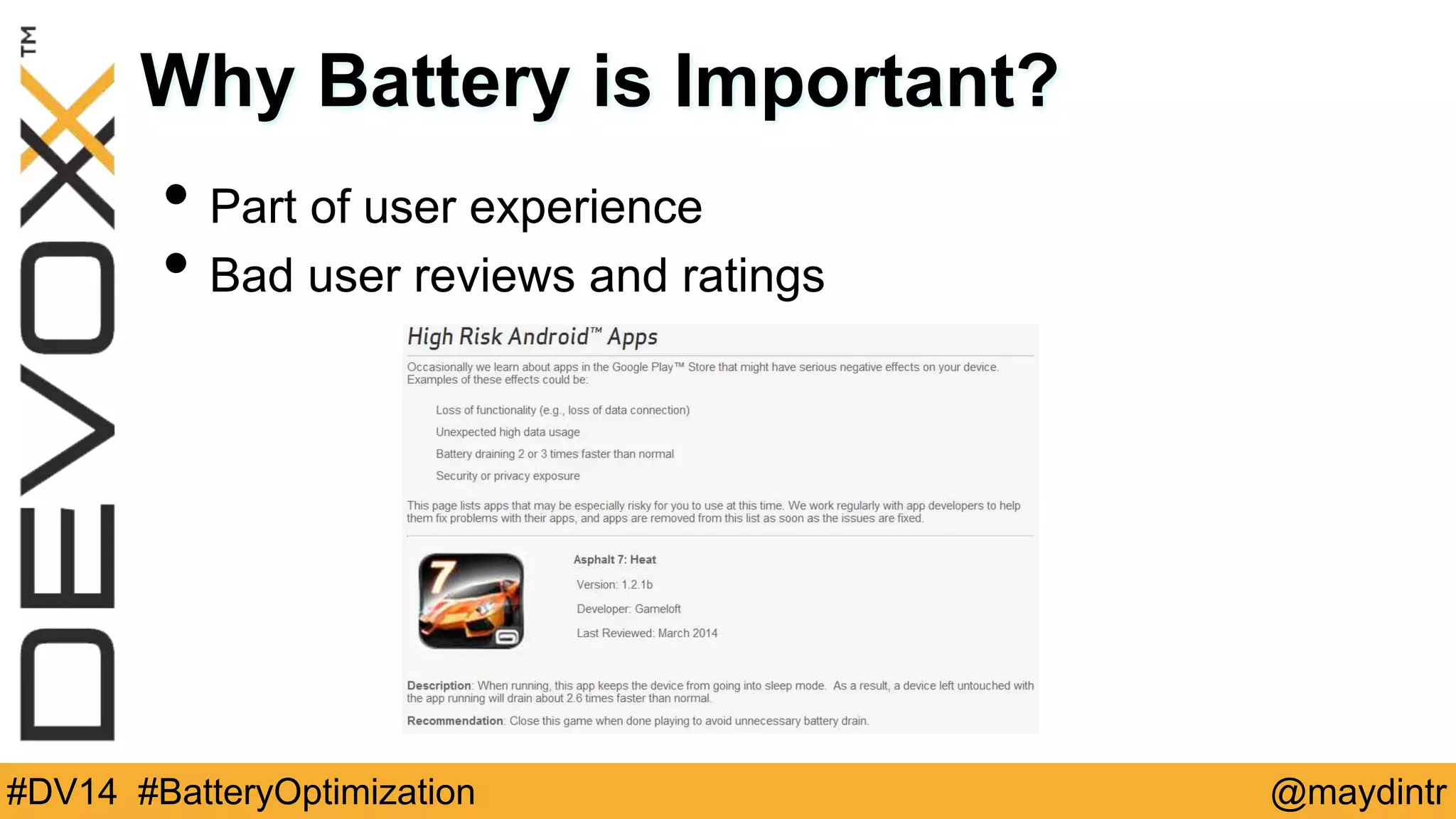
Why Battery is Important? 
• Part of user experience 
• Bad user reviews and ratings 
#DV14 #BatteryOptimization @maydintr
What to do? 
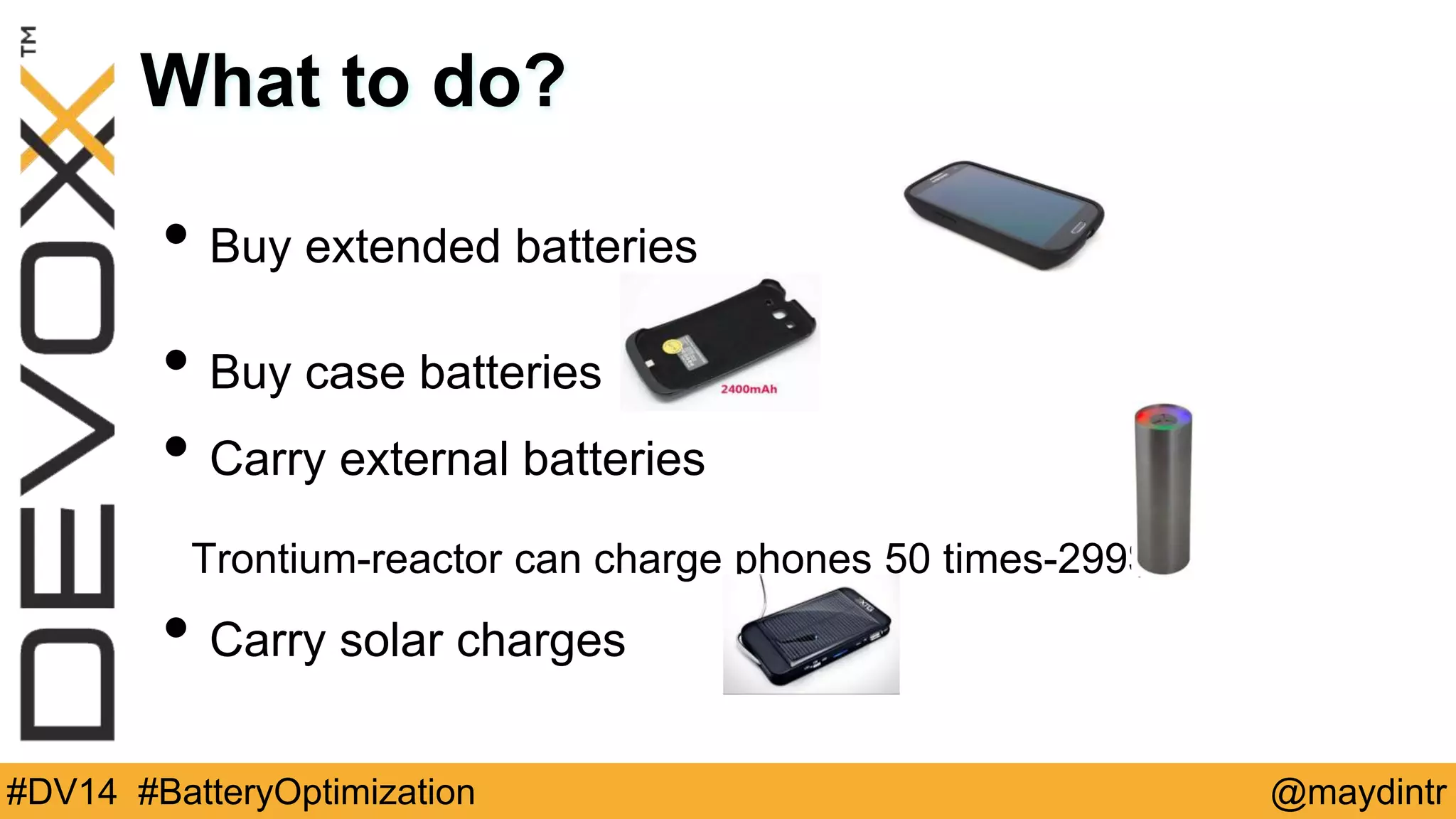
• Buy extended batteries 
• Buy case batteries 
• Carry external batteries 
Trontium-reactor can charge phones 50 times-299$ 
• Carry solar charges 
#DV14 #BatteryOptimization @maydintr
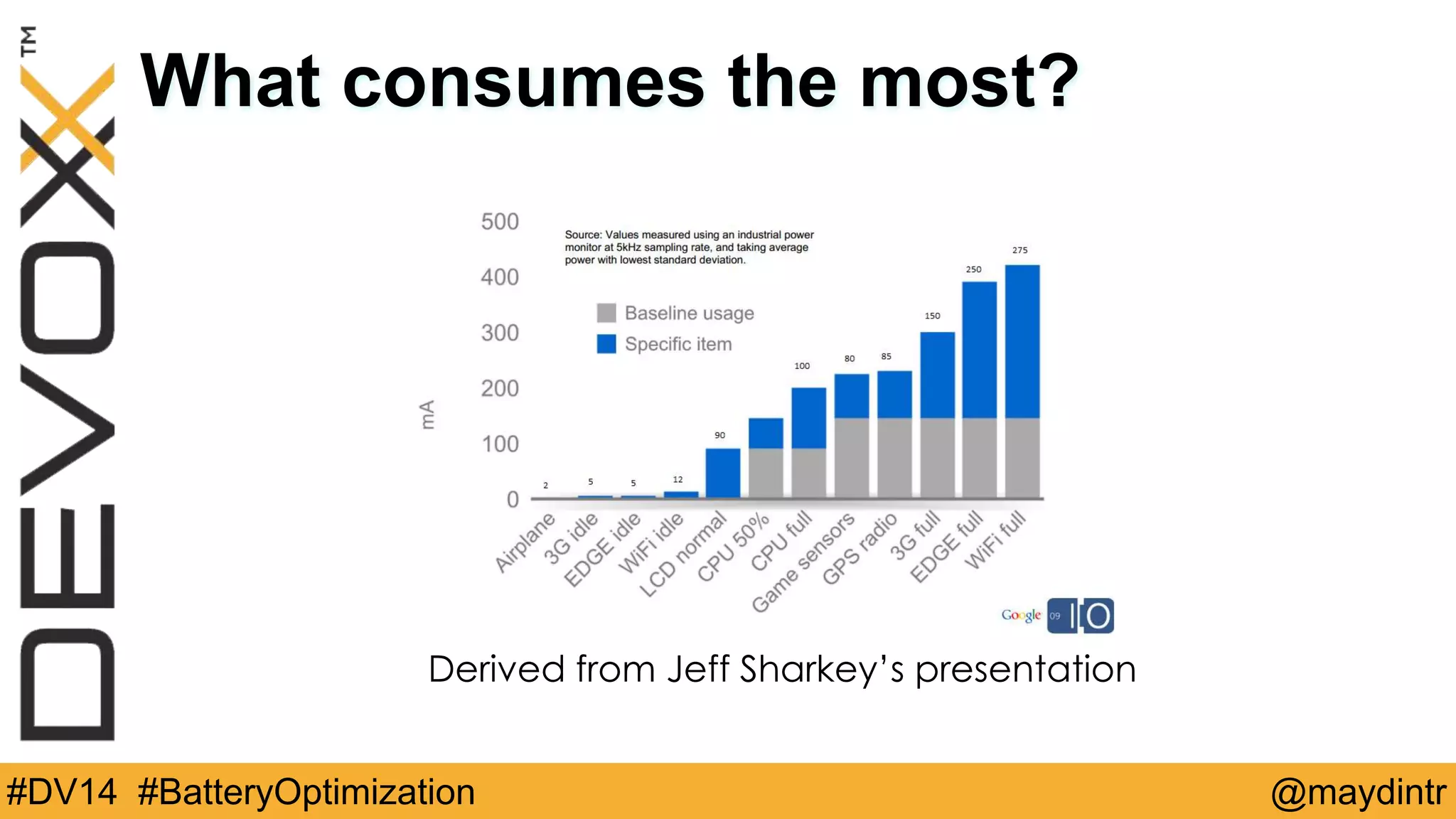
What consumes the most? 
Derived from Jeff Sharkey’s presentation 
#DV14 #BatteryOptimization @maydintr
Usage Measurements 
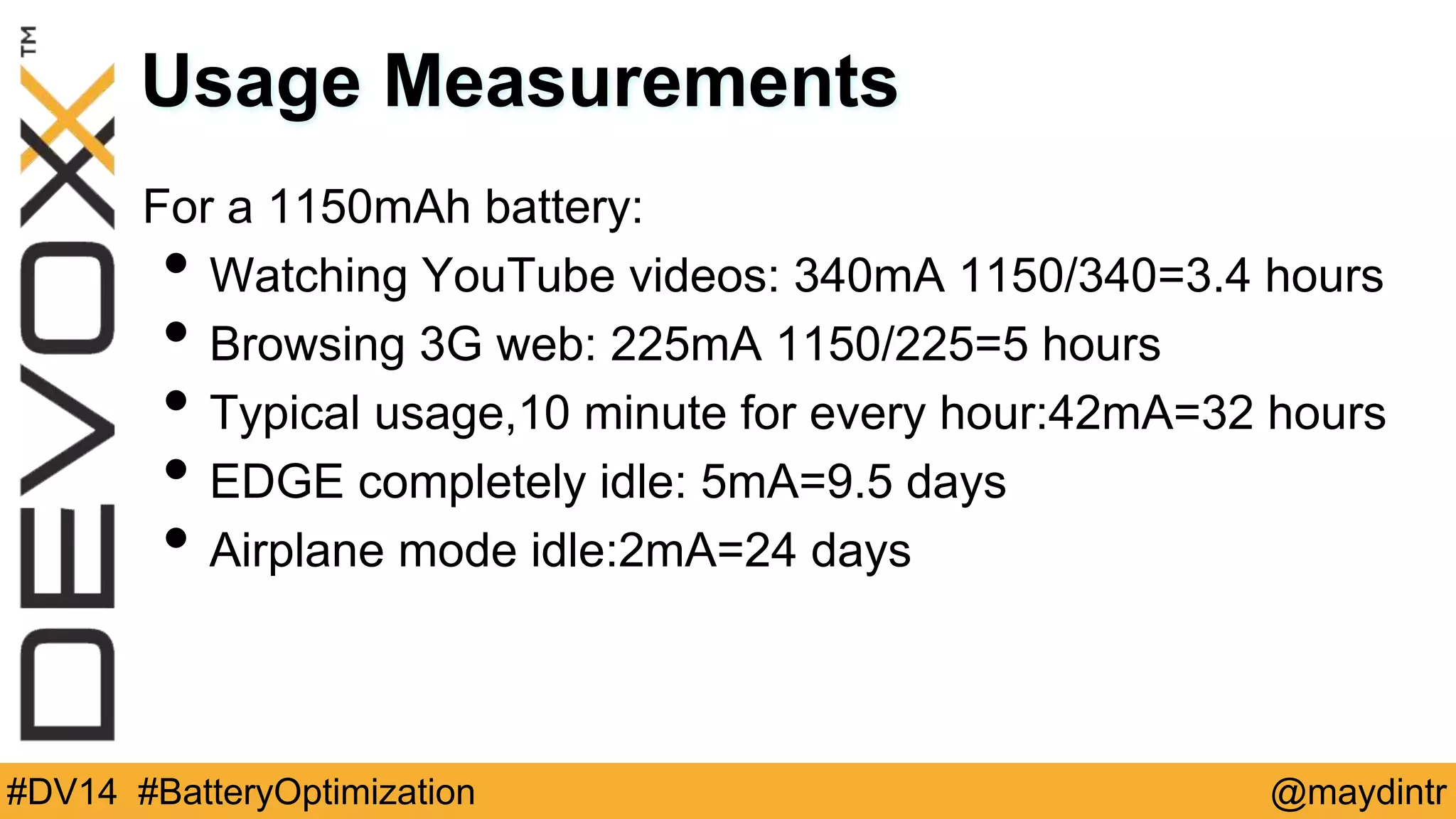
For a 1150mAh battery: 
• Watching YouTube videos: 340mA 1150/340=3.4 hours 
• Browsing 3G web: 225mA 1150/225=5 hours 
• Typical usage,10 minute for every hour:42mA=32 hours 
• EDGE completely idle: 5mA=9.5 days 
• Airplane mode idle:2mA=24 days 
#DV14 #BatteryOptimization @maydintr
Bulk Data Transfer 
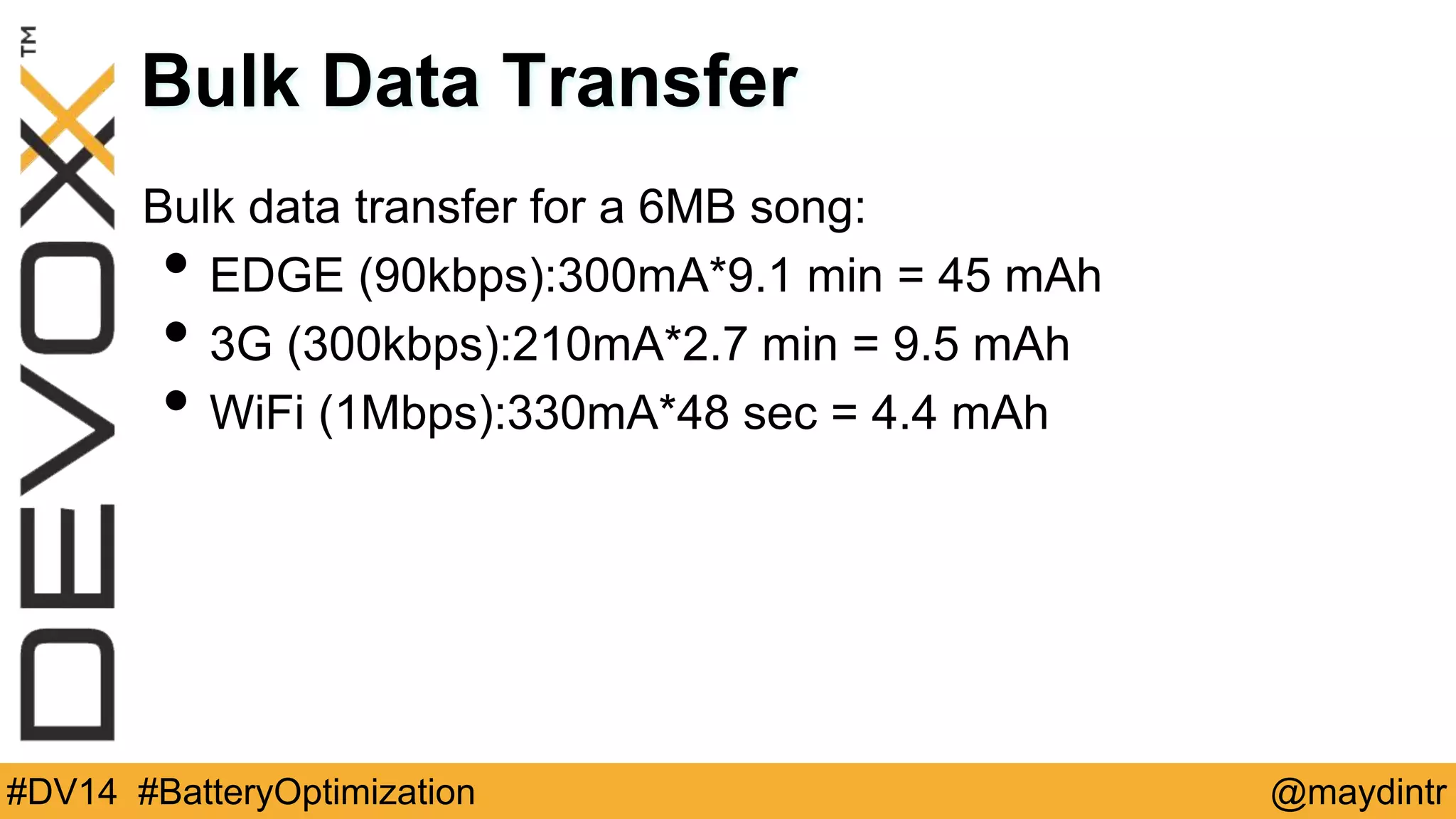
Bulk data transfer for a 6MB song: 
• EDGE (90kbps):300mA*9.1 min = 45 mAh 
• 3G (300kbps):210mA*2.7 min = 9.5 mAh 
• WiFi (1Mbps):330mA*48 sec = 4.4 mAh 
#DV14 #BatteryOptimization @maydintr
• Research by Purdue University into energy consumption 
by apps (March 2012) 
“Free apps like Free Chess and Angry Birds spend under 
25-35 percent of their energy on game play, but over 65-75 
percent on user tracking, uploading user information and 
downloading ads.” 
#DV14 #BatteryOptimization @maydintr
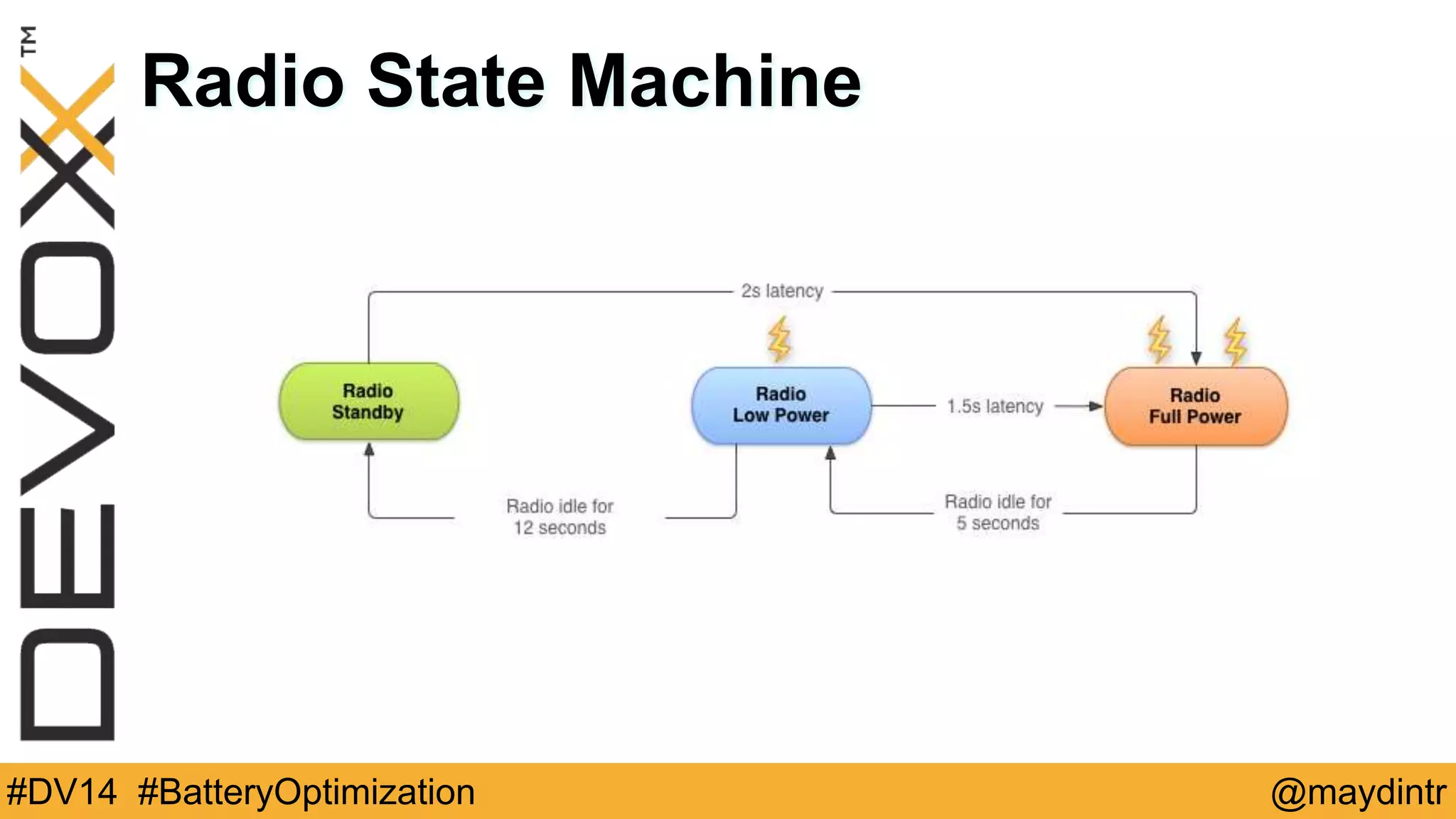
Radio State Machine 
#DV14 #BatteryOptimization @maydintr
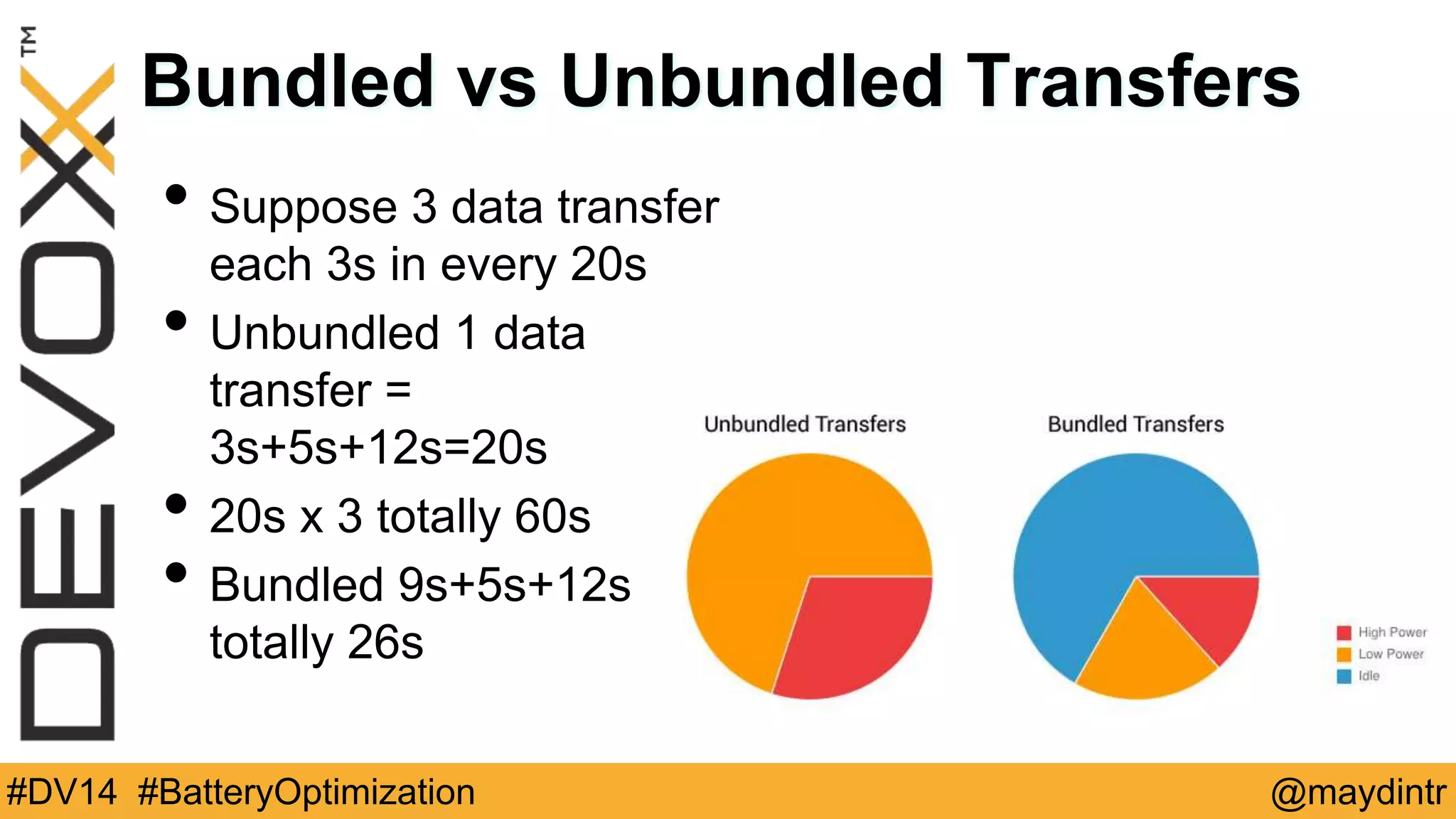
Bundled vs Unbundled Transfers 
• Suppose 3 data transfer 
each 3s in every 20s 
• Unbundled 1 data 
transfer = 
3s+5s+12s=20s 
• 20s x 3 totally 60s 
• Bundled 9s+5s+12s = 
totally 26s 
#DV14 #BatteryOptimization @maydintr
Prefetch Data 
• Reduce download times 
• Minimize in-app latency 
• Dont use it aggressively 
• Prefetch data such that you will only need to initiate 
another download every 2 to 5 minutes, and in the order 
of 1 to 5 megabytes 
#DV14 #BatteryOptimization @maydintr
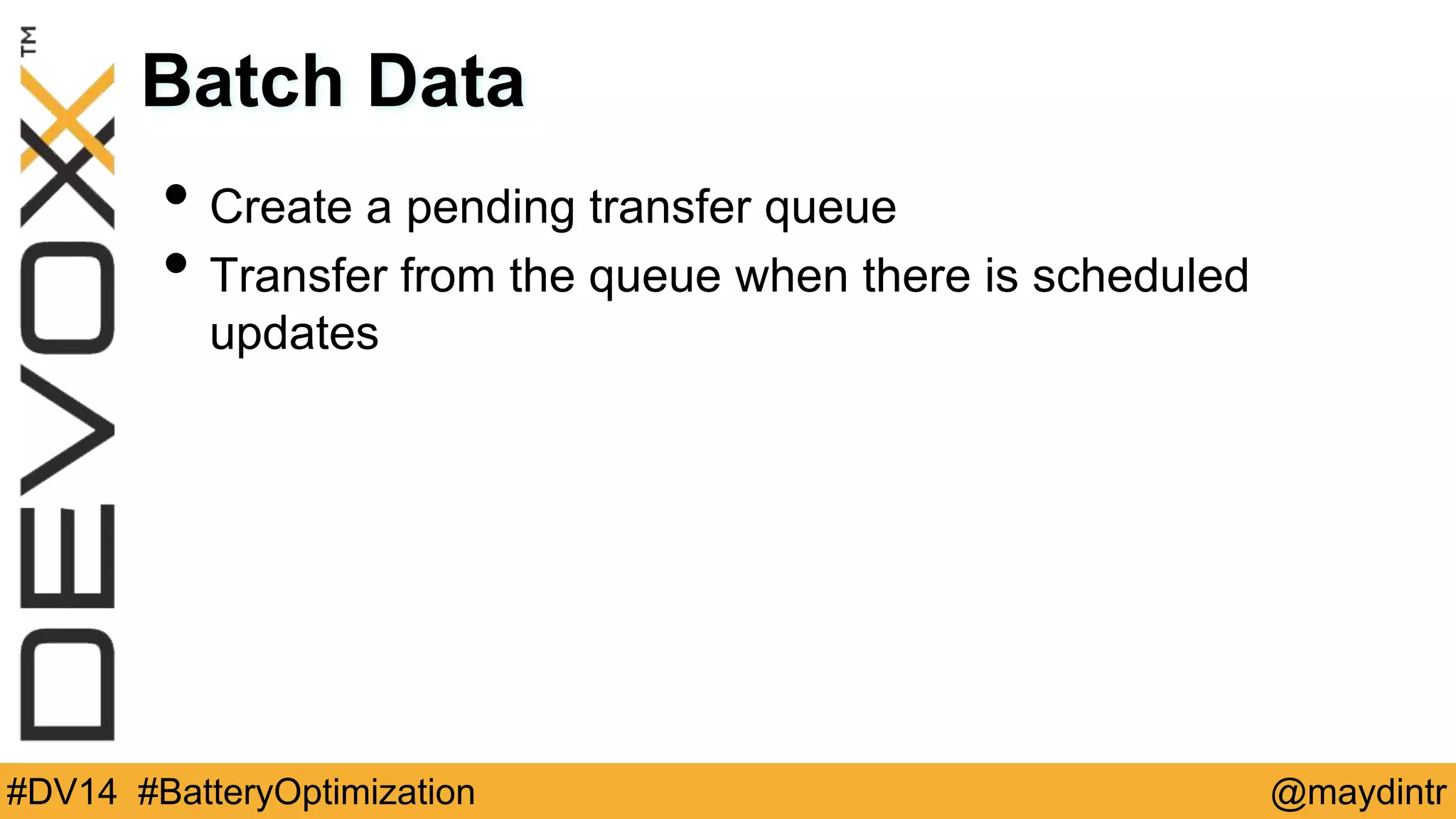
Batch Data 
• Create a pending transfer queue 
• Transfer from the queue when there is scheduled 
updates 
#DV14 #BatteryOptimization @maydintr
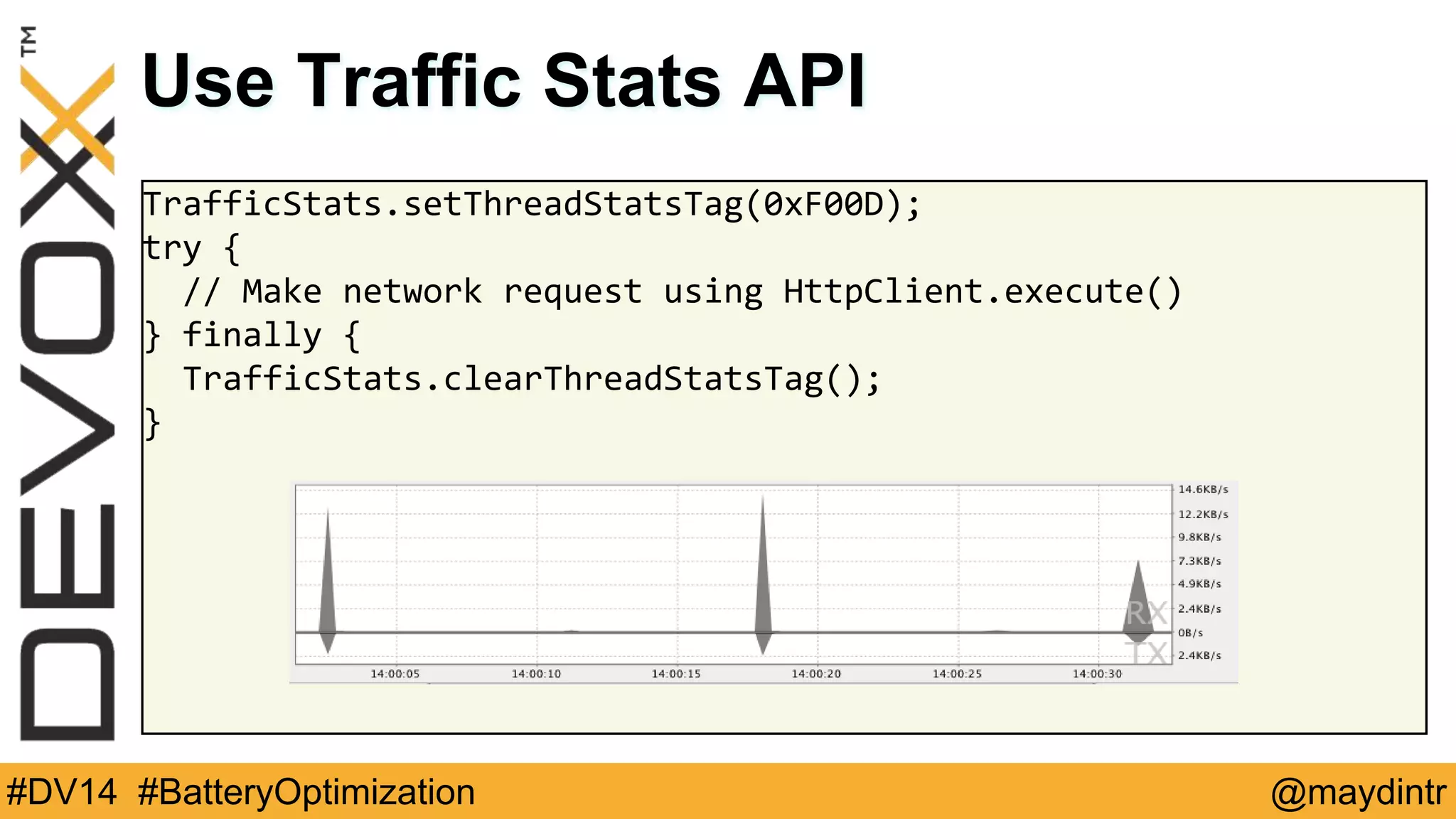
Use Traffic Stats API 
TrafficStats.setThreadStatsTag(0xF00D); 
try { 
// Make network request using HttpClient.execute() 
} finally { 
TrafficStats.clearThreadStatsTag(); 
} 
#DV14 #BatteryOptimization @maydintr
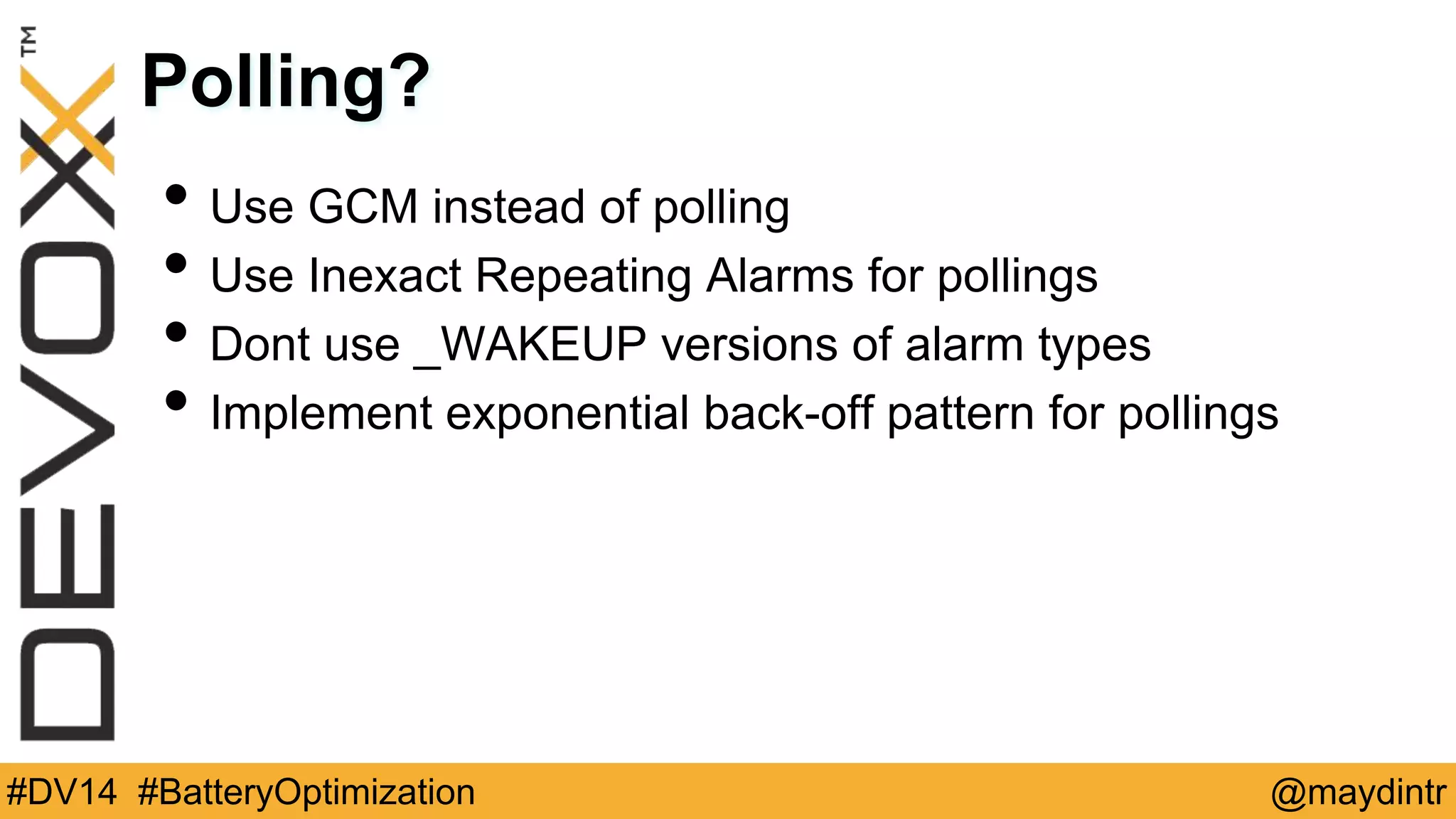
Polling? 
• Use GCM instead of polling 
• Use Inexact Repeating Alarms for pollings 
• Dont use _WAKEUP versions of alarm types 
• Implement exponential back-off pattern for pollings 
#DV14 #BatteryOptimization @maydintr
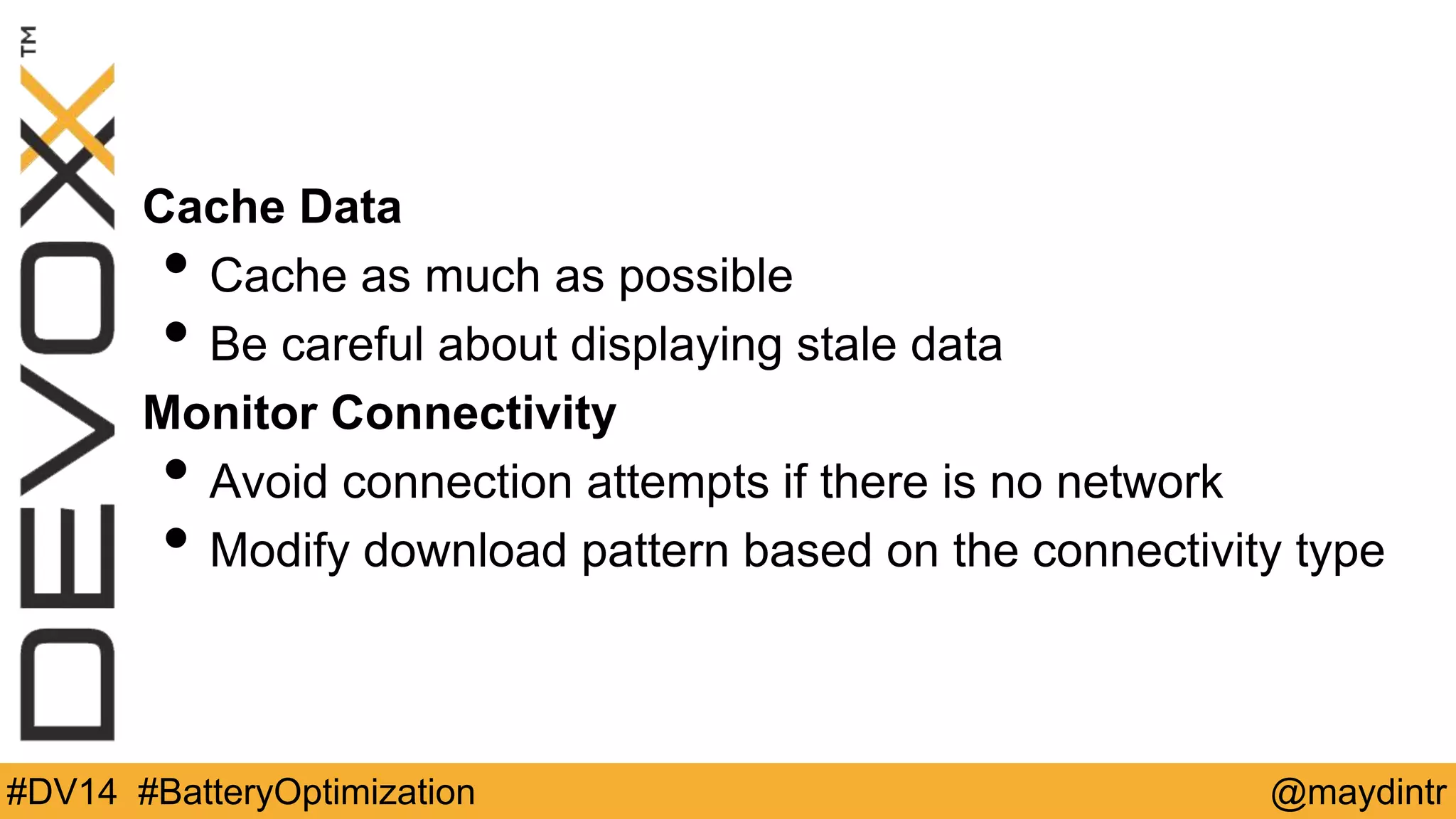
Cache Data 
• Cache as much as possible 
• Be careful about displaying stale data 
Monitor Connectivity 
• Avoid connection attempts if there is no network 
• Modify download pattern based on the connectivity type 
#DV14 #BatteryOptimization @maydintr
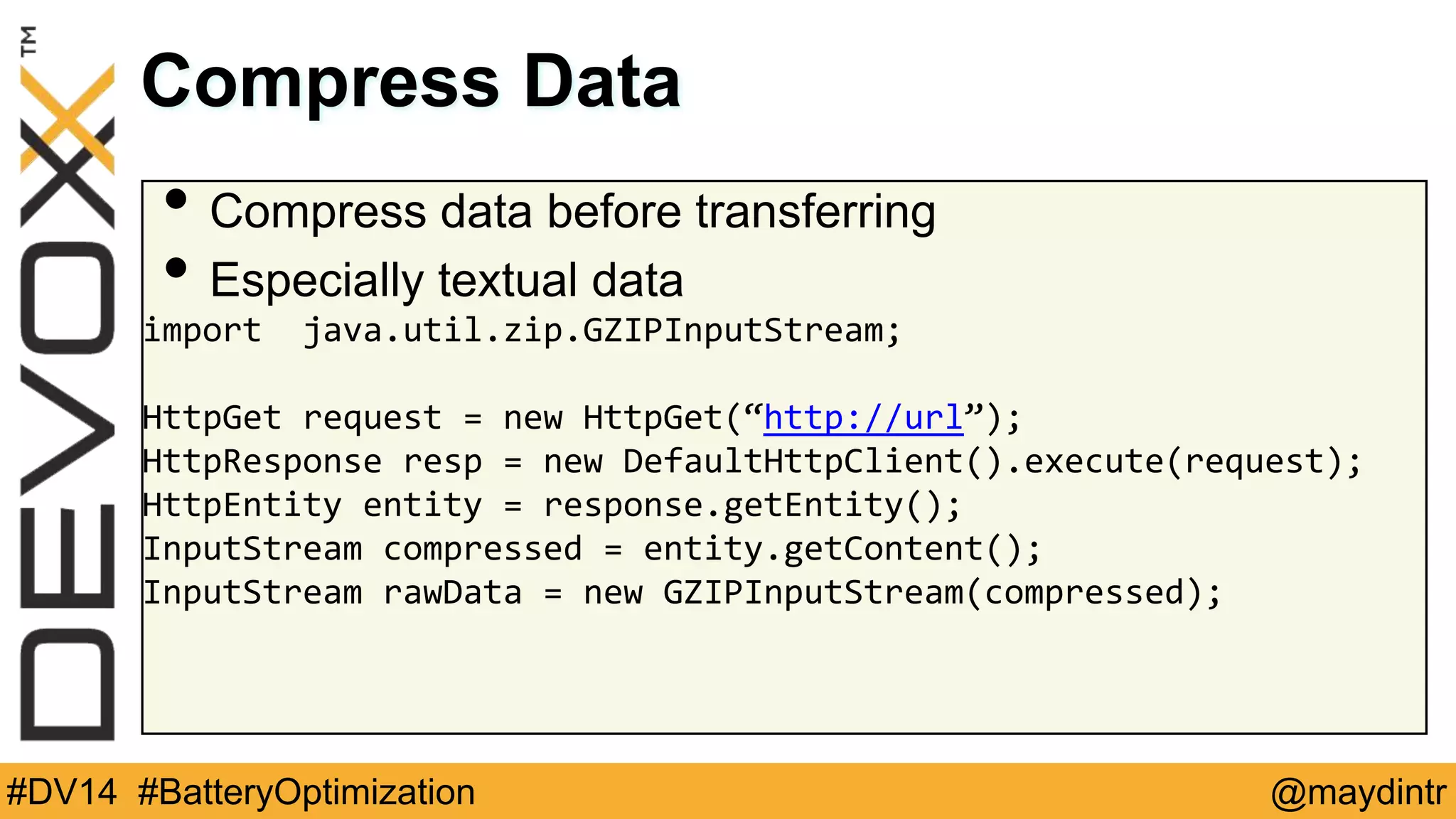
Compress Data 
• Compress data before transferring 
• Especially textual data 
import java.util.zip.GZIPInputStream; 
HttpGet request = new HttpGet(“http://url”); 
HttpResponse resp = new DefaultHttpClient().execute(request); 
HttpEntity entity = response.getEntity(); 
InputStream compressed = entity.getContent(); 
InputStream rawData = new GZIPInputStream(compressed); 
#DV14 #BatteryOptimization @maydintr
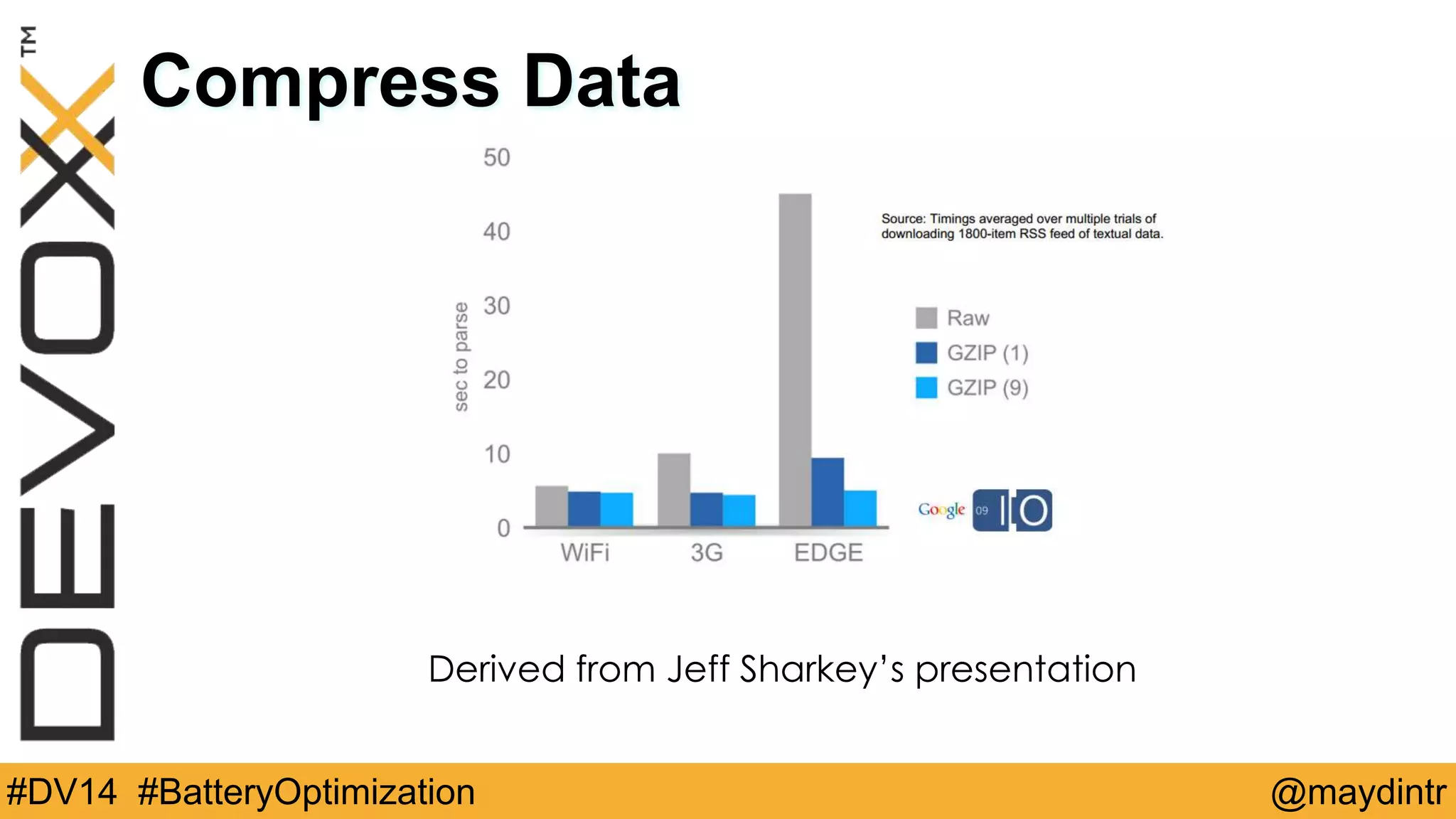
Compress Data 
Derived from Jeff Sharkey’s presentation 
#DV14 #BatteryOptimization @maydintr
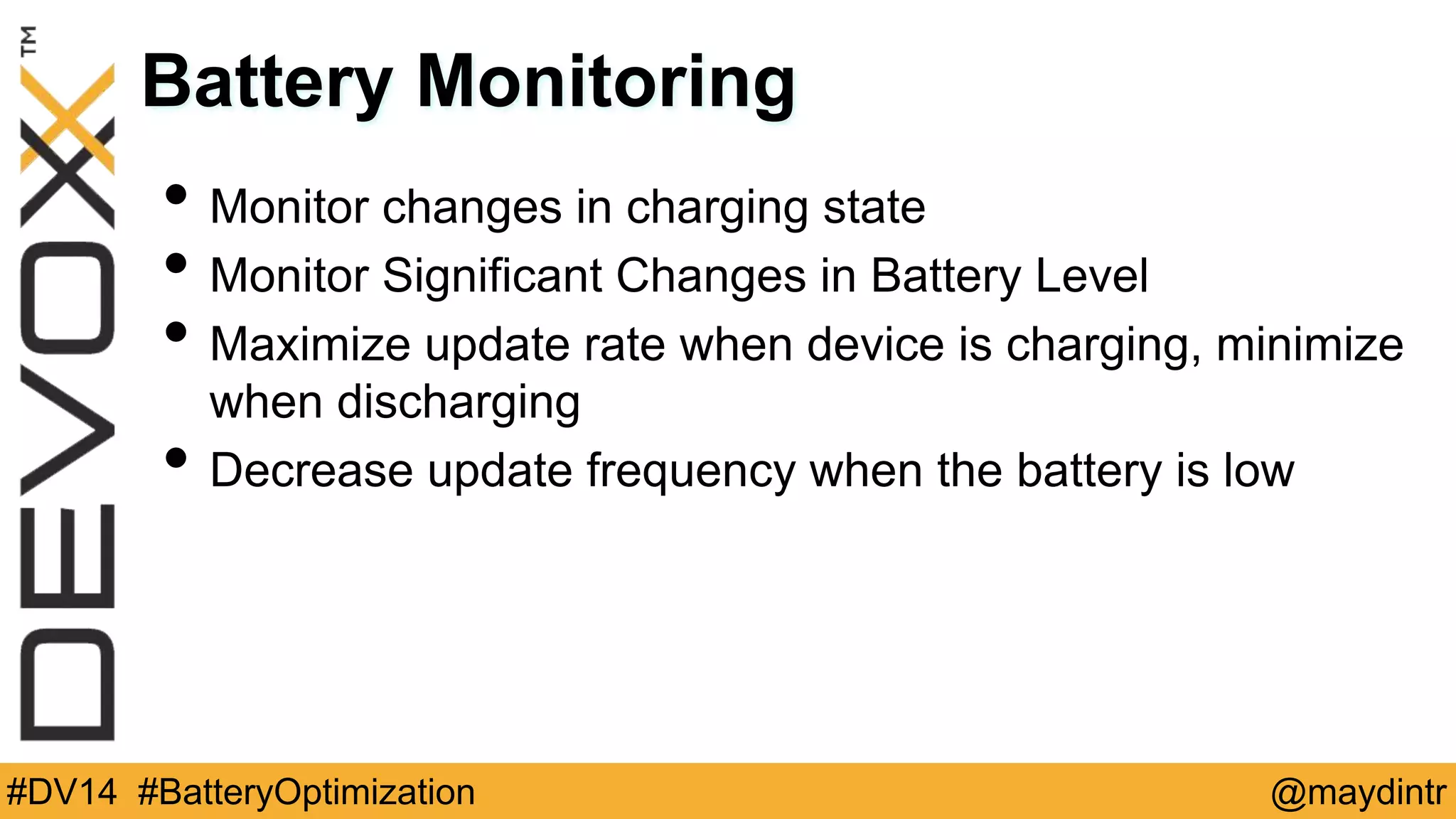
Battery Monitoring 
• Monitor changes in charging state 
• Monitor Significant Changes in Battery Level 
• Maximize update rate when device is charging, minimize 
when discharging 
• Decrease update frequency when the battery is low 
#DV14 #BatteryOptimization @maydintr
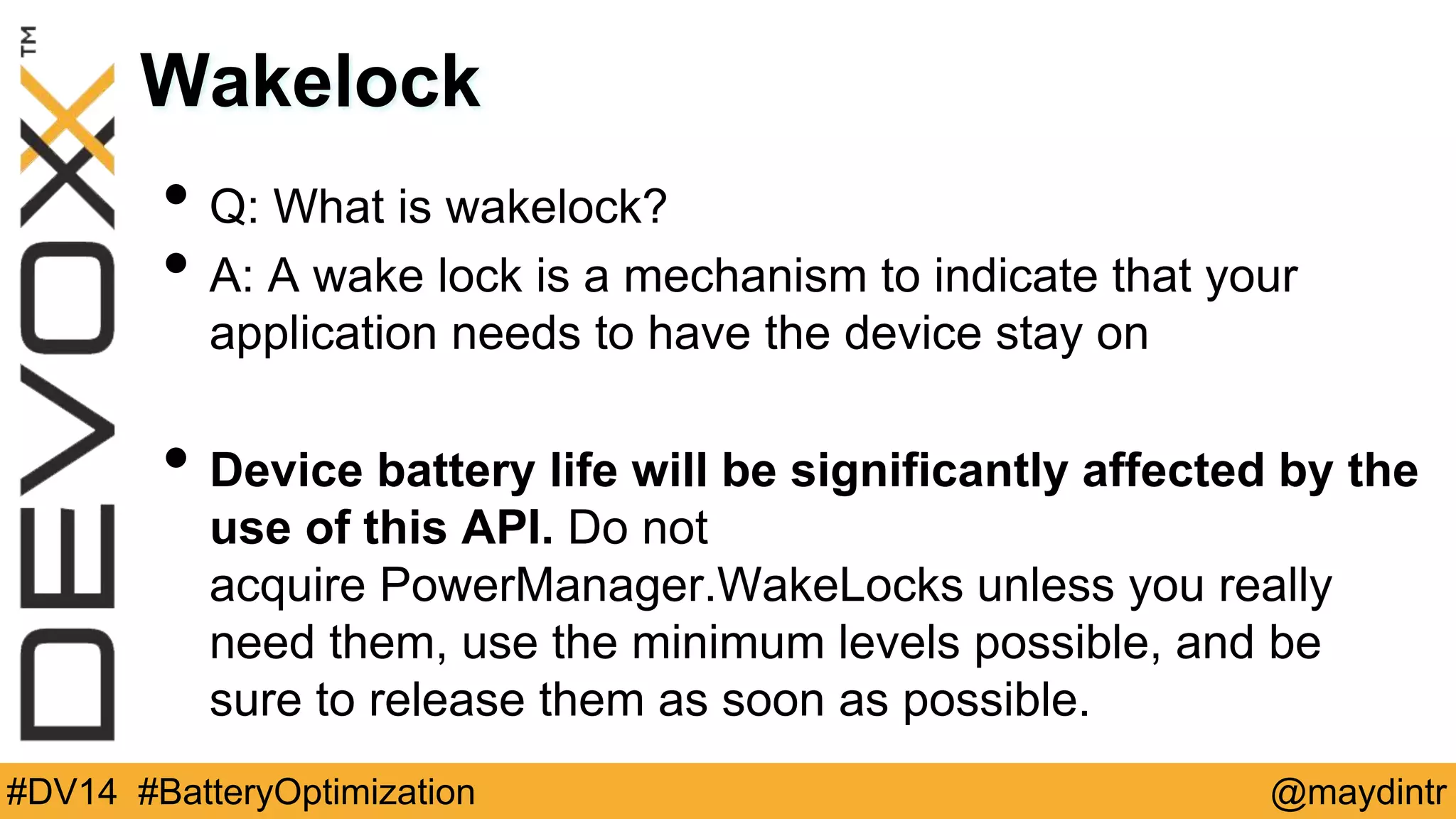
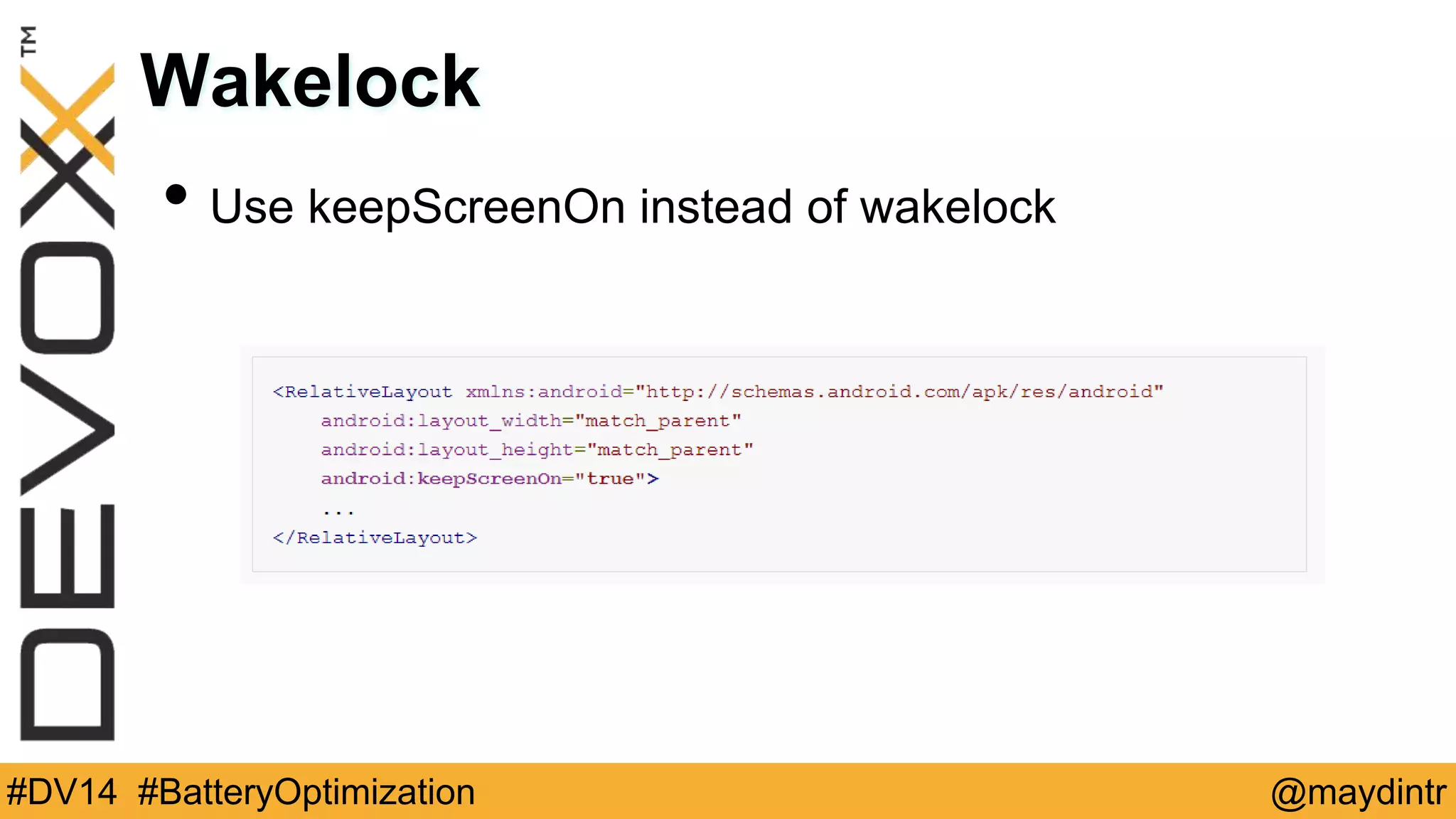
Wakelock 
• Q: What is wakelock? 
• A: A wake lock is a mechanism to indicate that your 
application needs to have the device stay on 
• Device battery life will be significantly affected by the 
use of this API. Do not 
acquire PowerManager.WakeLocks unless you really 
need them, use the minimum levels possible, and be 
sure to release them as soon as possible. 
#DV14 #BatteryOptimization @maydintr
Wakelock 
• Use keepScreenOn instead of wakelock 
#DV14 #BatteryOptimization @maydintr
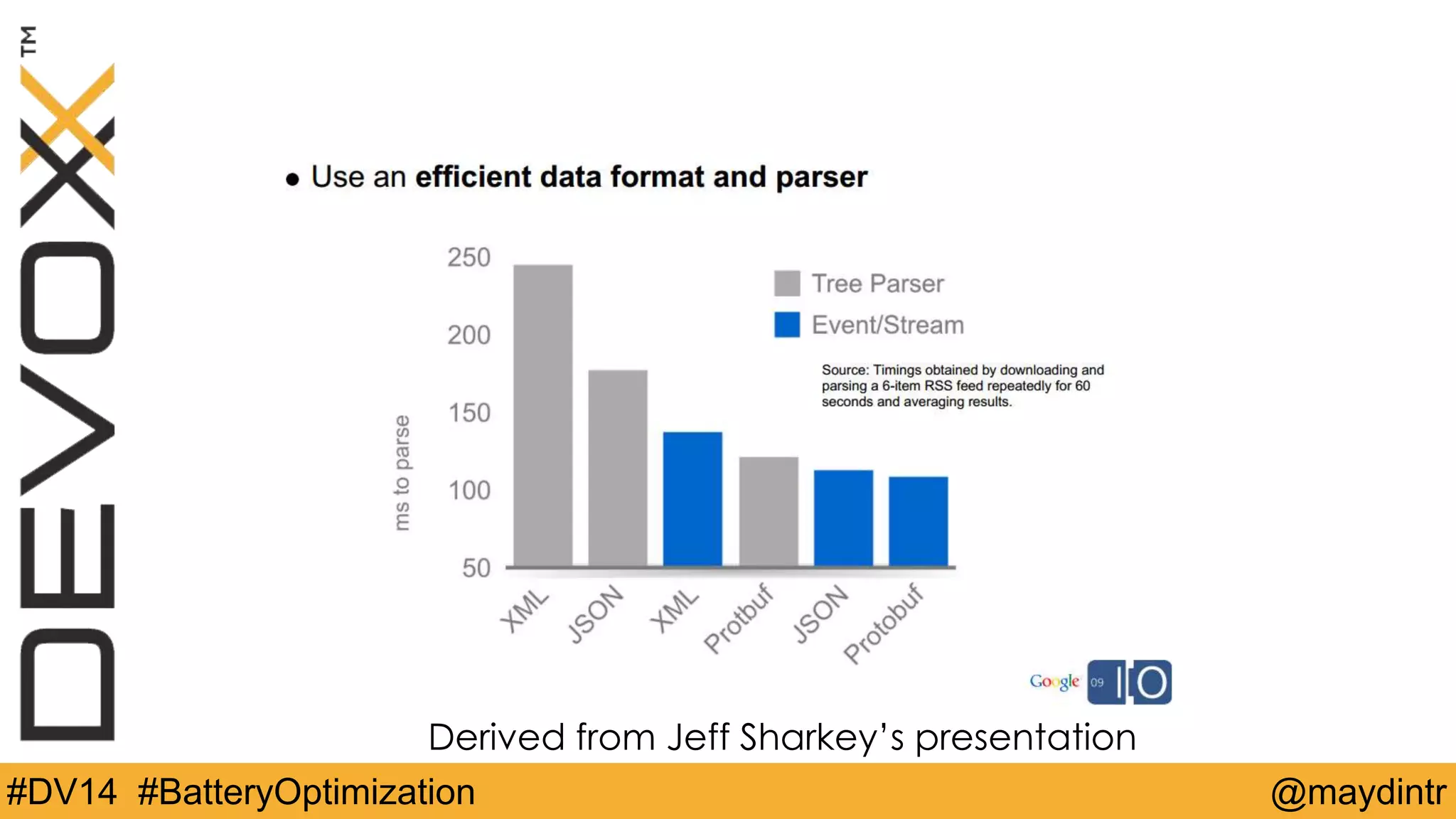
Derived from Jeff Sharkey’s presentation 
#DV14 #BatteryOptimization @maydintr
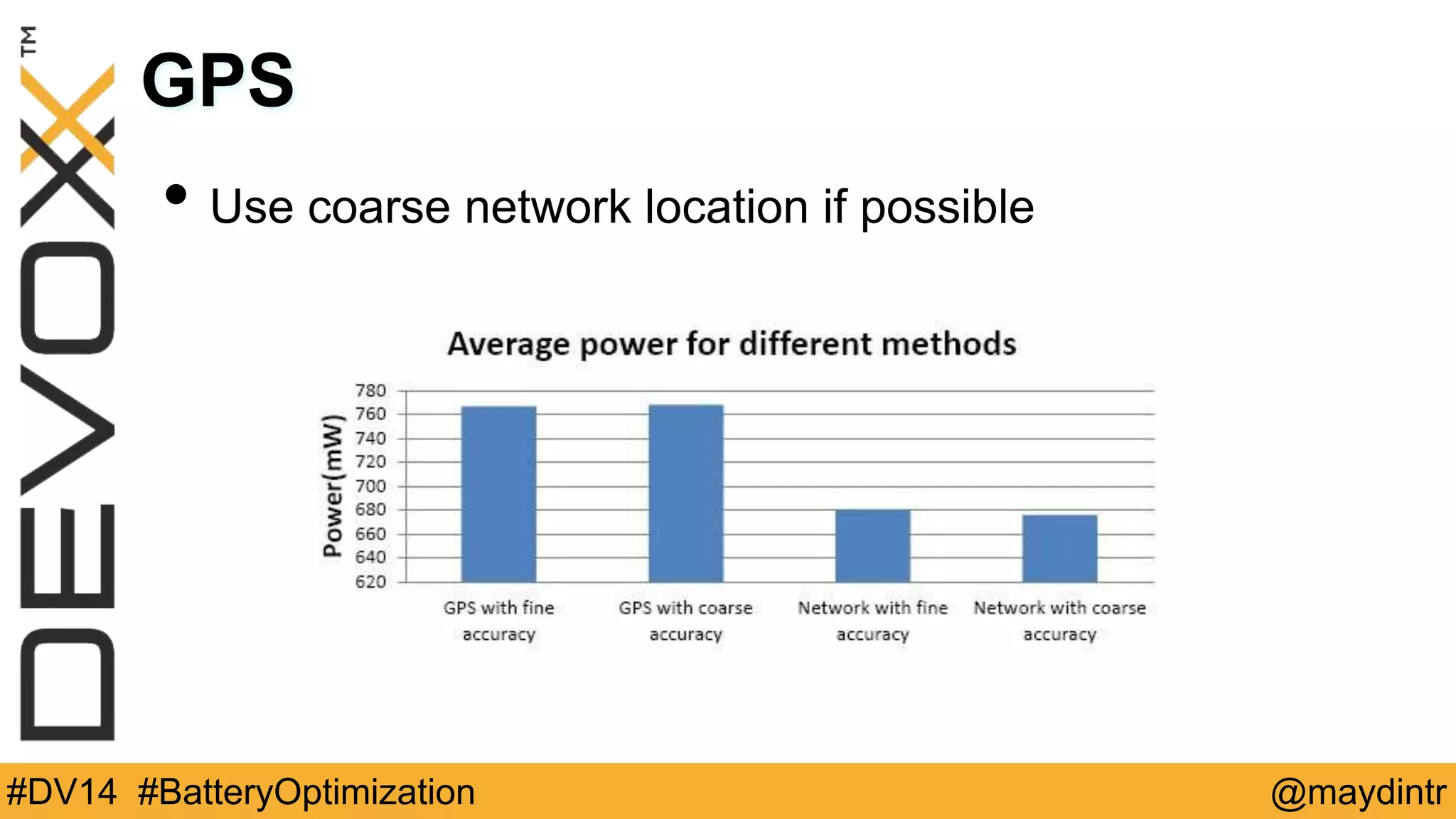
GPS 
• Use coarse network location if possible 
#DV14 #BatteryOptimization @maydintr
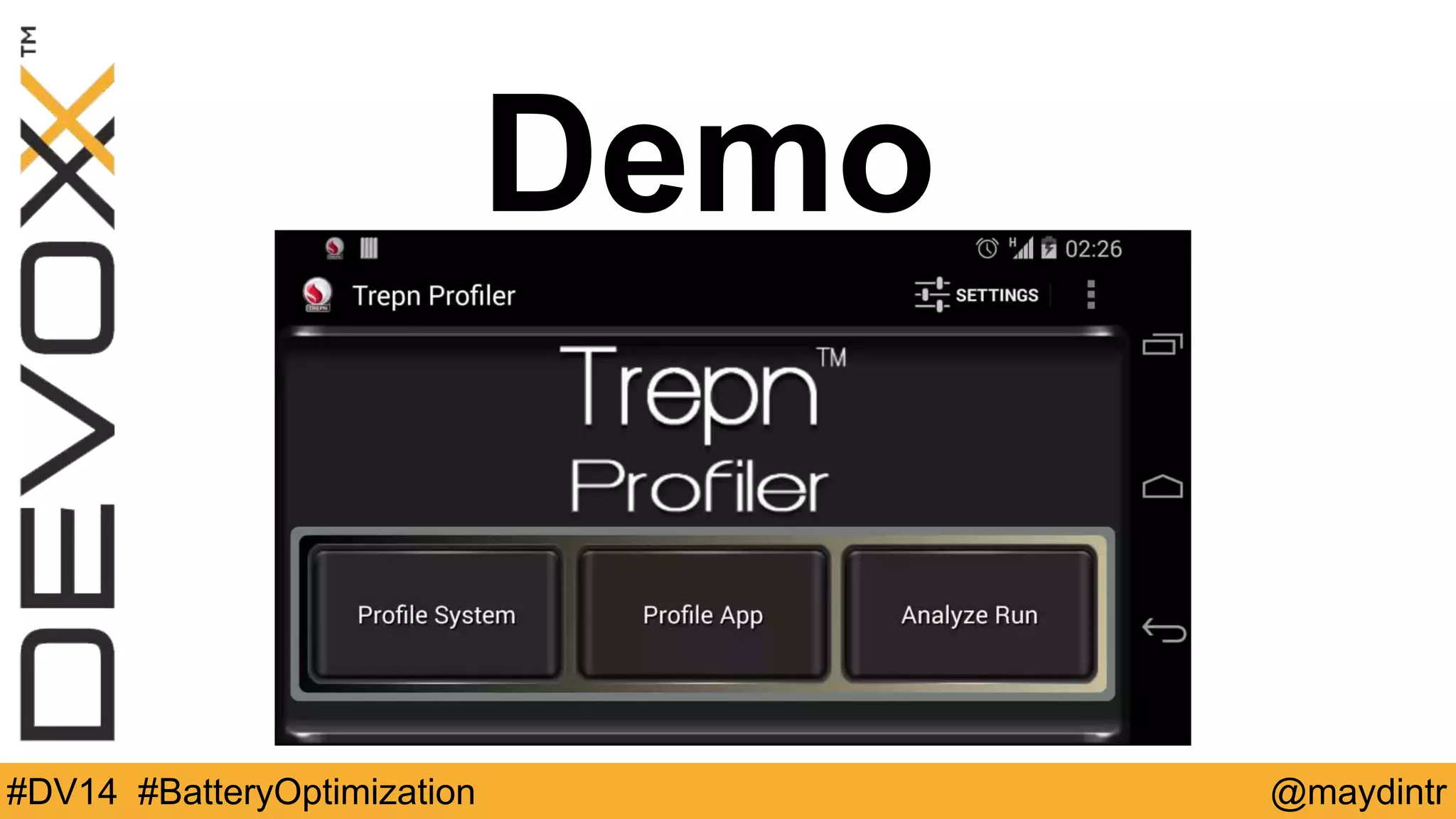
Trepn Profiler 
• Real-time overlay-mode allows developers to see the 
impact of their actions on performance 
• Helps developers optimize code for CPU, power usage 
and network usage 
• Profiles the entire system or a single app 
• Displays accurate battery power readings with charts 
• Supports offline analysis of data 
• Can be started or stopped from a script for Automated 
tests 
• Eclipse plug-in 
#DV14 #BatteryOptimization @maydintr
Demo 
#DV14 #BatteryOptimization @maydintr
As a Result 
#DV14 #BatteryOptimization @maydintr
Questions? 
• Twitter: @maydintr 
• Email: maydin@gmail.com 
• Web: www.ottodroid.net 
#DV14 #BatteryOptimization @maydintr

Battery Optimization for Android Apps - Devoxx14

  • 1.
    Battery Optimization for Android Apps Murat AYDIN STM #DV14 #BatteryOptimization @maydintr
  • 2.
    About Me •Android Developer and blogger in his free time • Senior Software Developer at work • GDG Ankara member www.androiddeveloperdays.com • Author #DV14 #BatteryOptimization @maydintr
  • 3.
    Why Battery isImportant? • Limited and main resource for device to function • Device may be needed for an important task when the battery is running out of power #DV14 #BatteryOptimization @maydintr
  • 4.
    Why Battery isImportant? • Part of user experience • Bad user reviews and ratings #DV14 #BatteryOptimization @maydintr
  • 5.
    What to do? • Buy extended batteries • Buy case batteries • Carry external batteries Trontium-reactor can charge phones 50 times-299$ • Carry solar charges #DV14 #BatteryOptimization @maydintr
  • 6.
    What consumes themost? Derived from Jeff Sharkey’s presentation #DV14 #BatteryOptimization @maydintr
  • 7.
    Usage Measurements Fora 1150mAh battery: • Watching YouTube videos: 340mA 1150/340=3.4 hours • Browsing 3G web: 225mA 1150/225=5 hours • Typical usage,10 minute for every hour:42mA=32 hours • EDGE completely idle: 5mA=9.5 days • Airplane mode idle:2mA=24 days #DV14 #BatteryOptimization @maydintr
  • 8.
    Bulk Data Transfer Bulk data transfer for a 6MB song: • EDGE (90kbps):300mA*9.1 min = 45 mAh • 3G (300kbps):210mA*2.7 min = 9.5 mAh • WiFi (1Mbps):330mA*48 sec = 4.4 mAh #DV14 #BatteryOptimization @maydintr
  • 9.
    • Research byPurdue University into energy consumption by apps (March 2012) “Free apps like Free Chess and Angry Birds spend under 25-35 percent of their energy on game play, but over 65-75 percent on user tracking, uploading user information and downloading ads.” #DV14 #BatteryOptimization @maydintr
  • 10.
    Radio State Machine #DV14 #BatteryOptimization @maydintr
  • 11.
    Bundled vs UnbundledTransfers • Suppose 3 data transfer each 3s in every 20s • Unbundled 1 data transfer = 3s+5s+12s=20s • 20s x 3 totally 60s • Bundled 9s+5s+12s = totally 26s #DV14 #BatteryOptimization @maydintr
  • 12.
    Prefetch Data •Reduce download times • Minimize in-app latency • Dont use it aggressively • Prefetch data such that you will only need to initiate another download every 2 to 5 minutes, and in the order of 1 to 5 megabytes #DV14 #BatteryOptimization @maydintr
  • 13.
    Batch Data •Create a pending transfer queue • Transfer from the queue when there is scheduled updates #DV14 #BatteryOptimization @maydintr
  • 14.
    Use Traffic StatsAPI TrafficStats.setThreadStatsTag(0xF00D); try { // Make network request using HttpClient.execute() } finally { TrafficStats.clearThreadStatsTag(); } #DV14 #BatteryOptimization @maydintr
  • 15.
    Polling? • UseGCM instead of polling • Use Inexact Repeating Alarms for pollings • Dont use _WAKEUP versions of alarm types • Implement exponential back-off pattern for pollings #DV14 #BatteryOptimization @maydintr
  • 16.
    Cache Data •Cache as much as possible • Be careful about displaying stale data Monitor Connectivity • Avoid connection attempts if there is no network • Modify download pattern based on the connectivity type #DV14 #BatteryOptimization @maydintr
  • 17.
    Compress Data •Compress data before transferring • Especially textual data import java.util.zip.GZIPInputStream; HttpGet request = new HttpGet(“http://url”); HttpResponse resp = new DefaultHttpClient().execute(request); HttpEntity entity = response.getEntity(); InputStream compressed = entity.getContent(); InputStream rawData = new GZIPInputStream(compressed); #DV14 #BatteryOptimization @maydintr
  • 18.
    Compress Data Derivedfrom Jeff Sharkey’s presentation #DV14 #BatteryOptimization @maydintr
  • 19.
    Battery Monitoring •Monitor changes in charging state • Monitor Significant Changes in Battery Level • Maximize update rate when device is charging, minimize when discharging • Decrease update frequency when the battery is low #DV14 #BatteryOptimization @maydintr
  • 20.
    Wakelock • Q:What is wakelock? • A: A wake lock is a mechanism to indicate that your application needs to have the device stay on • Device battery life will be significantly affected by the use of this API. Do not acquire PowerManager.WakeLocks unless you really need them, use the minimum levels possible, and be sure to release them as soon as possible. #DV14 #BatteryOptimization @maydintr
  • 21.
    Wakelock • UsekeepScreenOn instead of wakelock #DV14 #BatteryOptimization @maydintr
  • 22.
    Derived from JeffSharkey’s presentation #DV14 #BatteryOptimization @maydintr
  • 23.
    GPS • Usecoarse network location if possible #DV14 #BatteryOptimization @maydintr
  • 24.
    Trepn Profiler •Real-time overlay-mode allows developers to see the impact of their actions on performance • Helps developers optimize code for CPU, power usage and network usage • Profiles the entire system or a single app • Displays accurate battery power readings with charts • Supports offline analysis of data • Can be started or stopped from a script for Automated tests • Eclipse plug-in #DV14 #BatteryOptimization @maydintr
  • 25.
  • 26.
    As a Result #DV14 #BatteryOptimization @maydintr
  • 27.
    Questions? • Twitter:@maydintr • Email: maydin@gmail.com • Web: www.ottodroid.net #DV14 #BatteryOptimization @maydintr