Slides for Azure Webinar: Functions and Logic Apps - Advanced
イベント・データ駆動
の関数実行サービス
繋げる&オーケストレート
(しかもコードレスで)
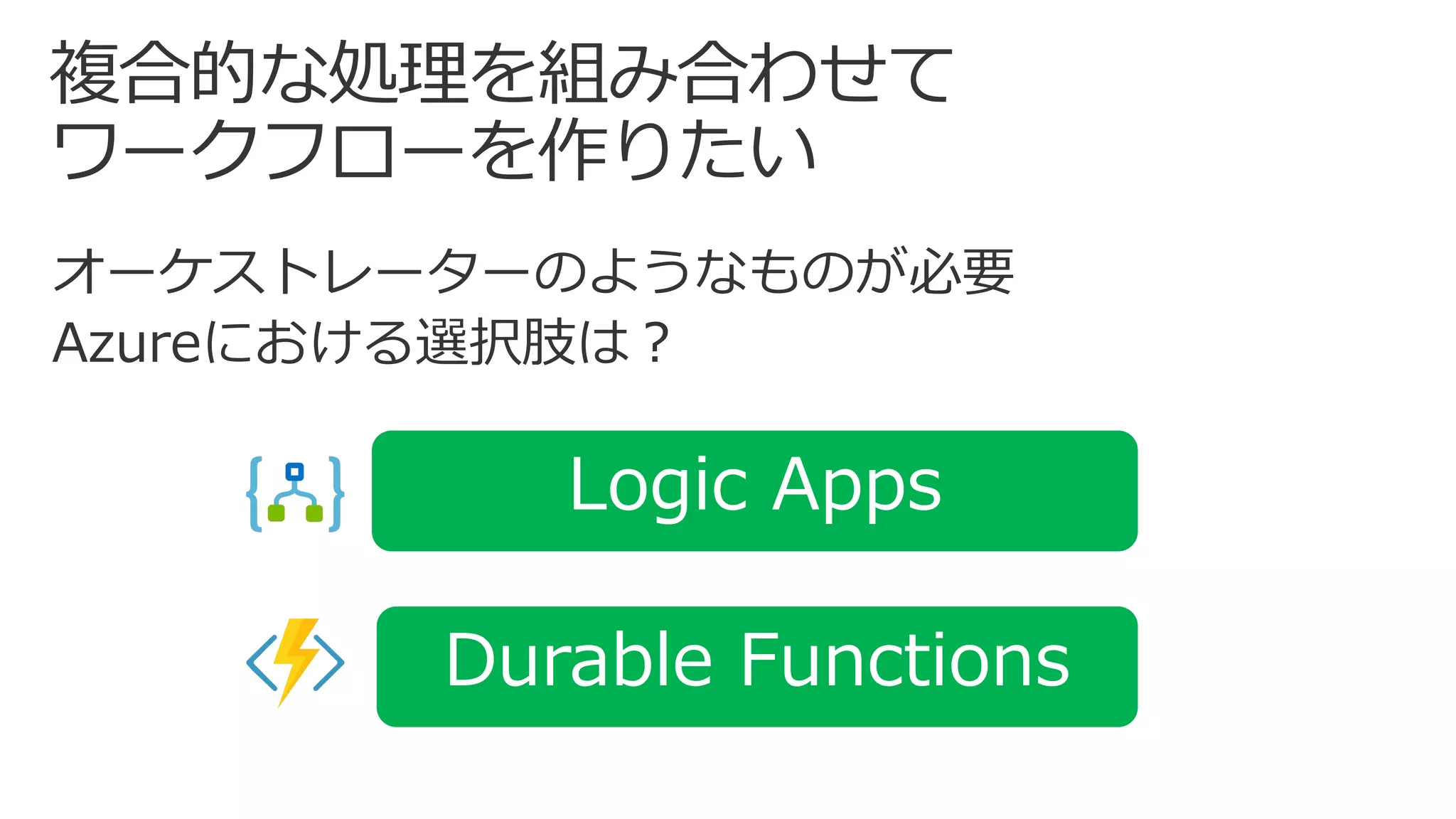
Logic Apps
Durable Functions
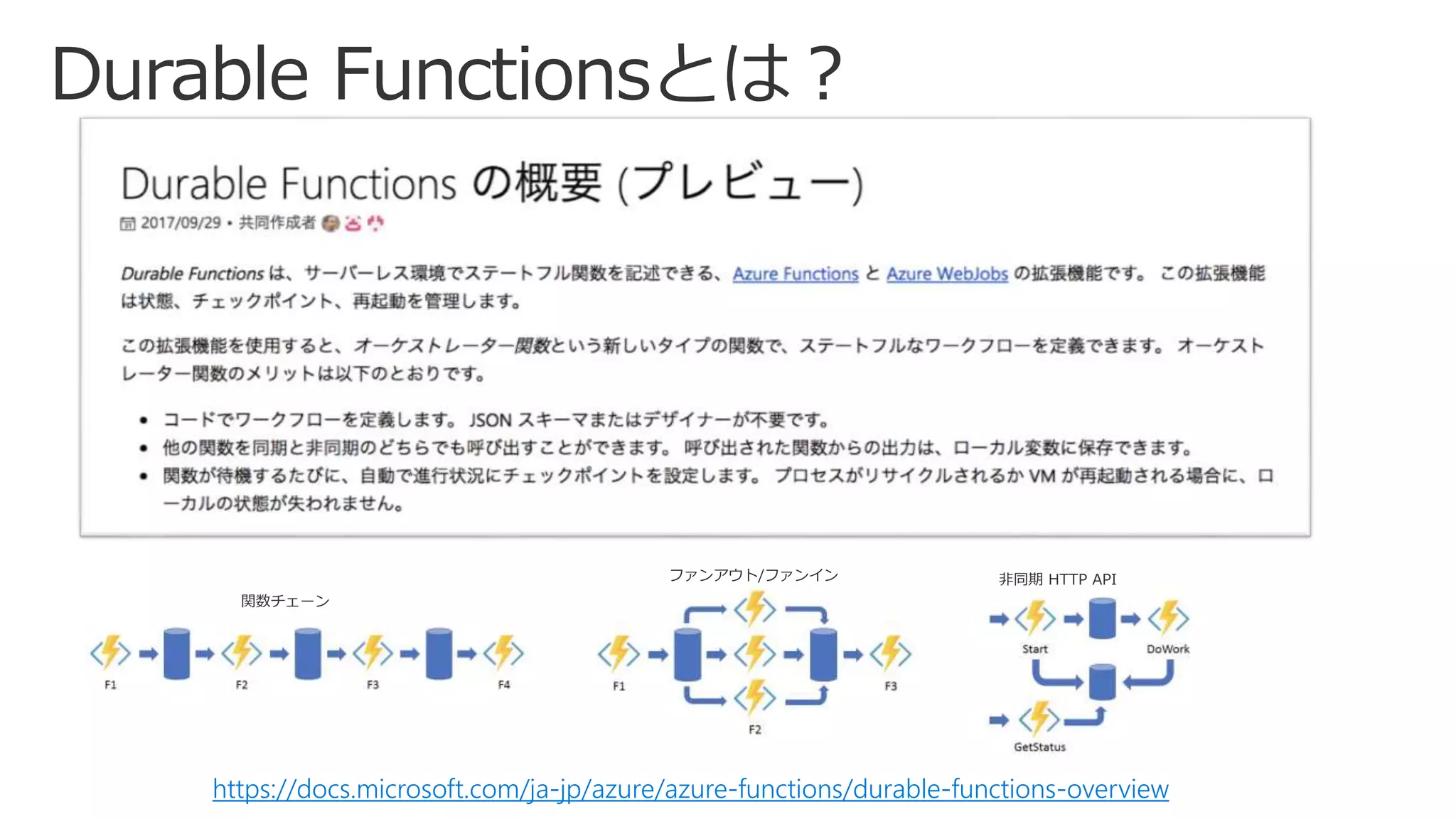
https://docs.microsoft.com/ja-jp/azure/azure-functions/durable-functions-overview
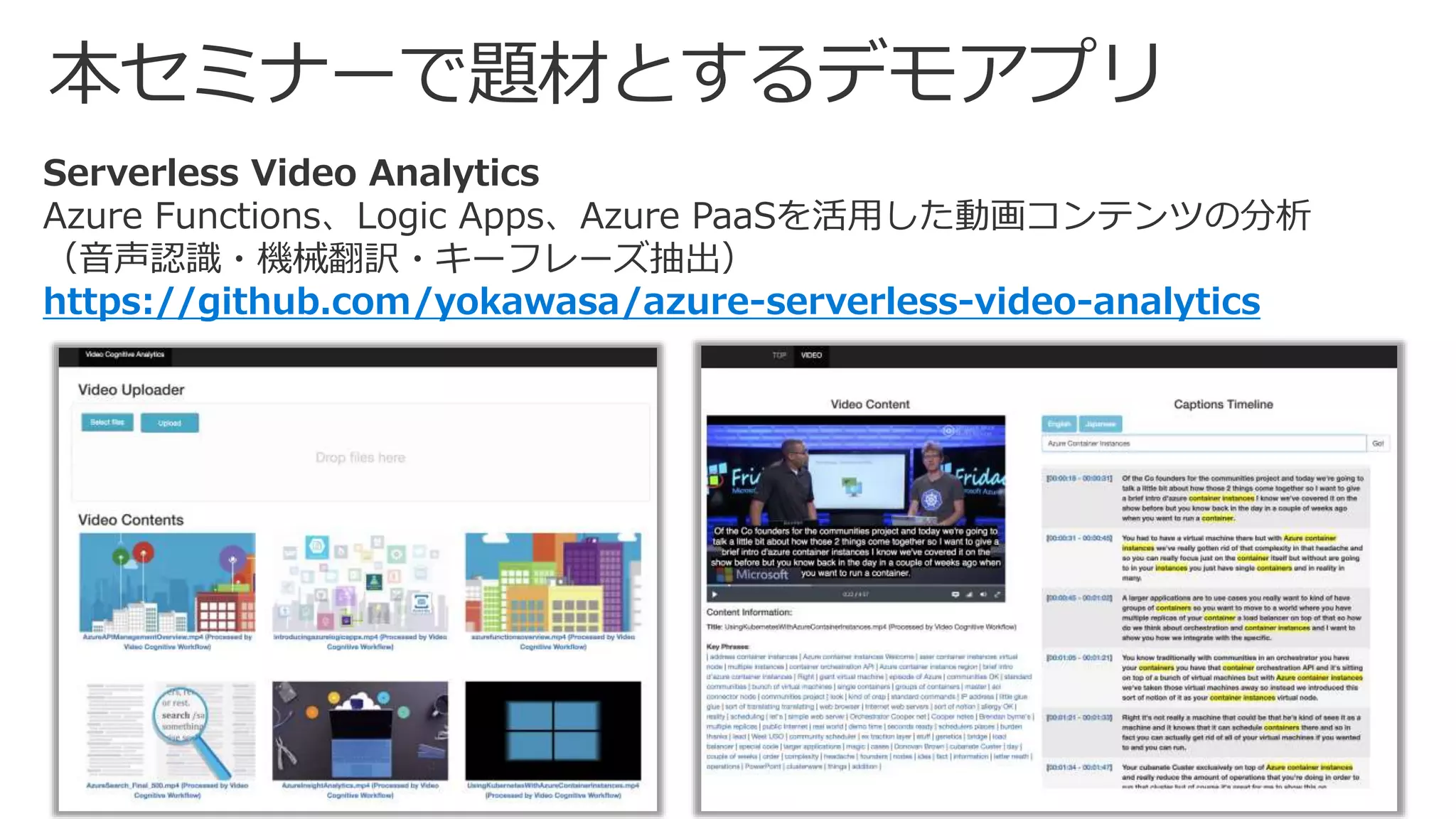
Serverless Video Analytics
Azure Functions、Logic Apps、Azure PaaSを活用した動画コンテンツの分析
(音声認識・機械翻訳・キーフレーズ抽出)
https://github.com/yokawasa/azure-serverless-video-analytics
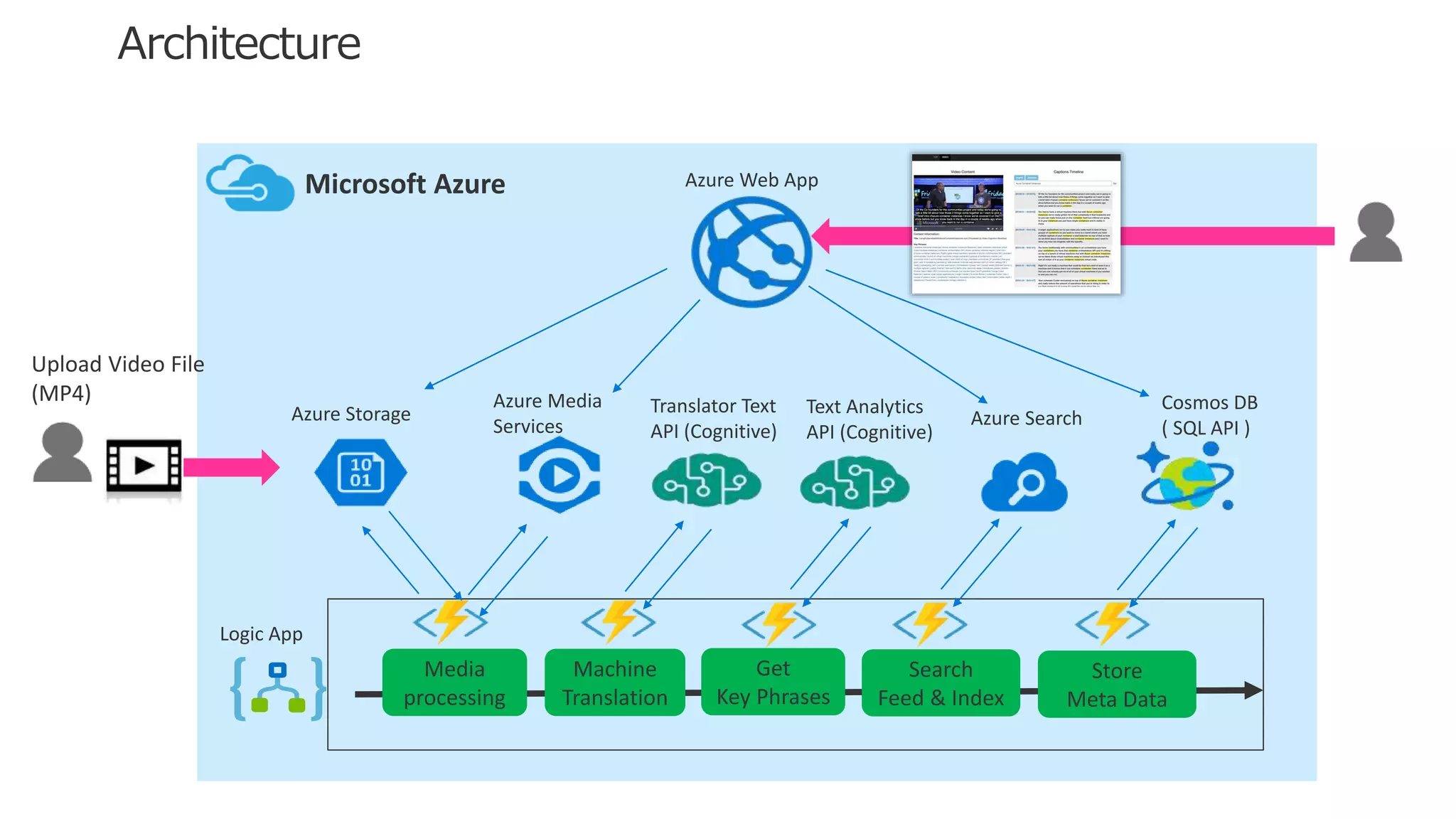
Translator Text
API (Cognitive)
Azure Media
Services
Azure Storage
Cosmos DB
( SQL API )
Media
processing
Machine
Translation
Get
Key Phrases
Logic App
Azure Web App
Upload Video File
(MP4)
Microsoft Azure
Search
Feed & Index
Store
Meta Data
Azure Search
Text Analytics
API (Cognitive)
background
demo:
Serverless Video Analytics
Logic Appsと複数Functionsを使った
動画ファイルからの音声認識・機械翻訳・
キーフレーズ抽出等の複合処理の実現
source code:
https://github.com/yokawasa/azure-serverless-video-analytics
https://docs.microsoft.com/en-us/azure/logic-apps/logic-apps-workflow-definition-language
{
“$schema”: ”<スキーマ定義>”
“contentVersion”: “<バージョン番号>",
“parameters”: { <パラメータ定義> },
“triggers”: [ { <Triggerの定義> } ],
“actions”: [ { <Actionの定義> } ],
“outputs”: { <Outputの定義> }
}
スキーマ内で使う可変値をパラメータ
として定義
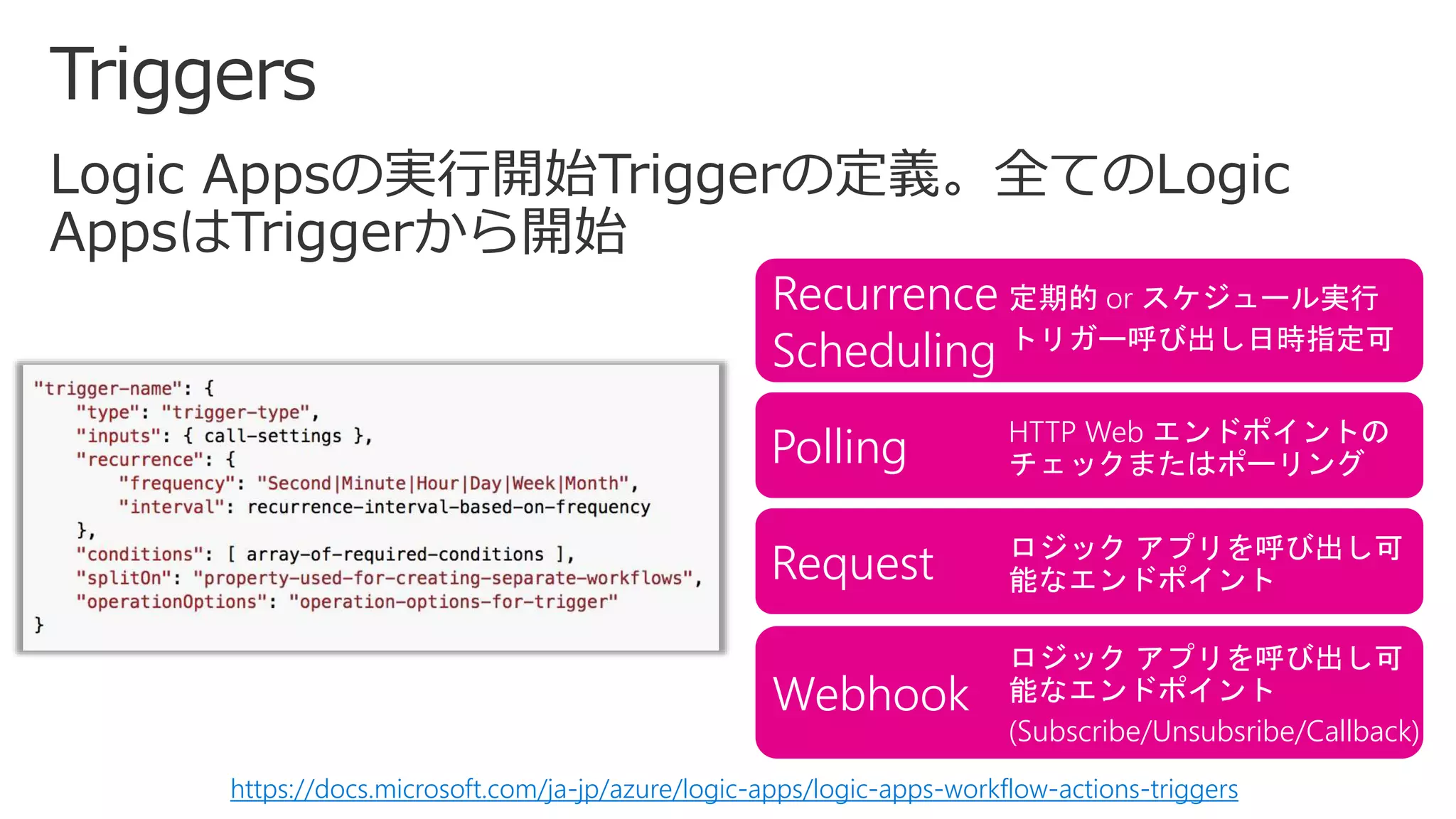
Logic Appsの実行開始トリガーを定義。
全てのLogic Appsはトリガーから開始
実際のアクション動作の定義。
通常複数のアクションで構成され、それぞ
れが固有の動作をもつ
ワークフロー実行結果の主力情報を指定。
各実行ごとに追跡したい値などあれば記述
Recurrence
Scheduling
定期的 or スケジュール実行
トリガー呼び出し日時指定可
Polling HTTP Web エンドポイントの
チェックまたはポーリング
Webhook
ロジック アプリを呼び出し可
能なエンドポイント
(Subscribe/Unsubsribe/Callback)
Request ロジック アプリを呼び出し可
能なエンドポイント
https://docs.microsoft.com/ja-jp/azure/logic-apps/logic-apps-workflow-actions-triggers
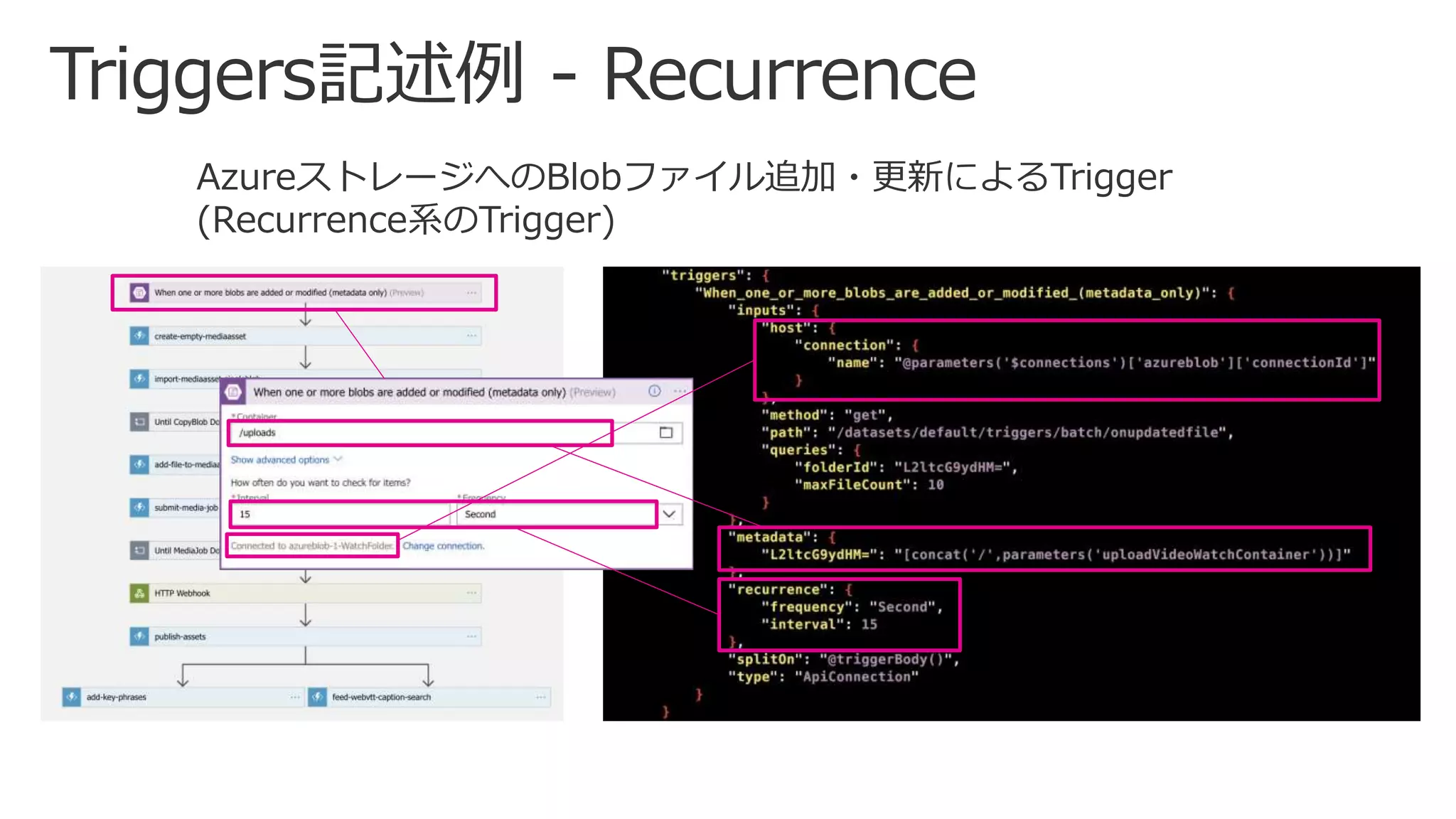
AzureストレージへのBlobファイル追加・更新によるTrigger
(Recurrence系のTrigger)
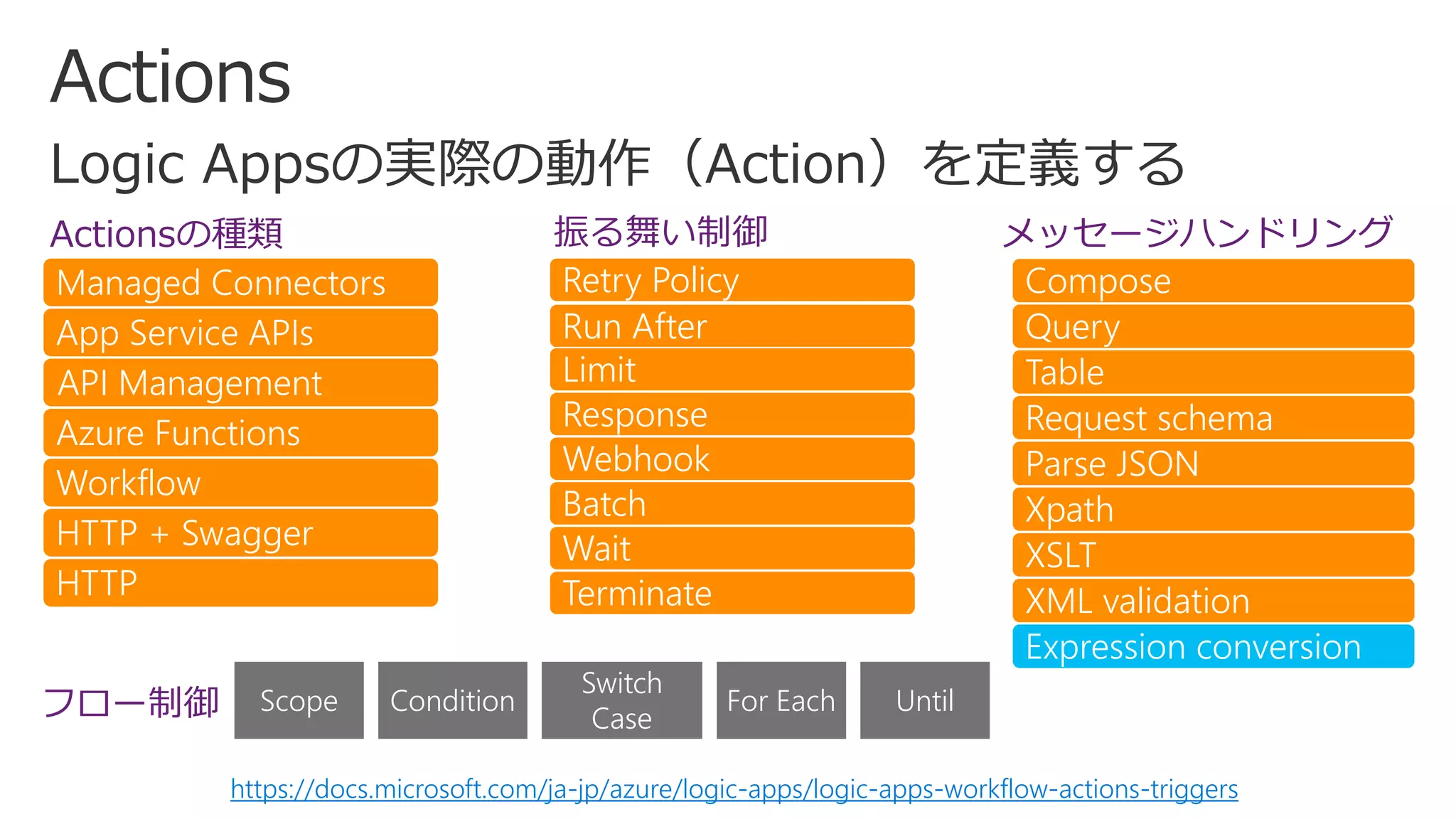
Actionsの種類
Managed Connectors
App Service APIs
API Management
Azure Functions
Workflow
HTTP + Swagger
HTTP
振る舞い制御
Retry Policy
Run After
Limit
Response
Webhook
Batch
Wait
Terminate
メッセージハンドリング
Compose
Query
Table
Request schema
Parse JSON
Xpath
XSLT
XML validation
Expression conversion
Scope Condition
Switch
Case
For Each Untilフロー制御
https://docs.microsoft.com/ja-jp/azure/logic-apps/logic-apps-workflow-actions-triggers
ビルトイン関数
• Concat; Substring; Replace; Guid; toLower;
toUpperString
• Equals; Less; lessOrEquals; lessOrEquals;
greaterOrEquals; And; Or; Not; IfLogical
• Int; String; Json; Float; Bool; Coalesce;
Base64; Xml; XPath; EtcConversions
• Add; Sub; Mul; Div; Min; Max; Range; RandMath
• Utcnow; Ticks; Addseconds; Addminutes;
Addhours; Adddays; FormatDateTimeDate
• Contains; Length; Empty; Intersection; First;
Last; Take; SkipCollection
• Parameters; Action; Actions; Triggers;
ActionsOutput; ActionBody; Item; EtcReferencing
• Invoke an expression
function@
• Parameters for an expression()
• Array reference
• Property reference
[]
• String interpolation{}
• Property reference.
• Null safe dereference?
オペレーター
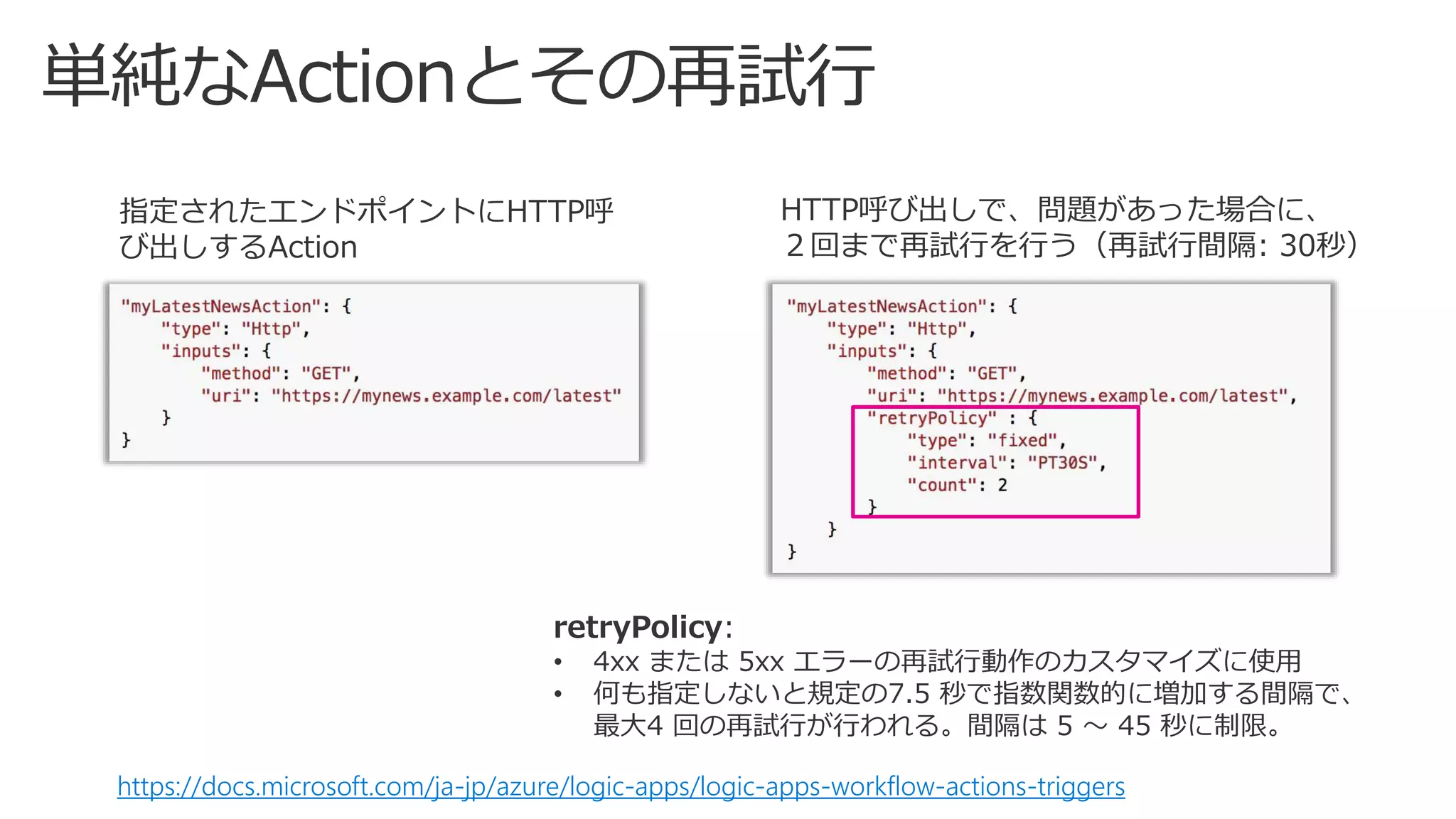
指定されたエンドポイントにHTTP呼
び出しするAction
HTTP呼び出しで、問題があった場合に、
2回まで再試行を行う(再試行間隔: 30秒)
https://docs.microsoft.com/ja-jp/azure/logic-apps/logic-apps-workflow-actions-triggers
retryPolicy:
• 4xx または 5xx エラーの再試行動作のカスタマイズに使用
• 何も指定しないと規定の7.5 秒で指数関数的に増加する間隔で、
最大4 回の再試行が行われる。間隔は 5 ~ 45 秒に制限。
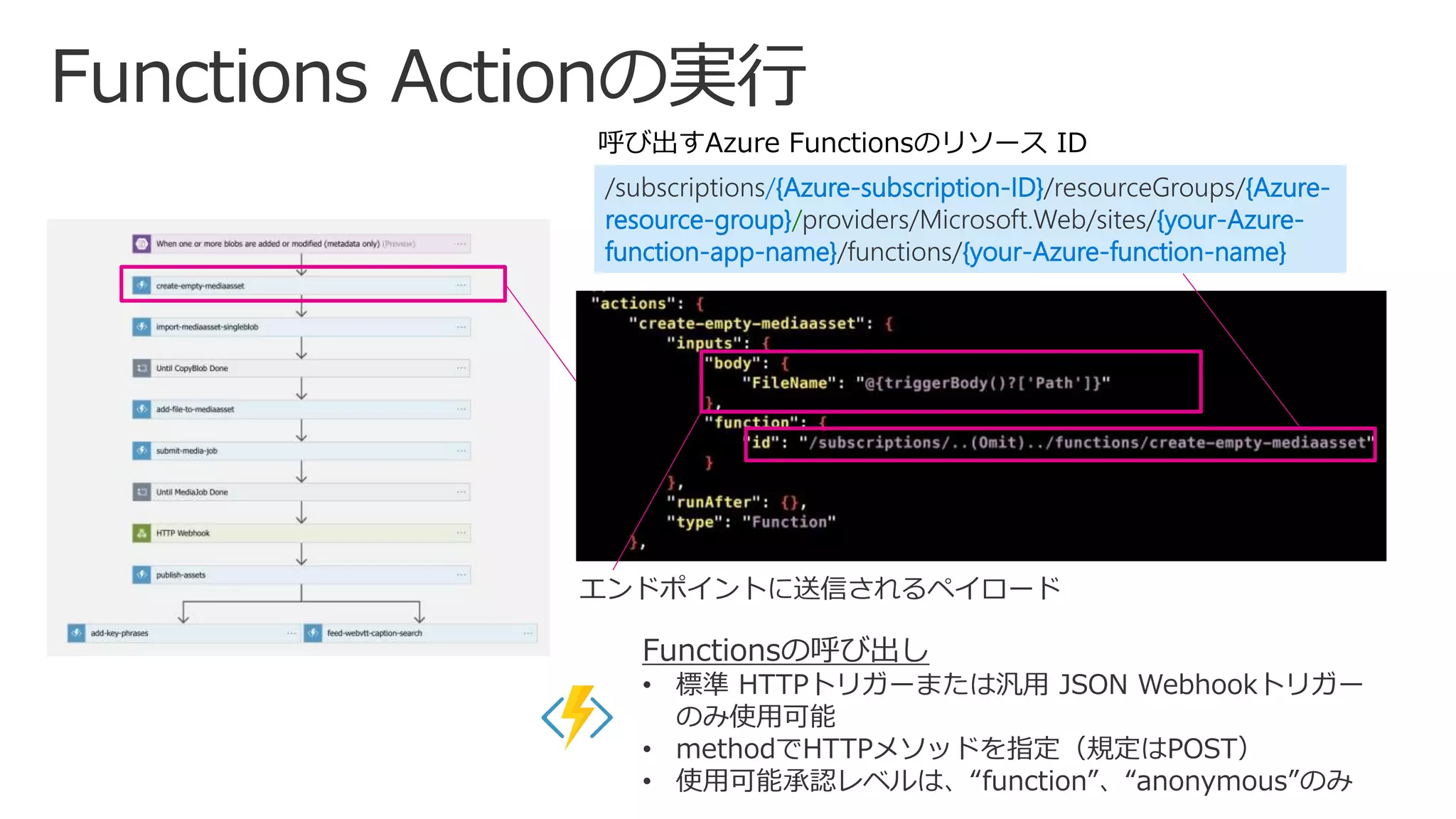
/subscriptions/{Azure-subscription-ID}/resourceGroups/{Azure-
resource-group}/providers/Microsoft.Web/sites/{your-Azure-
function-app-name}/functions/{your-Azure-function-name}
呼び出すAzure Functionsのリソース ID
Functionsの呼び出し
• 標準 HTTPトリガーまたは汎用 JSON Webhookトリガー
のみ使用可能
• methodでHTTPメソッドを指定(規定はPOST)
• 使用可能承認レベルは、“function”、“anonymous”のみ
エンドポイントに送信されるペイロード
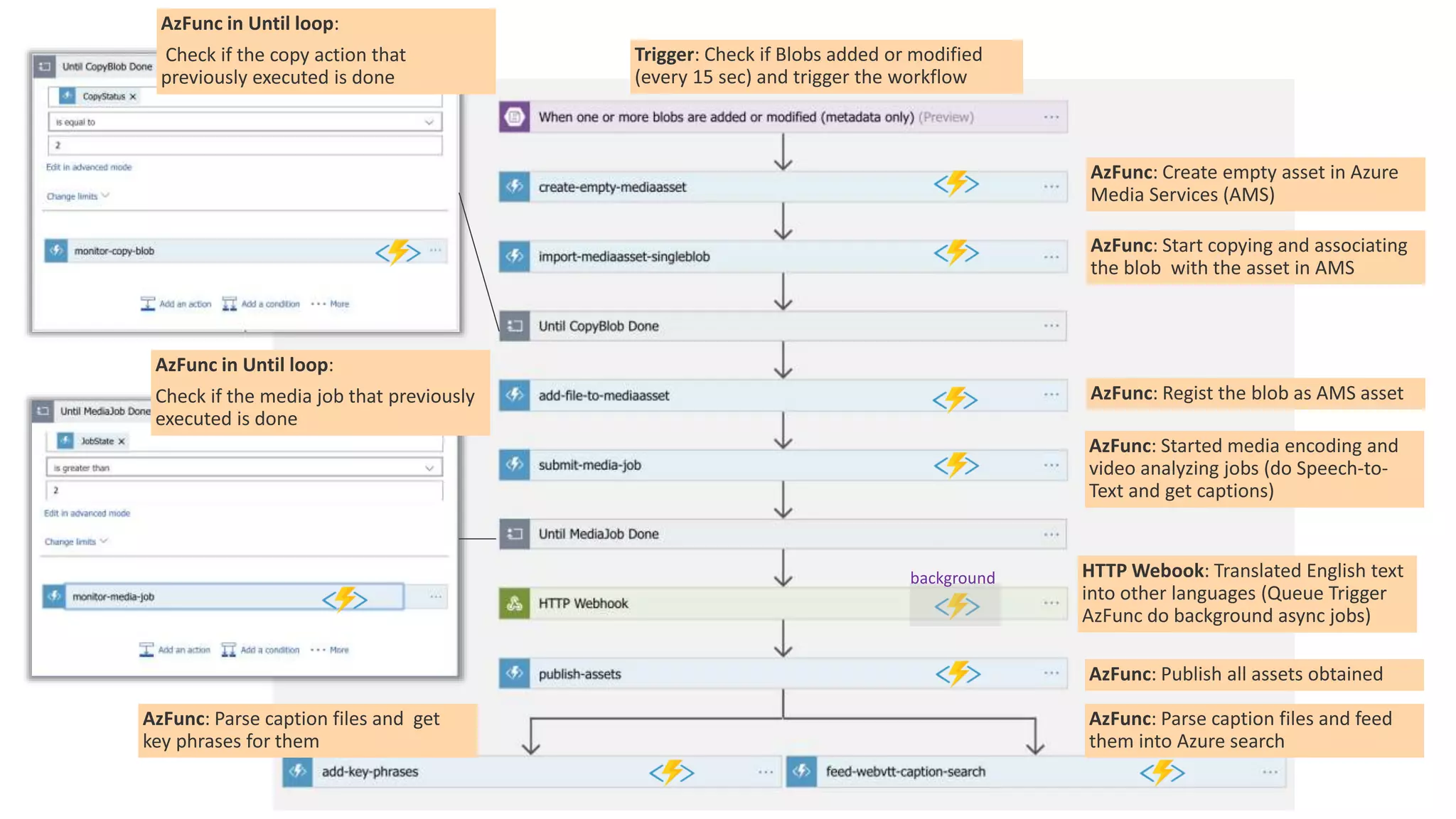
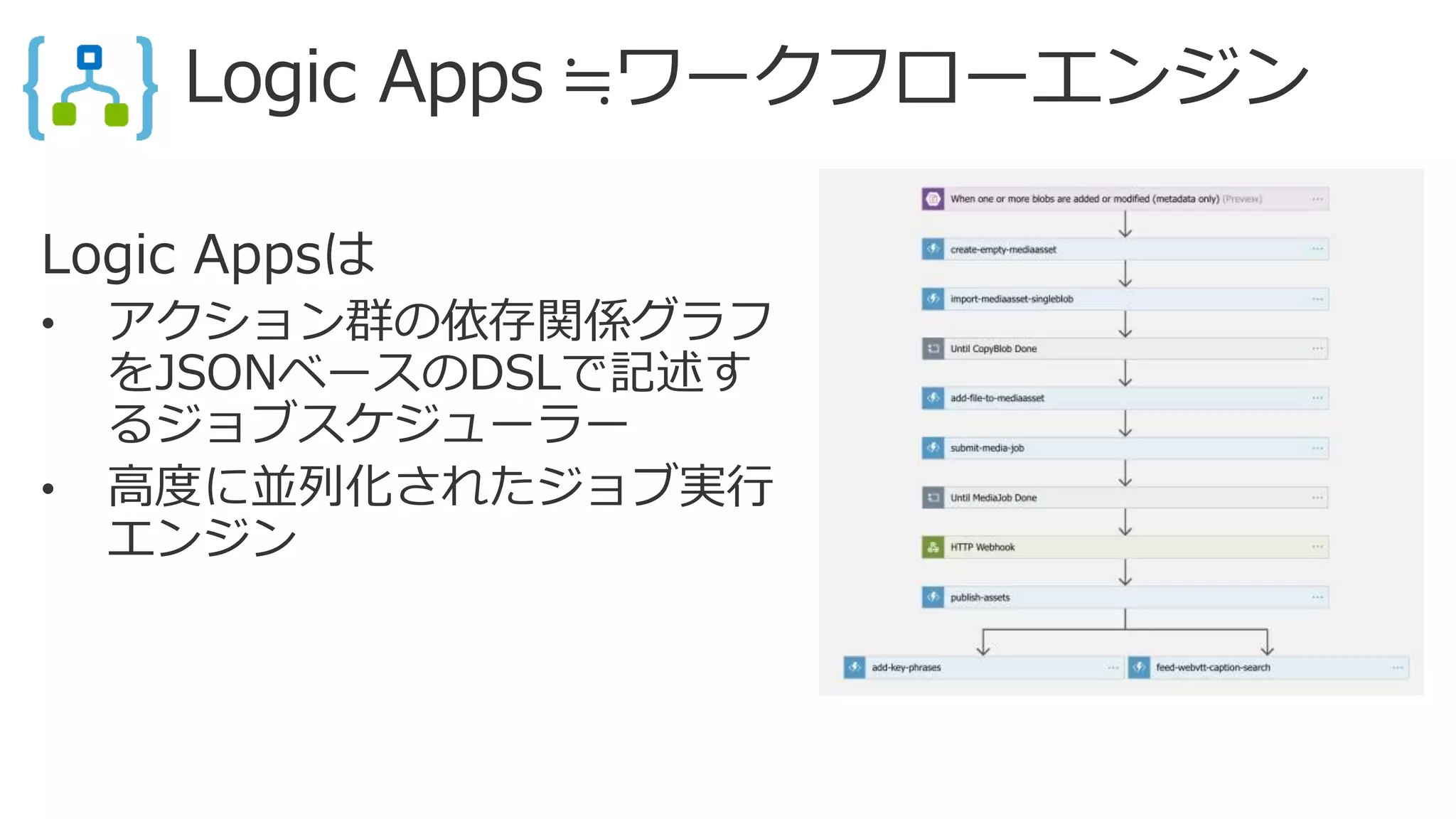
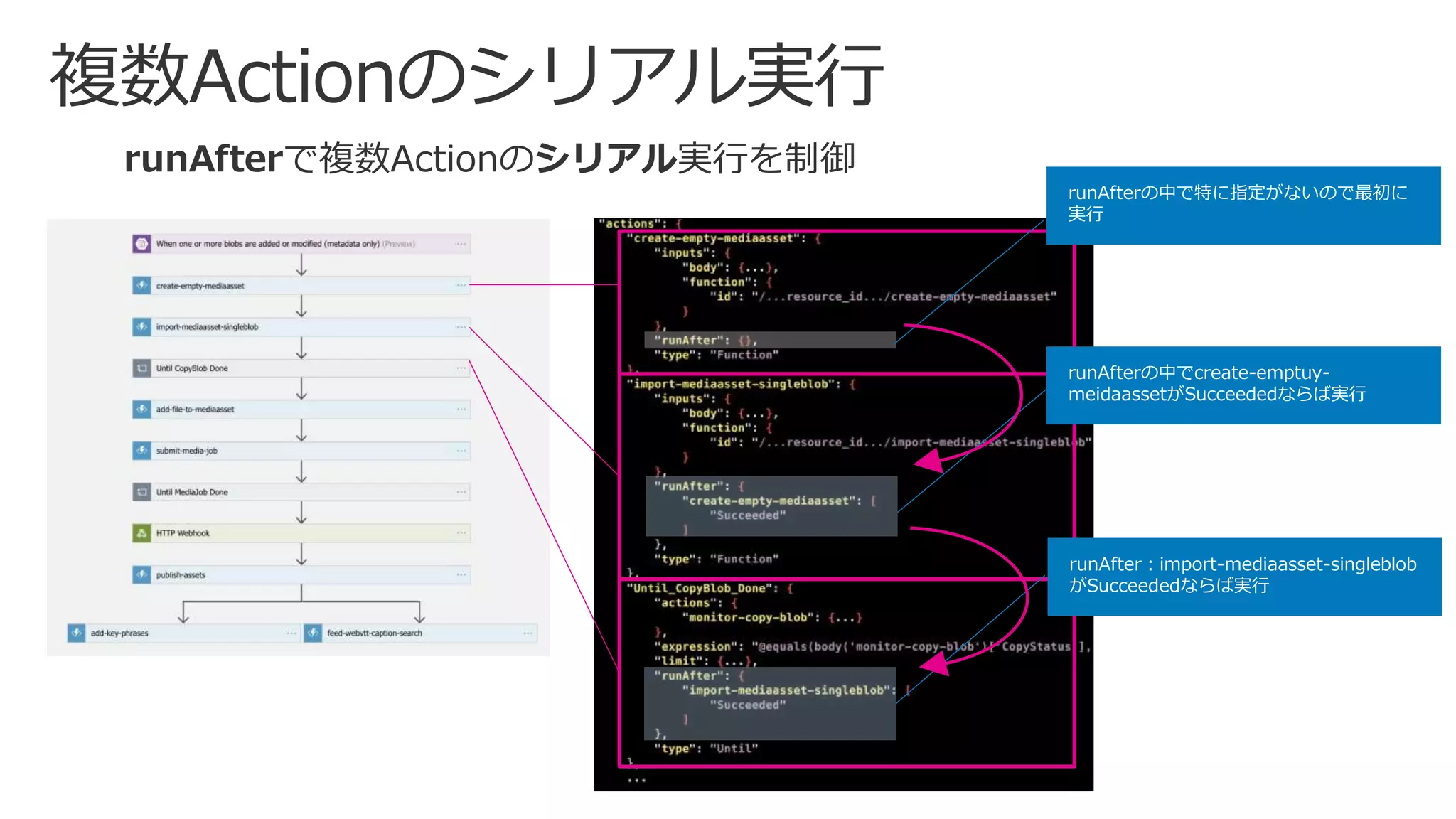
runAfterで複数Actionのシリアル実行を制御
runAfterの中でcreate-emptuy-
meidaassetがSucceededならば実行
runAfter:import-mediaasset-singleblob
がSucceededならば実行
runAfterの中で特に指定がないので最初に
実行
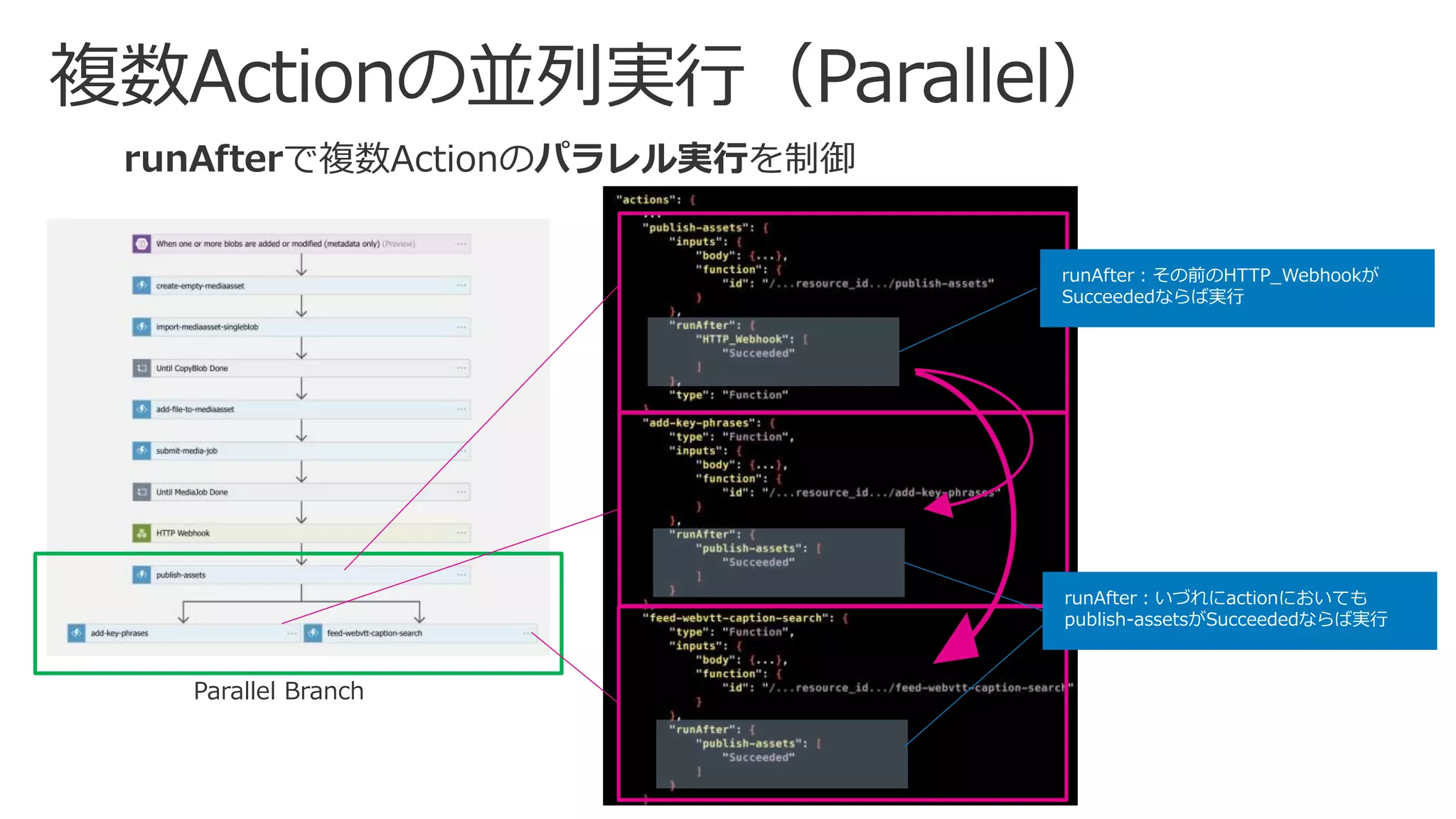
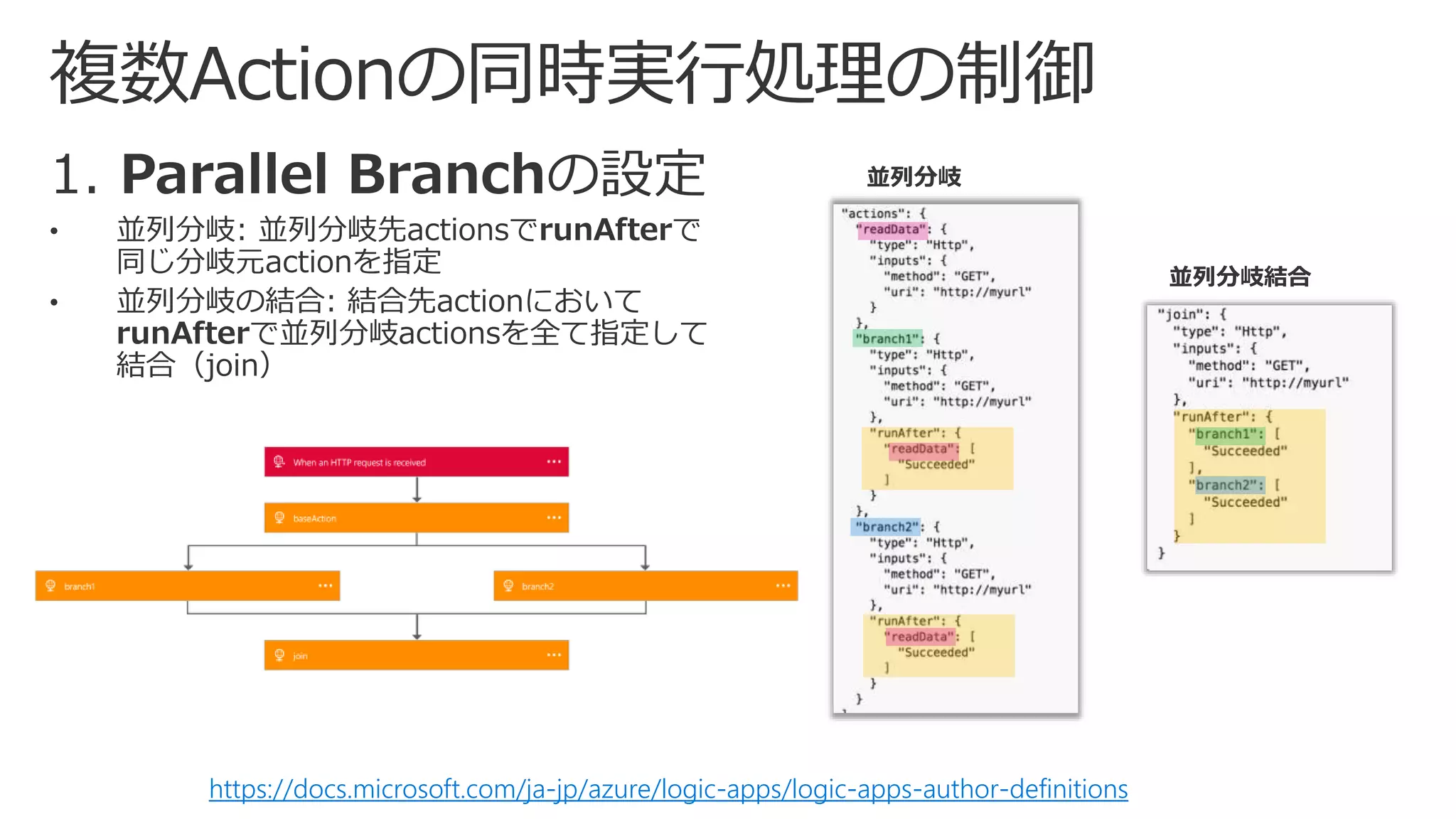
runAfterで複数Actionのパラレル実行を制御
runAfter:いづれにactionにおいても
publish-assetsがSucceededならば実行
runAfter:その前のHTTP_Webhookが
Succeededならば実行
Parallel Branch
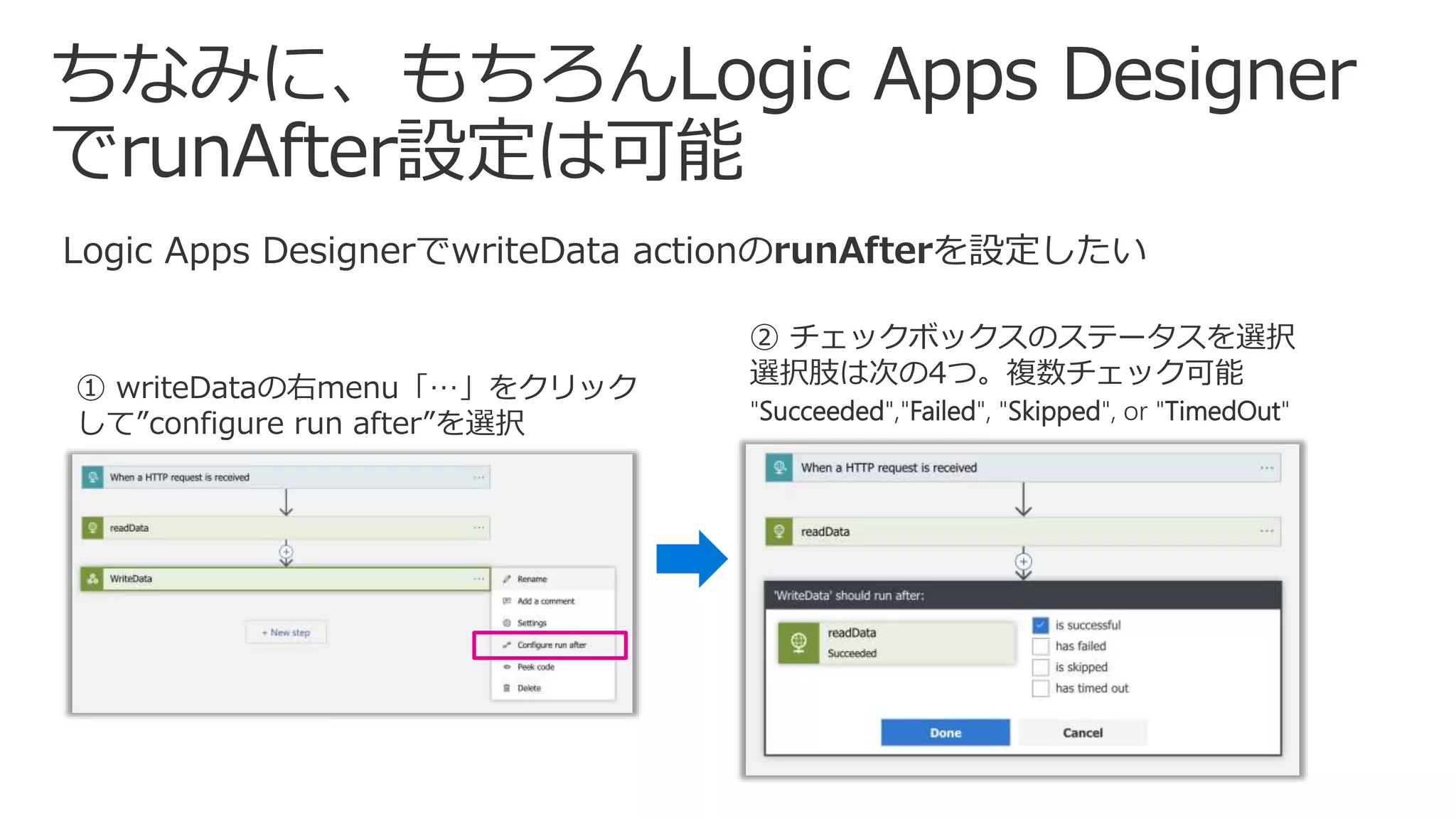
Logic Apps DesignerでwriteData actionのrunAfterを設定したい
① writeDataの右menu「…」をクリック
して”configure run after”を選択
② チェックボックスのステータスを選択
選択肢は次の4つ。複数チェック可能
"Succeeded","Failed", "Skipped", or "TimedOut"
https://docs.microsoft.com/ja-jp/azure/logic-apps/logic-apps-author-definitions
並列分岐
並列分岐結合
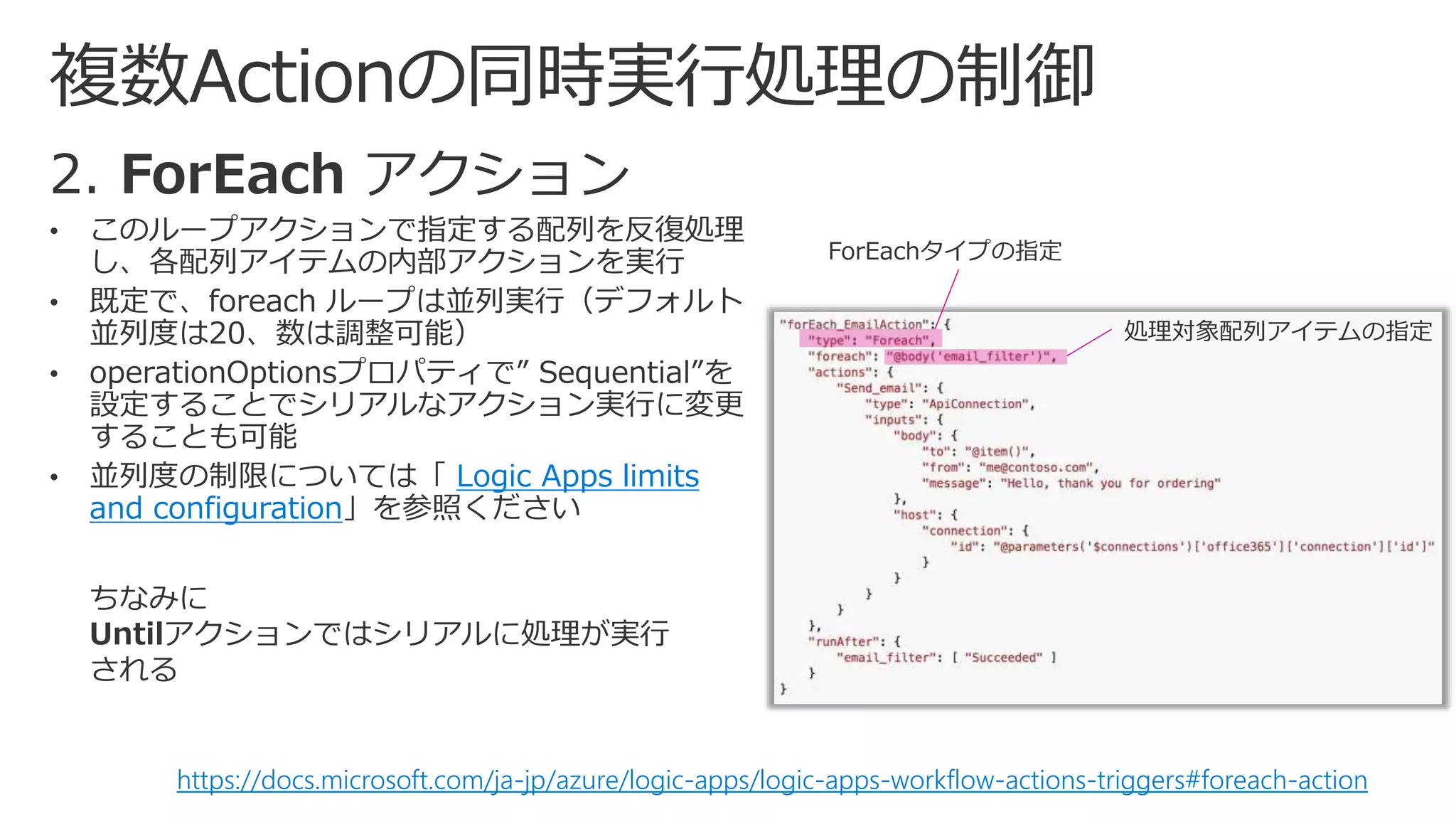
Logic Apps limits
and configuration
https://docs.microsoft.com/ja-jp/azure/logic-apps/logic-apps-workflow-actions-triggers#foreach-action
ちなみに
Untilアクションではシリアルに処理が実行
される
ForEachタイプの指定
処理対象配列アイテムの指定
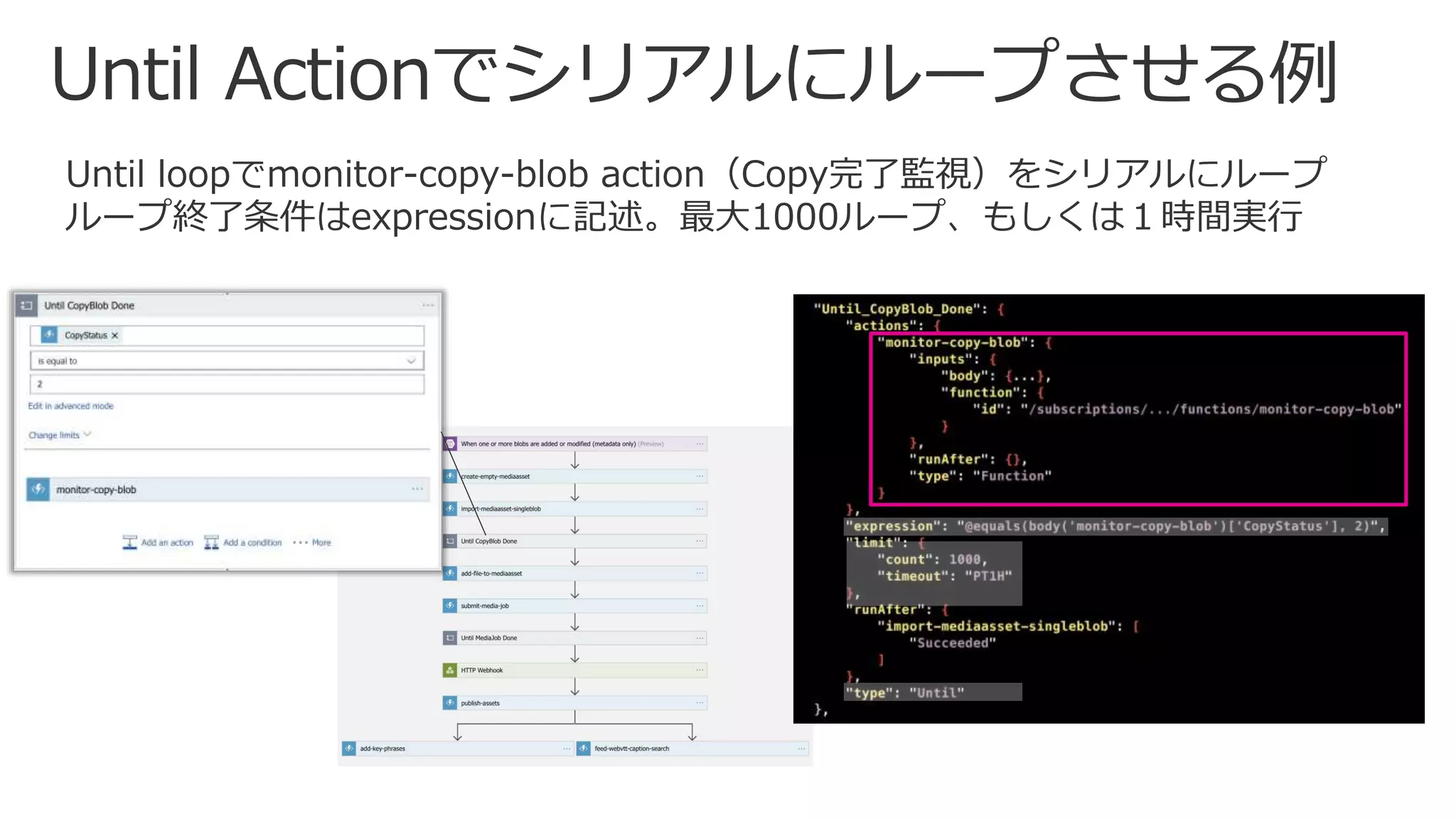
Until loopでmonitor-copy-blob action(Copy完了監視)をシリアルにループ
ループ終了条件はexpressionに記述。最大1000ループ、もしくは1時間実行
実現方法
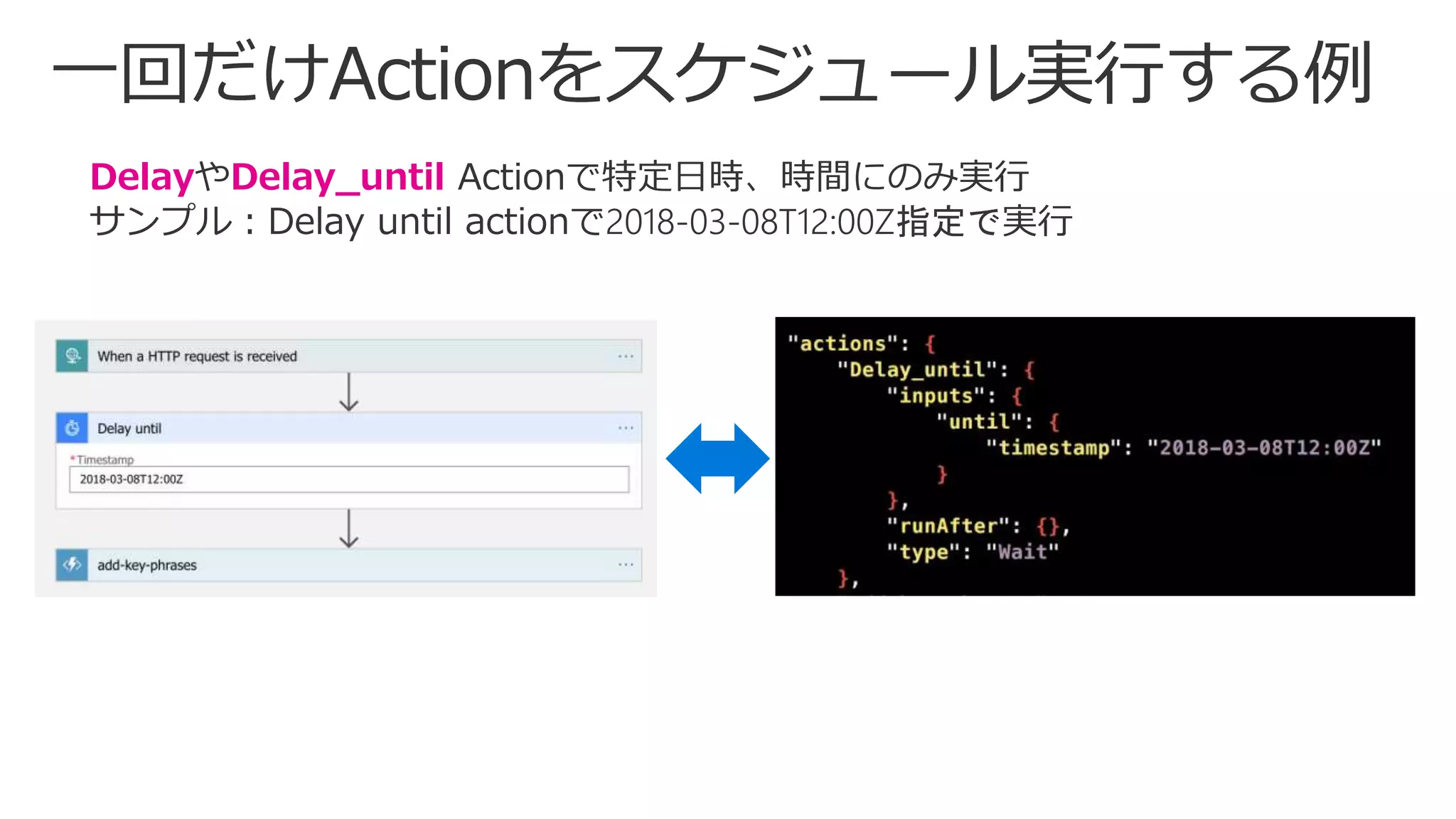
• ① 定期的 or 呼び出し時間指定でTriggerを実行する
• ② Delayまたは Delay_until actionを実行
https://docs.microsoft.com/ja-jp/azure/connectors/connectors-native-recurrence
https://docs.microsoft.com/en-us/azure/connectors/connectors-native-delay
DelayやDelay_until Actionで特定日時、時間にのみ実行
サンプル:Delay until actionで2018-03-08T12:00Z指定で実行
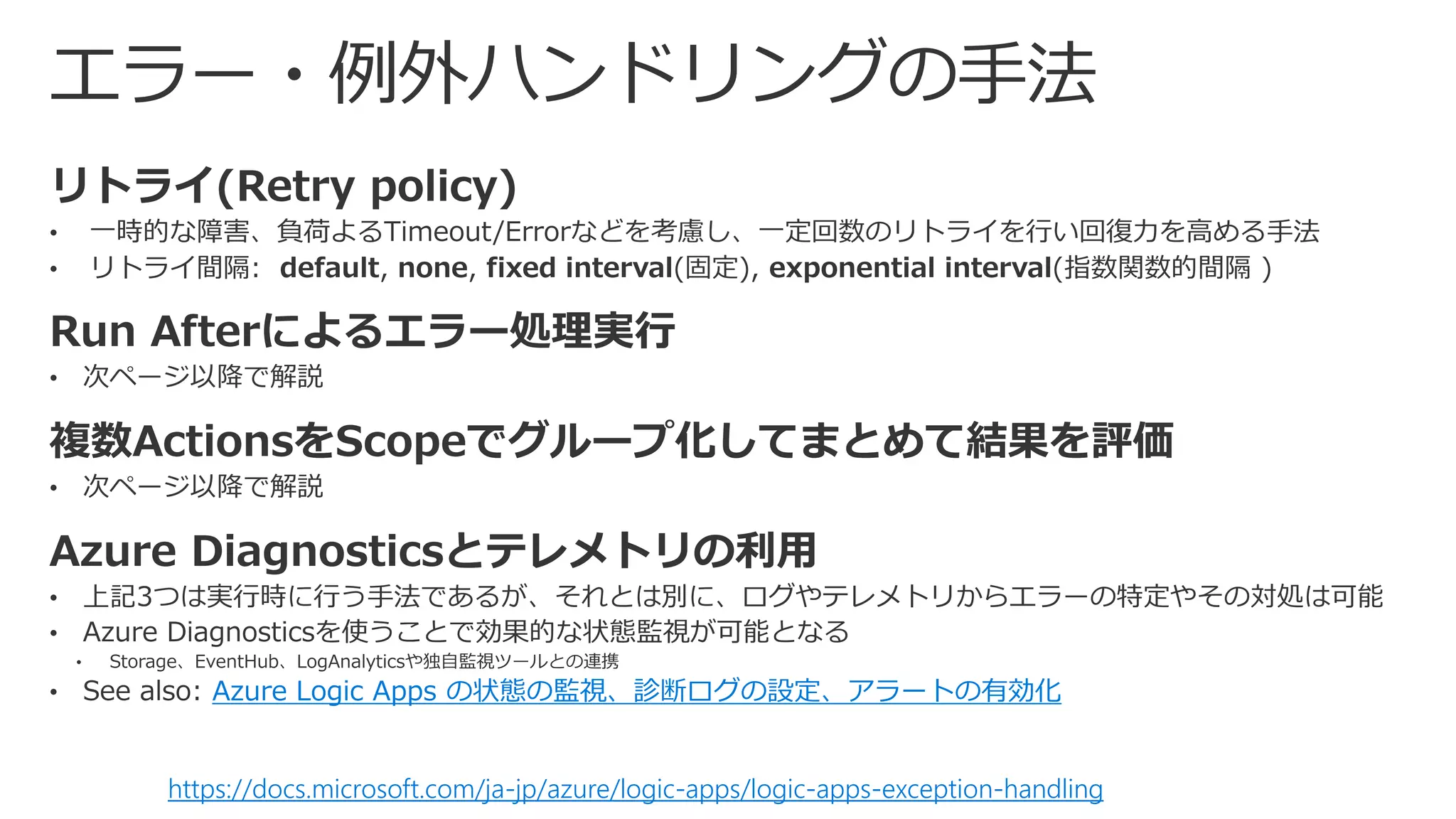
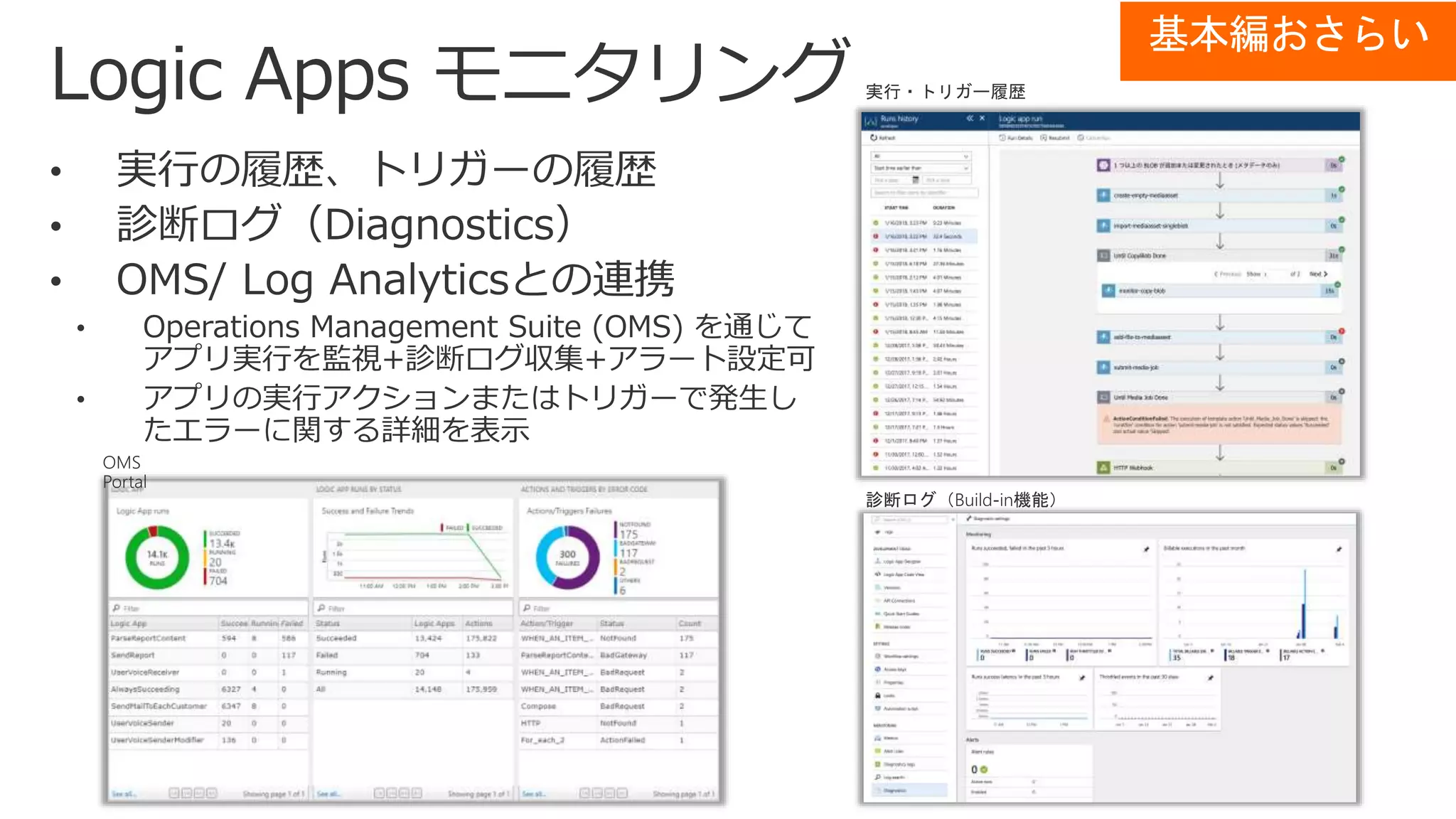
Azure Logic Apps の状態の監視、診断ログの設定、アラートの有効化
https://docs.microsoft.com/ja-jp/azure/logic-apps/logic-apps-exception-handling
基本編おさらい
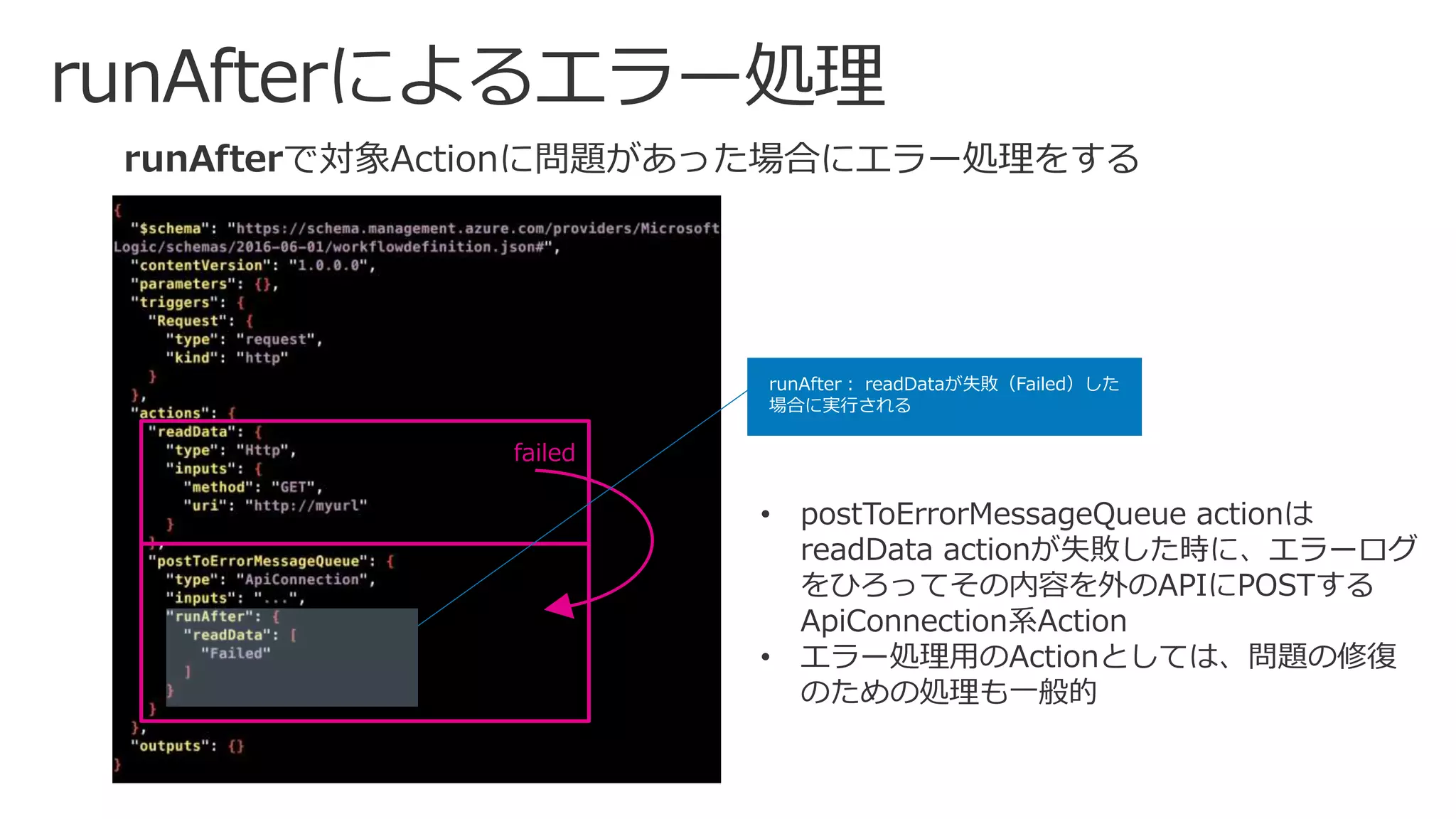
runAfterで対象Actionに問題があった場合にエラー処理をする
runAfter: readDataが失敗(Failed)した
場合に実行される
• postToErrorMessageQueue actionは
readData actionが失敗した時に、エラーログ
をひろってその内容を外のAPIにPOSTする
ApiConnection系Action
• エラー処理用のActionとしては、問題の修復
のための処理も一般的
failed
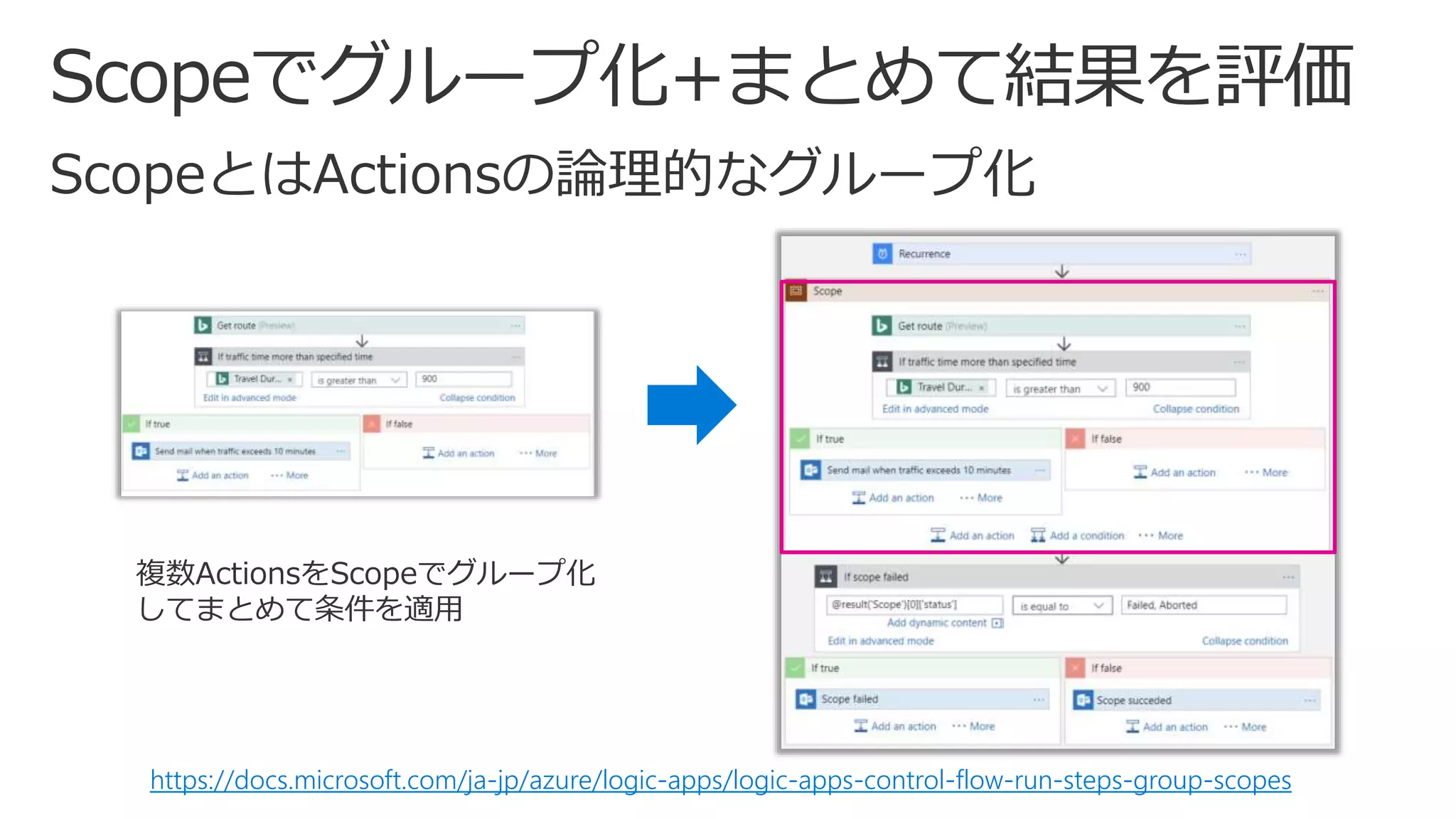
https://docs.microsoft.com/ja-jp/azure/logic-apps/logic-apps-control-flow-run-steps-group-scopes
複数ActionsをScopeでグループ化
してまとめて条件を適用
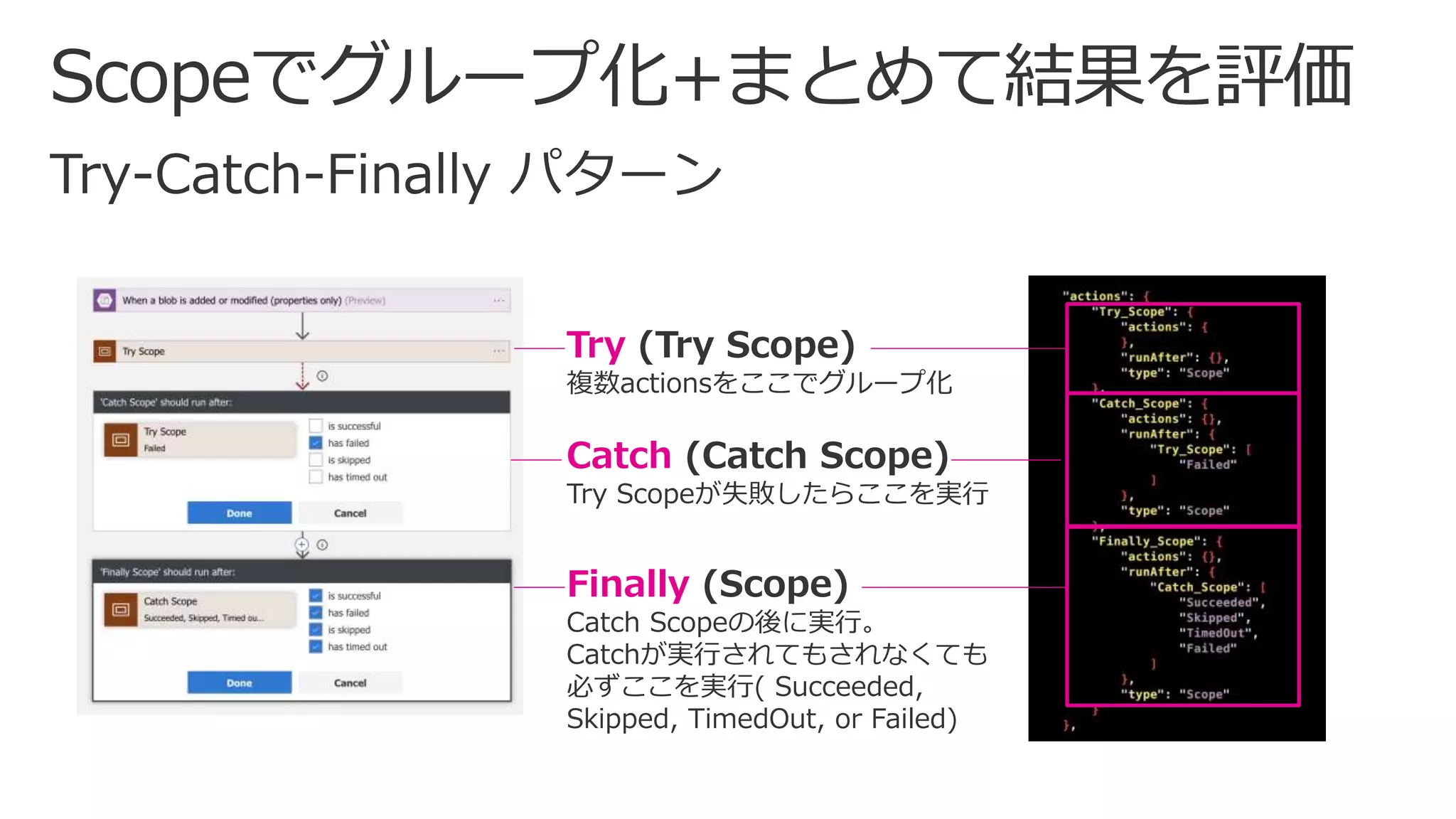
Try (Try Scope)
複数actionsをここでグループ化
Catch (Catch Scope)
Try Scopeが失敗したらここを実行
Finally (Scope)
Catch Scopeの後に実行。
Catchが実行されてもされなくても
必ずここを実行( Succeeded,
Skipped, TimedOut, or Failed)
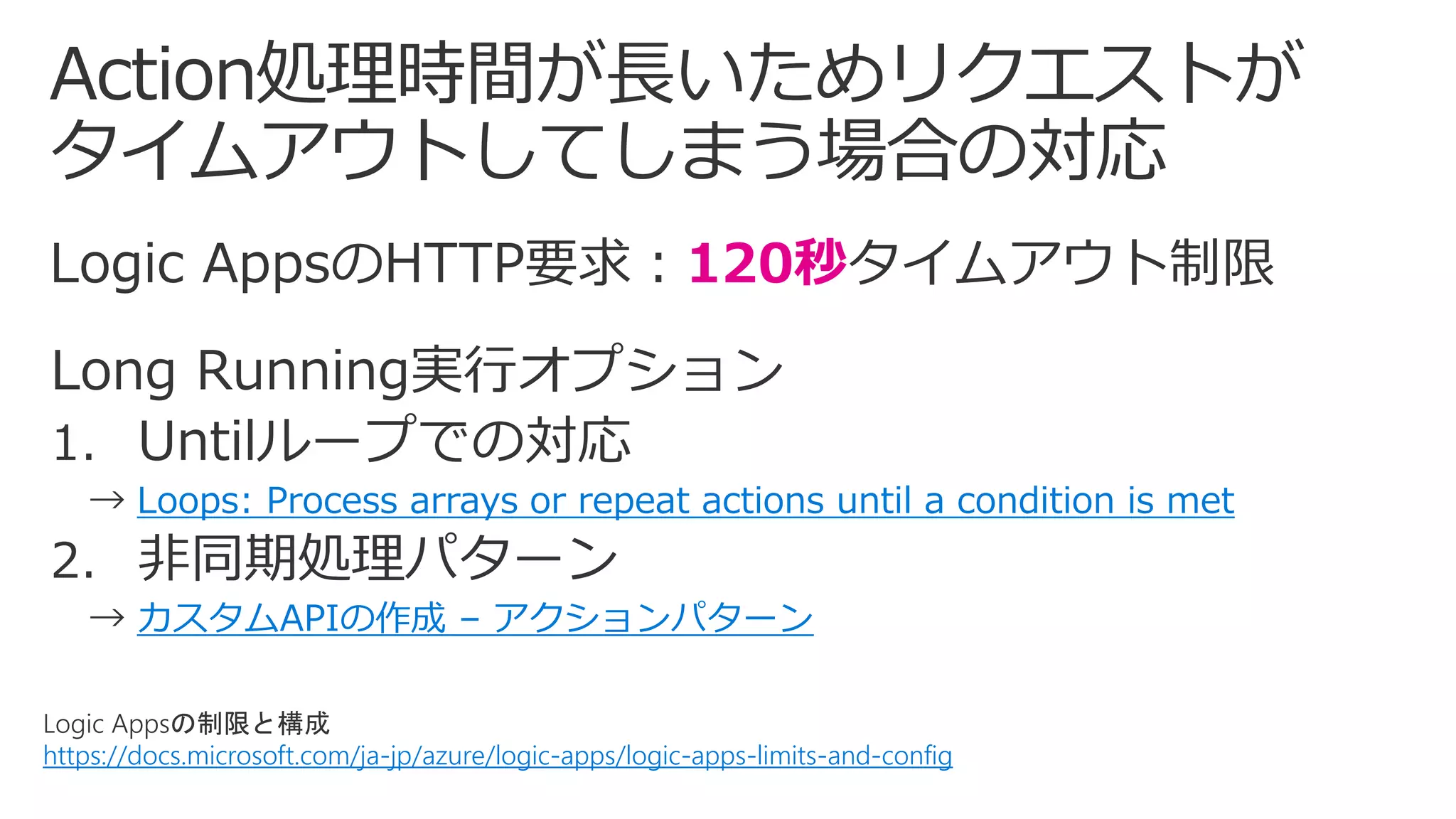
Logic Appsの制限と構成
https://docs.microsoft.com/ja-jp/azure/logic-apps/logic-apps-limits-and-config
120秒
Loops: Process arrays or repeat actions until a condition is met
カスタムAPIの作成 – アクションパターン
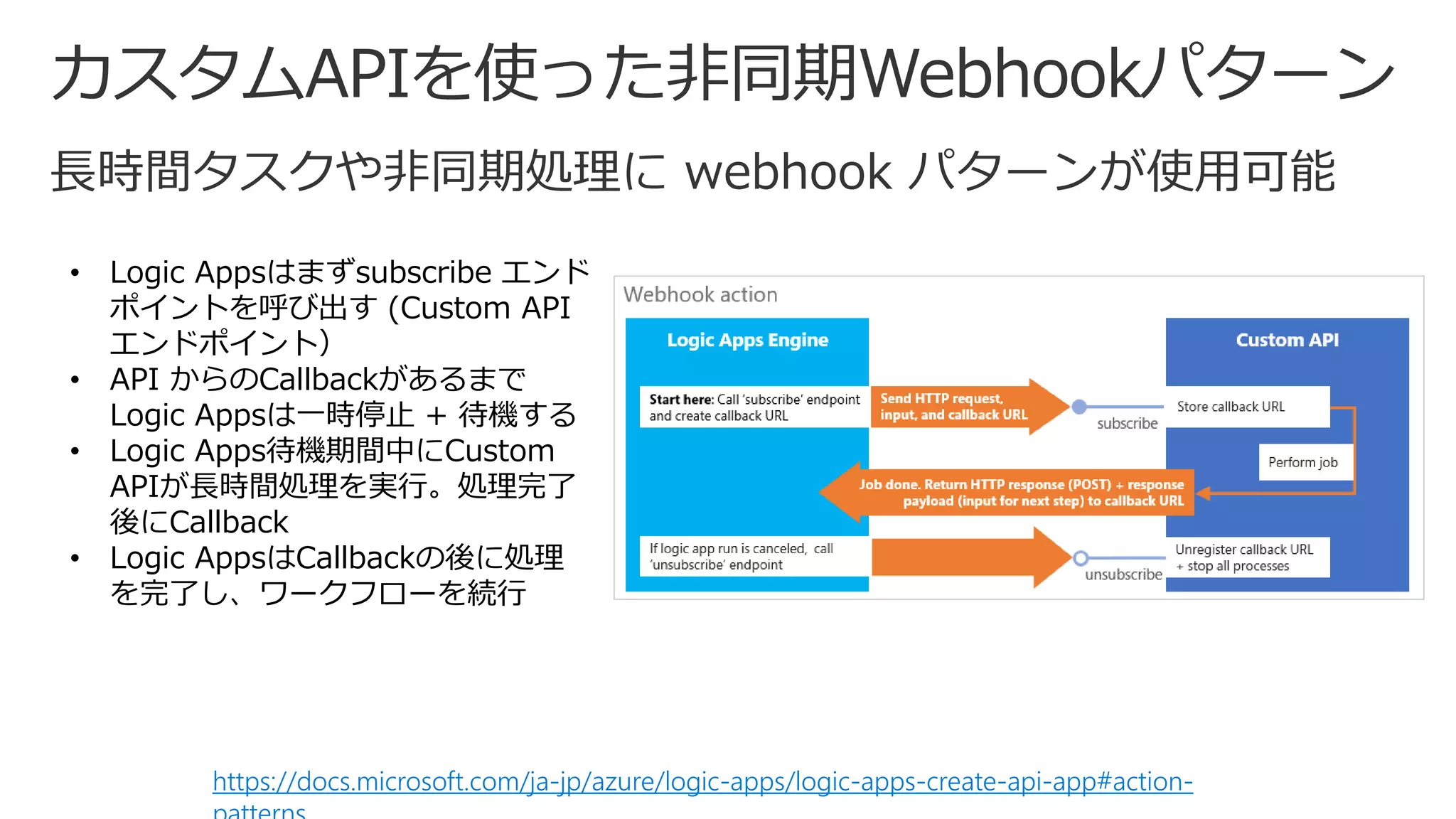
https://docs.microsoft.com/ja-jp/azure/logic-apps/logic-apps-create-api-app#action-
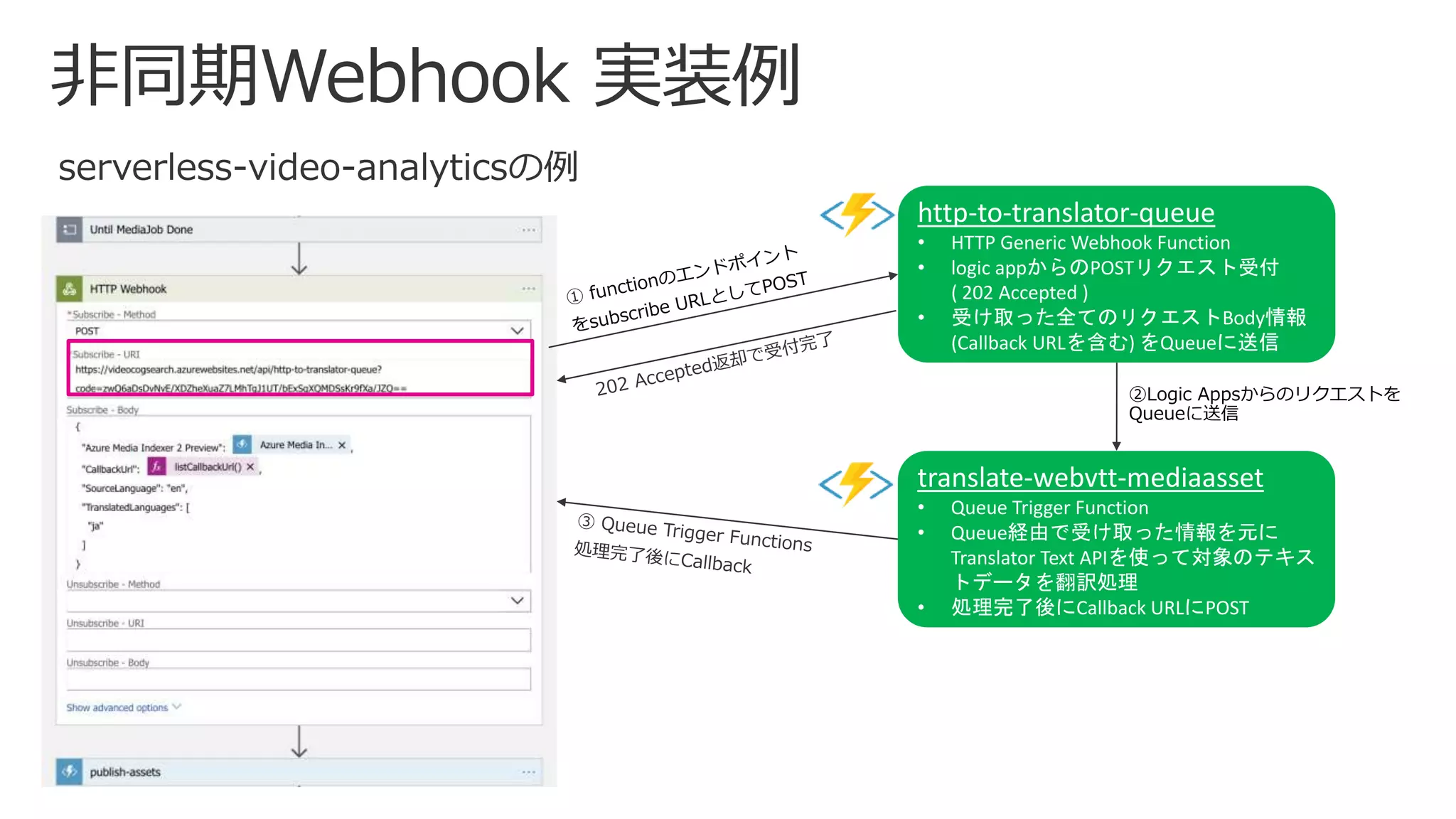
• Logic Appsはまずsubscribe エンド
ポイントを呼び出す (Custom API
エンドポイント)
• API からのCallbackがあるまで
Logic Appsは一時停止 + 待機する
• Logic Apps待機期間中にCustom
APIが長時間処理を実行。処理完了
後にCallback
• Logic AppsはCallbackの後に処理
を完了し、ワークフローを続行
http-to-translator-queue
• HTTP Generic Webhook Function
• logic appからのPOSTリクエスト受付
( 202 Accepted )
• 受け取った全てのリクエストBody情報
(Callback URLを含む) をQueueに送信
translate-webvtt-mediaasset
• Queue Trigger Function
• Queue経由で受け取った情報を元に
Translator Text APIを使って対象のテキス
トデータを翻訳処理
• 処理完了後にCallback URLにPOST
②Logic Appsからのリクエストを
Queueに送信
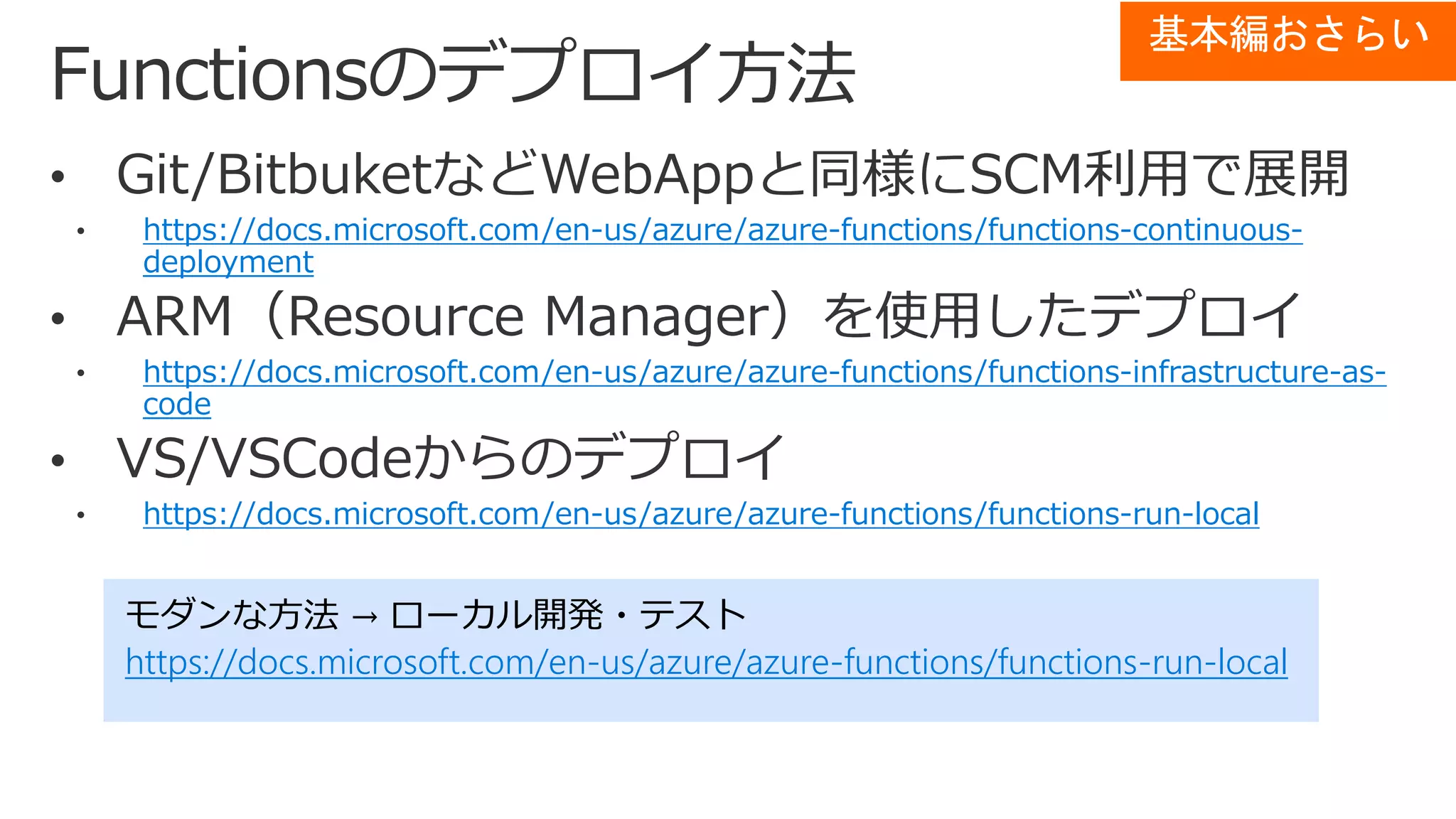
https://docs.microsoft.com/en-us/azure/azure-functions/functions-continuous-
deployment
https://docs.microsoft.com/en-us/azure/azure-functions/functions-infrastructure-as-
code
https://docs.microsoft.com/en-us/azure/azure-functions/functions-run-local
モダンな方法 → ローカル開発・テスト
https://docs.microsoft.com/en-us/azure/azure-functions/functions-run-local
基本編おさらい
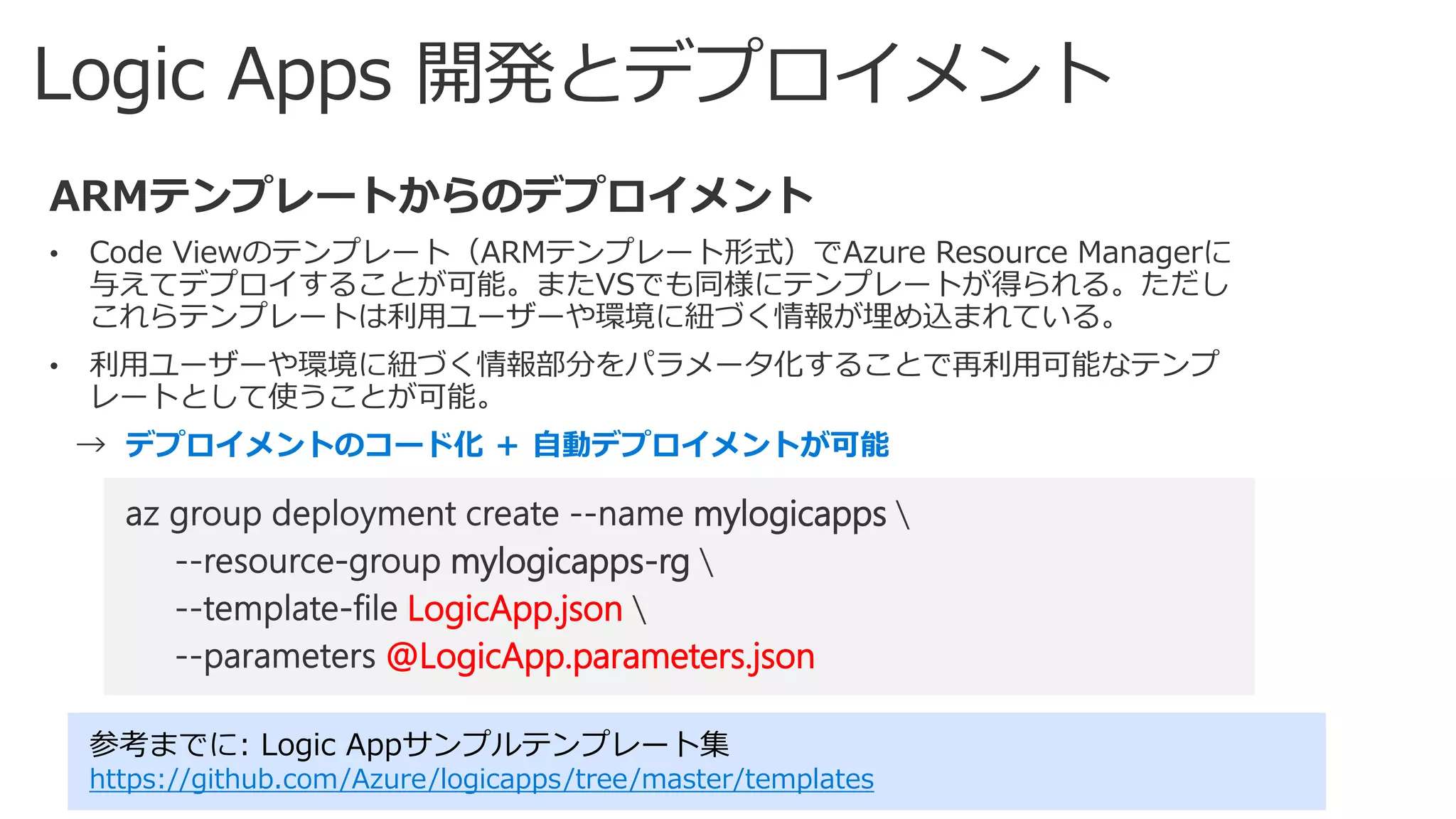
Visual StudioでAzure Logic Apps を作成してデプロイする
• LogicApp.json
• LogicApp.parameters.json
デプロイメントのコード化 + 自動デプロイメントが可能
参考までに: Logic Appサンプルテンプレート集
https://github.com/Azure/logicapps/tree/master/templates
mylogicapps
mylogicapps-rg
LogicApp.json
@LogicApp.parameters.json
demo:
Logic appsのデプロイメント
ARMテンプレートを元にAzure CLIコマンドをつかって
デプロイメント
テンプレート:
https://github.com/yokawasa/azure-serverless-video-analytics/tree/master/logicapp
Azure Functions&Logic Appではじめるサーバレスアプリケーション開発 - 応用編 -

Azure Functions&Logic Appではじめるサーバレスアプリケーション開発 - 応用編 -

Editor's Notes

  • #20 再試行間隔は、ISO 8601 形式で指定
  • #26 こちらも参考 http://mlogdberg.com/logicapps/concurrency-control