Totara 2.7
New features for more control over
your LMS
HEADER
Subheader - Lorem ipsum
Totara 2.7
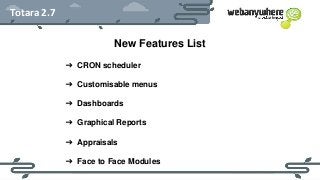
New Features List
➔ CRON scheduler
➔ Customisable menus
➔ Dashboards
➔ Graphical Reports
➔ Appraisals
➔ Face to Face Modules
HEADER
Subheader - Lorem ipsum
Totara 2.7
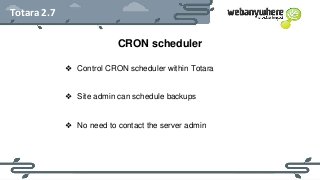
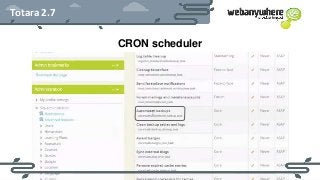
CRON scheduler
❖ Control CRON scheduler within Totara
❖ Site admin can schedule backups
❖ No need to contact the server admin
HEADER
Subheader - Lorem ipsum
Totara 2.7
CRON scheduler
HEADER
Subheader - Lorem ipsum
Totara 2.7
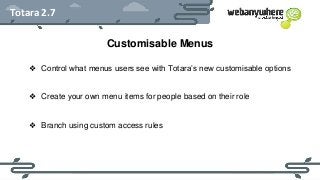
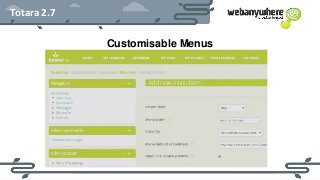
Customisable Menus
❖ Control what menus users see with Totara’s new customisable options
❖ Create your own menu items for people based on their role
❖ Branch using custom access rules
HEADER
Subheader - Lorem ipsum
Totara 2.7
Customisable Menus
HEADER
Subheader - Lorem ipsum
Totara 2.7
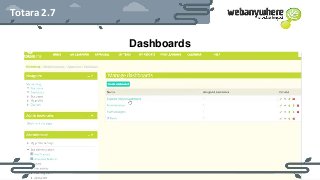
Dashboards
❖ Simply add blocks from a drop down menu to create Dashboards
❖ Role Based Dashboards make the homepage suited to each member
❖ Display what learning is due from users using reporting tools.
❖ Lock dashboards or let users customise their own
HEADER
Subheader - Lorem ipsum
Totara 2.7
Dashboards
HEADER
Subheader - Lorem ipsum
Totara 2.7
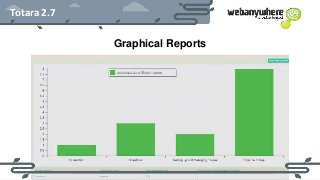
Graphical Reports
❖ Access graphical reports through the report builder
❖ Take aggregated data and turn them into easily understood graphs.
❖ Customise and export data into Excel, CSV or even PDF formats.
HEADER
Subheader - Lorem ipsum
Totara 2.7
Graphical Reports
HEADER
Subheader - Lorem ipsum
Totara 2.7
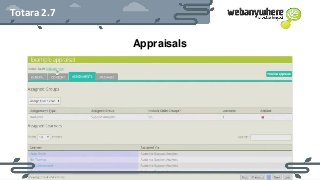
Appraisals
❖ Add people to appraisals that have been already activated
❖ Aggregate data from the appraisal, making reporting simpler
E.g. if you were to hire someone new who should be able to be appraised
they can now be added to existing teams!
HEADER
Subheader - Lorem ipsum
Totara 2.7
Appraisals
HEADER
Subheader - Lorem ipsum
Totara 2.7
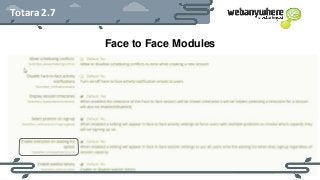
Face to Face Modules
❖ Control things such as making users state their position, add them to
a waitlist and even make assigning users based on a “waitlist lottery”
(not first come first served, randomised selection).
❖ Make signup notes a custom field, including drop down menus.
❖ Users can explain their cancellation with the new cancellation notes.
HEADER
Subheader - Lorem ipsum
Totara 2.7
Face to Face Modules
HEADER
Subheader - Lorem ipsum
Totara 2.7
About Webanywhere
Totara Platinum Partner
12 years in e-learning
Experienced e-learning developers
HEADER
Subheader - Lorem ipsum
If you are interested in Totara LMS for your business
contact us now:
workplace@webanywhere.co.uk
UK - +44 0800 862 0131 | USA - 866-713-0496
http://www.webanywhere.co.uk/totara

Totara 2.7 New Features

  • 1.
    Totara 2.7 New featuresfor more control over your LMS
  • 2.
    HEADER Subheader - Loremipsum Totara 2.7 New Features List ➔ CRON scheduler ➔ Customisable menus ➔ Dashboards ➔ Graphical Reports ➔ Appraisals ➔ Face to Face Modules
  • 3.
    HEADER Subheader - Loremipsum Totara 2.7 CRON scheduler ❖ Control CRON scheduler within Totara ❖ Site admin can schedule backups ❖ No need to contact the server admin
  • 4.
    HEADER Subheader - Loremipsum Totara 2.7 CRON scheduler
  • 5.
    HEADER Subheader - Loremipsum Totara 2.7 Customisable Menus ❖ Control what menus users see with Totara’s new customisable options ❖ Create your own menu items for people based on their role ❖ Branch using custom access rules
  • 6.
    HEADER Subheader - Loremipsum Totara 2.7 Customisable Menus
  • 7.
    HEADER Subheader - Loremipsum Totara 2.7 Dashboards ❖ Simply add blocks from a drop down menu to create Dashboards ❖ Role Based Dashboards make the homepage suited to each member ❖ Display what learning is due from users using reporting tools. ❖ Lock dashboards or let users customise their own
  • 8.
    HEADER Subheader - Loremipsum Totara 2.7 Dashboards
  • 9.
    HEADER Subheader - Loremipsum Totara 2.7 Graphical Reports ❖ Access graphical reports through the report builder ❖ Take aggregated data and turn them into easily understood graphs. ❖ Customise and export data into Excel, CSV or even PDF formats.
  • 10.
    HEADER Subheader - Loremipsum Totara 2.7 Graphical Reports
  • 11.
    HEADER Subheader - Loremipsum Totara 2.7 Appraisals ❖ Add people to appraisals that have been already activated ❖ Aggregate data from the appraisal, making reporting simpler E.g. if you were to hire someone new who should be able to be appraised they can now be added to existing teams!
  • 12.
    HEADER Subheader - Loremipsum Totara 2.7 Appraisals
  • 13.
    HEADER Subheader - Loremipsum Totara 2.7 Face to Face Modules ❖ Control things such as making users state their position, add them to a waitlist and even make assigning users based on a “waitlist lottery” (not first come first served, randomised selection). ❖ Make signup notes a custom field, including drop down menus. ❖ Users can explain their cancellation with the new cancellation notes.
  • 14.
    HEADER Subheader - Loremipsum Totara 2.7 Face to Face Modules
  • 15.
    HEADER Subheader - Loremipsum Totara 2.7 About Webanywhere Totara Platinum Partner 12 years in e-learning Experienced e-learning developers
  • 16.
    HEADER Subheader - Loremipsum If you are interested in Totara LMS for your business contact us now: workplace@webanywhere.co.uk UK - +44 0800 862 0131 | USA - 866-713-0496 http://www.webanywhere.co.uk/totara

Editor's Notes

  • #2 Totara 2.7 New features for more control over your LMS