From swarm to swarm-mode
in the CERN container service
Spyros Trigazis @strigazi
OpenStack Magnum
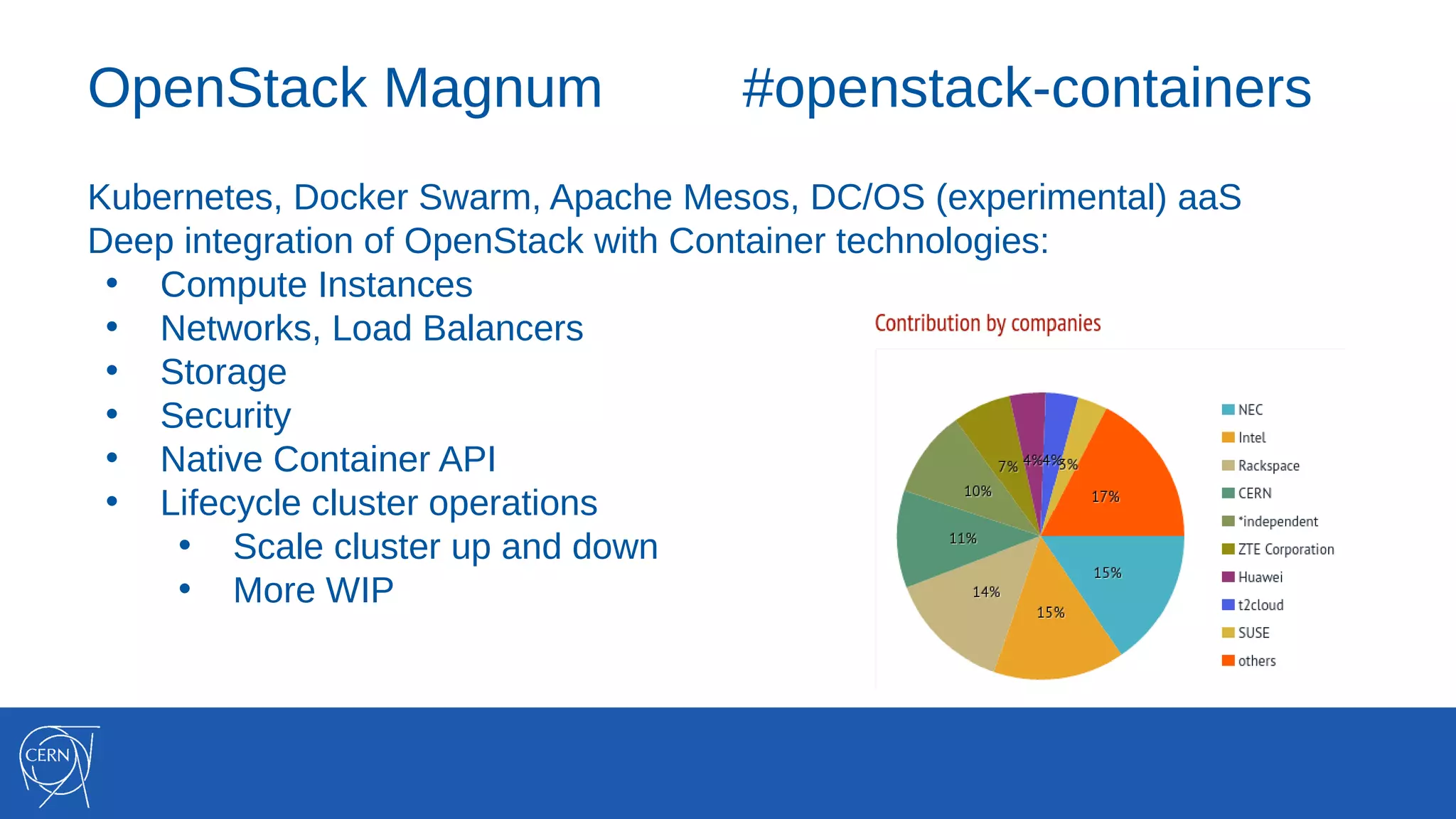
OpenStack Magnum #openstack-containers
Kubernetes, Docker Swarm, Apache Mesos, DC/OS (experimental) aaS
Deep integration of OpenStack with Container technologies:
• Compute Instances
• Networks, Load Balancers
• Storage
• Security
• Native Container API
• Lifecycle cluster operations
• Scale cluster up and down
• More WIP
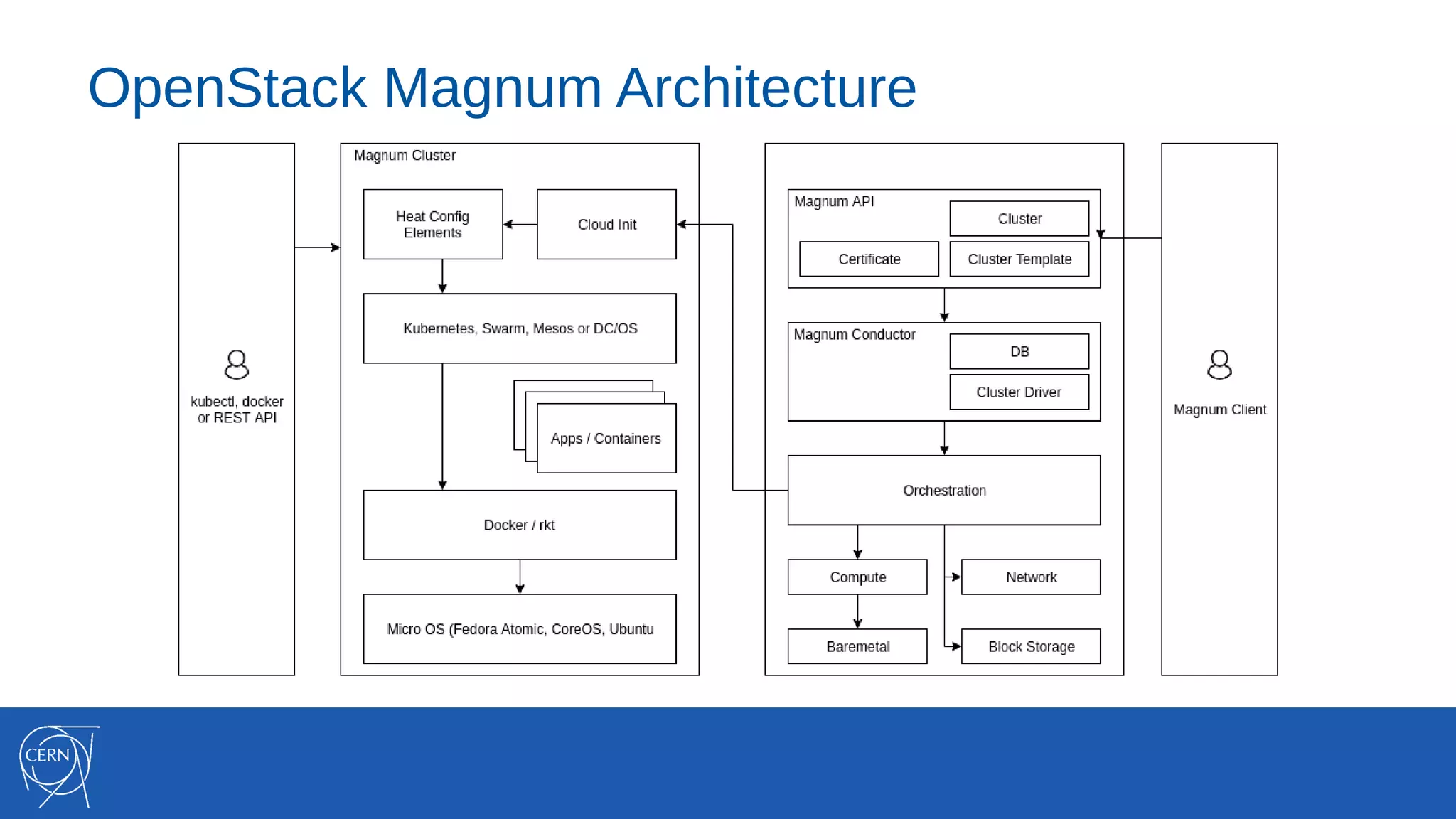
OpenStack Magnum Architecture
Containers and the CERN Cloud
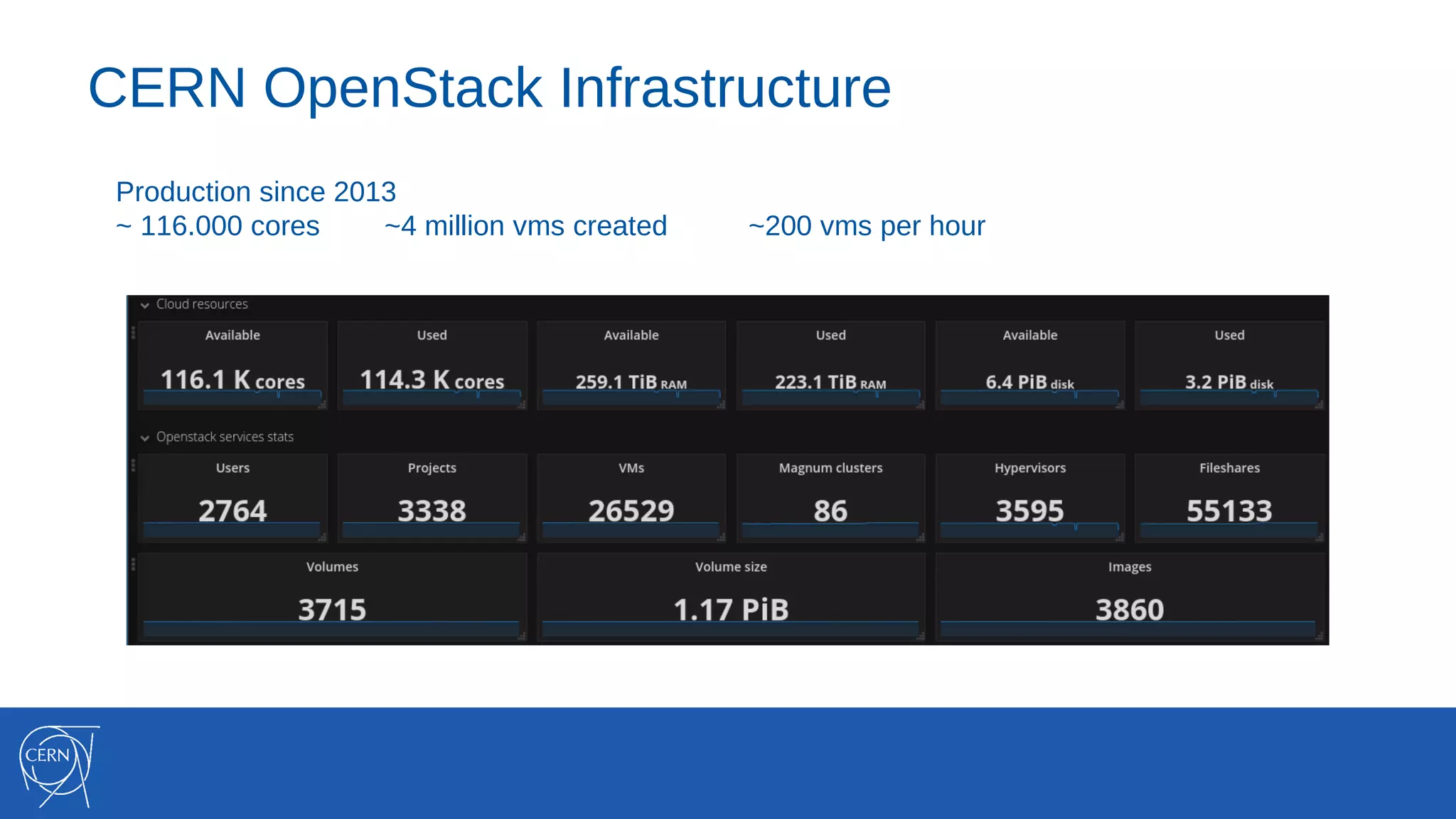
CERN OpenStack Infrastructure
Production since 2013
~ 116.000 cores ~4 million vms created ~200 vms per hour
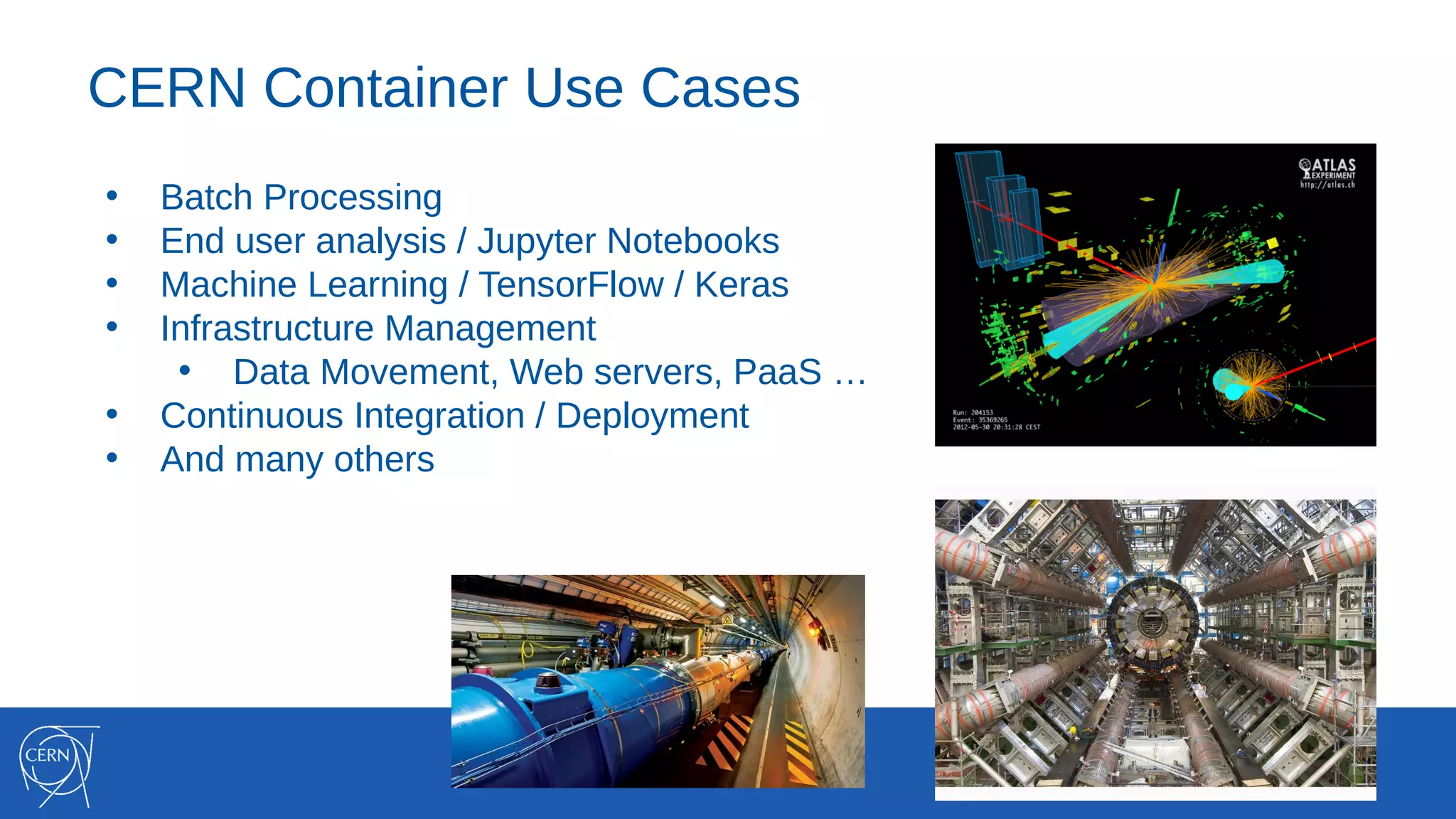
CERN Container Use Cases
• Batch Processing
• End user analysis / Jupyter Notebooks
• Machine Learning / TensorFlow / Keras
• Infrastructure Management
• Data Movement, Web servers, PaaS …
• Continuous Integration / Deployment
• And many others
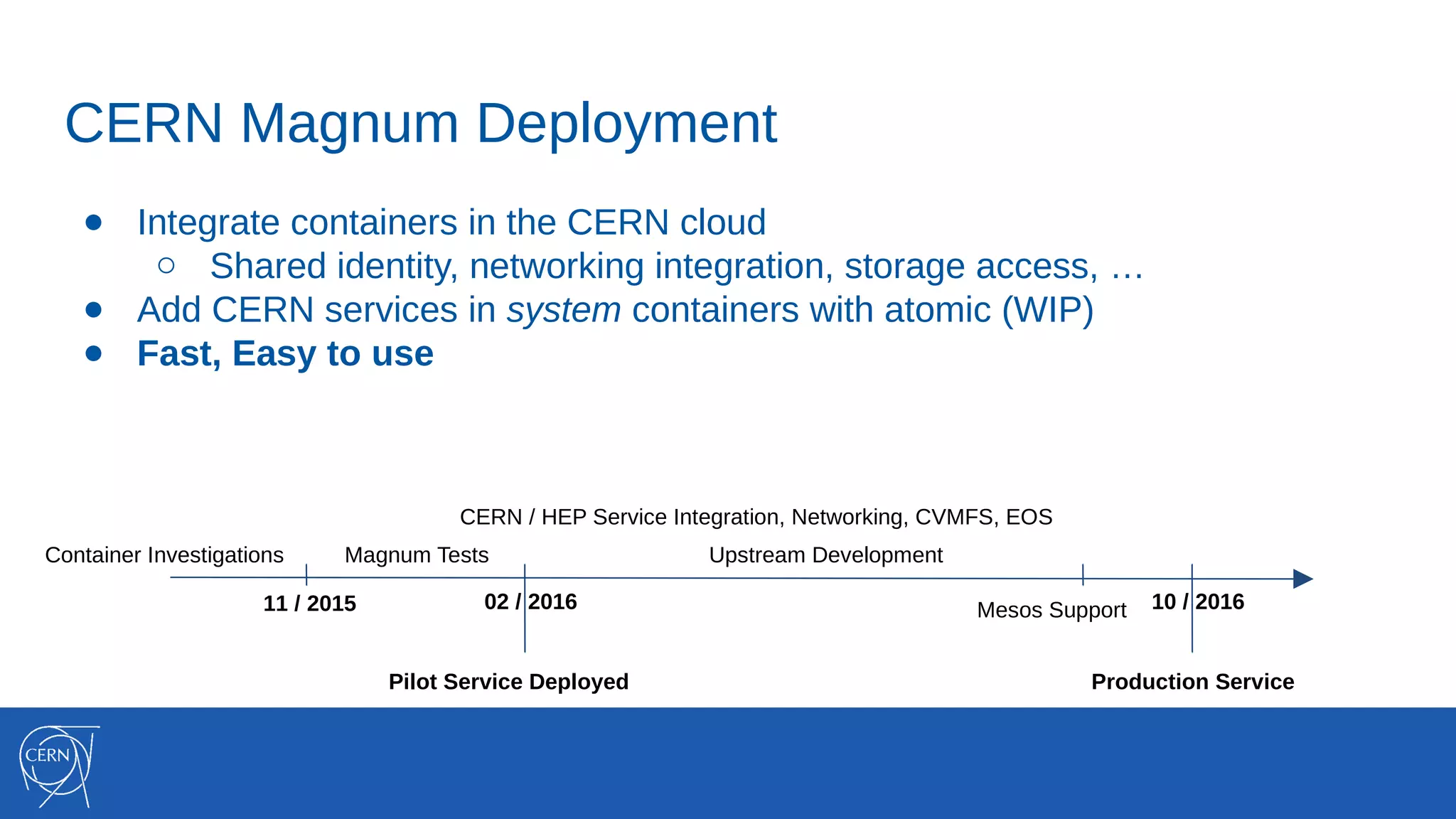
CERN Magnum Deployment
● Integrate containers in the CERN cloud
○ Shared identity, networking integration, storage access, …
● Add CERN services in system containers with atomic (WIP)
● Fast, Easy to use
Container Investigations Magnum Tests
Pilot Service Deployed
11 / 2015 02 / 2016
Production Service
CERN / HEP Service Integration, Networking, CVMFS, EOS
10 / 2016Mesos Support
Upstream Development
CERN Magnum Deployment
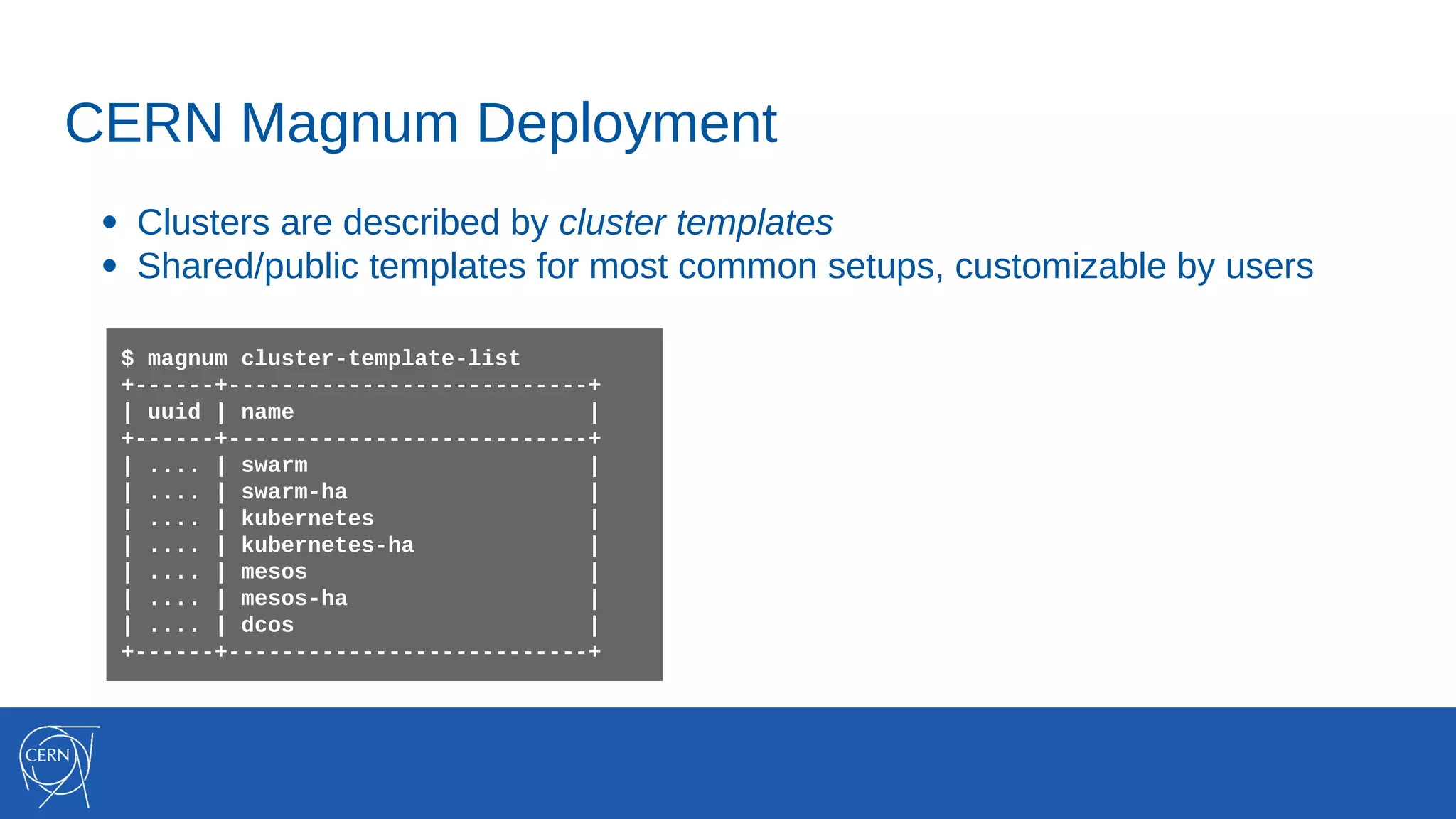
● Clusters are described by cluster templates
● Shared/public templates for most common setups, customizable by users
$ magnum cluster-template-list
+------+---------------------------+
| uuid | name |
+------+---------------------------+
| .... | swarm |
| .... | swarm-ha |
| .... | kubernetes |
| .... | kubernetes-ha |
| .... | mesos |
| .... | mesos-ha |
| .... | dcos |
+------+---------------------------+
CERN Magnum Deployment
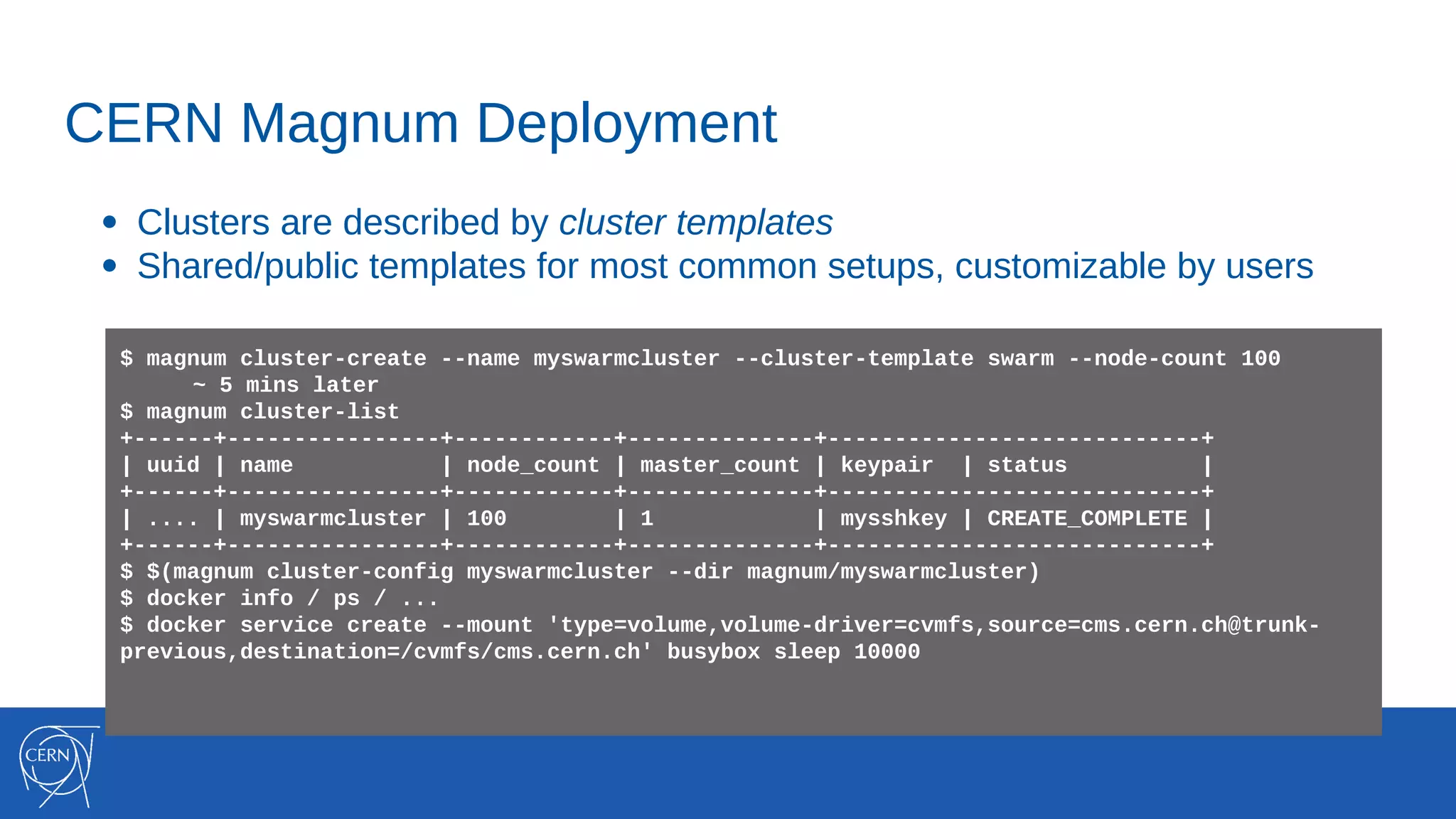
● Clusters are described by cluster templates
● Shared/public templates for most common setups, customizable by users
$ magnum cluster-create --name myswarmcluster --cluster-template swarm --node-count 100
~ 5 mins later
$ magnum cluster-list
+------+----------------+------------+--------------+----------------------------+
| uuid | name | node_count | master_count | keypair | status |
+------+----------------+------------+--------------+----------------------------+
| .... | myswarmcluster | 100 | 1 | mysshkey | CREATE_COMPLETE |
+------+----------------+------------+--------------+----------------------------+
$ $(magnum cluster-config myswarmcluster --dir magnum/myswarmcluster)
$ docker info / ps / ...
$ docker service create --mount 'type=volume,volume-driver=cvmfs,source=cms.cern.ch@trunk-
previous,destination=/cvmfs/cms.cern.ch' busybox sleep 10000
Magnum Benchmarks
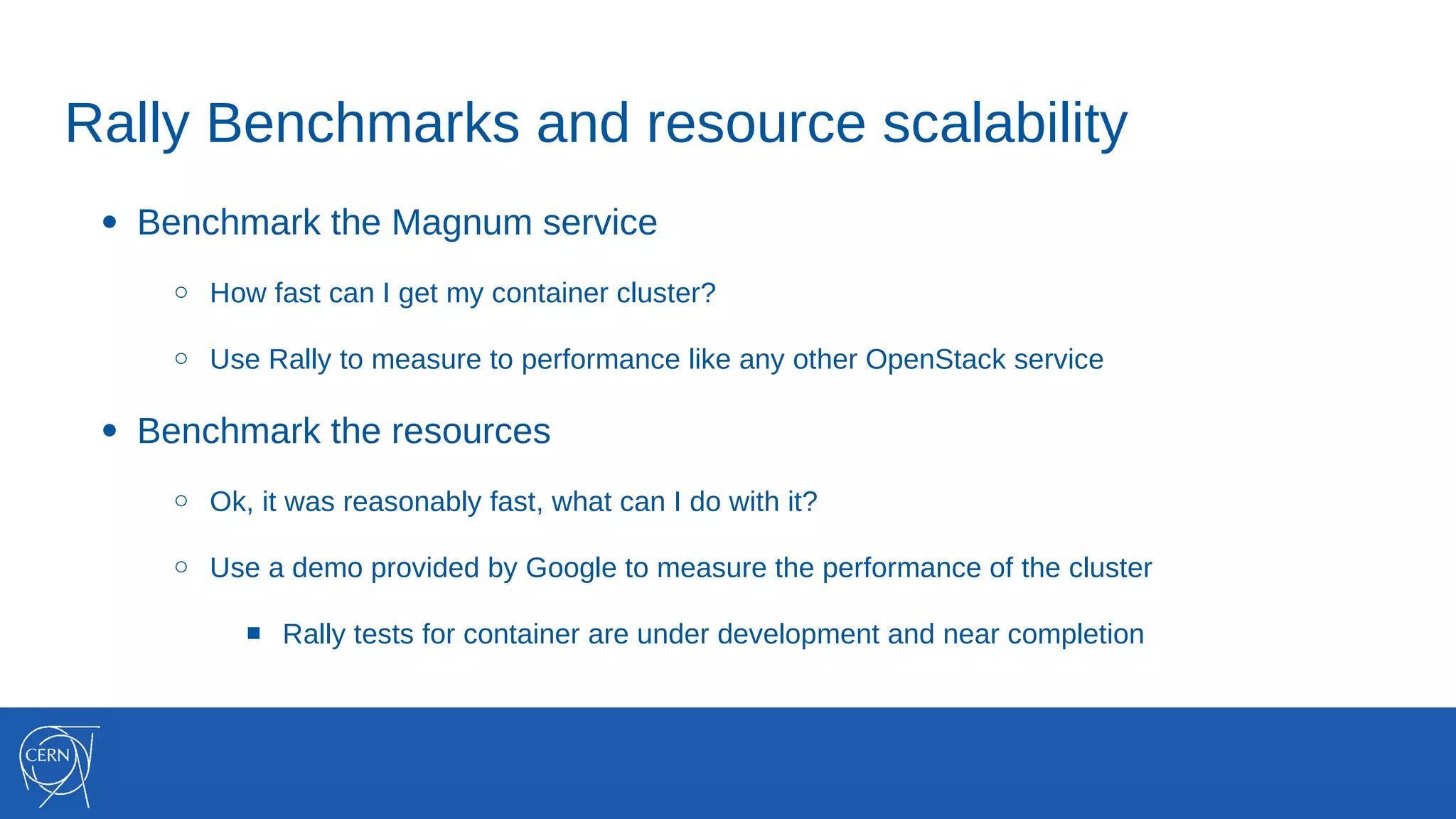
Rally Benchmarks and resource scalability
● Benchmark the Magnum service
○ How fast can I get my container cluster?
○ Use Rally to measure to performance like any other OpenStack service
● Benchmark the resources
○ Ok, it was reasonably fast, what can I do with it?
○ Use a demo provided by Google to measure the performance of the cluster
■ Rally tests for container are under development and near completion
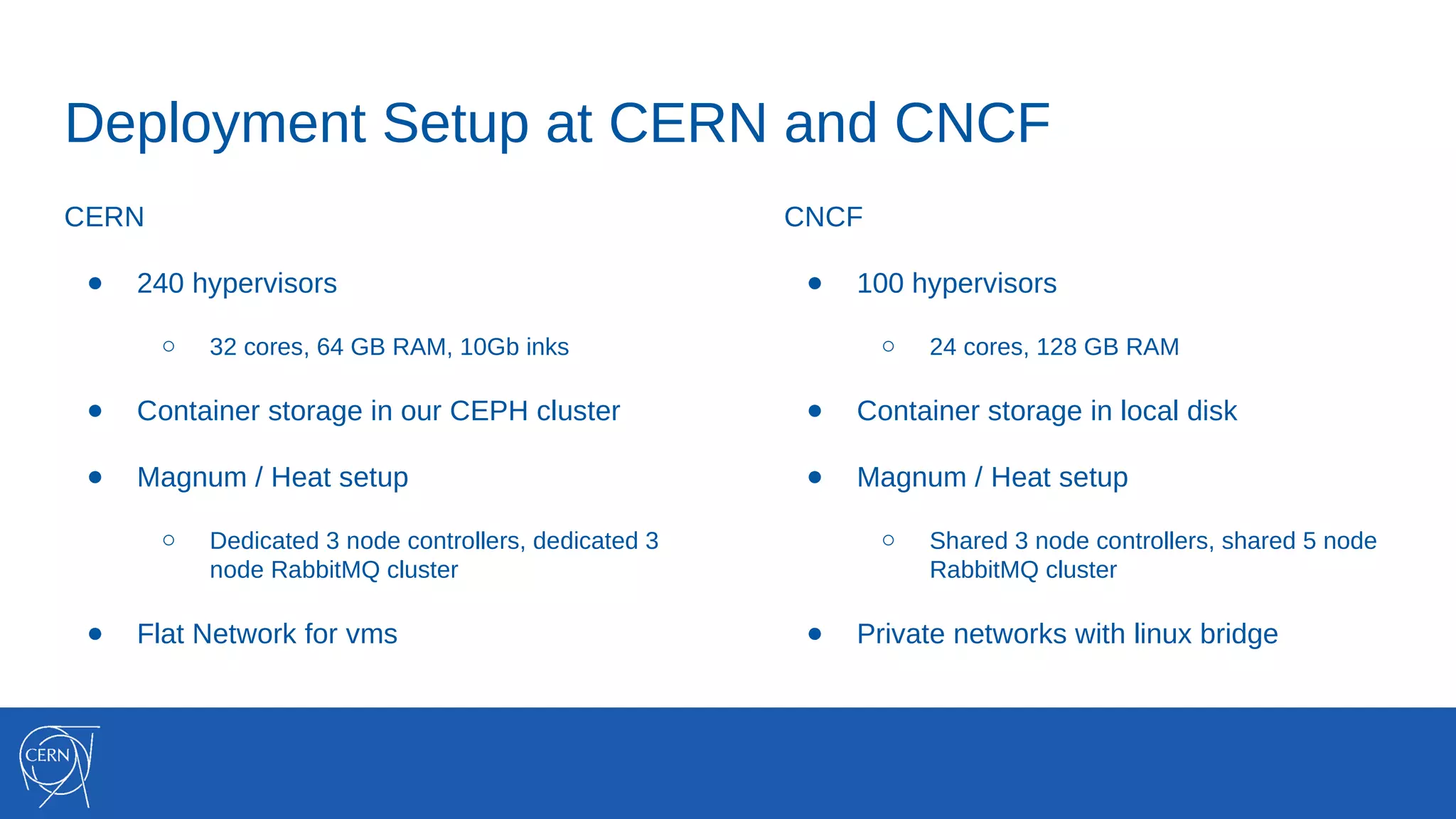
Deployment Setup at CERN and CNCF
CERN
● 240 hypervisors
○ 32 cores, 64 GB RAM, 10Gb inks
● Container storage in our CEPH cluster
● Magnum / Heat setup
○ Dedicated 3 node controllers, dedicated 3
node RabbitMQ cluster
● Flat Network for vms
CNCF
● 100 hypervisors
○ 24 cores, 128 GB RAM
● Container storage in local disk
● Magnum / Heat setup
○ Shared 3 node controllers, shared 5 node
RabbitMQ cluster
● Private networks with linux bridge
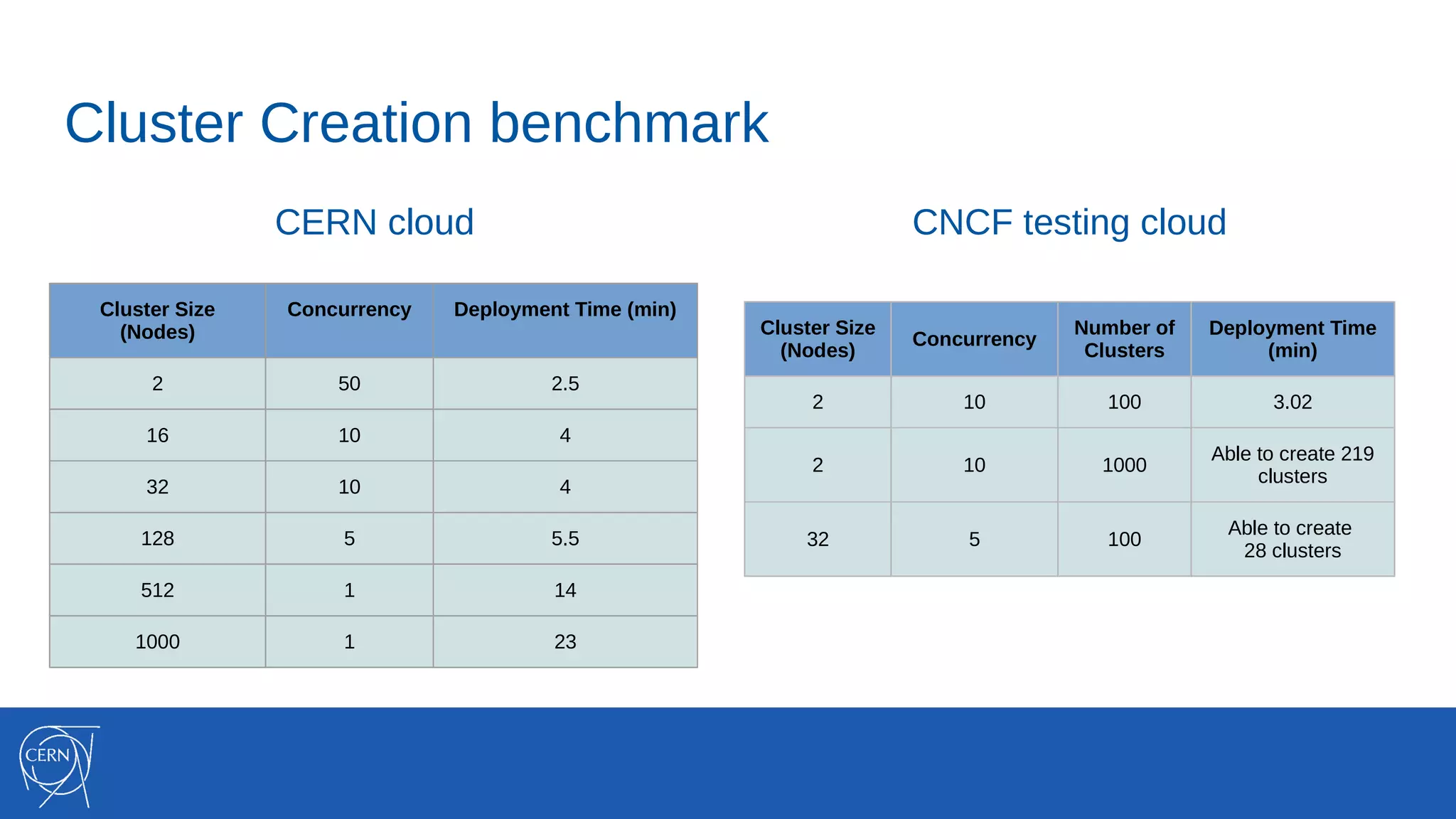
Cluster Creation benchmark
CERN cloud
Cluster Size
(Nodes)
Concurrency Deployment Time (min)
2 50 2.5
16 10 4
32 10 4
128 5 5.5
512 1 14
1000 1 23
Cluster Size
(Nodes)
Concurrency
Number of
Clusters
Deployment Time
(min)
2 10 100 3.02
2 10 1000
Able to create 219
clusters
32 5 100
Able to create
28 clusters
CNCF testing cloud
Swarm Mode
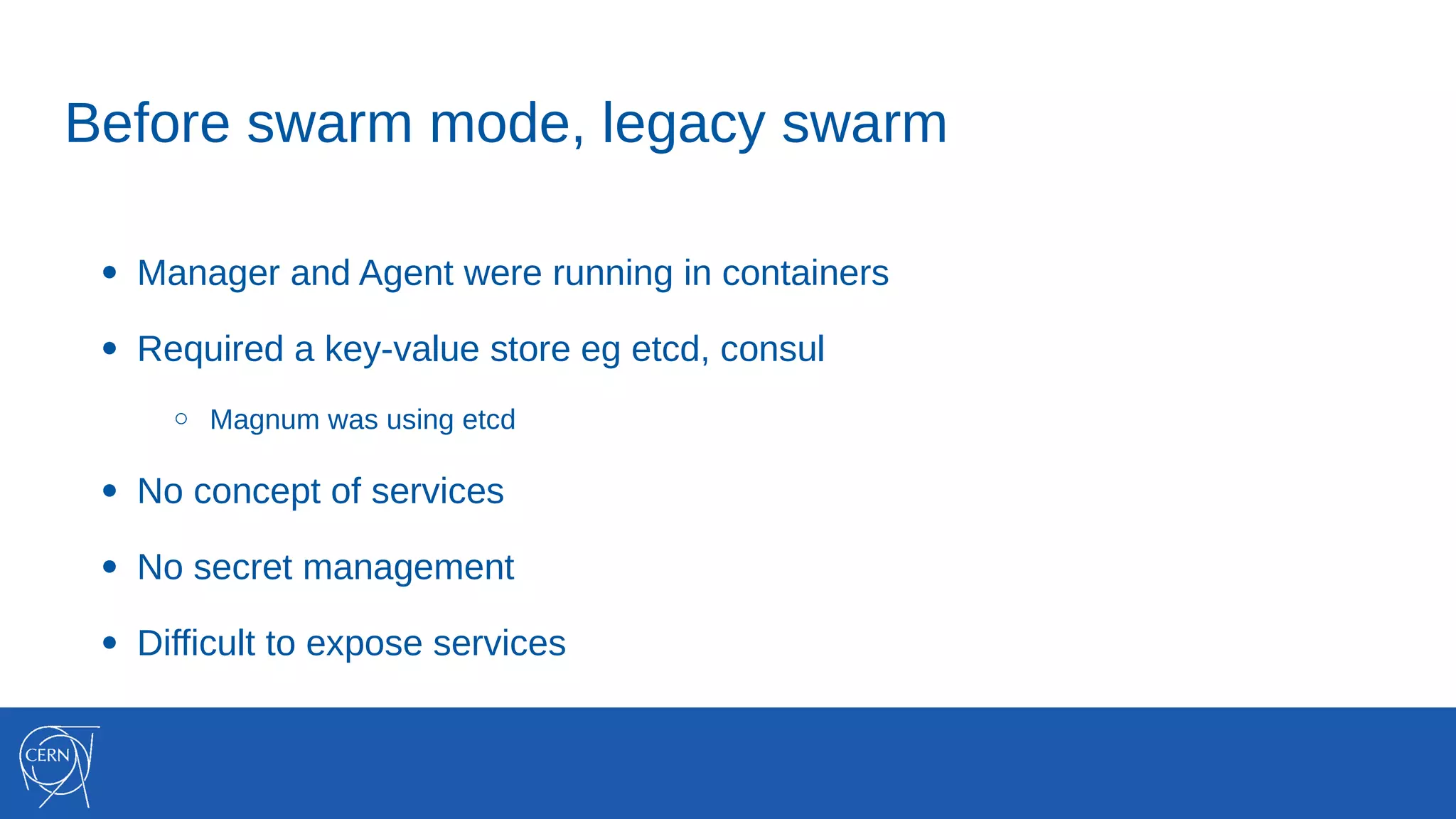
Before swarm mode, legacy swarm
● Manager and Agent were running in containers
● Required a key-value store eg etcd, consul
○ Magnum was using etcd
● No concept of services
● No secret management
● Difficult to expose services
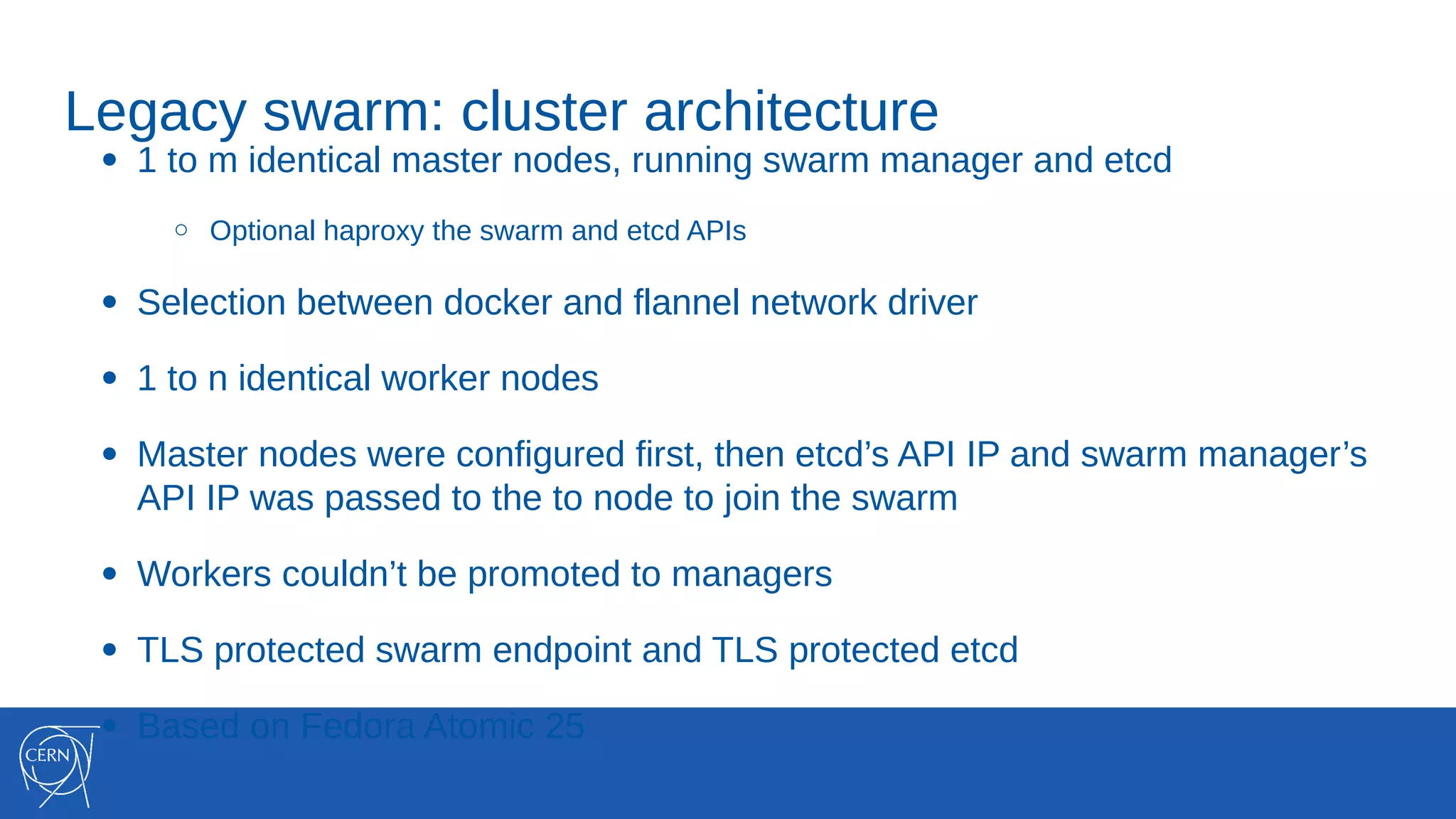
Legacy swarm: cluster architecture
● 1 to m identical master nodes, running swarm manager and etcd
○ Optional haproxy the swarm and etcd APIs
● Selection between docker and flannel network driver
● 1 to n identical worker nodes
● Master nodes were configured first, then etcd’s API IP and swarm manager’s
API IP was passed to the to node to join the swarm
● Workers couldn’t be promoted to managers
● TLS protected swarm endpoint and TLS protected etcd
● Based on Fedora Atomic 25
● Services! With Replicas!
● Workers can easily be promoted to managers
● Ingress mesh enabled out of the box
● Drain nodes
● Stacks (1.13+)
● Secrets (1.13+)
Swarm mode: new features
Swarm mode: cluster architecture
● Create a new magnum Cluster Driver
● 1 to m identical master nodes
○ Optional haproxy the masters’ docker API
● 1 to n identical worker nodes
● Create a primary master, then pass the primary master IP to the rest manager
nodes and the worker nodes to join the swarm
● Docker-only network driver
● Based on Fedora Atomic 25 (docker 1.12.6)
Swarm mode: caveats and WIP
● Magnum needs to monitor for master changes
○ If present, update haproxy too
● Add monitoring with Prometheus and Grafana
● Cluster Upgrades with zero down time
● Enable centralized logging, pushing docker logs to Elastic Search / InfluxDB
○ Applies for our Kubernetes and Mesos clusters as well
Custom CVFMS volume-driver
● Plugin implemented in golang
● Doesn’t require authentication as it mount read-only data
○ How to implement plugins that require authentication
● Runs as a docker container ( 600mb docker image :( )
○ Problems on node reboot, when docker starts and tries to mount volumes with the cvmfs
volume driver, the plugin isn’t running yet
Notes on Docker Swarm
● Usually the orchestration tool that new users select
● Before swarm mode and lack of replicated services
○ We had application that just scale horizontally
○ Gitlab CI Runners is a great example
○ Usage is ramping up again
● Users love the docker API
Notes on Operations
● Moving from puppet workflows to containerized application is totally different
mindset
● How to monitor the software for security?
○ https://developers.redhat.com/blog/2016/05/02/introducing-atomic-scan-container-vulnerability
-detection/
○ https://github.com/coreos/clair
○ All images based on a golden image approach. What about “FROM alpine/scratch” images?
From swarm to swam-mode in the CERN container service

From swarm to swam-mode in the CERN container service

  • 1.
    From swarm toswarm-mode in the CERN container service Spyros Trigazis @strigazi
  • 2.
  • 3.
    OpenStack Magnum #openstack-containers Kubernetes,Docker Swarm, Apache Mesos, DC/OS (experimental) aaS Deep integration of OpenStack with Container technologies: • Compute Instances • Networks, Load Balancers • Storage • Security • Native Container API • Lifecycle cluster operations • Scale cluster up and down • More WIP
  • 4.
  • 5.
  • 6.
    CERN OpenStack Infrastructure Productionsince 2013 ~ 116.000 cores ~4 million vms created ~200 vms per hour
  • 7.
    CERN Container UseCases • Batch Processing • End user analysis / Jupyter Notebooks • Machine Learning / TensorFlow / Keras • Infrastructure Management • Data Movement, Web servers, PaaS … • Continuous Integration / Deployment • And many others
  • 8.
    CERN Magnum Deployment ●Integrate containers in the CERN cloud ○ Shared identity, networking integration, storage access, … ● Add CERN services in system containers with atomic (WIP) ● Fast, Easy to use Container Investigations Magnum Tests Pilot Service Deployed 11 / 2015 02 / 2016 Production Service CERN / HEP Service Integration, Networking, CVMFS, EOS 10 / 2016Mesos Support Upstream Development
  • 9.
    CERN Magnum Deployment ●Clusters are described by cluster templates ● Shared/public templates for most common setups, customizable by users $ magnum cluster-template-list +------+---------------------------+ | uuid | name | +------+---------------------------+ | .... | swarm | | .... | swarm-ha | | .... | kubernetes | | .... | kubernetes-ha | | .... | mesos | | .... | mesos-ha | | .... | dcos | +------+---------------------------+
  • 10.
    CERN Magnum Deployment ●Clusters are described by cluster templates ● Shared/public templates for most common setups, customizable by users $ magnum cluster-create --name myswarmcluster --cluster-template swarm --node-count 100 ~ 5 mins later $ magnum cluster-list +------+----------------+------------+--------------+----------------------------+ | uuid | name | node_count | master_count | keypair | status | +------+----------------+------------+--------------+----------------------------+ | .... | myswarmcluster | 100 | 1 | mysshkey | CREATE_COMPLETE | +------+----------------+------------+--------------+----------------------------+ $ $(magnum cluster-config myswarmcluster --dir magnum/myswarmcluster) $ docker info / ps / ... $ docker service create --mount 'type=volume,volume-driver=cvmfs,source=cms.cern.ch@trunk- previous,destination=/cvmfs/cms.cern.ch' busybox sleep 10000
  • 11.
  • 12.
    Rally Benchmarks andresource scalability ● Benchmark the Magnum service ○ How fast can I get my container cluster? ○ Use Rally to measure to performance like any other OpenStack service ● Benchmark the resources ○ Ok, it was reasonably fast, what can I do with it? ○ Use a demo provided by Google to measure the performance of the cluster ■ Rally tests for container are under development and near completion
  • 13.
    Deployment Setup atCERN and CNCF CERN ● 240 hypervisors ○ 32 cores, 64 GB RAM, 10Gb inks ● Container storage in our CEPH cluster ● Magnum / Heat setup ○ Dedicated 3 node controllers, dedicated 3 node RabbitMQ cluster ● Flat Network for vms CNCF ● 100 hypervisors ○ 24 cores, 128 GB RAM ● Container storage in local disk ● Magnum / Heat setup ○ Shared 3 node controllers, shared 5 node RabbitMQ cluster ● Private networks with linux bridge
  • 14.
    Cluster Creation benchmark CERNcloud Cluster Size (Nodes) Concurrency Deployment Time (min) 2 50 2.5 16 10 4 32 10 4 128 5 5.5 512 1 14 1000 1 23 Cluster Size (Nodes) Concurrency Number of Clusters Deployment Time (min) 2 10 100 3.02 2 10 1000 Able to create 219 clusters 32 5 100 Able to create 28 clusters CNCF testing cloud
  • 15.
  • 16.
    Before swarm mode,legacy swarm ● Manager and Agent were running in containers ● Required a key-value store eg etcd, consul ○ Magnum was using etcd ● No concept of services ● No secret management ● Difficult to expose services
  • 17.
    Legacy swarm: clusterarchitecture ● 1 to m identical master nodes, running swarm manager and etcd ○ Optional haproxy the swarm and etcd APIs ● Selection between docker and flannel network driver ● 1 to n identical worker nodes ● Master nodes were configured first, then etcd’s API IP and swarm manager’s API IP was passed to the to node to join the swarm ● Workers couldn’t be promoted to managers ● TLS protected swarm endpoint and TLS protected etcd ● Based on Fedora Atomic 25
  • 18.
    ● Services! WithReplicas! ● Workers can easily be promoted to managers ● Ingress mesh enabled out of the box ● Drain nodes ● Stacks (1.13+) ● Secrets (1.13+) Swarm mode: new features
  • 19.
    Swarm mode: clusterarchitecture ● Create a new magnum Cluster Driver ● 1 to m identical master nodes ○ Optional haproxy the masters’ docker API ● 1 to n identical worker nodes ● Create a primary master, then pass the primary master IP to the rest manager nodes and the worker nodes to join the swarm ● Docker-only network driver ● Based on Fedora Atomic 25 (docker 1.12.6)
  • 20.
    Swarm mode: caveatsand WIP ● Magnum needs to monitor for master changes ○ If present, update haproxy too ● Add monitoring with Prometheus and Grafana ● Cluster Upgrades with zero down time ● Enable centralized logging, pushing docker logs to Elastic Search / InfluxDB ○ Applies for our Kubernetes and Mesos clusters as well
  • 21.
    Custom CVFMS volume-driver ●Plugin implemented in golang ● Doesn’t require authentication as it mount read-only data ○ How to implement plugins that require authentication ● Runs as a docker container ( 600mb docker image :( ) ○ Problems on node reboot, when docker starts and tries to mount volumes with the cvmfs volume driver, the plugin isn’t running yet
  • 22.
    Notes on DockerSwarm ● Usually the orchestration tool that new users select ● Before swarm mode and lack of replicated services ○ We had application that just scale horizontally ○ Gitlab CI Runners is a great example ○ Usage is ramping up again ● Users love the docker API
  • 23.
    Notes on Operations ●Moving from puppet workflows to containerized application is totally different mindset ● How to monitor the software for security? ○ https://developers.redhat.com/blog/2016/05/02/introducing-atomic-scan-container-vulnerability -detection/ ○ https://github.com/coreos/clair ○ All images based on a golden image approach. What about “FROM alpine/scratch” images?