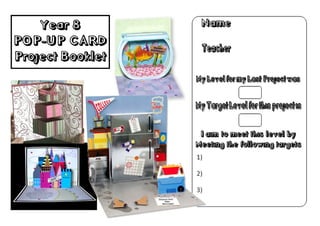
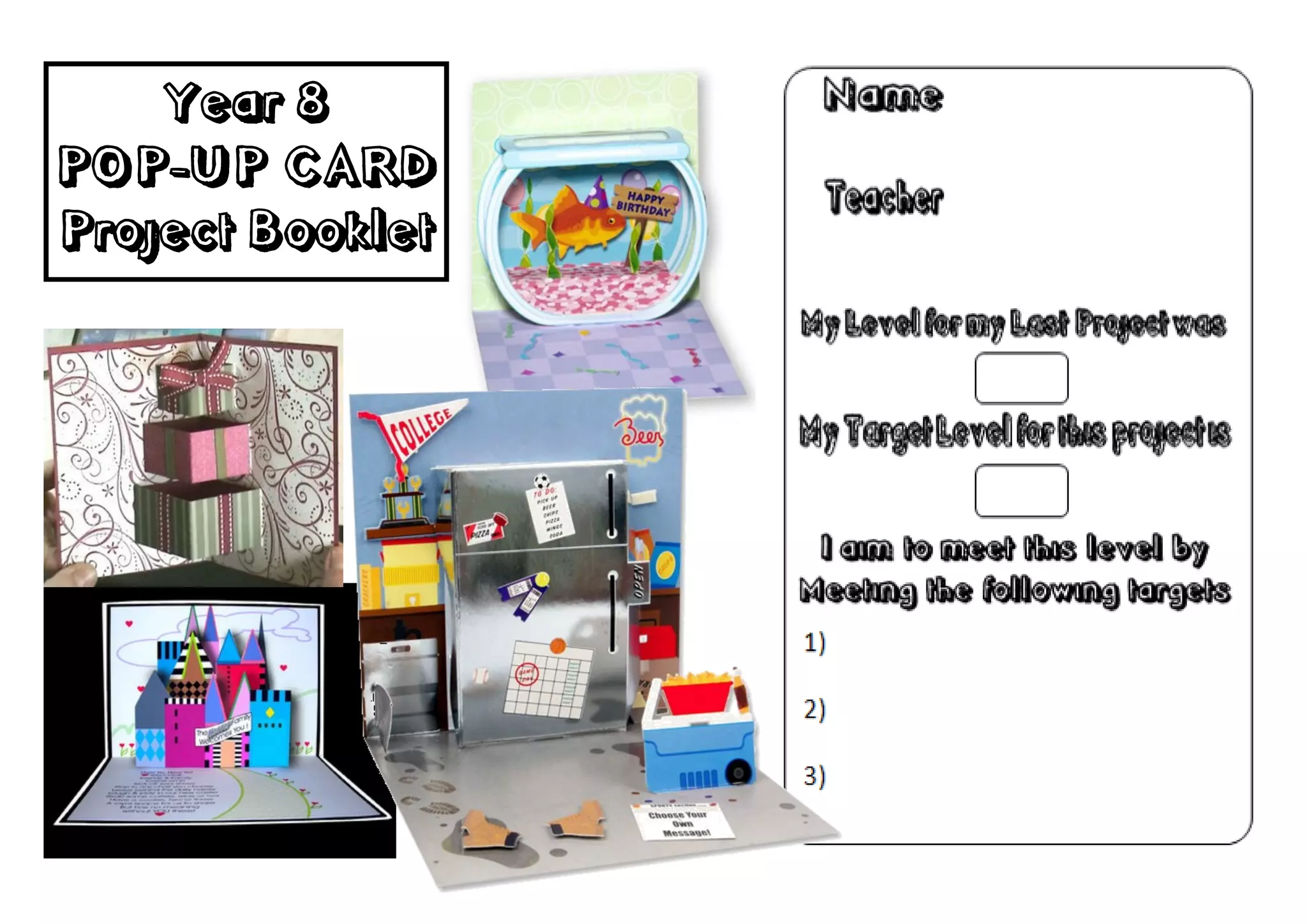
Year 8
POP-UP CARD
Project Booklet
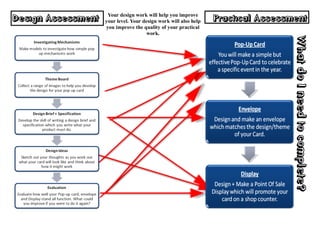
Your design work will help you improve
Design Assessment   your level. Your design work will also help   Practical Assessment
                    you improve the quality of your practical
                                       work.


                                                                                   What do I need to complete?
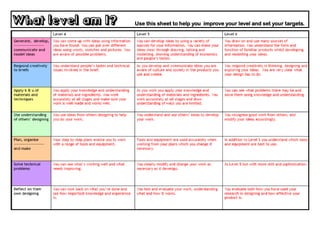
What level am I?   Use this sheet to help you improve your level and set your targets.
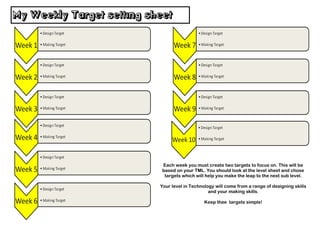
My Weekly Target setting sheet


                            Each week you must create two targets to focus on. This will be
                            based on your TML. You should look at the level sheet and chose
                             targets which will help you make the leap to the next sub level.

                           Your level in Technology will come from a range of designing skills
                                                 and your making skills.

                                               Keep thee targets simple!
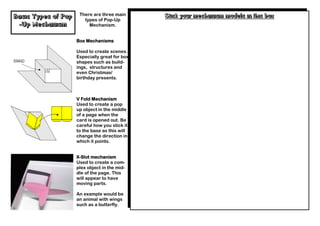
There are three main      Stick your mechanism models in this box
Basic Types of Pop      types of Pop-Up
 -Up Mechanism            Mechanism.


                     Box Mechanisms

                     Used to create scenes.
                     Especially great for box
                     shapes such as build-
                     ings, structures and
                     even Christmas/
                     birthday presents.


                     V Fold Mechanism
                     Used to create a pop
                     up object in the middle
                     of a page when the
                     card is opened out. Be
                     careful how you stick it
                     to the base as this will
                     change the direction in
                     which it points.


                     X-Slot mechanism
                     Used to create a com-
                     plex object in the mid-
                     dle of the page. This
                     will appear to have
                     moving parts.

                     An example would be
                     an animal with wings
                     such as a butterfly.
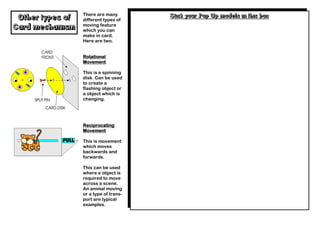
There are many        Stick your Pop Up models in this box
 Other types of   different types of
                  moving feature
Card mechanism    which you can
                  make in card.
                  Here are two.


                  Rotational
                  Movement

                  This is a spinning
                  disk. Can be used
                  to create a
                  flashing object or
                  a object which is
                  changing.


                  Reciprocating
                  Movement

                  This is movement
                  which moves
                  backwards and
                  forwards.

                  This can be used
                  where a object is
                  required to move
                  across a scene.
                  An animal moving
                  or a type of trans-
                  port are typical
                  examples.
Enhancement techniques for the                          Stick any test examples which use enhancement techniques
          front of a card.                                                            here
 Sketch and describe how you might use the following en-
 hancement techniques to improve the presentation of the
                   front of your card.

Embossing


Decoupage


CAD CAM lettering


Use of ICT graphics
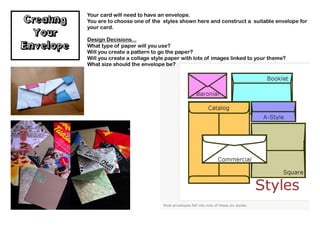
Your card will need to have an envelope.
Creating   You are to choose one of the styles shown here and construct a suitable envelope for
           your card.
  Your     Design Decisions...
Envelope   What type of paper will you use?
           Will you create a pattern to go the paper?
           Will you create a collage style paper with lots of images linked to your theme?
           What size should the envelope be?
Creating your
    Point of Sale Display Stand
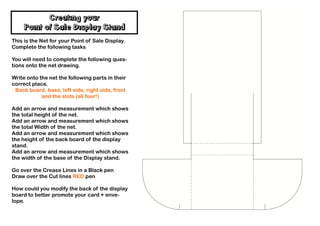
This is the Net for your Point of Sale Display.
Complete the following tasks

You will need to complete the following ques-
tions onto the net drawing.

Write onto the net the following parts in their
correct place.
 Back board, base, left side, right side, front
            and the slots (all four!)

Add an arrow and measurement which shows
the total height of the net.
Add an arrow and measurement which shows
the total Width of the net.
Add an arrow and measurement which shows
the height of the back board of the display
stand.
Add an arrow and measurement which shows
the width of the base of the Display stand.

Go over the Crease Lines in a Black pen
Draw over the Cut lines RED pen

How could you modify the back of the display
board to better promote your card + enve-
lope.
Isometric Presentation Drawing
    of your display stand

Year 8 Graphics Pop Up Booklet

  • 1.
  • 2.
    Your design workwill help you improve Design Assessment your level. Your design work will also help Practical Assessment you improve the quality of your practical work. What do I need to complete?
  • 3.
    What level amI? Use this sheet to help you improve your level and set your targets.
  • 4.
    My Weekly Targetsetting sheet Each week you must create two targets to focus on. This will be based on your TML. You should look at the level sheet and chose targets which will help you make the leap to the next sub level. Your level in Technology will come from a range of designing skills and your making skills. Keep thee targets simple!
  • 5.
    There are threemain Stick your mechanism models in this box Basic Types of Pop types of Pop-Up -Up Mechanism Mechanism. Box Mechanisms Used to create scenes. Especially great for box shapes such as build- ings, structures and even Christmas/ birthday presents. V Fold Mechanism Used to create a pop up object in the middle of a page when the card is opened out. Be careful how you stick it to the base as this will change the direction in which it points. X-Slot mechanism Used to create a com- plex object in the mid- dle of the page. This will appear to have moving parts. An example would be an animal with wings such as a butterfly.
  • 6.
    There are many Stick your Pop Up models in this box Other types of different types of moving feature Card mechanism which you can make in card. Here are two. Rotational Movement This is a spinning disk. Can be used to create a flashing object or a object which is changing. Reciprocating Movement This is movement which moves backwards and forwards. This can be used where a object is required to move across a scene. An animal moving or a type of trans- port are typical examples.
  • 7.
    Enhancement techniques forthe Stick any test examples which use enhancement techniques front of a card. here Sketch and describe how you might use the following en- hancement techniques to improve the presentation of the front of your card. Embossing Decoupage CAD CAM lettering Use of ICT graphics
  • 8.
    Your card willneed to have an envelope. Creating You are to choose one of the styles shown here and construct a suitable envelope for your card. Your Design Decisions... Envelope What type of paper will you use? Will you create a pattern to go the paper? Will you create a collage style paper with lots of images linked to your theme? What size should the envelope be?
  • 9.
    Creating your Point of Sale Display Stand This is the Net for your Point of Sale Display. Complete the following tasks You will need to complete the following ques- tions onto the net drawing. Write onto the net the following parts in their correct place. Back board, base, left side, right side, front and the slots (all four!) Add an arrow and measurement which shows the total height of the net. Add an arrow and measurement which shows the total Width of the net. Add an arrow and measurement which shows the height of the back board of the display stand. Add an arrow and measurement which shows the width of the base of the Display stand. Go over the Crease Lines in a Black pen Draw over the Cut lines RED pen How could you modify the back of the display board to better promote your card + enve- lope.
  • 10.
    Isometric Presentation Drawing of your display stand