Implementing AMD MxGPU
Jon Farrell, Software Engineer, AIS Inc.
Overview
• Background
• Getting Started
• Initial Setup
• Guest Prep
• Difficulties
• Performance
• What I’ve learned
• The Future
• Questions
Background
• BS in Computer Science from SUNY Binghamton
• Currently with Assured Information Security, Inc.
• Areas I’ve worked in:
• Windows/Linux driver building and installation
• Windows/Linux application development
• Platform build system development
• Linux graphics development with Qt
• Now… Integration of AMD MxGPU into our OpenXT based platform
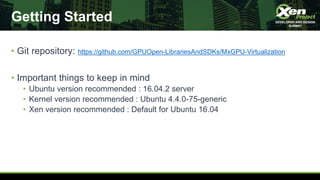
Getting Started
• Git repository: https://github.com/GPUOpen-LibrariesAndSDKs/MxGPU-Virtualization
• Important things to keep in mind
• Ubuntu version recommended : 16.04.2 server
• Kernel version recommended : Ubuntu 4.4.0-75-generic
• Xen version recommended : Default for Ubuntu 16.04
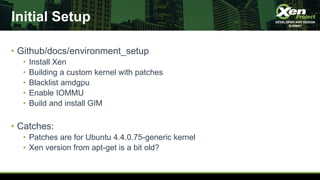
Initial Setup
• Github/docs/environment_setup
• Install Xen
• Building a custom kernel with patches
• Blacklist amdgpu
• Enable IOMMU
• Build and install GIM
• Catches:
• Patches are for Ubuntu 4.4.0.75-generic kernel
• Xen version from apt-get is a bit old?
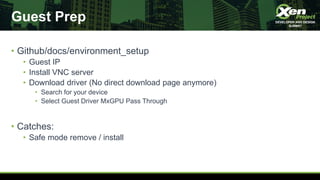
Guest Prep
• Github/docs/environment_setup
• Guest IP
• Install VNC server
• Download driver (No direct download page anymore)
• Search for your device
• Select Guest Driver MxGPU Pass Through
• Catches:
• Safe mode remove / install
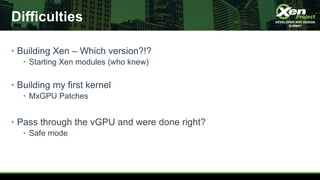
Difficulties
• Building Xen – Which version?!?
• Starting Xen modules (who knew)
• Building my first kernel
• MxGPU Patches
• Pass through the vGPU and were done right?
• Safe mode
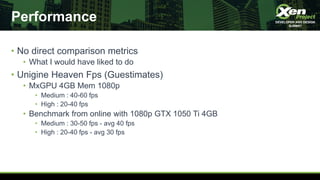
Performance
• No direct comparison metrics
• What I would have liked to do
• Unigine Heaven Fps (Guestimates)
• MxGPU 4GB Mem 1080p
• Medium : 40-60 fps
• High : 20-40 fps
• Benchmark from online with 1080p GTX 1050 Ti 4GB
• Medium : 30-50 fps - avg 40 fps
• High : 20-40 fps - avg 30 fps
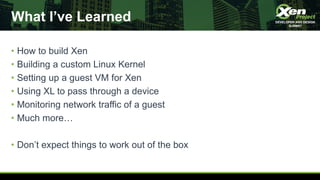
What I’ve Learned
• How to build Xen
• Building a custom Linux Kernel
• Setting up a guest VM for Xen
• Using XL to pass through a device
• Monitoring network traffic of a guest
• Much more…
• Don’t expect things to work out of the box
The Future
• The Cloud
• Google Stadia
• Xen Platform
• Users
• Developer testing
Questions?
XPDDS19: Implementing AMD MxGPU - Jonathan Farrell, Assured Information Security

XPDDS19: Implementing AMD MxGPU - Jonathan Farrell, Assured Information Security

  • 1.
    Implementing AMD MxGPU JonFarrell, Software Engineer, AIS Inc.
  • 2.
    Overview • Background • GettingStarted • Initial Setup • Guest Prep • Difficulties • Performance • What I’ve learned • The Future • Questions
  • 3.
    Background • BS inComputer Science from SUNY Binghamton • Currently with Assured Information Security, Inc. • Areas I’ve worked in: • Windows/Linux driver building and installation • Windows/Linux application development • Platform build system development • Linux graphics development with Qt • Now… Integration of AMD MxGPU into our OpenXT based platform
  • 4.
    Getting Started • Gitrepository: https://github.com/GPUOpen-LibrariesAndSDKs/MxGPU-Virtualization • Important things to keep in mind • Ubuntu version recommended : 16.04.2 server • Kernel version recommended : Ubuntu 4.4.0-75-generic • Xen version recommended : Default for Ubuntu 16.04
  • 5.
    Initial Setup • Github/docs/environment_setup •Install Xen • Building a custom kernel with patches • Blacklist amdgpu • Enable IOMMU • Build and install GIM • Catches: • Patches are for Ubuntu 4.4.0.75-generic kernel • Xen version from apt-get is a bit old?
  • 6.
    Guest Prep • Github/docs/environment_setup •Guest IP • Install VNC server • Download driver (No direct download page anymore) • Search for your device • Select Guest Driver MxGPU Pass Through • Catches: • Safe mode remove / install
  • 7.
    Difficulties • Building Xen– Which version?!? • Starting Xen modules (who knew) • Building my first kernel • MxGPU Patches • Pass through the vGPU and were done right? • Safe mode
  • 8.
    Performance • No directcomparison metrics • What I would have liked to do • Unigine Heaven Fps (Guestimates) • MxGPU 4GB Mem 1080p • Medium : 40-60 fps • High : 20-40 fps • Benchmark from online with 1080p GTX 1050 Ti 4GB • Medium : 30-50 fps - avg 40 fps • High : 20-40 fps - avg 30 fps
  • 9.
    What I’ve Learned •How to build Xen • Building a custom Linux Kernel • Setting up a guest VM for Xen • Using XL to pass through a device • Monitoring network traffic of a guest • Much more… • Don’t expect things to work out of the box
  • 10.
    The Future • TheCloud • Google Stadia • Xen Platform • Users • Developer testing
  • 11.