BLUG 2012

 XPages
 Beyond the Basics
 22. – 23..03.2012
 Crowne Plaza, Antwerp
 Ulrich Krause, is@web, industrial services
AG
About: Ulrich Krause
 Lotus Notes / Domino Administrator & Entwickler since 1993
 Business Application Developer
  is@web, Nürnberg / Ratingen
 OpenNTF http://openntf.org
   • !!HELP!!, Cebulon, Trigger Happy
   • XPages Custom Controls


 IBM Champion 2011/2012
   •   https://www-304.ibm.com/connections/blogs/socialbusiness/entry/announcing_the_2011_ibm_champions_for_colla
       boration_solutions4?lang=de

 Blog http://www.eknori.de
 Notes Forum (http://www.atnotes.de)
Agenda
   JavaScript/CSS Aggregation
   Pre-Load for Xpages
   JAVA / JAR Design Element
   Themes
   XPages Extension Library / Upgrade Pack
   XPages Relational Database Support
   Resources, Books of Interest
JavaScript/CSS Aggregation
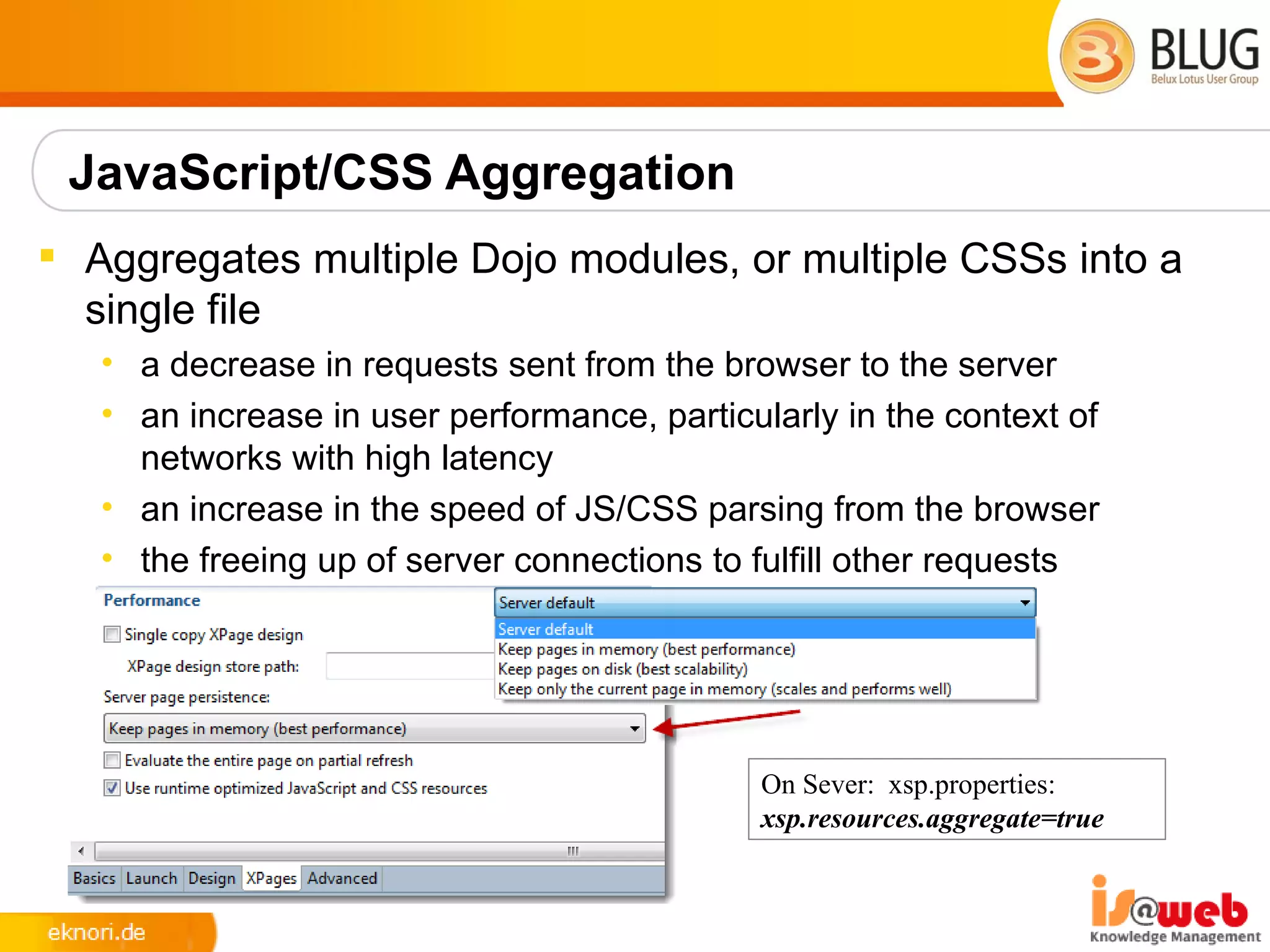
 Aggregates multiple Dojo modules, or multiple CSSs into a
  single file
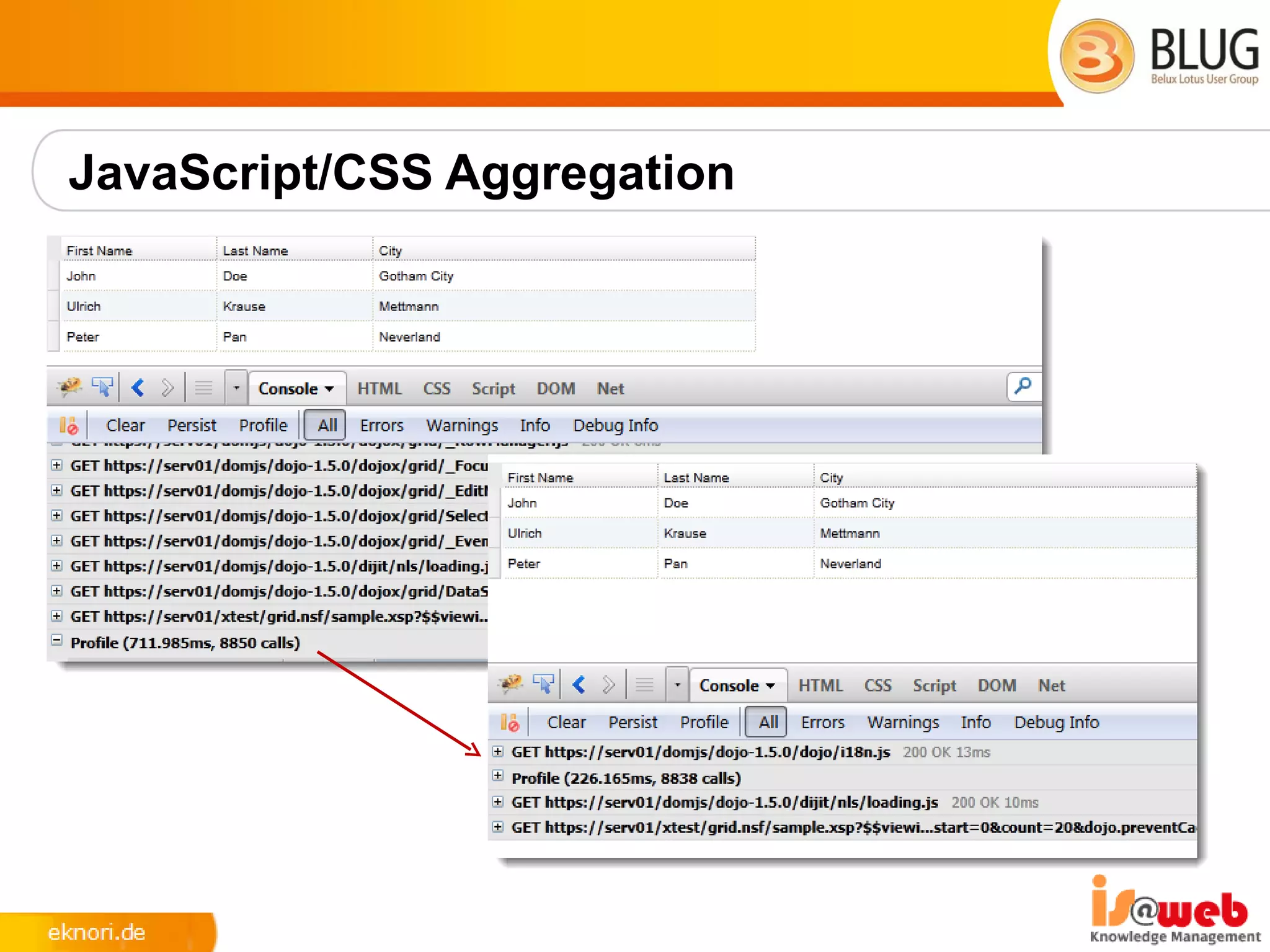
   • a decrease in requests sent from the browser to the server
   • an increase in user performance, particularly in the context of
     networks with high latency
   • an increase in the speed of JS/CSS parsing from the browser
   • the freeing up of server connections to fulfill other requests


                                             On Sever: xsp.properties:
                                             xsp.resources.aggregate=true
JavaScript/CSS Aggregation
Enable Pre-Load for XPages
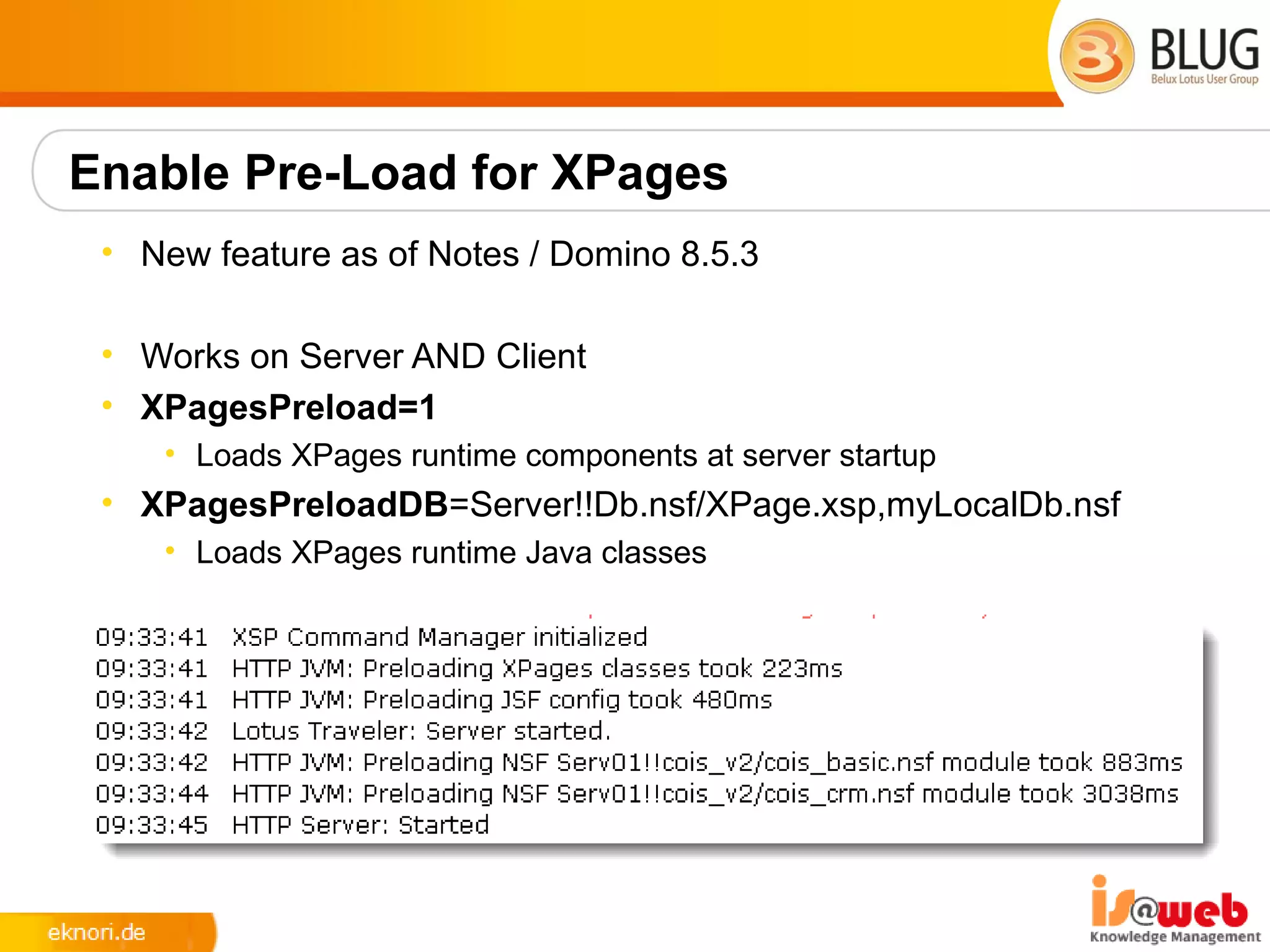
 • New feature as of Notes / Domino 8.5.3

 • Works on Server AND Client
 • XPagesPreload=1
    • Loads XPages runtime components at server startup
 • XPagesPreloadDB=Server!!Db.nsf/XPage.xsp,myLocalDb.nsf
    • Loads XPages runtime Java classes
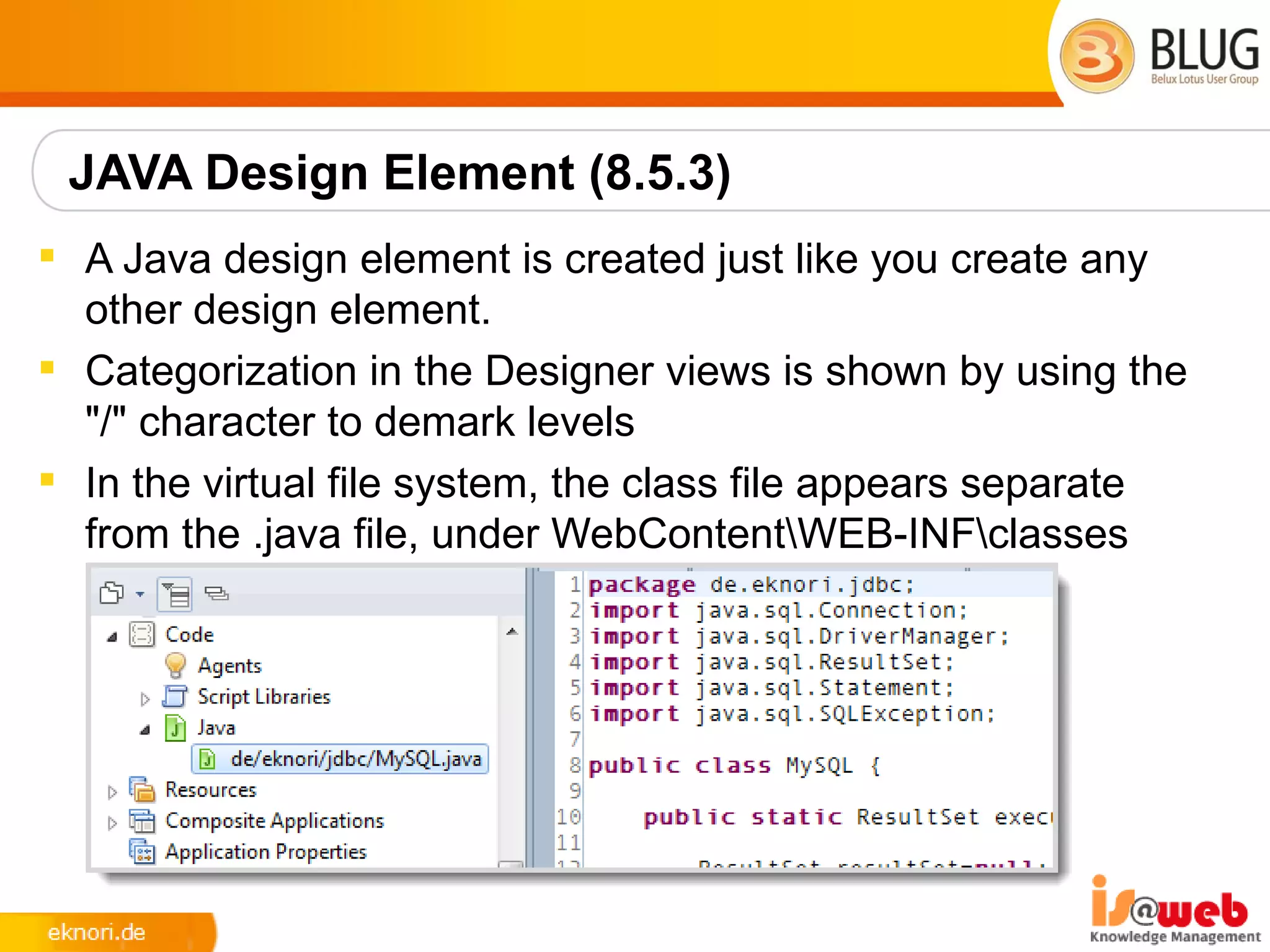
JAVA Design Element (8.5.3)
 A Java design element is created just like you create any
  other design element.
 Categorization in the Designer views is shown by using the
  "/" character to demark levels
 In the virtual file system, the class file appears separate
  from the .java file, under WebContentWEB-INFclasses
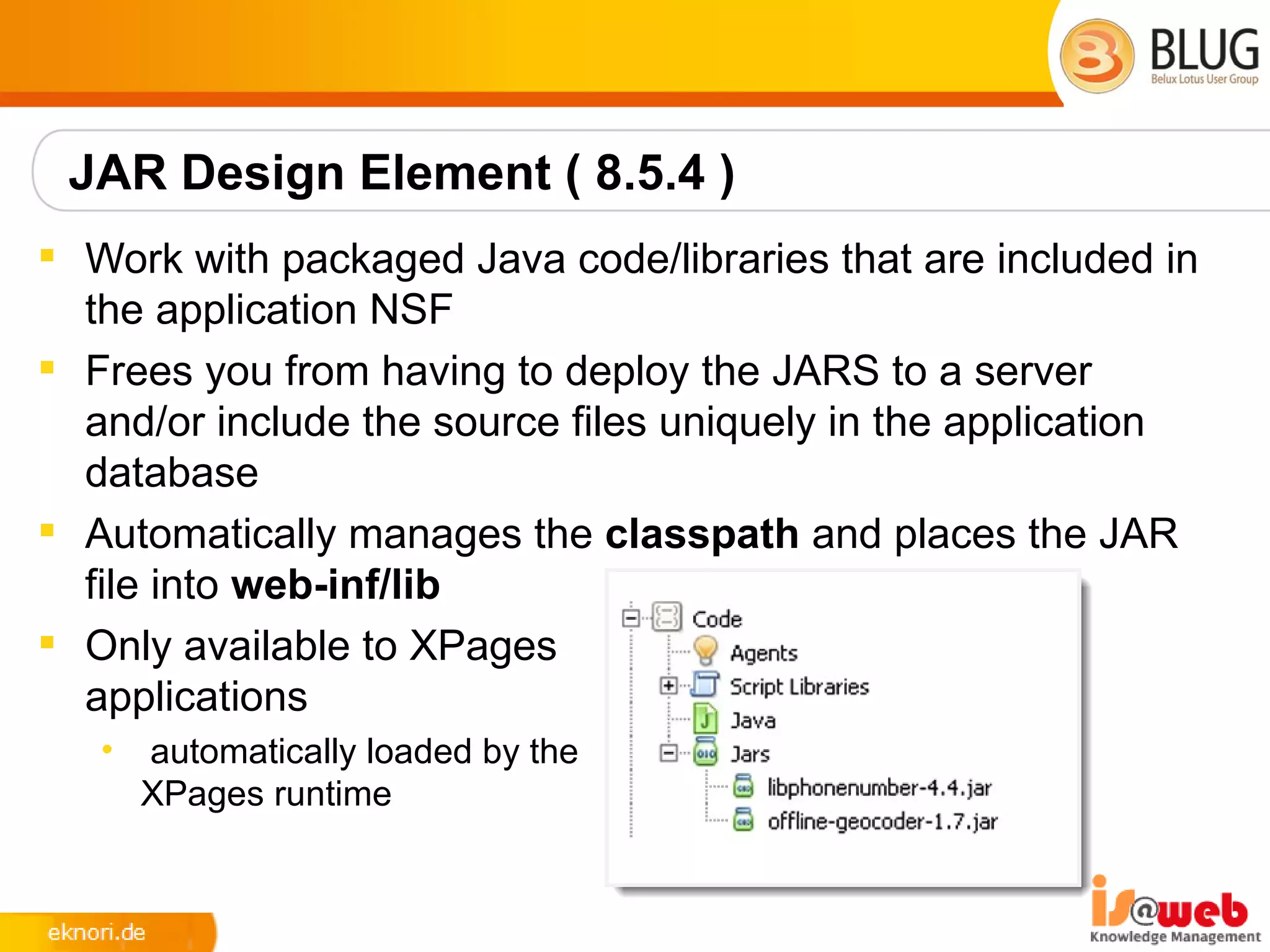
JAR Design Element ( 8.5.4 )
 Work with packaged Java code/libraries that are included in
  the application NSF
 Frees you from having to deploy the JARS to a server
  and/or include the source files uniquely in the application
  database
 Automatically manages the classpath and places the JAR
  file into web-inf/lib
 Only available to XPages
  applications
   •   automatically loaded by the
       XPages runtime
Themes
 Single Document Containing References to all your CSS
  Resources
   • resource sections reference the CSS files used
   • control section define what CSS classes are applied to specific
     controls
 XML Based and Easy To Learn
   • creating a new theme document prefills sample content
 Can Extend Other Themes
   • <theme extends="webstandard">
   • will automatically include all the resource and control definitions from
     that theme
   • built-in themes to extend
       • webstandard, notes, oneUI
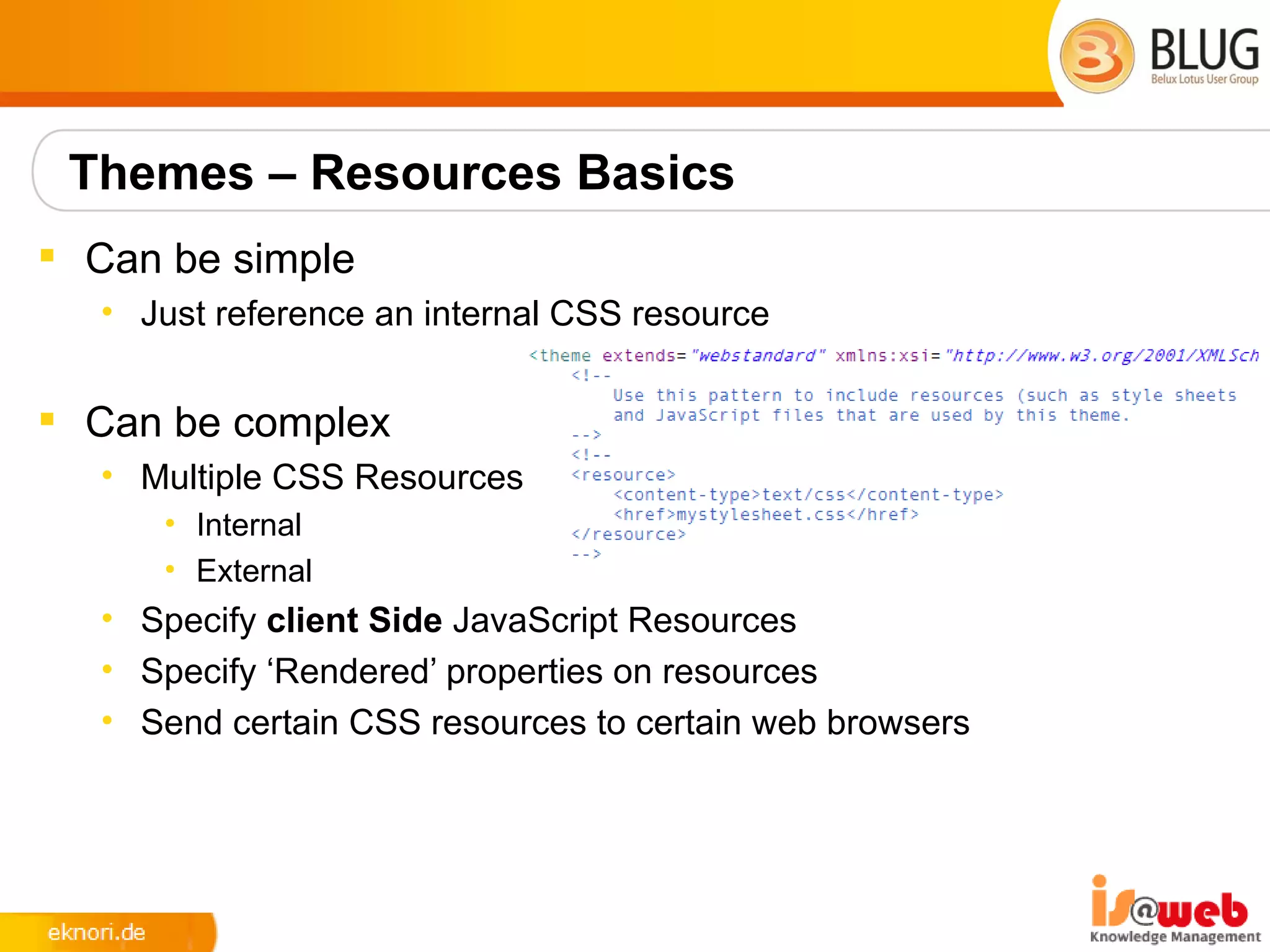
Themes – Resources Basics
 Can be simple
  • Just reference an internal CSS resource


 Can be complex
  • Multiple CSS Resources
     • Internal
     • External
  • Specify client Side JavaScript Resources
  • Specify ‘Rendered’ properties on resources
  • Send certain CSS resources to certain web browsers
Themes - Complex
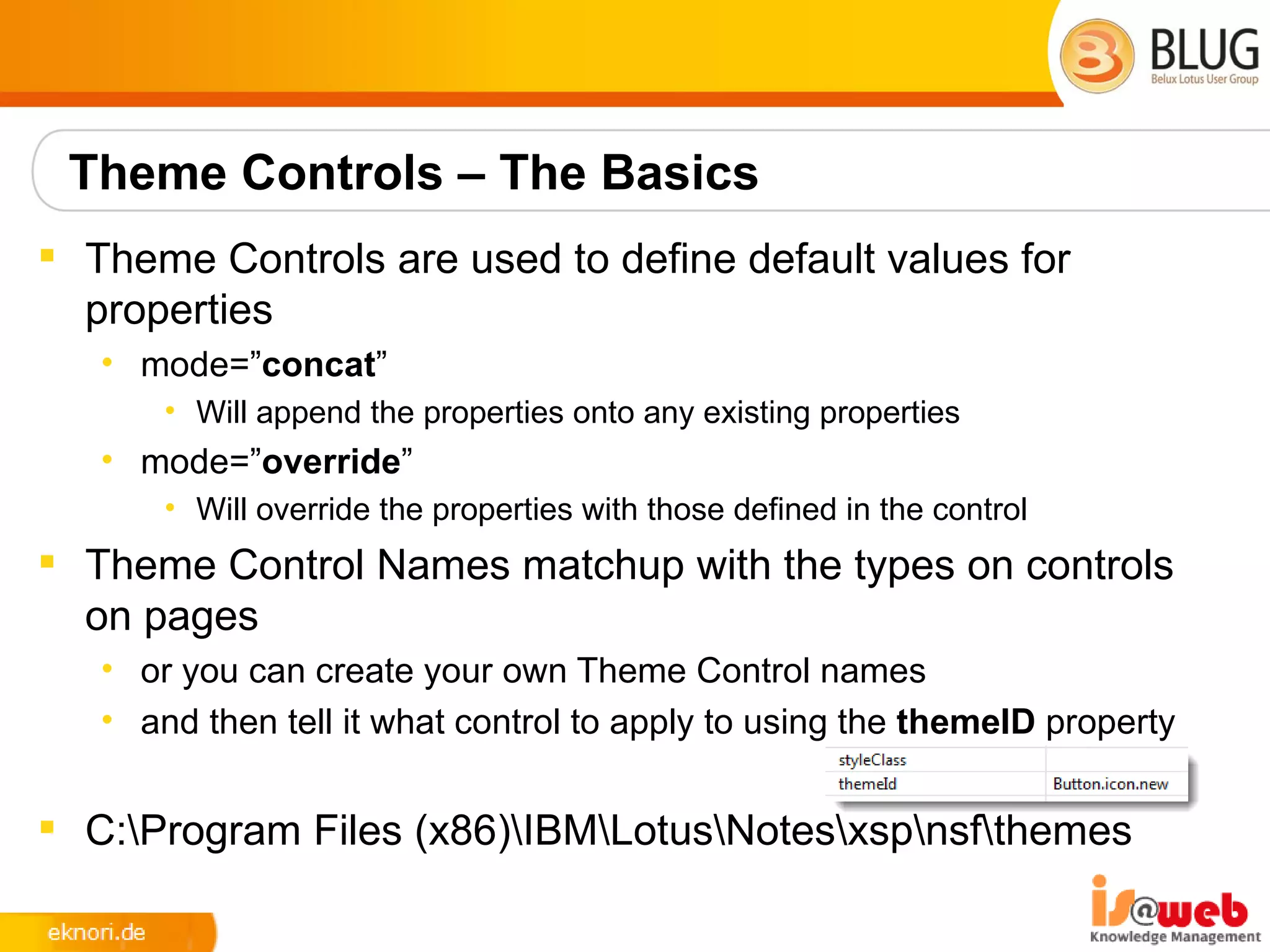
 Specify If A Resource Is Only Used When Dojo Controls Are
  detected.
      • <resource dojoTheme=”true”>


 Browser / Client Detection
      • <resource rendered="#{javascript:context.getUserAgent().isFirefox()}">
 Reference Server Based / External Files
      • <href>/.ibmxspres/global/theme/oneui/IEReallySucks.css</href>
      • <href>http://www.someserver.com/resources/myCSS.css</href>
Theme Controls – The Basics
 Theme Controls are used to define default values for
  properties
   • mode=”concat”
       • Will append the properties onto any existing properties
   • mode=”override”
       • Will override the properties with those defined in the control
 Theme Control Names matchup with the types on controls
  on pages
   • or you can create your own Theme Control names
   • and then tell it what control to apply to using the themeID property


 C:Program Files (x86)IBMLotusNotesxspnsfthemes
Extension Library
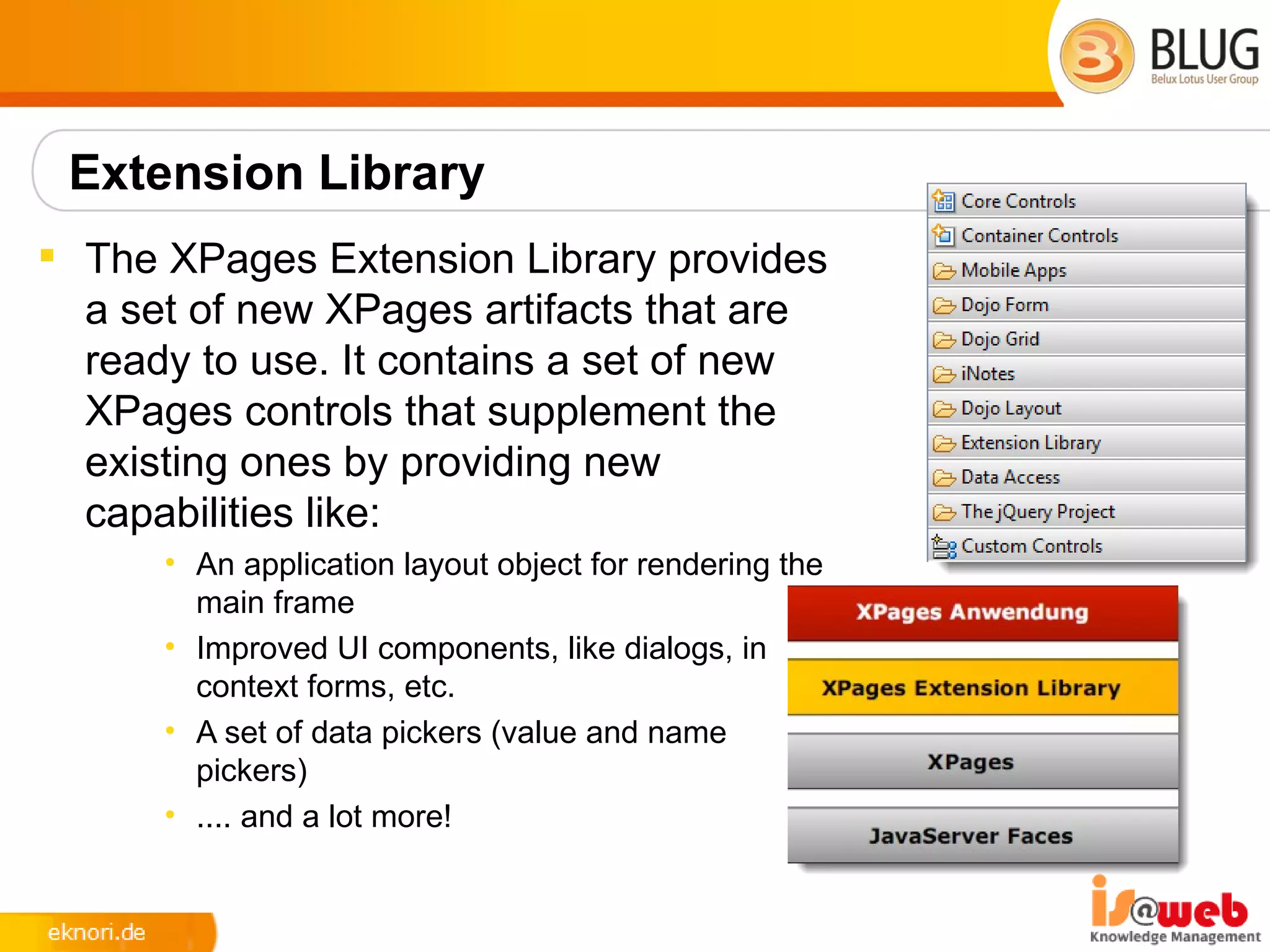
 The XPages Extension Library provides
  a set of new XPages artifacts that are
  ready to use. It contains a set of new
  XPages controls that supplement the
  existing ones by providing new
  capabilities like:
      • An application layout object for rendering the
        main frame
      • Improved UI components, like dialogs, in
        context forms, etc.
      • A set of data pickers (value and name
        pickers)
      • .... and a lot more!
XPages Extension Library OpenNTF
 There are 2 sets of plugins included in OpenNTF delivery
      • “extlib” and “extlibx”
 Each set is wrapped into its own XPages specific library
      • com.ibm.xsp.extlib.library
      • com.ibm.xsp.extlibx.library
 The “extlibx” library contains eXperimental code
      • RDBMS support
      • Social Enabler and others
 Experimental code can get added to the “extlib” library
   • once the code has matured and there is sufficient customer demand
 XPages apps can depend on both the extlib and extlibx
  libraries
      • RDBMS access requires both dependencies
XPages ExtLib Deployment (Client)
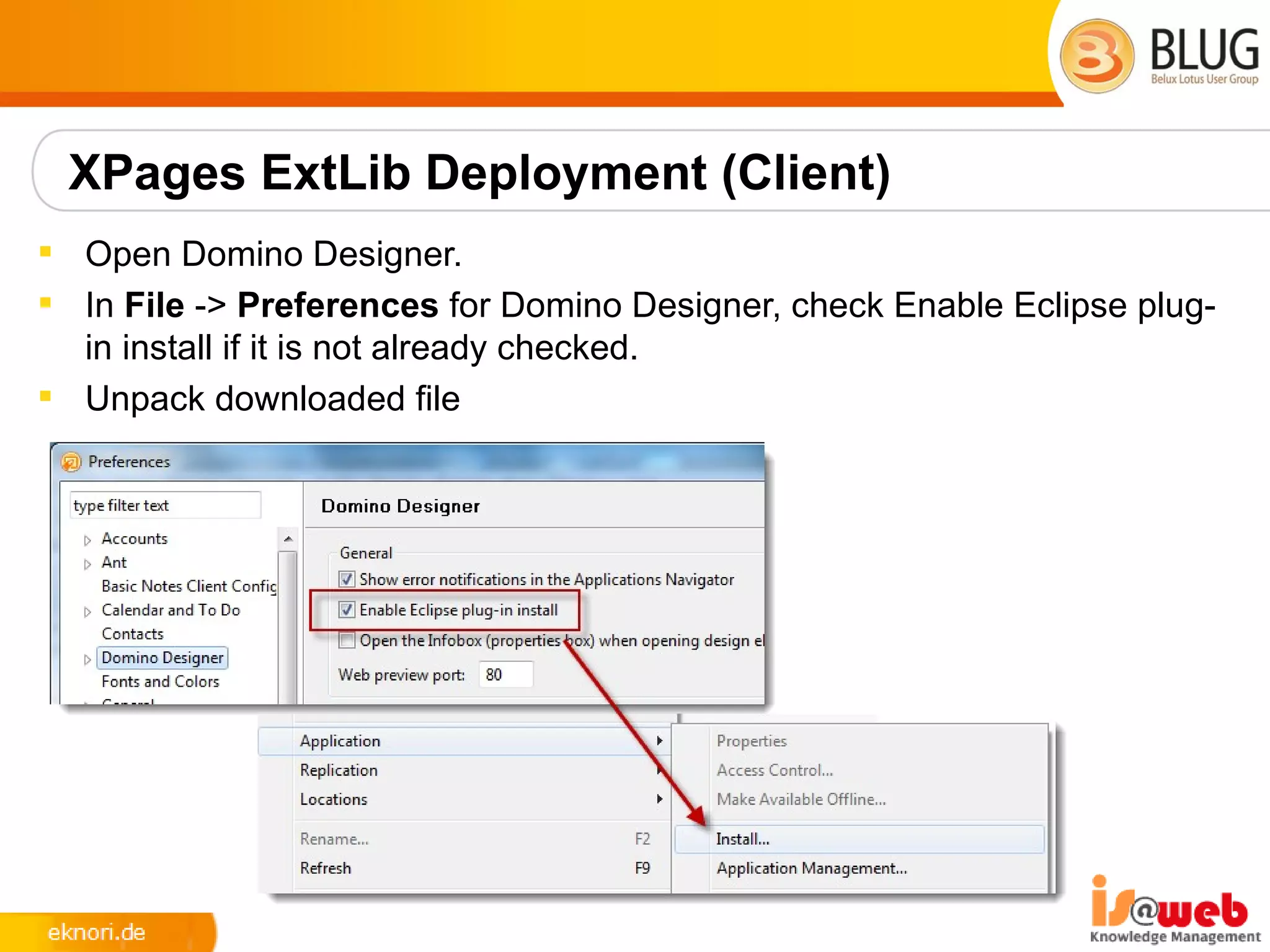
 Open Domino Designer.
 In File -> Preferences for Domino Designer, check Enable Eclipse plug-
  in install if it is not already checked.
 Unpack downloaded file
XPages ExtLib Deployment (Client)
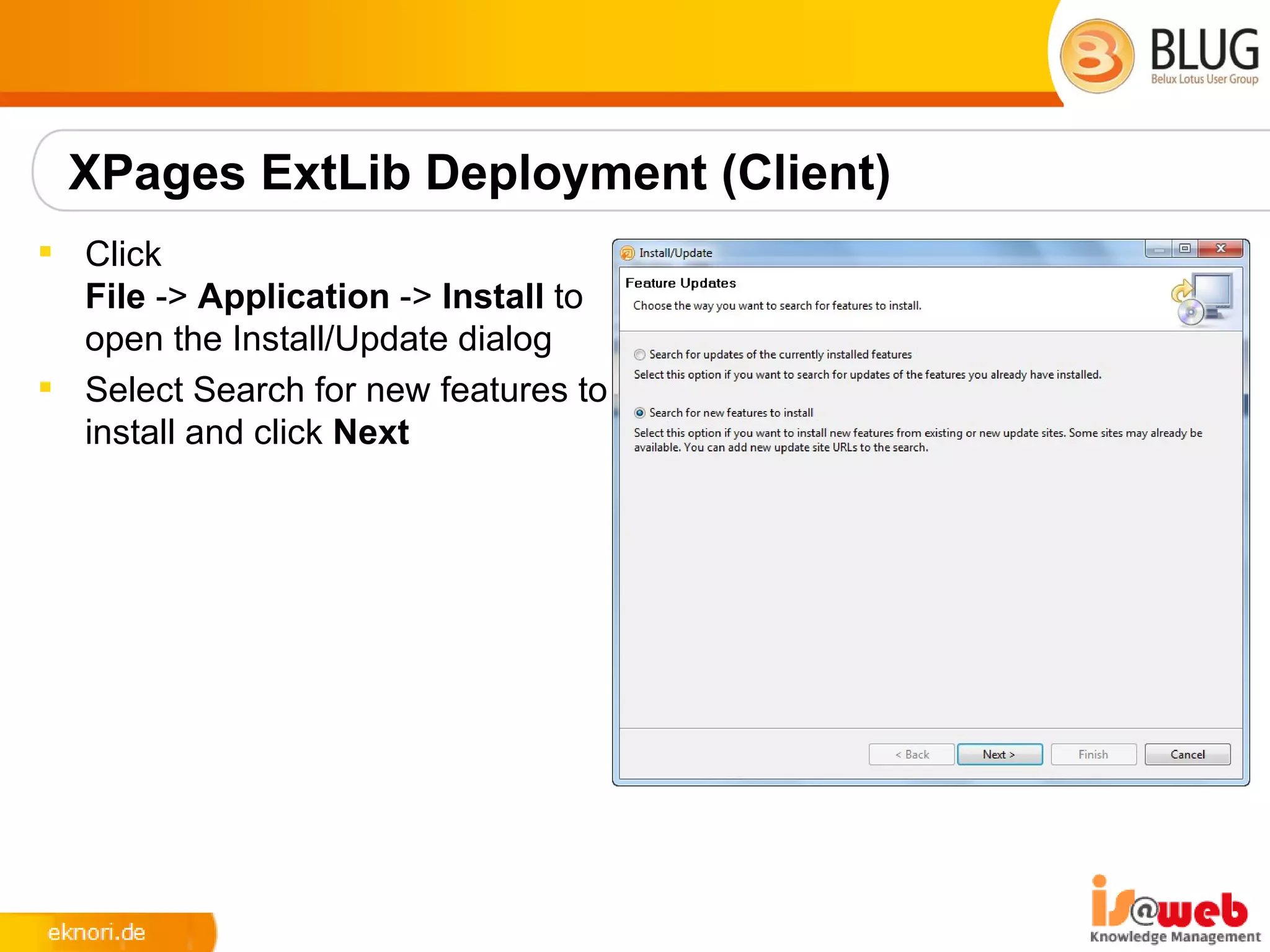
 Click
  File -> Application -> Install to
  open the Install/Update dialog
 Select Search for new features to
  install and click Next
XPages ExtLib Deployment (Client)
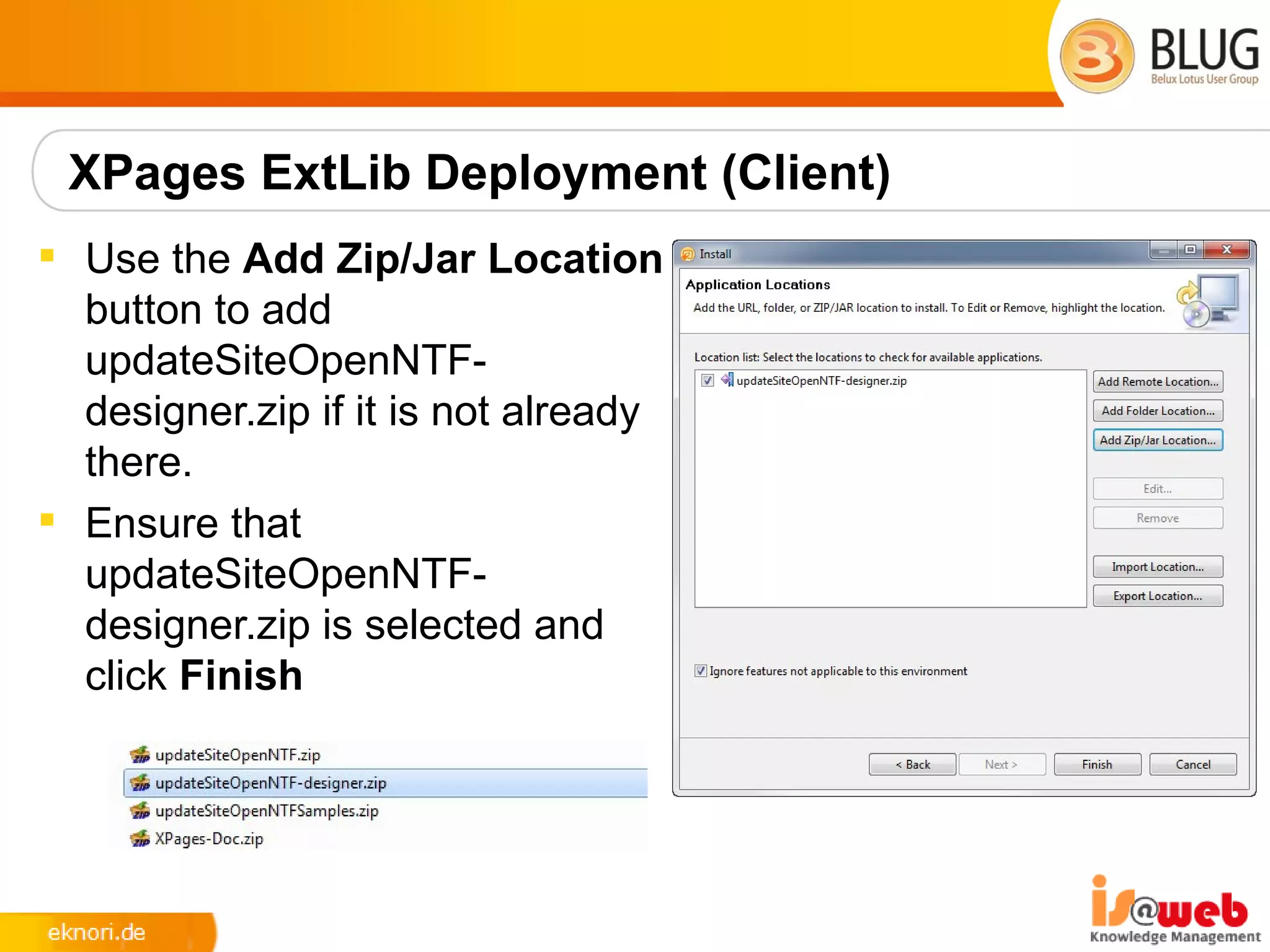
 Use the Add Zip/Jar Location
  button to add
  updateSiteOpenNTF-
  designer.zip if it is not already
  there.
 Ensure that
  updateSiteOpenNTF-
  designer.zip is selected and
  click Finish
XPages ExtLib Deployment (Client)
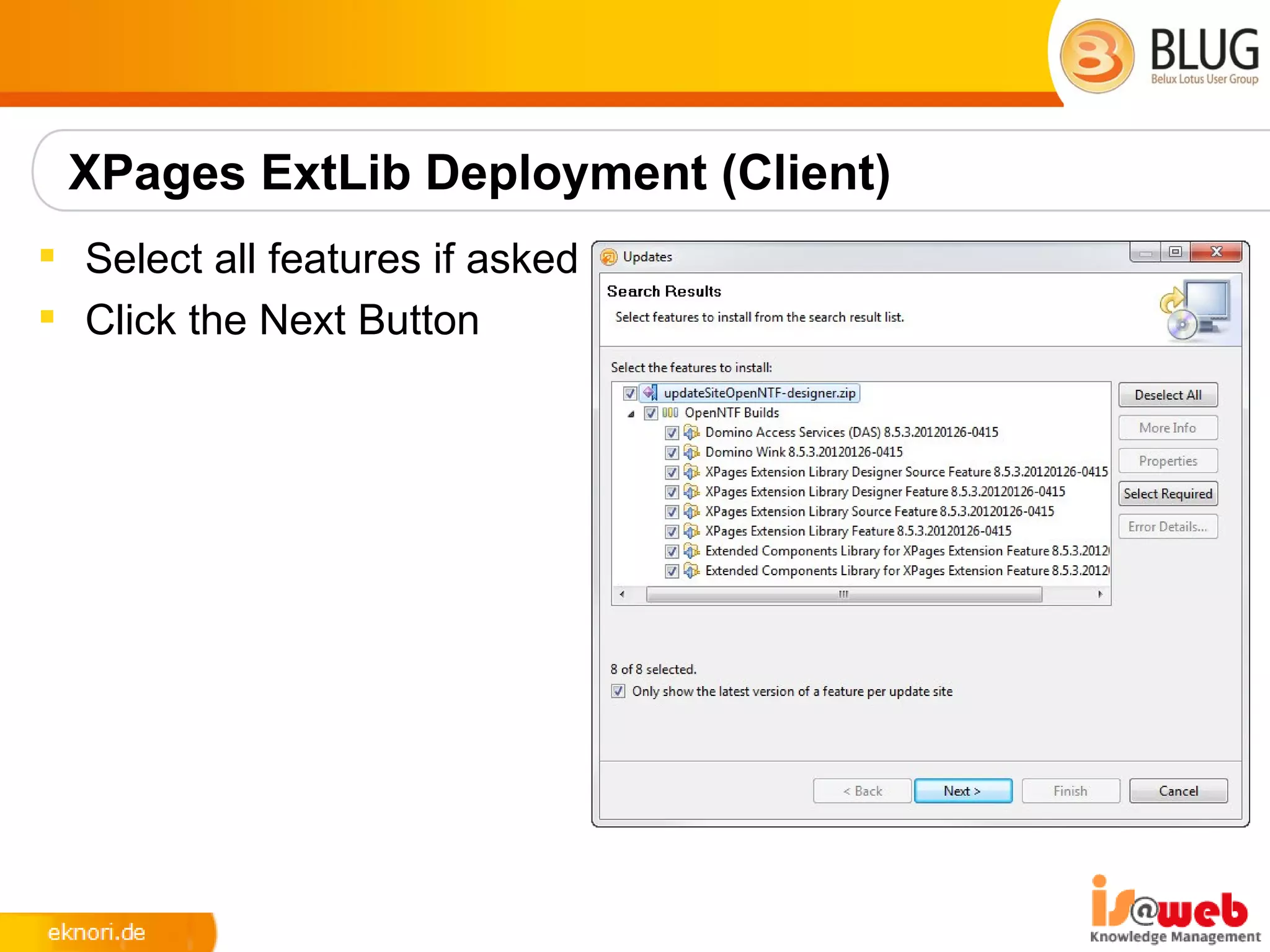
 Select all features if asked
 Click the Next Button
XPages ExtLib Deployment (Client)
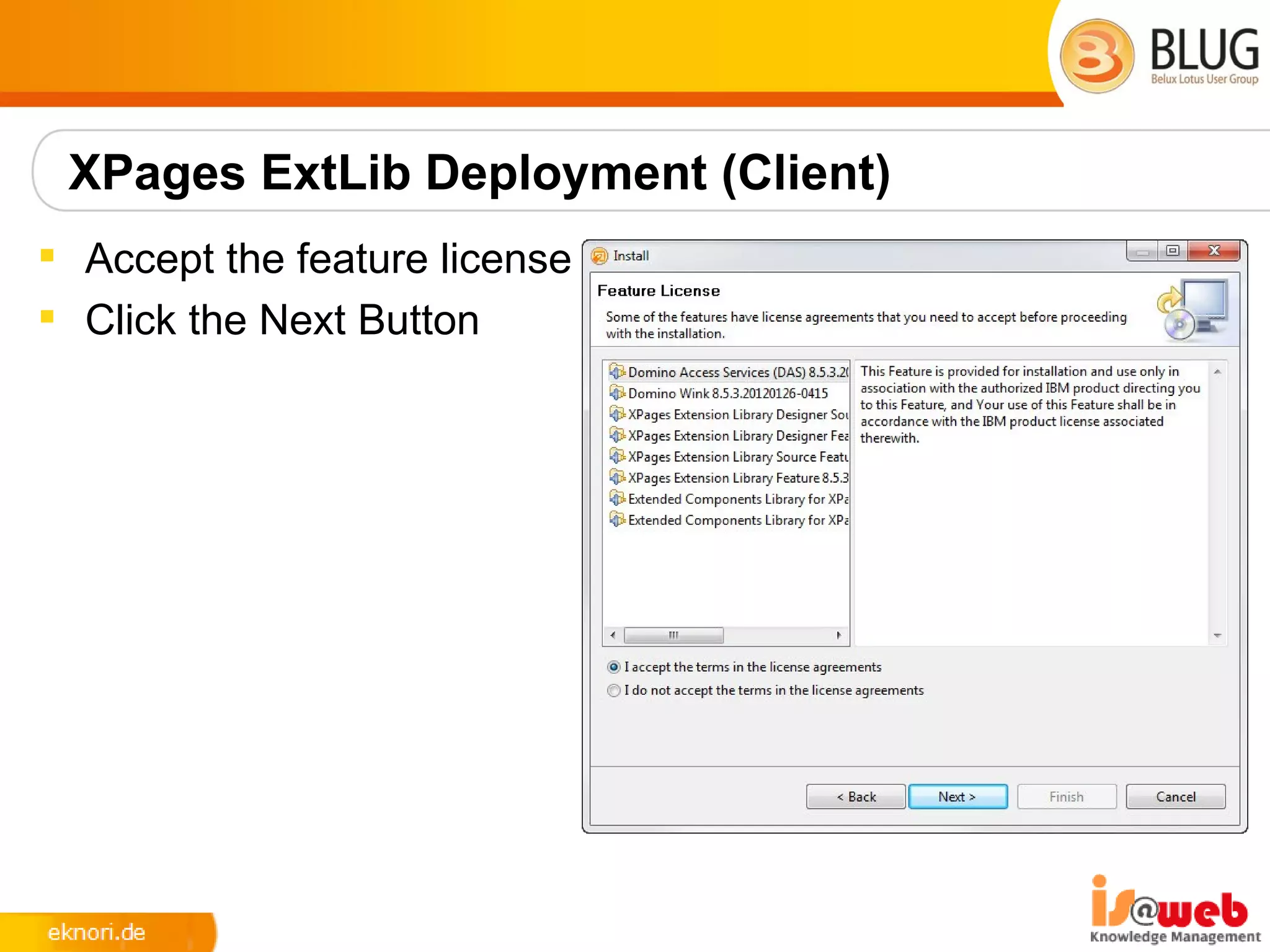
 Accept the feature license
 Click the Next Button
XPages ExtLib Deployment (Client)
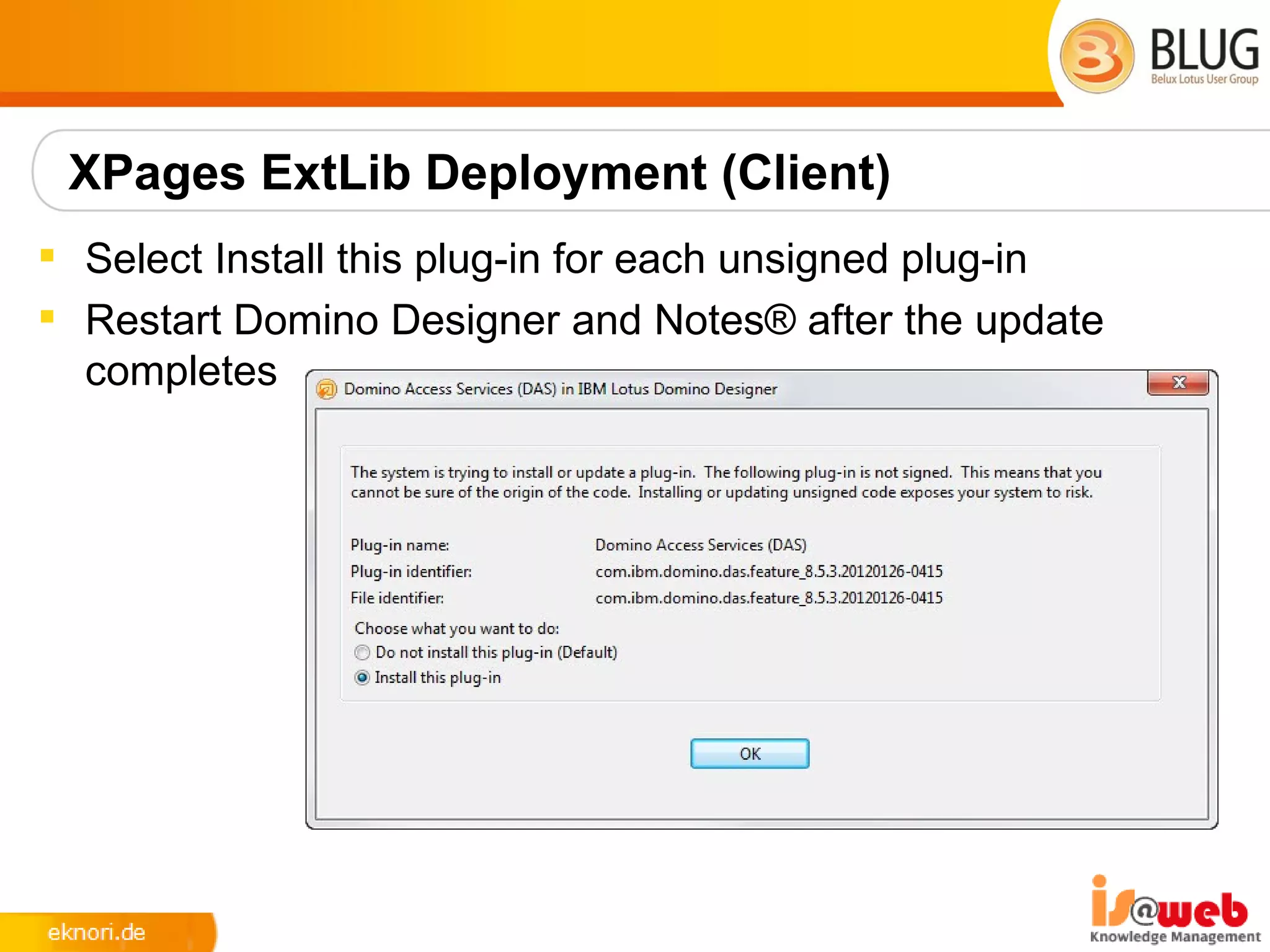
 Select Install this plug-in for each unsigned plug-in
 Restart Domino Designer and Notes® after the update
  completes
Previewing Ext Lib features in a browser
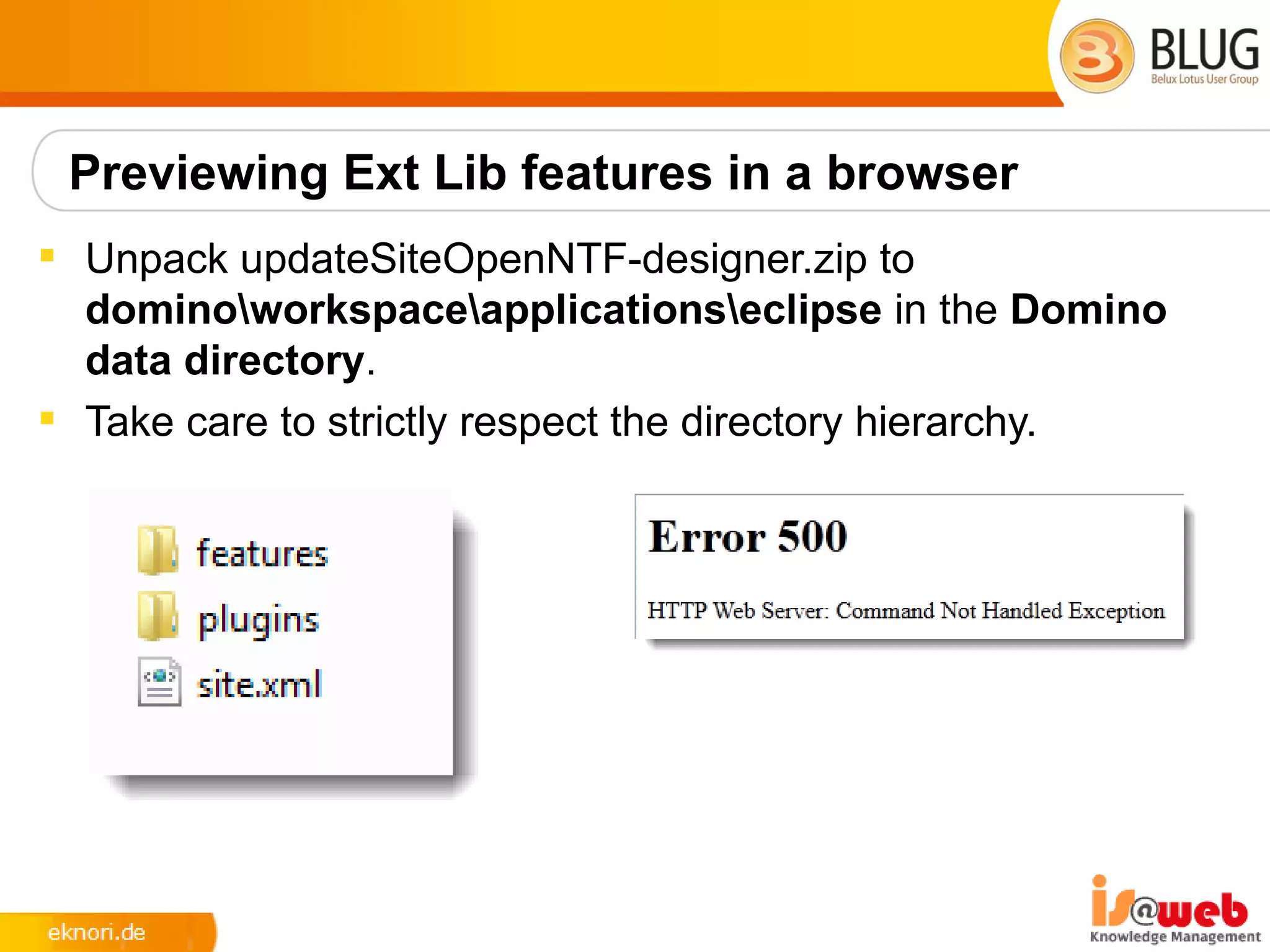
 Unpack updateSiteOpenNTF-designer.zip to
  dominoworkspaceapplicationseclipse in the Domino
  data directory.
 Take care to strictly respect the directory hierarchy.
XPages ExtLib Deployment (Server)
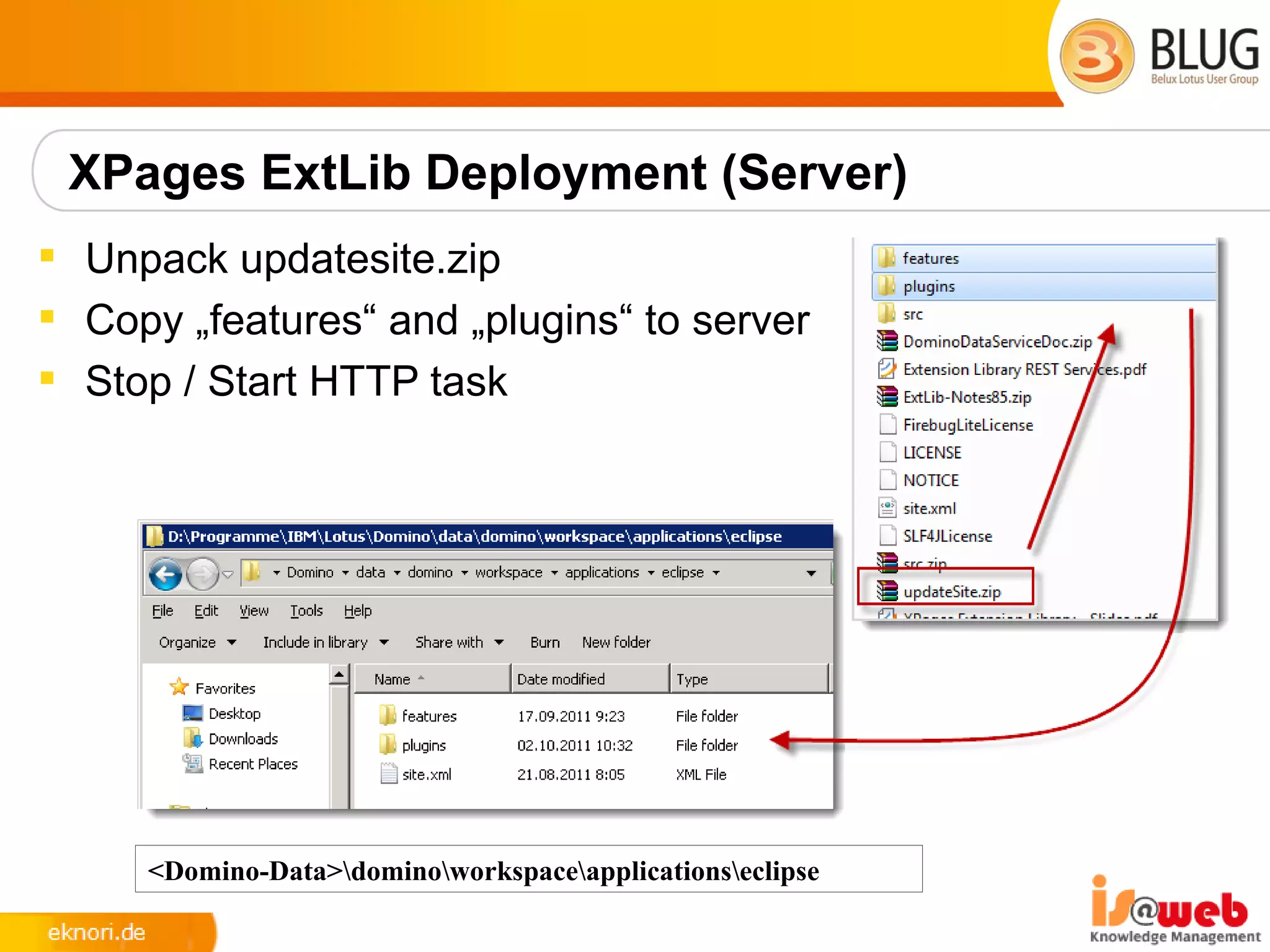
 Unpack updatesite.zip
 Copy „features“ and „plugins“ to server
 Stop / Start HTTP task


     <Domino-Data>dominoworkspaceapplicationseclipse
Verify Installation
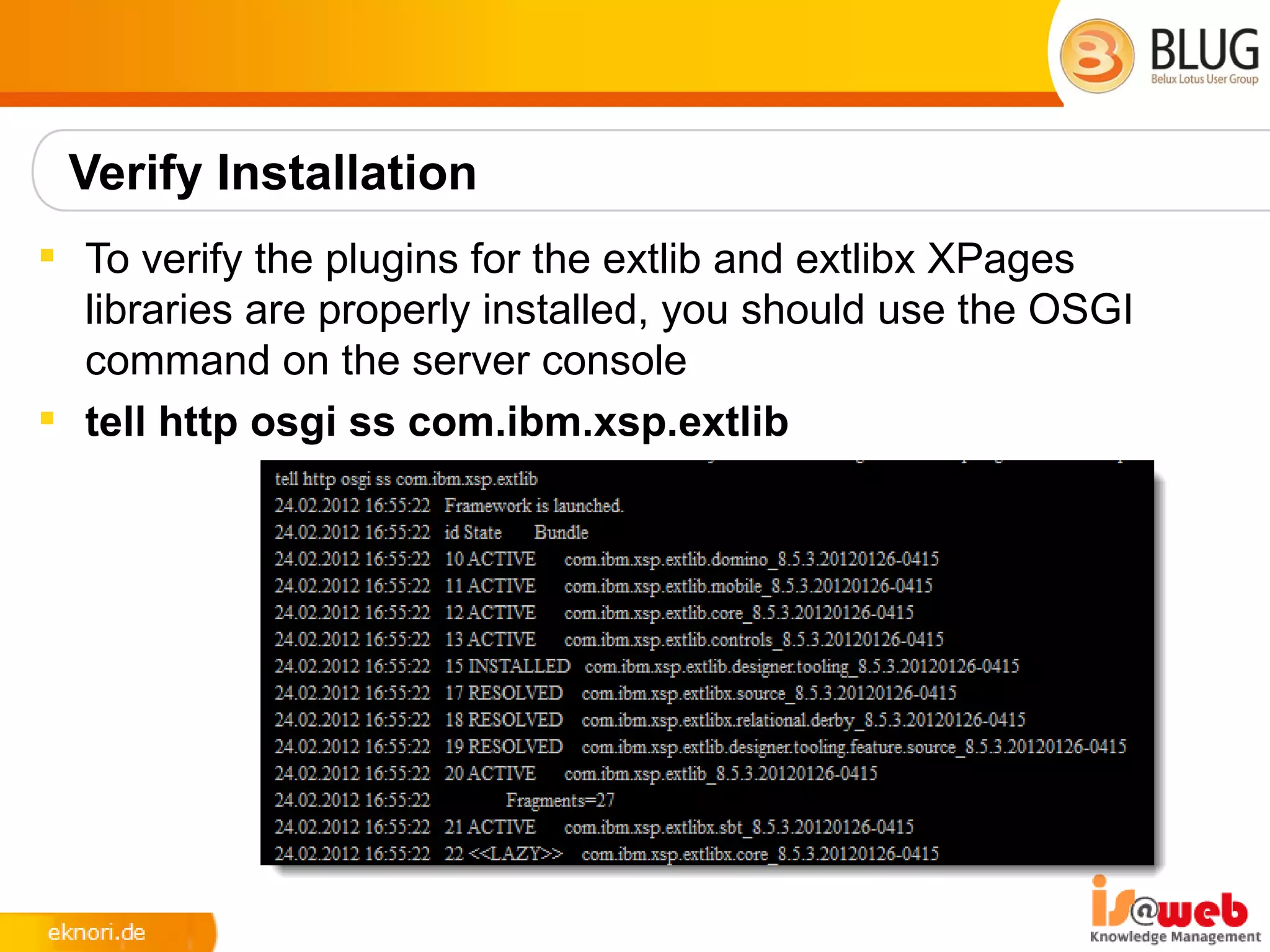
 To verify the plugins for the extlib and extlibx XPages
  libraries are properly installed, you should use the OSGI
  command on the server console
 tell http osgi ss com.ibm.xsp.extlib
XPages ExtLib Deployment in Domino 8.5.3
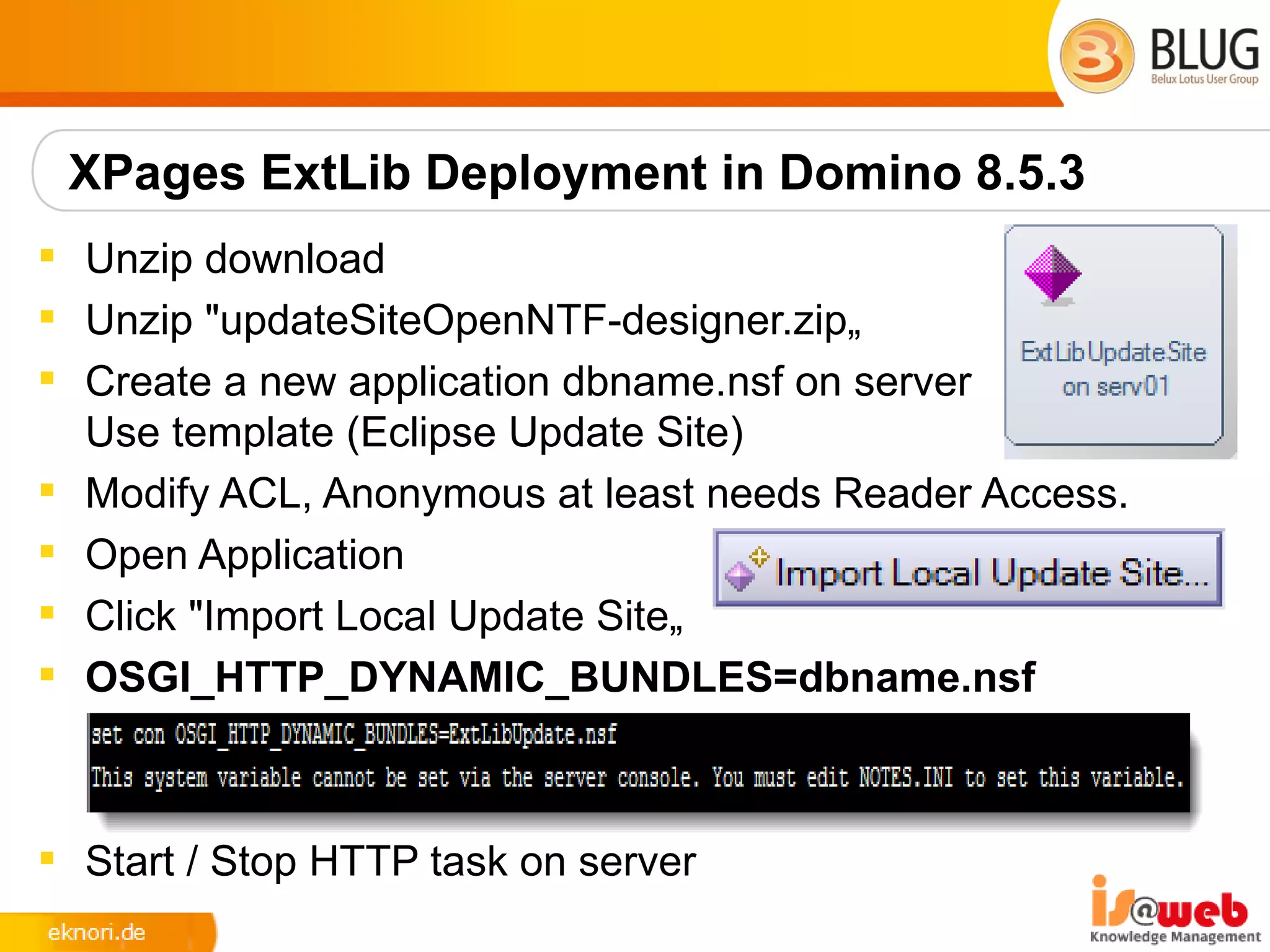
 Unzip download
 Unzip "updateSiteOpenNTF-designer.zip„
 Create a new application dbname.nsf on server
  Use template (Eclipse Update Site)
 Modify ACL, Anonymous at least needs Reader Access.
 Open Application
 Click "Import Local Update Site„
 OSGI_HTTP_DYNAMIC_BUNDLES=dbname.nsf


 Start / Stop HTTP task on server
XPages ExtLib Deployment in Domino 8.5.3


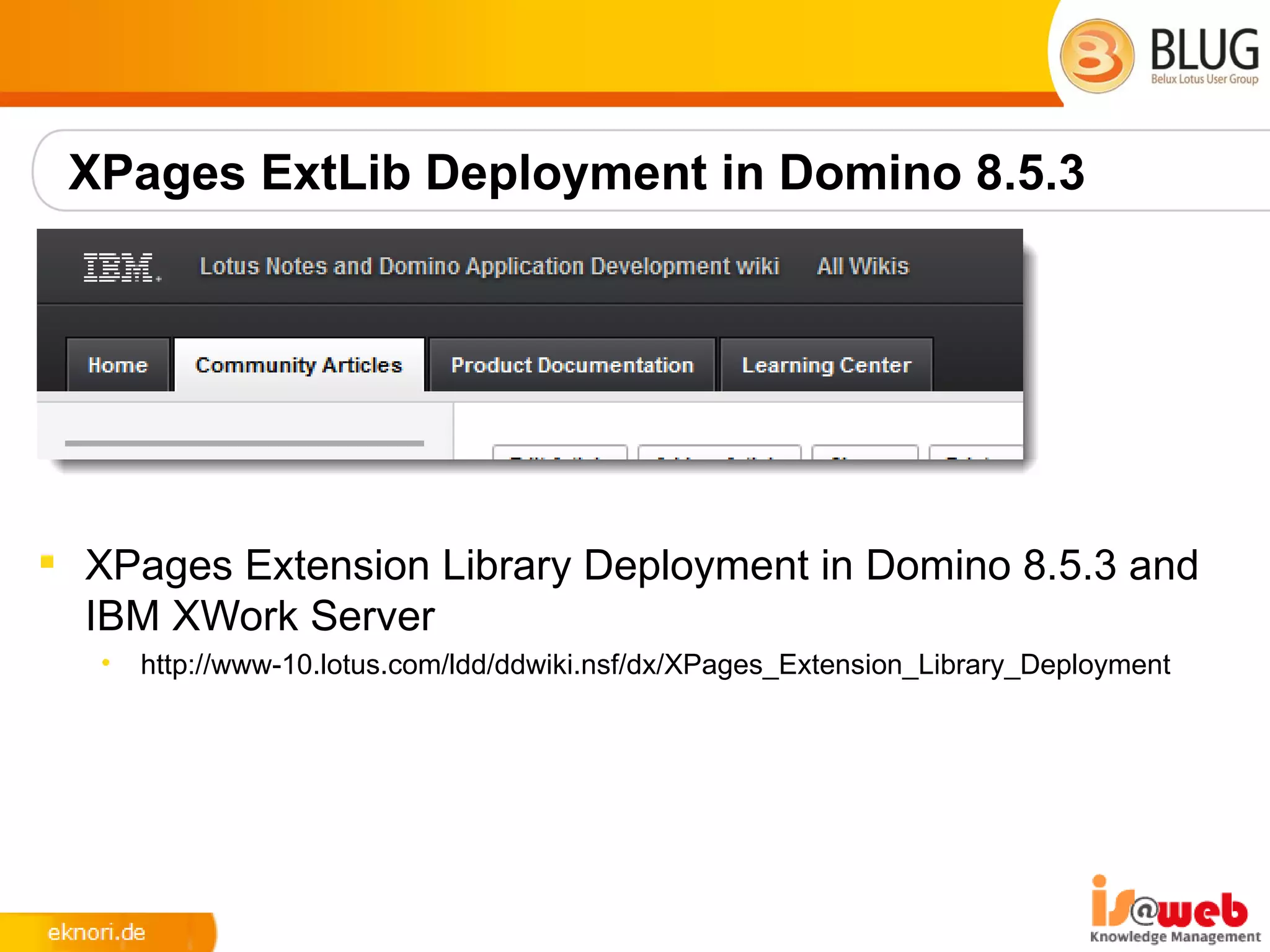
 XPages Extension Library Deployment in Domino 8.5.3 and
  IBM XWork Server
   •   http://www-10.lotus.com/ldd/ddwiki.nsf/dx/XPages_Extension_Library_Deployment
8.5.3 Upgrade Pack 1
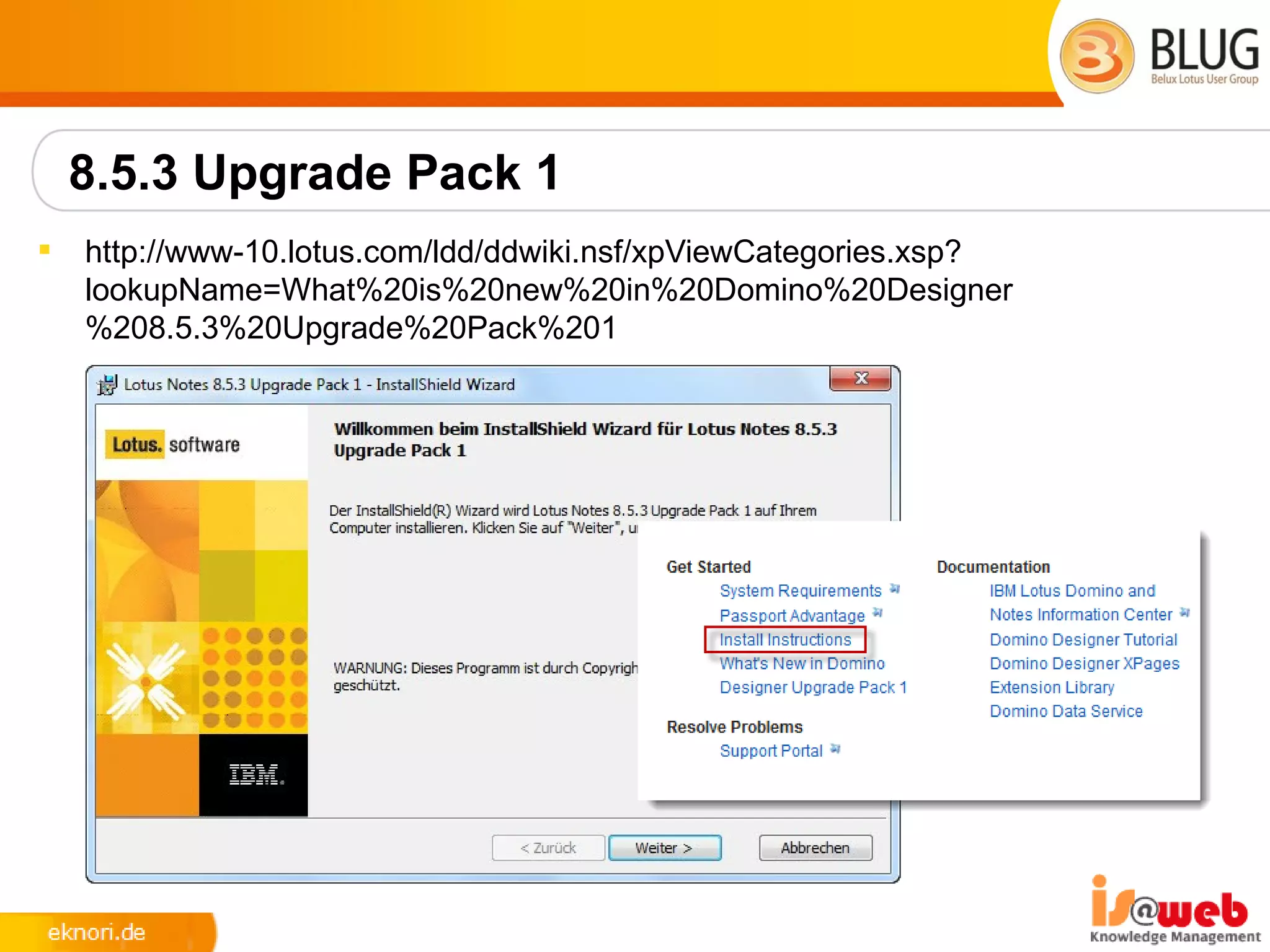
   http://www-10.lotus.com/ldd/ddwiki.nsf/xpViewCategories.xsp?
    lookupName=What%20is%20new%20in%20Domino%20Designer
    %208.5.3%20Upgrade%20Pack%201
8.5.3 Upgrade Pack 1
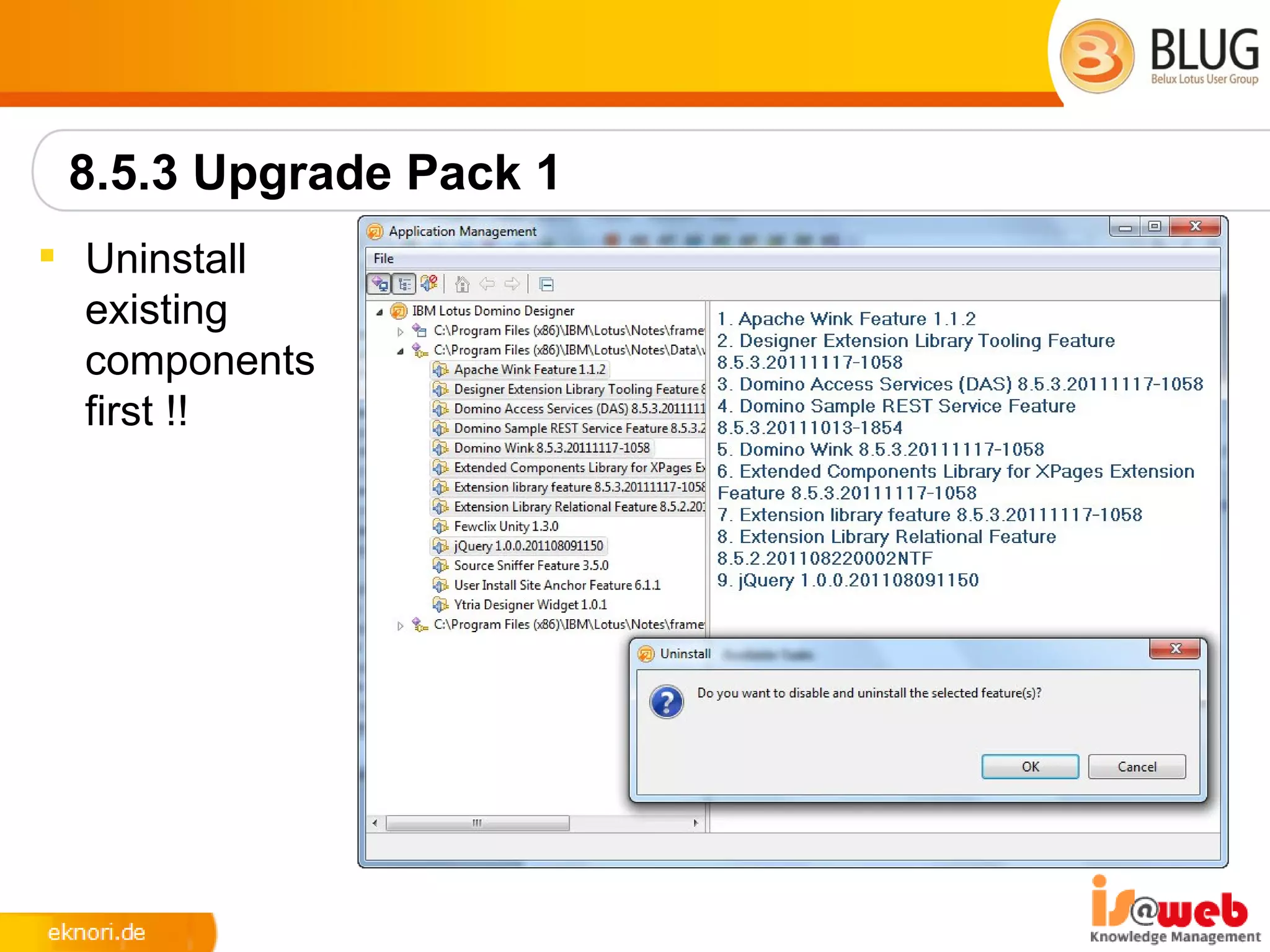
 Uninstall
  existing
  components
  first !!
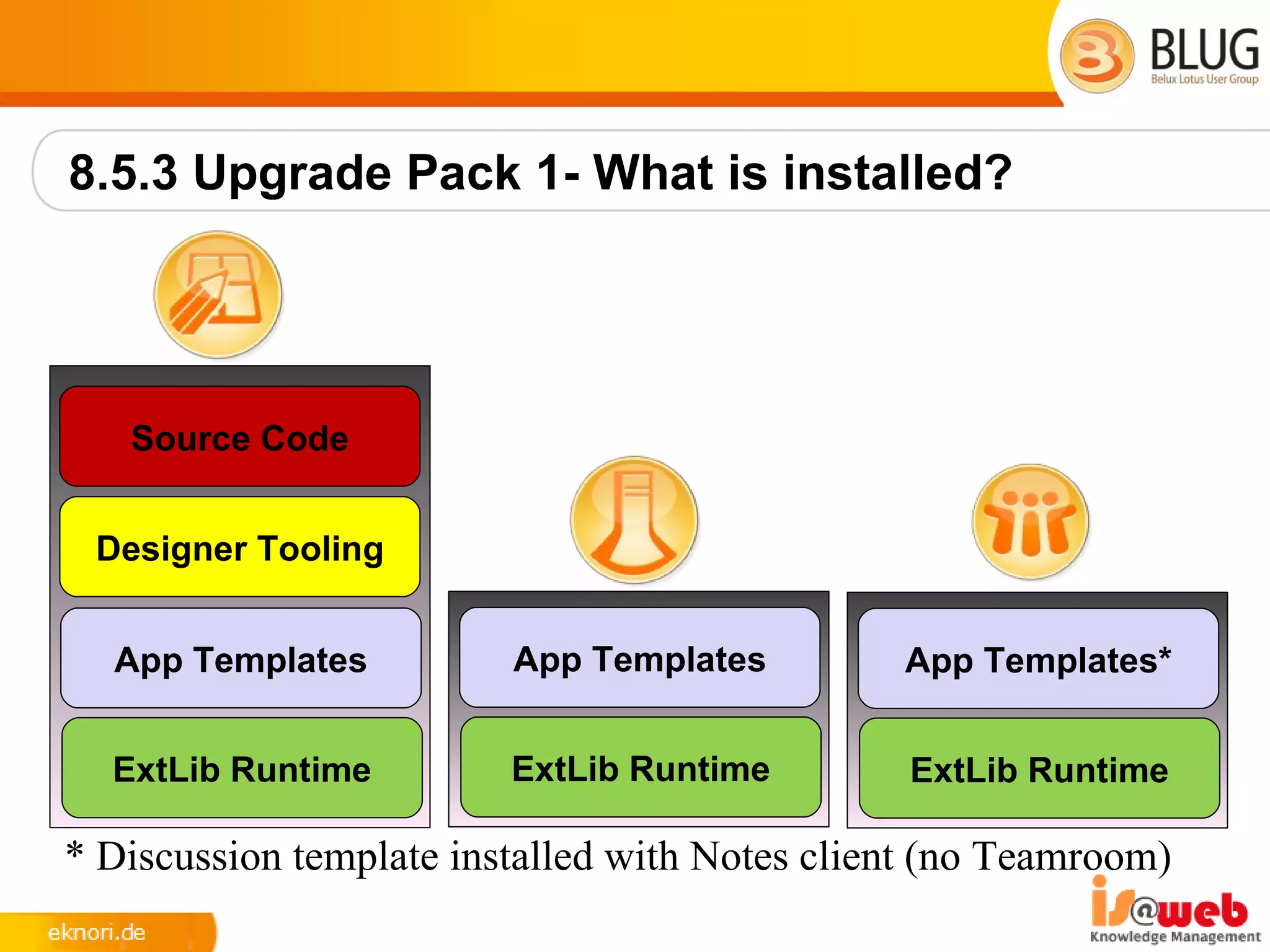
8.5.3 Upgrade Pack 1- What is installed?


   Source Code


 Designer Tooling


  App Templates          App Templates         App Templates*


  ExtLib Runtime         ExtLib Runtime         ExtLib Runtime

* Discussion template installed with Notes client (no Teamroom)
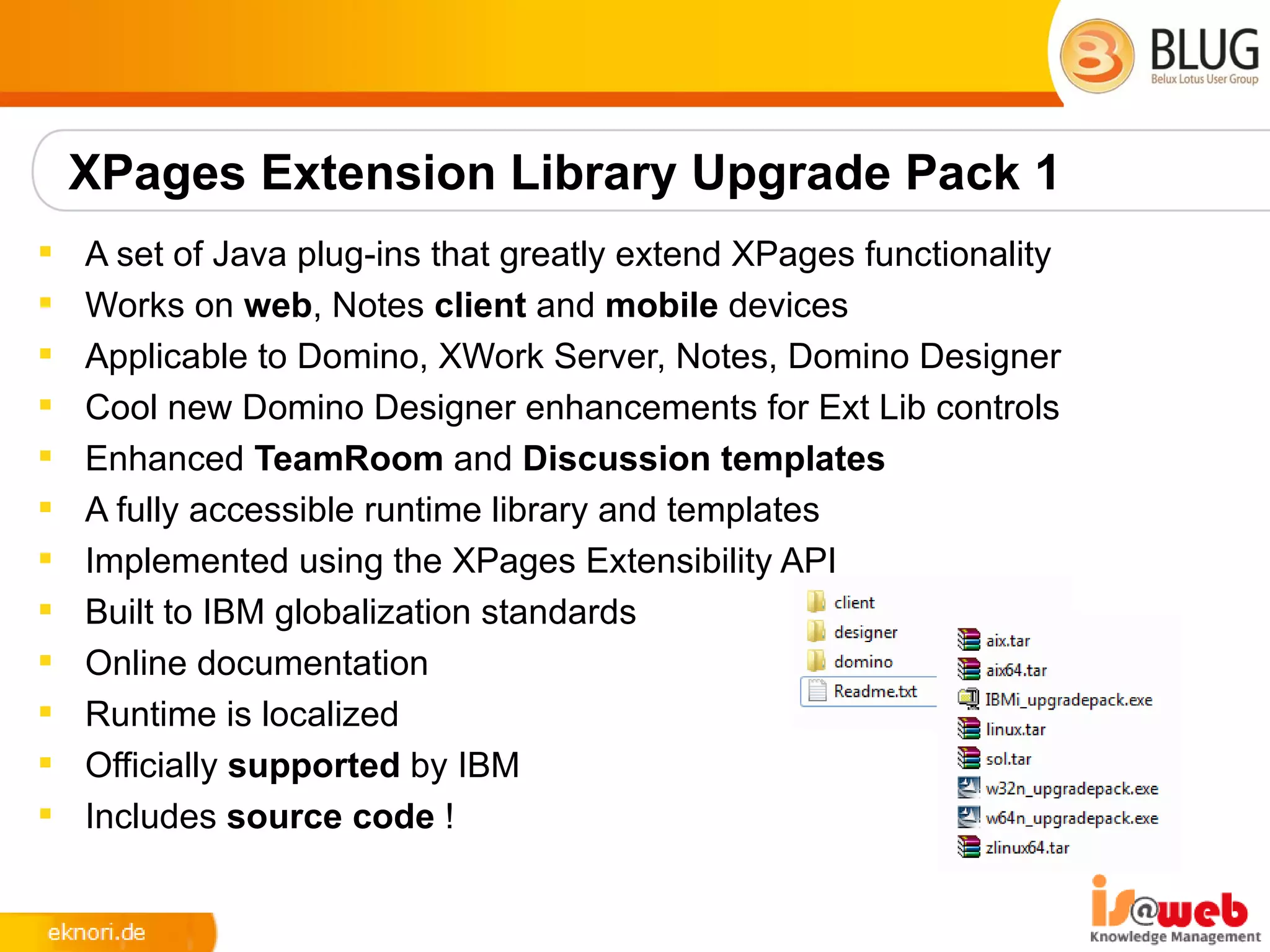
XPages Extension Library Upgrade Pack 1
   A set of Java plug-ins that greatly extend XPages functionality
   Works on web, Notes client and mobile devices
   Applicable to Domino, XWork Server, Notes, Domino Designer
   Cool new Domino Designer enhancements for Ext Lib controls
   Enhanced TeamRoom and Discussion templates
   A fully accessible runtime library and templates
   Implemented using the XPages Extensibility API
   Built to IBM globalization standards
   Online documentation
   Runtime is localized
   Officially supported by IBM
   Includes source code !
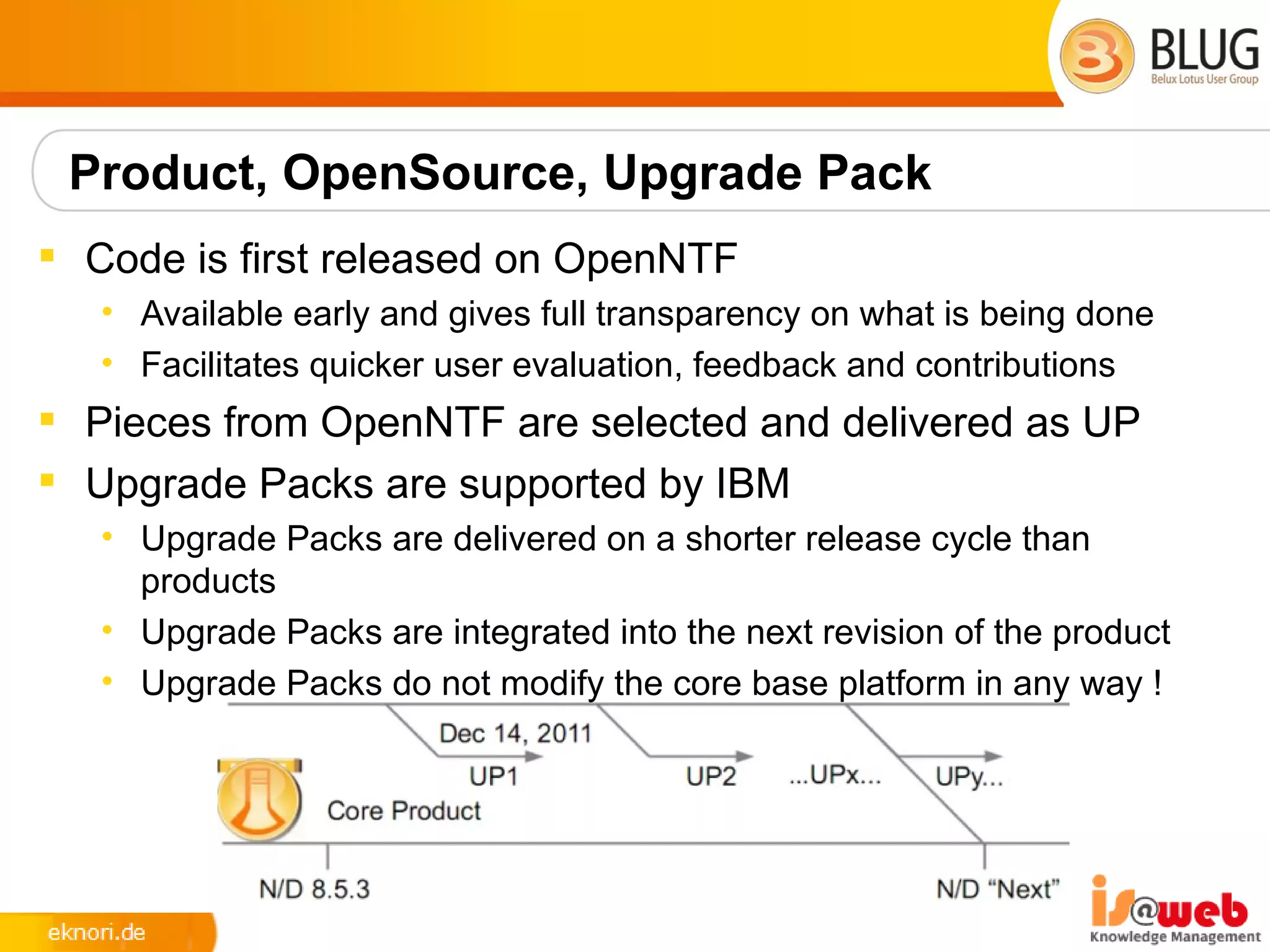
Product, OpenSource, Upgrade Pack
 Code is first released on OpenNTF
   • Available early and gives full transparency on what is being done
   • Facilitates quicker user evaluation, feedback and contributions
 Pieces from OpenNTF are selected and delivered as UP
 Upgrade Packs are supported by IBM
   • Upgrade Packs are delivered on a shorter release cycle than
     products
   • Upgrade Packs are integrated into the next revision of the product
   • Upgrade Packs do not modify the core base platform in any way !
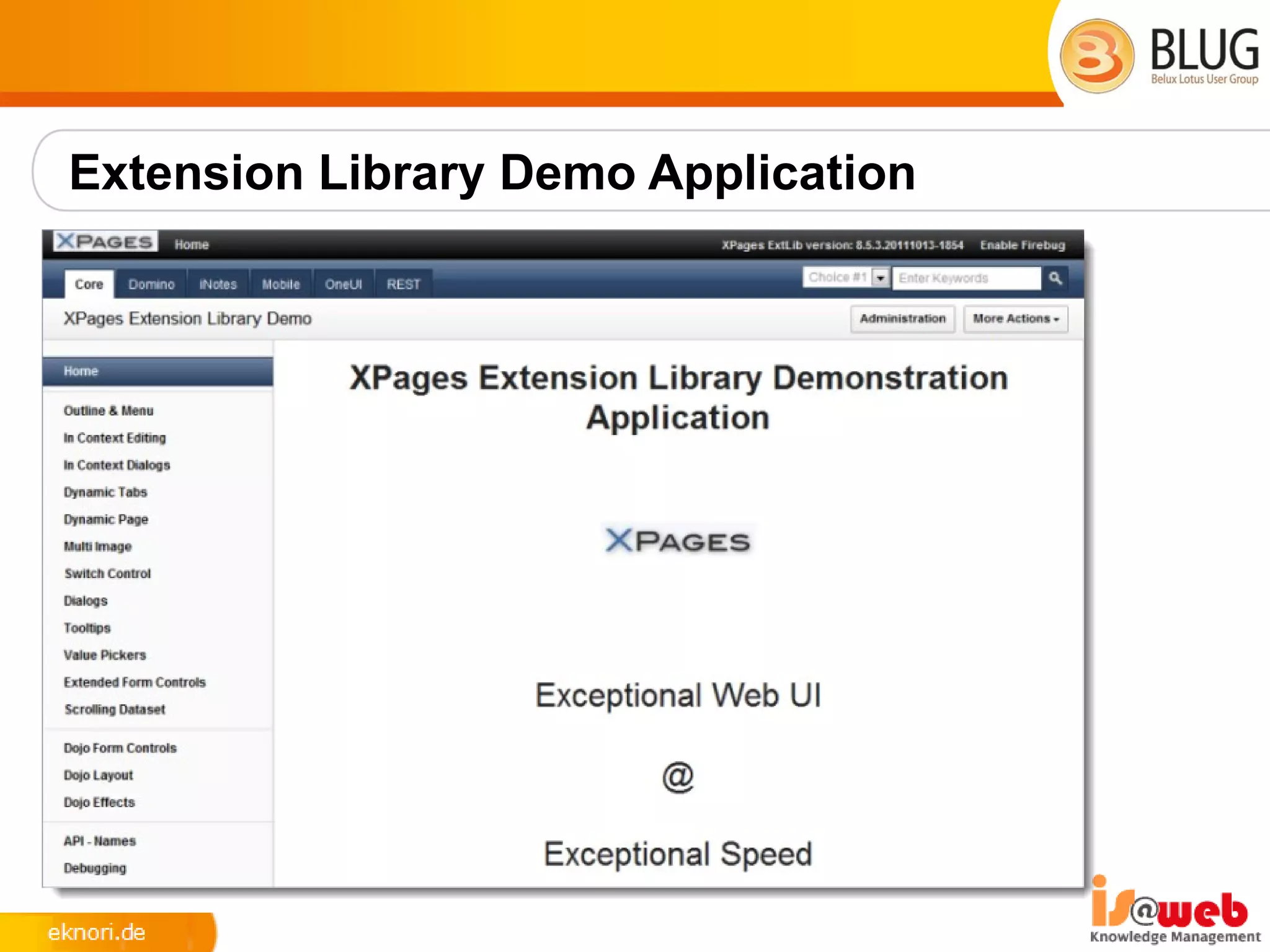
Extension Library Demo Application
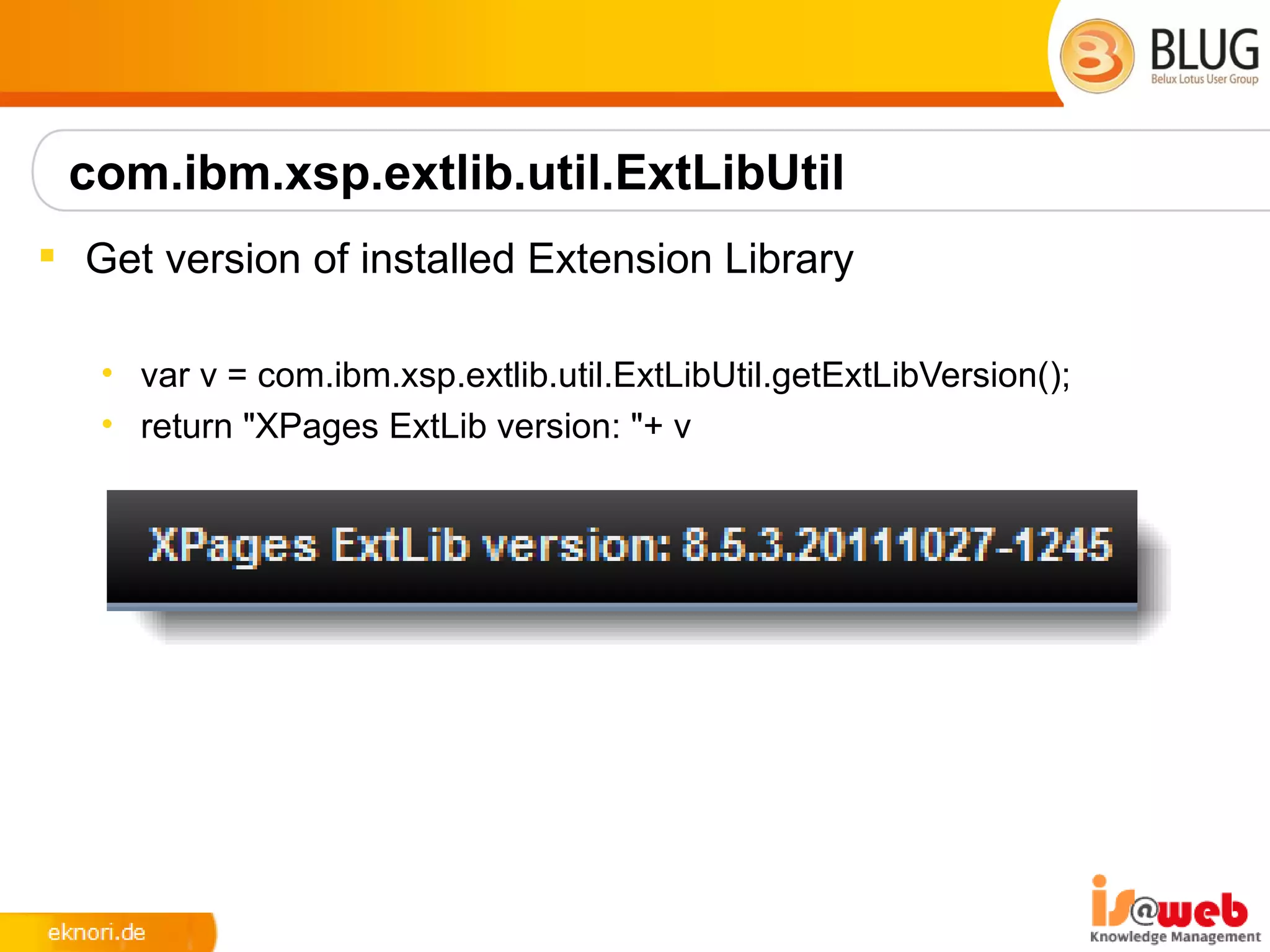
com.ibm.xsp.extlib.util.ExtLibUtil
 Get version of installed Extension Library

   • var v = com.ibm.xsp.extlib.util.ExtLibUtil.getExtLibVersion();
   • return "XPages ExtLib version: "+ v
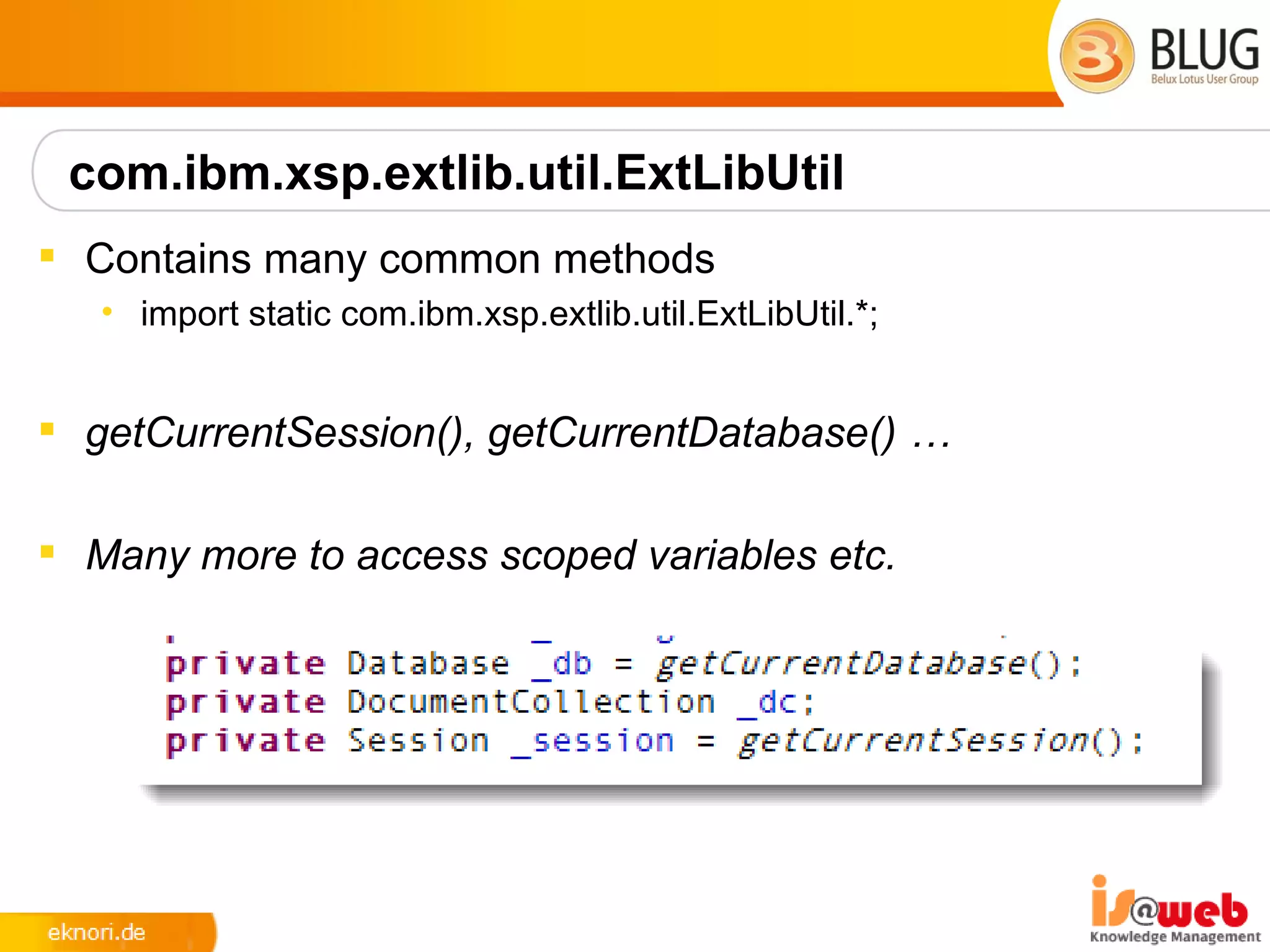
com.ibm.xsp.extlib.util.ExtLibUtil
 Contains many common methods
   • import static com.ibm.xsp.extlib.util.ExtLibUtil.*;


 getCurrentSession(), getCurrentDatabase() …

 Many more to access scoped variables etc.
XPages Relational Database Support
 Leverages JDBC when connecting to relational databases
   • Accesses any database with a JDBC driver available
   • You could access
      • DB2,Oracle,MS SQL,MySQL,Derby... you name it!
   • You need to obtain the JDBC driver from the database vendor or
     third party provider
 RDBMS data is accessed directly – no synchronization is
  performed with NSF
 Xpages efficiently manages the connections through a
  connections pool
 Uses NSF specific connections
 The data is accessed using a set of dedicated data sources
XPages Relational Database Support
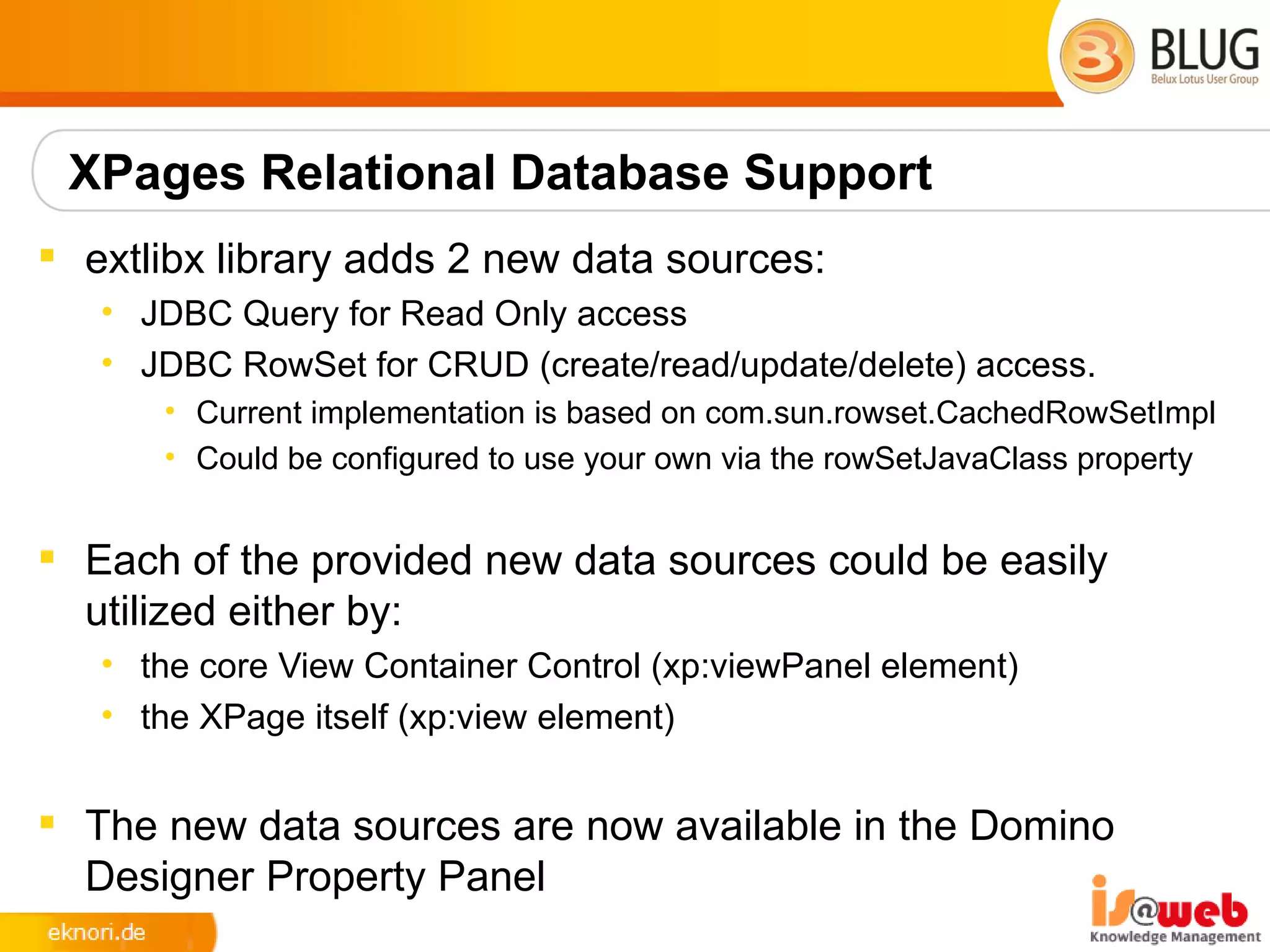
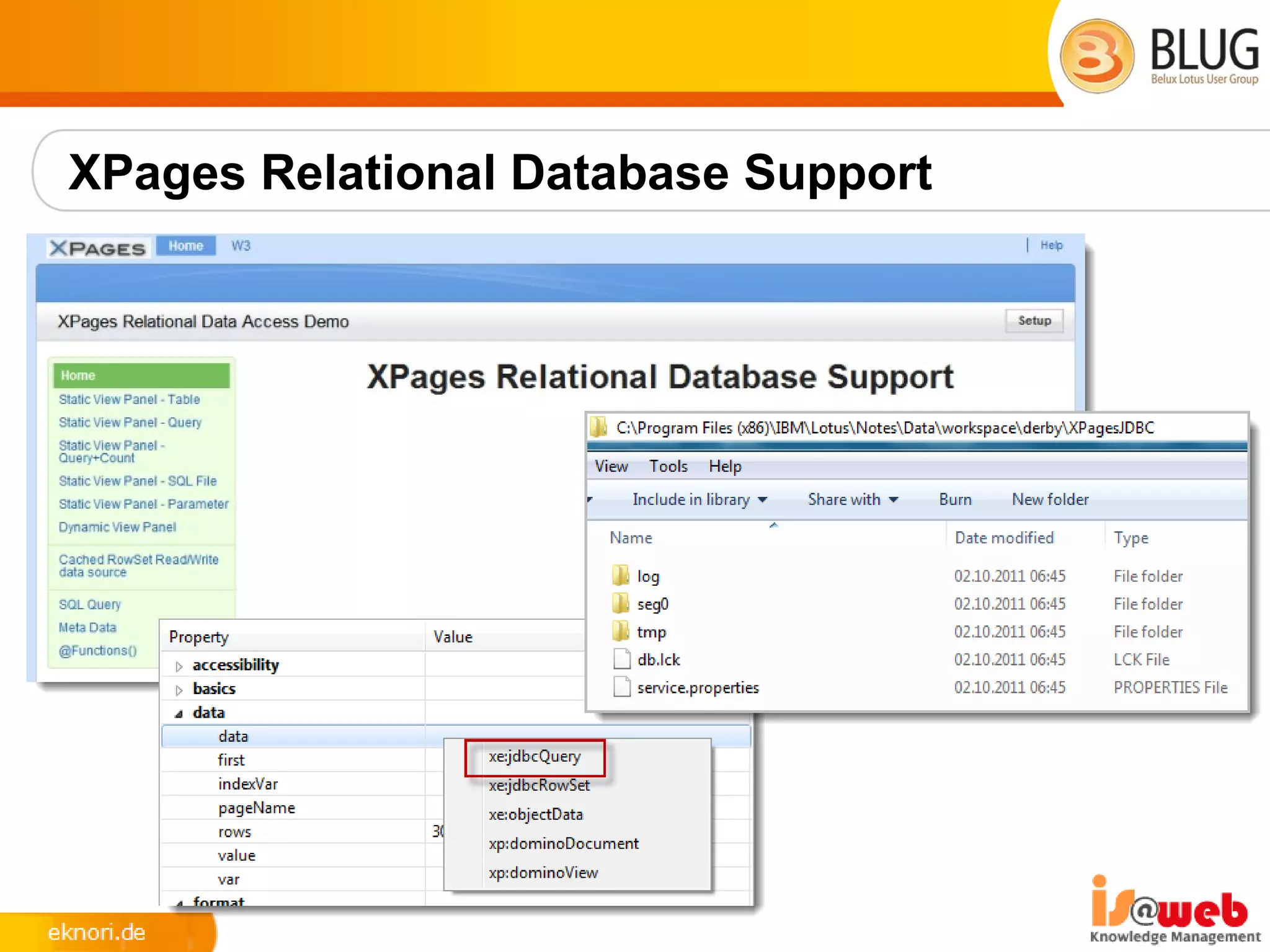
 extlibx library adds 2 new data sources:
   • JDBC Query for Read Only access
   • JDBC RowSet for CRUD (create/read/update/delete) access.
      • Current implementation is based on com.sun.rowset.CachedRowSetImpl
      • Could be configured to use your own via the rowSetJavaClass property


 Each of the provided new data sources could be easily
  utilized either by:
   • the core View Container Control (xp:viewPanel element)
   • the XPage itself (xp:view element)


 The new data sources are now available in the Domino
  Designer Property Panel
XPages Relational Database Support
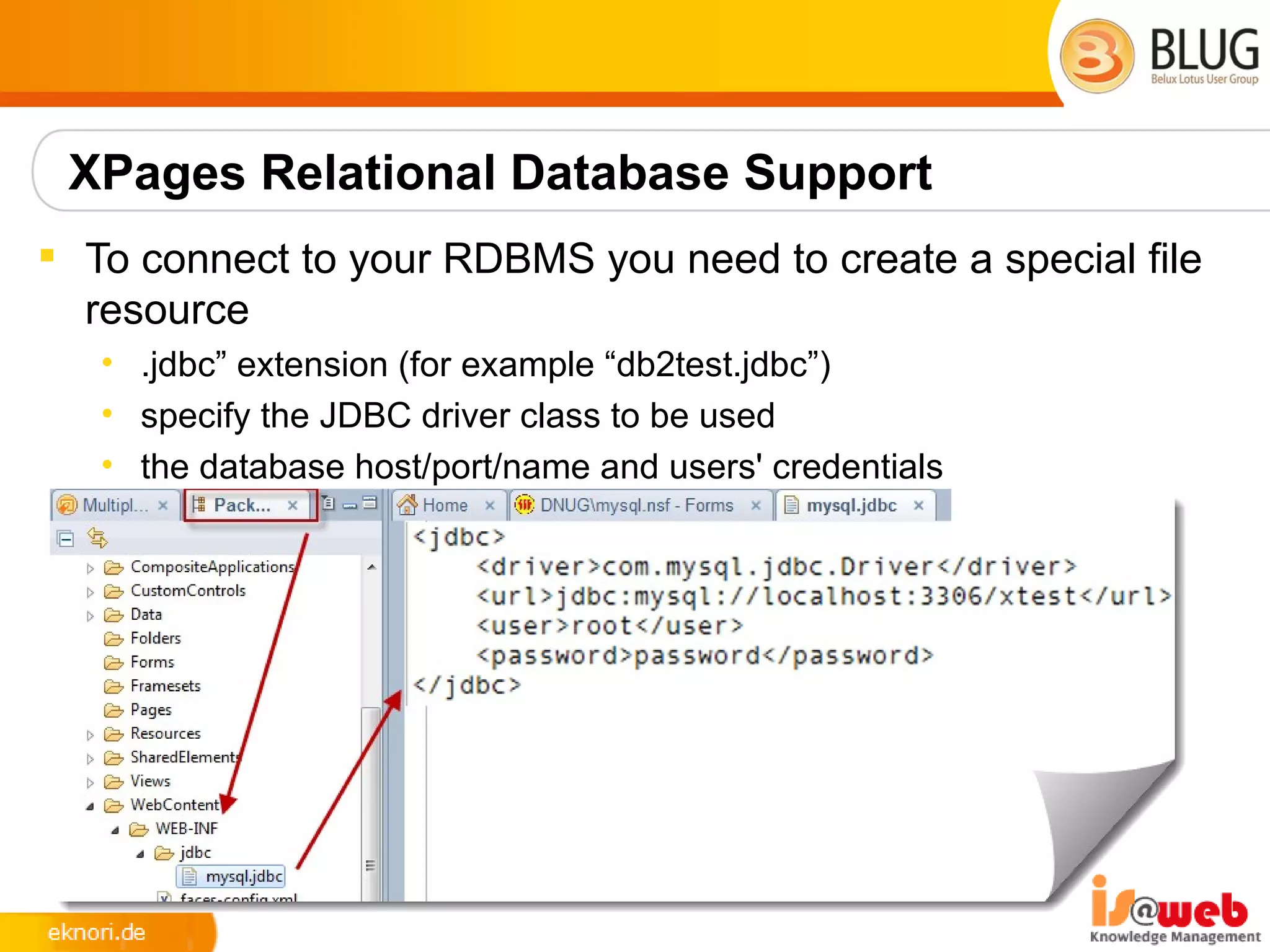
 To connect to your RDBMS you need to create a special file
  resource
   • .jdbc” extension (for example “db2test.jdbc”)
   • specify the JDBC driver class to be used
   • the database host/port/name and users' credentials
Server Side JavaScript APIs and @Functions
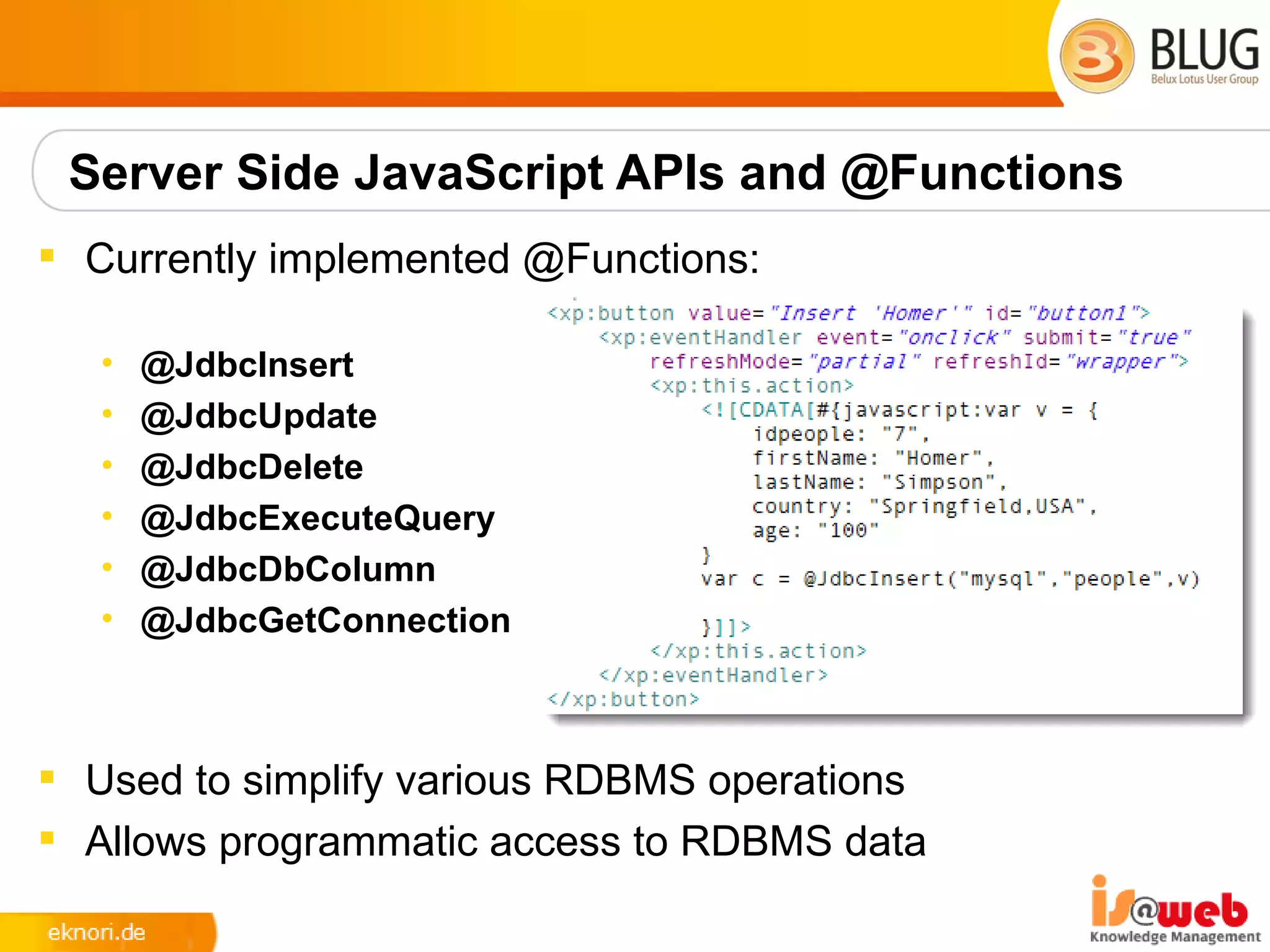
 Currently implemented @Functions:

   •   @JdbcInsert
   •   @JdbcUpdate
   •   @JdbcDelete
   •   @JdbcExecuteQuery
   •   @JdbcDbColumn
   •   @JdbcGetConnection


 Used to simplify various RDBMS operations
 Allows programmatic access to RDBMS data
RDBMS Future
 XPages Extension Library OpenNTF and Relational support
  continues to evolve further and expected features in the
  pipeline include:
   • Global Domino server based RDBMS connection definition ability
   • Domino Designer tooling to work with the RDBMS tables' metadata
   • Even better JDBC connection pooling implementation using Apache
     DBCP
   • JDBC Query via REST services
   • Additional @Functions
 Another new interesting OpenNTF project
   • JDBC Access for IBM Lotus Domino (DomSQL)
          – http://www.openntf.org/internal/home.nsf/project.xsp?
            action=openDocument&name=JDBC%20Access%20for%20IBM%20Lotus
            %20Domino
Domino JDBC Access (DomSQL)
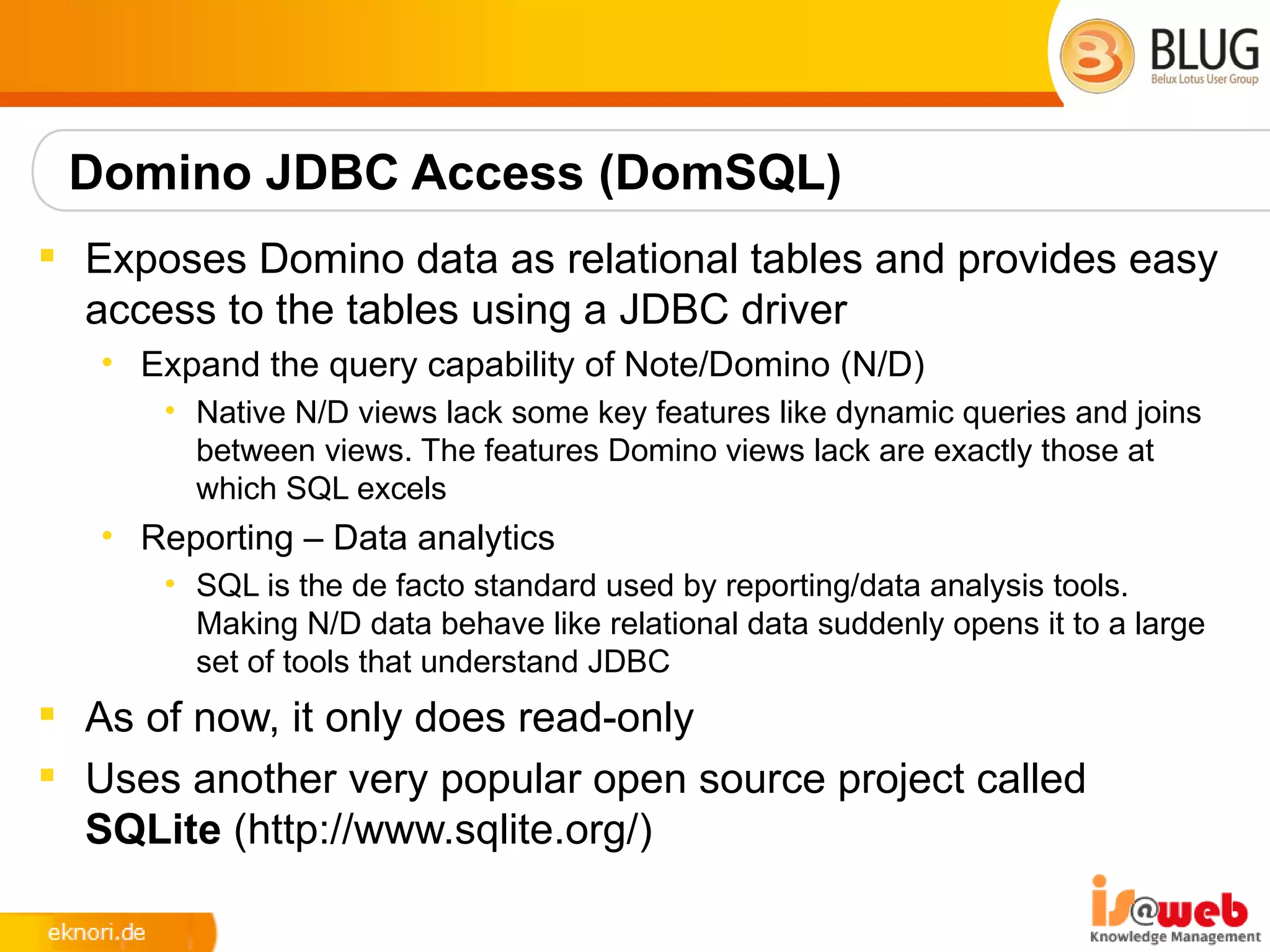
 Exposes Domino data as relational tables and provides easy
  access to the tables using a JDBC driver
   • Expand the query capability of Note/Domino (N/D)
      • Native N/D views lack some key features like dynamic queries and joins
        between views. The features Domino views lack are exactly those at
        which SQL excels
   • Reporting – Data analytics
      • SQL is the de facto standard used by reporting/data analysis tools.
        Making N/D data behave like relational data suddenly opens it to a large
        set of tools that understand JDBC
 As of now, it only does read-only
 Uses another very popular open source project called
  SQLite (http://www.sqlite.org/)
XPages Relational Database Support
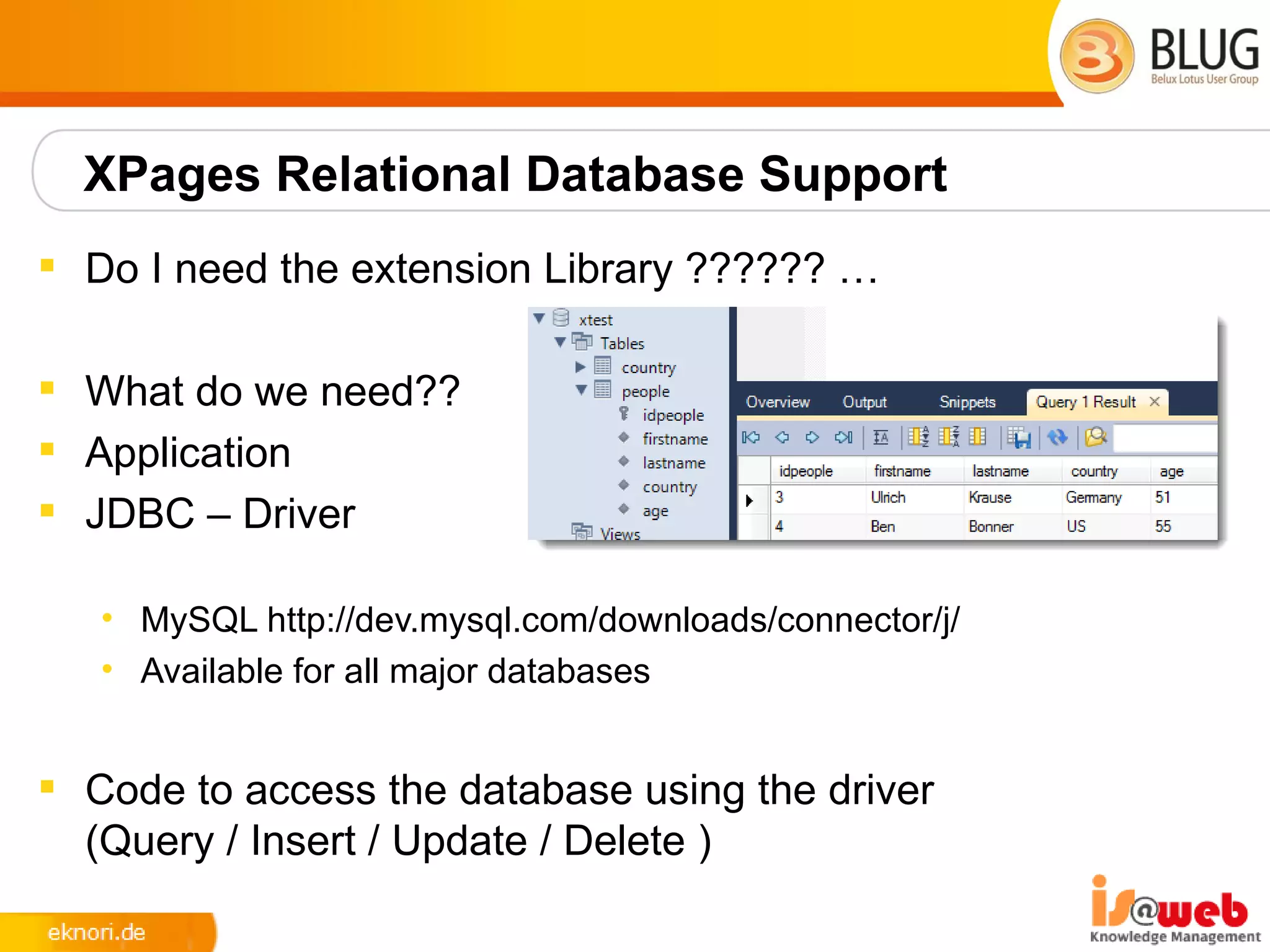
 Do I need the extension Library ?????? …

 What do we need??
 Application
 JDBC – Driver

   • MySQL http://dev.mysql.com/downloads/connector/j/
   • Available for all major databases


 Code to access the database using the driver
  (Query / Insert / Update / Delete )
XPages Relational Database Support


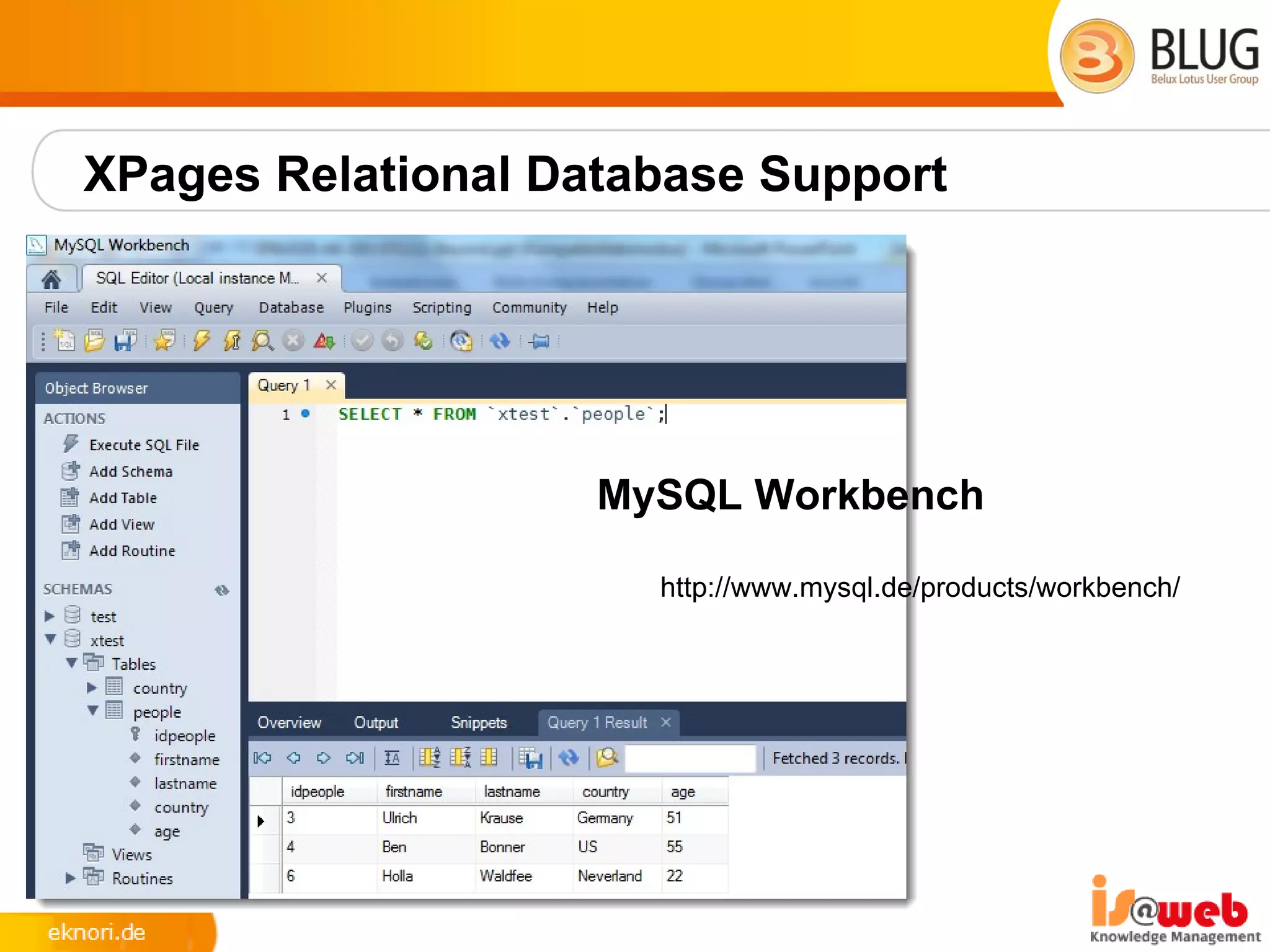
                    MySQL Workbench

                      http://www.mysql.de/products/workbench/
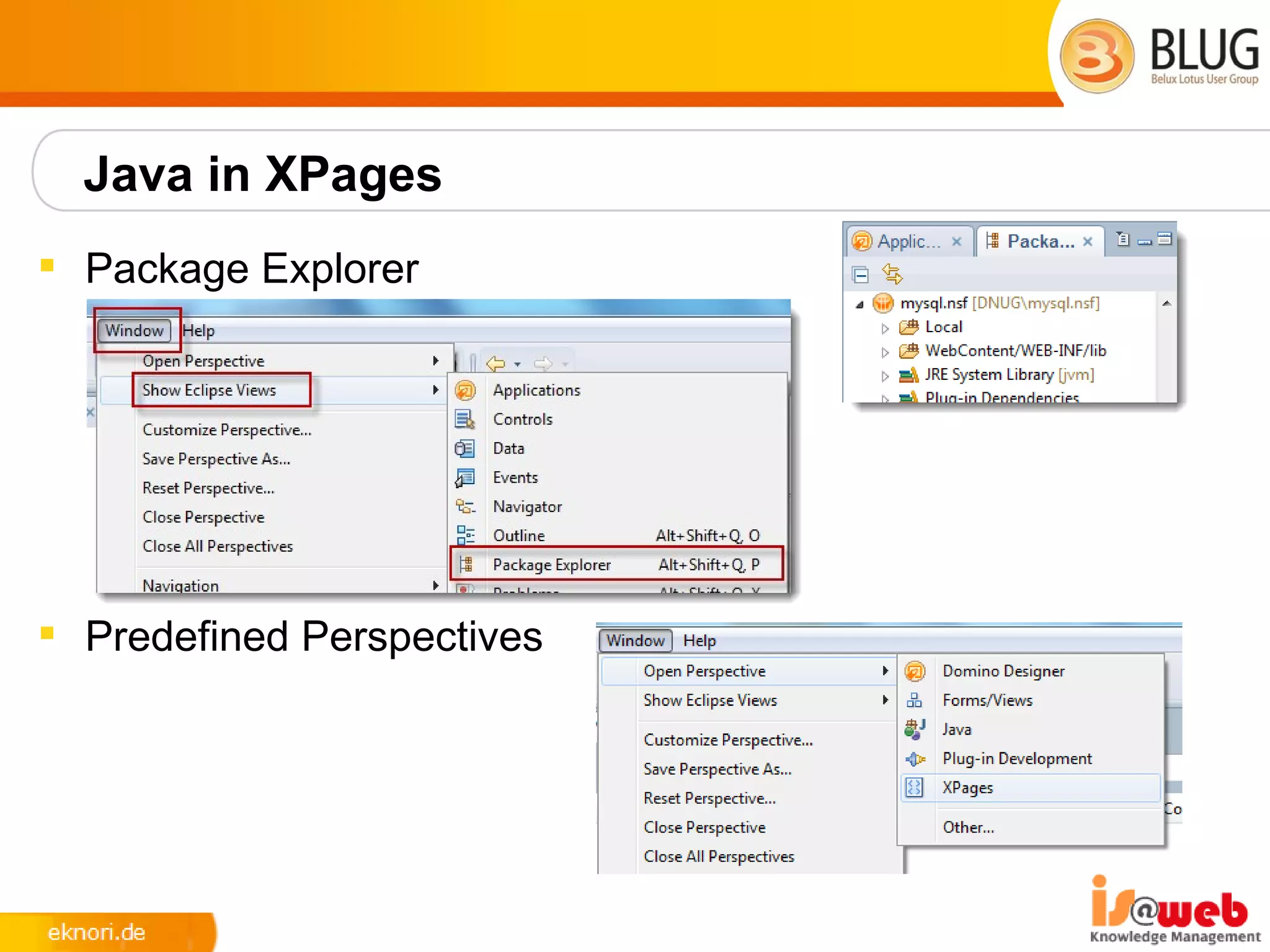
Java in XPages
 Package Explorer


 Predefined Perspectives
XPages Relational Database Support
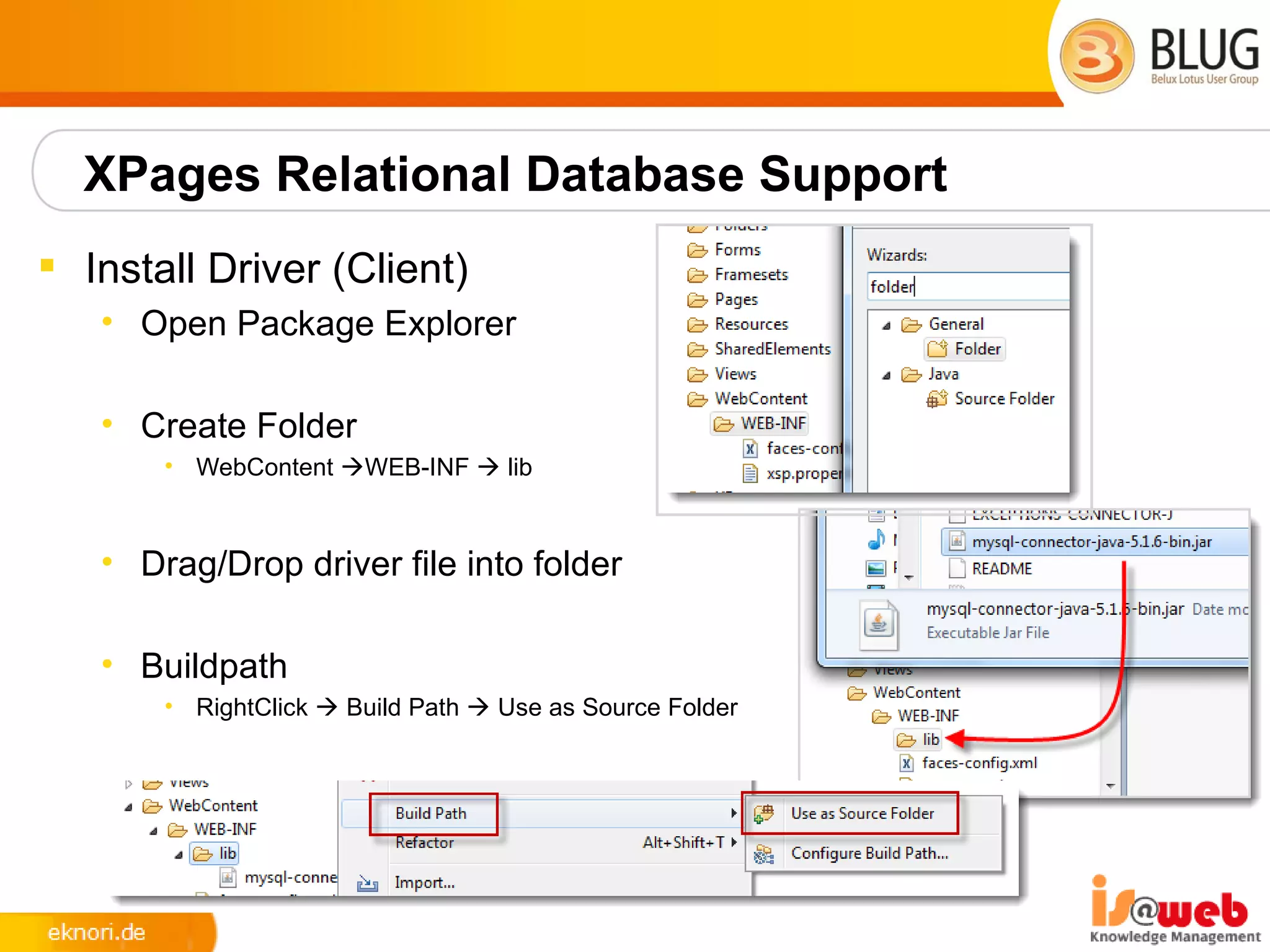
 Install Driver (Client)
   • Open Package Explorer

   • Create Folder
       • WebContent WEB-INF  lib


   • Drag/Drop driver file into folder

   • Buildpath
       • RightClick  Build Path  Use as Source Folder
XPages Relational Database Support
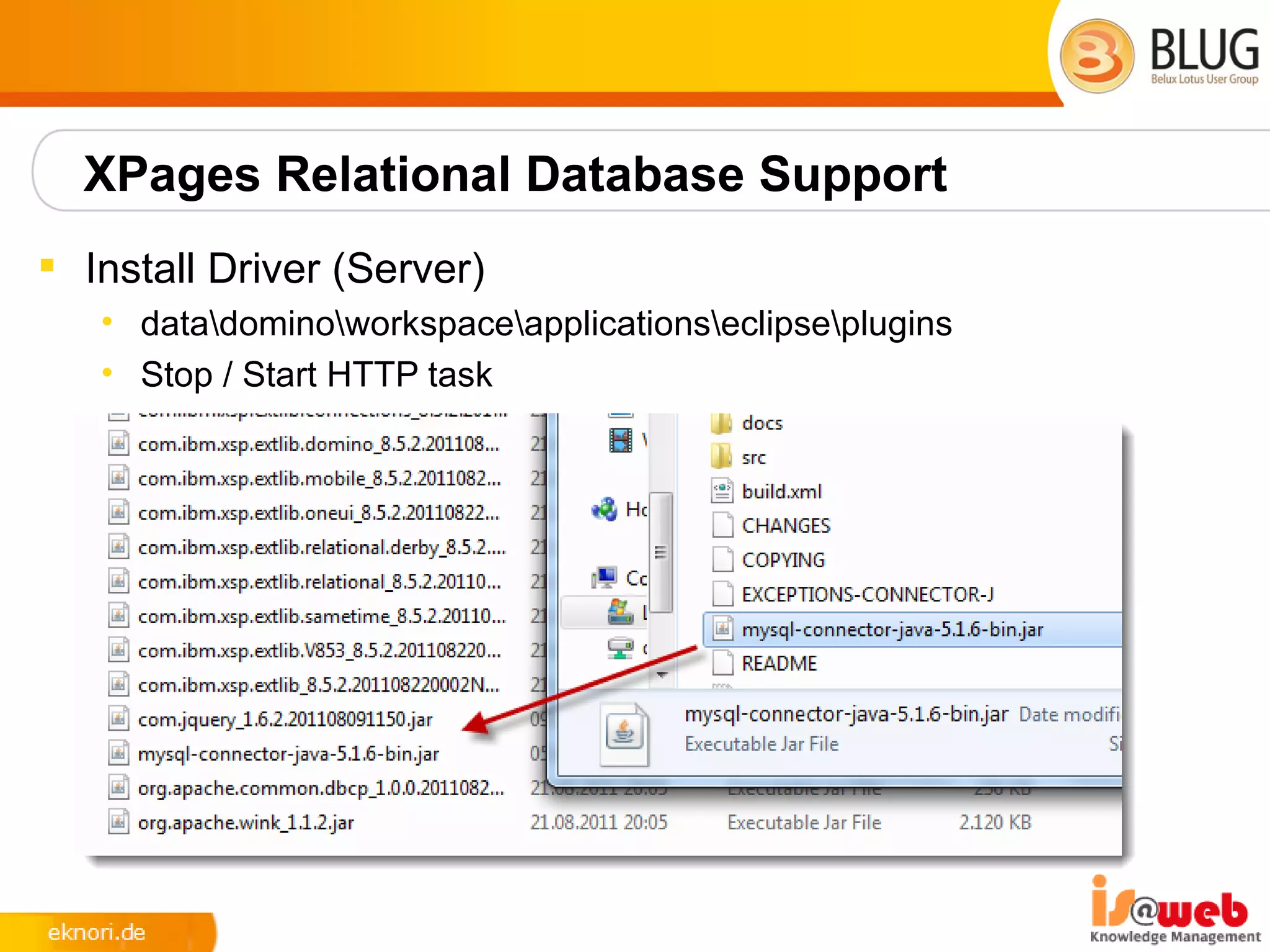
 Install Driver (Server)
   • datadominoworkspaceapplicationseclipseplugins
   • Stop / Start HTTP task
XPages Relational Database Support
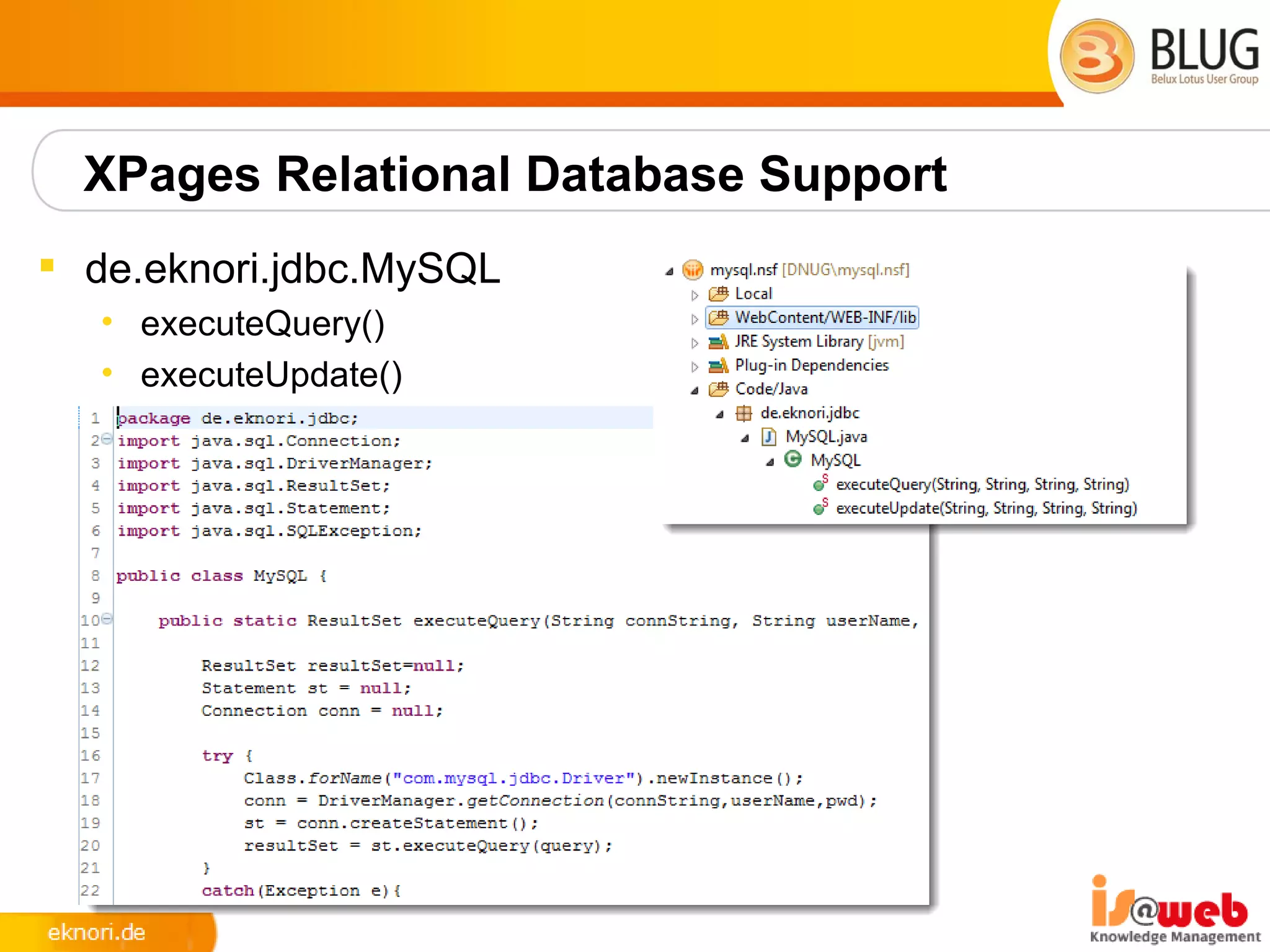
 de.eknori.jdbc.MySQL
   • executeQuery()
   • executeUpdate()
XPages Relational Database Support
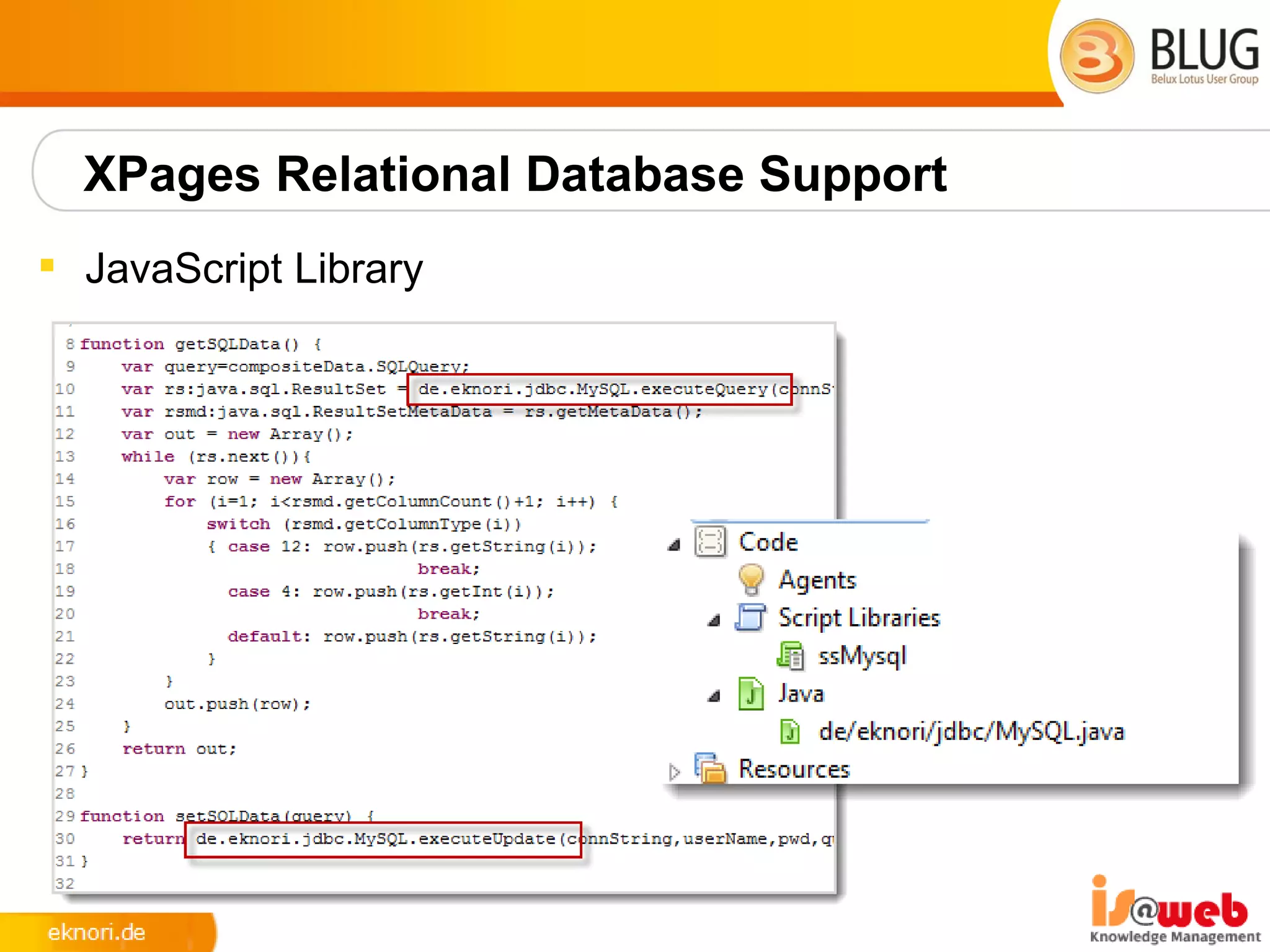
 JavaScript Library
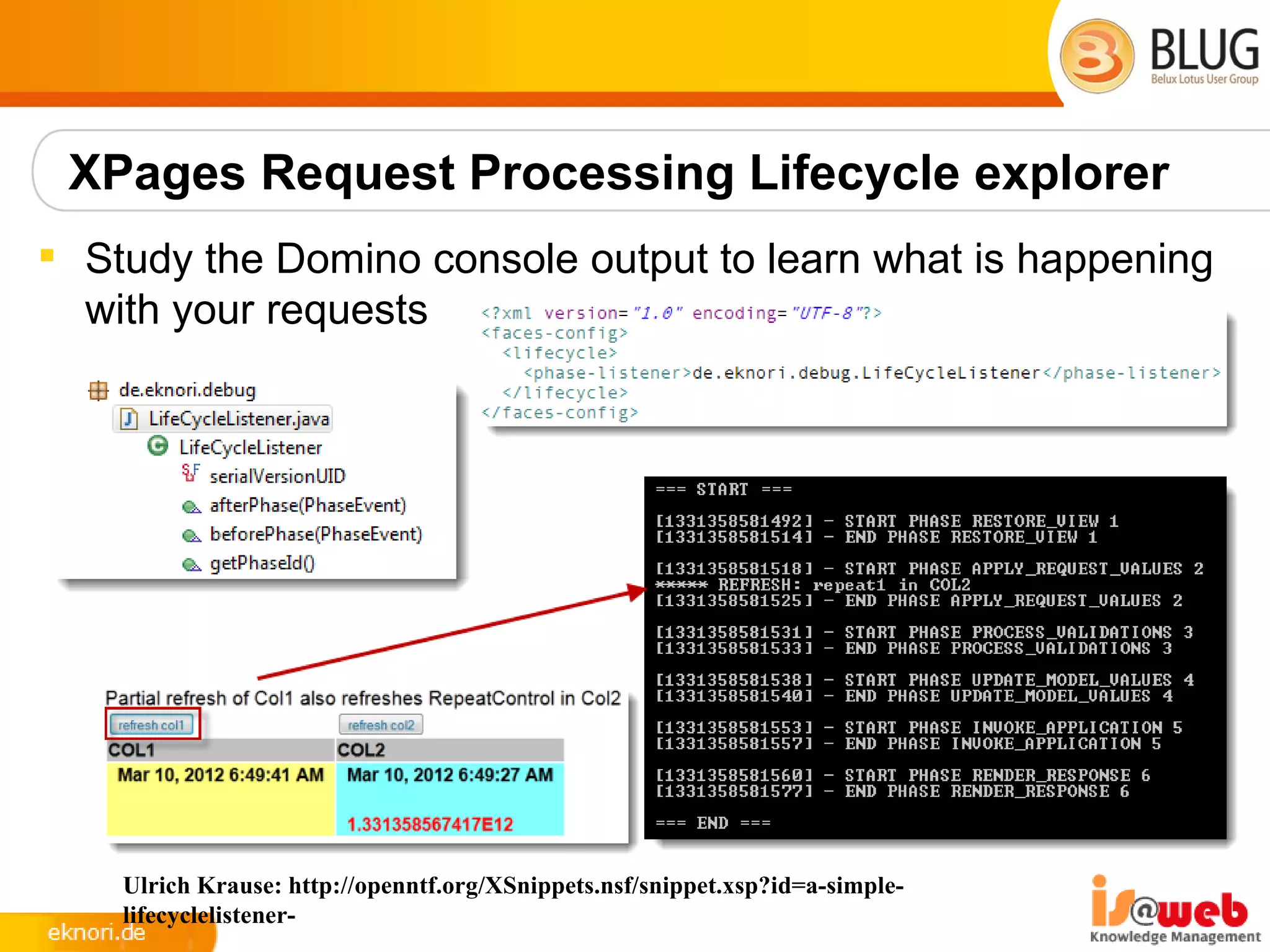
XPages Request Processing Lifecycle explorer
 Study the Domino console output to learn what is happening
  with your requests


    Ulrich Krause: http://openntf.org/XSnippets.nsf/snippet.xsp?id=a-simple-
    lifecyclelistener-
Resources
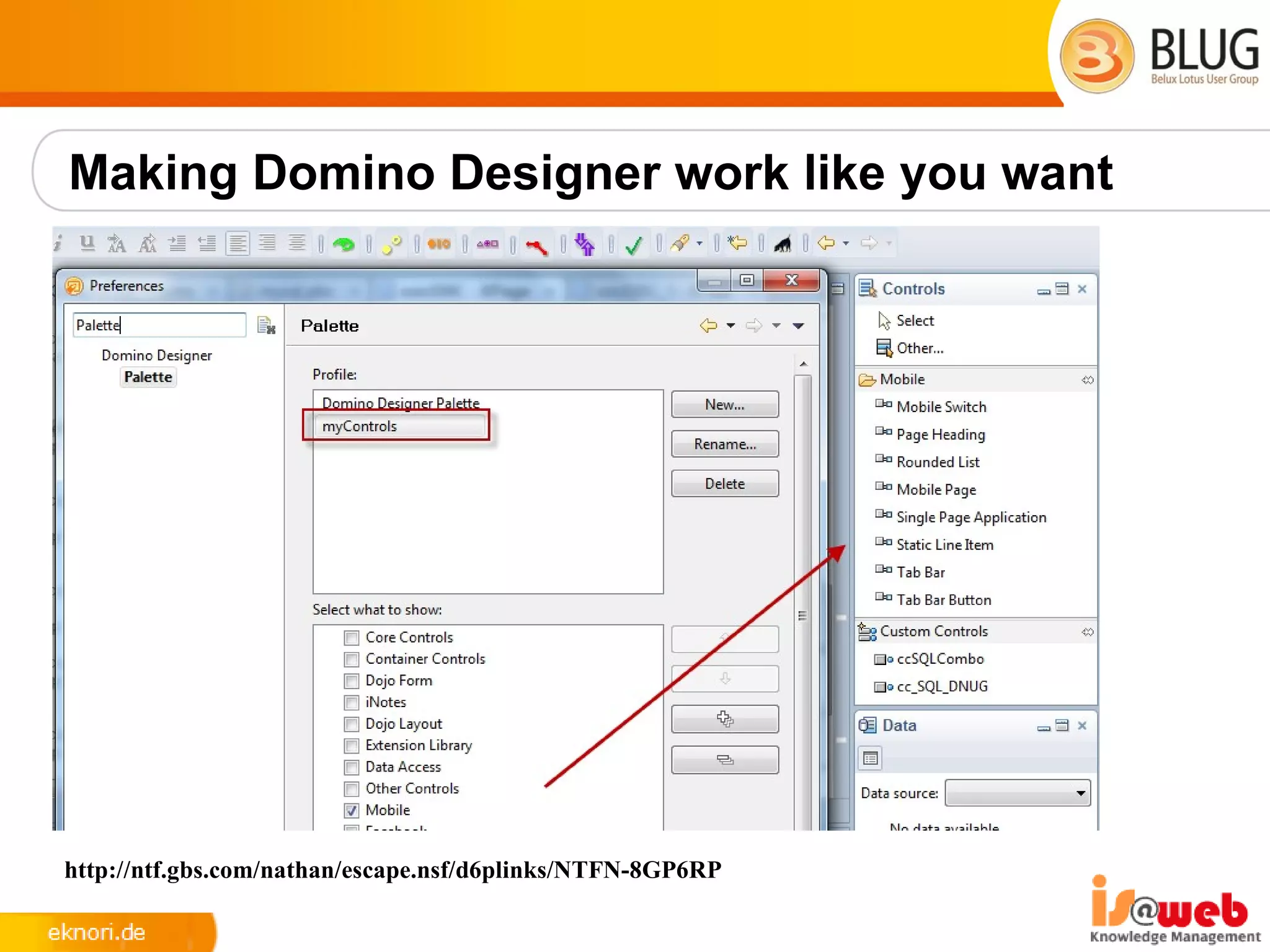
 Making Domino Designer work like you want
      • http://ntf.gbs.com/nathan/escape.nsf/d6plinks/NTFN-8GP6RP
 NotesIn9 ( David Leedy )
      • http://notesin9.com/
 Xpages Development Forum
      • http://www-10.lotus.com/ldd/xpagesforum.nsf
 Xpages 101 ( Matt White )
      • http://xpages101.net
 OpenNTF
      • http://openntf.org
 Planet Lotus
      • http://planetlotus.org
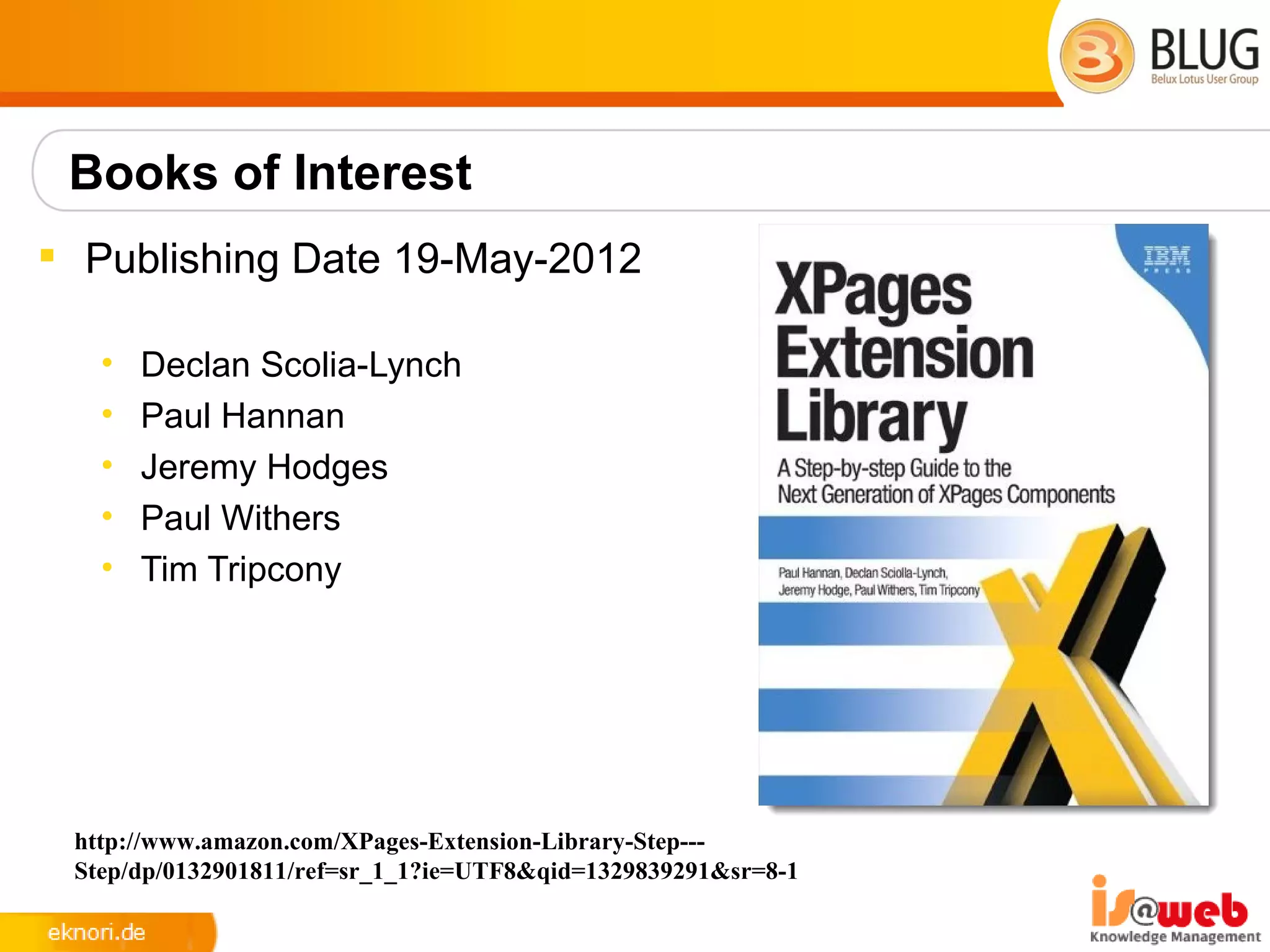
Books of Interest
 Publishing Date 19-May-2012

   •   Declan Scolia-Lynch
   •   Paul Hannan
   •   Jeremy Hodges
   •   Paul Withers
   •   Tim Tripcony


 http://www.amazon.com/XPages-Extension-Library-Step---
 Step/dp/0132901811/ref=sr_1_1?ie=UTF8&qid=1329839291&sr=8-1
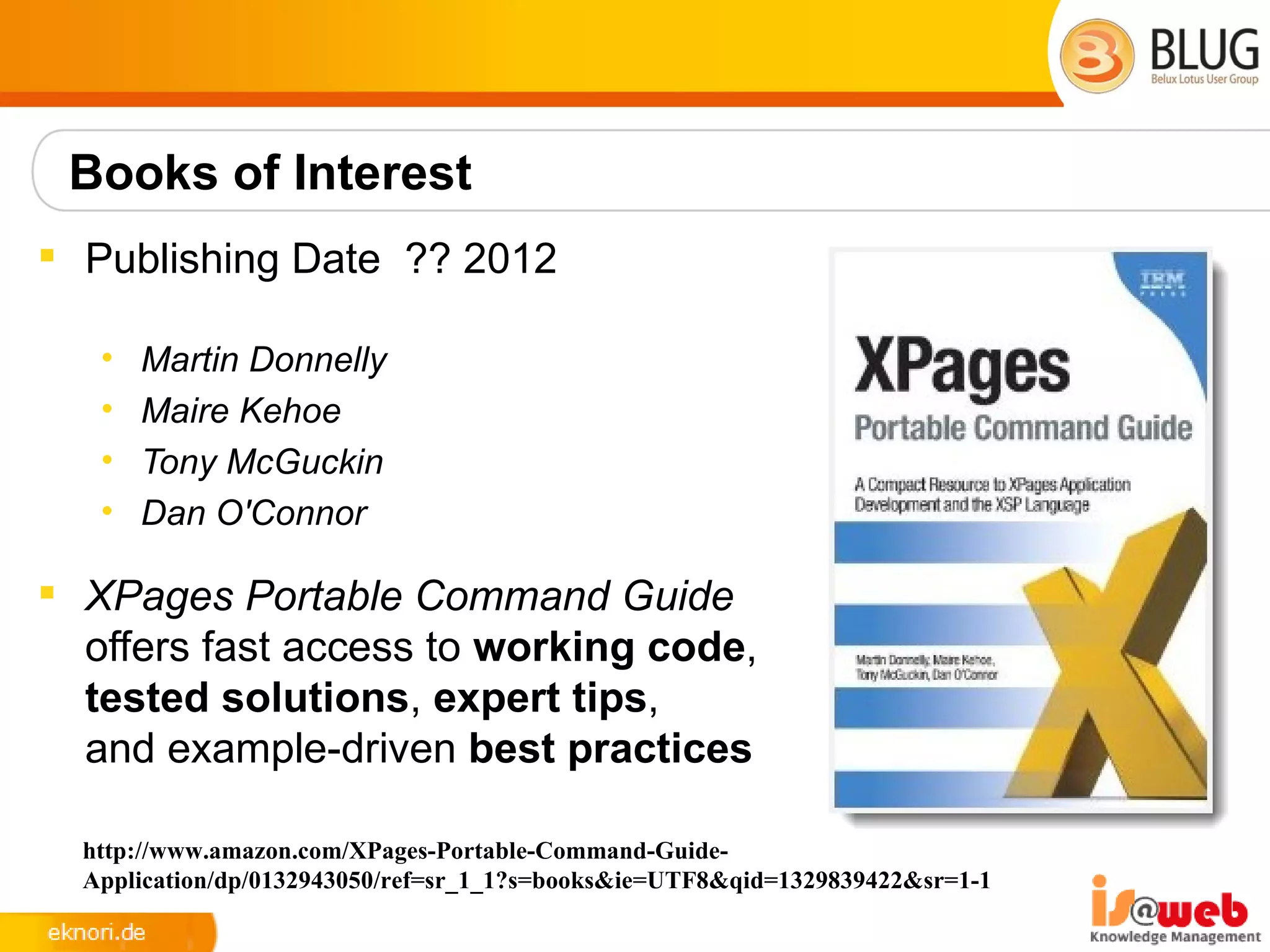
Books of Interest
 Publishing Date ?? 2012

   •   Martin Donnelly
   •   Maire Kehoe
   •   Tony McGuckin
   •   Dan O'Connor

 XPages Portable Command Guide
  offers fast access to working code,
  tested solutions, expert tips,
  and example-driven best practices

  http://www.amazon.com/XPages-Portable-Command-Guide-
  Application/dp/0132943050/ref=sr_1_1?s=books&ie=UTF8&qid=1329839422&sr=1-1
Q&A
•   !Mail: eknori@eknori.de *
•   Blog: http://www.eknori.de
•   Sametime: bleedyellow.com
•   Twitter: eknori
•   Stackoverflow


   * = I will NOT reply
Making Domino Designer work like you want


http://ntf.gbs.com/nathan/escape.nsf/d6plinks/NTFN-8GP6RP

XPages -Beyond the Basics

  • 1.
    BLUG 2012 XPages Beyond the Basics 22. – 23..03.2012 Crowne Plaza, Antwerp Ulrich Krause, is@web, industrial services AG
  • 2.
    About: Ulrich Krause Lotus Notes / Domino Administrator & Entwickler since 1993  Business Application Developer is@web, Nürnberg / Ratingen  OpenNTF http://openntf.org • !!HELP!!, Cebulon, Trigger Happy • XPages Custom Controls  IBM Champion 2011/2012 • https://www-304.ibm.com/connections/blogs/socialbusiness/entry/announcing_the_2011_ibm_champions_for_colla boration_solutions4?lang=de  Blog http://www.eknori.de  Notes Forum (http://www.atnotes.de)
  • 4.
    Agenda  JavaScript/CSS Aggregation  Pre-Load for Xpages  JAVA / JAR Design Element  Themes  XPages Extension Library / Upgrade Pack  XPages Relational Database Support  Resources, Books of Interest
  • 5.
    JavaScript/CSS Aggregation  Aggregatesmultiple Dojo modules, or multiple CSSs into a single file • a decrease in requests sent from the browser to the server • an increase in user performance, particularly in the context of networks with high latency • an increase in the speed of JS/CSS parsing from the browser • the freeing up of server connections to fulfill other requests On Sever: xsp.properties: xsp.resources.aggregate=true
  • 6.
  • 7.
    Enable Pre-Load forXPages • New feature as of Notes / Domino 8.5.3 • Works on Server AND Client • XPagesPreload=1 • Loads XPages runtime components at server startup • XPagesPreloadDB=Server!!Db.nsf/XPage.xsp,myLocalDb.nsf • Loads XPages runtime Java classes
  • 8.
    JAVA Design Element(8.5.3)  A Java design element is created just like you create any other design element.  Categorization in the Designer views is shown by using the "/" character to demark levels  In the virtual file system, the class file appears separate from the .java file, under WebContentWEB-INFclasses
  • 9.
    JAR Design Element( 8.5.4 )  Work with packaged Java code/libraries that are included in the application NSF  Frees you from having to deploy the JARS to a server and/or include the source files uniquely in the application database  Automatically manages the classpath and places the JAR file into web-inf/lib  Only available to XPages applications • automatically loaded by the XPages runtime
  • 10.
    Themes  Single DocumentContaining References to all your CSS Resources • resource sections reference the CSS files used • control section define what CSS classes are applied to specific controls  XML Based and Easy To Learn • creating a new theme document prefills sample content  Can Extend Other Themes • <theme extends="webstandard"> • will automatically include all the resource and control definitions from that theme • built-in themes to extend • webstandard, notes, oneUI
  • 11.
    Themes – ResourcesBasics  Can be simple • Just reference an internal CSS resource  Can be complex • Multiple CSS Resources • Internal • External • Specify client Side JavaScript Resources • Specify ‘Rendered’ properties on resources • Send certain CSS resources to certain web browsers
  • 12.
    Themes - Complex Specify If A Resource Is Only Used When Dojo Controls Are detected. • <resource dojoTheme=”true”>  Browser / Client Detection • <resource rendered="#{javascript:context.getUserAgent().isFirefox()}">  Reference Server Based / External Files • <href>/.ibmxspres/global/theme/oneui/IEReallySucks.css</href> • <href>http://www.someserver.com/resources/myCSS.css</href>
  • 13.
    Theme Controls –The Basics  Theme Controls are used to define default values for properties • mode=”concat” • Will append the properties onto any existing properties • mode=”override” • Will override the properties with those defined in the control  Theme Control Names matchup with the types on controls on pages • or you can create your own Theme Control names • and then tell it what control to apply to using the themeID property  C:Program Files (x86)IBMLotusNotesxspnsfthemes
  • 15.
    Extension Library  TheXPages Extension Library provides a set of new XPages artifacts that are ready to use. It contains a set of new XPages controls that supplement the existing ones by providing new capabilities like: • An application layout object for rendering the main frame • Improved UI components, like dialogs, in context forms, etc. • A set of data pickers (value and name pickers) • .... and a lot more!
  • 16.
    XPages Extension LibraryOpenNTF  There are 2 sets of plugins included in OpenNTF delivery • “extlib” and “extlibx”  Each set is wrapped into its own XPages specific library • com.ibm.xsp.extlib.library • com.ibm.xsp.extlibx.library  The “extlibx” library contains eXperimental code • RDBMS support • Social Enabler and others  Experimental code can get added to the “extlib” library • once the code has matured and there is sufficient customer demand  XPages apps can depend on both the extlib and extlibx libraries • RDBMS access requires both dependencies
  • 17.
    XPages ExtLib Deployment(Client)  Open Domino Designer.  In File -> Preferences for Domino Designer, check Enable Eclipse plug- in install if it is not already checked.  Unpack downloaded file
  • 18.
    XPages ExtLib Deployment(Client)  Click File -> Application -> Install to open the Install/Update dialog  Select Search for new features to install and click Next
  • 19.
    XPages ExtLib Deployment(Client)  Use the Add Zip/Jar Location button to add updateSiteOpenNTF- designer.zip if it is not already there.  Ensure that updateSiteOpenNTF- designer.zip is selected and click Finish
  • 20.
    XPages ExtLib Deployment(Client)  Select all features if asked  Click the Next Button
  • 21.
    XPages ExtLib Deployment(Client)  Accept the feature license  Click the Next Button
  • 22.
    XPages ExtLib Deployment(Client)  Select Install this plug-in for each unsigned plug-in  Restart Domino Designer and Notes® after the update completes
  • 23.
    Previewing Ext Libfeatures in a browser  Unpack updateSiteOpenNTF-designer.zip to dominoworkspaceapplicationseclipse in the Domino data directory.  Take care to strictly respect the directory hierarchy.
  • 24.
    XPages ExtLib Deployment(Server)  Unpack updatesite.zip  Copy „features“ and „plugins“ to server  Stop / Start HTTP task <Domino-Data>dominoworkspaceapplicationseclipse
  • 25.
    Verify Installation  Toverify the plugins for the extlib and extlibx XPages libraries are properly installed, you should use the OSGI command on the server console  tell http osgi ss com.ibm.xsp.extlib
  • 26.
    XPages ExtLib Deploymentin Domino 8.5.3  Unzip download  Unzip "updateSiteOpenNTF-designer.zip„  Create a new application dbname.nsf on server Use template (Eclipse Update Site)  Modify ACL, Anonymous at least needs Reader Access.  Open Application  Click "Import Local Update Site„  OSGI_HTTP_DYNAMIC_BUNDLES=dbname.nsf  Start / Stop HTTP task on server
  • 27.
    XPages ExtLib Deploymentin Domino 8.5.3  XPages Extension Library Deployment in Domino 8.5.3 and IBM XWork Server • http://www-10.lotus.com/ldd/ddwiki.nsf/dx/XPages_Extension_Library_Deployment
  • 28.
    8.5.3 Upgrade Pack1  http://www-10.lotus.com/ldd/ddwiki.nsf/xpViewCategories.xsp? lookupName=What%20is%20new%20in%20Domino%20Designer %208.5.3%20Upgrade%20Pack%201
  • 29.
    8.5.3 Upgrade Pack1  Uninstall existing components first !!
  • 30.
    8.5.3 Upgrade Pack1- What is installed? Source Code Designer Tooling App Templates App Templates App Templates* ExtLib Runtime ExtLib Runtime ExtLib Runtime * Discussion template installed with Notes client (no Teamroom)
  • 31.
    XPages Extension LibraryUpgrade Pack 1  A set of Java plug-ins that greatly extend XPages functionality  Works on web, Notes client and mobile devices  Applicable to Domino, XWork Server, Notes, Domino Designer  Cool new Domino Designer enhancements for Ext Lib controls  Enhanced TeamRoom and Discussion templates  A fully accessible runtime library and templates  Implemented using the XPages Extensibility API  Built to IBM globalization standards  Online documentation  Runtime is localized  Officially supported by IBM  Includes source code !
  • 32.
    Product, OpenSource, UpgradePack  Code is first released on OpenNTF • Available early and gives full transparency on what is being done • Facilitates quicker user evaluation, feedback and contributions  Pieces from OpenNTF are selected and delivered as UP  Upgrade Packs are supported by IBM • Upgrade Packs are delivered on a shorter release cycle than products • Upgrade Packs are integrated into the next revision of the product • Upgrade Packs do not modify the core base platform in any way !
  • 33.
  • 34.
    com.ibm.xsp.extlib.util.ExtLibUtil  Get versionof installed Extension Library • var v = com.ibm.xsp.extlib.util.ExtLibUtil.getExtLibVersion(); • return "XPages ExtLib version: "+ v
  • 35.
    com.ibm.xsp.extlib.util.ExtLibUtil  Contains manycommon methods • import static com.ibm.xsp.extlib.util.ExtLibUtil.*;  getCurrentSession(), getCurrentDatabase() …  Many more to access scoped variables etc.
  • 36.
    XPages Relational DatabaseSupport  Leverages JDBC when connecting to relational databases • Accesses any database with a JDBC driver available • You could access • DB2,Oracle,MS SQL,MySQL,Derby... you name it! • You need to obtain the JDBC driver from the database vendor or third party provider  RDBMS data is accessed directly – no synchronization is performed with NSF  Xpages efficiently manages the connections through a connections pool  Uses NSF specific connections  The data is accessed using a set of dedicated data sources
  • 37.
    XPages Relational DatabaseSupport  extlibx library adds 2 new data sources: • JDBC Query for Read Only access • JDBC RowSet for CRUD (create/read/update/delete) access. • Current implementation is based on com.sun.rowset.CachedRowSetImpl • Could be configured to use your own via the rowSetJavaClass property  Each of the provided new data sources could be easily utilized either by: • the core View Container Control (xp:viewPanel element) • the XPage itself (xp:view element)  The new data sources are now available in the Domino Designer Property Panel
  • 38.
  • 39.
    XPages Relational DatabaseSupport  To connect to your RDBMS you need to create a special file resource • .jdbc” extension (for example “db2test.jdbc”) • specify the JDBC driver class to be used • the database host/port/name and users' credentials
  • 40.
    Server Side JavaScriptAPIs and @Functions  Currently implemented @Functions: • @JdbcInsert • @JdbcUpdate • @JdbcDelete • @JdbcExecuteQuery • @JdbcDbColumn • @JdbcGetConnection  Used to simplify various RDBMS operations  Allows programmatic access to RDBMS data
  • 42.
    RDBMS Future  XPagesExtension Library OpenNTF and Relational support continues to evolve further and expected features in the pipeline include: • Global Domino server based RDBMS connection definition ability • Domino Designer tooling to work with the RDBMS tables' metadata • Even better JDBC connection pooling implementation using Apache DBCP • JDBC Query via REST services • Additional @Functions  Another new interesting OpenNTF project • JDBC Access for IBM Lotus Domino (DomSQL) – http://www.openntf.org/internal/home.nsf/project.xsp? action=openDocument&name=JDBC%20Access%20for%20IBM%20Lotus %20Domino
  • 43.
    Domino JDBC Access(DomSQL)  Exposes Domino data as relational tables and provides easy access to the tables using a JDBC driver • Expand the query capability of Note/Domino (N/D) • Native N/D views lack some key features like dynamic queries and joins between views. The features Domino views lack are exactly those at which SQL excels • Reporting – Data analytics • SQL is the de facto standard used by reporting/data analysis tools. Making N/D data behave like relational data suddenly opens it to a large set of tools that understand JDBC  As of now, it only does read-only  Uses another very popular open source project called SQLite (http://www.sqlite.org/)
  • 44.
    XPages Relational DatabaseSupport  Do I need the extension Library ?????? …  What do we need??  Application  JDBC – Driver • MySQL http://dev.mysql.com/downloads/connector/j/ • Available for all major databases  Code to access the database using the driver (Query / Insert / Update / Delete )
  • 45.
    XPages Relational DatabaseSupport MySQL Workbench http://www.mysql.de/products/workbench/
  • 46.
    Java in XPages Package Explorer  Predefined Perspectives
  • 47.
    XPages Relational DatabaseSupport  Install Driver (Client) • Open Package Explorer • Create Folder • WebContent WEB-INF  lib • Drag/Drop driver file into folder • Buildpath • RightClick  Build Path  Use as Source Folder
  • 48.
    XPages Relational DatabaseSupport  Install Driver (Server) • datadominoworkspaceapplicationseclipseplugins • Stop / Start HTTP task
  • 49.
    XPages Relational DatabaseSupport  de.eknori.jdbc.MySQL • executeQuery() • executeUpdate()
  • 50.
    XPages Relational DatabaseSupport  JavaScript Library
  • 52.
    XPages Request ProcessingLifecycle explorer  Study the Domino console output to learn what is happening with your requests Ulrich Krause: http://openntf.org/XSnippets.nsf/snippet.xsp?id=a-simple- lifecyclelistener-
  • 53.
    Resources  Making DominoDesigner work like you want • http://ntf.gbs.com/nathan/escape.nsf/d6plinks/NTFN-8GP6RP  NotesIn9 ( David Leedy ) • http://notesin9.com/  Xpages Development Forum • http://www-10.lotus.com/ldd/xpagesforum.nsf  Xpages 101 ( Matt White ) • http://xpages101.net  OpenNTF • http://openntf.org  Planet Lotus • http://planetlotus.org
  • 54.
    Books of Interest Publishing Date 19-May-2012 • Declan Scolia-Lynch • Paul Hannan • Jeremy Hodges • Paul Withers • Tim Tripcony http://www.amazon.com/XPages-Extension-Library-Step--- Step/dp/0132901811/ref=sr_1_1?ie=UTF8&qid=1329839291&sr=8-1
  • 55.
    Books of Interest Publishing Date ?? 2012 • Martin Donnelly • Maire Kehoe • Tony McGuckin • Dan O'Connor  XPages Portable Command Guide offers fast access to working code, tested solutions, expert tips, and example-driven best practices http://www.amazon.com/XPages-Portable-Command-Guide- Application/dp/0132943050/ref=sr_1_1?s=books&ie=UTF8&qid=1329839422&sr=1-1
  • 56.
    Q&A • !Mail: eknori@eknori.de * • Blog: http://www.eknori.de • Sametime: bleedyellow.com • Twitter: eknori • Stackoverflow  * = I will NOT reply
  • 58.
    Making Domino Designerwork like you want http://ntf.gbs.com/nathan/escape.nsf/d6plinks/NTFN-8GP6RP

Editor's Notes

  • #6 JavaScript/CSS Aggregation feature For performance reasons, the XPages runtime now features a new option that dynamically aggregates multiple Dojo modules, or multiple CSSs into a single file. This results in the following performance improvements:a decrease in requests sent from the browser to the server an increase in user performance, particularly in the context of networks with high latency an increase in the speed of JS/CSS parsing from the browser the freeing up of server connections to fulfill other requests As an extreme example of the saving, let&apos;s say the XPages Extension Library is using the page DWA_ListView.xsp. Without the aggregator enabled, 82 requests are made to the server. With the aggregator enabled, the count decreases to 6 requests, including the Ajax request that gets the data. Also, a test run on processing time might see changes from ~4 sec to ~800 ms. To allow you to actvate this option, XPages now feature a new runtime option, which can be set in xsp.properties (database or server level). This option is xsp.resources.aggregate=true It can also be set in Domino Designer from the Application Properties - XPages tab by checking the Use runtime optimized JavaScript and CCS resources option.
  • #8 XPages Preload options New options designed to improve the startup performance of XPages applications have been added to this release. A preference can be set that preloads the XPages runtime on the Domino server and Notes client. Additionally, specific XPages applications may also be preloaded. The preferences are set as entries in the NOTES.INI file and have the following form: XPagesPreload=1 XPagesPreloadDB=myServer!!myDb.nsf/myXPage.xsp,myLocalDb.nsf/test.xsp The XPagesPreload entry causes an extensive list of XPages runtime Java classes to be preloaded, so they are available in memory when an application is opened by a user. The XPagesPreloadDB preference lets a comma separated list of applications be specified, with or without a specific XPage extension. Again, any required classes are loaded when the server or client starts up and are thus available as soon as any declared application is accessed by a user. The benefit of this may be more evident when running in remote mode on the Notes client, i.e. the XPages is running on the client but the application itself resides on a remote server. In this instance, the Java classes in the application (XPages, custom controls) need to be loaded across the network in order to be executed in the local XPD web container. Preloading such applications produces more responsive initial user experience.
  • #10 Designer - JAR design element ­ A new JAR design element has been introduced in this release. The JAR design element gives you the ability to work with packaged Java code/libraries that are included in the application NSF. ­ This design element is only available to XPages applications, where the JAR is automatically loaded by the XPages runtime. This feature frees you from having to deploy the JARS to a server and/or include the source files uniquely in the application database. ­ While JAR files can be added to the NSF through the virtual system, the JAR design element automatically manages the classpath and places the JAR file into web-inf/lib, which is the recommended location for JAR files used in a J2EE application. ­ The JAR design element is found in the Application Navigator under Code, right next to the Java element.
  • #16 The XPages Extensibility Framework is one of the most powerful new features built into IBM Lotus Notes Domino 8.5.2. Using it, developers can build their own artifacts and move far beyond XPages&apos; out-of-the-box features. XPages extensibility has already spawned the creation of many exciting new user interface components that are freely available to the global Lotus development community. Now, a team of all-star XPages experts from inside and outside IBM show developers how to take full advantage of the XPages Extensibility Framework, Extension Library, Extensibility API, and the growing portfolio of components built with them.