Downloaded 31 times



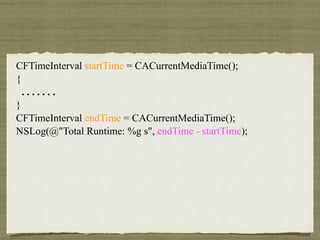
![uint64_t t = dispatch_benchmark(iterations, ^{
@autoreleasepool {
………
}
});
NSLog(@"[[NSMutableArray array] addObject:] Avg. Runtime: %llu ns", t);](https://image.slidesharecdn.com/autotest-150331095538-conversion-gate01/85/XCode-Automating-UI-Testing-13-320.jpg)
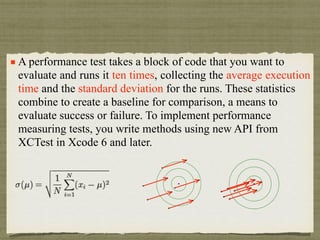
![Test Suite 'Selected tests' started at 2014-12-11 01:21:27 +0000
Test Suite 'testerTests.xctest' started at 2014-12-11 01:21:27 +0000
Test Suite 'testerTests' started at 2014-12-11 01:21:27 +0000
Test Case '-[testerTests testPerformanceExample]' started.
2014-12-11 09:21:27.328 tester[724:13120] test start
/Users/sunxiaoshan/Desktop/Report/XCodeTest/tester/tester/testerTests/testerTests.m:164: Test Case '-[testerTests testPerformanceExample]' measured [Time, seconds]
average: 0.003, relative standard deviation: 3.742%, values: [0.002862, 0.002867, 0.002876, 0.003214, 0.003048, 0.002881, 0.002917, 0.002864, 0.002859, 0.002884],
performanceMetricID:com.apple.XCTPerformanceMetric_WallClockTime, baselineName: "Local Baseline", baselineAverage: 1.810, maxPercentRegression: 10.000%,
maxPercentRelativeStandardDeviation: 10.000%, maxRegression: 0.100, maxStandardDeviation: 0.100
2014-12-11 09:21:27.705 tester[724:13120] test end
Test Case '-[testerTests testPerformanceExample]' passed (0.378 seconds).
Test Suite 'testerTests' passed at 2014-12-11 01:21:27 +0000.
Executed 1 test, with 0 failures (0 unexpected) in 0.378 (0.379) seconds
Test Suite 'testerTests.xctest' passed at 2014-12-11 01:21:27 +0000.
Executed 1 test, with 0 failures (0 unexpected) in 0.378 (0.379) seconds
Test Suite 'Selected tests' passed at 2014-12-11 01:21:27 +0000.
Executed 1 test, with 0 failures (0 unexpected) in 0.378 (0.381) seconds](https://image.slidesharecdn.com/autotest-150331095538-conversion-gate01/85/XCode-Automating-UI-Testing-16-320.jpg)
![XCTESTEXPECTATION
XCTestExpectation *documentOpenExpectation = [self
expectationWithDescription:@"document open”];
[documentOpenExpectation fulfill];
[self waitForExpectationsWithTimeout:15
handler:^(NSError *error) {
if (error != nil) {
XCTFail(@"timeout error: %@", error);
}
}];](https://image.slidesharecdn.com/autotest-150331095538-conversion-gate01/85/XCode-Automating-UI-Testing-17-320.jpg)
![How to get object
window.buttons()[0]
window.buttons()[“login”]](https://image.slidesharecdn.com/autotest-150331095538-conversion-gate01/85/XCode-Automating-UI-Testing-20-320.jpg)
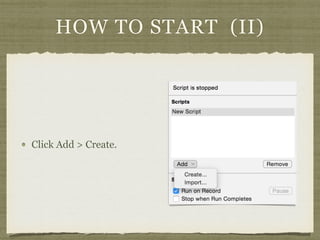
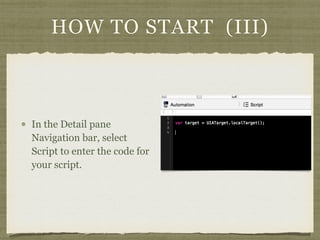

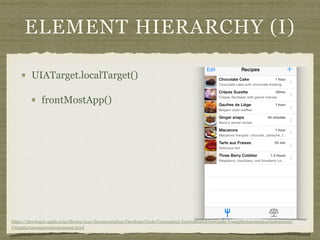
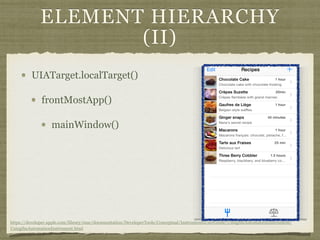
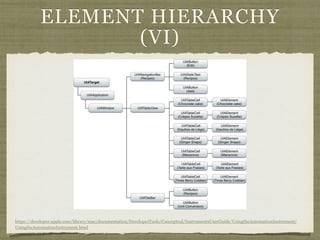
![ELEMENT HIERARCHY
(III)
UIATarget.localTarget()
frontMostApp()
mainWindow()
tableViews()[0]
https://developer.apple.com/library/mac/documentation/DeveloperTools/Conceptual/InstrumentsUserGuide/UsingtheAutomationInstrument/
UsingtheAutomationInstrument.html](https://image.slidesharecdn.com/autotest-150331095538-conversion-gate01/85/XCode-Automating-UI-Testing-28-320.jpg)
![ELEMENT HIERARCHY
(IV)
UIATarget.localTarget()
frontMostApp()
mainWindow()
tableViews()[0]
cells()[6]
https://developer.apple.com/library/mac/documentation/DeveloperTools/Conceptual/InstrumentsUserGuide/UsingtheAutomationInstrument/
UsingtheAutomationInstrument.html](https://image.slidesharecdn.com/autotest-150331095538-conversion-gate01/85/XCode-Automating-UI-Testing-29-320.jpg)
![ELEMENT HIERARCHY (V)
UIATarget.localTarget()
frontMostApp()
mainWindow()
tableViews()[0]
cells()[6]
elements()["Name"]
https://developer.apple.com/library/mac/documentation/DeveloperTools/Conceptual/InstrumentsUserGuide/UsingtheAutomationInstrument/
UsingtheAutomationInstrument.html](https://image.slidesharecdn.com/autotest-150331095538-conversion-gate01/85/XCode-Automating-UI-Testing-30-320.jpg)

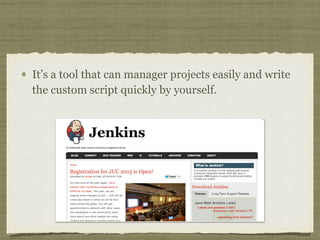
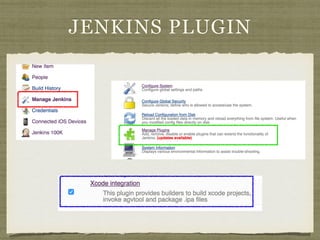
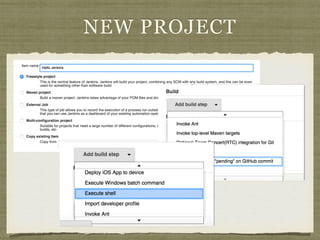
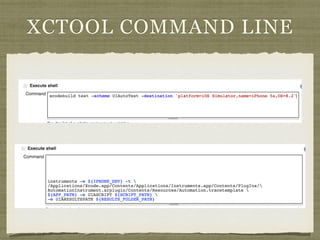


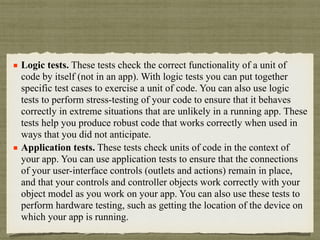
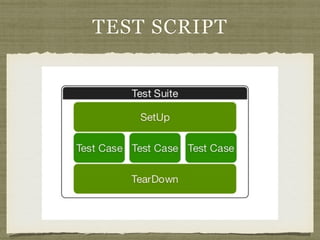
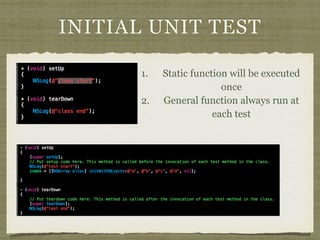
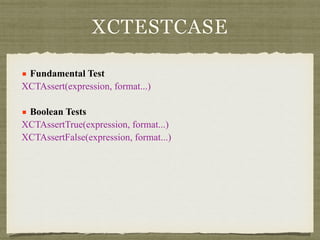
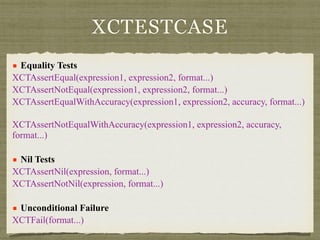
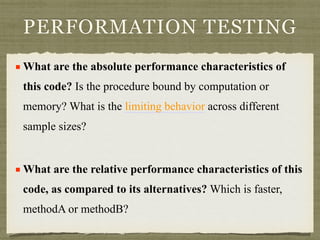
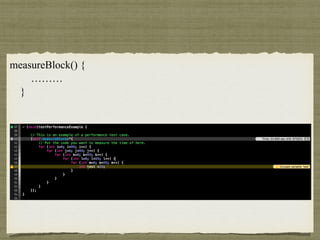
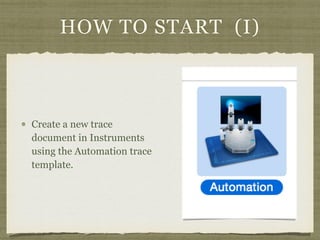
This document provides information about different types of automated tests for iOS applications, including: 1. Logic tests and application tests which check code functionality independently and in the context of an app. 2. Xcode test cases that can assert values, perform equality checks, and test for nil values. 3. Performance tests that measure execution time and compare performance of different code implementations. 4. UI automation tests that interact with user interfaces using JavaScript in Instruments to simulate user actions like taps and swipes. 5. Using Jenkins to manage test projects and write custom test scripts.


