WORKING @
DISTANCE
Being your best when you're not with the rest!
LEARNING OBJECTIVES
At the completion of the course, participants will have:
 A greater understanding of the skills needed to be successful working
in distributed teams.
A variety of tips and tools to use to improve communication within
distributed teams.
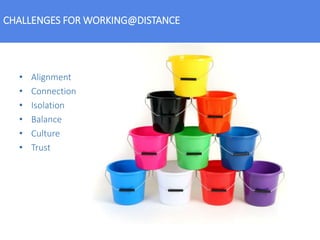
• Alignment
• Connection
• Isolation
• Balance
• Culture
• Trust
CHALLENGES FOR WORKING@DISTANCE
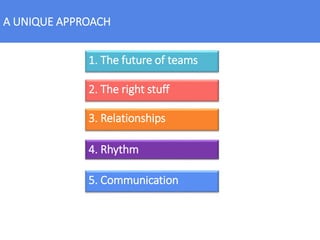
A UNIQUE APPROACH
1. The future of teams
2. The right stuff
4. Rhythm
3. Relationships
5. Communication
THE FUTURE OF TEAMS
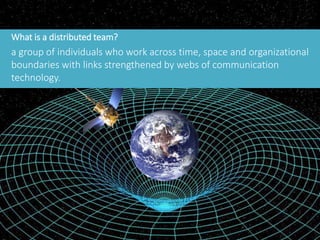
What is a distributed team?
a group of individuals who work across time, space and organizational
boundaries with links strengthened by webs of communication
technology.
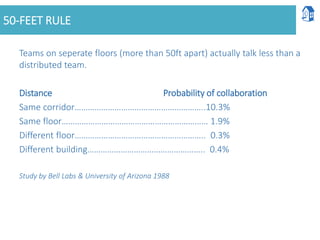
50-FEET RULE
Teams on seperate floors (more than 50ft apart) actually talk less than a
distributed team.
Distance Probability of collaboration
Same corridor…………………………………………………..10.3%
Same floor………………………………………………………… 1.9%
Different floor………………………………………………….. 0.3%
Different building…………………………………………….. 0.4%
Study by Bell Labs & University of Arizona 1988
FUTURE OF TEAMS REVIEW
• Distributed teams
• The myth of distributed team communication
THE RIGHT STUFF
THE STUFF OF SUPER HEROES
1. Talented
2. Self motivated
3. Organized
4. Accountable
5. Connected
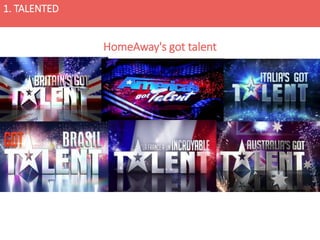
1. TALENTED
HomeAway's got talent
2. SELF-MOTIVATED
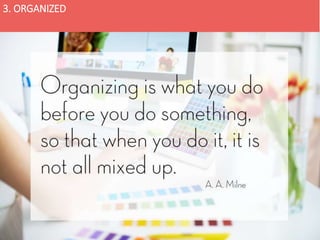
3. ORGANIZED
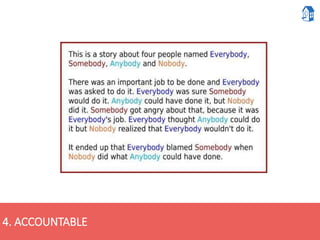
4. ACCOUNTABLE
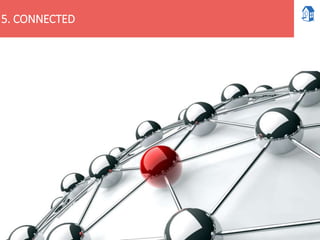
5. CONNECTED
THE RIGHT STUFF REVIEW
1. Talented
2. Self motivated
3. Organized
4. Accountable
5. Connected
CHALLENGE
In webex chat, answer the following questions:
1. Do you think anyone can succeed as a valuable member of a distribited team with
the right training and support?
2. Which skill do you believe to be the most difficult for you personally?
RELATIONSHIPS
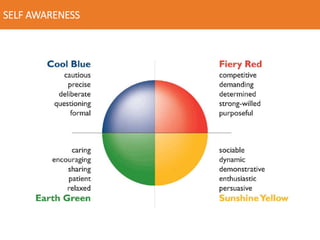
SELF AWARENESS
TRUST
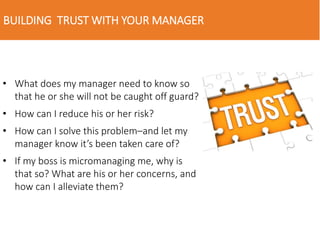
BUILDING TRUST WITH YOUR MANAGER
• What does my manager need to know so
that he or she will not be caught off guard?
• How can I reduce his or her risk?
• How can I solve this problem–and let my
manager know it’s been taken care of?
• If my boss is micromanaging me, why is
that so? What are his or her concerns, and
how can I alleviate them?
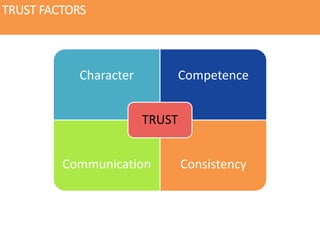
TRUST FACTORS
Character Competence
Communication Consistency
TRUST
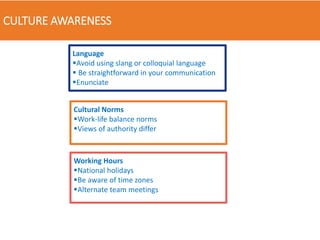
CULTURE AWARENESS
Language
Avoid using slang or colloquial language
 Be straightforward in your communication
Enunciate
Cultural Norms
Work-life balance norms
Views of authority differ
Working Hours
National holidays
Be aware of time zones
Alternate team meetings
RELATIONSHIPS REVIEW
1. Self Awareness
2. Trust
3. Cultural Awareness
CHALLENGE
In webex chat, answer the following questions:
1. Have you shared your Insight profile with your manager?
2. Which area of the Trust Factors do you need to focus on?
3. Which is the biggest cultural challenge you notice working in your team?
4. RHYTHM
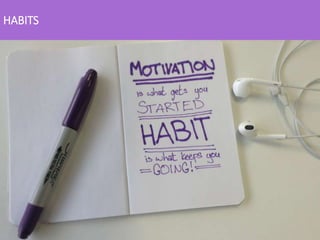
HABITS
If you dont know where you are going,
how will you know when you get there.
WHAT DOES SUCCESS LOOK LIKE?
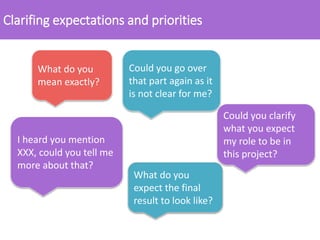
Clarifing expectations and priorities
What do you
mean exactly?
Could you go over
that part again as it
is not clear for me?
What do you
expect the final
result to look like?
I heard you mention
XXX, could you tell me
more about that?
Could you clarify
what you expect
my role to be in
this project?
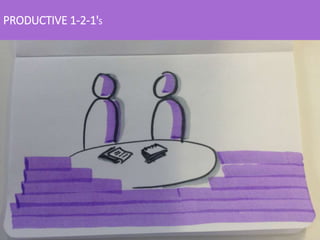
PRODUCTIVE 1-2-1'S
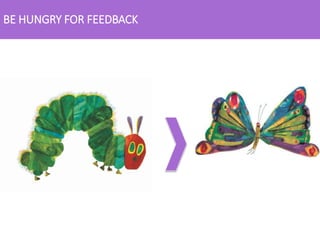
BE HUNGRY FOR FEEDBACK
3. RHYTHM REVIEW
• Habits
• Goals and priorities
• Clarify expectations
• Productive 1-2-1's
• Hungry for Feedback
CHALLENGE
In webex chat, answer the following questions:
Something to add.
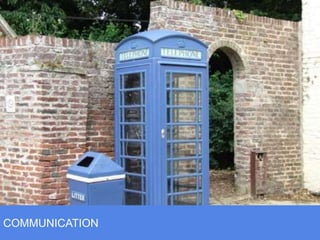
COMMUNICATION
1. TYPES OF COMMUNICATION
Typically, there are three types of communication that take place
in virtual teams:
1. Social communication.
2. Procedure-oriented communication.
3. Task-oriented communication.
2. SYNCHRONOUS VS ASYNCHRONOUS
3. CONFERENCE CALL
IRL
https://youtu.be/DYu_bGbZiiQ
WORKING TOGETHER, WHEN YOU ARE NOT TOGETHER
Videoconferencing:
What It Takes to Make It
a Reality
• Real-time interactions
• Convenience
• See that smile
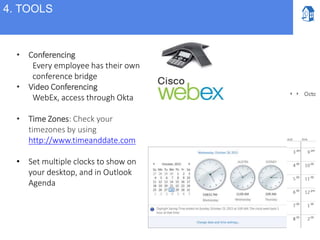
• Conferencing
Every employee has their own
conference bridge
• Video Conferencing
WebEx, access through Okta
• Time Zones: Check your
timezones by using
http://www.timeanddate.com
• Set multiple clocks to show on
your desktop, and in Outlook
Agenda
4. TOOLS
SKYPE – TO IM OR NOT
COLLABORATE
• Single source material
• Share using US or EU based drive
• Use the wiki
• Google Docs
• Smartsheet
• OneNote
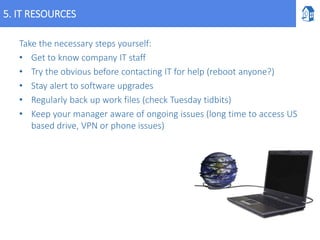
5. IT RESOURCES
Take the necessary steps yourself:
• Get to know company IT staff
• Try the obvious before contacting IT for help (reboot anyone?)
• Stay alert to software upgrades
• Regularly back up work files (check Tuesday tidbits)
• Keep your manager aware of ongoing issues (long time to access US
based drive, VPN or phone issues)
COMMUNICATION REVIEW
1. Type of communication
2. Asynchronous or Synchronus
3. Conference Calls
4. Tools
5. IT resources
CHALLENGE
In webex chat, answer the following questions:
1. Which tool do you use most often to communicate with your manager?
2. Which style of communication do you feel most comfortable in?
A UNIQUE APPROACH
1. The future of teams
2. The right stuff
3. Rhythm
4. Relationships
5. Communication
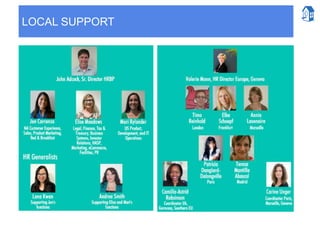
LOCAL SUPPORT
KEY TAKE-AWAY & PERSONAL ACTION PLAN
In webex chat, answer the following questions:
1. What one important concept you have learnt from todays session.
2. So what impact will this have on you?
3. Now what? How will you put this into action?
FINAL CHALLENGE
WORKING @DISTANCE
THANK YOU!
Being your best when you're not with the rest!

Working@distance

  • 1.
    WORKING @ DISTANCE Being yourbest when you're not with the rest!
  • 2.
    LEARNING OBJECTIVES At thecompletion of the course, participants will have:  A greater understanding of the skills needed to be successful working in distributed teams. A variety of tips and tools to use to improve communication within distributed teams.
  • 3.
    • Alignment • Connection •Isolation • Balance • Culture • Trust CHALLENGES FOR WORKING@DISTANCE
  • 4.
    A UNIQUE APPROACH 1.The future of teams 2. The right stuff 4. Rhythm 3. Relationships 5. Communication
  • 5.
  • 6.
    What is adistributed team? a group of individuals who work across time, space and organizational boundaries with links strengthened by webs of communication technology.
  • 7.
    50-FEET RULE Teams onseperate floors (more than 50ft apart) actually talk less than a distributed team. Distance Probability of collaboration Same corridor…………………………………………………..10.3% Same floor………………………………………………………… 1.9% Different floor………………………………………………….. 0.3% Different building…………………………………………….. 0.4% Study by Bell Labs & University of Arizona 1988
  • 8.
    FUTURE OF TEAMSREVIEW • Distributed teams • The myth of distributed team communication
  • 9.
  • 10.
    THE STUFF OFSUPER HEROES 1. Talented 2. Self motivated 3. Organized 4. Accountable 5. Connected
  • 11.
  • 12.
  • 13.
  • 14.
  • 15.
  • 16.
    THE RIGHT STUFFREVIEW 1. Talented 2. Self motivated 3. Organized 4. Accountable 5. Connected CHALLENGE In webex chat, answer the following questions: 1. Do you think anyone can succeed as a valuable member of a distribited team with the right training and support? 2. Which skill do you believe to be the most difficult for you personally?
  • 17.
  • 18.
  • 19.
  • 20.
    BUILDING TRUST WITHYOUR MANAGER • What does my manager need to know so that he or she will not be caught off guard? • How can I reduce his or her risk? • How can I solve this problem–and let my manager know it’s been taken care of? • If my boss is micromanaging me, why is that so? What are his or her concerns, and how can I alleviate them?
  • 21.
  • 22.
    CULTURE AWARENESS Language Avoid usingslang or colloquial language  Be straightforward in your communication Enunciate Cultural Norms Work-life balance norms Views of authority differ Working Hours National holidays Be aware of time zones Alternate team meetings
  • 23.
    RELATIONSHIPS REVIEW 1. SelfAwareness 2. Trust 3. Cultural Awareness CHALLENGE In webex chat, answer the following questions: 1. Have you shared your Insight profile with your manager? 2. Which area of the Trust Factors do you need to focus on? 3. Which is the biggest cultural challenge you notice working in your team?
  • 24.
  • 25.
  • 26.
    If you dontknow where you are going, how will you know when you get there. WHAT DOES SUCCESS LOOK LIKE?
  • 27.
    Clarifing expectations andpriorities What do you mean exactly? Could you go over that part again as it is not clear for me? What do you expect the final result to look like? I heard you mention XXX, could you tell me more about that? Could you clarify what you expect my role to be in this project?
  • 28.
  • 29.
    BE HUNGRY FORFEEDBACK
  • 30.
    3. RHYTHM REVIEW •Habits • Goals and priorities • Clarify expectations • Productive 1-2-1's • Hungry for Feedback CHALLENGE In webex chat, answer the following questions: Something to add.
  • 31.
  • 32.
    1. TYPES OFCOMMUNICATION Typically, there are three types of communication that take place in virtual teams: 1. Social communication. 2. Procedure-oriented communication. 3. Task-oriented communication.
  • 33.
    2. SYNCHRONOUS VSASYNCHRONOUS
  • 34.
  • 35.
    WORKING TOGETHER, WHENYOU ARE NOT TOGETHER Videoconferencing: What It Takes to Make It a Reality • Real-time interactions • Convenience • See that smile
  • 36.
    • Conferencing Every employeehas their own conference bridge • Video Conferencing WebEx, access through Okta • Time Zones: Check your timezones by using http://www.timeanddate.com • Set multiple clocks to show on your desktop, and in Outlook Agenda 4. TOOLS
  • 37.
    SKYPE – TOIM OR NOT
  • 38.
    COLLABORATE • Single sourcematerial • Share using US or EU based drive • Use the wiki • Google Docs • Smartsheet • OneNote
  • 39.
    5. IT RESOURCES Takethe necessary steps yourself: • Get to know company IT staff • Try the obvious before contacting IT for help (reboot anyone?) • Stay alert to software upgrades • Regularly back up work files (check Tuesday tidbits) • Keep your manager aware of ongoing issues (long time to access US based drive, VPN or phone issues)
  • 40.
    COMMUNICATION REVIEW 1. Typeof communication 2. Asynchronous or Synchronus 3. Conference Calls 4. Tools 5. IT resources CHALLENGE In webex chat, answer the following questions: 1. Which tool do you use most often to communicate with your manager? 2. Which style of communication do you feel most comfortable in?
  • 41.
    A UNIQUE APPROACH 1.The future of teams 2. The right stuff 3. Rhythm 4. Relationships 5. Communication
  • 42.
  • 43.
    KEY TAKE-AWAY &PERSONAL ACTION PLAN In webex chat, answer the following questions: 1. What one important concept you have learnt from todays session. 2. So what impact will this have on you? 3. Now what? How will you put this into action? FINAL CHALLENGE
  • 44.
    WORKING @DISTANCE THANK YOU! Beingyour best when you're not with the rest!

Editor's Notes

  • #2 Webex introductions, each participant to share: Name Role Where are they based Webex session parculiarities: If possible, please connect your webex video so we can interact face-to-face. I will call on you to share your experiences, infact, from previous session the most important learning often comes from shared experiences. So if you are not sharing, you are not helping the other people on the call. As with normal training, we ask you to respect the confidentiality of what is shared, this is a safe space to share real life experiences. Please mute, unless called upon or you have a question Feel free to use the messaging to send me a question, without interrupting the flow Please share, we can learn best from sharing what worked for you in the past as well as what didn’t work.
  • #3 This course will help you strengthen your existing skills, and add new ones and new perspectives to help you with the challenge of being led by a manager in a different location. Is there anything else you would like to learn? Connect with your manager and team mates in a different location, and in your current location Communicate effectively with manager at a distance Clarify expectations and goals with your manager
  • #4 ASK: What are some of the challenges you have with being distant from your manager/team here at HomeAway or in previous companies? Most of the challenges faced fall into one of these buckets. ALIGNMENT: Remote employees and managers find it harder to align expectations of roles, responsibilities, goals, and workflows. CONNECTION: Managers and remote employees struggle with a lack of visibility (‘out of sight, out of mind’). Managers have limited visibility into remote employees’ work processes and attendance ISOLATION: Sometimes people can feel out of the loop if they are far from those little conversations. A feeling of isolation BALANCE: Working with limited direct/timely feedback can make some people feel out of balance. CULTURE: Each HomeAway office has its own unique culture TRUST: Trust is the foundation of strong relationships and it is much harder to build when we miss the face-to-face contact
  • #5 Working @ Distance brings some unique challenges so we have a unique approach to how to be successful in the roles. This is what we will cover today…
  • #6 New technologies are changing important aspects of how we live and work, and the ways we manage distance in the work environment.The management of distance requires more than just technical artifacts. In fact, techniques,social convention, organizational structures, and institutions are also required. Distributed teams is a term familiar to many IT and product professionals who work with SCRUM or AGILE methodology.
  • #7 Wiki definition is a group of individuals who work across time, space and organizational boundaries with links strengthened by webs of communication technology. Basically it means an team of people using technology to work on the same stuff from different places. Distributed teams include those where employees may be: based in a different office from their manager and/or team based at home or on the road Same time zone, Different time zone, overlapping time zones Any combination of both You may have team mates in the same location as you, or you could be the only one in your team (alone)… both situations can be difficult. Here at HomeAway we operate primarily a Horizontally scaled distributed teams, several co-located teams in geographincally seperare offices. Communication is face-to-face preferred for employees in same office, digital preferred for employees in seperate offices. ASK: Use the chat to tell the group your situation. Are you based in a different office from your manager, but with other team members. Are you based close to your manager, but far from your team members, or are you based completely seperately?
  • #8 It is actually a myth that communication has to be less for people seperated by space. As our world becomes more and more connected, we can work with people across the world, creating innovative projects and helping HomeAway be a great place to work.
  • #10 ASK: What is the "right stuff" to be a successful member of a distributed team? So what makes for a successful dispersed team member? Type answers in CHAT
  • #12 Of course, we hire only the best talent into the HomeAway family. If the position will be part of a distributed team, we make special efforts to check the following attributes during the recruitment. And if you moved within the company, well… we know you have talent.
  • #13 Autonomy will allow you achieve: Assurance in your own abilities Trust in yourself and in the team Better management and organization of responsibilities Greater initiative and resourcefulness in the face of unforeseen events The set goals and objectives. A greater commitment to the job. Motivate yourself. Try to re-frame your sense of a job well done, by considering that a verbal “good job” just isn’t something you’ll likely receive as often as a local employee, since an email actually to that effect requires more effort than an offhand comment. Its not you, and your value to the company is not lower because you are based somewhere else.   Feeling forgotten. Remote workers can have a tendency to feel forgotten. The perception, whether real or imagined, is that they’re lower down the pecking order than people who work in the same office, a little out-of-site, out-of-mind.
  • #14 If you can’t handle the basics — meeting every little deadline, being on time, producing professional-quality work — then it’s unlikely that your manager will trust you to handle your workload remotely. Its not out of sight if its on your calendar! Get good at being organized. Keep your agenda up to date.
  • #15 Do what you say you are going to do. Remember the 3 basic premis of accountability: What will you do? When will you do it by? How will others* know you have done it? (*Others include team mates, managers, internal customers etc)
  • #16 Web and mobile connectivity makes it easier to connect with dispersed team members, yet also makes it harder and less certain. Manager thinking "Maybe he's on a call with a client? Maybe he's on Skype with another team member? Or maybe he's just ducking me?" It's also easy for dispersed employees to hide behind the technology... or lack thereof. Whose responsibility is it to try to stay connected: the employee or the manager in the office? Either opinion is correct, but great employees assume the onus is on them; that way, no matter what, they stay connected. Respond to E-Mails Quickly This is a simple tip — and an important one. Make replying to your managers’ e-mails a high priority. Get back to them promptly so that they trust you’re working, not sleeping or playing video games. And when you respond, be clear and concise. Cover all of your bases to avoid unnecessary back and forth. If six e-mails are required to take care of an issue that would have been covered in a 30-second in-person conversation, your manager may start reassessing whether this whole “remote worker” thing is a good idea.
  • #17 Talented Self motivated Organized Accountable Connected
  • #18 Image from the film "The Martian"… is anybody out there listening? Sometimes being far from other team members can be alittle like the film. Calling out, hoping someone is listening. In the film, the first thing Matt Damons character does, is look to himself for the resources to survive and ultimately thrive.
  • #19 Self awareness with insights. Have an honest review of your insights profile. Re-read your profile summary with the mindset of "Distributed Teams", what attributes do you have that will help you thrive. What qualities may hinder your success in a distributed team, and what steps can you take to mitigate them. UNDERSTAND WORK STYLE & NEEDS. Share your profile with your manager, and ask permission to read theirs (respect if they say no) Cultivate your communication in a way that takes both your own and your managers preferences into account. If you haven't yet done Insights, let us know.
  • #20 Trust is a two-way challenge for all employees in distributed team including managers. Building a trusting relationship between you, your manager and your team will help combat most of the challenges faced. Why is it important? The High Cost of Low Trust • Low morale • Lower productivity • People “quit but stay” • Increased turnover Trust is a key ingredient in feeling included. Inclusive teams are characterized by open communication, transparent decision making and creativity. Katz and Miller (1995) describe inclusion as a sense that team members experience when they feel valued and respected, are seen as individuals, and are able to attain a sense of membership within a collaborative setting. Why do we have difficulty with trust at a distance? Individuals within the team may not know each other very well. They see each other infrequently or not at all. It is more difficult to establish a trusting dialogue remotely. It is harder to share knowledge, which builds trust. Body Language and face-to-face conversations are an important factor in building trust.
  • #21 Practice transparency “up” the corporate ladder as well as down, for better business results. When a Direct Report builds trust with a supervisor, the boss becomes more confident to delegate tasks to the employee. Trust allows the manager to step back from micromanaging and focus on the big picture. In turn, this creates an opportunity for employees to prove themselves, develop self-reliance, learn and grow, and share responsibility for the success of the team and the company. Direct Reports who suffer from micromanagement in their day-to-day work lives can solve this issue by building trust with their managers. In a trusting environment, everyone wins. Trust we build when there are few face-to-face interaction. Key questions that Direct Reports can use to be more thoughtful and proactive in ways that build trust:
  • #22 Take a close look at the trust factors—and how they are demonstrated through behavior. Remember that trust is two-way, so not only from manager to employee but also from employee to manager. Communication: Behaviours that reflect the indivividual's commitment to share and recieve information Open and ongoing communication Listen and values others' opinions Share information Communicates progress on goals and priorities Competence: Behaviours that reflect the individual's ability to perform responsibilities. (knowledge, experience, ability) Job knowledge Performance Decision making Consistency: Behaviours that reflect the individual's ability or willingness to maintain agreement between work and deed. that he or she is able to and will follow through in doing the task repeatedly and consistently (as opposed to inconsistently or infrequently). Following through on promises and commitments. Fairness Provide consistent updates Character: Behaviours that reflect the individual's moral strength, that he or she has integrity, dependability and my interest at heart (versus just his or her own interests). Keep confidences Work ethically and in line with values Honesty How well are you doing in building trust in your manager as a remote employee? Take a few minutes to think about this. Rate each of the trust factors 0-10 on how well you are contributing to a trusting relationship. Which is your lowest score? What steps could you take to improve in this area?
  • #23 Language Avoid using slang or colloquial language, which some people may not understand. Be straightforward in your communication; things such as sarcasm may not be interpreted correctly when not delivered in person. Speak clearly with employees whose first language is not the same as yours. Cultural Norms Understand each culture’s work-life balance norms. Identify if your managers’ views of authority differ in their home countries so that you can adjust your style appropriately. Working Hours Become aware of any national holidays for which employees in other countries should be off from work. Calendars are posted on the wiki Be aware of time zones. Schedule meetings accordingly. For example, if you employee is in Europe and you are in the US, block your morning time from too many recurring meetings so you have time to work with one another. Alternate which employees have to work outside of normal working hours when holding team meetings
  • #25 Think about reaching a state of flow or cadence to your work and this is what we talk about rhythm. Rhythm definition includes this phrase "movement or procedure with uniform or patterned recurrence".
  • #26 Build daily habits and a work routine that is reliable and dependable. Consistency should be your goal. Send your weekly report every Thursday before leaving the office. Always update your Out of Office when needed.
  • #27 Every employee should have goals, these are defined at the highest level and then cascaded down so that every employee should have their own. If you dont know your goals, how do you know what success will look like? Goals are set for each half of the business year and should be discussed and agreed upon between you and your manager. Of course your priorities may change during a year, but the goals should remain. If you dont know your goals, and your current priorities, how can you successfully achieve them.
  • #28 Priorities change during the course of the business year, month, week sometimes day! It is important you are crystal clear on what should be your priority work. So you are not sure what is expected of you. Use these questions to clarify. ASK: What other questions could you use to clarify expectations, goals and priorities? Examples: What are your expectations of me? What do you see as the benefits of us working in different locations? What concerns you about me working in a different office from the rest of the team?
  • #29 You should all be having regular 1-2-1's with your manager, if not, take the initiative and schedule one. Whose responsibility is the 1-2-1? To happen, and to be productive both parties are 100% responsible. Make the most of your time! You may need to warn your manager in advance if you want to have a specific conversation. How many people arrive at their 1-2-1 with a list of progress on current projects/work? How else could you use the 1-2-1 time? Use simple scrum (What did you do last? What will you do next? What is in your way? (this is where your manager can help you)) Have a professional development conversation. Where do you see yourself evolving? What would be your dream role in say 3-5 yrs Review current goals and their status. Debrief on a specific project: what went well, what could be better, what did you learn Book regular calls with other team members that you work with. Use these to catch up with the person, as well as the work.
  • #30 Be hungry for feedback to feed your transformation. If you had to make two suggestions for improving my work, what would they be? How could I handle my projects more effectively?  What could I do to make your job easier? How could I do a better job of following through on commitments? If you were in my position, what would you do to show people more appreciation? When do I need to involve other people in my decisions? How could I do a better job of prioritizing my activities? Appreciate the compliments. Most people will include some positive feedback along with their suggestions. Take time to feel good about your strengths. Don't explain away negative feedback. It's only human to find valid reasons for our behavior. But if you minimize constructive criticism, you will never learn from it. Don't overreact. Remember that there are no perfect people. Everyone can improve in some way, so don't obsess about critical comments. Either view them as an opportunity for improvement or, if you disagree, just let them go. Make your own decision about validity. Someone's opinion is not "The Truth" – it's only one perception. You have to decide whether or not they have a valid point.
  • #32 Communication amongst a distributed employee base helps to build camaraderie.  This strengthens the team by fostering an environment where the team members rely on each other for help, support and ideas.  This helps build trust within the team and fosters internal team partnerships to make it stronger and more productive.
  • #33 Social communication. This includes discussions on topics unrelated to the project, such as messages about one’s hobbies, weekend activities and family. Procedure-oriented communication. This type of communication is based on setting rules and processes relevant to the task, including discussions on how often to check email, how to monitor work progress, and what the workflow should be like. Task-oriented communication. When you share your work with the team, request feedback or directly talk about the task at hand, you are engaging in task-oriented (or task-focused) communication. Social exchanges help facilitate early trust, but this proved to be insufficient in maintaining trust in the long run. Also, while procedure-oriented communication is important, a team must be able to move beyond it to get things done. Over-discussing work procedures and rules may appear productive, but they can be a way to escape responsibility and waste time while waiting for other people to start the work. Previous studies show that to maintain or create trust, your team must have the ability to move quickly from social and procedural communication to task-oriented communication. Even teams low on initial trust were able to develop more trust this way, and were eventually unaffected by negative feedback and non-contributing members. In high trust teams, communication became exclusively task-oriented and there were rarely any social exchanges. Still, members displayed empathy and support when discussing each other’s work.
  • #34 Synchronous versus asynchronous "Synchronous" communications happen between two or more people at the same time. Face-to-face conversations are synchronous. Telephone calls are synchronous. In "asynchronous" communications, people can respond at different times, at their convenience. Emails and text messages are asynchronous communications. An inexperienced distributed manager will try to replace his co-located (those with people in the same location) conversations with equivalent, high-bandwidth, synchronous communications. This leads to a lot of conference calls, some of them late at night. It also leads to a vision of the future where everyone is in front of a camera, video-conferencing with colleagues as if they were at the next desk or in front of the proverbial water cooler. However, many hard-working people prefer asynchronous communication. Even if they are sitting at the next desk, you will see that they often email each other and respond at leisure. This trend is particularly strong among young people who prefer to receive text messages rather than voice calls. Why do they prefer short and seemingly unsatisfying text messages over real conversations with friends and colleagues? First, they don't want to be interrupted. They want to pay attention to the thing in front of them, which is often computerized. Second, they are probably multitasking, having many different conversations at one time. At the same time that you are trying to talk to them about a weekly plan (bla bla bla) they are discussing an engineering point they care about, and arranging for beers with friends. As we become more productive, and as the competition for our attention intensifies, we come to prefer asynchronous communications. Also, we get annoyed by people who demand our attention for synchronous meetings.
  • #35 Funny conference call video…. Just for fun
  • #36 In person is not always feasable… luckily we have other options. Skype video. Make sure you have private space… open plan is not the best for this. Use Webex video, you can add multiple people into the same presentation and still show a ppt deck. Use the video conferencing rooms for multiple people in each location. Make sure to book space early, set the expectation for your employees. Remember some offices do not have a lot of options for video like in Austin-Pennfield
  • #38 The Good: It bridges the distance gap by making a team feel like they are constantly connected, similar to the cell phone texting craze! In an office people can stop by to ask a quick question or connect – IM allows them to do that virtually so communication isn’t restricted. It also can help build the team’s sense of community by keeping them more connected which keeps those working relationships stronger. The Bad: It is a huge time zapper – even if it only takes 1 minute to read and respond to an IM, it has really taken 10-15 minutes of your time. This is because it takes that amount of time to get back to the same level of concentration toward what you were working on before the interruption. So six quick IMs a day could potentially deplete one hour of productivity.  Managers can fall into a bad habit of using it to see if someone is working and online. Don’t use IM as a time card or status checker. This leads to micro management and is just a lazy management style. Employees need to be able to log off of IM so they can concentrate on projects without interruptions. The Ugly: People don’t realize that a company is liable for all communication sent electronically including IMs and can be liable if they ever go through legal discovery.  IM can be too informal and therefore cause conflicts between employees due to misinterpretations. We miss more communication nuances when using IM that we would have picked up through verbal or face to face interaction. To ensure that IM becomes a useful rather than detrimental tool to office productivity, some rules should be agreed upon: Agree that employees should turn off IM when working on projects so they are not interrupted. Do not use it as a tool to monitor when they start or end work. Set standards about what types of content and communication IM should be used for. Let employees know that all IM is captured and potentially monitored by the company.
  • #39 Single source – Make sure if you are working on the same documents, you go to the source! Share using US or EU based drive, just make sure everyone that needs things has access. Save on the wiki Save on Google Docs (everyone has a google account via OKTA) Smartsheet OneNote…. ÂSK: What other ways do you collaborate with colleagues?
  • #42 The future of teams The changing landscape of work Highly productive Major benefits Significant challenges The right stuff Talented Self motivated Organized Accountable Connected Rhythm Habits Goals and priorities Clarify expectations Productive 1-2-1's Hungry for Feedback Thoughtful Re-live the past Relationships Self Awareness Trust Cultural Awareness Communication Type of communication Asynchronous or Synchronus Conference Calls Tools IT resources
  • #43 Who is your local HR support? Who is your buddy? Each employee should have been assigned a local buddy when they joined. Been at HomeAway for a while? So choose your own buddy.
  • #44  What? What one important concept you have learnt from todays session. So what? So what impact will this have on you? Now what How will you put this into action?
  • #45 So wherever you are working from, and wherever the rest of your team are based, bring your best to help Homeaway build a Great place to work!