Web Development
A brief overview of
HTML, CSS, and
JavaScript
fundamentals.
Introduction
HTML Basics
01
Structure of an HTML document
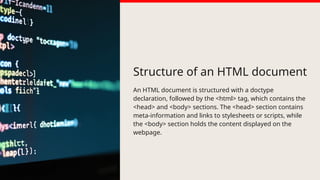
An HTML document is structured with a doctype
declaration, followed by the <html> tag, which contains the
<head> and <body> sections. The <head> section contains
meta-information and links to stylesheets or scripts, while
the <body> section holds the content displayed on the
webpage.
HTML elements
and tags
HTML is composed of various elements represented by tags.
Tags are enclosed in angle brackets and usually come in
pairs: an opening tag and a closing tag. Common elements
include headings (<h1> to <h6>), paragraphs (<p>), links
(<a>), images (<img>), and lists (<ul>, <ol>).
Attributes and
their usage
Attributes provide additional information about HTML
elements. They are placed within the opening tag and often
include a name and value pair. Common attributes include
'href' for links, 'src' for images, and 'class' or 'id' for CSS
styling. Attributes help customize element behavior and
appearance.
CSS
Fundamentals
02
Styling with CSS
CSS (Cascading Style Sheets) is used to style HTML elements.
It allows for the separation of content from design, enabling
the customization of color, layout, fonts, and overall
appearance. Styles can be applied inline, embedded within a
<style> tag, or linked via an external stylesheet.
Selectors and
specificity
CSS selectors are patterns used to select the elements you
want to style. Common types include element selectors,
class selectors, and ID selectors. Specificity determines
which styles are applied when multiple rules target the
same element, with inline styles having the highest priority.
Responsive design principles
Responsive design ensures web content is accessible on
various devices. This involves using fluid grids, flexible
images, and CSS media queries to adapt layouts based on
screen size. The goal is to provide an optimal viewing
experience across desktops, tablets, and mobile devices.
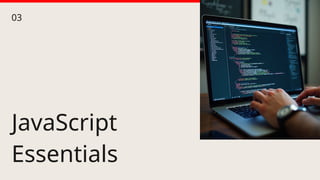
JavaScript
Essentials
03
Understanding
variables and
data types
JavaScript uses variables to store data values. Common data
types include numbers, strings, booleans, objects, and
arrays. Variables can be declared using 'var', 'let', or 'const',
with 'let' and 'const' offering block scope, while 'var' is
function scoped.
Functions and event handling
Functions are reusable blocks of code that perform specific
tasks. JavaScript handles events through event listeners,
enabling interaction with the user. By attaching functions to
events, developers can create dynamic responses based on
user actions like clicks or key presses.
DOM
manipulation
techniques
The DOM (Document Object Model) represents the structure
of a webpage. JavaScript can manipulate the DOM with
methods like getElementById, querySelector, and
createElement. This allows developers to change content,
style, and structure dynamically in response to user
interactions.
Conclusions
CREDITS: This presentation template was created by
Slidesgo, and includes icons, infographics & images by
Freepik
Thank you!
Do you have any questions?
+00 000 000 000

Web Development.pptx sadfd fwd w dwdwdw

  • 1.
    Web Development A briefoverview of HTML, CSS, and JavaScript fundamentals.
  • 2.
  • 3.
  • 4.
    Structure of anHTML document An HTML document is structured with a doctype declaration, followed by the <html> tag, which contains the <head> and <body> sections. The <head> section contains meta-information and links to stylesheets or scripts, while the <body> section holds the content displayed on the webpage.
  • 5.
    HTML elements and tags HTMLis composed of various elements represented by tags. Tags are enclosed in angle brackets and usually come in pairs: an opening tag and a closing tag. Common elements include headings (<h1> to <h6>), paragraphs (<p>), links (<a>), images (<img>), and lists (<ul>, <ol>).
  • 6.
    Attributes and their usage Attributesprovide additional information about HTML elements. They are placed within the opening tag and often include a name and value pair. Common attributes include 'href' for links, 'src' for images, and 'class' or 'id' for CSS styling. Attributes help customize element behavior and appearance.
  • 7.
  • 8.
    Styling with CSS CSS(Cascading Style Sheets) is used to style HTML elements. It allows for the separation of content from design, enabling the customization of color, layout, fonts, and overall appearance. Styles can be applied inline, embedded within a <style> tag, or linked via an external stylesheet.
  • 9.
    Selectors and specificity CSS selectorsare patterns used to select the elements you want to style. Common types include element selectors, class selectors, and ID selectors. Specificity determines which styles are applied when multiple rules target the same element, with inline styles having the highest priority.
  • 10.
    Responsive design principles Responsivedesign ensures web content is accessible on various devices. This involves using fluid grids, flexible images, and CSS media queries to adapt layouts based on screen size. The goal is to provide an optimal viewing experience across desktops, tablets, and mobile devices.
  • 11.
  • 12.
    Understanding variables and data types JavaScriptuses variables to store data values. Common data types include numbers, strings, booleans, objects, and arrays. Variables can be declared using 'var', 'let', or 'const', with 'let' and 'const' offering block scope, while 'var' is function scoped.
  • 13.
    Functions and eventhandling Functions are reusable blocks of code that perform specific tasks. JavaScript handles events through event listeners, enabling interaction with the user. By attaching functions to events, developers can create dynamic responses based on user actions like clicks or key presses.
  • 14.
    DOM manipulation techniques The DOM (DocumentObject Model) represents the structure of a webpage. JavaScript can manipulate the DOM with methods like getElementById, querySelector, and createElement. This allows developers to change content, style, and structure dynamically in response to user interactions.
  • 15.
  • 16.
    CREDITS: This presentationtemplate was created by Slidesgo, and includes icons, infographics & images by Freepik Thank you! Do you have any questions? +00 000 000 000