GOING BEYOND
COMPUTERS
Why the interest in computers?
 Office workers spend one-third
of the workday on the
computer.
 Work related musculoskeletal
disorders (WMSDs) are
associated with computer tasks
and workstations.
 Good business sense to improve
the environment for morale and
efficiency.
Looking beyond the computer
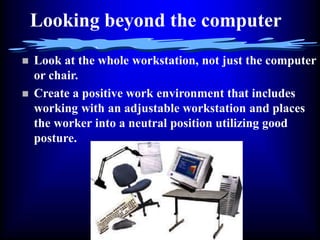
 Look at the whole workstation, not just the computer
or chair.
 Create a positive work environment that includes
working with an adjustable workstation and places
the worker into a neutral position utilizing good
posture.
Posture and neutral position
gets the first look
Look at the seating
The seating should have the following
features:
 Adjustable seat (height and tilt)
 Adjustable backrest (height, angle, and
depth)
 Adjustable arms (height, width, and
angle)
 Comfortable lumbar support
 Waterfall front edge
 Swivel
 Five legs for stability
 Casters designed for the floor surface
(soft, hard, locking, etc.)
 Fabric that breathes
Additional comments on seating
 Different sizes and styles
 Fitting the individual worker,
not one size fits all
 Weight load testing on the
chair (250-275 lb. range)
 Fitting the task/work
including the fabric selection
Working surfaces
 Standard desks from the
fifties
 Straight, sharp edges on the
wrists and forearms
 Non-adjustable heights
 Rounded edges
 Non-glare producing
surfaces
Lighting
 Slightly dimmer than
general office lighting by
30 to 50%
 Task lighting
 Overhead lighting and
avoiding shadowing
 Window effects (blinds,
curtains, glass treatments)
Glare
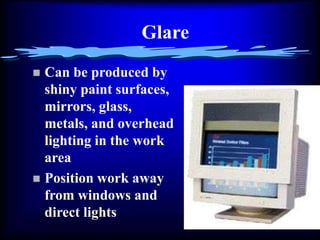
 Can be produced by
shiny paint surfaces,
mirrors, glass,
metals, and overhead
lighting in the work
area
 Position work away
from windows and
direct lights
Temperature and air quality
 68 to 72 degrees
 Avoid air blowing
directly on
employees
 Employee-built
vent-deflecting
systems
 Plants and
chemicals
Noise
 Noise from equipment, radios-CDs, co-
workers, and other work areas
 Relocate printers and copiers
 Partition use
“Traffic”
 Interruption to work
 Coffeepots and copiers at the central area of
work
 Open work areas encourage “flocking” at
individual work areas
 Employee lounges
Cord Management
 Cords can be a trip hazard and
an electrical nightmare
 Cords should be secured and
away from the feet, walk
spaces, drawers, and sharp
edges.
 Good idea to color code or label
cords for easy identification
 Shut down electrical
equipment at the end of the
workday.
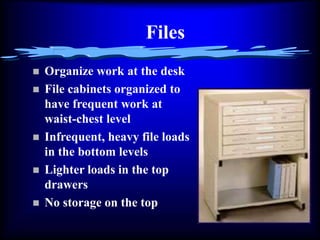
Files
 Organize work at the desk
 File cabinets organized to
have frequent work at
waist-chest level
 Infrequent, heavy file loads
in the bottom levels
 Lighter loads in the top
drawers
 No storage on the top
Work habits
 Organize equipment to fit the work process
and needs
 Keep frequently used items close at hand
 Schedule short tasks such as filing between
in-depth computing tasks
 Take breaks & move about
 Do desk exercises
Desk exercises
 Blink!!! and exercise eye muscles
frequently to avoid eye strain
 Head rolls side to side and front to back
 Shoulder shrugs
 Arms over the head stretching side to
side
 Arms over the head stretching
backwards
 Stretching legs outward off the floor
 Ankle rolls
 Seated knee raises
Odds and ends
 Carpet cuts down on noise, but
can contribute to trip and
allergy hazards.
 Enclosed darkened work areas
away from windows can be
bad.
 Store sharp items such as pens,
scissors, and tacks when not in
use. Always carry scissors
pointing downwards.
 Keep trashcans, briefcases,
backpacks, and boxes out of
walk spaces.
More odds and ends
 Plants and personal items can
be good.
 Office camaraderie is good.
 Management support is great.

Work_Station_DesignWork_Station_DesignWork_Station_Design.ppt

  • 1.
  • 2.
    Why the interestin computers?  Office workers spend one-third of the workday on the computer.  Work related musculoskeletal disorders (WMSDs) are associated with computer tasks and workstations.  Good business sense to improve the environment for morale and efficiency.
  • 3.
    Looking beyond thecomputer  Look at the whole workstation, not just the computer or chair.  Create a positive work environment that includes working with an adjustable workstation and places the worker into a neutral position utilizing good posture.
  • 4.
    Posture and neutralposition gets the first look
  • 5.
    Look at theseating The seating should have the following features:  Adjustable seat (height and tilt)  Adjustable backrest (height, angle, and depth)  Adjustable arms (height, width, and angle)  Comfortable lumbar support  Waterfall front edge  Swivel  Five legs for stability  Casters designed for the floor surface (soft, hard, locking, etc.)  Fabric that breathes
  • 6.
    Additional comments onseating  Different sizes and styles  Fitting the individual worker, not one size fits all  Weight load testing on the chair (250-275 lb. range)  Fitting the task/work including the fabric selection
  • 7.
    Working surfaces  Standarddesks from the fifties  Straight, sharp edges on the wrists and forearms  Non-adjustable heights  Rounded edges  Non-glare producing surfaces
  • 8.
    Lighting  Slightly dimmerthan general office lighting by 30 to 50%  Task lighting  Overhead lighting and avoiding shadowing  Window effects (blinds, curtains, glass treatments)
  • 9.
    Glare  Can beproduced by shiny paint surfaces, mirrors, glass, metals, and overhead lighting in the work area  Position work away from windows and direct lights
  • 10.
    Temperature and airquality  68 to 72 degrees  Avoid air blowing directly on employees  Employee-built vent-deflecting systems  Plants and chemicals
  • 11.
    Noise  Noise fromequipment, radios-CDs, co- workers, and other work areas  Relocate printers and copiers  Partition use
  • 12.
    “Traffic”  Interruption towork  Coffeepots and copiers at the central area of work  Open work areas encourage “flocking” at individual work areas  Employee lounges
  • 13.
    Cord Management  Cordscan be a trip hazard and an electrical nightmare  Cords should be secured and away from the feet, walk spaces, drawers, and sharp edges.  Good idea to color code or label cords for easy identification  Shut down electrical equipment at the end of the workday.
  • 14.
    Files  Organize workat the desk  File cabinets organized to have frequent work at waist-chest level  Infrequent, heavy file loads in the bottom levels  Lighter loads in the top drawers  No storage on the top
  • 15.
    Work habits  Organizeequipment to fit the work process and needs  Keep frequently used items close at hand  Schedule short tasks such as filing between in-depth computing tasks  Take breaks & move about  Do desk exercises
  • 16.
    Desk exercises  Blink!!!and exercise eye muscles frequently to avoid eye strain  Head rolls side to side and front to back  Shoulder shrugs  Arms over the head stretching side to side  Arms over the head stretching backwards  Stretching legs outward off the floor  Ankle rolls  Seated knee raises
  • 17.
    Odds and ends Carpet cuts down on noise, but can contribute to trip and allergy hazards.  Enclosed darkened work areas away from windows can be bad.  Store sharp items such as pens, scissors, and tacks when not in use. Always carry scissors pointing downwards.  Keep trashcans, briefcases, backpacks, and boxes out of walk spaces.
  • 18.
    More odds andends  Plants and personal items can be good.  Office camaraderie is good.  Management support is great.