Execution of WordCount program
using Hadoop MapReduce
Open Eclipse in cloudera.
Click on File ->New ->Java Project.
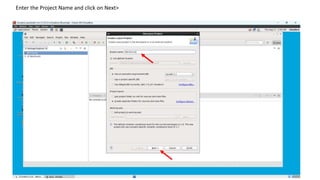
Enter the Project Name and click on Next>
Click on Libraries->Add External JARs.
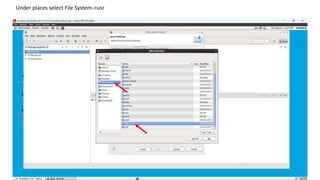
Under places select File System->usr
Click on lib.
Click on hadoop.
Select all the jar files in the folder and click ok.
Click on Add External JARs again.
Click on Client->Select all the jar files and click ok.
Click Finish.
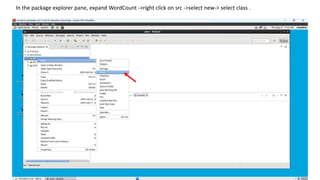
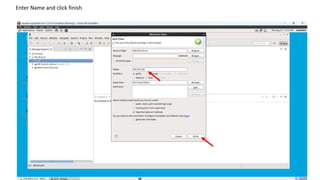
In the package explorer pane, expand WordCount ->right click on src ->select new-> select class .
Enter Name and click finish
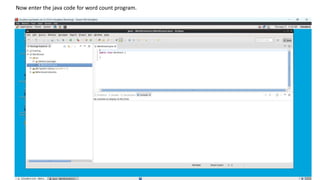
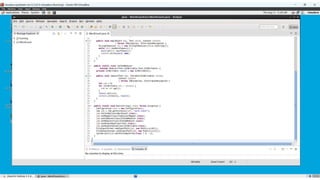
Now enter the java code for word count program.
Refer the apache.org website for the code.
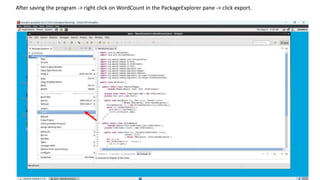
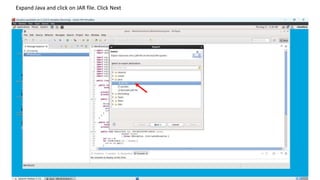
After saving the program -> right click on WordCount in the PackageExplorer pane -> click export.
Expand Java and click on JAR file. Click Next
Click on browse .
Click on cloudera and enter the Name as .jar file. Then click ok.
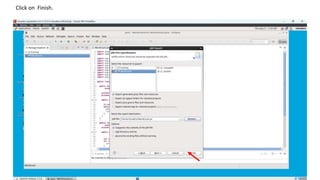
Click on Finish.
Open Terminal.
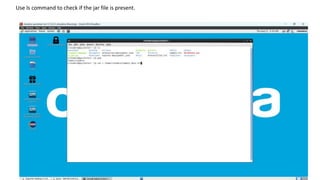
Use ls command to check if the jar file is present.
Create a text file and enter sample data into the text file. Press ctrl +Z when u have finished entering the
data.
Check whether the data has been entered properly by displaying the content of txt file.
Create a directory in hdfs.
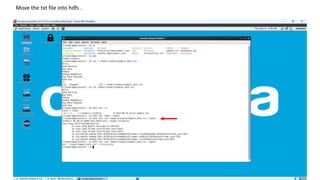
Move the txt file into hdfs .
Check if the file is moved properly by displaying the file contents.
Now give the txt file store in HDFS as input to the MapReduce program.
( /output is the directory in which the output will be stored.)
hadoop jar /home/cloudera/WordCount.jar WordCount /input/Sample_data.txt /output
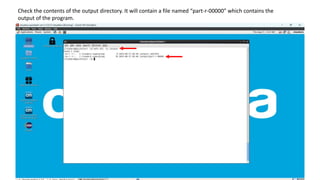
Check the contents of the output directory. It will contain a file named “part-r-00000” which contains the
output of the program.
Display the contents of that file to check the output obtained.
MapReduce WordCount program :
https://hadoop.apache.org/docs/stable/hadoop-mapreduce-
client/hadoop-mapreduce-client-core/MapReduceTutorial.html
Thank You

Word Count PPT.pptx