How to use Telpay:
A Step-by-Step Tutorial


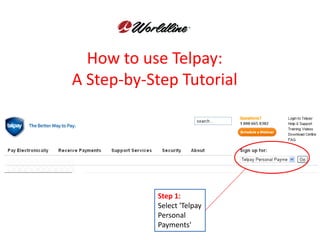
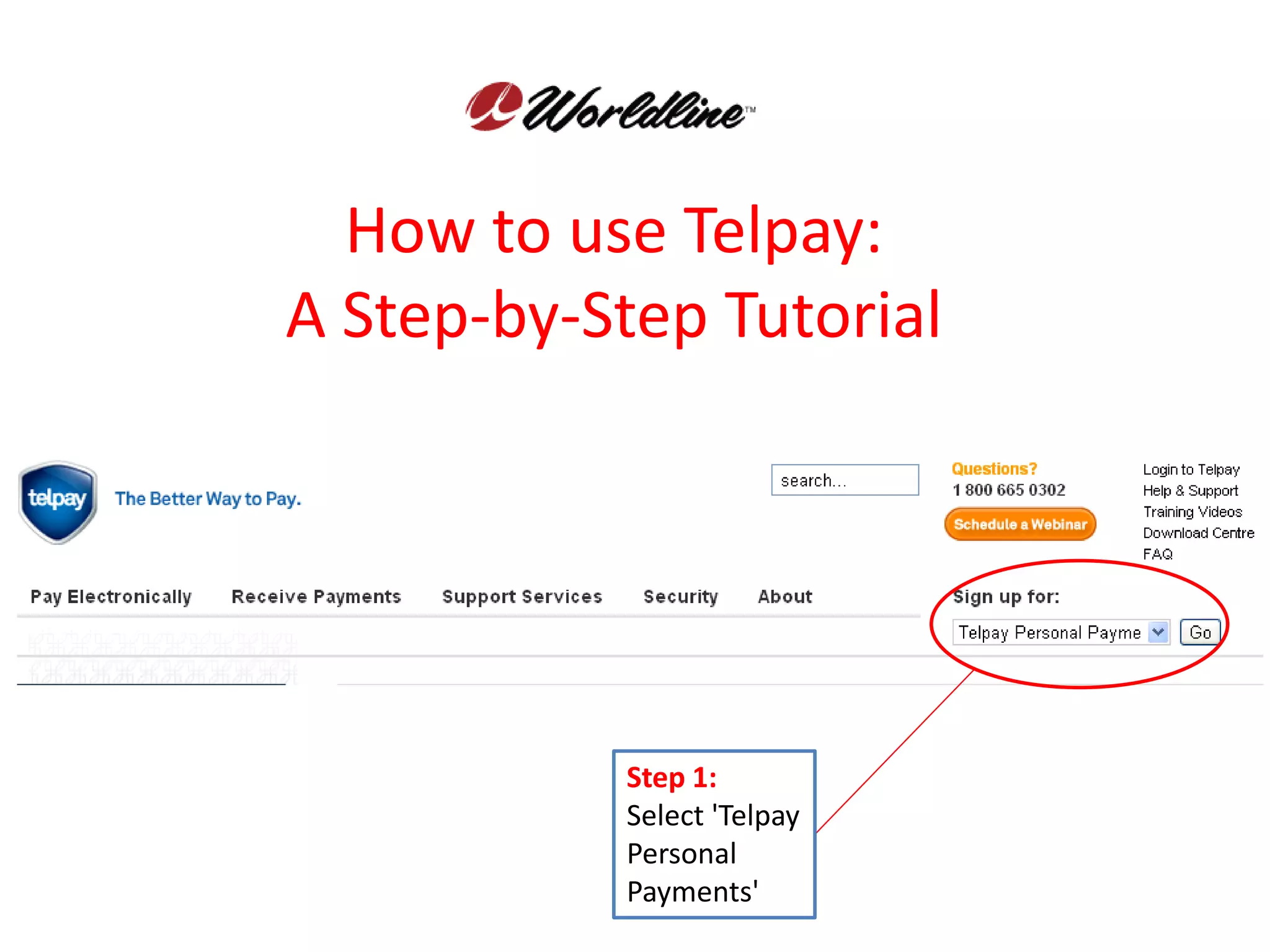
           Step 1:
           Select 'Telpay
           Personal
           Payments'
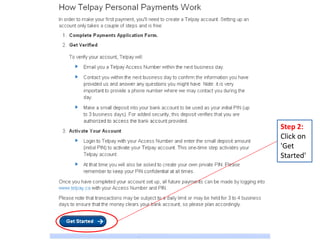
Step 2:
Click on
'Get
Started'
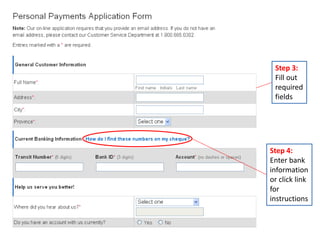
Step 3:
 Fill out
 required
 fields


Step 4:
Enter bank
information
or click link
for
instructions
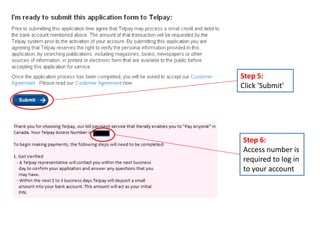
Step 5:
Click 'Submit'


Step 6:
Access number is
required to log in
to your account
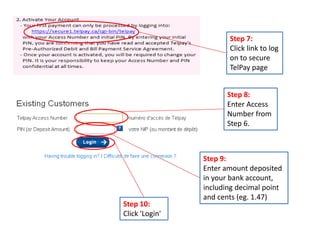
Step 7:
                       Click link to log
                       on to secure
                       TelPay page


                       Step 8:
                       Enter Access
                       Number from
                       Step 6.


                Step 9:
                Enter amount deposited
                in your bank account,
                including decimal point
                and cents (eg. 1.47)
Step 10:
Click 'Login'
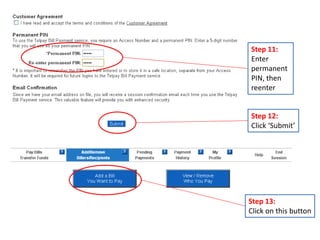
Step 11:
Enter
permanent
PIN, then
reenter


Step 12:
Click ‘Submit’


Step 13:
Click on this button
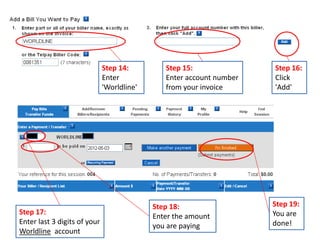
Step 14:         Step 15:               Step 16:
                              Enter            Enter account number   Click
                              'Worldline'      from your invoice      'Add'


                                            Step 18:                  Step 19:
Step 17:                                                              You are
                                            Enter the amount
Enter last 3 digits of your                                           done!
                                            you are paying
Worldline account

Wl tel pay tutorial english

  • 1.
    How to useTelpay: A Step-by-Step Tutorial Step 1: Select 'Telpay Personal Payments'
  • 2.
  • 3.
    Step 3: Fillout required fields Step 4: Enter bank information or click link for instructions
  • 4.
    Step 5: Click 'Submit' Step6: Access number is required to log in to your account
  • 5.
    Step 7: Click link to log on to secure TelPay page Step 8: Enter Access Number from Step 6. Step 9: Enter amount deposited in your bank account, including decimal point and cents (eg. 1.47) Step 10: Click 'Login'
  • 6.
    Step 11: Enter permanent PIN, then reenter Step12: Click ‘Submit’ Step 13: Click on this button
  • 7.
    Step 14: Step 15: Step 16: Enter Enter account number Click 'Worldline' from your invoice 'Add' Step 18: Step 19: Step 17: You are Enter the amount Enter last 3 digits of your done! you are paying Worldline account