WHY PROGRESSIVE APPS FOR
WORDPRESS?
Imran Sayed @imranhsayed
DINOSAUR GAME
#WCAHEMDABAD2019
Software
Hardest problem
with the software is
the distribution.
History of Software
distribution
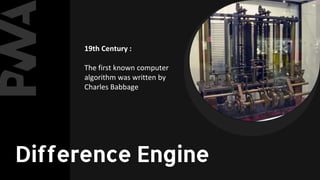
19th Century :
The first known computer
algorithm was written by
Charles Babbage
Difference Engine
1980s :
Spread of cartridges and
cassette tapes for
distribution of commercial
software.
CARTRIDGES & CASSETTES
When the programmes
started to become large ,
floppy discs, cds and dvds
were used
FLOPPY DISCS, CDS & DVDS
Web application
model has
completely
revolutionized
software
distribution.
USAGE TREND ON
MOBILE WEB VS.
MOBILE APP
● Easy access on home screen
● Work offline
● Push notifications bring user back
● Access to mobile features and sensors
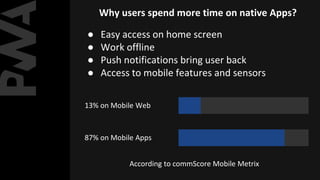
13% on Mobile Web
87% on Mobile Apps
According to commScore Mobile Metrix
Why users spend more time on native Apps?
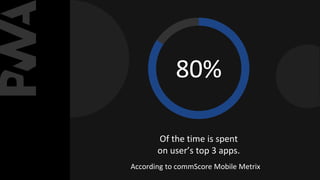
80%
Of the time is spent
on user’s top 3 apps.
According to commScore Mobile Metrix
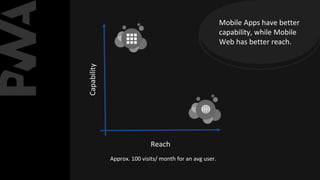
Capability
Reach
Approx. 100 visits/ month for an avg user.
Mobile Apps have better
capability, while Mobile
Web has better reach.
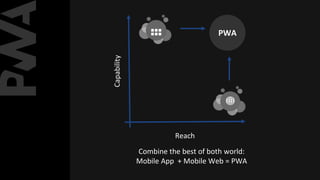
HOW CAN WE GET BOTH?
Capability
Reach
PWA
Combine the best of both world:
Mobile App + Mobile Web = PWA
● Progressively enhance Web Applications look
and feel like native apps
● PWAs are web applications, looks and behaves
as if it is a mobile app.
WHAT ARE
PROGRESSIVE WEB APPS?
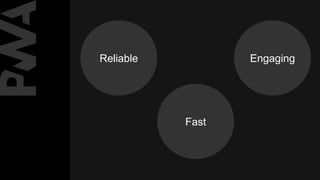
EngagingReliable
Fast
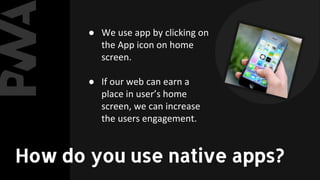
● We use app by clicking on
the App icon on home
screen.
● If our web can earn a
place in user’s home
screen, we can increase
the users engagement.
How do you use native apps?
Need for PWA?
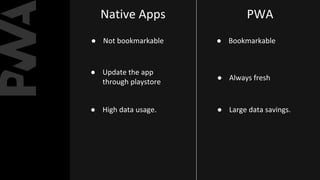
NATIVE APPS VS.
PWA
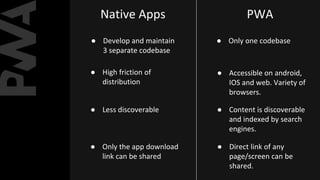
Native Apps PWA
● Develop and maintain
3 separate codebase
● High friction of
distribution
● Less discoverable
● Only the app download
link can be shared
● Only one codebase
● Accessible on android,
IOS and web. Variety of
browsers.
● Content is discoverable
and indexed by search
engines.
● Direct link of any
page/screen can be
shared.
Native Apps PWA
● Not bookmarkable
● Update the app
through playstore
● High data usage.
● Bookmarkable
● Always fresh
● Large data savings.
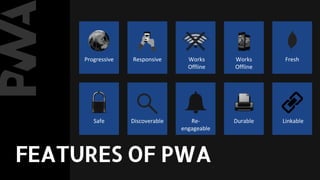
Progressive Responsive Works
Offline
Works
Offline
Fresh
Safe Discoverable Re-
engageable
Durable Linkable
FEATURES OF PWA
BUILDING A PWA
STEP 1:
Create a
Web App Manifest
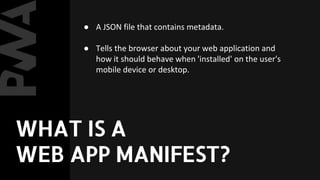
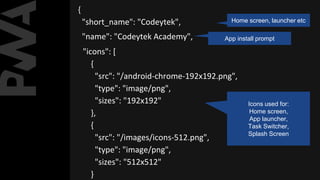
● A JSON file that contains metadata.
● Tells the browser about your web application and
how it should behave when 'installed' on the user's
mobile device or desktop.
WHAT IS A
WEB APP MANIFEST?
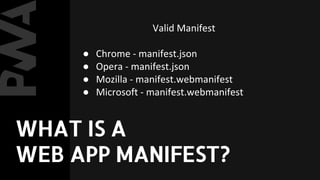
Valid Manifest
● Chrome - manifest.json
● Opera - manifest.json
● Mozilla - manifest.webmanifest
● Microsoft - manifest.webmanifest
WHAT IS A
WEB APP MANIFEST?
{
"short_name": "Codeytek", Home screen, launcher etc
"name": "Codeytek Academy", App install prompt
"icons": [
{
"src": "/android-chrome-192x192.png",
"type": "image/png",
"sizes": "192x192"
},
{
"src": "/images/icons-512.png",
"type": "image/png",
"sizes": "512x512"
}
Icons used for:
Home screen,
App launcher,
Task Switcher,
Splash Screen
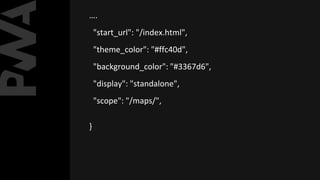
….
"start_url": "/index.html",
"theme_color": "#ffc40d",
"background_color": "#3367d6",
"display": "standalone",
"scope": "/maps/",
}
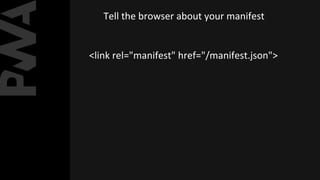
Tell the browser about your manifest
<link rel="manifest" href="/manifest.json">
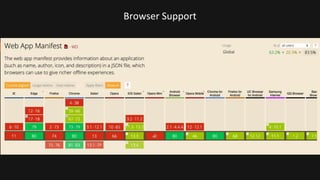
Browser Support
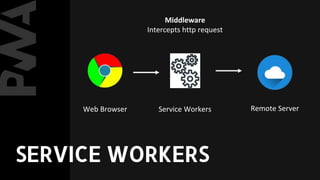
Service Workers
A service worker is a script
that your browser runs in
the background, separate
from a web page.
WHAT ARE SERVICE
WORKERS?
Web Browser Service Workers Remote Server
Middleware
Intercepts http request
SERVICE WORKERS
Service Worker
Lifecycle
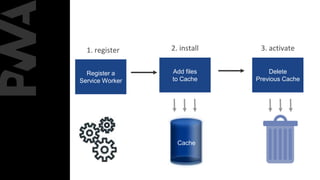
1. register 2. install 3. activate
Register a
Service Worker
Add files
to Cache
Cache
Delete
Previous Cache
3 phases of Service Worker Lifecycle
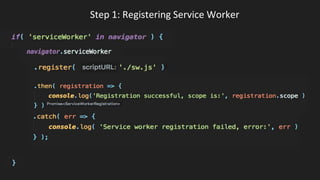
STEP 2:
REGISTER A SERVICE
WORKER( register )
Step 1: Registering Service Worker
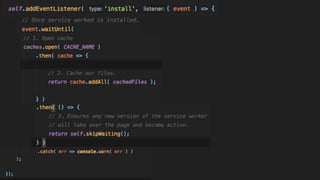
STEP 3:
ADD FILES TO CACHE
( install )
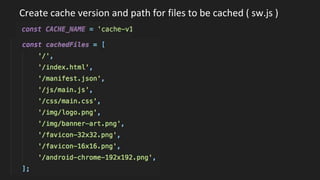
Create cache version and path for files to be cached ( sw.js )
STEP 4:
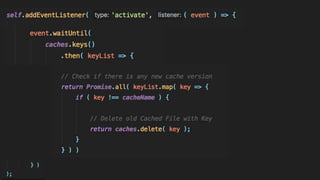
Delete previous
cache ( activate )
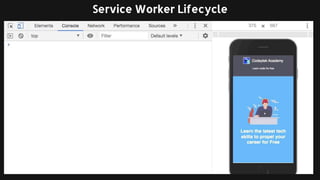
Service Worker Lifecycle
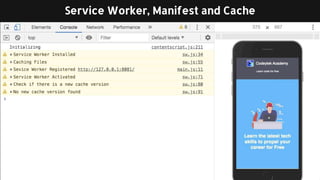
Service Worker, Manifest and Cache
Once the SW is active, it
Has full control over pages.
It can now handle events
such as:
1. Fetch
2. Push
3. Sync
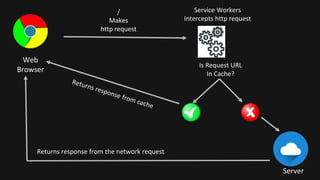
Web
Browser
Service Workers
Intercepts http request
Server
/
Makes
http request
Is Request URL
In Cache?
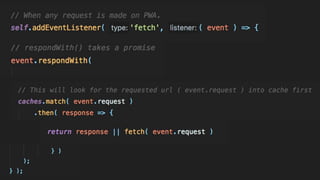
STEP 5:
FETCH DATA FROM
CACHE ( fetch )
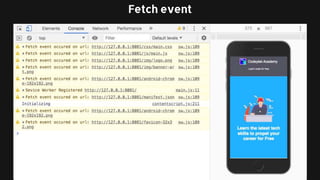
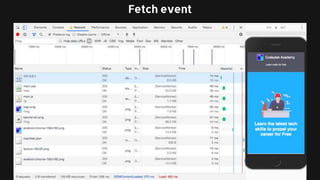
Fetch event
Fetch event
STEP 6:
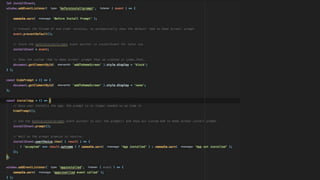
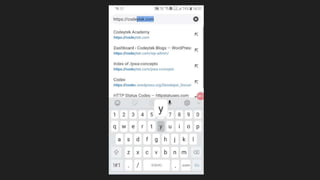
ADD A CUSTOM ADD
TO HOME SCREEN
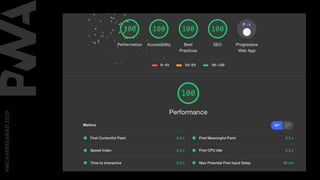
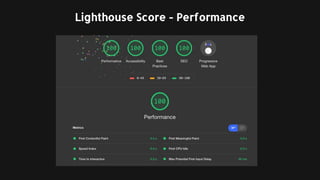
Lighthouse Score - Performance
PWA Plugins for
WordPress
1. PWA
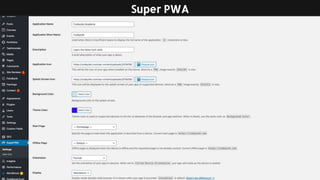
2. Super PWA
3. WordPress Mobile Pack
4. PWA for WP & AMP
5. Progressive WordPress
Super PWA
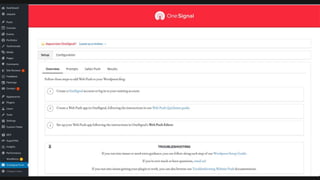
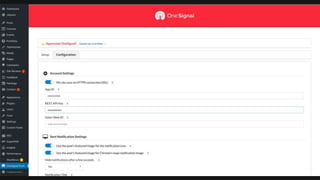
Push Notification
One Signal
One Signal
Accept Push Notification
Publish post
Browser
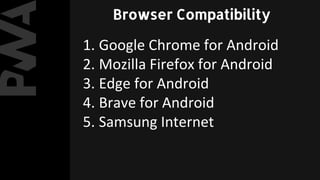
Compatibility
1. Google Chrome for Android
2. Mozilla Firefox for Android
3. Edge for Android
4. Brave for Android
5. Samsung Internet
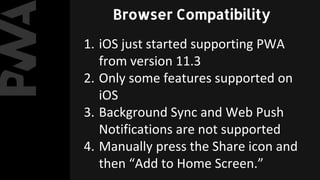
Browser Compatibility
1. iOS just started supporting PWA
from version 11.3
2. Only some features supported on
iOS
3. Background Sync and Web Push
Notifications are not supported
4. Manually press the Share icon and
then “Add to Home Screen.”
Browser Compatibility
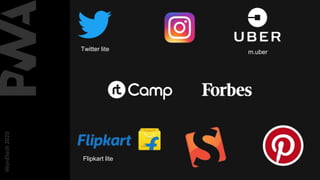
PWA Examples
WordSesh2020
Flipkart lite
Twitter lite m.uber
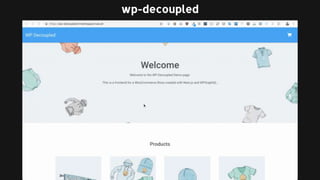
wp-decoupled
https://developers.google.com/web/funda
mentals
https://github.com/imranhsayed/pwa-
concepts
https://github.com/rtcamp/wp-decoupled
References
learn.rtcamp.com
Imran Sayed
@imranhsayed

Why progressive apps for WordPress - WordSesh 2020