What’s new in MariaDB TX 3.0
Shane K Johnson
Senior Director of Product Marketing
MariaDB Corporation
What is MariaDB TX
What’s new in MariaDB TX 3.0
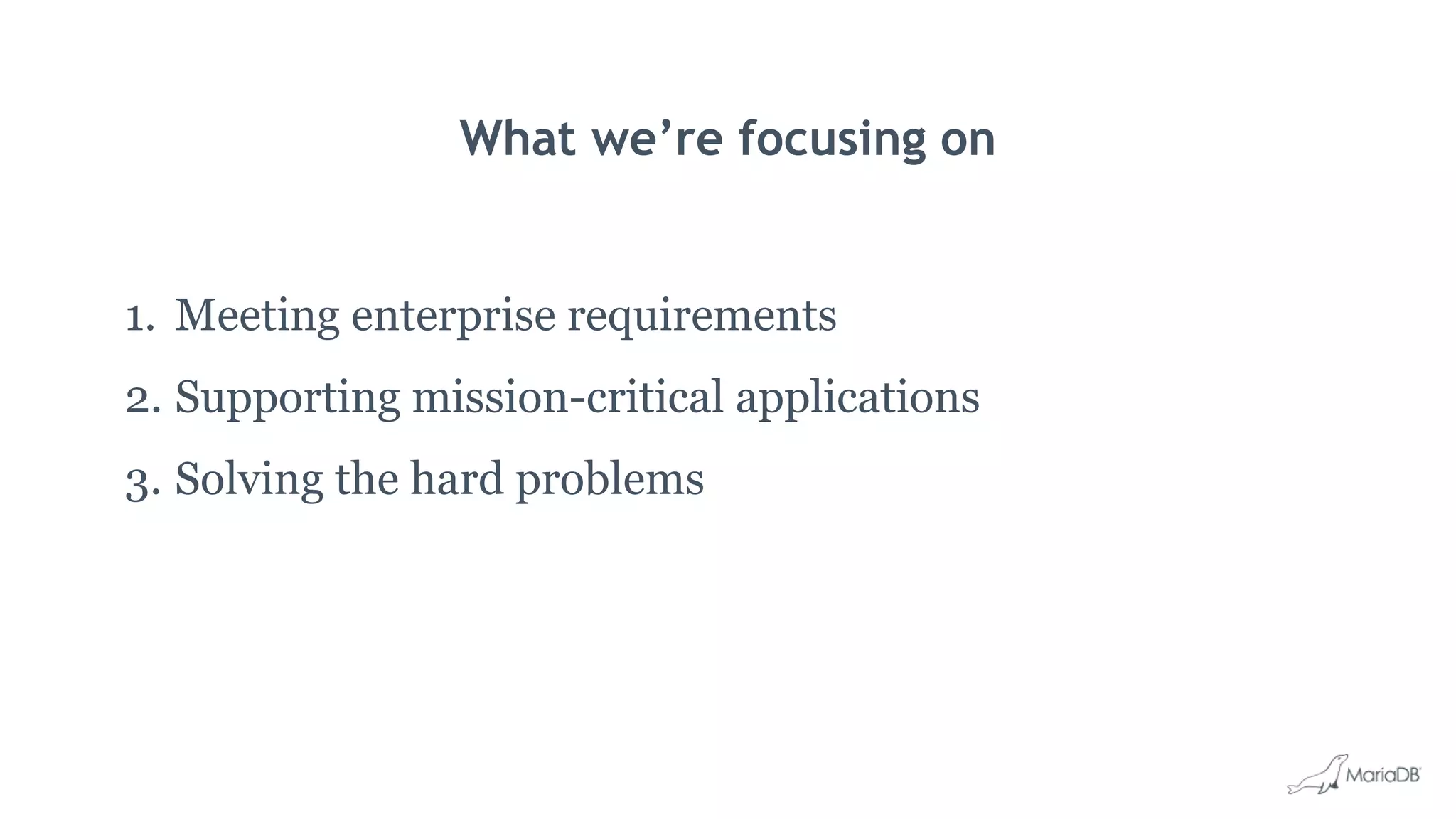
What we’re focusing on
1. Meeting enterprise requirements
2. Supporting mission-critical applications
3. Solving the hard problems
What’s new in MariaDB TX 3.0
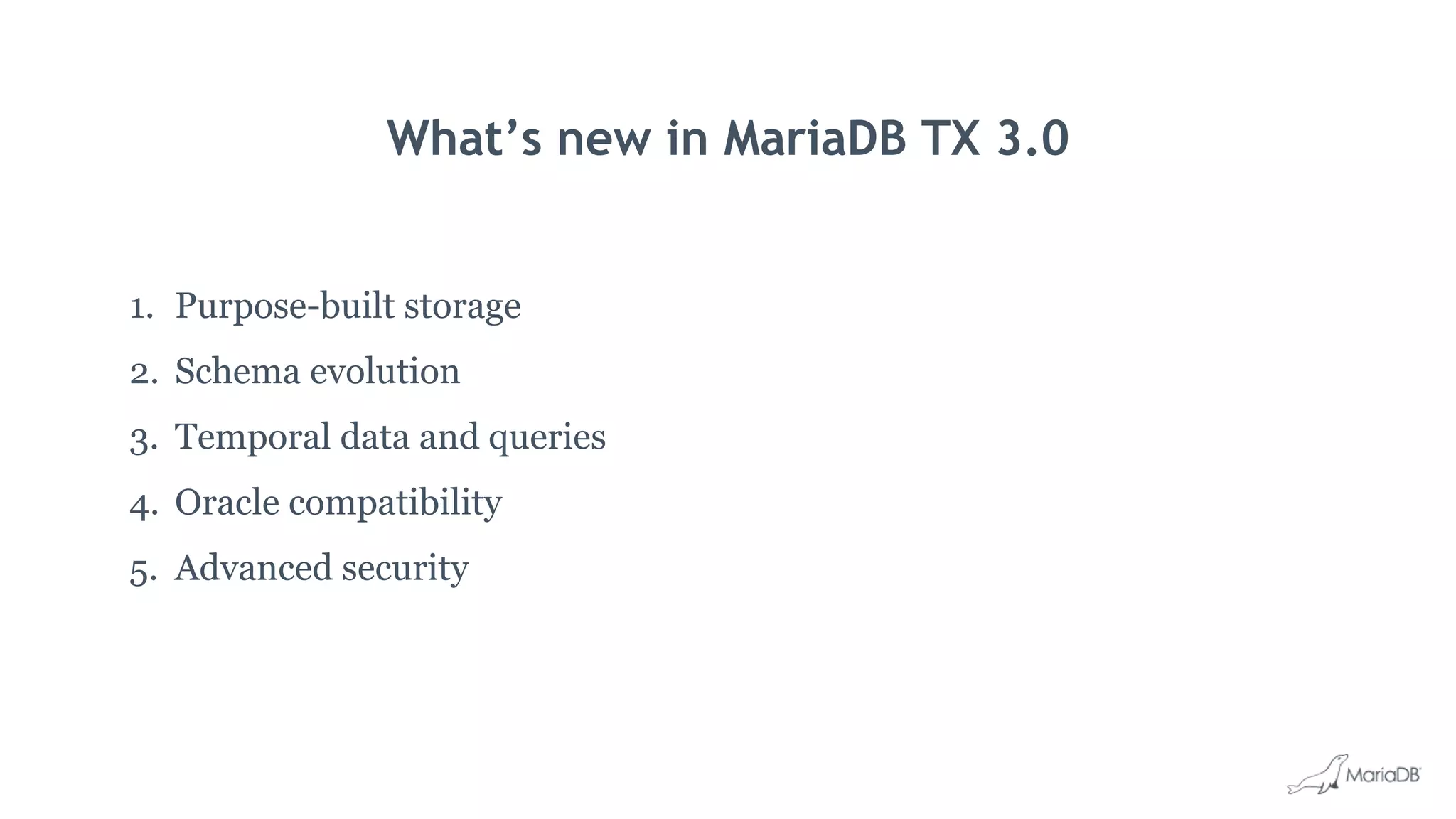
1. Purpose-built storage
2. Schema evolution
3. Temporal data and queries
4. Oracle compatibility
5. Advanced security
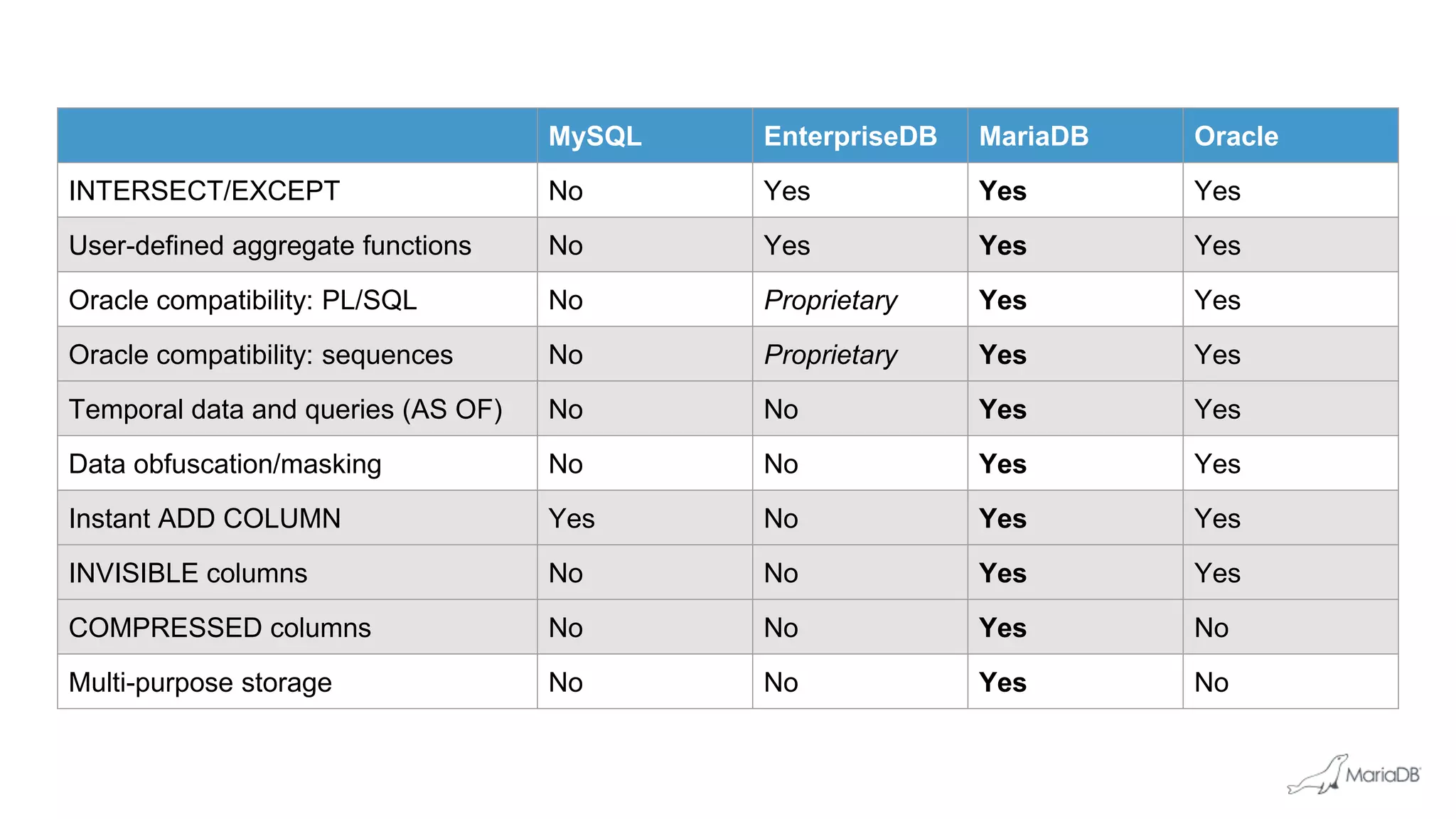
MySQL EnterpriseDB MariaDB Oracle
INTERSECT/EXCEPT No Yes Yes Yes
User-defined aggregate functions No Yes Yes Yes
Oracle compatibility: PL/SQL No Proprietary Yes Yes
Oracle compatibility: sequences No Proprietary Yes Yes
Temporal data and queries (AS OF) No No Yes Yes
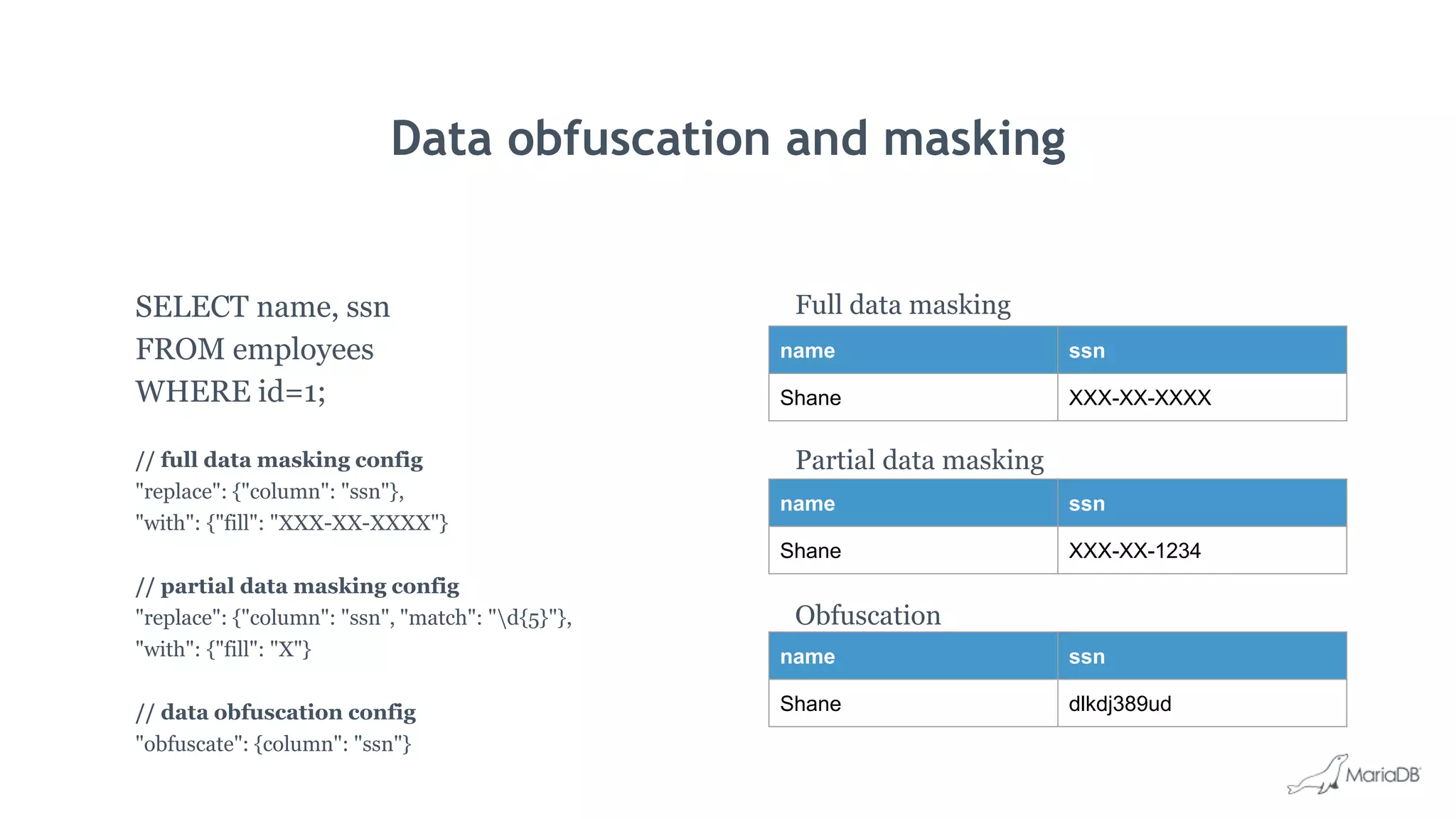
Data obfuscation/masking No No Yes Yes
Instant ADD COLUMN Yes No Yes Yes
INVISIBLE columns No No Yes Yes
COMPRESSED columns No No Yes No
Multi-purpose storage No No Yes No
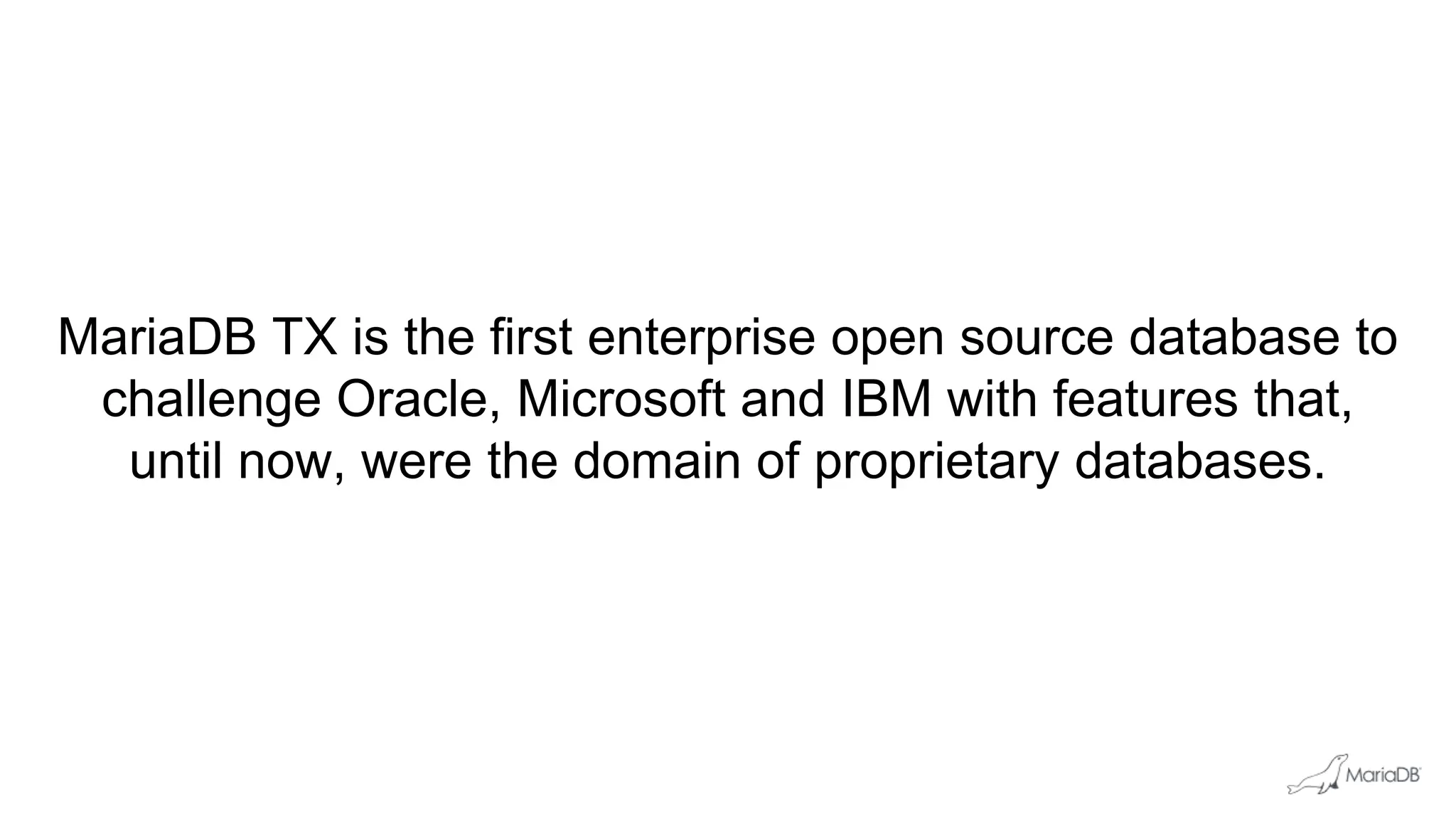
MariaDB TX is the first enterprise open source database to
challenge Oracle, Microsoft and IBM with features that,
until now, were the domain of proprietary databases.
Purpose-built storage
What’s new in MariaDB TX 3.0
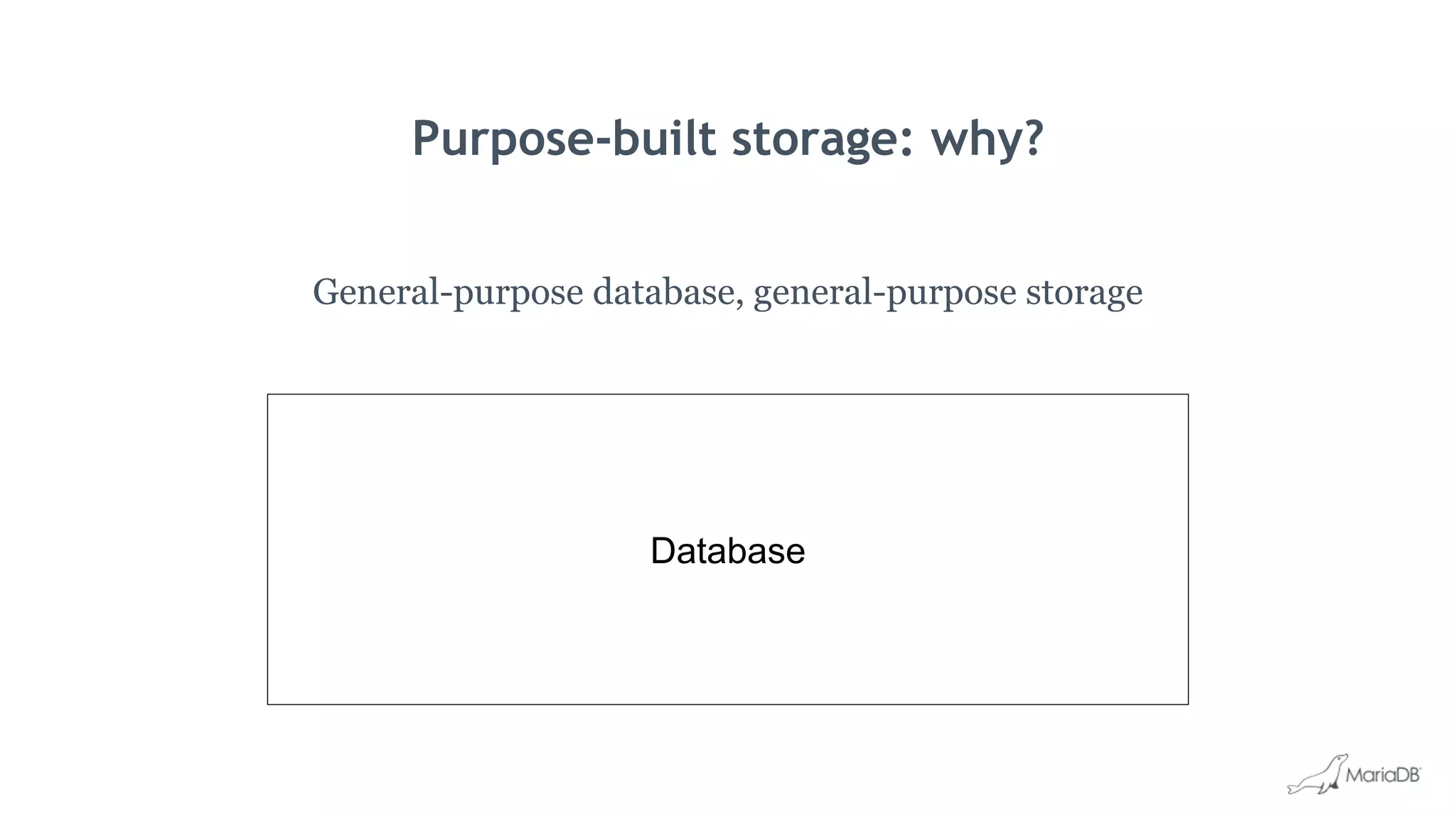
Purpose-built storage: why?
General-purpose database, general-purpose storage
Database
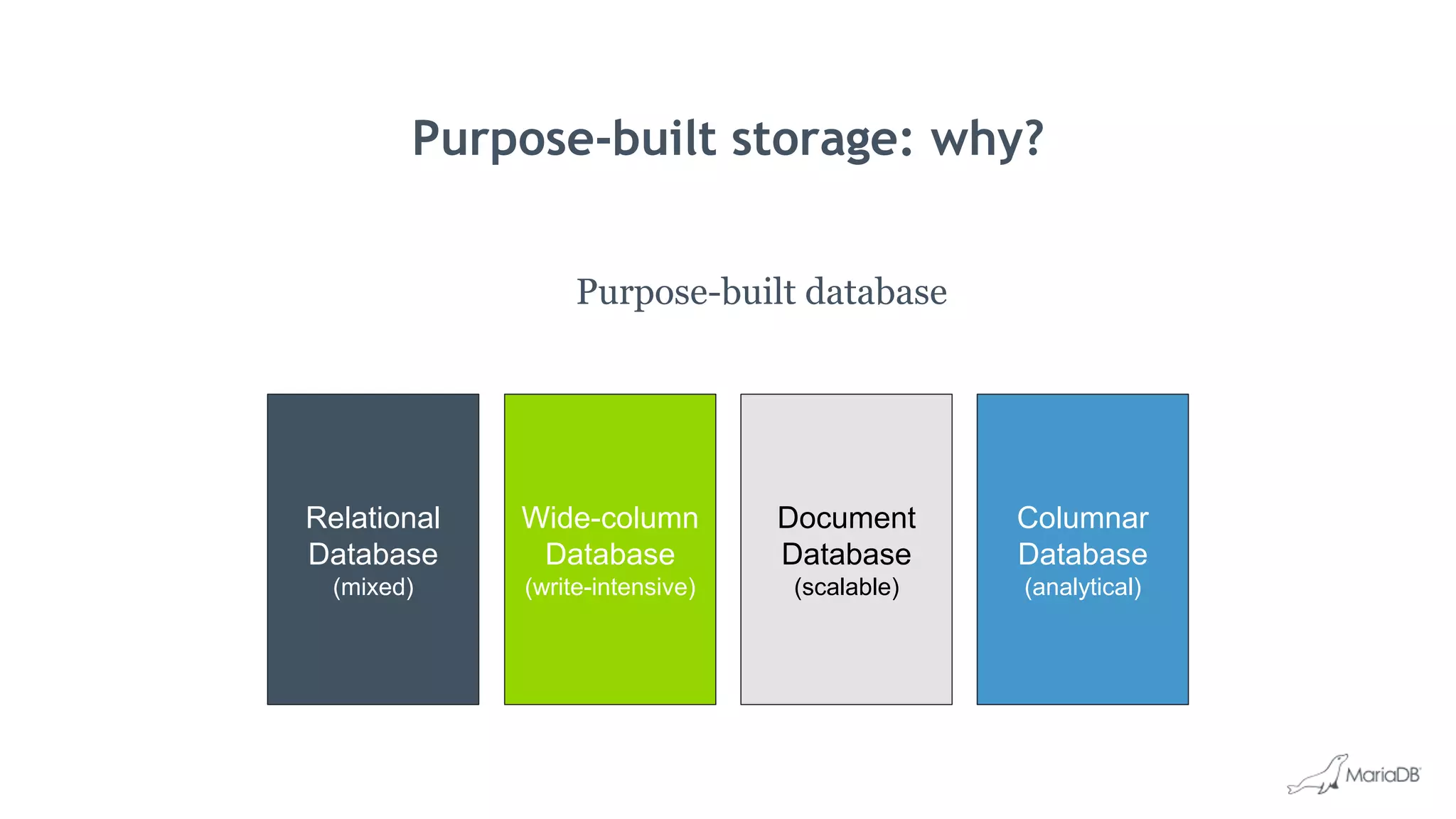
Purpose-built storage: why?
Purpose-built database
Relational
Database
(mixed)
Columnar
Database
(analytical)
Wide-column
Database
(write-intensive)
Document
Database
(scalable)
Database
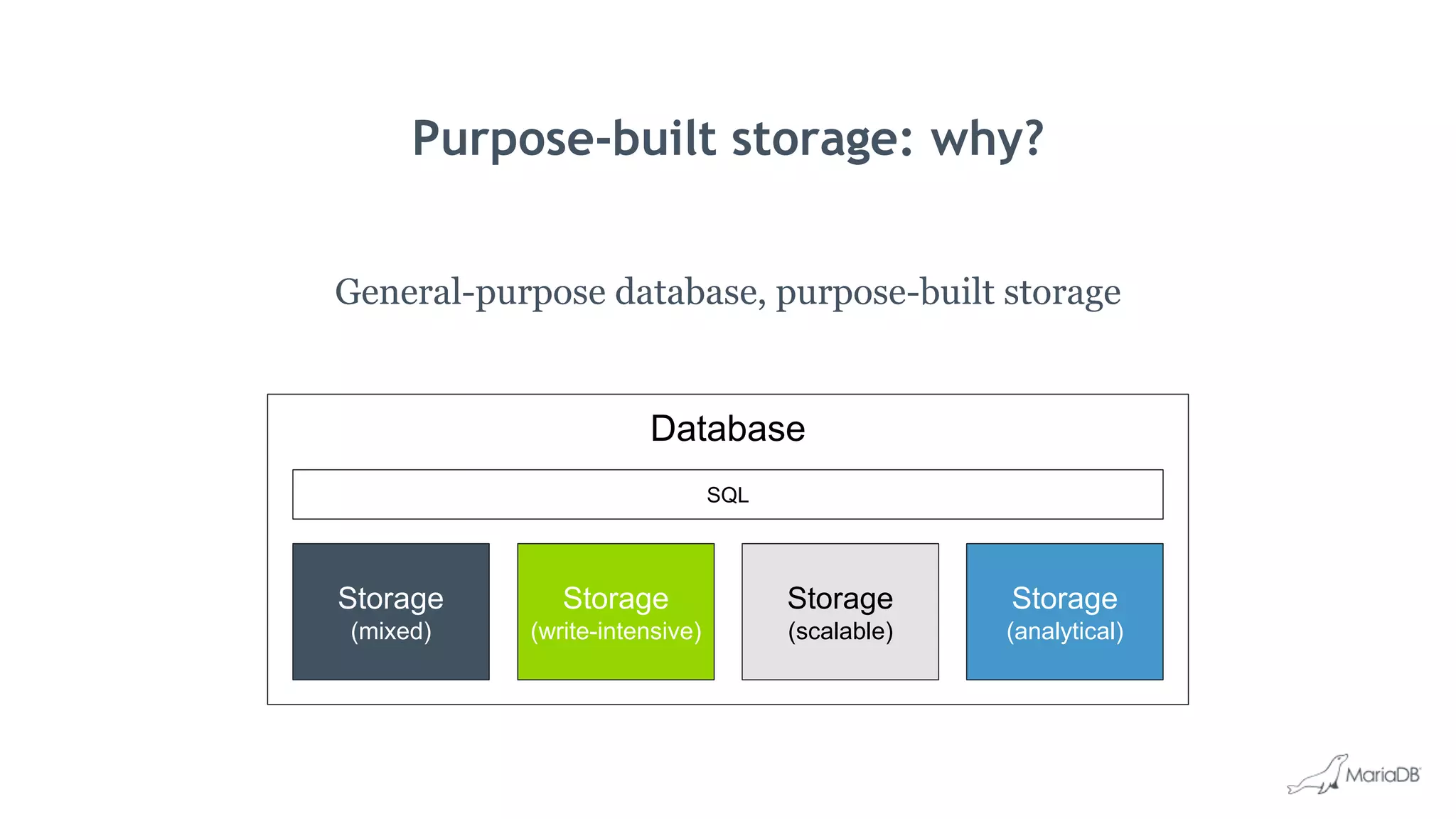
Purpose-built storage: why?
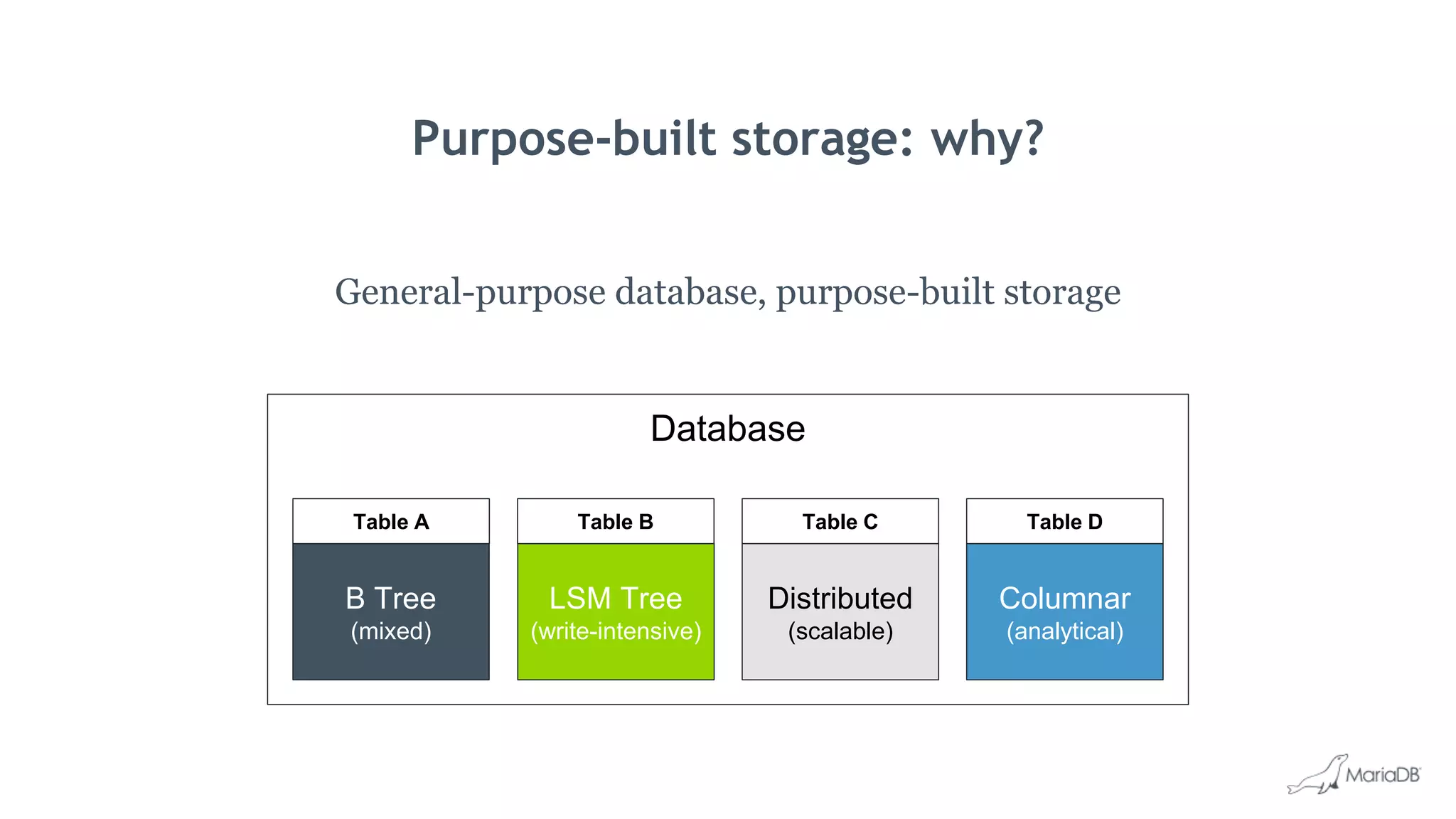
General-purpose database, purpose-built storage
Storage
(mixed)
Storage
(scalable)
Storage
(write-intensive)
Storage
(analytical)
SQL
Database
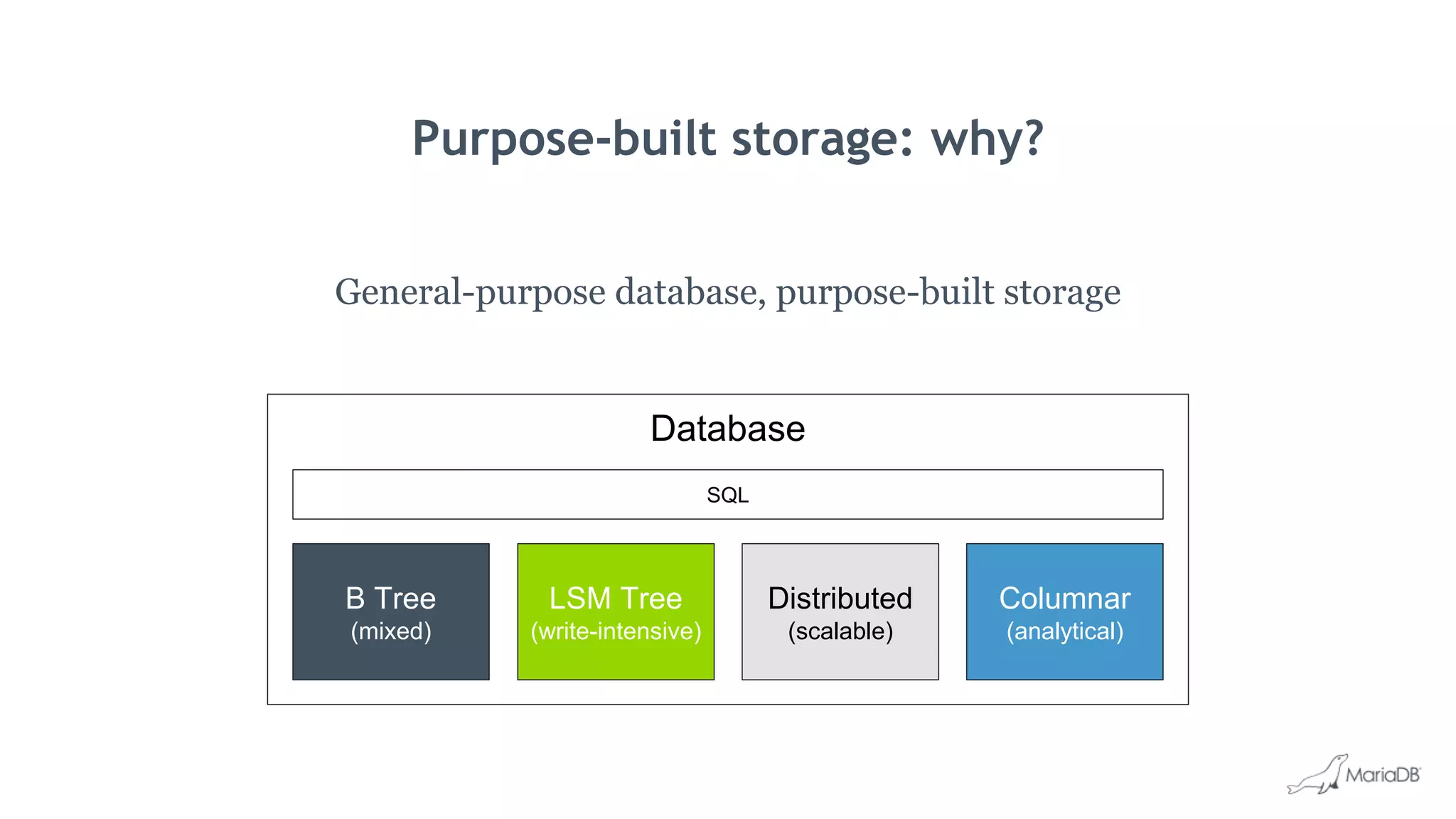
Purpose-built storage: why?
General-purpose database, purpose-built storage
B Tree
(mixed)
Distributed
(scalable)
LSM Tree
(write-intensive)
Columnar
(analytical)
SQL
Database
Purpose-built storage: why?
General-purpose database, purpose-built storage
Table A Table B Table C Table D
B Tree
(mixed)
Distributed
(scalable)
LSM Tree
(write-intensive)
Columnar
(analytical)
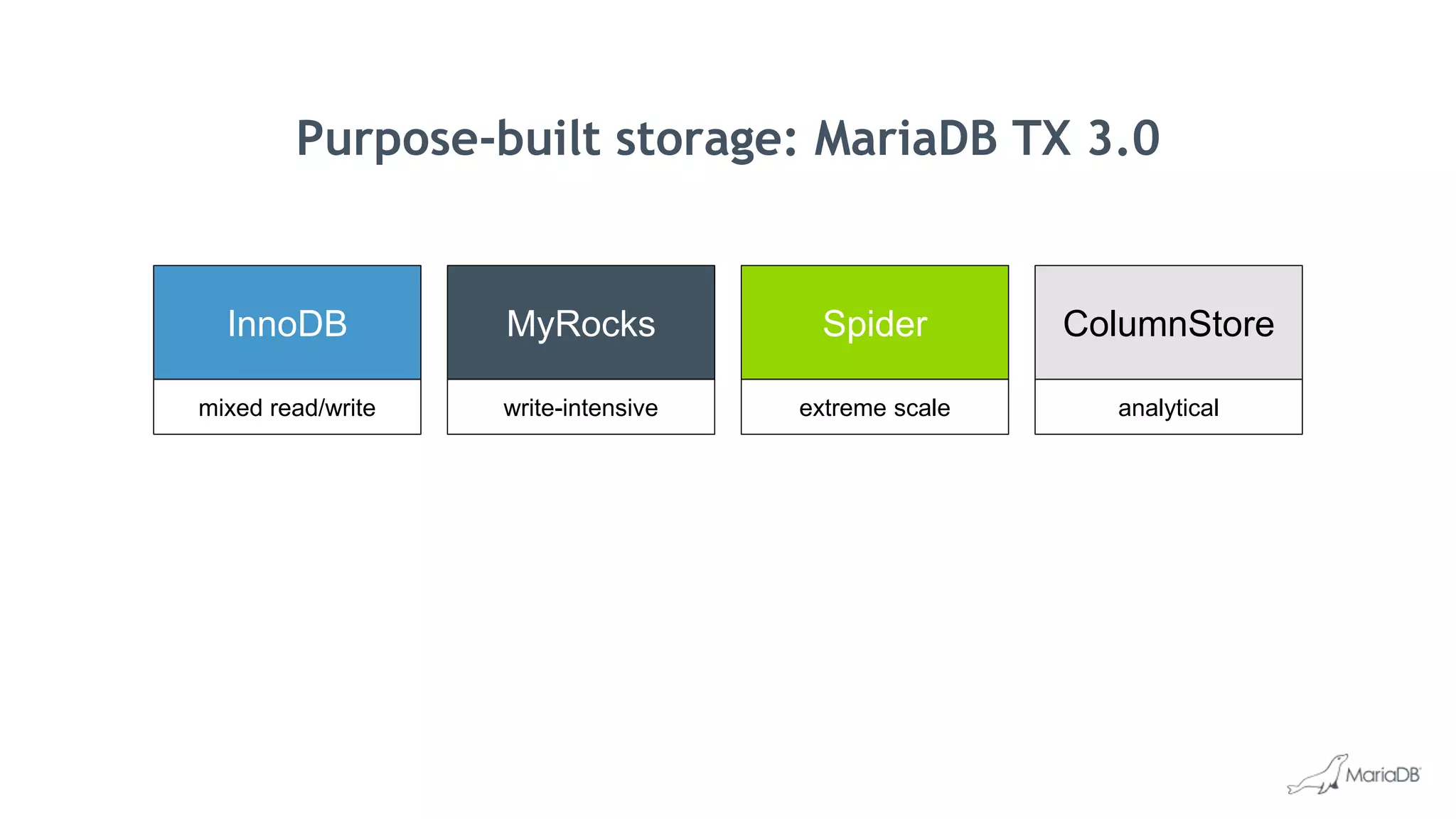
InnoDB
mixed read/write
MyRocks
write-intensive
Spider
extreme scale
ColumnStore
analytical
Purpose-built storage: MariaDB TX 3.0
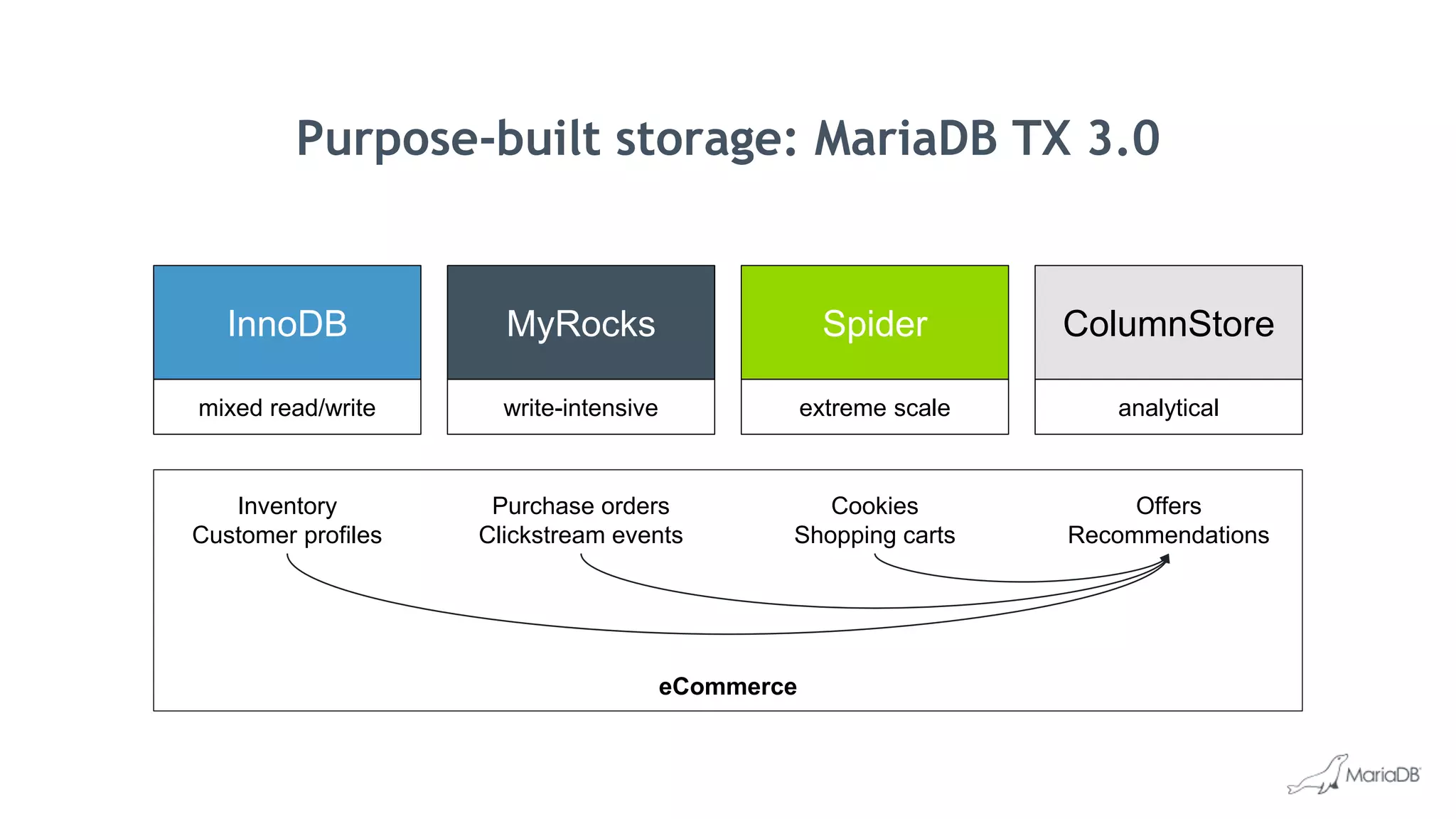
eCommerce
InnoDB
mixed read/write
MyRocks
write-intensive
Spider
extreme scale
ColumnStore
analytical
Inventory
Customer profiles
Purchase orders
Clickstream events
Cookies
Shopping carts
Offers
Recommendations
Purpose-built storage: MariaDB TX 3.0
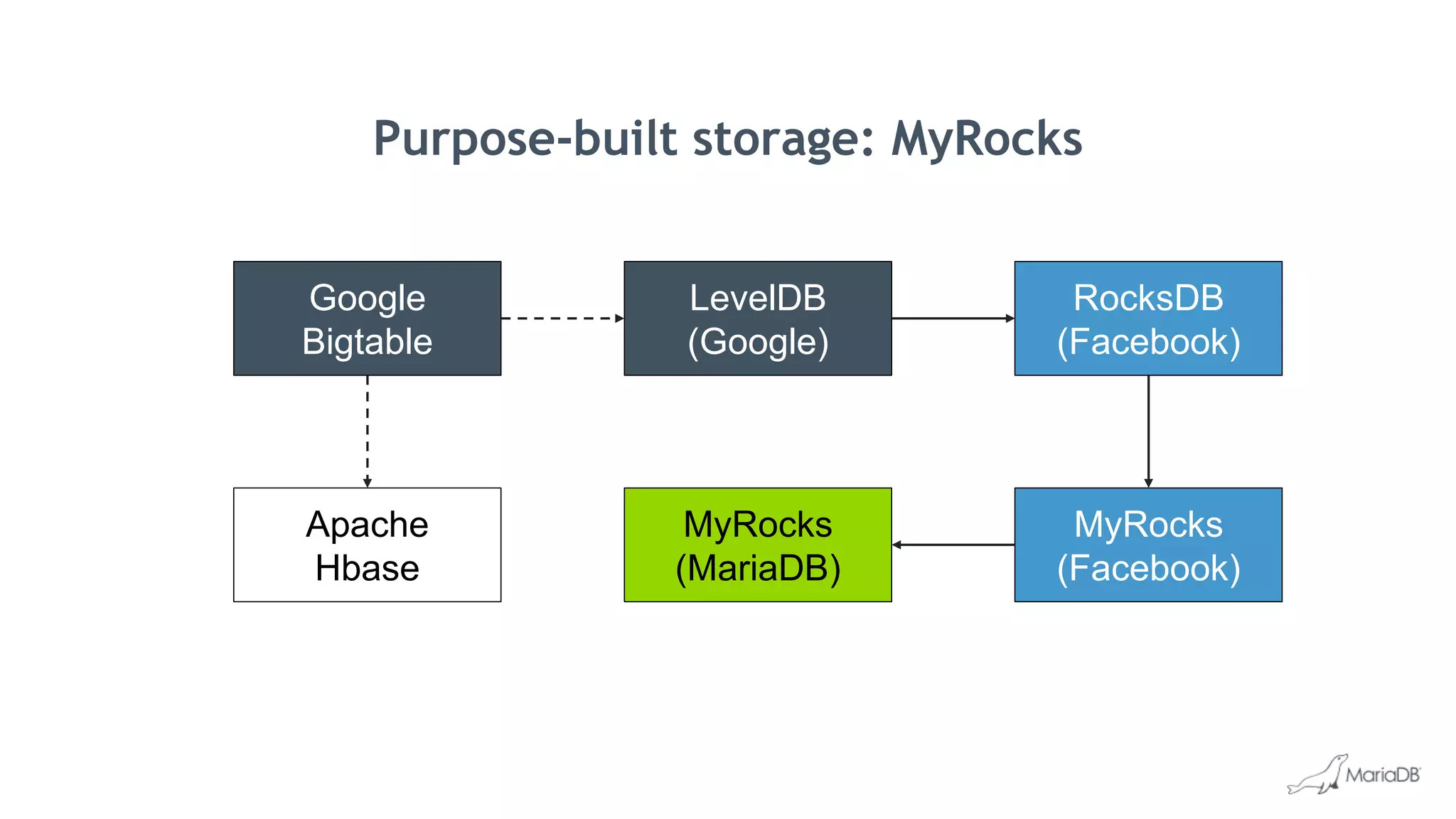
Purpose-built storage: MyRocks
Google
Bigtable
LevelDB
(Google)
MyRocks
(Facebook)
RocksDB
(Facebook)
MyRocks
(MariaDB)
Apache
Hbase
Purpose-built storage: MyRocks
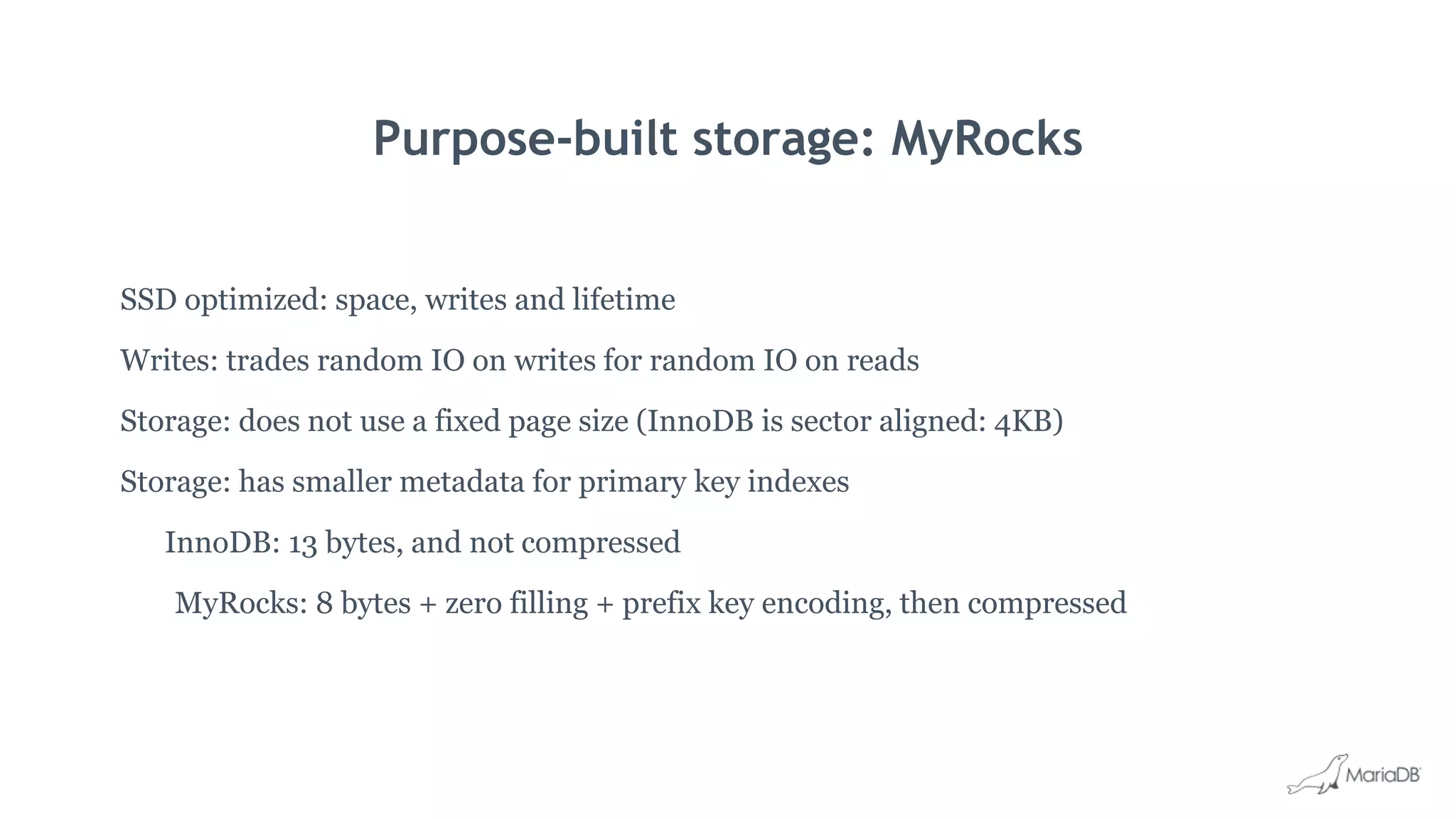
SSD optimized: space, writes and lifetime
Writes: trades random IO on writes for random IO on reads
Storage: does not use a fixed page size (InnoDB is sector aligned: 4KB)
Storage: has smaller metadata for primary key indexes
InnoDB: 13 bytes, and not compressed
MyRocks: 8 bytes + zero filling + prefix key encoding, then compressed
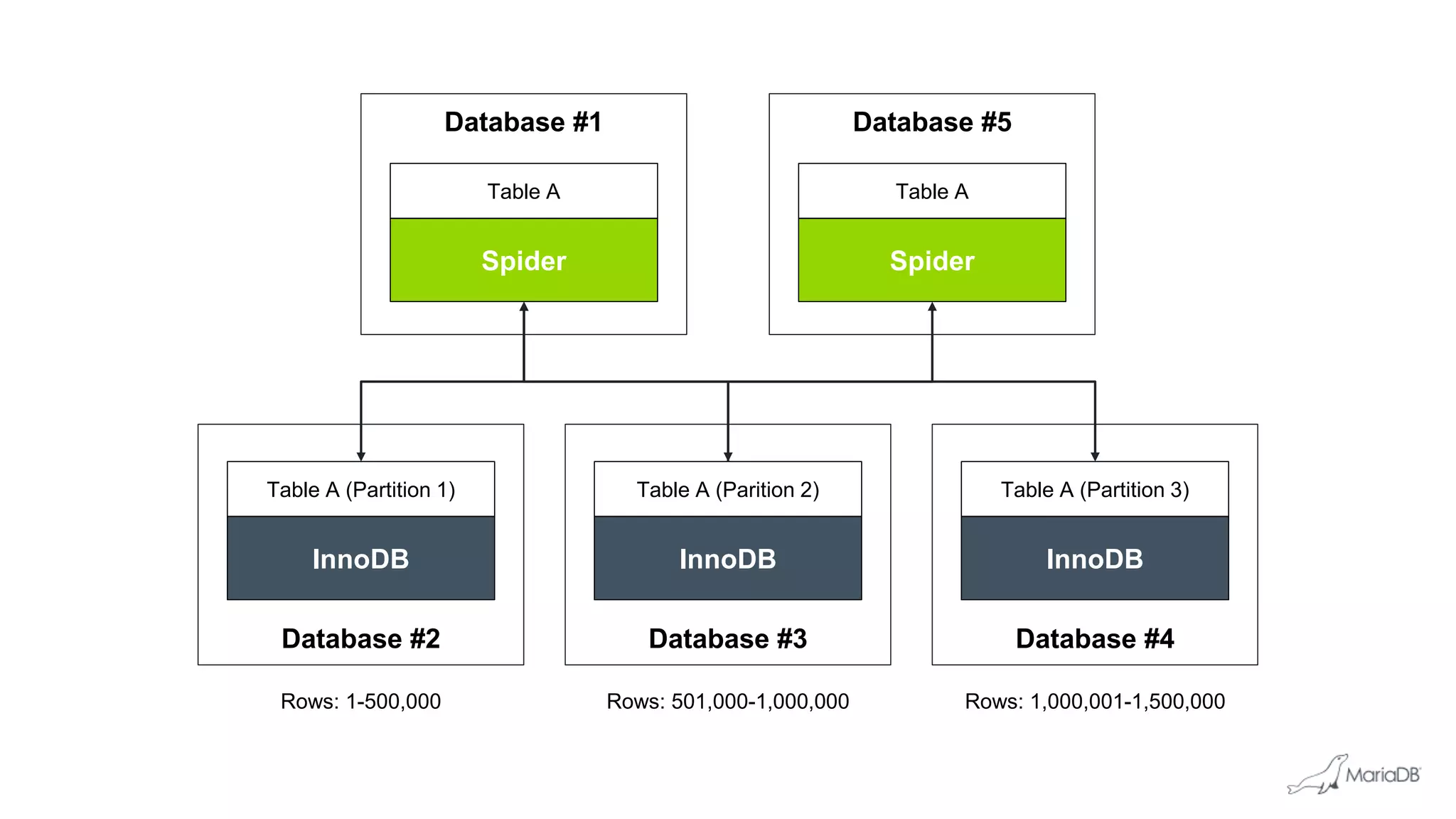
Purpose-built storage: Spider
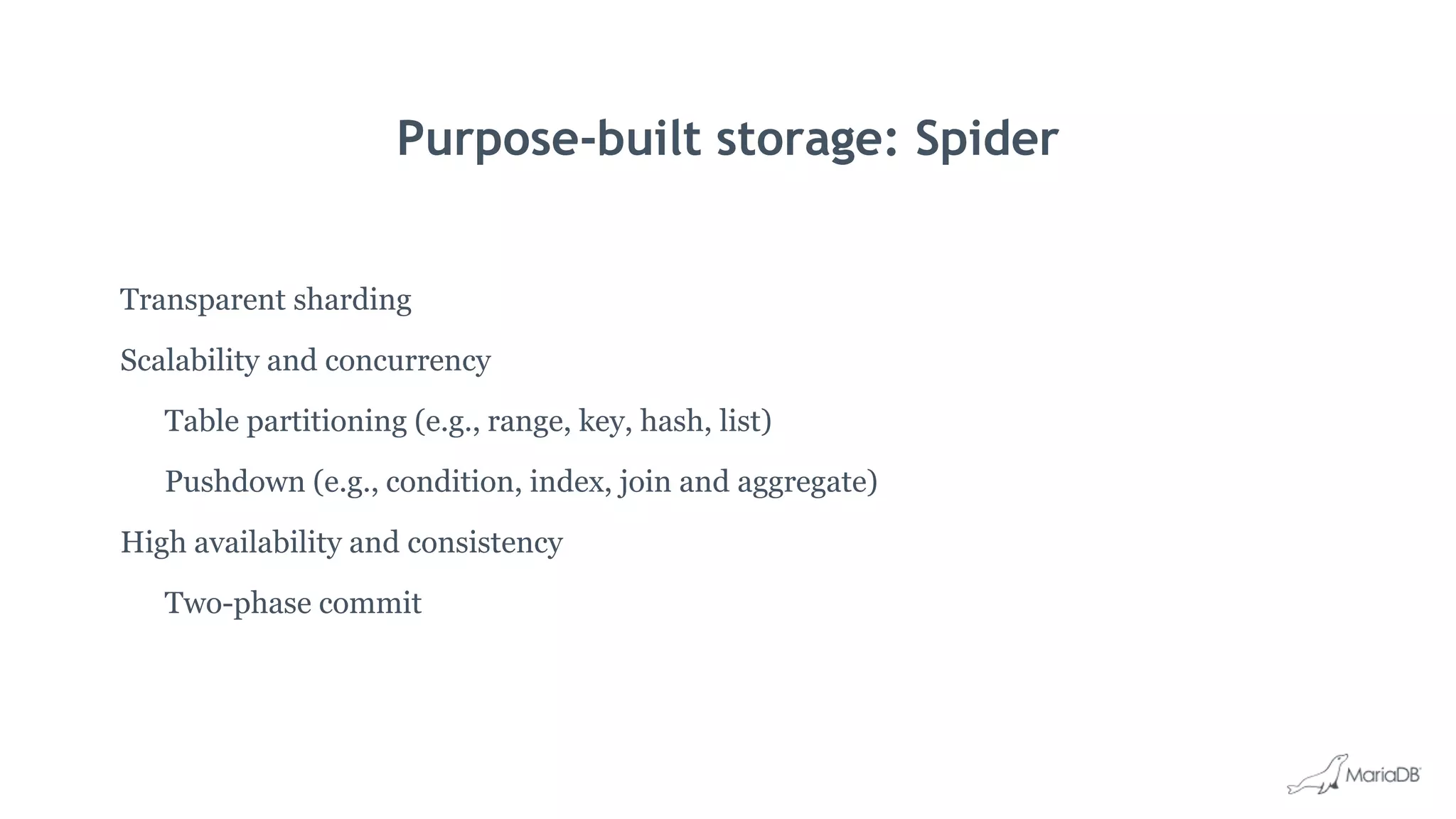
Transparent sharding
Scalability and concurrency
Table partitioning (e.g., range, key, hash, list)
Pushdown (e.g., condition, index, join and aggregate)
High availability and consistency
Two-phase commit
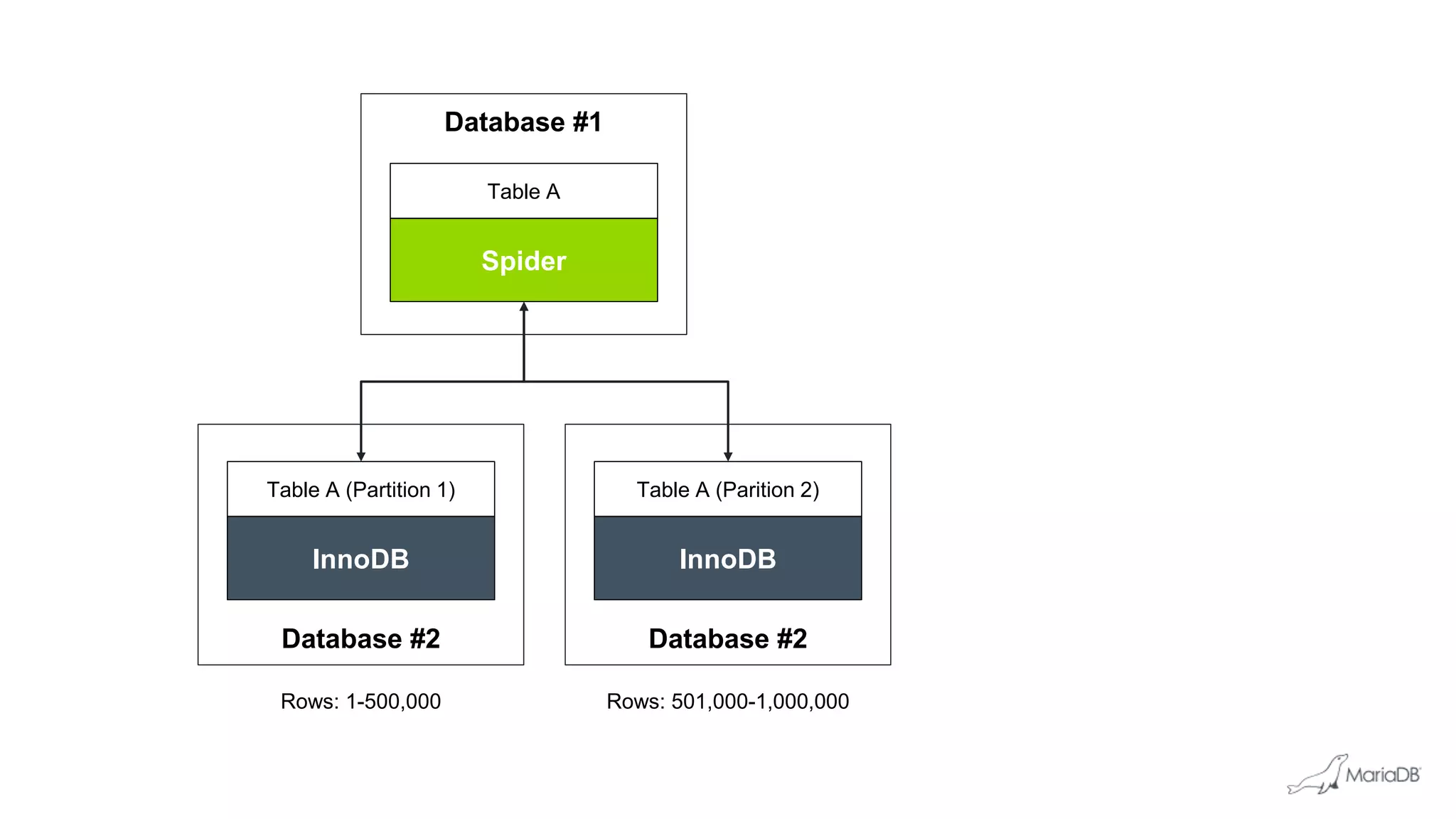
Database #1
Spider
Table A
Database #2Database #2
InnoDB
Table A (Parition 2)
InnoDB
Table A (Partition 1)
Rows: 1-500,000 Rows: 501,000-1,000,000
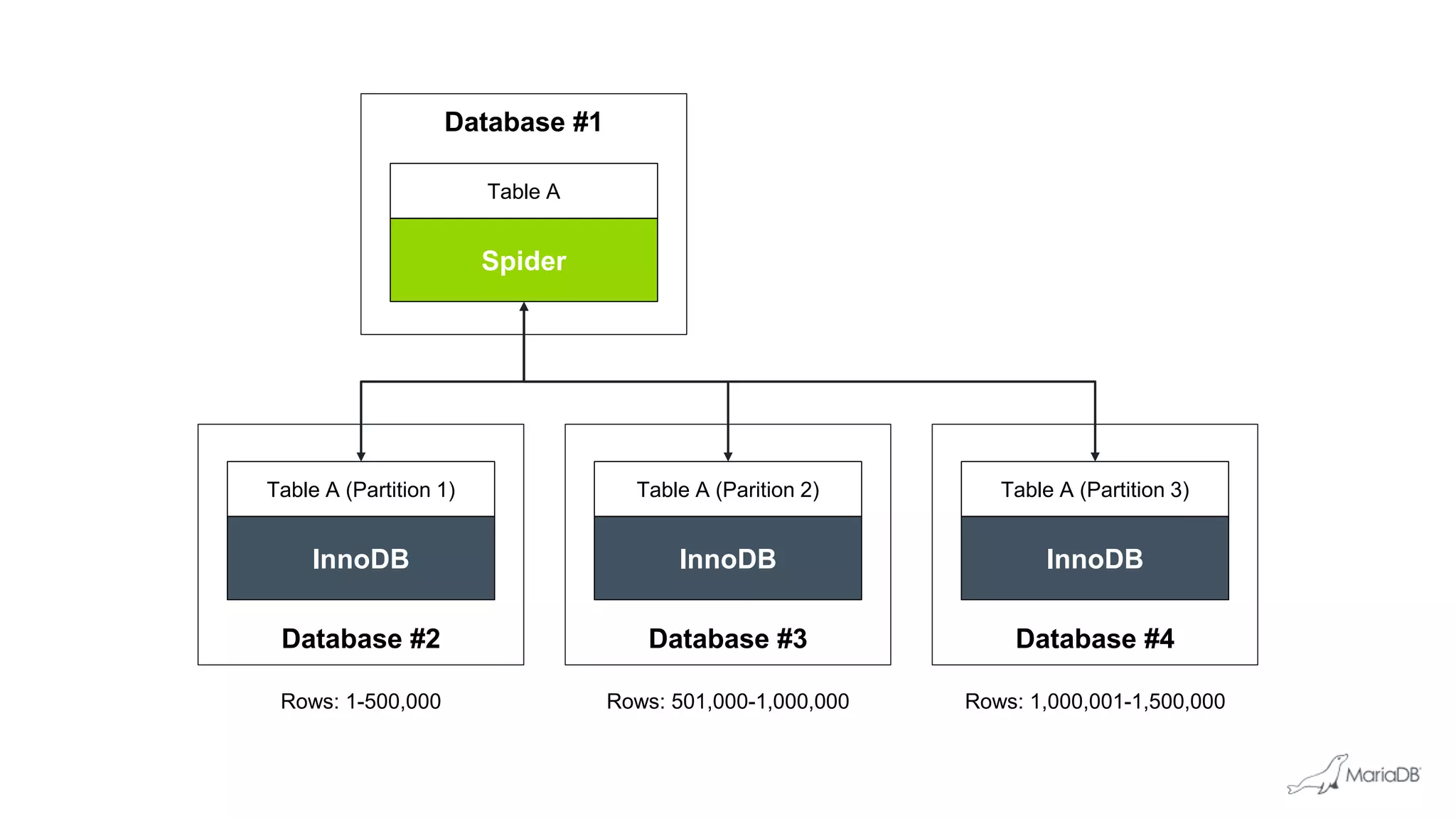
Database #1
Spider
Table A
Database #3 Database #4Database #2
InnoDB
Table A (Parition 2)
InnoDB
Table A (Partition 1)
InnoDB
Table A (Partition 3)
Rows: 1-500,000 Rows: 501,000-1,000,000 Rows: 1,000,001-1,500,000
Database #1
Spider
Table A
Database #3 Database #4Database #2
InnoDB
Table A (Parition 2)
InnoDB
Table A (Partition 1)
InnoDB
Table A (Partition 3)
Rows: 1-500,000 Rows: 501,000-1,000,000 Rows: 1,000,001-1,500,000
Database #5
Spider
Table A
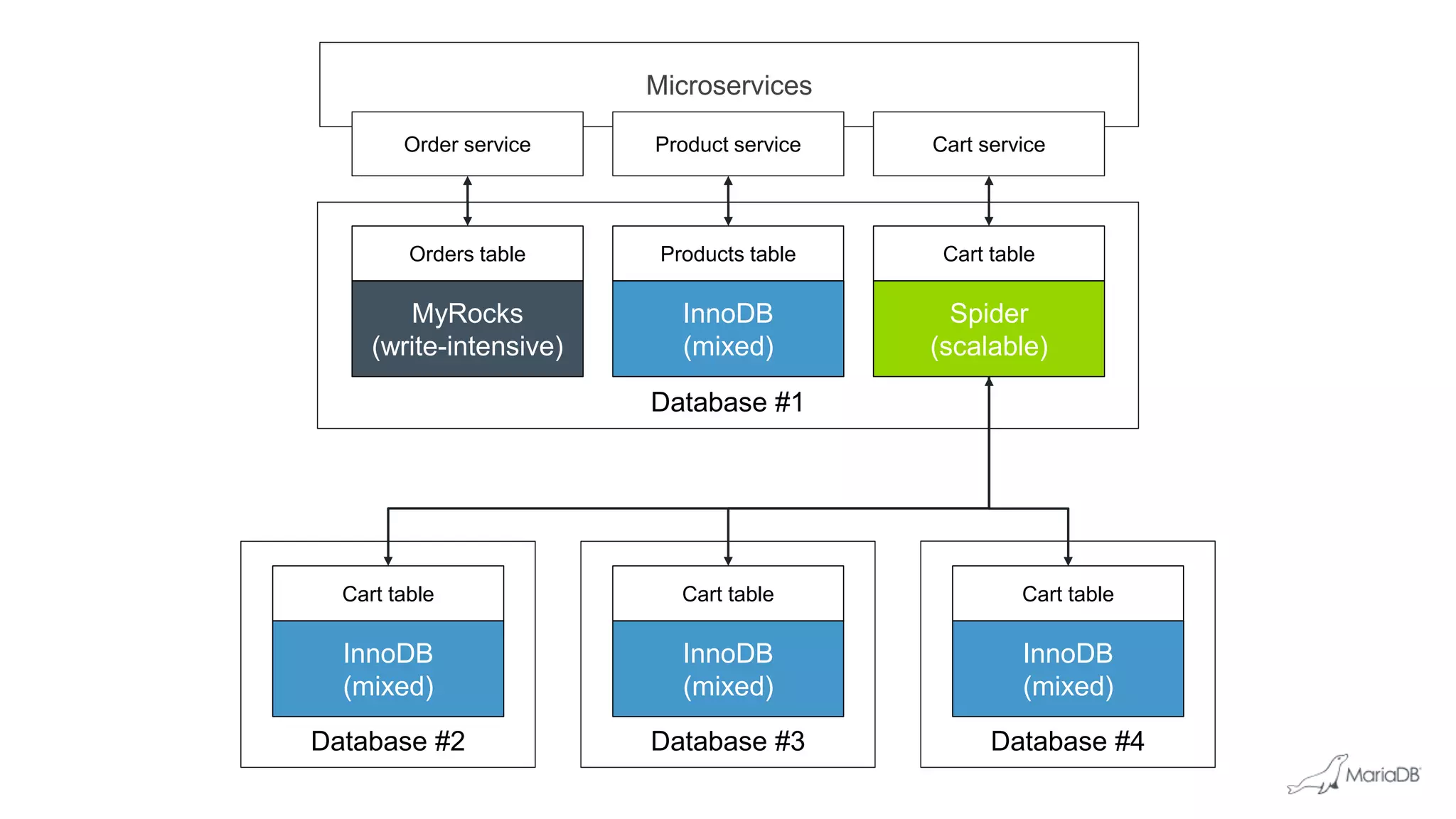
Microservices
Database #1
InnoDB
(mixed)
Products table
MyRocks
(write-intensive)
Orders table
Order service Product service
Spider
(scalable)
Cart table
Cart service
Database #2
InnoDB
(mixed)
Cart table
Database #3
InnoDB
(mixed)
Cart table
Database #4
InnoDB
(mixed)
Cart table
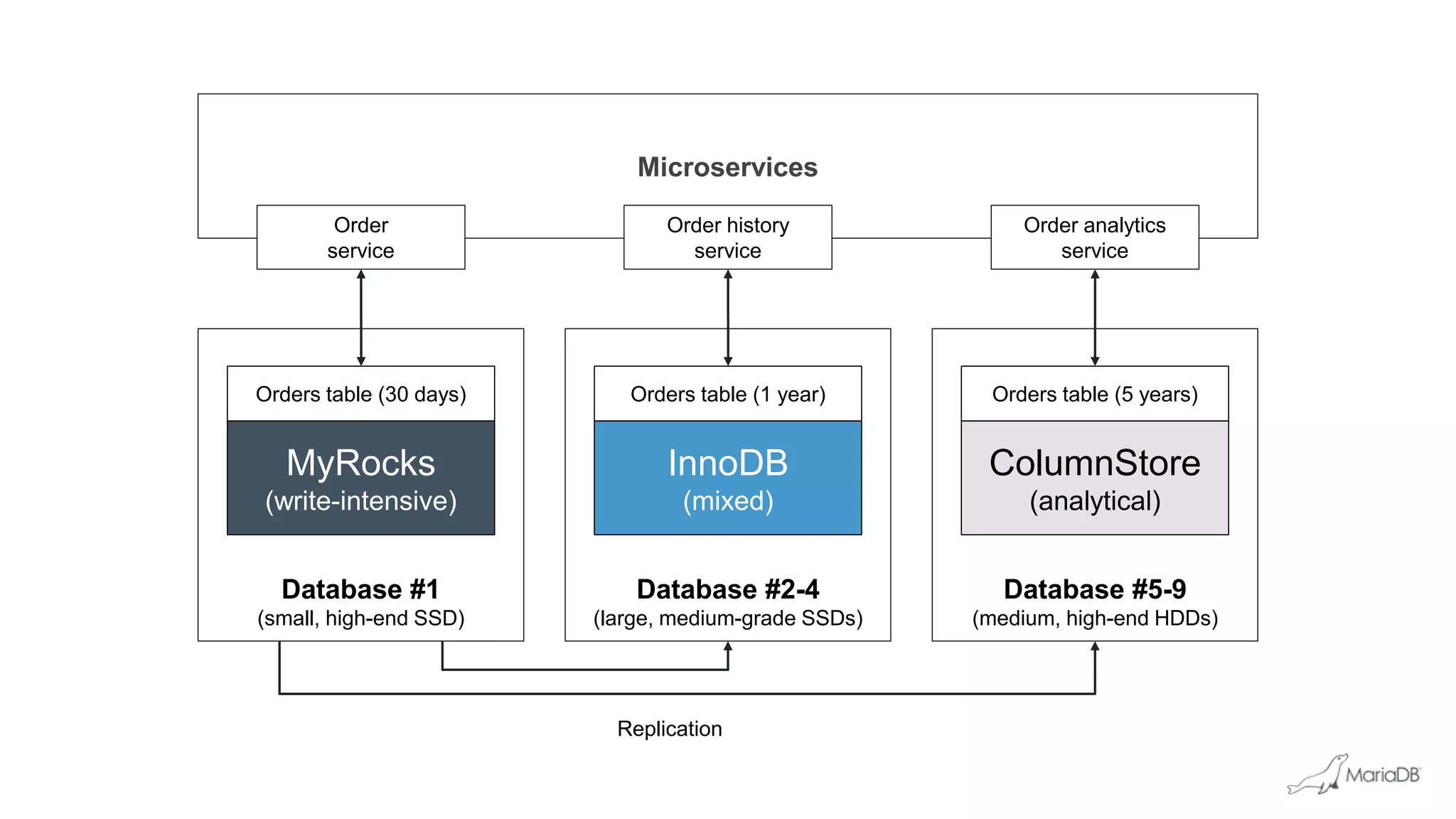
Database #2-4
(large, medium-grade SSDs)
Microservices
Database #5-9
(medium, high-end HDDs)
Database #1
(small, high-end SSD)
InnoDB
(mixed)
Orders table (1 year)
MyRocks
(write-intensive)
Order
service
Order history
service
Orders table (30 days)
ColumnStore
(analytical)
Orders table (5 years)
Order analytics
service
Replication
Schema evolution
What’s new in MariaDB TX 3.0
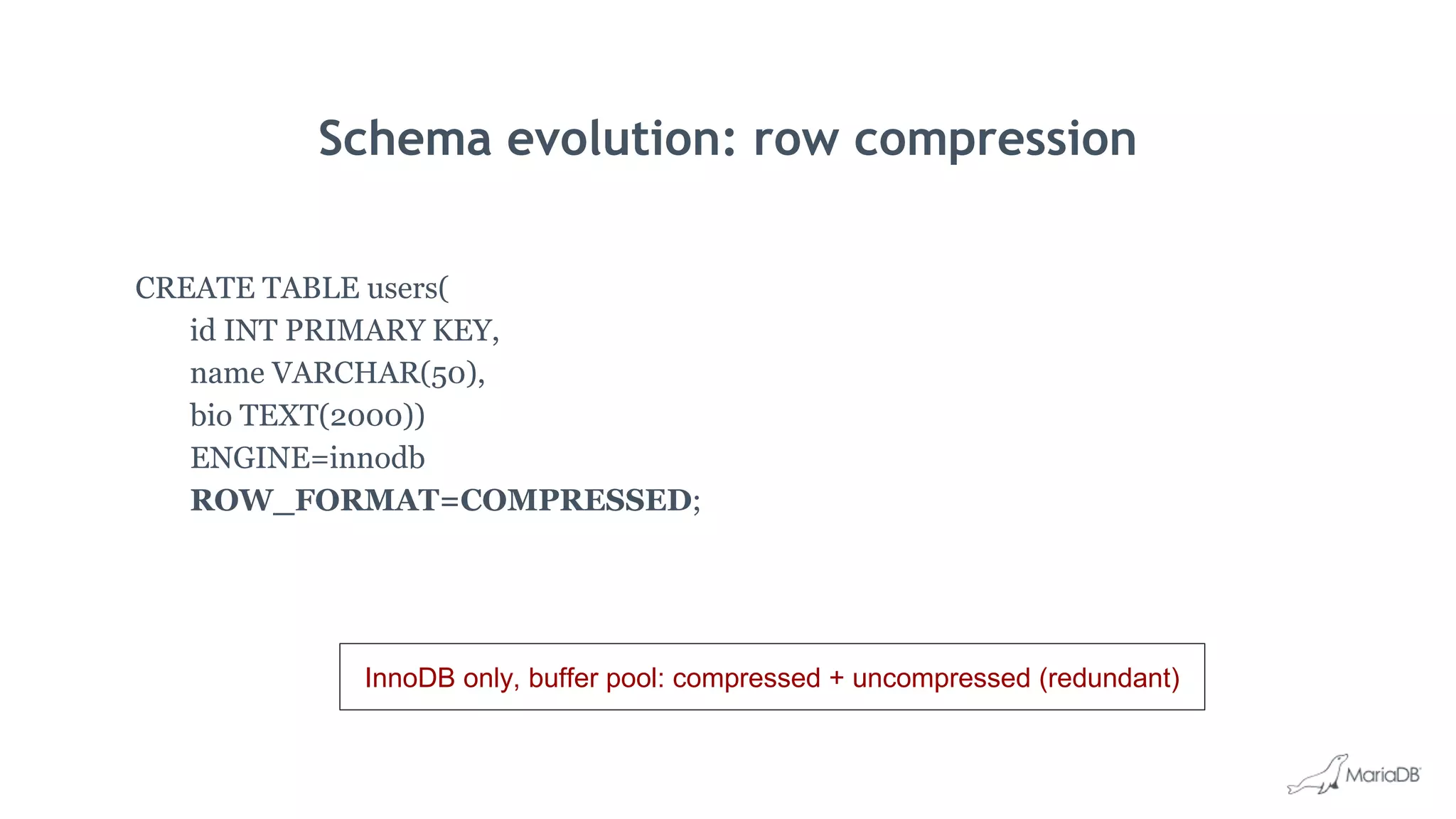
Schema evolution: row compression
CREATE TABLE users(
id INT PRIMARY KEY,
name VARCHAR(50),
bio TEXT(2000))
ENGINE=innodb
ROW_FORMAT=COMPRESSED;
InnoDB only, buffer pool: compressed + uncompressed (redundant)
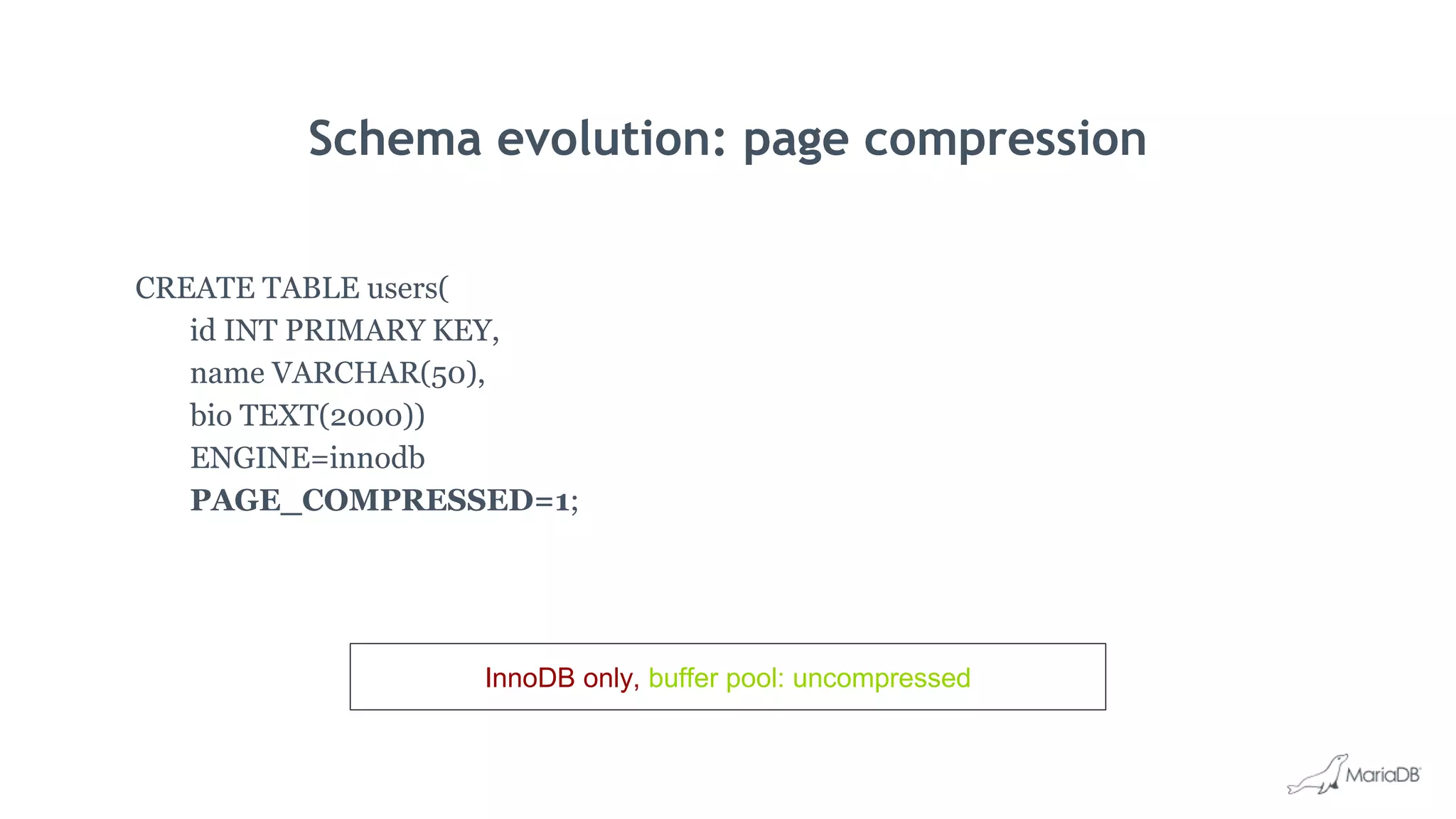
Schema evolution: page compression
CREATE TABLE users(
id INT PRIMARY KEY,
name VARCHAR(50),
bio TEXT(2000))
ENGINE=innodb
PAGE_COMPRESSED=1;
InnoDB only, buffer pool: uncompressed
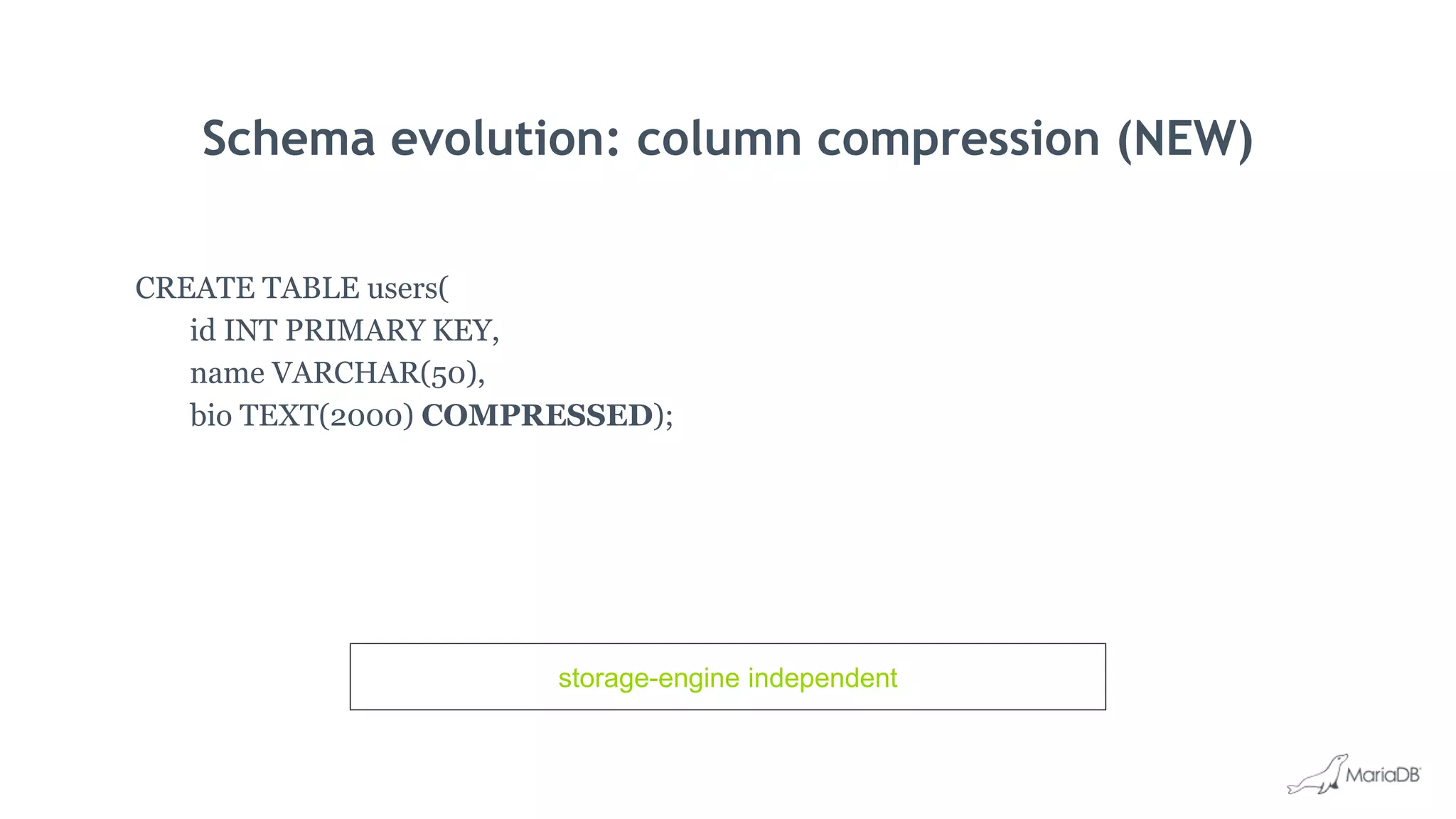
Schema evolution: column compression (NEW)
CREATE TABLE users(
id INT PRIMARY KEY,
name VARCHAR(50),
bio TEXT(2000) COMPRESSED);
storage-engine independent
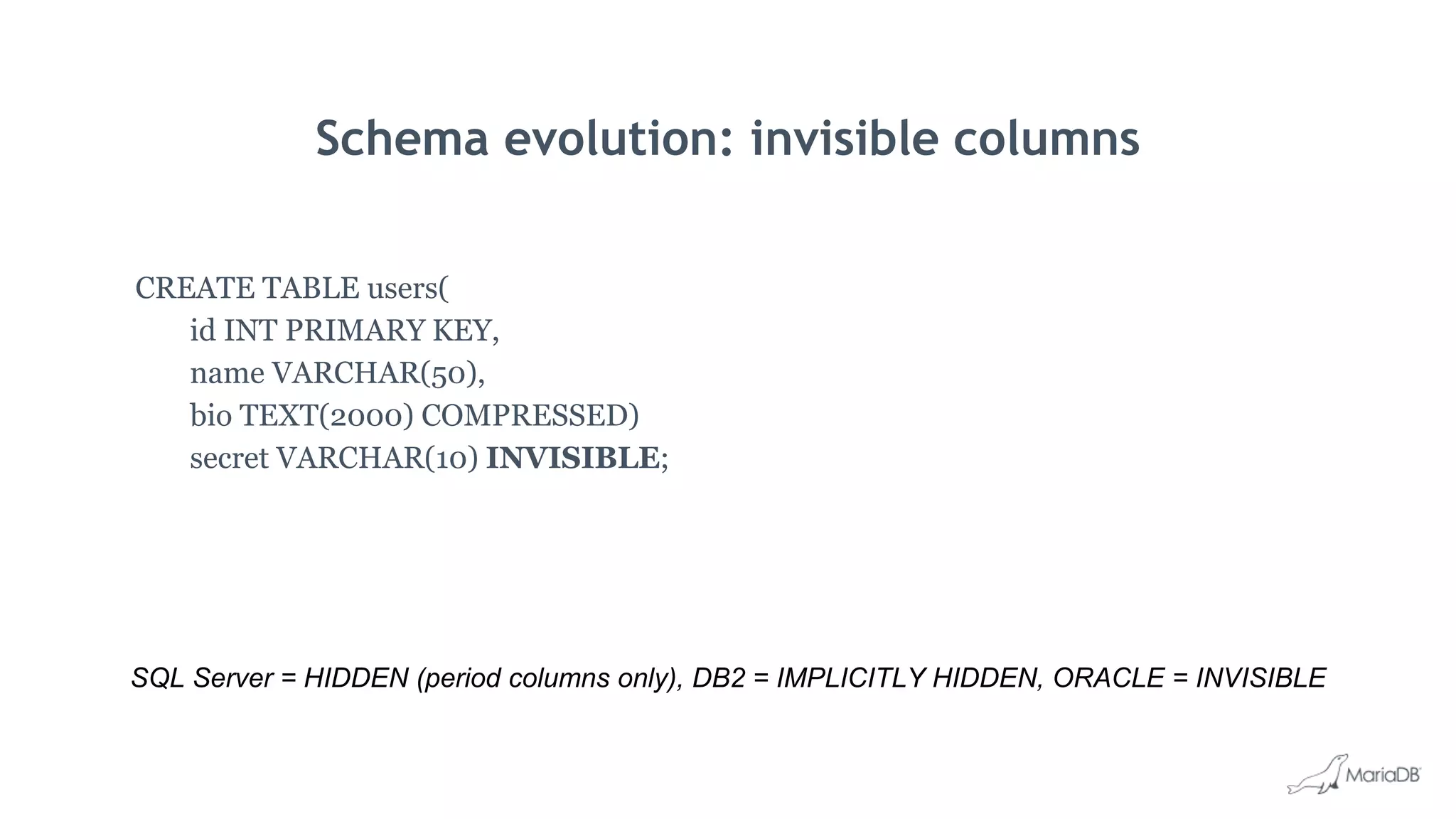
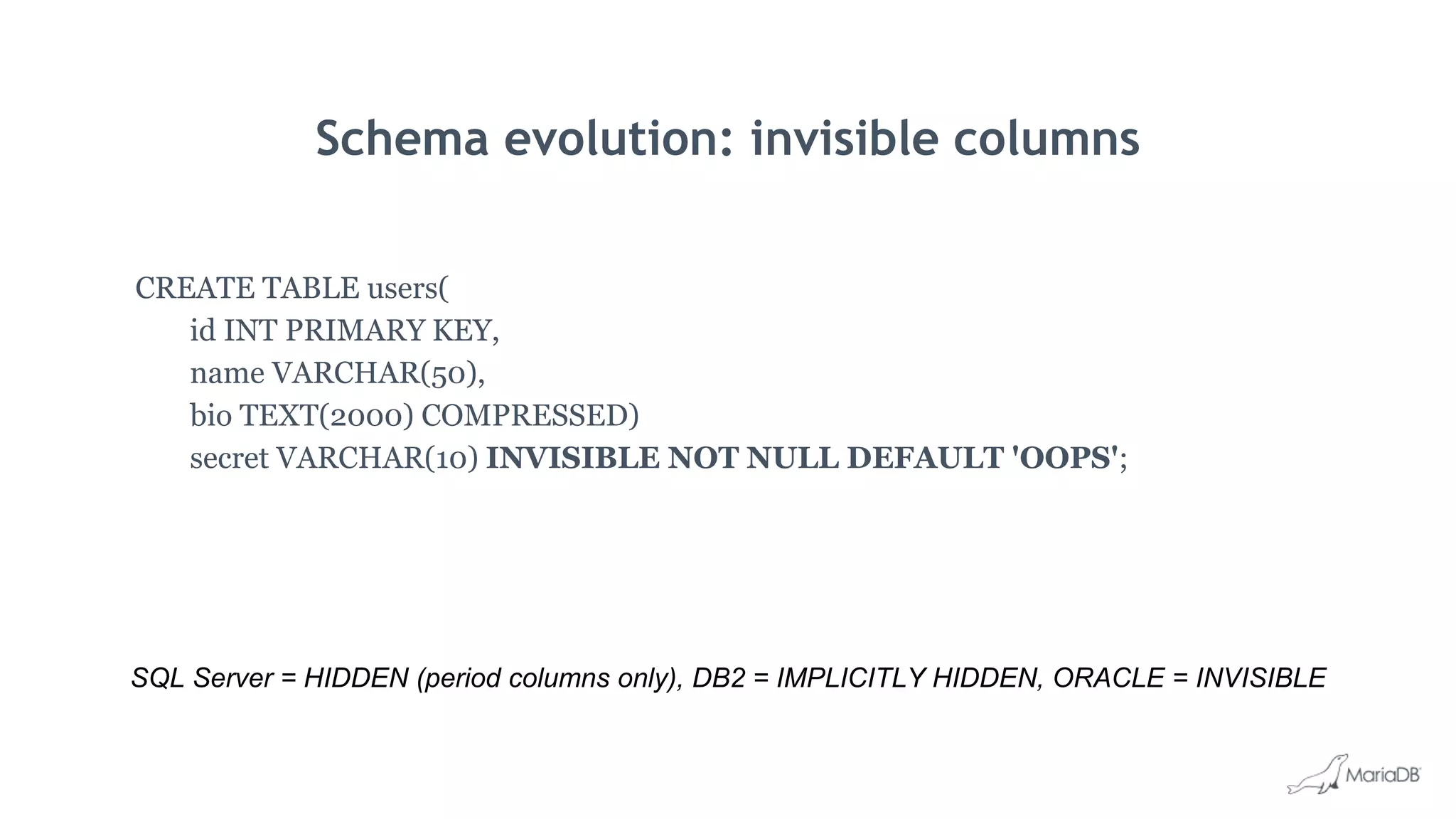
Schema evolution: invisible columns
CREATE TABLE users(
id INT PRIMARY KEY,
name VARCHAR(50),
bio TEXT(2000) COMPRESSED)
secret VARCHAR(10) INVISIBLE;
SQL Server = HIDDEN (period columns only), DB2 = IMPLICITLY HIDDEN, ORACLE = INVISIBLE
Schema evolution: invisible columns
CREATE TABLE users(
id INT PRIMARY KEY,
name VARCHAR(50),
bio TEXT(2000) COMPRESSED)
secret VARCHAR(10) INVISIBLE NOT NULL DEFAULT 'OOPS';
SQL Server = HIDDEN (period columns only), DB2 = IMPLICITLY HIDDEN, ORACLE = INVISIBLE
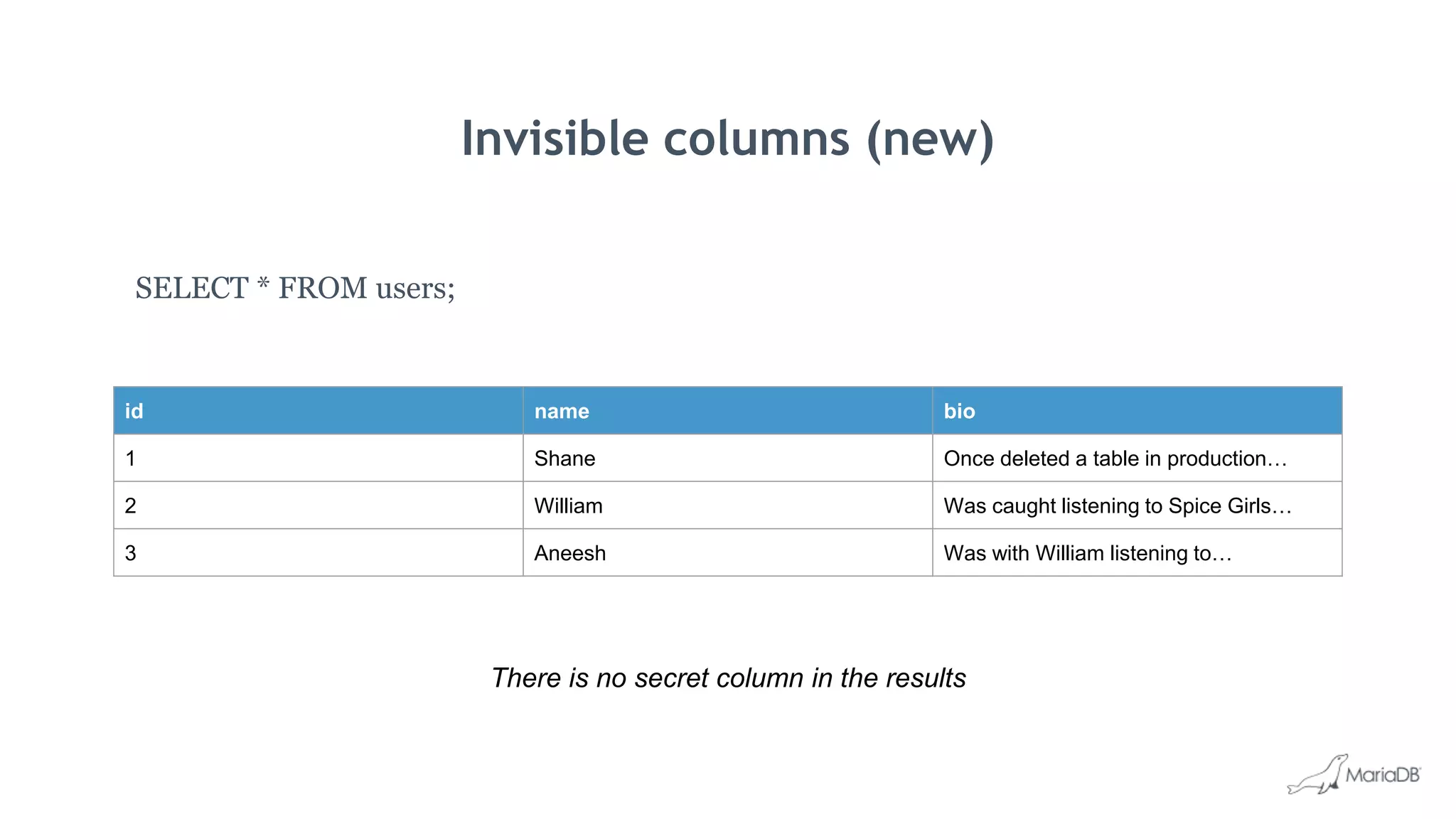
Invisible columns (new)
SELECT * FROM users;
There is no secret column in the results
id name bio
1 Shane Once deleted a table in production…
2 William Was caught listening to Spice Girls…
3 Aneesh Was with William listening to…
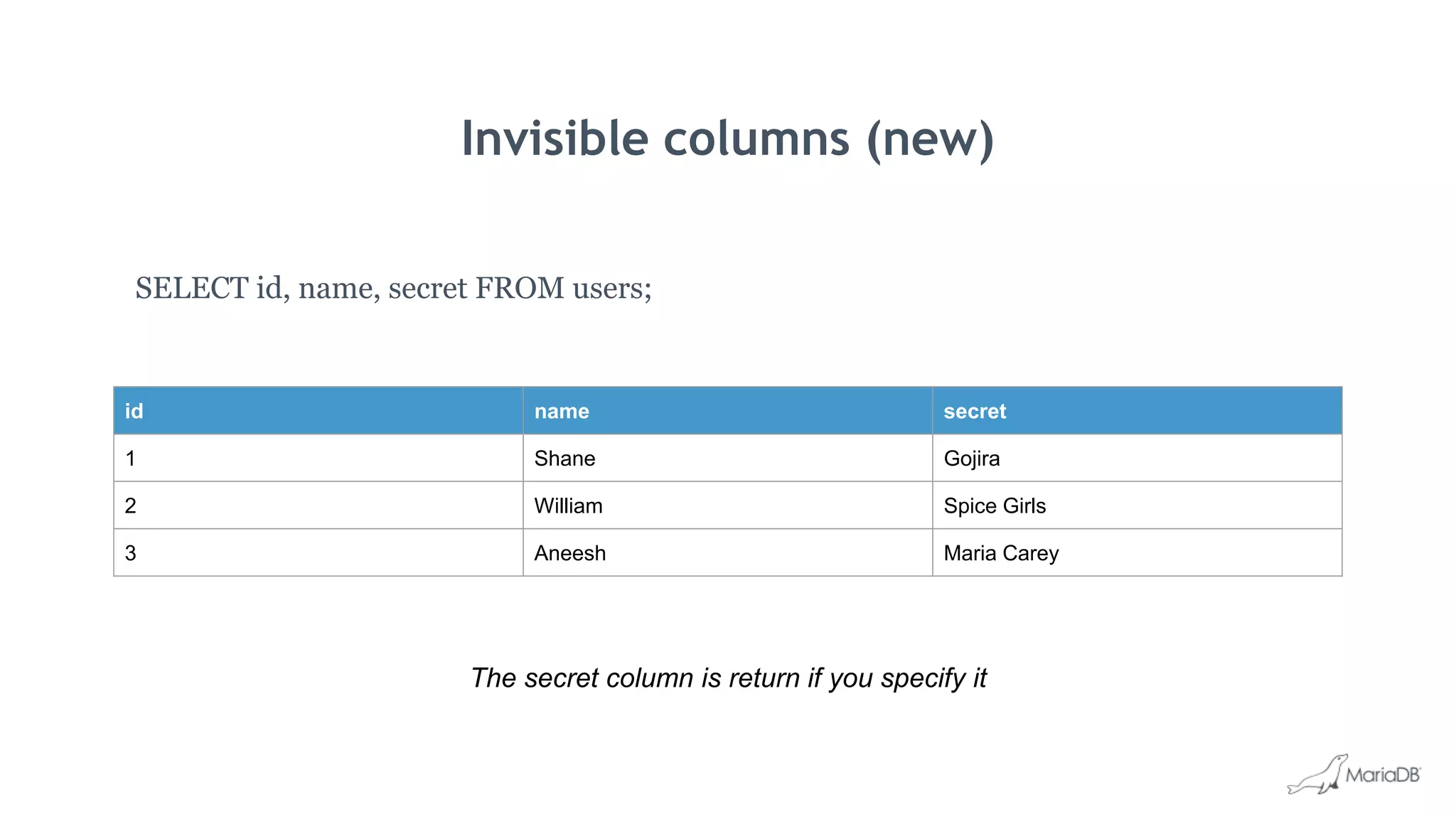
Invisible columns (new)
SELECT id, name, secret FROM users;
The secret column is return if you specify it
id name secret
1 Shane Gojira
2 William Spice Girls
3 Aneesh Maria Carey
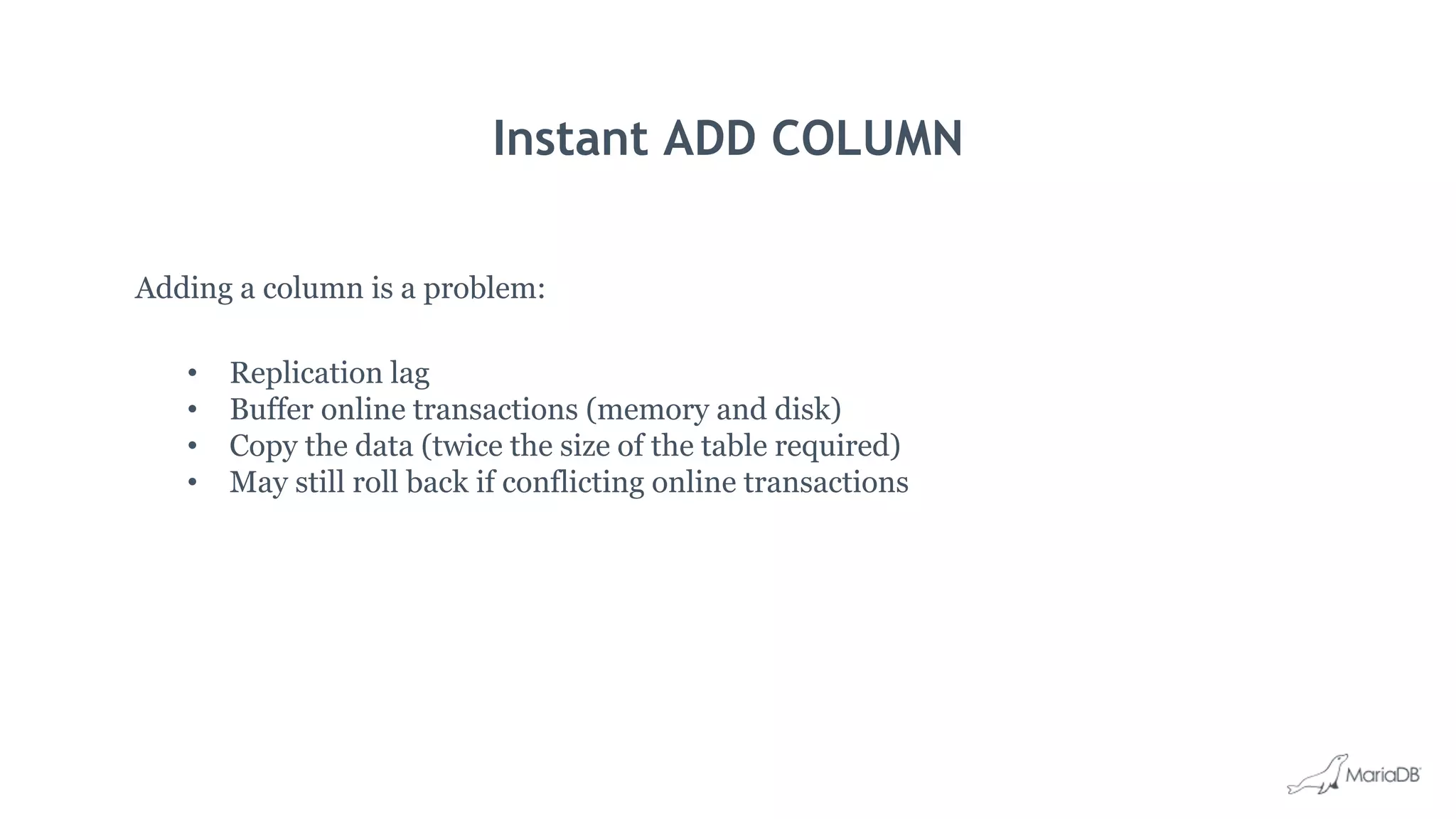
Instant ADD COLUMN
Adding a column is a problem:
• Replication lag
• Buffer online transactions (memory and disk)
• Copy the data (twice the size of the table required)
• May still roll back if conflicting online transactions
Instant ADD COLUMN
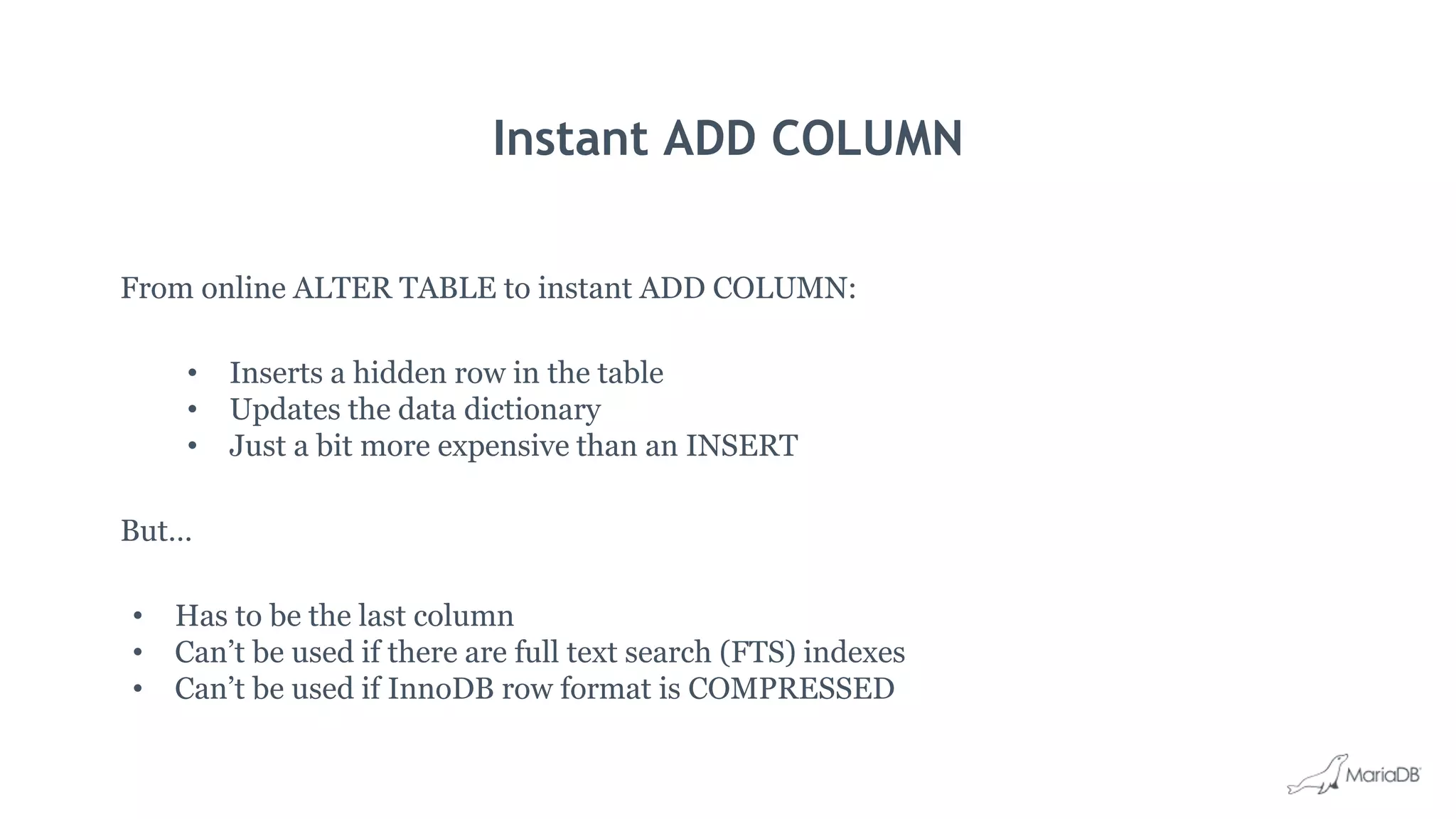
From online ALTER TABLE to instant ADD COLUMN:
• Inserts a hidden row in the table
• Updates the data dictionary
• Just a bit more expensive than an INSERT
But…
• Has to be the last column
• Can’t be used if there are full text search (FTS) indexes
• Can’t be used if InnoDB row format is COMPRESSED
Putting it all together
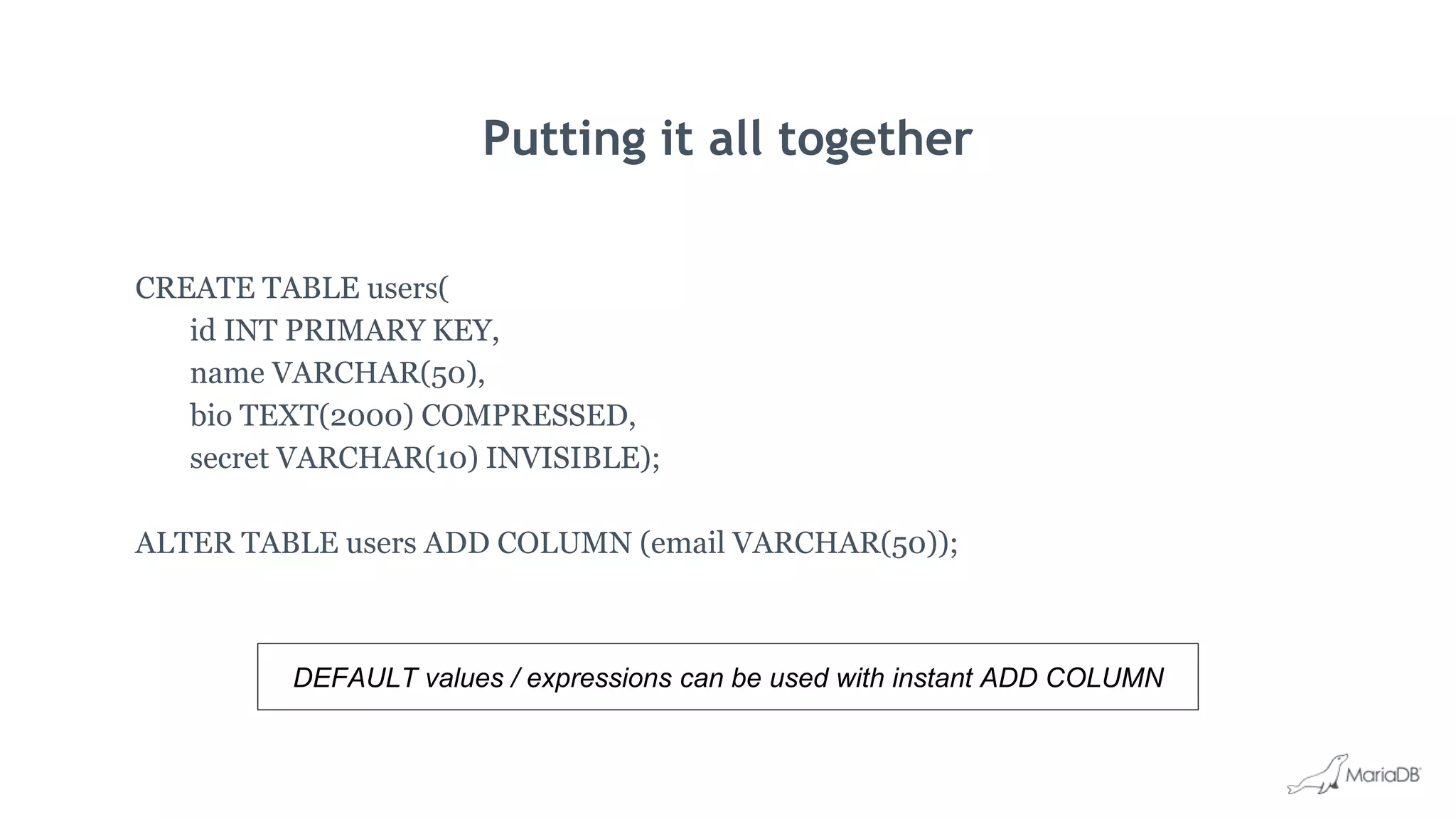
CREATE TABLE users(
id INT PRIMARY KEY,
name VARCHAR(50),
bio TEXT(2000) COMPRESSED,
secret VARCHAR(10) INVISIBLE);
ALTER TABLE users ADD COLUMN (email VARCHAR(50));
DEFAULT values / expressions can be used with instant ADD COLUMN
Temporal tables and queries
What’s new in MariaDB TX 3.0
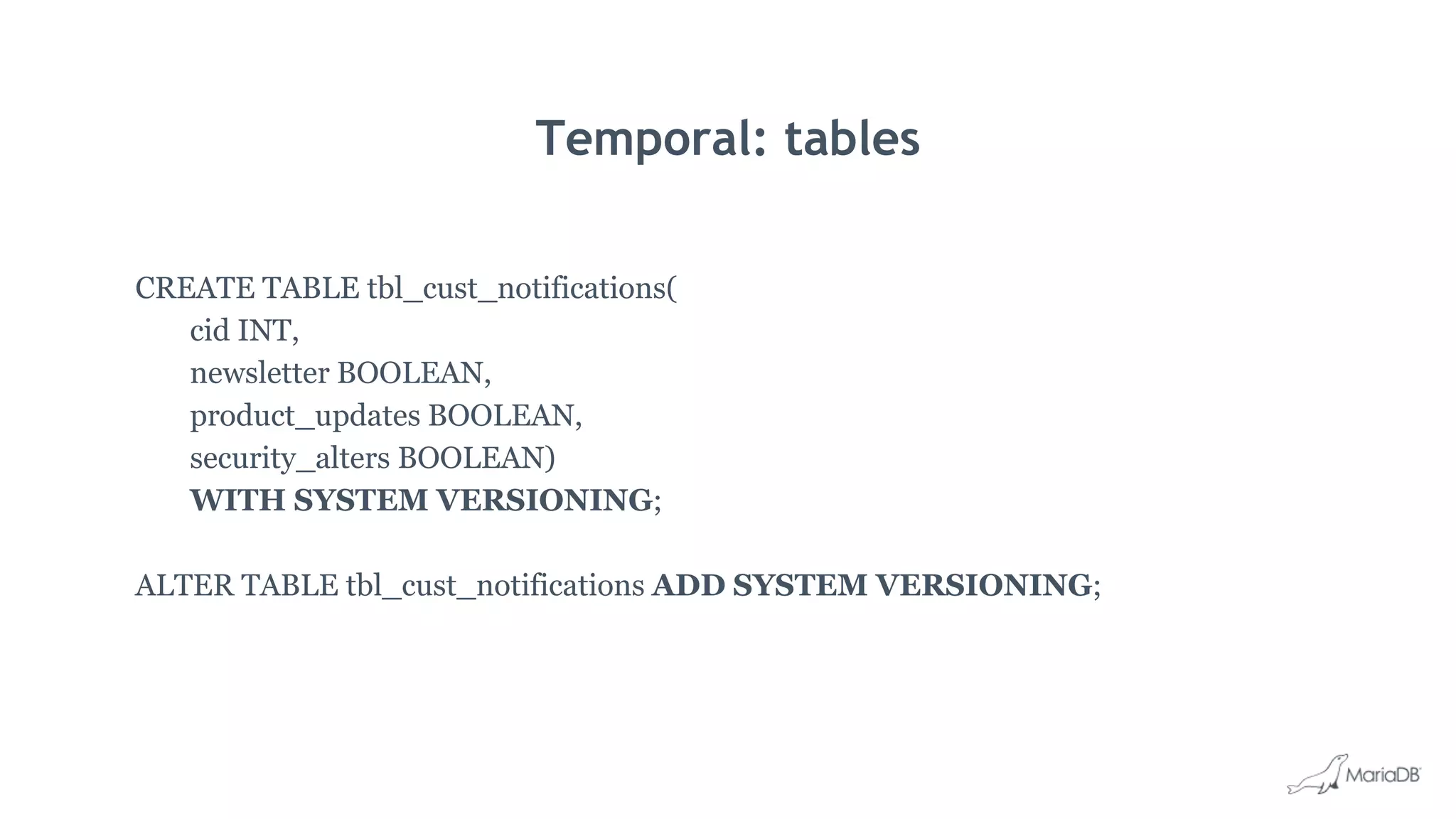
Temporal: tables
CREATE TABLE tbl_cust_notifications(
cid INT,
newsletter BOOLEAN,
product_updates BOOLEAN,
security_alters BOOLEAN)
WITH SYSTEM VERSIONING;
ALTER TABLE tbl_cust_notifications ADD SYSTEM VERSIONING;
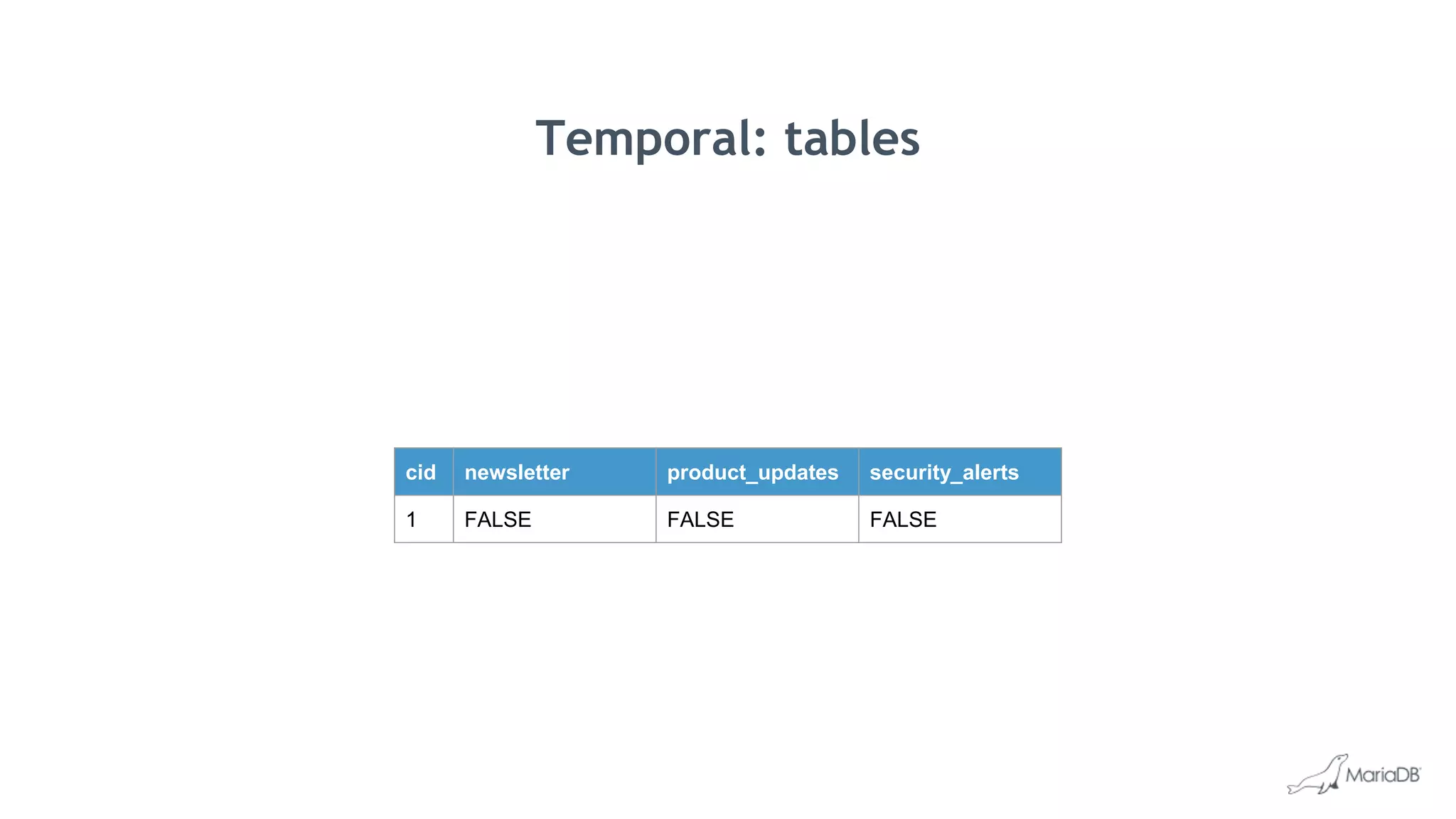
Temporal: tables
cid newsletter product_updates security_alerts
1 FALSE FALSE FALSE
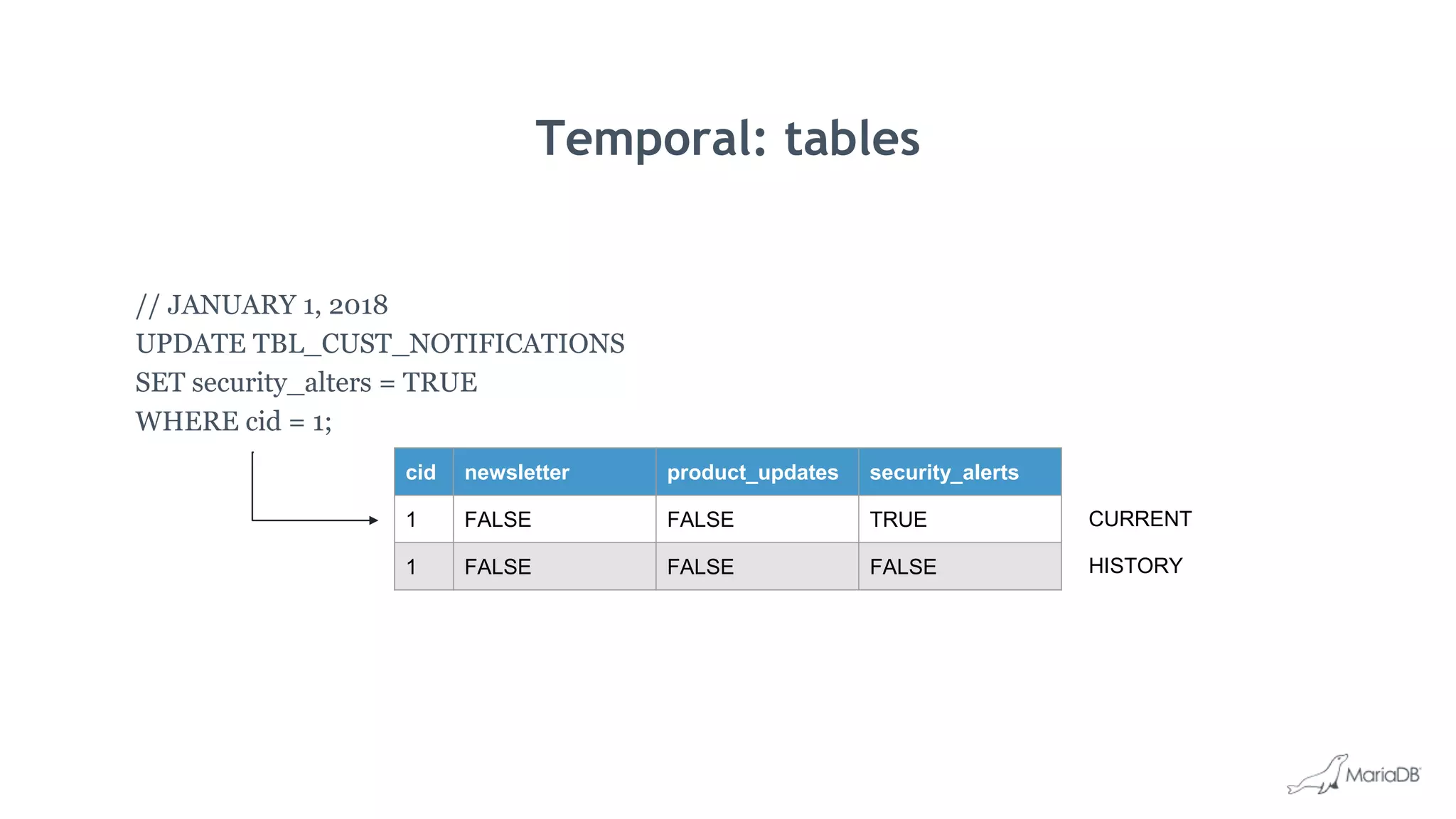
Temporal: tables
// JANUARY 1, 2018
UPDATE TBL_CUST_NOTIFICATIONS
SET security_alters = TRUE
WHERE cid = 1;
cid newsletter product_updates security_alerts
1 FALSE FALSE TRUE
1 FALSE FALSE FALSE
CURRENT
HISTORY
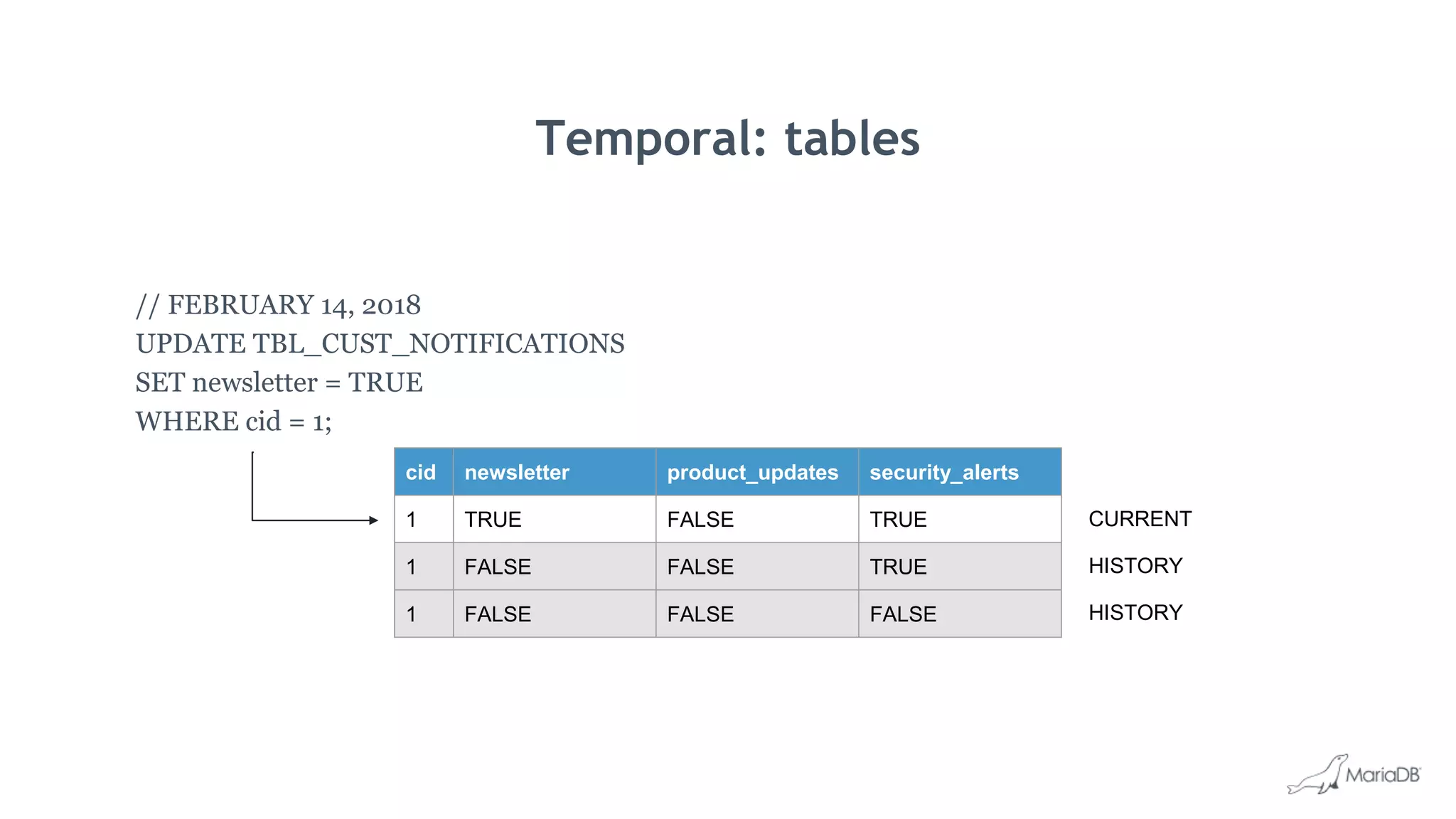
Temporal: tables
// FEBRUARY 14, 2018
UPDATE TBL_CUST_NOTIFICATIONS
SET newsletter = TRUE
WHERE cid = 1;
cid newsletter product_updates security_alerts
1 TRUE FALSE TRUE
1 FALSE FALSE TRUE
1 FALSE FALSE FALSE
CURRENT
HISTORY
HISTORY
Temporal: tables
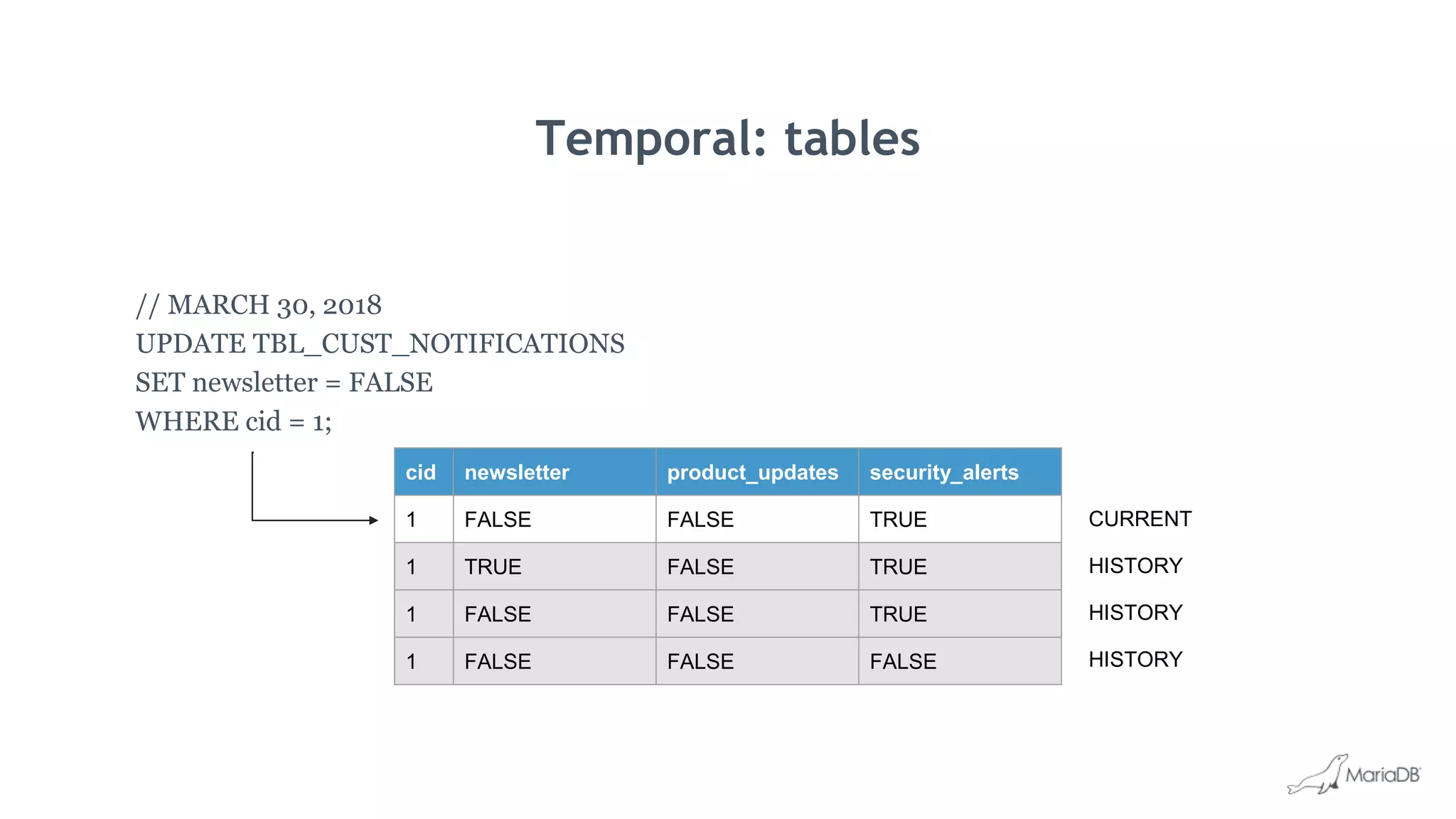
// MARCH 30, 2018
UPDATE TBL_CUST_NOTIFICATIONS
SET newsletter = FALSE
WHERE cid = 1;
cid newsletter product_updates security_alerts
1 FALSE FALSE TRUE
1 TRUE FALSE TRUE
1 FALSE FALSE TRUE
1 FALSE FALSE FALSE
CURRENT
HISTORY
HISTORY
HISTORY
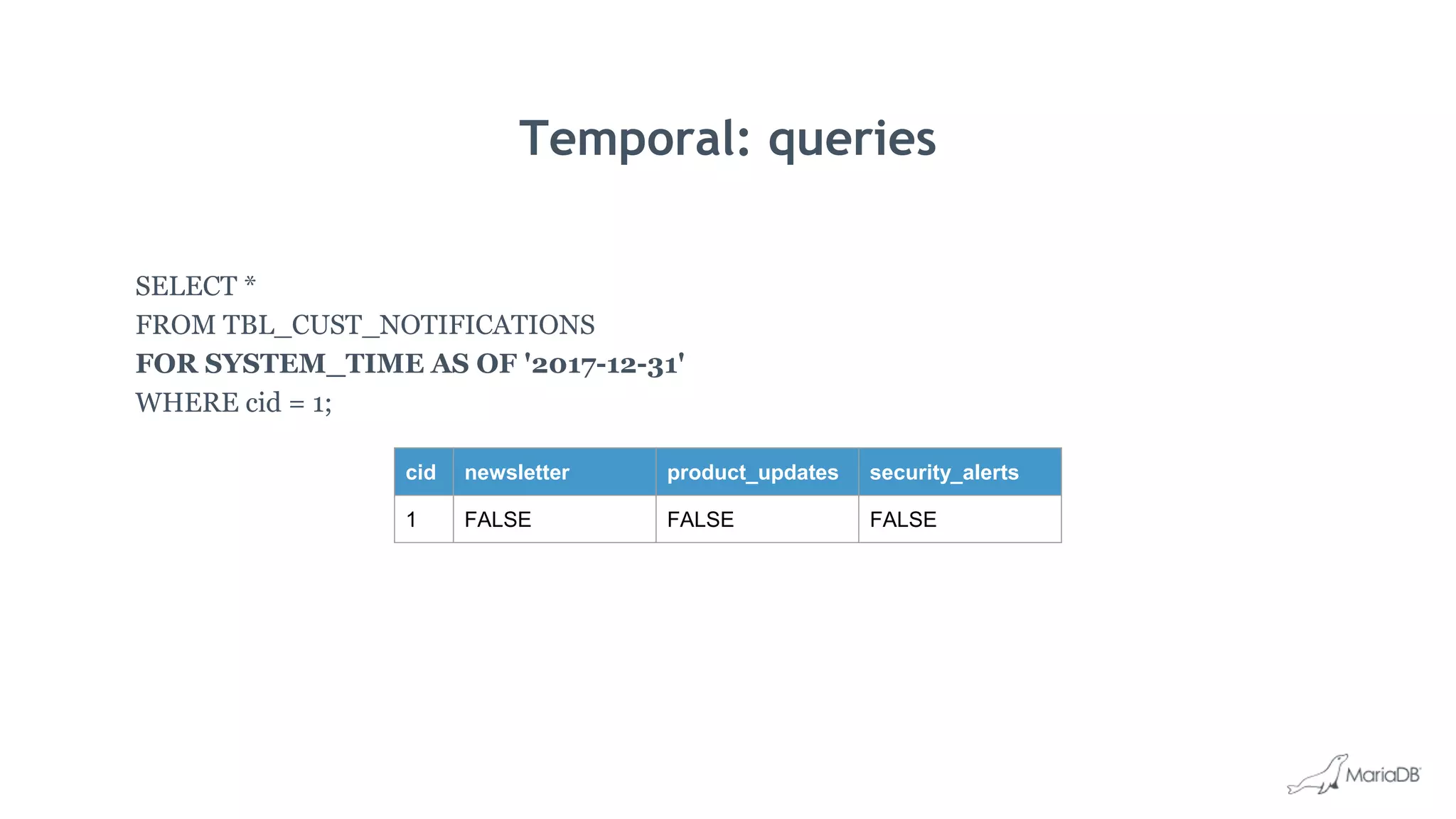
Temporal: queries
SELECT *
FROM TBL_CUST_NOTIFICATIONS
FOR SYSTEM_TIME AS OF '2017-12-31'
WHERE cid = 1;
cid newsletter product_updates security_alerts
1 FALSE FALSE FALSE
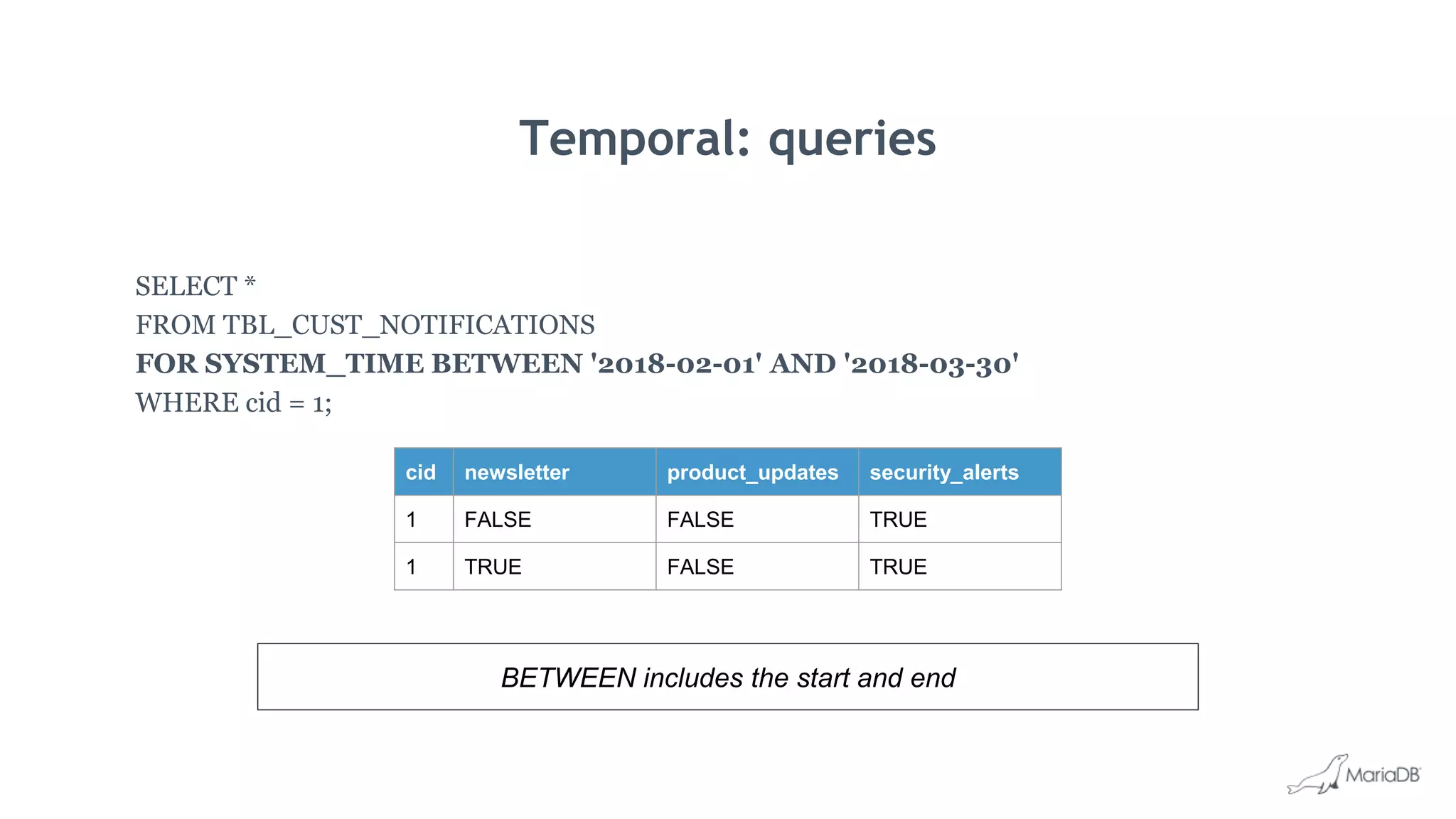
Temporal: queries
SELECT *
FROM TBL_CUST_NOTIFICATIONS
FOR SYSTEM_TIME BETWEEN '2018-02-01' AND '2018-03-30'
WHERE cid = 1;
cid newsletter product_updates security_alerts
1 FALSE FALSE TRUE
1 TRUE FALSE TRUE
BETWEEN includes the start and end
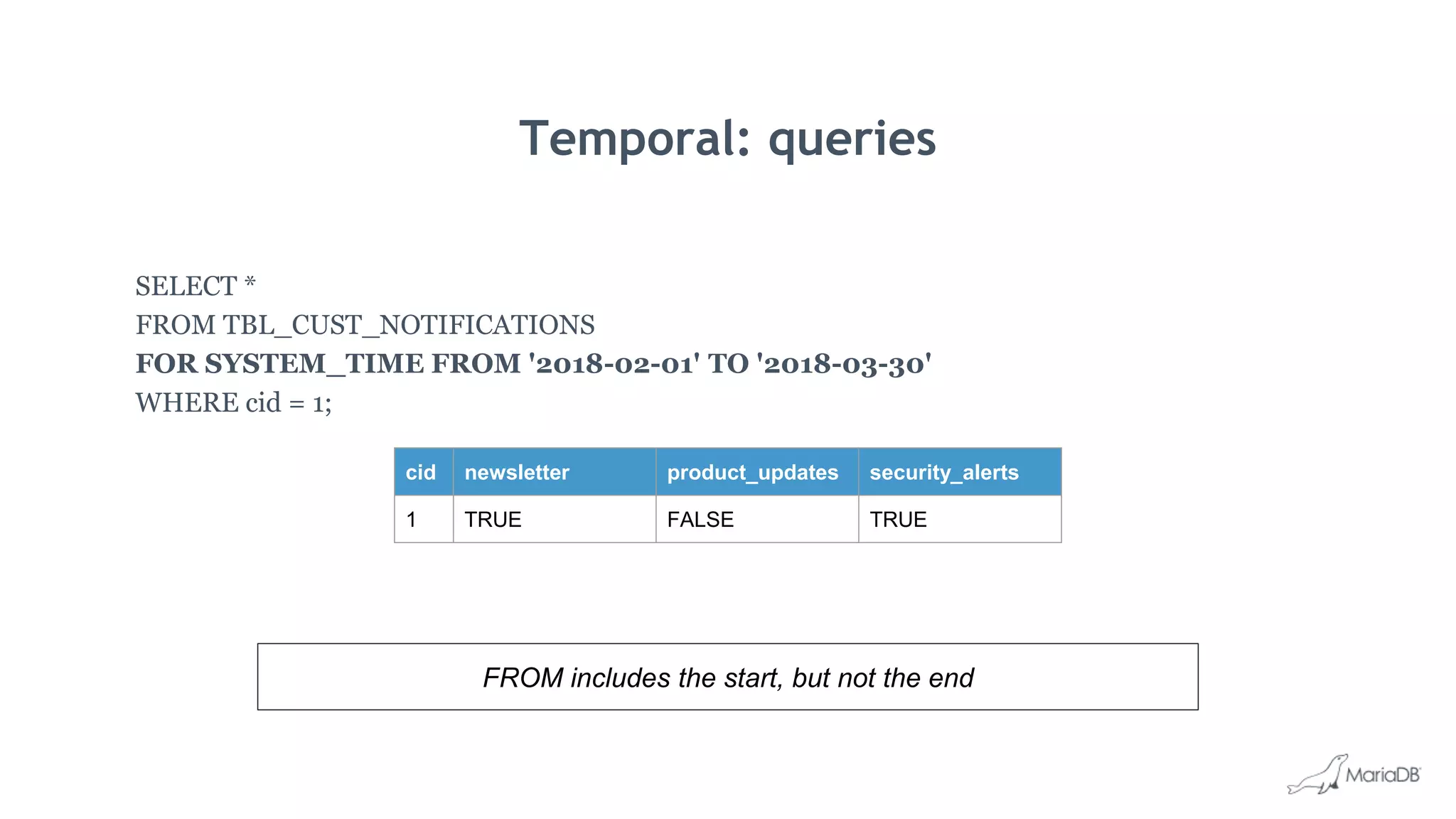
Temporal: queries
SELECT *
FROM TBL_CUST_NOTIFICATIONS
FOR SYSTEM_TIME FROM '2018-02-01' TO '2018-03-30'
WHERE cid = 1;
cid newsletter product_updates security_alerts
1 TRUE FALSE TRUE
FROM includes the start, but not the end
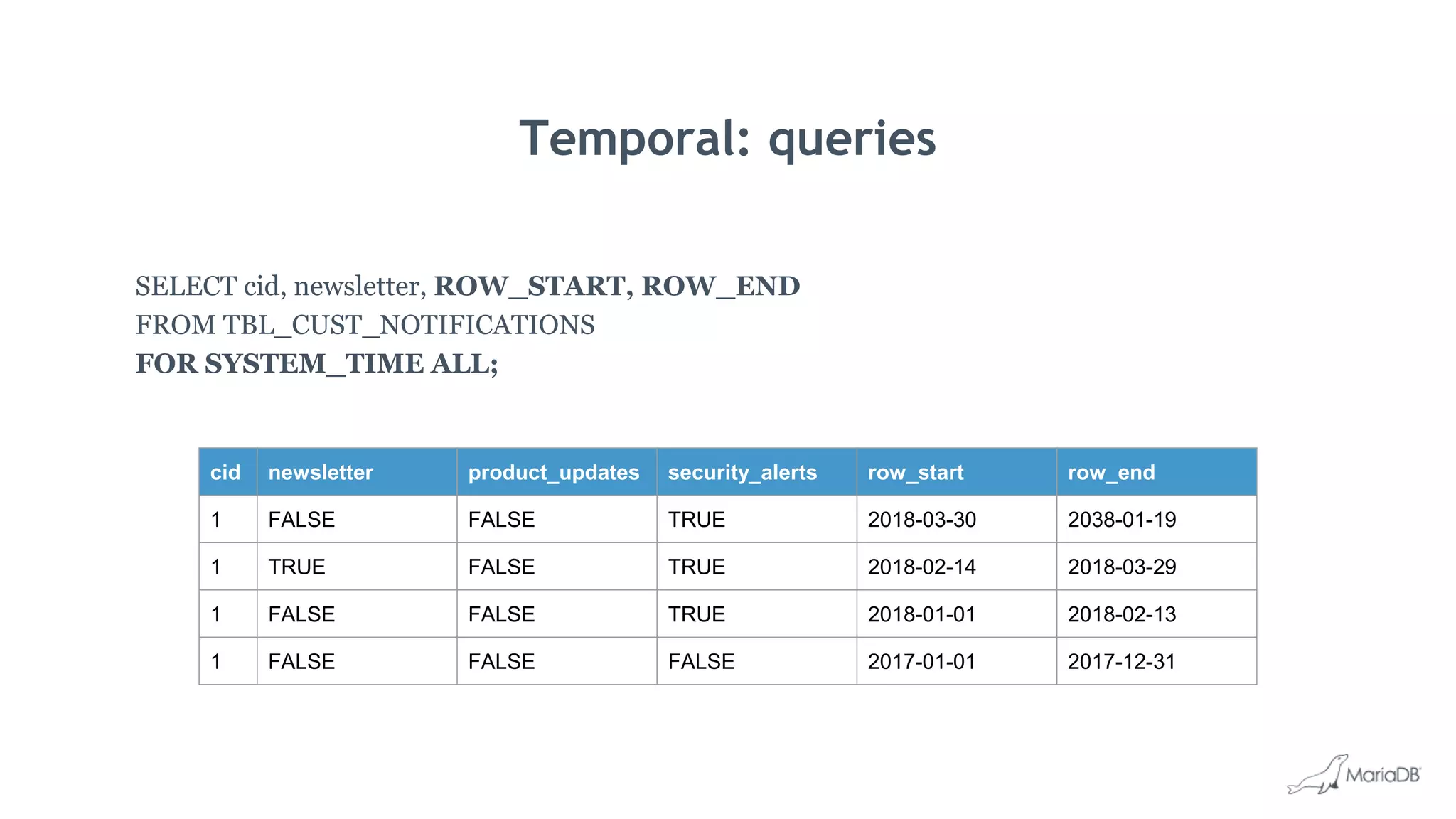
Temporal: queries
SELECT cid, newsletter, ROW_START, ROW_END
FROM TBL_CUST_NOTIFICATIONS
FOR SYSTEM_TIME ALL;
cid newsletter product_updates security_alerts row_start row_end
1 FALSE FALSE TRUE 2018-03-30 2038-01-19
1 TRUE FALSE TRUE 2018-02-14 2018-03-29
1 FALSE FALSE TRUE 2018-01-01 2018-02-13
1 FALSE FALSE FALSE 2017-01-01 2017-12-31
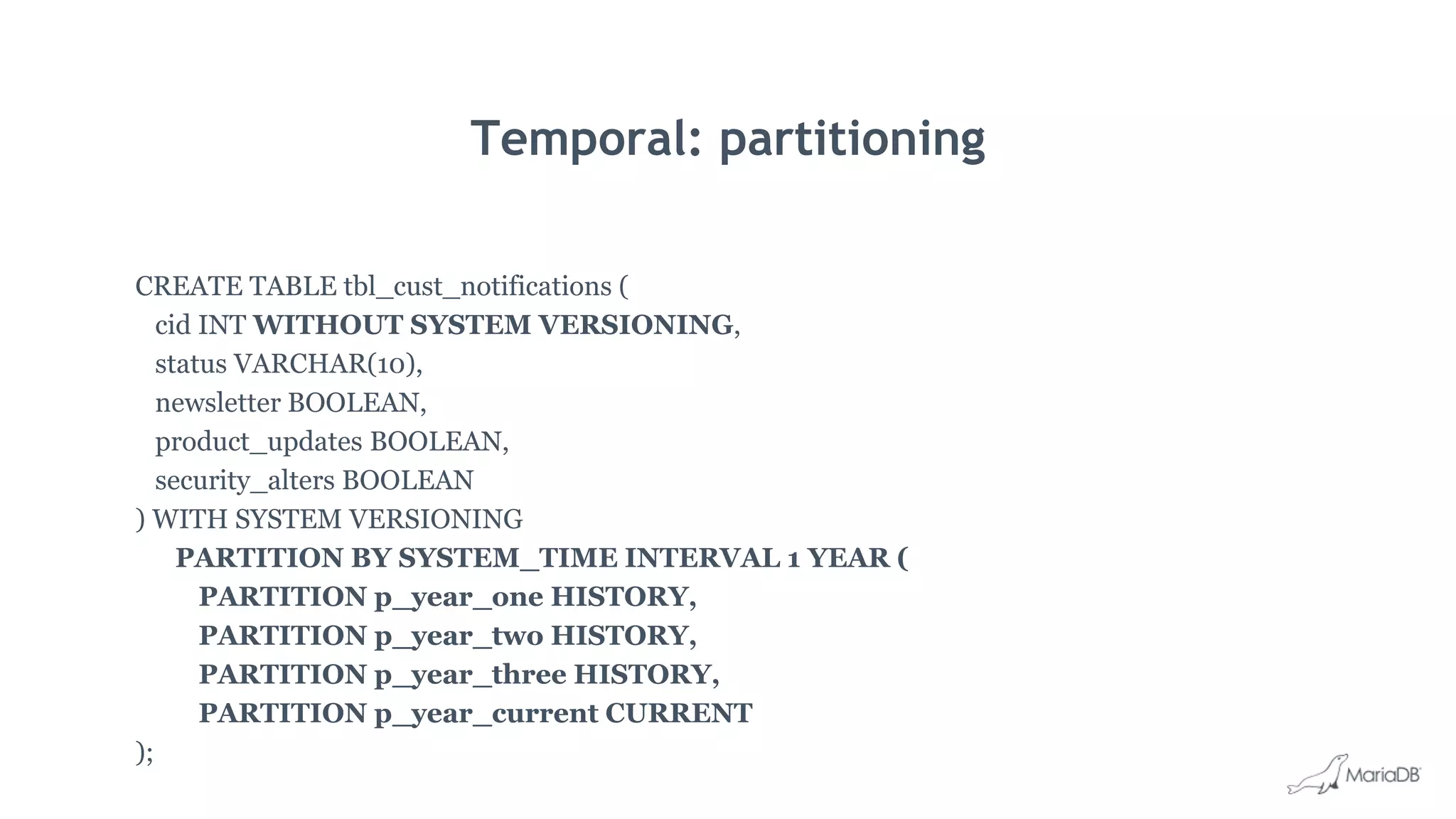
Temporal: partitioning
CREATE TABLE tbl_cust_notifications (
cid INT WITHOUT SYSTEM VERSIONING,
status VARCHAR(10),
newsletter BOOLEAN,
product_updates BOOLEAN,
security_alters BOOLEAN
) WITH SYSTEM VERSIONING
PARTITION BY SYSTEM_TIME INTERVAL 1 YEAR (
PARTITION p_year_one HISTORY,
PARTITION p_year_two HISTORY,
PARTITION p_year_three HISTORY,
PARTITION p_year_current CURRENT
);
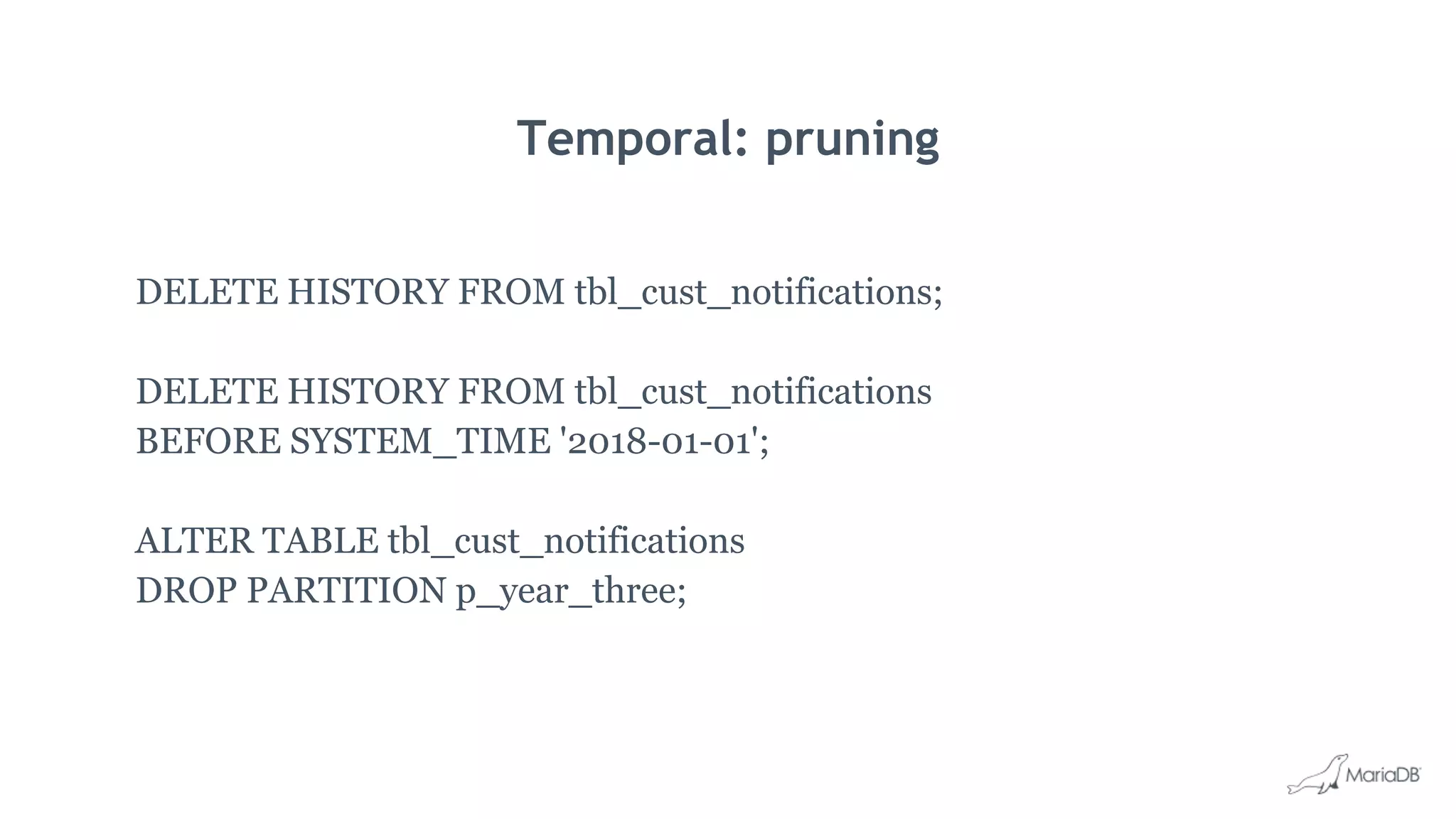
Temporal: pruning
DELETE HISTORY FROM tbl_cust_notifications;
DELETE HISTORY FROM tbl_cust_notifications
BEFORE SYSTEM_TIME '2018-01-01';
ALTER TABLE tbl_cust_notifications
DROP PARTITION p_year_three;
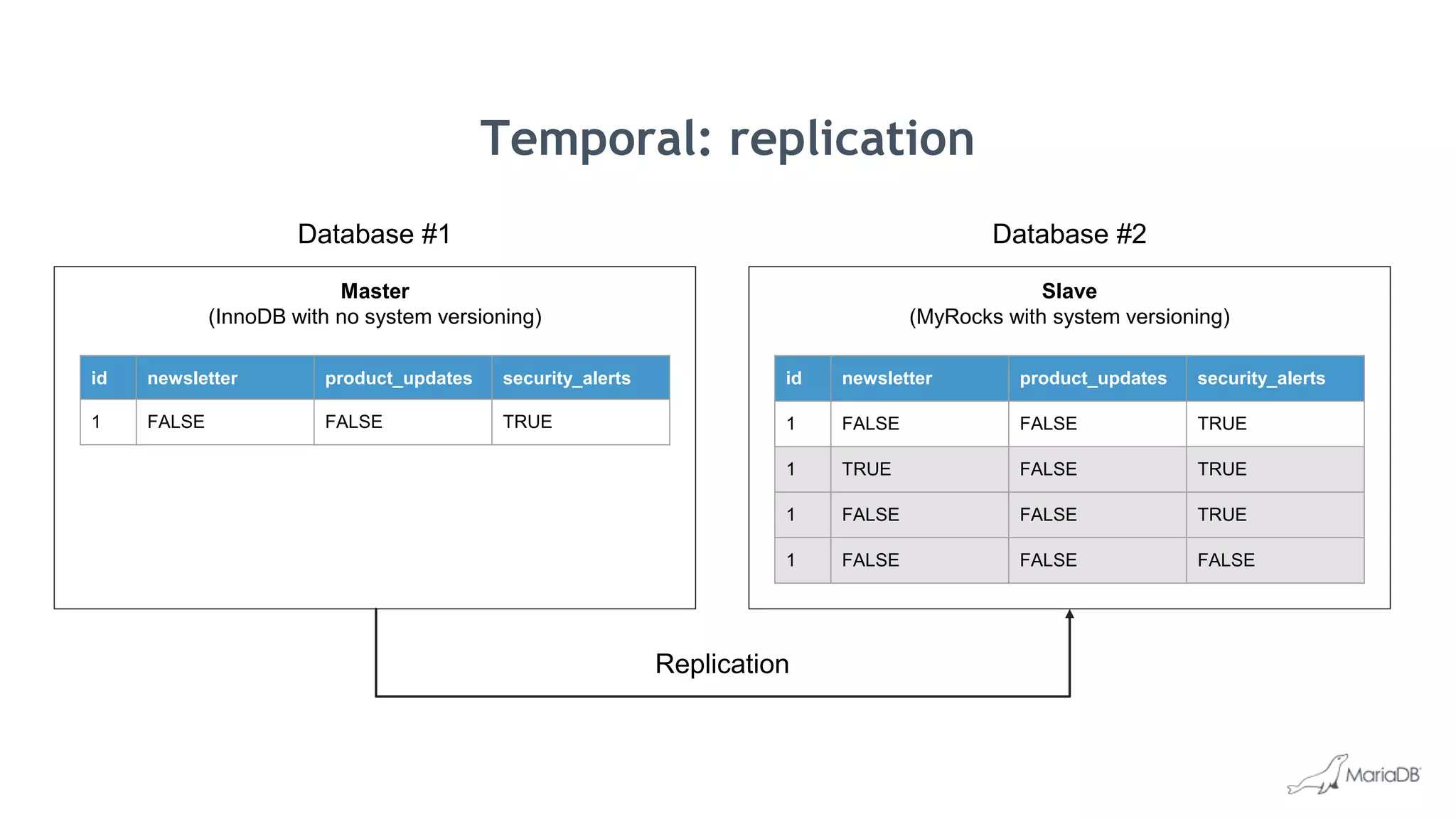
Slave
(MyRocks with system versioning)
Master
(InnoDB with no system versioning)
id newsletter product_updates security_alerts
1 FALSE FALSE TRUE
id newsletter product_updates security_alerts
1 FALSE FALSE TRUE
1 TRUE FALSE TRUE
1 FALSE FALSE TRUE
1 FALSE FALSE FALSE
Replication
Temporal: replication
Database #1 Database #2
Oracle compatibility
What’s new in MariaDB TX 3.0
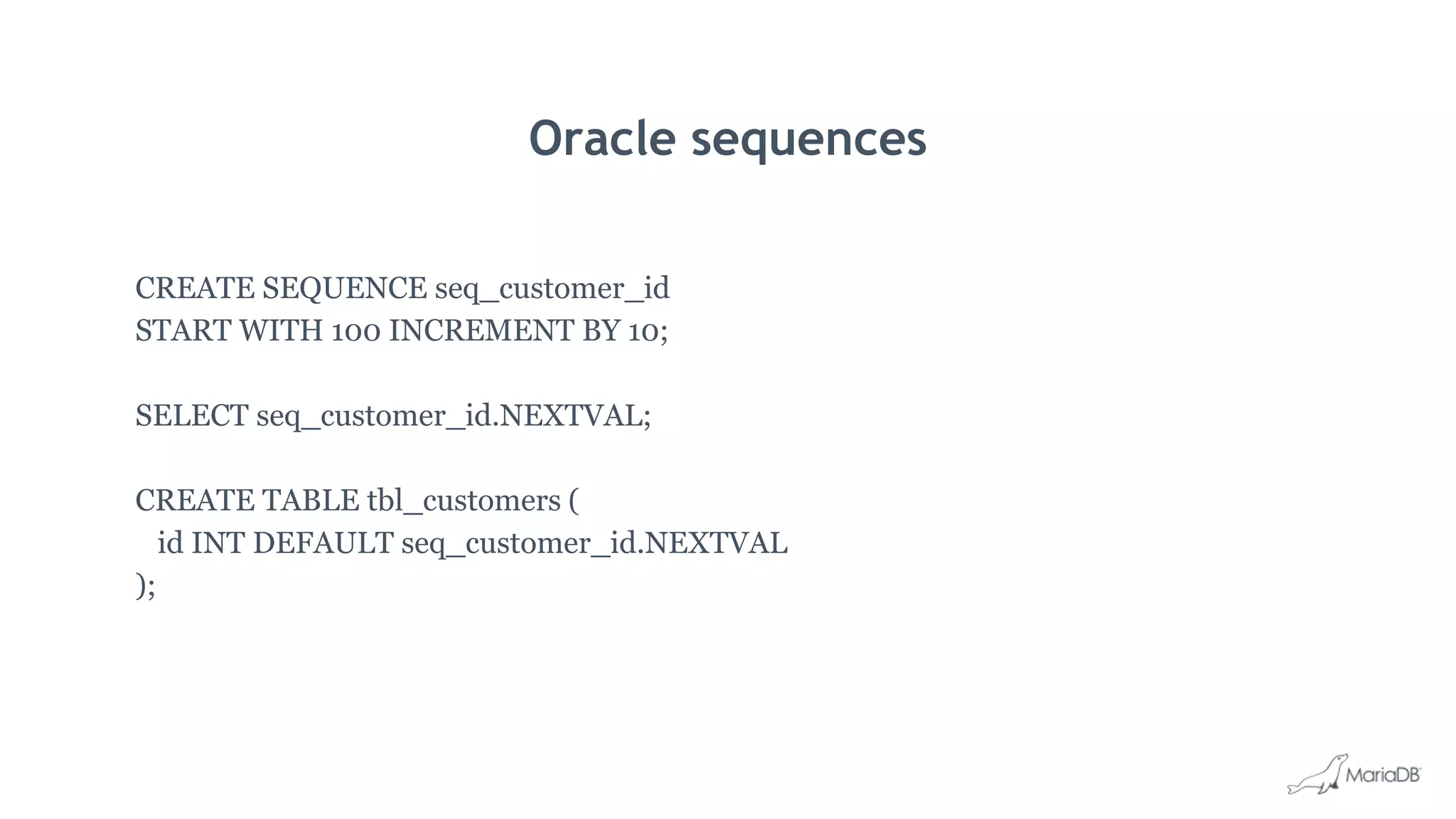
Oracle sequences
CREATE SEQUENCE seq_customer_id
START WITH 100 INCREMENT BY 10;
SELECT seq_customer_id.NEXTVAL;
CREATE TABLE tbl_customers (
id INT DEFAULT seq_customer_id.NEXTVAL
);
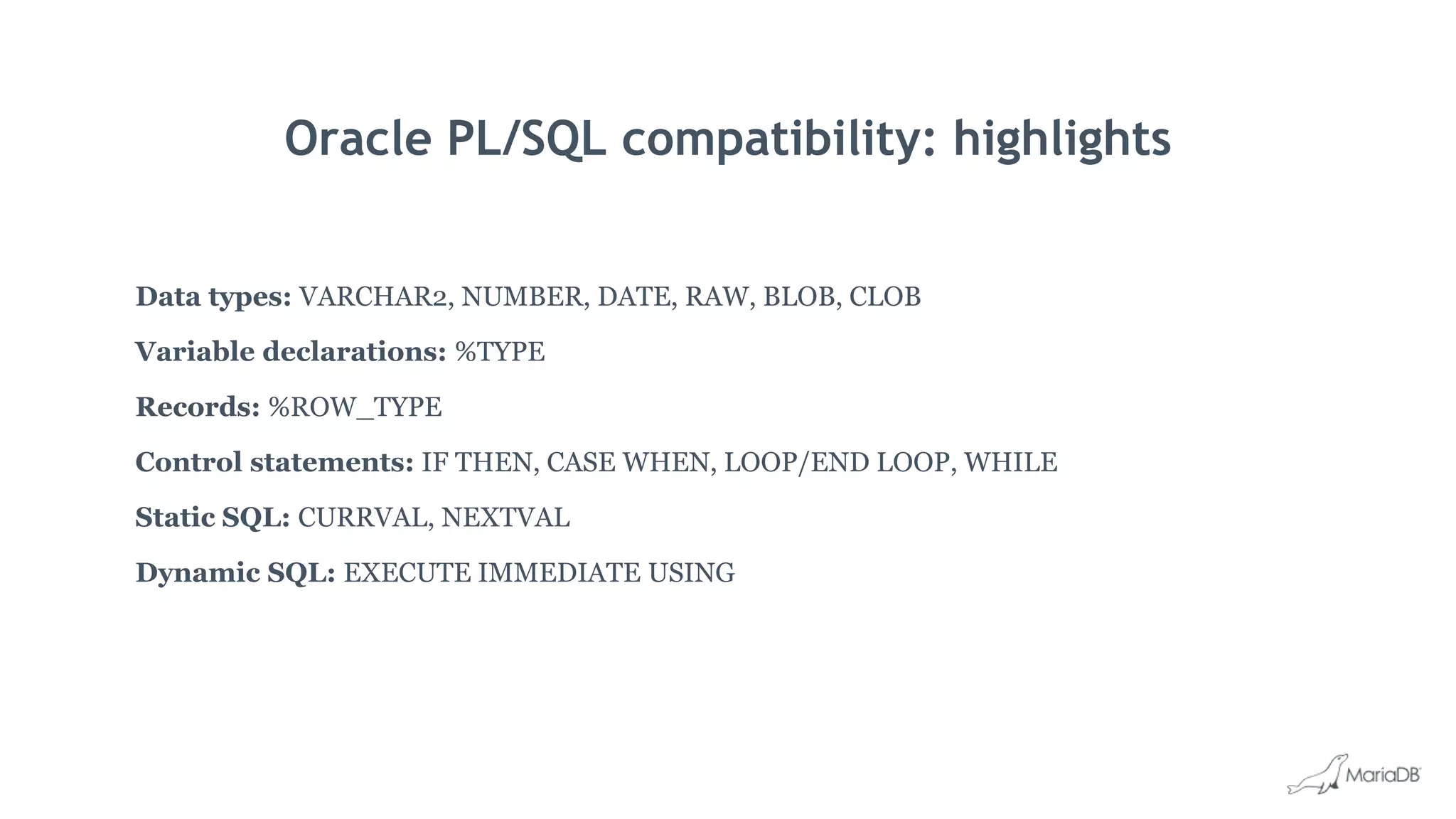
Oracle PL/SQL compatibility: highlights
Data types: VARCHAR2, NUMBER, DATE, RAW, BLOB, CLOB
Variable declarations: %TYPE
Records: %ROW_TYPE
Control statements: IF THEN, CASE WHEN, LOOP/END LOOP, WHILE
Static SQL: CURRVAL, NEXTVAL
Dynamic SQL: EXECUTE IMMEDIATE USING
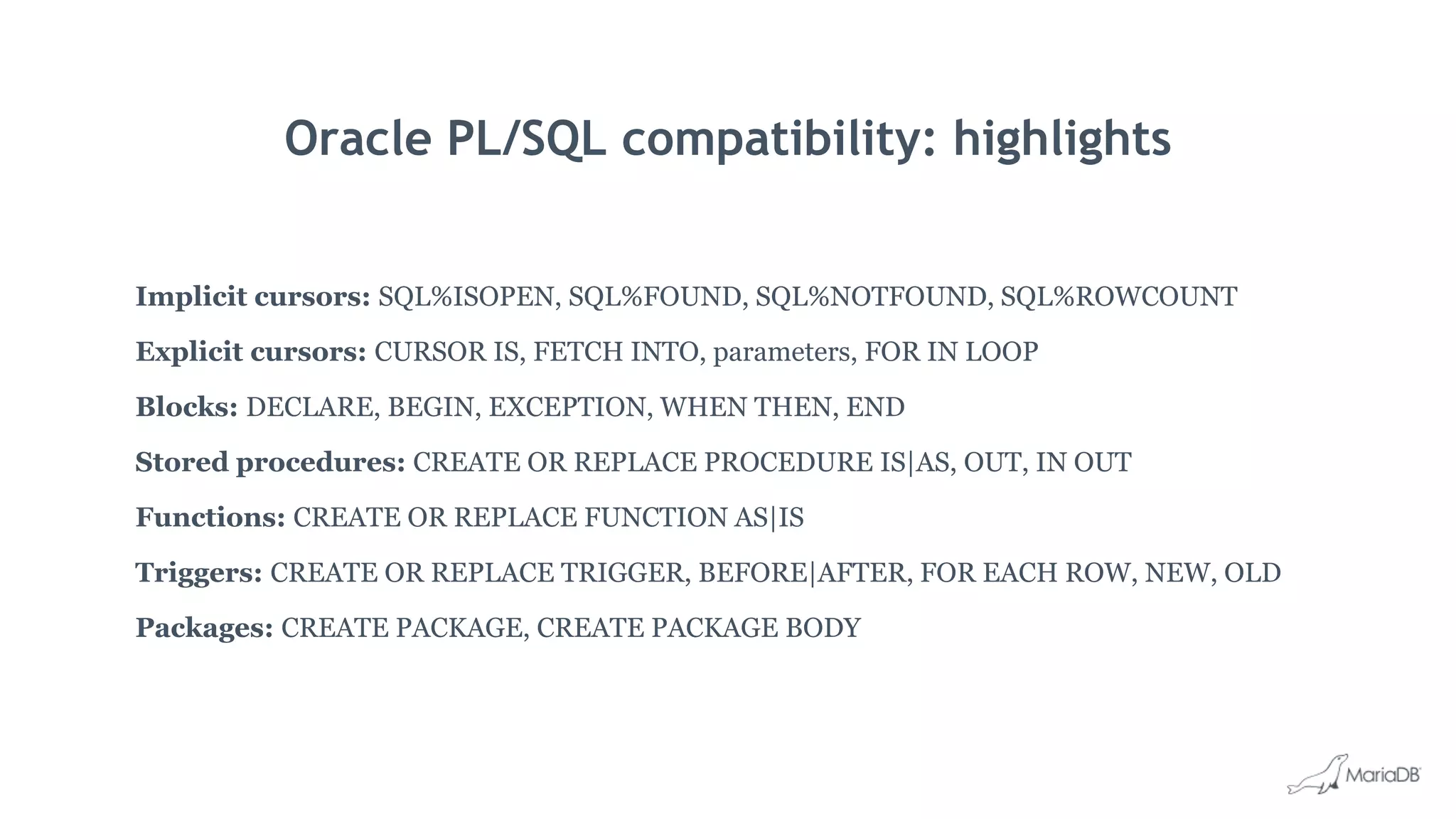
Oracle PL/SQL compatibility: highlights
Implicit cursors: SQL%ISOPEN, SQL%FOUND, SQL%NOTFOUND, SQL%ROWCOUNT
Explicit cursors: CURSOR IS, FETCH INTO, parameters, FOR IN LOOP
Blocks: DECLARE, BEGIN, EXCEPTION, WHEN THEN, END
Stored procedures: CREATE OR REPLACE PROCEDURE IS|AS, OUT, IN OUT
Functions: CREATE OR REPLACE FUNCTION AS|IS
Triggers: CREATE OR REPLACE TRIGGER, BEFORE|AFTER, FOR EACH ROW, NEW, OLD
Packages: CREATE PACKAGE, CREATE PACKAGE BODY
Advanced security
What’s new in MariaDB TX 3.0
Data obfuscation and masking
SELECT name, ssn
FROM employees
WHERE id=1;
// full data masking config
"replace": {"column": "ssn"},
"with": {"fill": "XXX-XX-XXXX"}
// partial data masking config
"replace": {"column": "ssn", "match": "d{5}"},
"with": {"fill": "X"}
// data obfuscation config
"obfuscate": {column": "ssn"}
Full data masking
Partial data masking
Obfuscation
name ssn
Shane XXX-XX-XXXX
name ssn
Shane XXX-XX-1234
name ssn
Shane dlkdj389ud
Other
What’s new in MariaDB TX 3.0
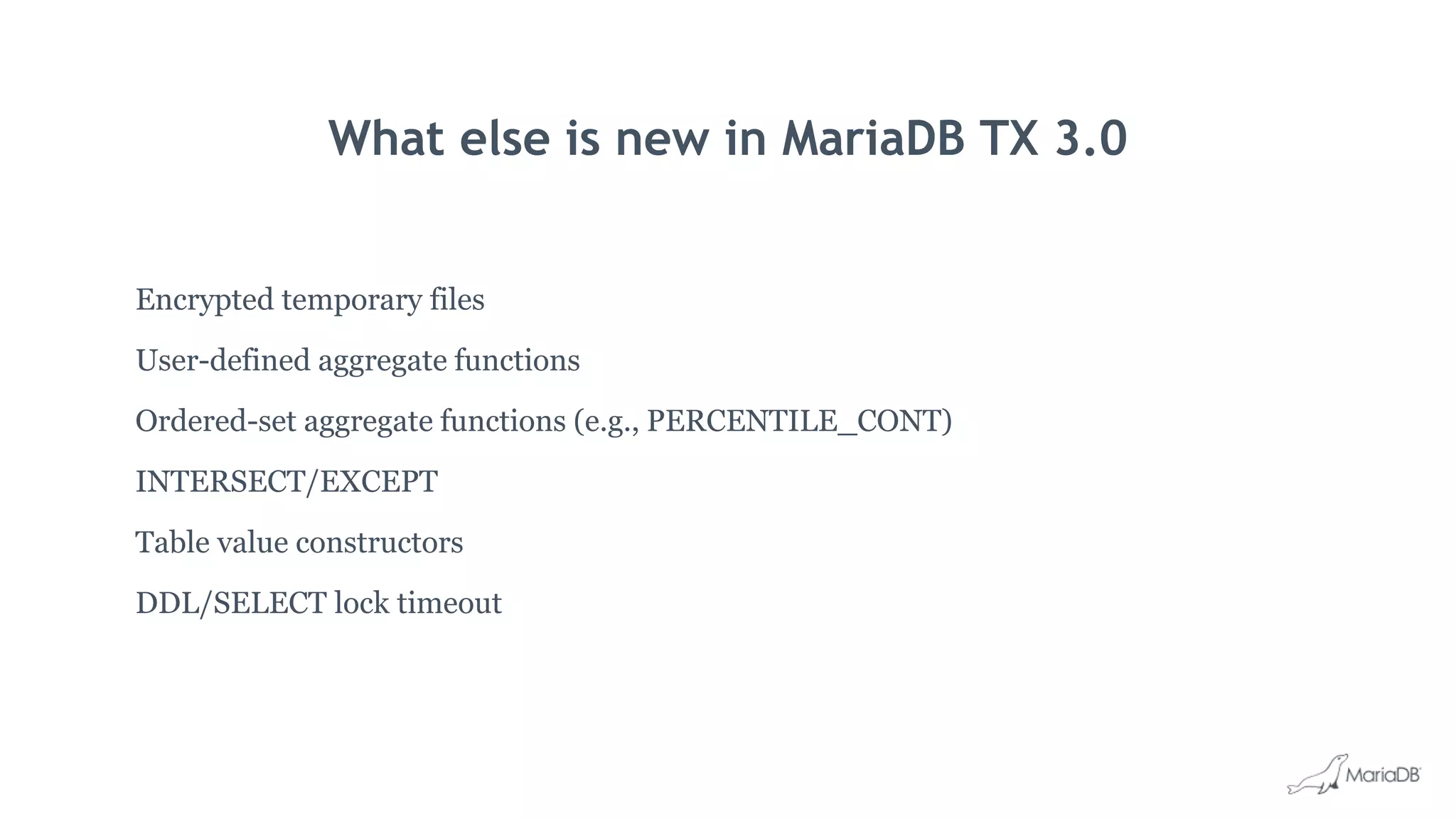
What else is new in MariaDB TX 3.0
Encrypted temporary files
User-defined aggregate functions
Ordered-set aggregate functions (e.g., PERCENTILE_CONT)
INTERSECT/EXCEPT
Table value constructors
DDL/SELECT lock timeout
Thank you

What's new in MariaDB TX 3.0

  • 1.
    What’s new inMariaDB TX 3.0 Shane K Johnson Senior Director of Product Marketing MariaDB Corporation
  • 2.
    What is MariaDBTX What’s new in MariaDB TX 3.0
  • 4.
    What we’re focusingon 1. Meeting enterprise requirements 2. Supporting mission-critical applications 3. Solving the hard problems
  • 5.
    What’s new inMariaDB TX 3.0 1. Purpose-built storage 2. Schema evolution 3. Temporal data and queries 4. Oracle compatibility 5. Advanced security
  • 6.
    MySQL EnterpriseDB MariaDBOracle INTERSECT/EXCEPT No Yes Yes Yes User-defined aggregate functions No Yes Yes Yes Oracle compatibility: PL/SQL No Proprietary Yes Yes Oracle compatibility: sequences No Proprietary Yes Yes Temporal data and queries (AS OF) No No Yes Yes Data obfuscation/masking No No Yes Yes Instant ADD COLUMN Yes No Yes Yes INVISIBLE columns No No Yes Yes COMPRESSED columns No No Yes No Multi-purpose storage No No Yes No
  • 7.
    MariaDB TX isthe first enterprise open source database to challenge Oracle, Microsoft and IBM with features that, until now, were the domain of proprietary databases.
  • 8.
  • 9.
    Purpose-built storage: why? General-purposedatabase, general-purpose storage Database
  • 10.
    Purpose-built storage: why? Purpose-builtdatabase Relational Database (mixed) Columnar Database (analytical) Wide-column Database (write-intensive) Document Database (scalable)
  • 11.
    Database Purpose-built storage: why? General-purposedatabase, purpose-built storage Storage (mixed) Storage (scalable) Storage (write-intensive) Storage (analytical) SQL
  • 12.
    Database Purpose-built storage: why? General-purposedatabase, purpose-built storage B Tree (mixed) Distributed (scalable) LSM Tree (write-intensive) Columnar (analytical) SQL
  • 13.
    Database Purpose-built storage: why? General-purposedatabase, purpose-built storage Table A Table B Table C Table D B Tree (mixed) Distributed (scalable) LSM Tree (write-intensive) Columnar (analytical)
  • 14.
  • 15.
    eCommerce InnoDB mixed read/write MyRocks write-intensive Spider extreme scale ColumnStore analytical Inventory Customerprofiles Purchase orders Clickstream events Cookies Shopping carts Offers Recommendations Purpose-built storage: MariaDB TX 3.0
  • 16.
  • 17.
    Purpose-built storage: MyRocks SSDoptimized: space, writes and lifetime Writes: trades random IO on writes for random IO on reads Storage: does not use a fixed page size (InnoDB is sector aligned: 4KB) Storage: has smaller metadata for primary key indexes InnoDB: 13 bytes, and not compressed MyRocks: 8 bytes + zero filling + prefix key encoding, then compressed
  • 18.
    Purpose-built storage: Spider Transparentsharding Scalability and concurrency Table partitioning (e.g., range, key, hash, list) Pushdown (e.g., condition, index, join and aggregate) High availability and consistency Two-phase commit
  • 19.
    Database #1 Spider Table A Database#2Database #2 InnoDB Table A (Parition 2) InnoDB Table A (Partition 1) Rows: 1-500,000 Rows: 501,000-1,000,000
  • 20.
    Database #1 Spider Table A Database#3 Database #4Database #2 InnoDB Table A (Parition 2) InnoDB Table A (Partition 1) InnoDB Table A (Partition 3) Rows: 1-500,000 Rows: 501,000-1,000,000 Rows: 1,000,001-1,500,000
  • 21.
    Database #1 Spider Table A Database#3 Database #4Database #2 InnoDB Table A (Parition 2) InnoDB Table A (Partition 1) InnoDB Table A (Partition 3) Rows: 1-500,000 Rows: 501,000-1,000,000 Rows: 1,000,001-1,500,000 Database #5 Spider Table A
  • 22.
    Microservices Database #1 InnoDB (mixed) Products table MyRocks (write-intensive) Orderstable Order service Product service Spider (scalable) Cart table Cart service Database #2 InnoDB (mixed) Cart table Database #3 InnoDB (mixed) Cart table Database #4 InnoDB (mixed) Cart table
  • 23.
    Database #2-4 (large, medium-gradeSSDs) Microservices Database #5-9 (medium, high-end HDDs) Database #1 (small, high-end SSD) InnoDB (mixed) Orders table (1 year) MyRocks (write-intensive) Order service Order history service Orders table (30 days) ColumnStore (analytical) Orders table (5 years) Order analytics service Replication
  • 24.
  • 25.
    Schema evolution: rowcompression CREATE TABLE users( id INT PRIMARY KEY, name VARCHAR(50), bio TEXT(2000)) ENGINE=innodb ROW_FORMAT=COMPRESSED; InnoDB only, buffer pool: compressed + uncompressed (redundant)
  • 26.
    Schema evolution: pagecompression CREATE TABLE users( id INT PRIMARY KEY, name VARCHAR(50), bio TEXT(2000)) ENGINE=innodb PAGE_COMPRESSED=1; InnoDB only, buffer pool: uncompressed
  • 27.
    Schema evolution: columncompression (NEW) CREATE TABLE users( id INT PRIMARY KEY, name VARCHAR(50), bio TEXT(2000) COMPRESSED); storage-engine independent
  • 28.
    Schema evolution: invisiblecolumns CREATE TABLE users( id INT PRIMARY KEY, name VARCHAR(50), bio TEXT(2000) COMPRESSED) secret VARCHAR(10) INVISIBLE; SQL Server = HIDDEN (period columns only), DB2 = IMPLICITLY HIDDEN, ORACLE = INVISIBLE
  • 29.
    Schema evolution: invisiblecolumns CREATE TABLE users( id INT PRIMARY KEY, name VARCHAR(50), bio TEXT(2000) COMPRESSED) secret VARCHAR(10) INVISIBLE NOT NULL DEFAULT 'OOPS'; SQL Server = HIDDEN (period columns only), DB2 = IMPLICITLY HIDDEN, ORACLE = INVISIBLE
  • 30.
    Invisible columns (new) SELECT* FROM users; There is no secret column in the results id name bio 1 Shane Once deleted a table in production… 2 William Was caught listening to Spice Girls… 3 Aneesh Was with William listening to…
  • 31.
    Invisible columns (new) SELECTid, name, secret FROM users; The secret column is return if you specify it id name secret 1 Shane Gojira 2 William Spice Girls 3 Aneesh Maria Carey
  • 32.
    Instant ADD COLUMN Addinga column is a problem: • Replication lag • Buffer online transactions (memory and disk) • Copy the data (twice the size of the table required) • May still roll back if conflicting online transactions
  • 33.
    Instant ADD COLUMN Fromonline ALTER TABLE to instant ADD COLUMN: • Inserts a hidden row in the table • Updates the data dictionary • Just a bit more expensive than an INSERT But… • Has to be the last column • Can’t be used if there are full text search (FTS) indexes • Can’t be used if InnoDB row format is COMPRESSED
  • 34.
    Putting it alltogether CREATE TABLE users( id INT PRIMARY KEY, name VARCHAR(50), bio TEXT(2000) COMPRESSED, secret VARCHAR(10) INVISIBLE); ALTER TABLE users ADD COLUMN (email VARCHAR(50)); DEFAULT values / expressions can be used with instant ADD COLUMN
  • 35.
    Temporal tables andqueries What’s new in MariaDB TX 3.0
  • 36.
    Temporal: tables CREATE TABLEtbl_cust_notifications( cid INT, newsletter BOOLEAN, product_updates BOOLEAN, security_alters BOOLEAN) WITH SYSTEM VERSIONING; ALTER TABLE tbl_cust_notifications ADD SYSTEM VERSIONING;
  • 37.
    Temporal: tables cid newsletterproduct_updates security_alerts 1 FALSE FALSE FALSE
  • 38.
    Temporal: tables // JANUARY1, 2018 UPDATE TBL_CUST_NOTIFICATIONS SET security_alters = TRUE WHERE cid = 1; cid newsletter product_updates security_alerts 1 FALSE FALSE TRUE 1 FALSE FALSE FALSE CURRENT HISTORY
  • 39.
    Temporal: tables // FEBRUARY14, 2018 UPDATE TBL_CUST_NOTIFICATIONS SET newsletter = TRUE WHERE cid = 1; cid newsletter product_updates security_alerts 1 TRUE FALSE TRUE 1 FALSE FALSE TRUE 1 FALSE FALSE FALSE CURRENT HISTORY HISTORY
  • 40.
    Temporal: tables // MARCH30, 2018 UPDATE TBL_CUST_NOTIFICATIONS SET newsletter = FALSE WHERE cid = 1; cid newsletter product_updates security_alerts 1 FALSE FALSE TRUE 1 TRUE FALSE TRUE 1 FALSE FALSE TRUE 1 FALSE FALSE FALSE CURRENT HISTORY HISTORY HISTORY
  • 41.
    Temporal: queries SELECT * FROMTBL_CUST_NOTIFICATIONS FOR SYSTEM_TIME AS OF '2017-12-31' WHERE cid = 1; cid newsletter product_updates security_alerts 1 FALSE FALSE FALSE
  • 42.
    Temporal: queries SELECT * FROMTBL_CUST_NOTIFICATIONS FOR SYSTEM_TIME BETWEEN '2018-02-01' AND '2018-03-30' WHERE cid = 1; cid newsletter product_updates security_alerts 1 FALSE FALSE TRUE 1 TRUE FALSE TRUE BETWEEN includes the start and end
  • 43.
    Temporal: queries SELECT * FROMTBL_CUST_NOTIFICATIONS FOR SYSTEM_TIME FROM '2018-02-01' TO '2018-03-30' WHERE cid = 1; cid newsletter product_updates security_alerts 1 TRUE FALSE TRUE FROM includes the start, but not the end
  • 44.
    Temporal: queries SELECT cid,newsletter, ROW_START, ROW_END FROM TBL_CUST_NOTIFICATIONS FOR SYSTEM_TIME ALL; cid newsletter product_updates security_alerts row_start row_end 1 FALSE FALSE TRUE 2018-03-30 2038-01-19 1 TRUE FALSE TRUE 2018-02-14 2018-03-29 1 FALSE FALSE TRUE 2018-01-01 2018-02-13 1 FALSE FALSE FALSE 2017-01-01 2017-12-31
  • 45.
    Temporal: partitioning CREATE TABLEtbl_cust_notifications ( cid INT WITHOUT SYSTEM VERSIONING, status VARCHAR(10), newsletter BOOLEAN, product_updates BOOLEAN, security_alters BOOLEAN ) WITH SYSTEM VERSIONING PARTITION BY SYSTEM_TIME INTERVAL 1 YEAR ( PARTITION p_year_one HISTORY, PARTITION p_year_two HISTORY, PARTITION p_year_three HISTORY, PARTITION p_year_current CURRENT );
  • 46.
    Temporal: pruning DELETE HISTORYFROM tbl_cust_notifications; DELETE HISTORY FROM tbl_cust_notifications BEFORE SYSTEM_TIME '2018-01-01'; ALTER TABLE tbl_cust_notifications DROP PARTITION p_year_three;
  • 47.
    Slave (MyRocks with systemversioning) Master (InnoDB with no system versioning) id newsletter product_updates security_alerts 1 FALSE FALSE TRUE id newsletter product_updates security_alerts 1 FALSE FALSE TRUE 1 TRUE FALSE TRUE 1 FALSE FALSE TRUE 1 FALSE FALSE FALSE Replication Temporal: replication Database #1 Database #2
  • 48.
  • 49.
    Oracle sequences CREATE SEQUENCEseq_customer_id START WITH 100 INCREMENT BY 10; SELECT seq_customer_id.NEXTVAL; CREATE TABLE tbl_customers ( id INT DEFAULT seq_customer_id.NEXTVAL );
  • 50.
    Oracle PL/SQL compatibility:highlights Data types: VARCHAR2, NUMBER, DATE, RAW, BLOB, CLOB Variable declarations: %TYPE Records: %ROW_TYPE Control statements: IF THEN, CASE WHEN, LOOP/END LOOP, WHILE Static SQL: CURRVAL, NEXTVAL Dynamic SQL: EXECUTE IMMEDIATE USING
  • 51.
    Oracle PL/SQL compatibility:highlights Implicit cursors: SQL%ISOPEN, SQL%FOUND, SQL%NOTFOUND, SQL%ROWCOUNT Explicit cursors: CURSOR IS, FETCH INTO, parameters, FOR IN LOOP Blocks: DECLARE, BEGIN, EXCEPTION, WHEN THEN, END Stored procedures: CREATE OR REPLACE PROCEDURE IS|AS, OUT, IN OUT Functions: CREATE OR REPLACE FUNCTION AS|IS Triggers: CREATE OR REPLACE TRIGGER, BEFORE|AFTER, FOR EACH ROW, NEW, OLD Packages: CREATE PACKAGE, CREATE PACKAGE BODY
  • 52.
  • 53.
    Data obfuscation andmasking SELECT name, ssn FROM employees WHERE id=1; // full data masking config "replace": {"column": "ssn"}, "with": {"fill": "XXX-XX-XXXX"} // partial data masking config "replace": {"column": "ssn", "match": "d{5}"}, "with": {"fill": "X"} // data obfuscation config "obfuscate": {column": "ssn"} Full data masking Partial data masking Obfuscation name ssn Shane XXX-XX-XXXX name ssn Shane XXX-XX-1234 name ssn Shane dlkdj389ud
  • 54.
    Other What’s new inMariaDB TX 3.0
  • 55.
    What else isnew in MariaDB TX 3.0 Encrypted temporary files User-defined aggregate functions Ordered-set aggregate functions (e.g., PERCENTILE_CONT) INTERSECT/EXCEPT Table value constructors DDL/SELECT lock timeout
  • 56.