What’s new in Feathers 3.0?
JoshTynjala / Flash Online Conference #13 / 2016 April 1
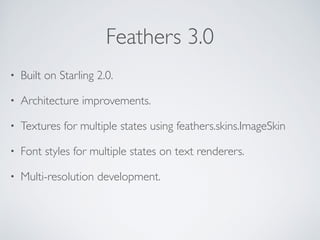
Feathers 3.0
• Built on Starling 2.0.
• Architecture improvements.
• Textures for multiple states using feathers.skins.ImageSkin
• Font styles for multiple states on text renderers.
• Multi-resolution development.
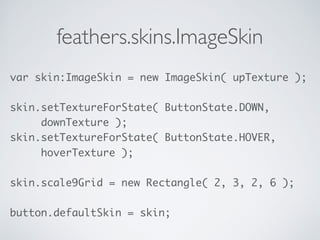
feathers.skins.ImageSkin
var skin:ImageSkin = new ImageSkin( upTexture );


skin.setTextureForState( ButtonState.DOWN,

downTexture );
skin.setTextureForState( ButtonState.HOVER,

hoverTexture );


skin.scale9Grid = new Rectangle( 2, 3, 2, 6 );


button.defaultSkin = skin;
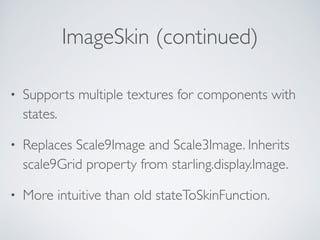
ImageSkin (continued)
• Supports multiple textures for components with
states.
• Replaces Scale9Image and Scale3Image. Inherits
scale9Grid property from starling.display.Image.
• More intuitive than old stateToSkinFunction.
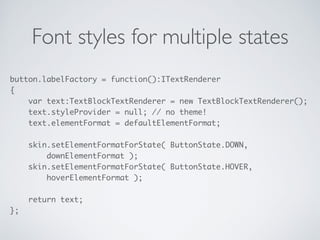
Font styles for multiple states
button.labelFactory = function():ITextRenderer

{

var text:TextBlockTextRenderer = new TextBlockTextRenderer();

text.styleProvider = null; // no theme!

text.elementFormat = defaultElementFormat;


skin.setElementFormatForState( ButtonState.DOWN,

downElementFormat );

skin.setElementFormatForState( ButtonState.HOVER,

hoverElementFormat );


return text;

};
Font styles (continued)
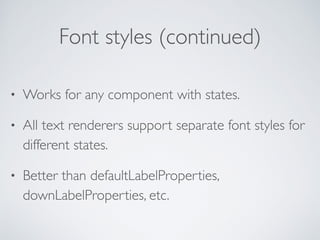
• Works for any component with states.
• All text renderers support separate font styles for
different states.
• Better than defaultLabelProperties,
downLabelProperties, etc.
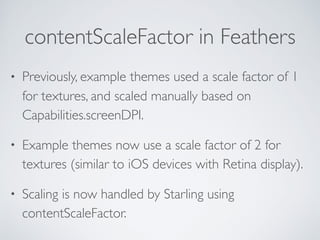
contentScaleFactor in Feathers
• Previously, example themes used a scale factor of 1
for textures, and scaled manually based on
Capabilities.screenDPI.
• Example themes now use a scale factor of 2 for
textures (similar to iOS devices with Retina display).
• Scaling is now handled by Starling using
contentScaleFactor.
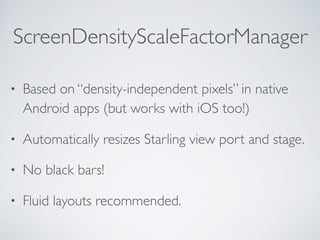
ScreenDensityScaleFactorManager
• Based on “density-independent pixels” in native
Android apps (but works with iOS too!)
• Automatically resizes Starling view port and stage.
• No black bars!
• Fluid layouts recommended.
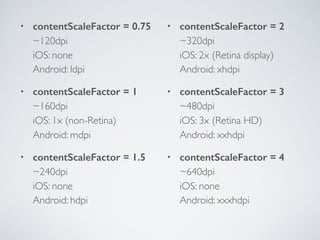
• contentScaleFactor = 0.75

~120dpi

iOS: none

Android: ldpi
• contentScaleFactor = 1

~160dpi

iOS: 1x (non-Retina)

Android: mdpi
• contentScaleFactor = 1.5

~240dpi

iOS: none

Android: hdpi
• contentScaleFactor = 2

~320dpi

iOS: 2x (Retina display)

Android: xhdpi
• contentScaleFactor = 3

~480dpi

iOS: 3x (Retina HD)

Android: xxhdpi
• contentScaleFactor = 4

~640dpi

iOS: none

Android: xxxhdpi
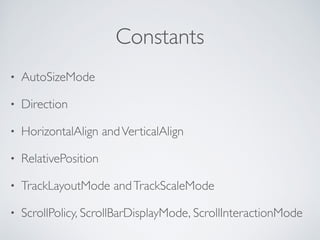
Constants
• AutoSizeMode
• Direction
• HorizontalAlign andVerticalAlign
• RelativePosition
• TrackLayoutMode andTrackScaleMode
• ScrollPolicy, ScrollBarDisplayMode, ScrollInteractionMode
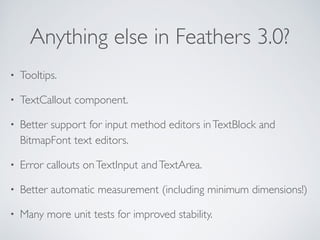
Anything else in Feathers 3.0?
• Tooltips.
• TextCallout component.
• Better support for input method editors inTextBlock and
BitmapFont text editors.
• Error callouts onTextInput andTextArea.
• Better automatic measurement (including minimum dimensions!)
• Many more unit tests for improved stability.
feathers-compat
• A backwards compatibility library containing a
number of classes that were removed.
• Eases migration to Feathers 3.0.
• https://github.com/BowlerHatLLC/feathers-compat
Migration Guides
• Feathers 3.0 Migration Guide

http://feathersui.com/help/migration-guide-3.0.html
• Starling 2.0 Migration Guide

http://wiki.starling-framework.org/manual/
starling_2_migration_guide
Thank you!
Presented by JoshTynjala
twitter.com/feathersui
facebook.com/feathersui
google.com/+feathersui
instagram.com/feathers_ui

Whats new in Feathers 3.0?

  • 1.
    What’s new inFeathers 3.0? JoshTynjala / Flash Online Conference #13 / 2016 April 1
  • 2.
    Feathers 3.0 • Builton Starling 2.0. • Architecture improvements. • Textures for multiple states using feathers.skins.ImageSkin • Font styles for multiple states on text renderers. • Multi-resolution development.
  • 3.
    feathers.skins.ImageSkin var skin:ImageSkin =new ImageSkin( upTexture );
 
 skin.setTextureForState( ButtonState.DOWN,
 downTexture ); skin.setTextureForState( ButtonState.HOVER,
 hoverTexture );
 
 skin.scale9Grid = new Rectangle( 2, 3, 2, 6 );
 
 button.defaultSkin = skin;
  • 4.
    ImageSkin (continued) • Supportsmultiple textures for components with states. • Replaces Scale9Image and Scale3Image. Inherits scale9Grid property from starling.display.Image. • More intuitive than old stateToSkinFunction.
  • 5.
    Font styles formultiple states button.labelFactory = function():ITextRenderer
 {
 var text:TextBlockTextRenderer = new TextBlockTextRenderer();
 text.styleProvider = null; // no theme!
 text.elementFormat = defaultElementFormat;
 
 skin.setElementFormatForState( ButtonState.DOWN,
 downElementFormat );
 skin.setElementFormatForState( ButtonState.HOVER,
 hoverElementFormat );
 
 return text;
 };
  • 6.
    Font styles (continued) •Works for any component with states. • All text renderers support separate font styles for different states. • Better than defaultLabelProperties, downLabelProperties, etc.
  • 7.
    contentScaleFactor in Feathers •Previously, example themes used a scale factor of 1 for textures, and scaled manually based on Capabilities.screenDPI. • Example themes now use a scale factor of 2 for textures (similar to iOS devices with Retina display). • Scaling is now handled by Starling using contentScaleFactor.
  • 8.
    ScreenDensityScaleFactorManager • Based on“density-independent pixels” in native Android apps (but works with iOS too!) • Automatically resizes Starling view port and stage. • No black bars! • Fluid layouts recommended.
  • 9.
    • contentScaleFactor =0.75
 ~120dpi
 iOS: none
 Android: ldpi • contentScaleFactor = 1
 ~160dpi
 iOS: 1x (non-Retina)
 Android: mdpi • contentScaleFactor = 1.5
 ~240dpi
 iOS: none
 Android: hdpi • contentScaleFactor = 2
 ~320dpi
 iOS: 2x (Retina display)
 Android: xhdpi • contentScaleFactor = 3
 ~480dpi
 iOS: 3x (Retina HD)
 Android: xxhdpi • contentScaleFactor = 4
 ~640dpi
 iOS: none
 Android: xxxhdpi
  • 10.
    Constants • AutoSizeMode • Direction •HorizontalAlign andVerticalAlign • RelativePosition • TrackLayoutMode andTrackScaleMode • ScrollPolicy, ScrollBarDisplayMode, ScrollInteractionMode
  • 11.
    Anything else inFeathers 3.0? • Tooltips. • TextCallout component. • Better support for input method editors inTextBlock and BitmapFont text editors. • Error callouts onTextInput andTextArea. • Better automatic measurement (including minimum dimensions!) • Many more unit tests for improved stability.
  • 12.
    feathers-compat • A backwardscompatibility library containing a number of classes that were removed. • Eases migration to Feathers 3.0. • https://github.com/BowlerHatLLC/feathers-compat
  • 13.
    Migration Guides • Feathers3.0 Migration Guide
 http://feathersui.com/help/migration-guide-3.0.html • Starling 2.0 Migration Guide
 http://wiki.starling-framework.org/manual/ starling_2_migration_guide
  • 14.
    Thank you! Presented byJoshTynjala twitter.com/feathersui facebook.com/feathersui google.com/+feathersui instagram.com/feathers_ui