Facebook Privacy SettingsA friendly reminder about applications accessing your data.
Notice About Facebook Apps:Every time you allow an application access to your Facebook profile by clicking that “Allow” button, you give the developer of that app access to your profile information.Be selective about the apps you allow access to.
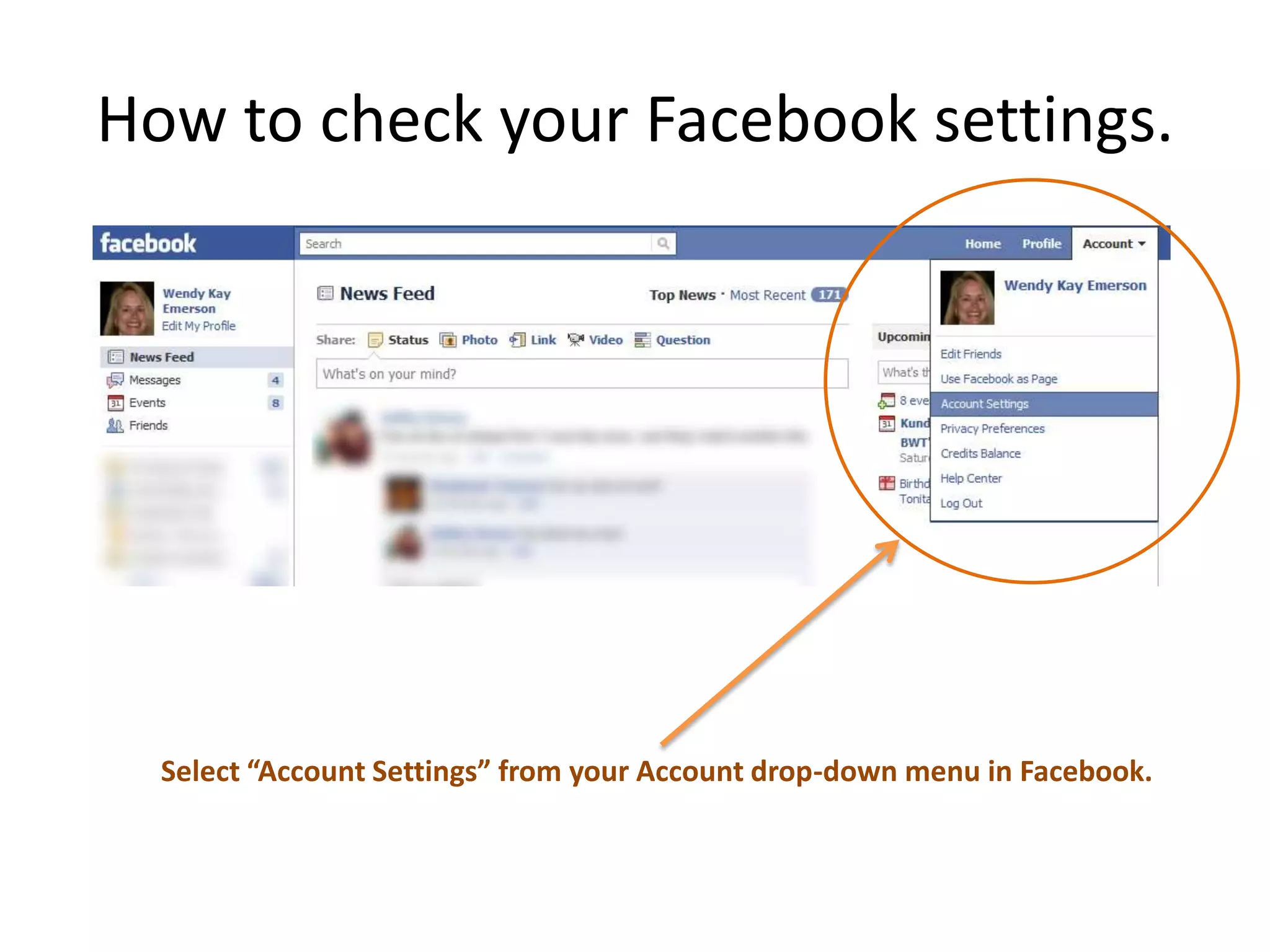
How to check your Facebook settings.Select “Account Settings” from your Account drop-down menu in Facebook.
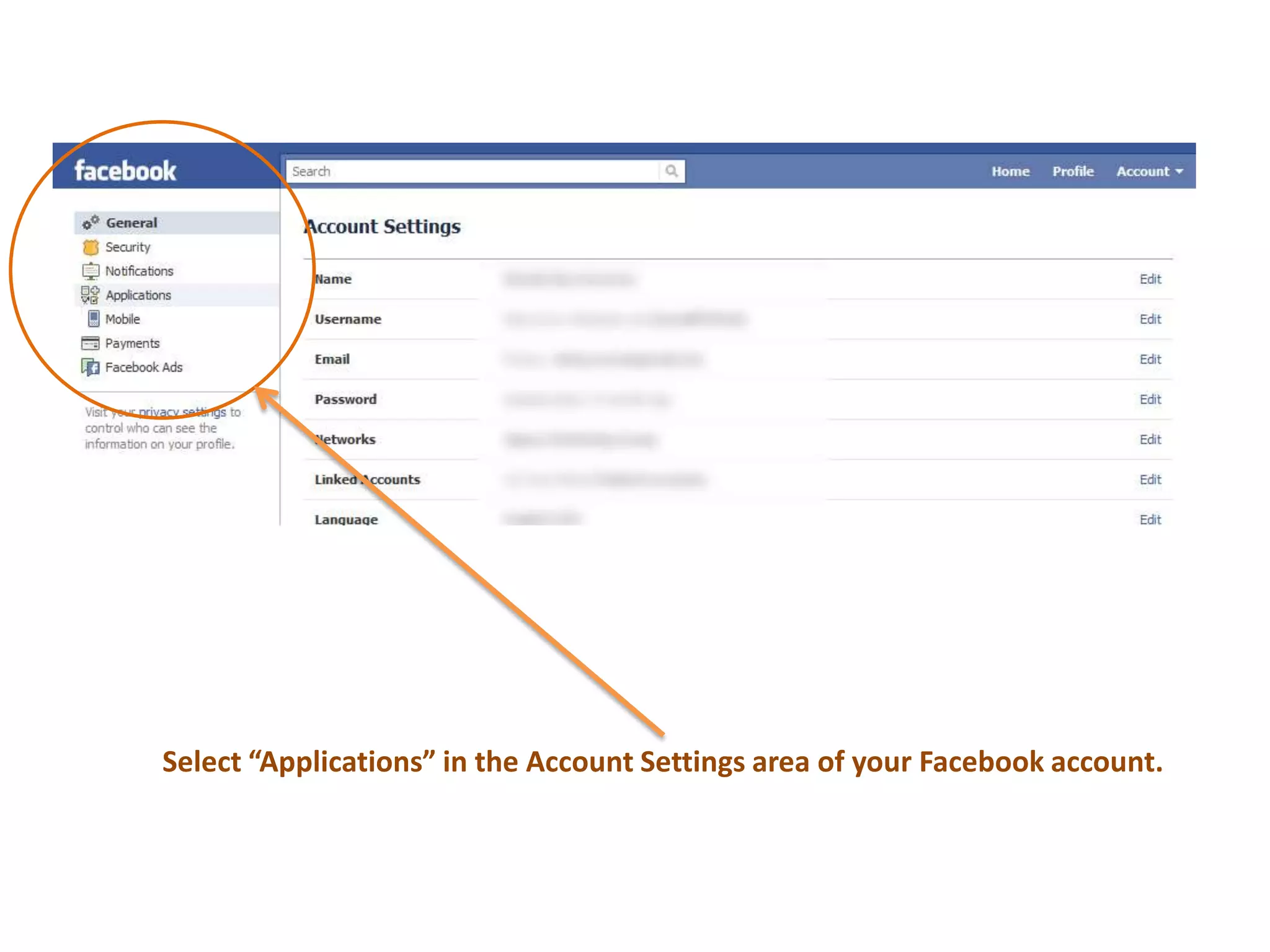
Select “Applications” in the Account Settings area of your Facebook account.
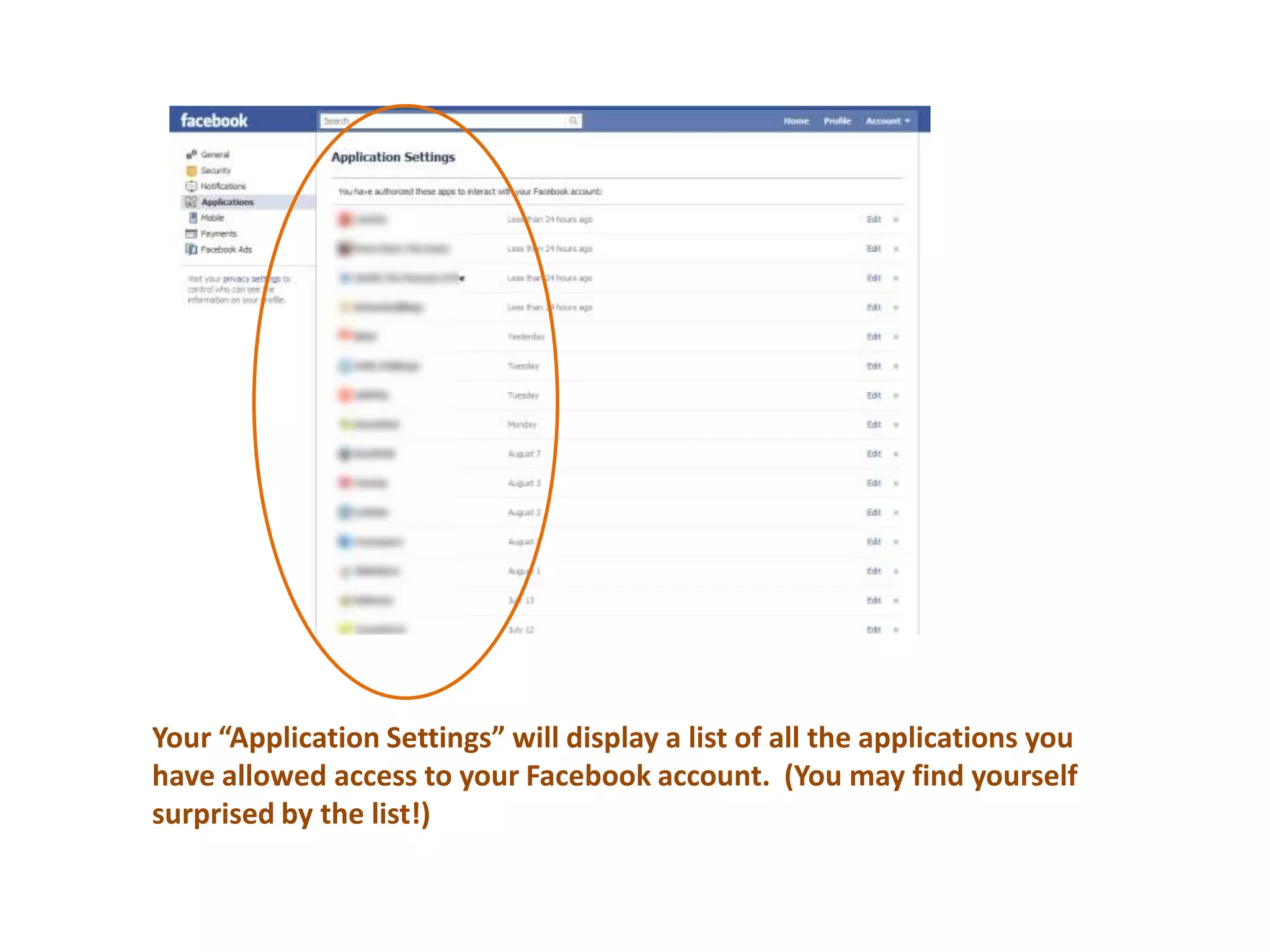
Your “Application Settings” will display a list of all the applications you have allowed access to your Facebook account.  (You may find yourself surprised by the list!)
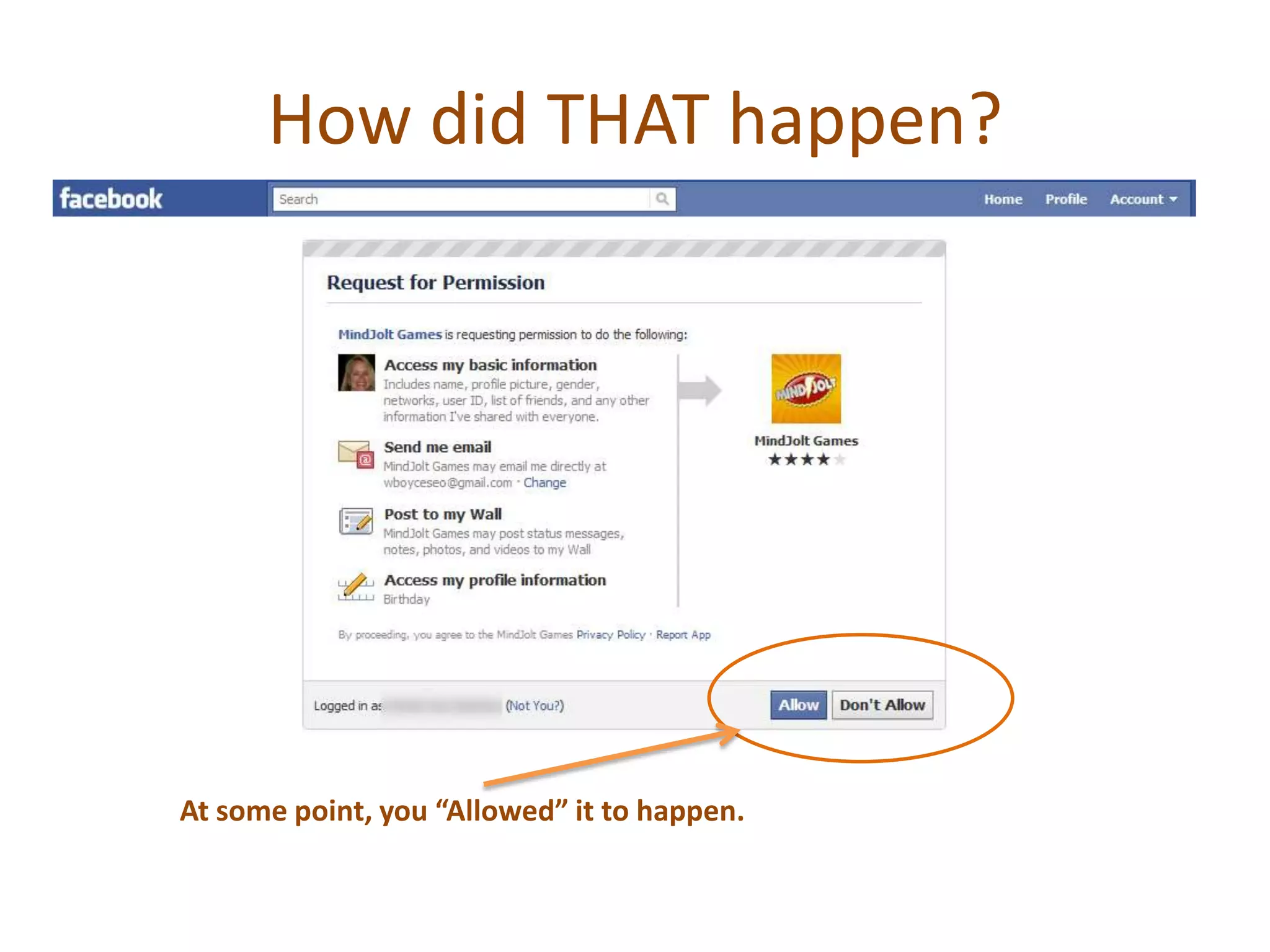
How did THAT happen?At some point, you “Allowed” it to happen.
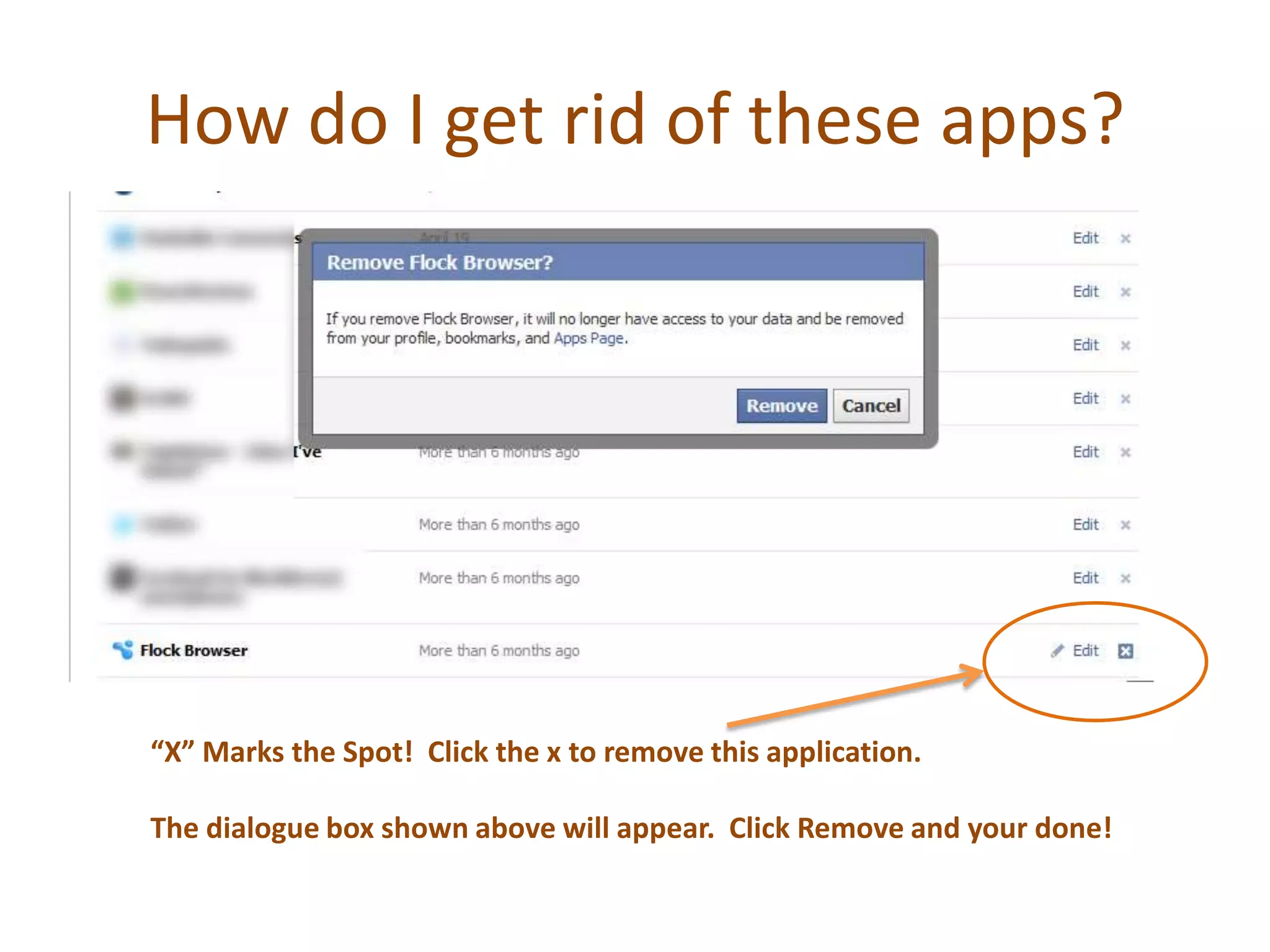
How do I get rid of these apps?“X” Marks the Spot!  Click the x to remove this application.The dialogue box shown above will appear.  Click Remove and your done!
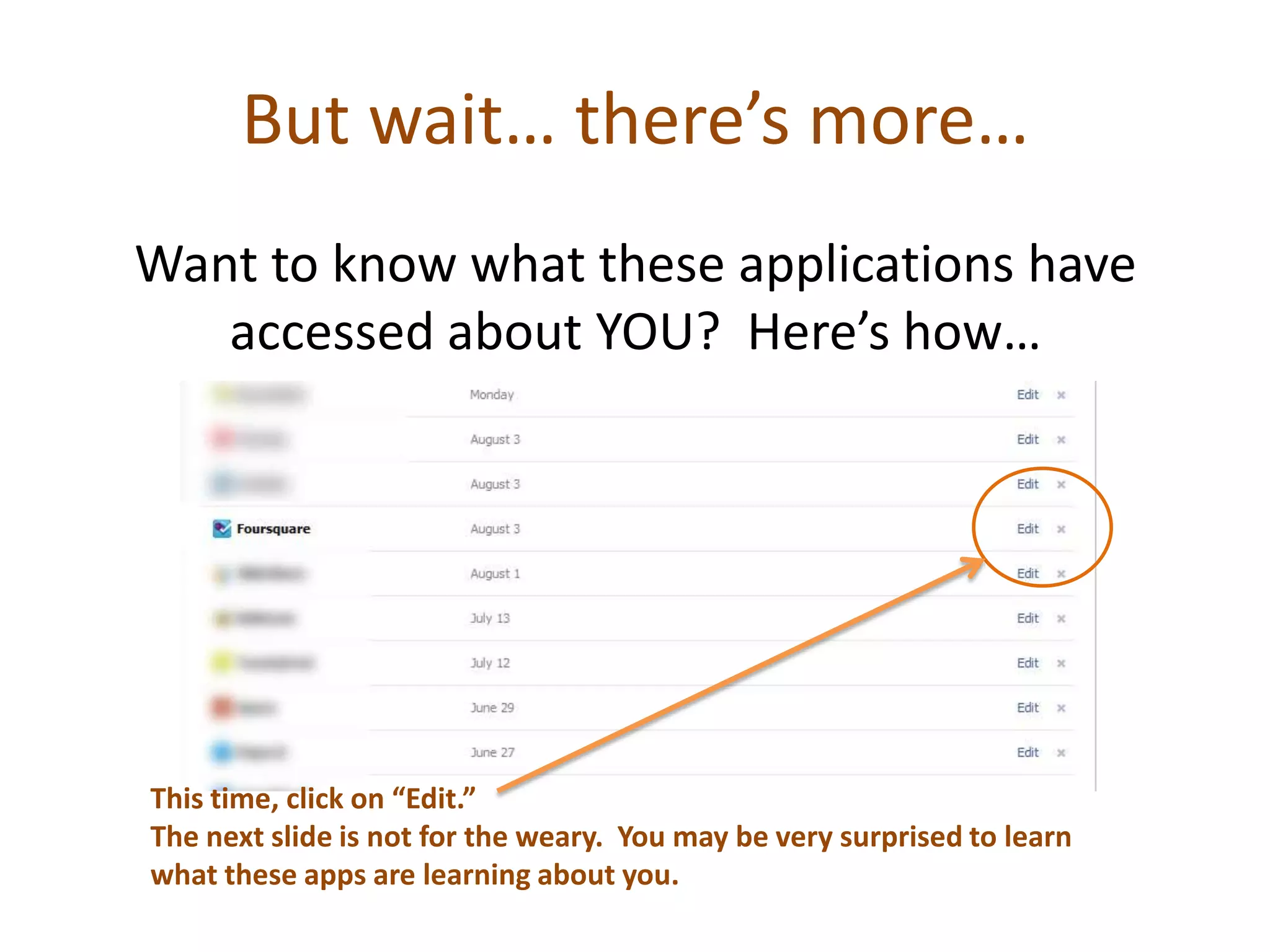
But wait… there’s more…Want to know what these applications have accessed about YOU?  Here’s how…This time, click on “Edit.” The next slide is not for the weary.  You may be very surprised to learn what these apps are learning about you.
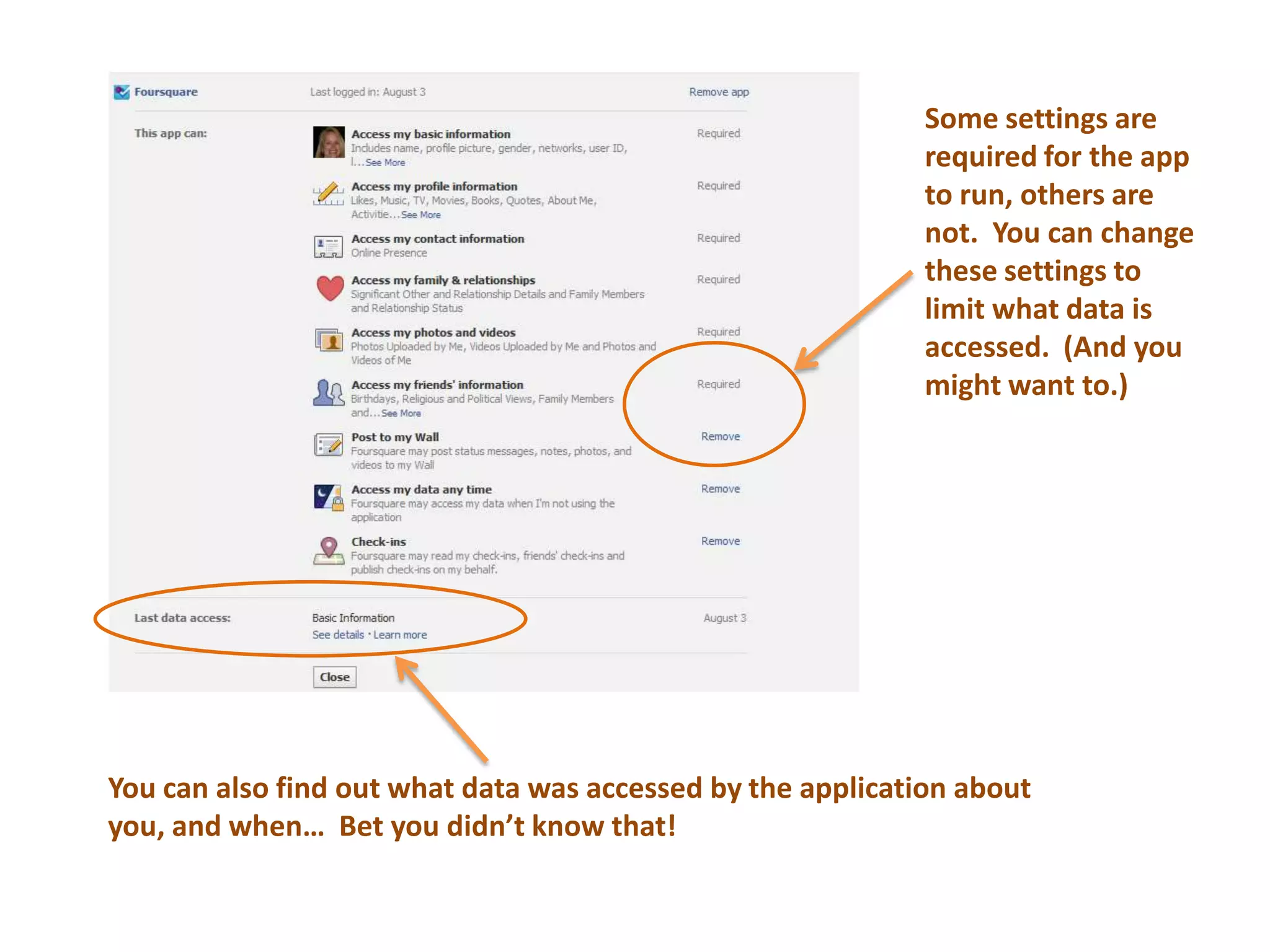
Some settings are required for the app to run, others are not.  You can change these settings to limit what data isaccessed.  (And you might want to.)You can also find out what data was accessed by the application about you, and when…  Bet you didn’t know that!
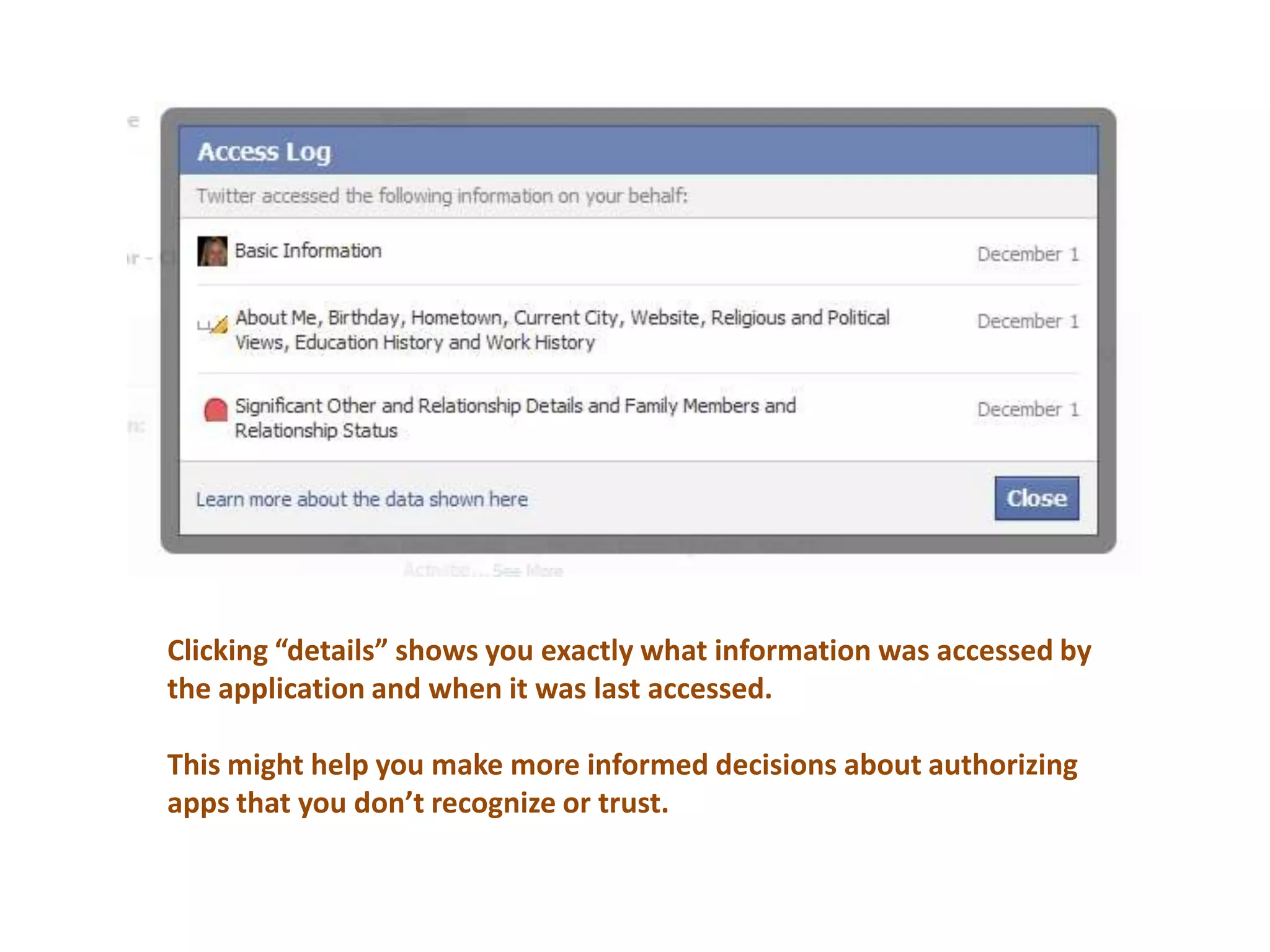
Clicking “details” shows you exactly what information was accessed by the application and when it was last accessed.This might help you make more informed decisions about authorizing apps that you don’t recognize or trust.
So there you have it… Stay informed about what applications are doing to learn more about you, and check on your Applications Settings from time to time.Not all Facebook apps are bad.  Just be “in-the-know” about what’s being shared through these apps, and be selective about which ones you authorize.
This public service announcement was brought to you by:
Engaging your customersthrough analytics, strategy and technology8/11/201113Confidential © SIGMA Marketing Group 2010Our Blog:  FifthGearAnalytics.comWeb:  SigmaMarketing.comTwitter:  @SIGMA_MktgGrpCall Toll Free:  888.277.9837Email:  SIGMAinfo@sigmamarketing.com

What you should know about Facebook Applications

  • 1.
    Facebook Privacy SettingsAfriendly reminder about applications accessing your data.
  • 2.
    Notice About FacebookApps:Every time you allow an application access to your Facebook profile by clicking that “Allow” button, you give the developer of that app access to your profile information.Be selective about the apps you allow access to.
  • 3.
    How to checkyour Facebook settings.Select “Account Settings” from your Account drop-down menu in Facebook.
  • 4.
    Select “Applications” inthe Account Settings area of your Facebook account.
  • 5.
    Your “Application Settings”will display a list of all the applications you have allowed access to your Facebook account. (You may find yourself surprised by the list!)
  • 6.
    How did THAThappen?At some point, you “Allowed” it to happen.
  • 7.
    How do Iget rid of these apps?“X” Marks the Spot! Click the x to remove this application.The dialogue box shown above will appear. Click Remove and your done!
  • 8.
    But wait… there’smore…Want to know what these applications have accessed about YOU? Here’s how…This time, click on “Edit.” The next slide is not for the weary. You may be very surprised to learn what these apps are learning about you.
  • 9.
    Some settings arerequired for the app to run, others are not. You can change these settings to limit what data isaccessed. (And you might want to.)You can also find out what data was accessed by the application about you, and when… Bet you didn’t know that!
  • 10.
    Clicking “details” showsyou exactly what information was accessed by the application and when it was last accessed.This might help you make more informed decisions about authorizing apps that you don’t recognize or trust.
  • 11.
    So there youhave it… Stay informed about what applications are doing to learn more about you, and check on your Applications Settings from time to time.Not all Facebook apps are bad. Just be “in-the-know” about what’s being shared through these apps, and be selective about which ones you authorize.
  • 12.
    This public serviceannouncement was brought to you by:
  • 13.
    Engaging your customersthroughanalytics, strategy and technology8/11/201113Confidential © SIGMA Marketing Group 2010Our Blog: FifthGearAnalytics.comWeb: SigmaMarketing.comTwitter: @SIGMA_MktgGrpCall Toll Free: 888.277.9837Email: SIGMAinfo@sigmamarketing.com