

HTML5One spec to rule them all
About MeWho: 	Stu King – User Experience DesignerWhere: 	Magenic Studios –	Magenic Technologies, Inc.Focused on Design, User Experience Analysis and RIA developmentWhat: 	Designer and Front-end DeveloperOn the web:  	www.thedesigndrifter.comOn the twitter: 	@designdrifter
About this presentationHow this presentation is going to work
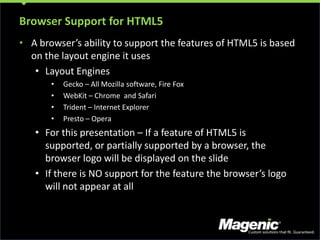
Browser Support for HTML5A browser’s ability to support the features of HTML5 is based on the layout engine it usesLayout Engines
Gecko – All Mozilla software, Fire Fox
WebKit – Chrome  and Safari
Trident – Internet Explorer
Presto – Opera
For this presentation – If a feature of HTML5 is supported, or partially supported by a browser, the browser logo will be displayed on the slide
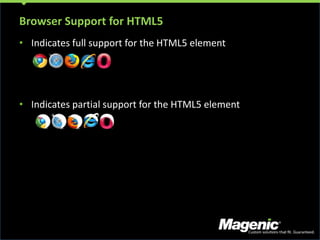
If there is NO support for the feature the browser’s logo will not appear at allBrowser Support for HTML5Indicates full support for the HTML5 elementIndicates partial support for the HTML5 element
Why do we need HTML5?What’s in it and why is it so important
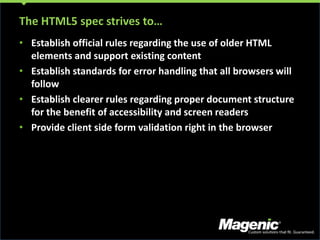
The HTML5 spec strives to…Establish official rules regarding the use of older HTML elements and support existing contentEstablish standards for error handling that all browsers will followEstablish clearer rules regarding proper document structure for the benefit of accessibility and screen readersProvide client side form validation right in the browser
Obsolete vs. DeprecatedTerms and conditions
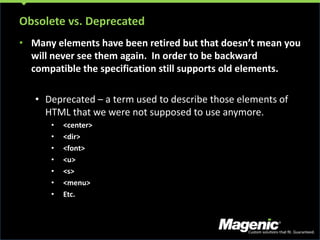
Obsolete vs. DeprecatedMany elements have been retired but that doesn’t mean you will never see them again.  In order to be backward compatible the specification still supports old elements.Deprecated – a term used to describe those elements of HTML that we were not supposed to use anymore.
<center>
<dir>
<font>
<u>
<s>
<menu>
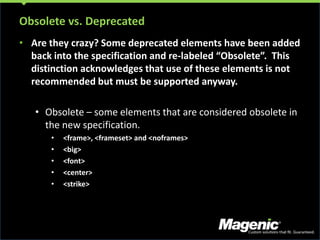
Etc.Obsolete vs. DeprecatedAre they crazy? Some deprecated elements have been added back into the specification and re-labeled “Obsolete”.  This distinction acknowledges that use of these elements is not recommended but must be supported anyway. Obsolete – some elements that are considered obsolete in the new specification.
<frame>, <frameset> and <noframes>
<big>
<font>
<center>
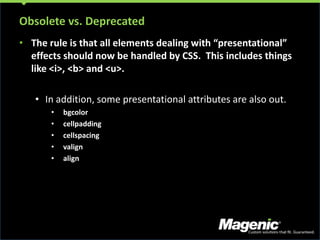
<strike>Obsolete vs. DeprecatedThe rule is that all elements dealing with “presentational” effects should now be handled by CSS.  This includes things like <i>, <b> and <u>.In addition, some presentational attributes are also out.
bgcolor
cellpadding
cellspacing
valign
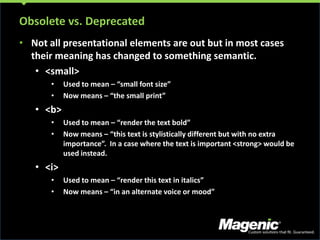
alignObsolete vs. DeprecatedNot all presentational elements are out but in most cases their meaning has changed to something semantic.<small>
Used to mean – “small font size”
Now means – “the small print”
<b>
Used to mean – “render the text bold”
Now means – “this text is stylistically different but with no extra importance”.  In a case where the text is important <strong> would be used instead.
<i>
Used to mean – “render this text in italics”
Now means – “in an alternate voice or mood”Document MarkupIt’s the content that matters
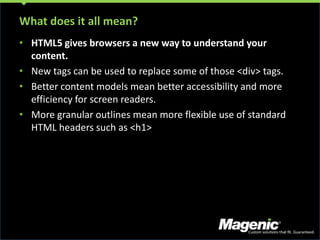
What does it all mean?HTML5 gives browsers a new way to understand your content.New tags can be used to replace some of those <div> tags.Better content models mean better accessibility and more efficiency for screen readers.More granular outlines mean more flexible use of standard HTML headers such as <h1>
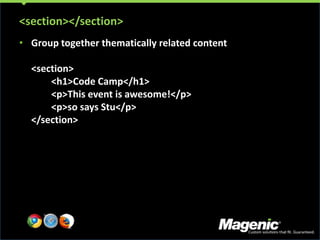
<section></section>Group together thematically related content<section>	<h1>Code Camp</h1>	<p>This event is awesome!</p>	<p>so says Stu</p></section>
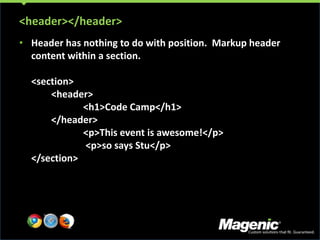
<header></header>Header has nothing to do with position.  Markup header content within a section.<section>	<header>		<h1>Code Camp</h1>	</header>		<p>This event is awesome!</p> <p>so says Stu</p></section>
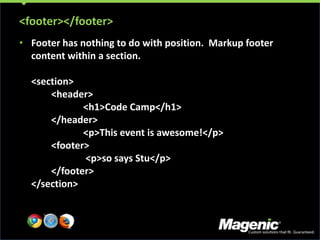
<footer></footer>Footer has nothing to do with position.  Markup footer content within a section.<section>	<header>		<h1>Code Camp</h1>	</header>		<p>This event is awesome!</p>	<footer> <p>so says Stu</p>	</footer></section>
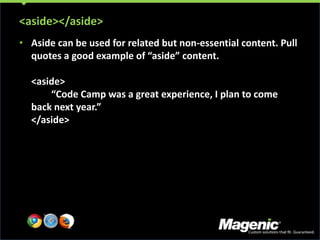
<aside></aside>Aside can be used for related but non-essential content. Pull quotes a good example of “aside” content.<aside>	“Code Camp was a great experience, I plan to come back next year.”</aside>
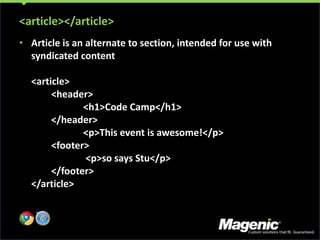
<article></article>Article is an alternate to section, intended for use with syndicated content<article>	<header>		<h1>Code Camp</h1>	</header>		<p>This event is awesome!</p>	<footer> <p>so says Stu</p>	</footer></article>
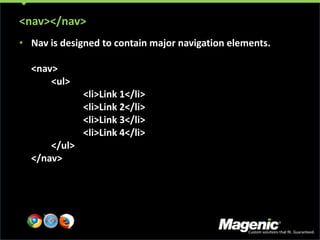
<nav></nav>Nav is designed to contain major navigation elements.<nav>	<ul>		<li>Link 1</li>	<li>Link 2</li>	<li>Link 3</li>	<li>Link 4</li>	</ul></nav>

HTML5 - One spec to rule them all

  • 1.
    HTML5One spec torule them all
  • 2.
    About MeWho: StuKing – User Experience DesignerWhere: Magenic Studios – Magenic Technologies, Inc.Focused on Design, User Experience Analysis and RIA developmentWhat: Designer and Front-end DeveloperOn the web: www.thedesigndrifter.comOn the twitter: @designdrifter
  • 3.
    About this presentationHowthis presentation is going to work
  • 4.
    Browser Support forHTML5A browser’s ability to support the features of HTML5 is based on the layout engine it usesLayout Engines
  • 5.
    Gecko – AllMozilla software, Fire Fox
  • 6.
  • 7.
  • 8.
  • 9.
    For this presentation– If a feature of HTML5 is supported, or partially supported by a browser, the browser logo will be displayed on the slide
  • 10.
    If there isNO support for the feature the browser’s logo will not appear at allBrowser Support for HTML5Indicates full support for the HTML5 elementIndicates partial support for the HTML5 element
  • 11.
    Why do weneed HTML5?What’s in it and why is it so important
  • 12.
    The HTML5 specstrives to…Establish official rules regarding the use of older HTML elements and support existing contentEstablish standards for error handling that all browsers will followEstablish clearer rules regarding proper document structure for the benefit of accessibility and screen readersProvide client side form validation right in the browser
  • 13.
  • 14.
    Obsolete vs. DeprecatedManyelements have been retired but that doesn’t mean you will never see them again. In order to be backward compatible the specification still supports old elements.Deprecated – a term used to describe those elements of HTML that we were not supposed to use anymore.
  • 15.
  • 16.
  • 17.
  • 18.
  • 19.
  • 20.
  • 21.
    Etc.Obsolete vs. DeprecatedArethey crazy? Some deprecated elements have been added back into the specification and re-labeled “Obsolete”. This distinction acknowledges that use of these elements is not recommended but must be supported anyway. Obsolete – some elements that are considered obsolete in the new specification.
  • 22.
  • 23.
  • 24.
  • 25.
  • 26.
    <strike>Obsolete vs. DeprecatedTherule is that all elements dealing with “presentational” effects should now be handled by CSS. This includes things like <i>, <b> and <u>.In addition, some presentational attributes are also out.
  • 27.
  • 28.
  • 29.
  • 30.
  • 31.
    alignObsolete vs. DeprecatedNotall presentational elements are out but in most cases their meaning has changed to something semantic.<small>
  • 32.
    Used to mean– “small font size”
  • 33.
    Now means –“the small print”
  • 34.
  • 35.
    Used to mean– “render the text bold”
  • 36.
    Now means –“this text is stylistically different but with no extra importance”. In a case where the text is important <strong> would be used instead.
  • 37.
  • 38.
    Used to mean– “render this text in italics”
  • 39.
    Now means –“in an alternate voice or mood”Document MarkupIt’s the content that matters
  • 40.
    What does itall mean?HTML5 gives browsers a new way to understand your content.New tags can be used to replace some of those <div> tags.Better content models mean better accessibility and more efficiency for screen readers.More granular outlines mean more flexible use of standard HTML headers such as <h1>
  • 41.
    <section></section>Group together thematicallyrelated content<section> <h1>Code Camp</h1> <p>This event is awesome!</p> <p>so says Stu</p></section>
  • 42.
    <header></header>Header has nothingto do with position. Markup header content within a section.<section> <header> <h1>Code Camp</h1> </header> <p>This event is awesome!</p> <p>so says Stu</p></section>
  • 43.
    <footer></footer>Footer has nothingto do with position. Markup footer content within a section.<section> <header> <h1>Code Camp</h1> </header> <p>This event is awesome!</p> <footer> <p>so says Stu</p> </footer></section>
  • 44.
    <aside></aside>Aside can beused for related but non-essential content. Pull quotes a good example of “aside” content.<aside> “Code Camp was a great experience, I plan to come back next year.”</aside>
  • 45.
    <article></article>Article is analternate to section, intended for use with syndicated content<article> <header> <h1>Code Camp</h1> </header> <p>This event is awesome!</p> <footer> <p>so says Stu</p> </footer></article>
  • 46.
    <nav></nav>Nav is designedto contain major navigation elements.<nav> <ul> <li>Link 1</li> <li>Link 2</li> <li>Link 3</li> <li>Link 4</li> </ul></nav>

Editor's Notes

  • #3 Our diverse team is made up of experienced thought leaders.
  • #5 Our diverse team is made up of experienced thought leaders.
  • #6 Our diverse team is made up of experienced thought leaders.
  • #8 Our diverse team is made up of experienced thought leaders.
  • #10 Our diverse team is made up of experienced thought leaders.
  • #11 Our diverse team is made up of experienced thought leaders.
  • #12 Our diverse team is made up of experienced thought leaders.
  • #13 Our diverse team is made up of experienced thought leaders.
  • #15 Our diverse team is made up of experienced thought leaders.
  • #16 Our diverse team is made up of experienced thought leaders.
  • #17 Our diverse team is made up of experienced thought leaders.
  • #18 Our diverse team is made up of experienced thought leaders.
  • #19 Our diverse team is made up of experienced thought leaders.
  • #20 Our diverse team is made up of experienced thought leaders.
  • #21 Our diverse team is made up of experienced thought leaders.
  • #23 Our diverse team is made up of experienced thought leaders.
  • #24 Our diverse team is made up of experienced thought leaders.
  • #25 Our diverse team is made up of experienced thought leaders.
  • #26 Our diverse team is made up of experienced thought leaders.
  • #27 Our diverse team is made up of experienced thought leaders.
  • #28 Our diverse team is made up of experienced thought leaders.
  • #29 Our diverse team is made up of experienced thought leaders.
  • #30 Our diverse team is made up of experienced thought leaders.
  • #31 Our diverse team is made up of experienced thought leaders.
  • #33 Our diverse team is made up of experienced thought leaders.
  • #34 Our diverse team is made up of experienced thought leaders.
  • #35 Our diverse team is made up of experienced thought leaders.
  • #36 Our diverse team is made up of experienced thought leaders.
  • #37 Our diverse team is made up of experienced thought leaders.
  • #38 Our diverse team is made up of experienced thought leaders.
  • #39 Our diverse team is made up of experienced thought leaders.
  • #40 Our diverse team is made up of experienced thought leaders.
  • #41 Our diverse team is made up of experienced thought leaders.
  • #43 Our diverse team is made up of experienced thought leaders.
  • #45 Our diverse team is made up of experienced thought leaders.
  • #46 Our diverse team is made up of experienced thought leaders.