
S
What is Swagger?
An introduction to a popular framework for REST APIs, Proof of Concepts and
Rapid Development. An indispensable tool for Software Engineers, Developers
and Architects.
Intro
My name is Philip A Senger, I have been a software developer for
over 20 years. Like many of you I have worked with dozens of
tools over the years. After using the Swagger Editor and Swagger
Markdown, I feel compelled to expand it usage. I now consider it
an essential tool for my daily development of REST APIs.
This presentation is designed to explain briefly what swagger is
and how to use some of the common tools around the
specification.
What is Swagger
S Swagger is a joint open source project by several vendors aimed at providing
representational language for RESTful service oriented end points.
S It is used by hundred of companies and is supposed by many vendors (
Apigee, Mulesoft, IBM, etc. )
S It has many open source sub supporting projects such as
S Swagger UI - an interactive website for your end points.
S Swagger Editor - a UI to help you write Mark down
S Swagger SDK Generators / Codeine - a SDK and tool to build your api's in a variety of
languages ( node js ).
Today we will be talking extensively about Swagger and the Swagger Editor.
Getting Started
S Markdown languages like Swagger typically don't come with an
editor ( eg Git markdown, Jade, etc ). Swagger Editor is the
exception. It was built roughly the same time and works fairly
well.
S The Swagger Editor gives you immediate feed back about the
endpoint and its syntax. While it is not great feedback it is
“good enough”.
S Since this is the first tool used by most to get started with
Swagger, Im going to go into the details of how to get it going
first.
Swagger Editor
S The best way to get started is with Swagger is with the
Swagger Editor. There are two ways to use it. You can either
run the online demo or clone the Git repository and run it
locally.
S The easiest and quickest entry ( without barriers ) is to go to
the website here, and use it.
http://editor.swagger.io/#/
S If you are a developer, and have node js, git on your desktop,
and some patience, you can clone the repo and run the app via
this URL
git clone https://github.com/swagger-api/swagger-editor.git
cd swagger-editor
npm start
File Format
Swagger is a specification, and like http which can transport either
SOAP or JSON, the actual content of swagger can be one of two
types. YAML ( Yet Another Markdown Language ) or JSON
(JavaScript Object Notation). I prefer YAML, because it simply is
less typing. However, YAML is tab sensitive, character sensitive,
and basically annoying if you are intolerant of this things.
The good news is, the Swagger-Editor can read and convert freely
between the two formats. So it is possible to keep the whole the
team happy.
Website you need to book
mark
S The Main Website
http://swagger.io/
S Schema and Specifications of Swagger
http://swagger.io/specification/
S Swagger Editor
http://editor.swagger.io/#/
S Git Repository for the Swagger Editor
https://github.com/swagger-api/swagger-editor.git
Basic Layout of a Swagger 2.0
File
The top level layout has three major identifiable sections. I
use the word identifiable because, the specification does not
declare order, but keeping it consistent makes sense.
S General Section ( Application settings )
S Paths Section ( End Points specific settings )
S Definitions Section ( Declaration of entities )
General Section
The General Section contains information that applies to the whole
application, Application settings. You will find in this area
information such as the version of swagger this file adheres
against, basic info such as the version, title, and summary,
copyright, security, the supported protocols such as https, the
base path of all the end points in this specification. Furthermore,
anything that can apply to application as a whole, such as what it
consumes, produces and security.
Sorry I won't cover the security section it is very complicated and
is not critical to getting an API together fast.
Sample of the General Section
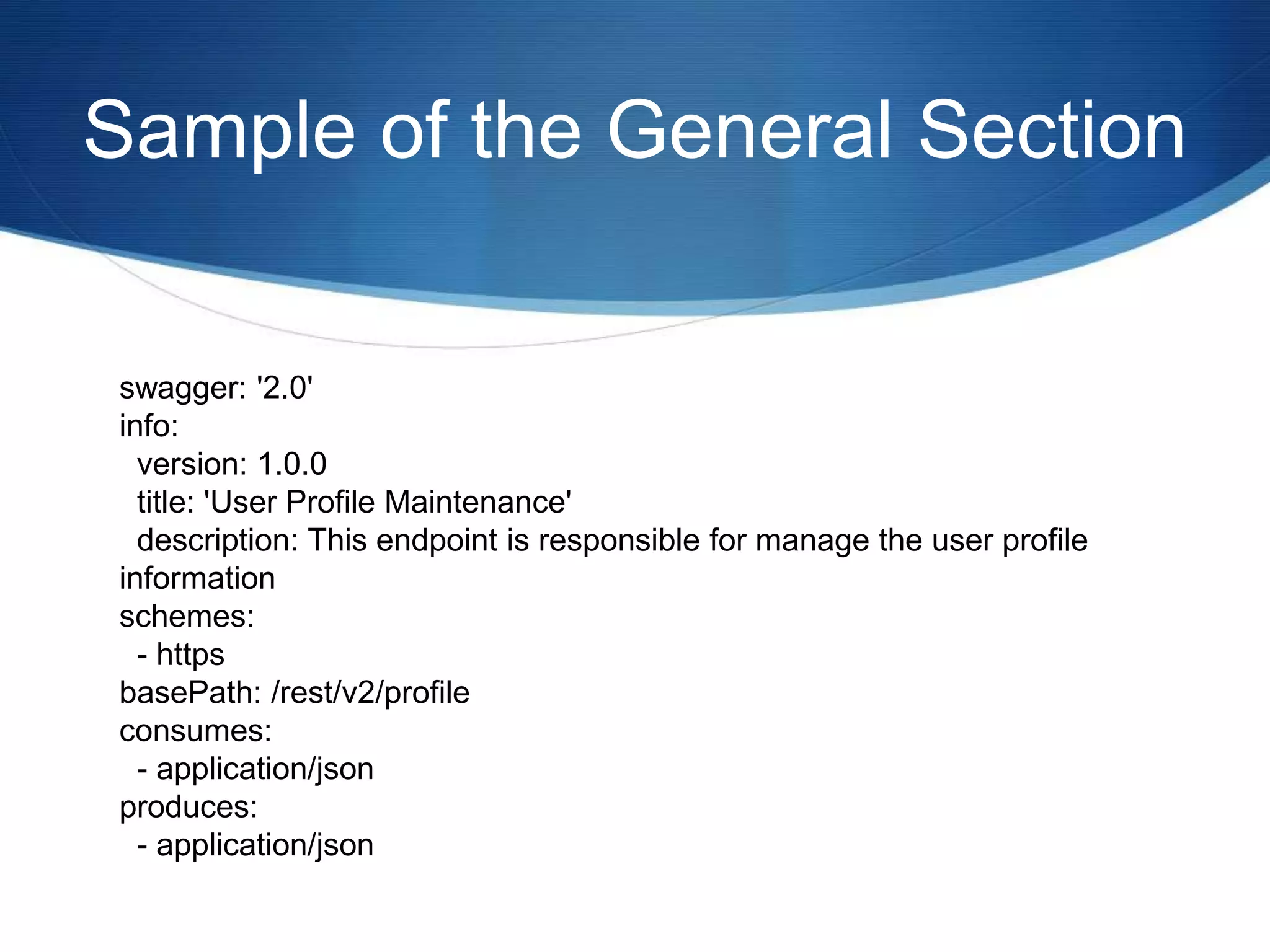
swagger: '2.0'
info:
version: 1.0.0
title: 'User Profile Maintenance'
description: This endpoint is responsible for manage the user profile
information
schemes:
- https
basePath: /rest/v2/profile
consumes:
- application/json
produces:
- application/json
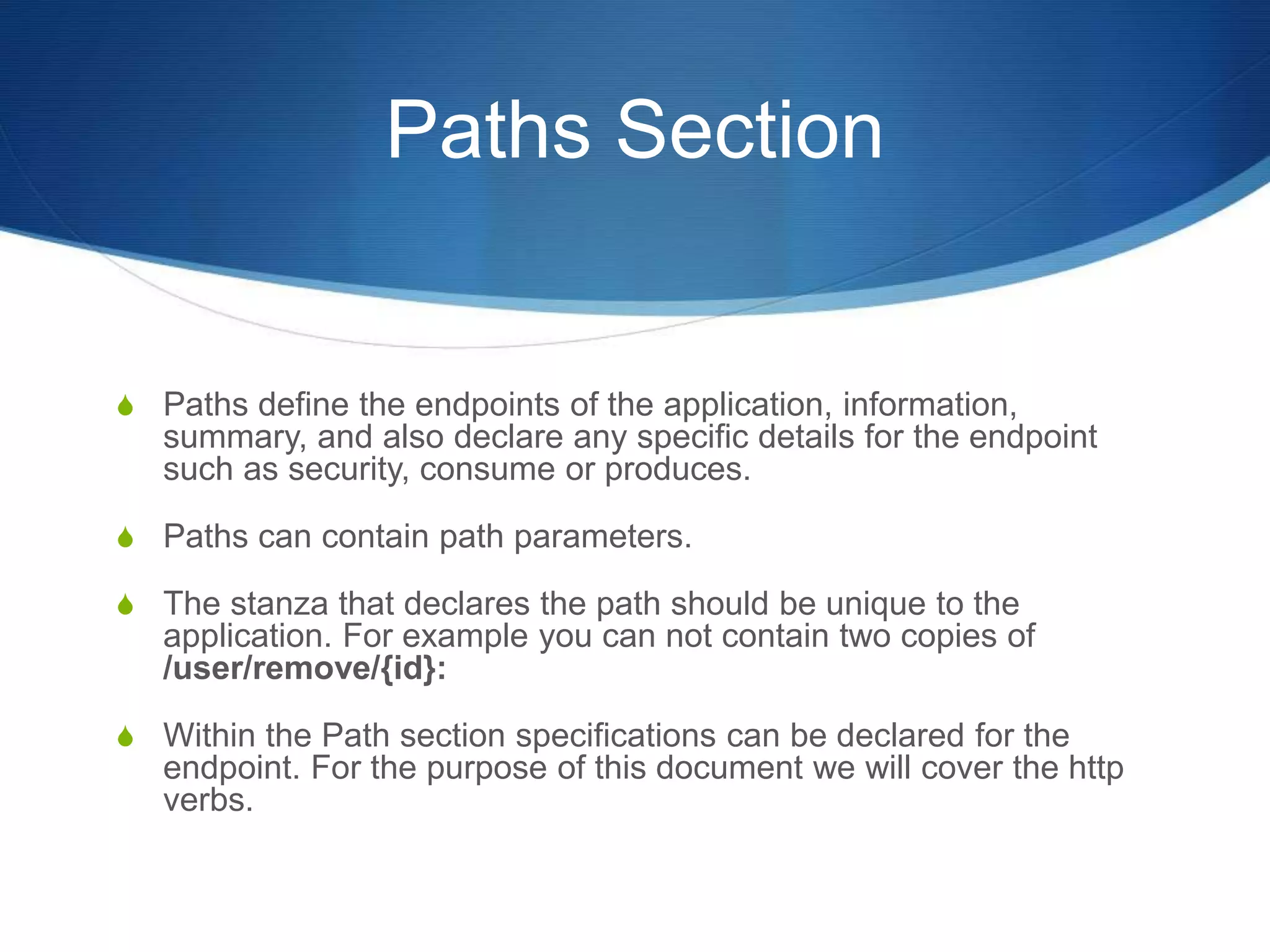
Paths Section
S Paths define the endpoints of the application, information,
summary, and also declare any specific details for the endpoint
such as security, consume or produces.
S Paths can contain path parameters.
S The stanza that declares the path should be unique to the
application. For example you can not contain two copies of
/user/remove/{id}:
S Within the Path section specifications can be declared for the
endpoint. For the purpose of this document we will cover the http
verbs.
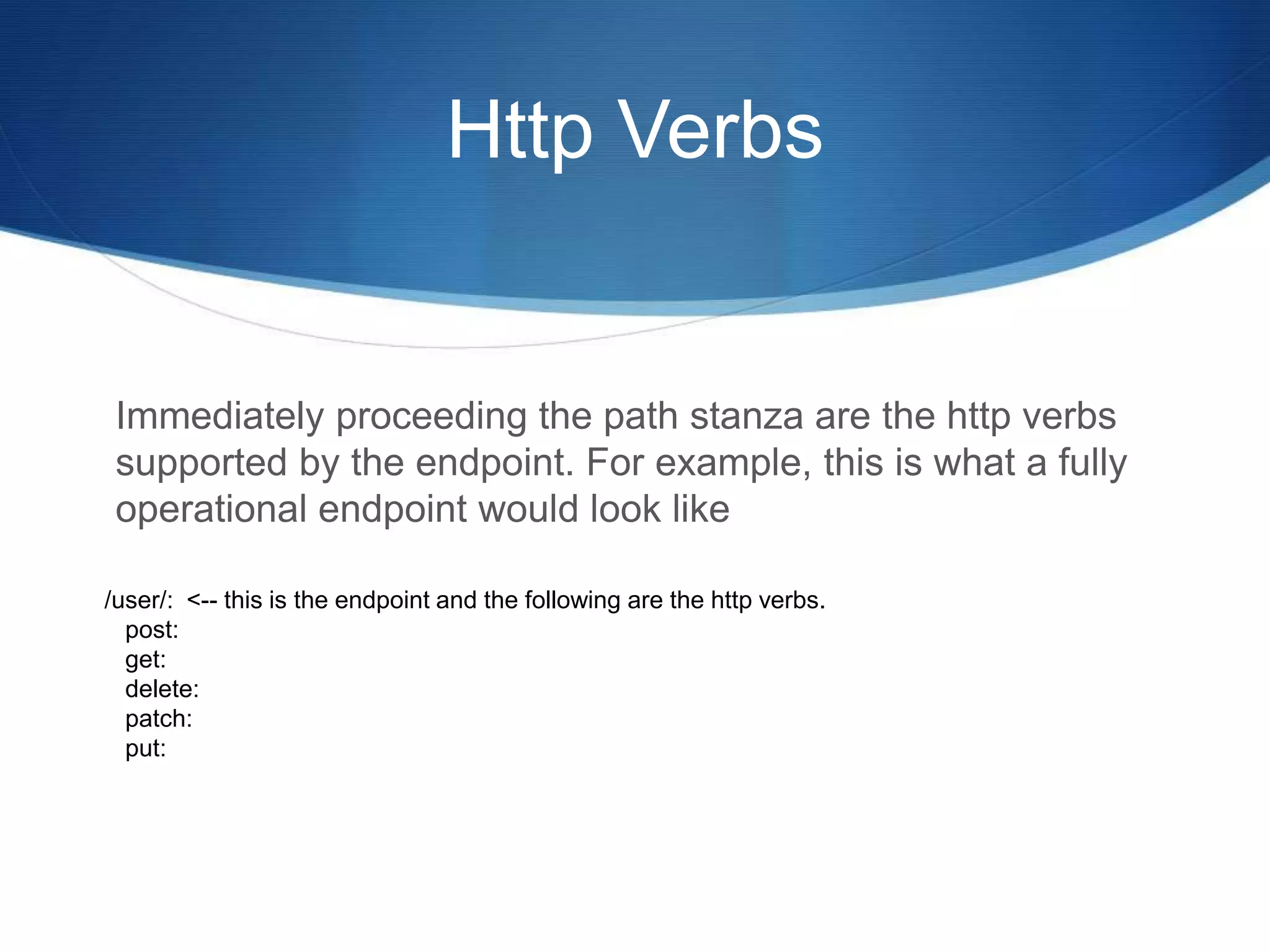
Http Verbs
Immediately proceeding the path stanza are the http verbs
supported by the endpoint. For example, this is what a fully
operational endpoint would look like
/user/: <-- this is the endpoint and the following are the http verbs.
post:
get:
delete:
patch:
put:
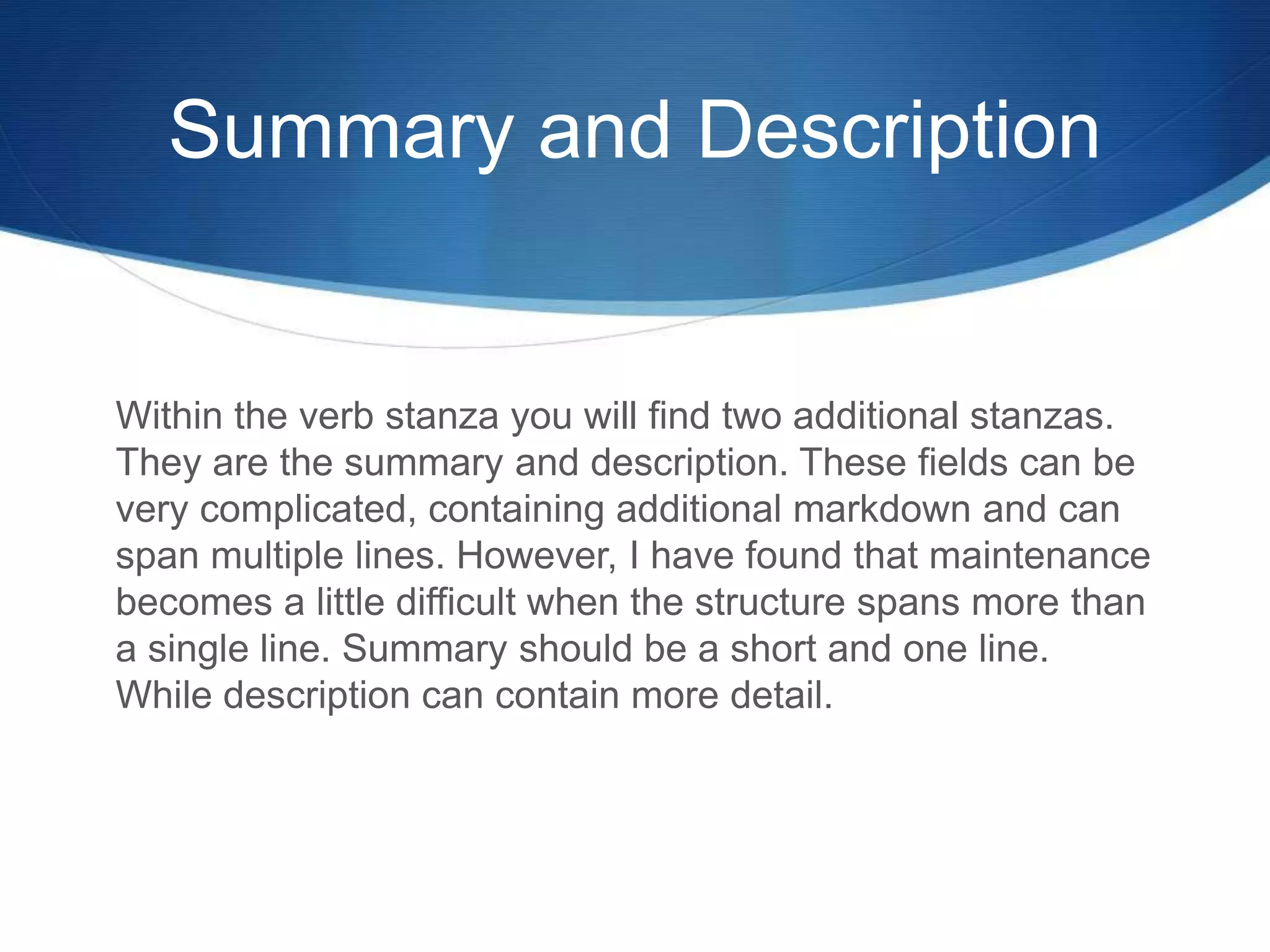
Summary and Description
Within the verb stanza you will find two additional stanzas.
They are the summary and description. These fields can be
very complicated, containing additional markdown and can
span multiple lines. However, I have found that maintenance
becomes a little difficult when the structure spans more than
a single line. Summary should be a short and one line.
While description can contain more detail.
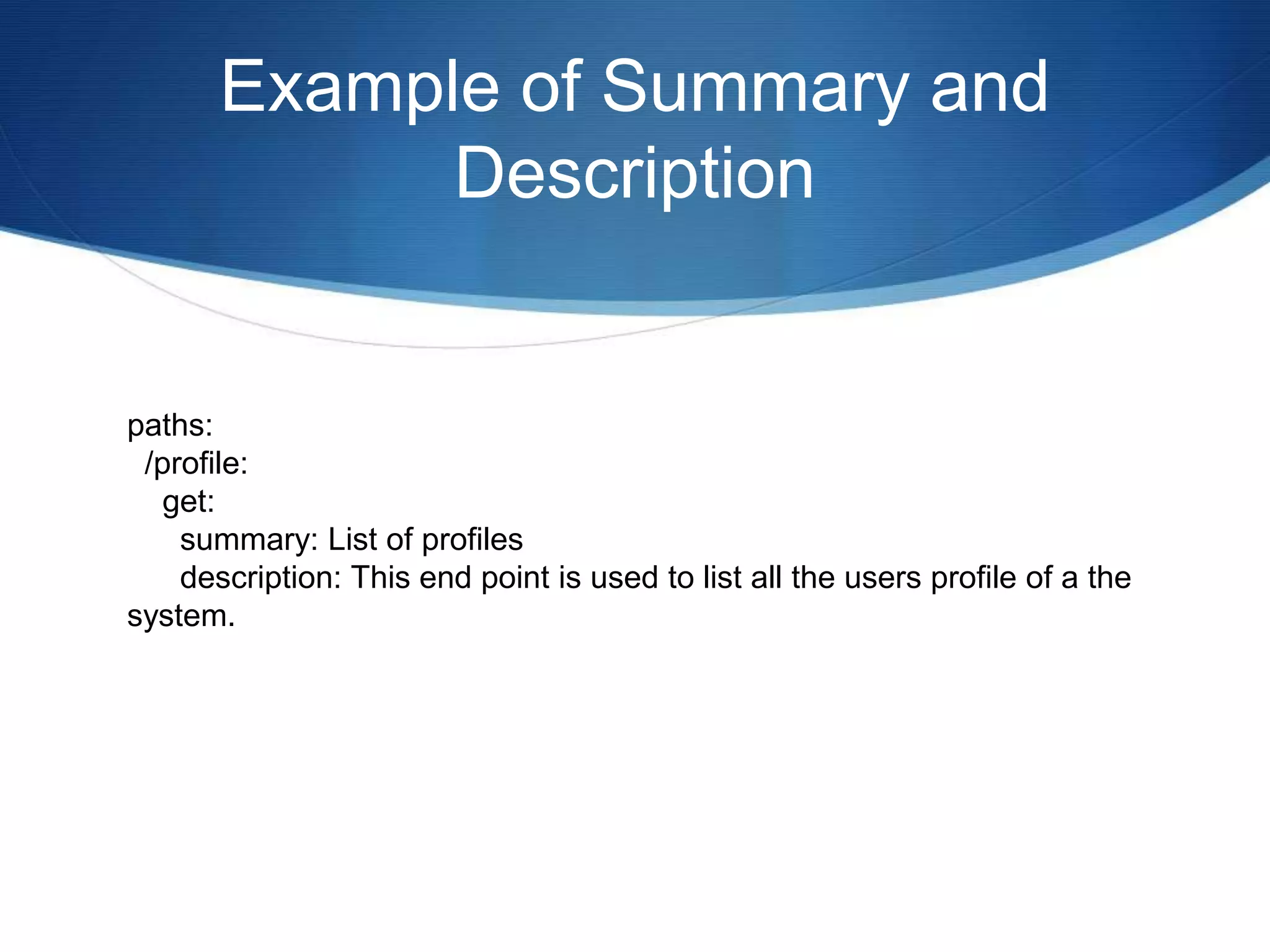
Example of Summary and
Description
paths:
/profile:
get:
summary: List of profiles
description: This end point is used to list all the users profile of a the
system.
Parameters and Responses
S Within the same verb stanza you will find two more
stanza in addition to the Summary and Description. They
are the parameters and responses. These two stanzas
are followed by a very complicated structure, which I will
go into detail next.
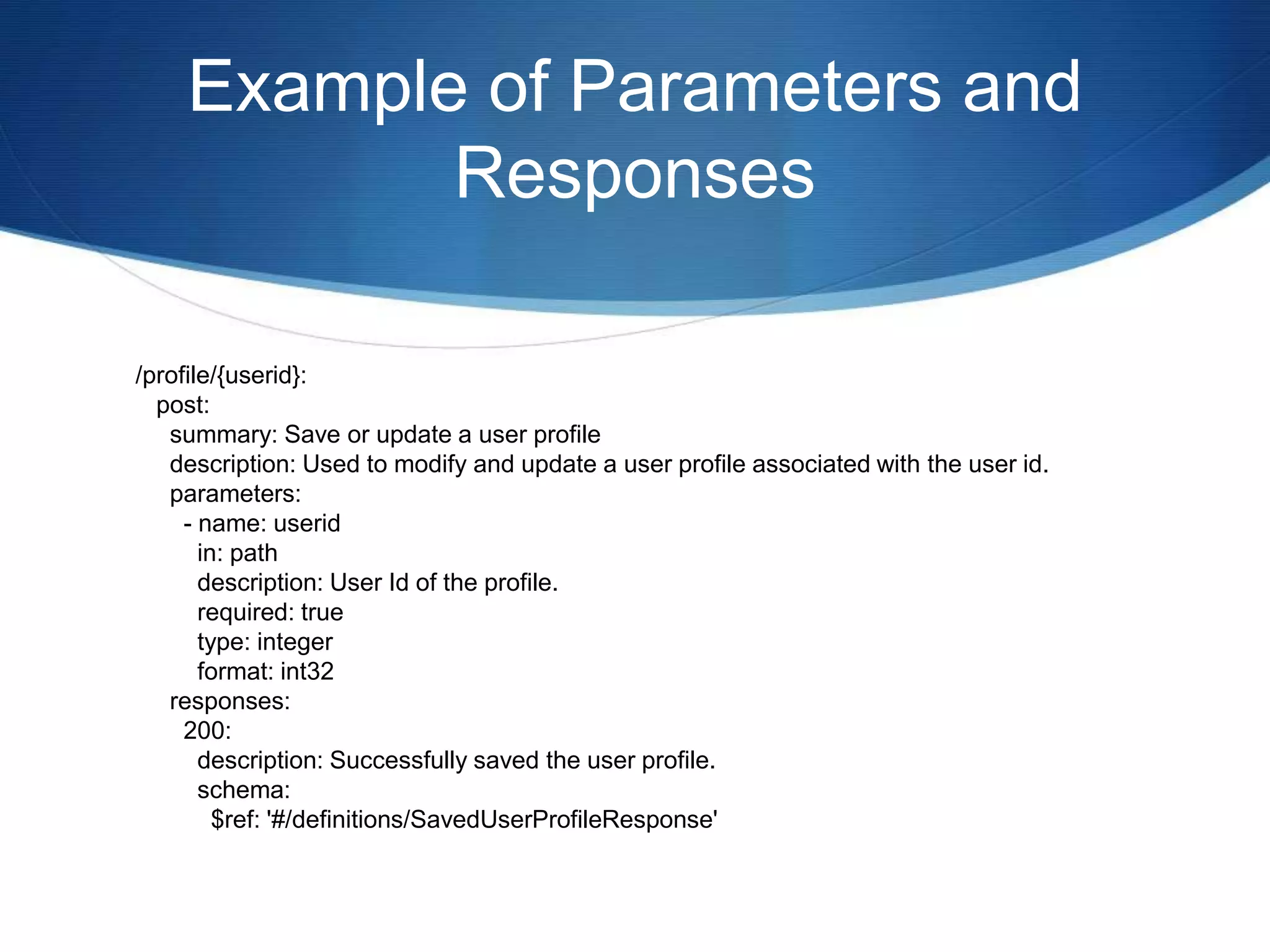
S Here is an example from the previous section with the
newly added Parameters and Responses added.
Example of Parameters and
Responses
/profile/{userid}:
post:
summary: Save or update a user profile
description: Used to modify and update a user profile associated with the user id.
parameters:
- name: userid
in: path
description: User Id of the profile.
required: true
type: integer
format: int32
responses:
200:
description: Successfully saved the user profile.
schema:
$ref: '#/definitions/SavedUserProfileResponse'
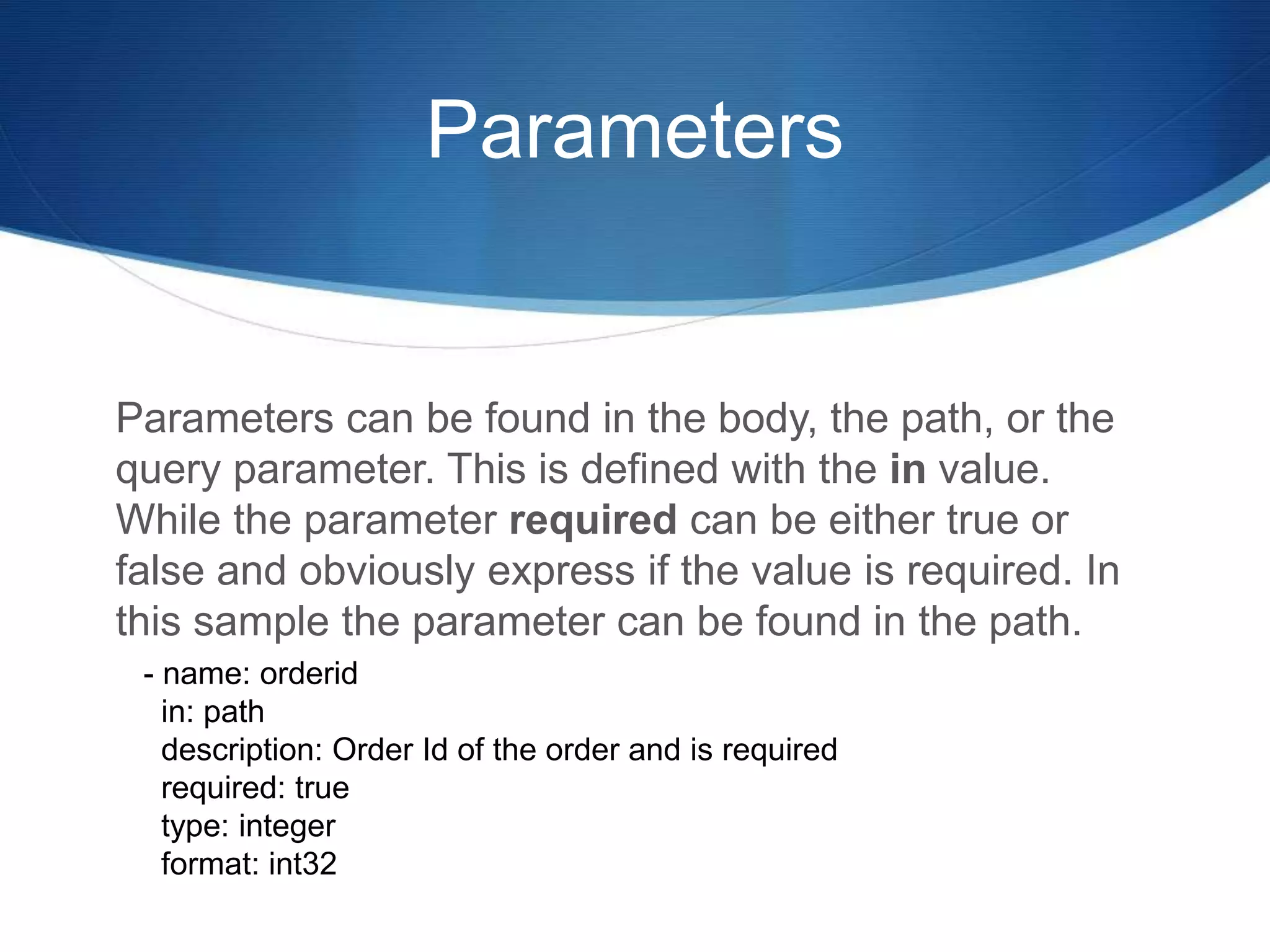
Parameters
Parameters can be found in the body, the path, or the
query parameter. This is defined with the in value.
While the parameter required can be either true or
false and obviously express if the value is required. In
this sample the parameter can be found in the path.
- name: orderid
in: path
description: Order Id of the order and is required
required: true
type: integer
format: int32
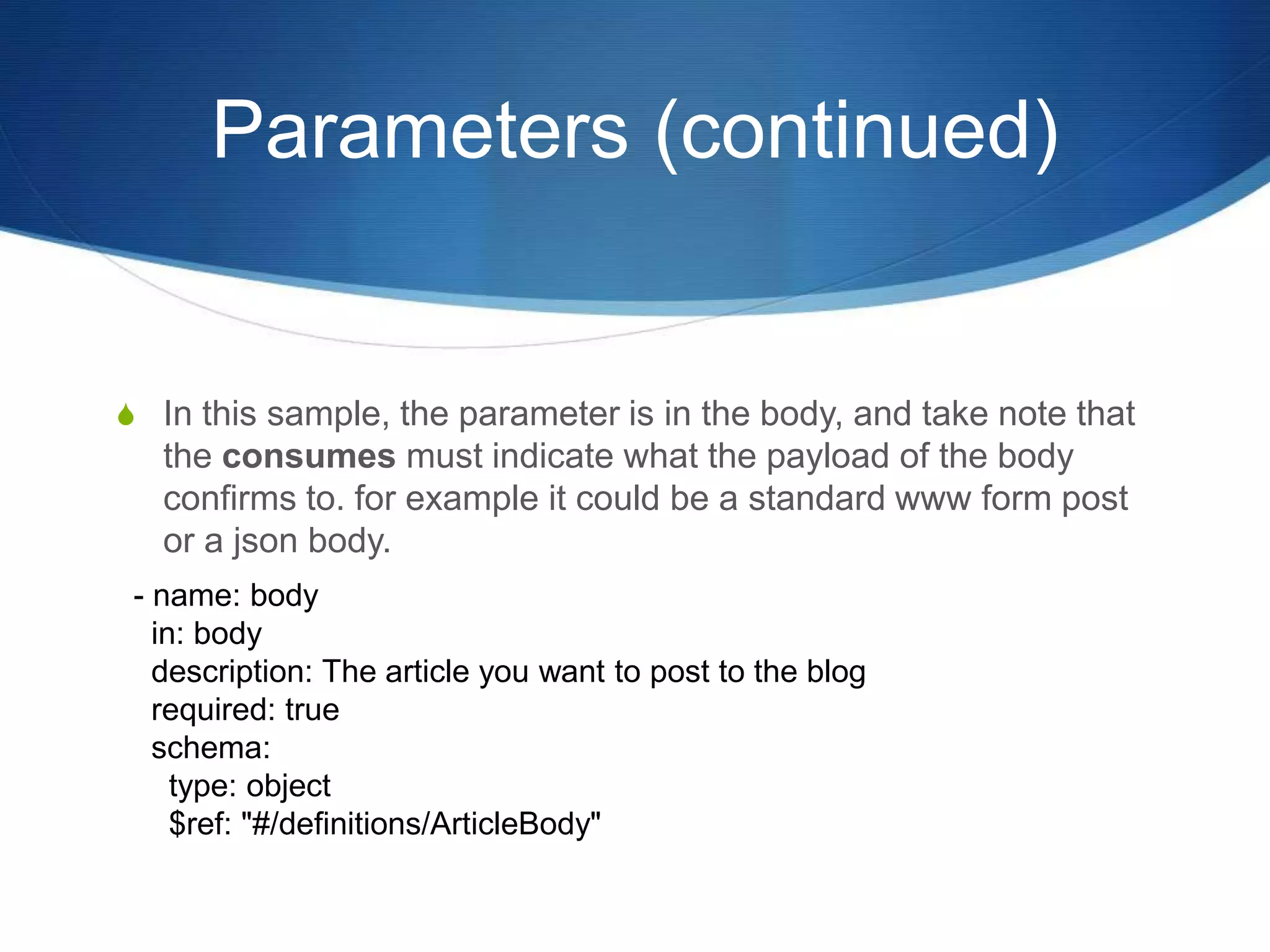
Parameters (continued)
S In this sample, the parameter is in the body, and take note that
the consumes must indicate what the payload of the body
confirms to. for example it could be a standard www form post
or a json body.
- name: body
in: body
description: The article you want to post to the blog
required: true
schema:
type: object
$ref: "#/definitions/ArticleBody"
Parameters (continued)
S In this sample the parameter is a query parameter called
type.
- name: type
in: query
type: string
required: false
description: Type of UPC that has been provided.
enum: [
'UPC-A',
'UPC-B',
'UPC-C',
'UPC-E'
]
Parameters (continued)
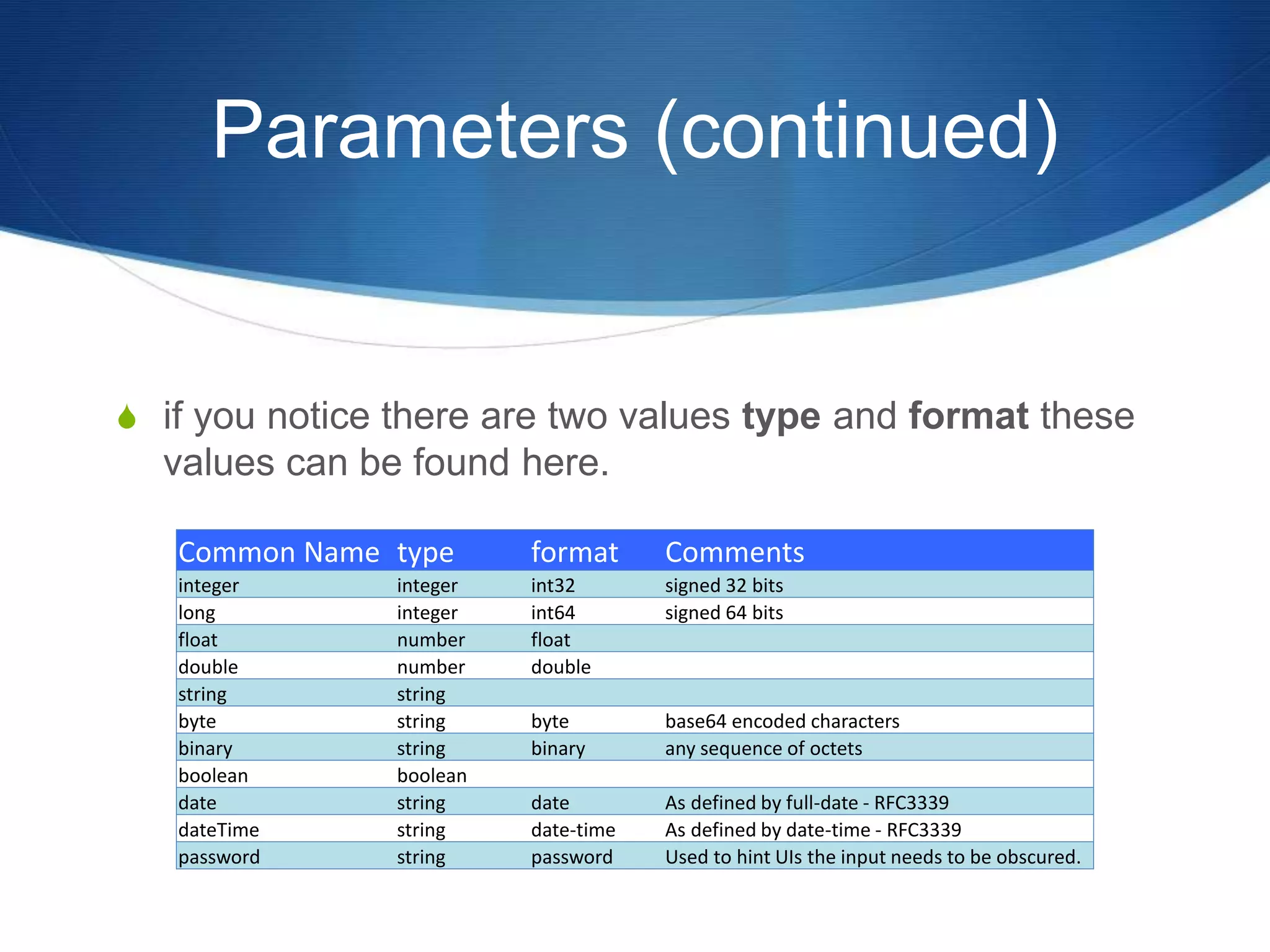
S if you notice there are two values type and format these
values can be found here.
Common Name type format Comments
integer integer int32 signed 32 bits
long integer int64 signed 64 bits
float number float
double number double
string string
byte string byte base64 encoded characters
binary string binary any sequence of octets
boolean boolean
date string date As defined by full-date - RFC3339
dateTime string date-time As defined by date-time - RFC3339
password string password Used to hint UIs the input needs to be obscured.
Parameters (continued)
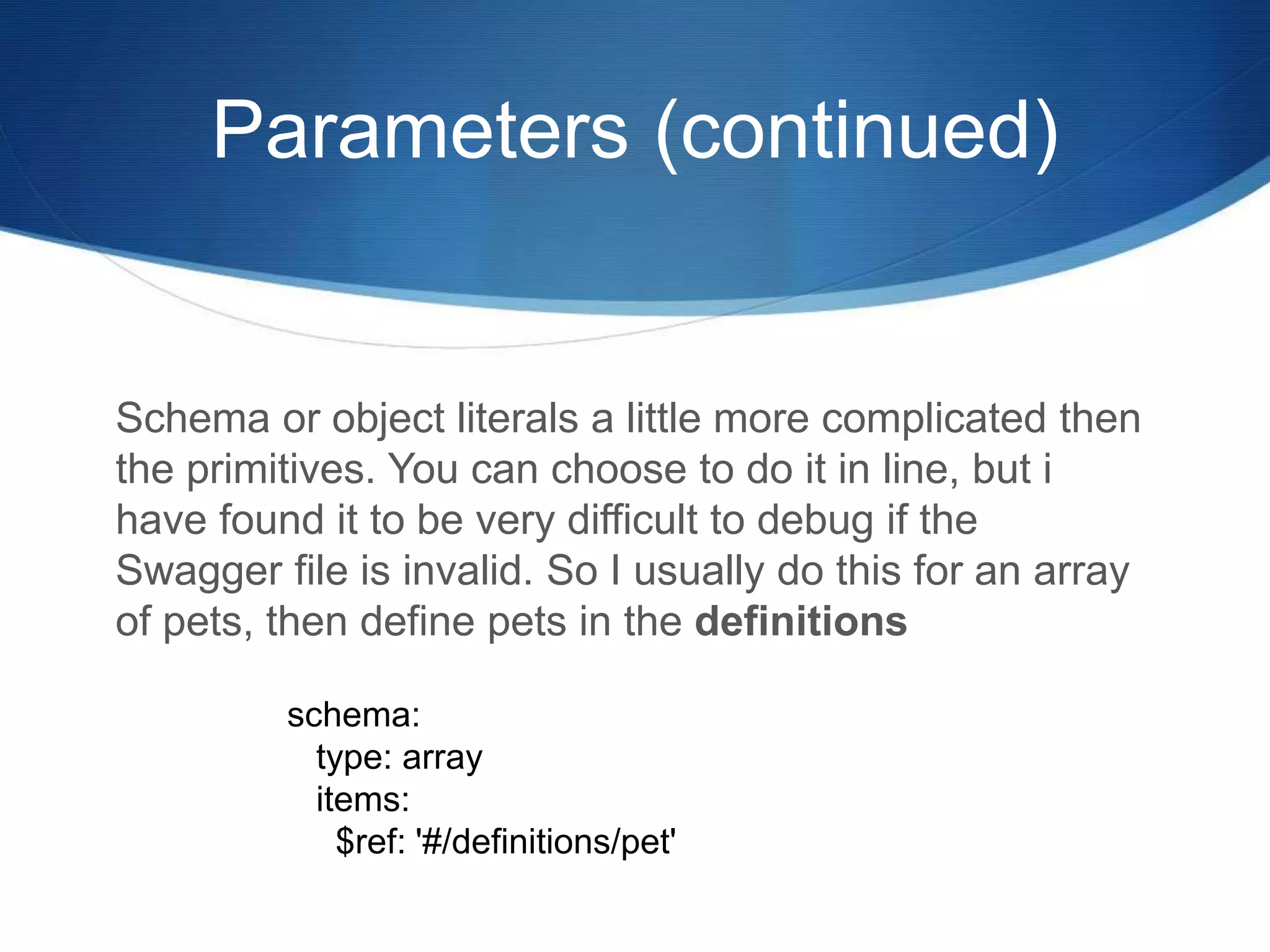
Schema or object literals a little more complicated then
the primitives. You can choose to do it in line, but i
have found it to be very difficult to debug if the
Swagger file is invalid. So I usually do this for an array
of pets, then define pets in the definitions
schema:
type: array
items:
$ref: '#/definitions/pet'
Parameters (continued)
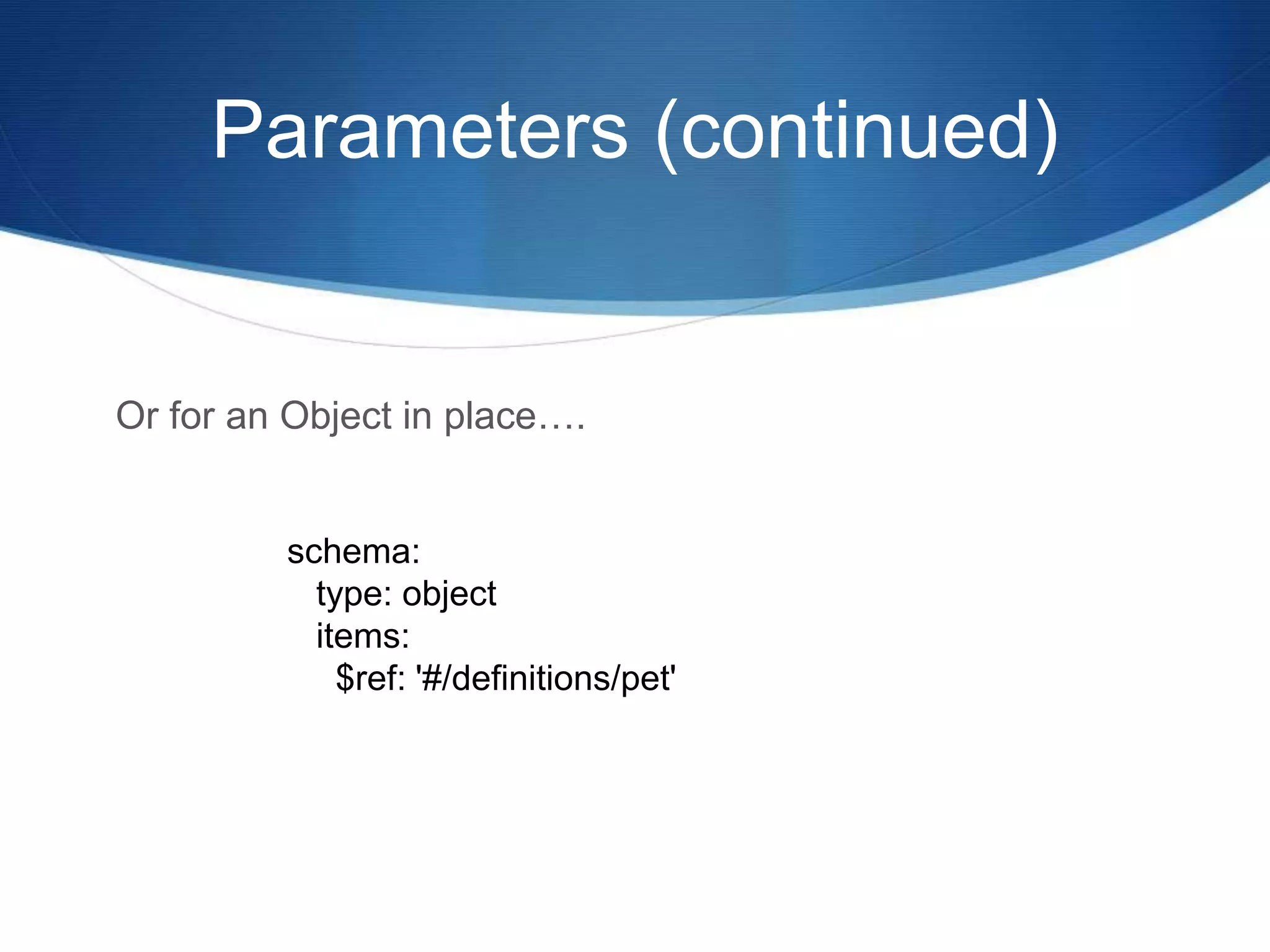
Or for an Object in place….
schema:
type: object
items:
$ref: '#/definitions/pet'
Responses
S Responses are similar in nature to the verbs except they
correspond to the HTTP status codes. So there is a 200,
400, etc. This is always followed by a description and if
appropriate a schema which can be an array, an object
or a reference to a definition ( which is what I prefer ).
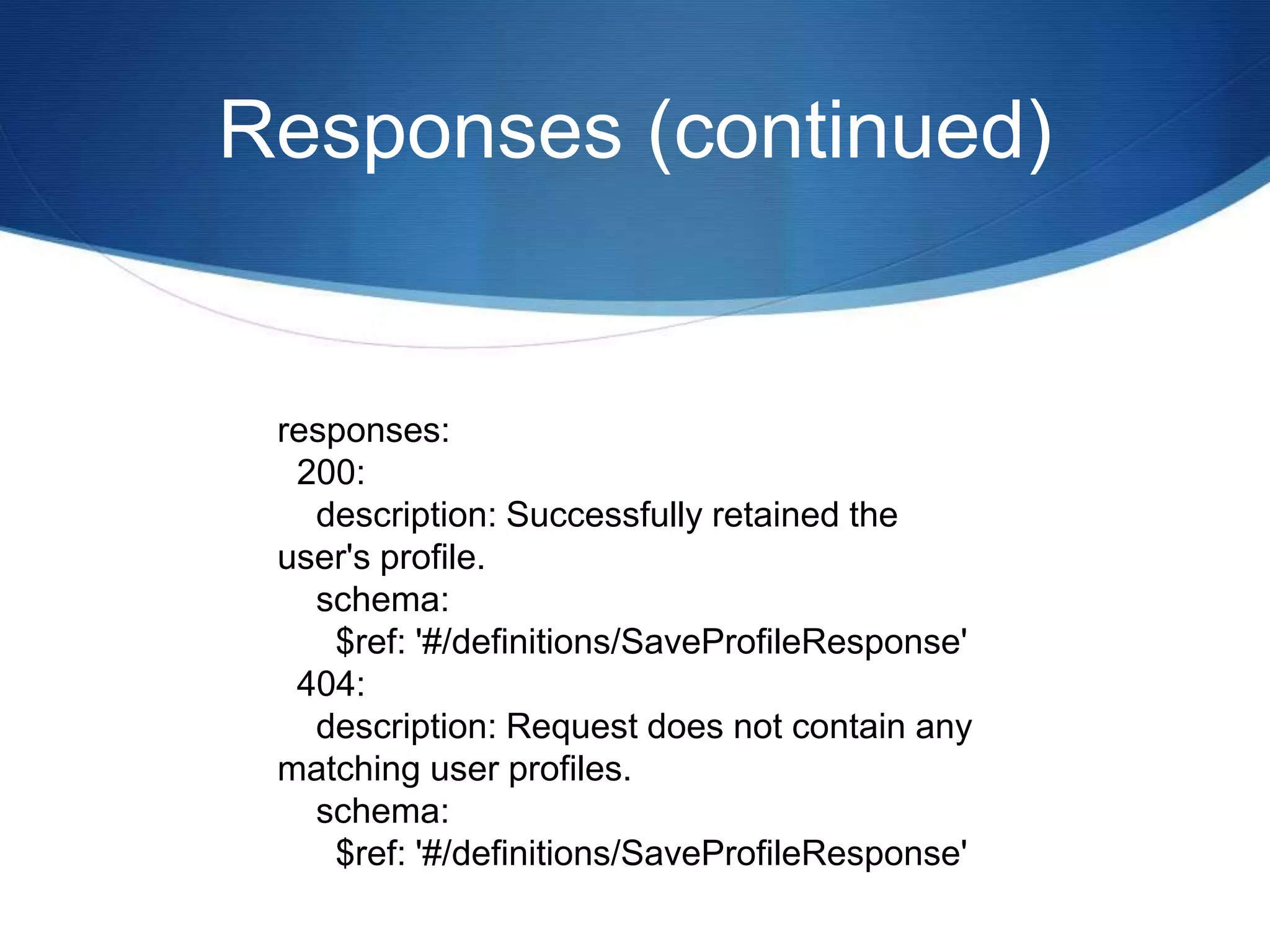
S So in this example, we have a 200 and 404 response
defined, each with a schema defined in the definitions.
Responses (continued)
responses:
200:
description: Successfully retained the
user's profile.
schema:
$ref: '#/definitions/SaveProfileResponse'
404:
description: Request does not contain any
matching user profiles.
schema:
$ref: '#/definitions/SaveProfileResponse'
Definitions
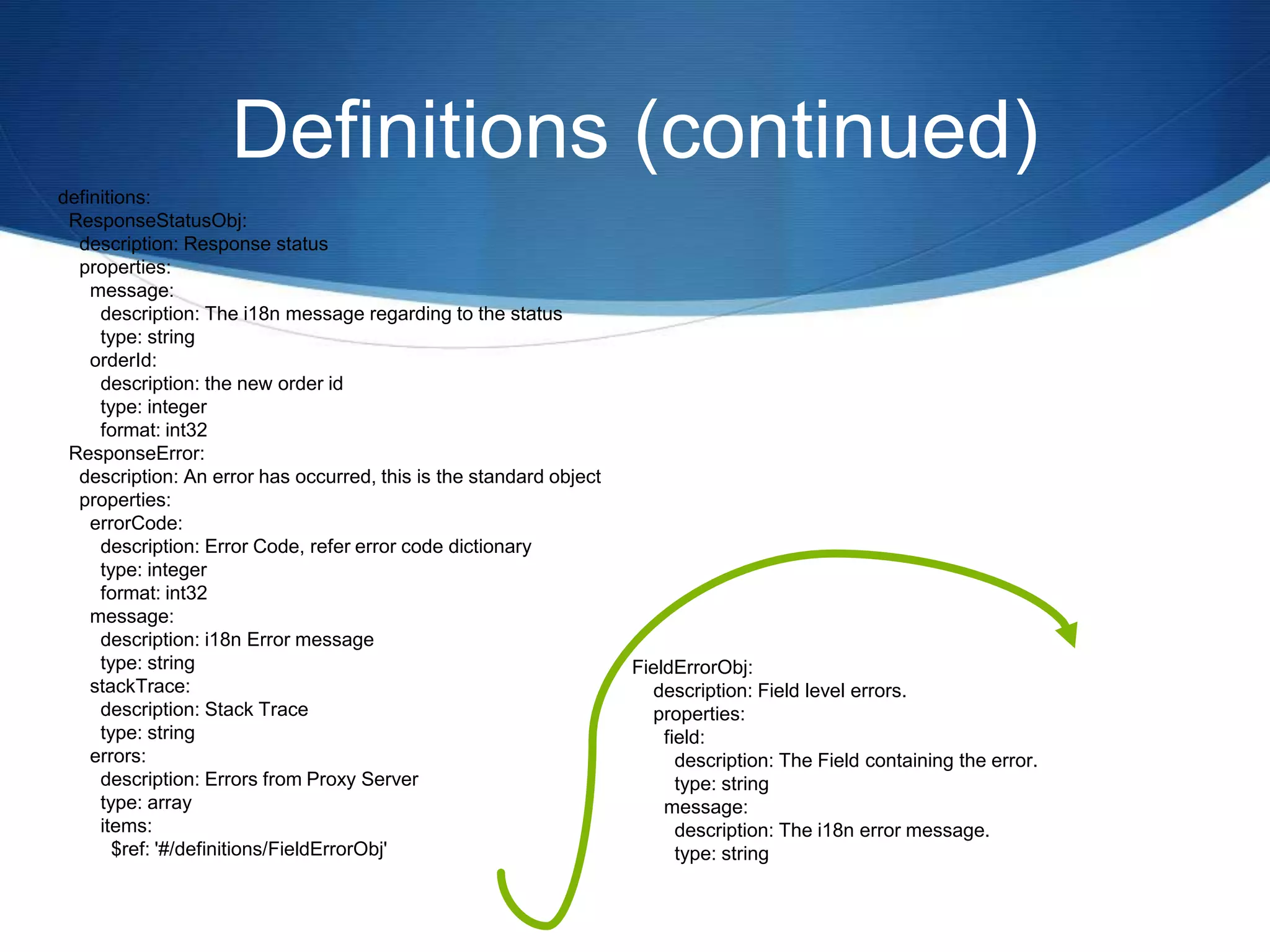
The definition section contains all the object definitions for
the entire system and looks like the following example. Note
that all objects must be uniquely based on the name of the
object. The object name is followed by a description and
properties which will contain multiple names. Within that
name a description and type just like the properties. These
definitions can contain sub objects, which would intern be
defined in the definitions as well. While it is possible to
define sub objects in-line with the parent, I have found the
layout to be a challenge to navigate, I advise everyone to
keep the definitions flat.
Definitions (continued)
definitions:
ResponseStatusObj:
description: Response status
properties:
message:
description: The i18n message regarding to the status
type: string
orderId:
description: the new order id
type: integer
format: int32
ResponseError:
description: An error has occurred, this is the standard object
properties:
errorCode:
description: Error Code, refer error code dictionary
type: integer
format: int32
message:
description: i18n Error message
type: string
stackTrace:
description: Stack Trace
type: string
errors:
description: Errors from Proxy Server
type: array
items:
$ref: '#/definitions/FieldErrorObj'
FieldErrorObj:
description: Field level errors.
properties:
field:
description: The Field containing the error.
type: string
message:
description: The i18n error message.
type: string
Conclusion
S Swagger = Good
S The Swagger Editor isnt a professional piece of software but it is “Good
Enough”
S Use Swagger, it really makes development easy, a POC can be cranked
out really fast, and it allows you to spot problems with your models in
advance.
S I enjoy walking into the client, putting forth a spec or POC and getting feed
back fast. With all the tools available for this specification, it will only get
better.
Thank you for your time.

What is Swagger?

  • 1.
    S What is Swagger? Anintroduction to a popular framework for REST APIs, Proof of Concepts and Rapid Development. An indispensable tool for Software Engineers, Developers and Architects.
  • 2.
    Intro My name isPhilip A Senger, I have been a software developer for over 20 years. Like many of you I have worked with dozens of tools over the years. After using the Swagger Editor and Swagger Markdown, I feel compelled to expand it usage. I now consider it an essential tool for my daily development of REST APIs. This presentation is designed to explain briefly what swagger is and how to use some of the common tools around the specification.
  • 3.
    What is Swagger SSwagger is a joint open source project by several vendors aimed at providing representational language for RESTful service oriented end points. S It is used by hundred of companies and is supposed by many vendors ( Apigee, Mulesoft, IBM, etc. ) S It has many open source sub supporting projects such as S Swagger UI - an interactive website for your end points. S Swagger Editor - a UI to help you write Mark down S Swagger SDK Generators / Codeine - a SDK and tool to build your api's in a variety of languages ( node js ). Today we will be talking extensively about Swagger and the Swagger Editor.
  • 4.
    Getting Started S Markdownlanguages like Swagger typically don't come with an editor ( eg Git markdown, Jade, etc ). Swagger Editor is the exception. It was built roughly the same time and works fairly well. S The Swagger Editor gives you immediate feed back about the endpoint and its syntax. While it is not great feedback it is “good enough”. S Since this is the first tool used by most to get started with Swagger, Im going to go into the details of how to get it going first.
  • 5.
    Swagger Editor S Thebest way to get started is with Swagger is with the Swagger Editor. There are two ways to use it. You can either run the online demo or clone the Git repository and run it locally. S The easiest and quickest entry ( without barriers ) is to go to the website here, and use it. http://editor.swagger.io/#/ S If you are a developer, and have node js, git on your desktop, and some patience, you can clone the repo and run the app via this URL git clone https://github.com/swagger-api/swagger-editor.git cd swagger-editor npm start
  • 6.
    File Format Swagger isa specification, and like http which can transport either SOAP or JSON, the actual content of swagger can be one of two types. YAML ( Yet Another Markdown Language ) or JSON (JavaScript Object Notation). I prefer YAML, because it simply is less typing. However, YAML is tab sensitive, character sensitive, and basically annoying if you are intolerant of this things. The good news is, the Swagger-Editor can read and convert freely between the two formats. So it is possible to keep the whole the team happy.
  • 7.
    Website you needto book mark S The Main Website http://swagger.io/ S Schema and Specifications of Swagger http://swagger.io/specification/ S Swagger Editor http://editor.swagger.io/#/ S Git Repository for the Swagger Editor https://github.com/swagger-api/swagger-editor.git
  • 8.
    Basic Layout ofa Swagger 2.0 File The top level layout has three major identifiable sections. I use the word identifiable because, the specification does not declare order, but keeping it consistent makes sense. S General Section ( Application settings ) S Paths Section ( End Points specific settings ) S Definitions Section ( Declaration of entities )
  • 9.
    General Section The GeneralSection contains information that applies to the whole application, Application settings. You will find in this area information such as the version of swagger this file adheres against, basic info such as the version, title, and summary, copyright, security, the supported protocols such as https, the base path of all the end points in this specification. Furthermore, anything that can apply to application as a whole, such as what it consumes, produces and security. Sorry I won't cover the security section it is very complicated and is not critical to getting an API together fast.
  • 10.
    Sample of theGeneral Section swagger: '2.0' info: version: 1.0.0 title: 'User Profile Maintenance' description: This endpoint is responsible for manage the user profile information schemes: - https basePath: /rest/v2/profile consumes: - application/json produces: - application/json
  • 11.
    Paths Section S Pathsdefine the endpoints of the application, information, summary, and also declare any specific details for the endpoint such as security, consume or produces. S Paths can contain path parameters. S The stanza that declares the path should be unique to the application. For example you can not contain two copies of /user/remove/{id}: S Within the Path section specifications can be declared for the endpoint. For the purpose of this document we will cover the http verbs.
  • 12.
    Http Verbs Immediately proceedingthe path stanza are the http verbs supported by the endpoint. For example, this is what a fully operational endpoint would look like /user/: <-- this is the endpoint and the following are the http verbs. post: get: delete: patch: put:
  • 13.
    Summary and Description Withinthe verb stanza you will find two additional stanzas. They are the summary and description. These fields can be very complicated, containing additional markdown and can span multiple lines. However, I have found that maintenance becomes a little difficult when the structure spans more than a single line. Summary should be a short and one line. While description can contain more detail.
  • 14.
    Example of Summaryand Description paths: /profile: get: summary: List of profiles description: This end point is used to list all the users profile of a the system.
  • 15.
    Parameters and Responses SWithin the same verb stanza you will find two more stanza in addition to the Summary and Description. They are the parameters and responses. These two stanzas are followed by a very complicated structure, which I will go into detail next. S Here is an example from the previous section with the newly added Parameters and Responses added.
  • 16.
    Example of Parametersand Responses /profile/{userid}: post: summary: Save or update a user profile description: Used to modify and update a user profile associated with the user id. parameters: - name: userid in: path description: User Id of the profile. required: true type: integer format: int32 responses: 200: description: Successfully saved the user profile. schema: $ref: '#/definitions/SavedUserProfileResponse'
  • 17.
    Parameters Parameters can befound in the body, the path, or the query parameter. This is defined with the in value. While the parameter required can be either true or false and obviously express if the value is required. In this sample the parameter can be found in the path. - name: orderid in: path description: Order Id of the order and is required required: true type: integer format: int32
  • 18.
    Parameters (continued) S Inthis sample, the parameter is in the body, and take note that the consumes must indicate what the payload of the body confirms to. for example it could be a standard www form post or a json body. - name: body in: body description: The article you want to post to the blog required: true schema: type: object $ref: "#/definitions/ArticleBody"
  • 19.
    Parameters (continued) S Inthis sample the parameter is a query parameter called type. - name: type in: query type: string required: false description: Type of UPC that has been provided. enum: [ 'UPC-A', 'UPC-B', 'UPC-C', 'UPC-E' ]
  • 20.
    Parameters (continued) S ifyou notice there are two values type and format these values can be found here. Common Name type format Comments integer integer int32 signed 32 bits long integer int64 signed 64 bits float number float double number double string string byte string byte base64 encoded characters binary string binary any sequence of octets boolean boolean date string date As defined by full-date - RFC3339 dateTime string date-time As defined by date-time - RFC3339 password string password Used to hint UIs the input needs to be obscured.
  • 21.
    Parameters (continued) Schema orobject literals a little more complicated then the primitives. You can choose to do it in line, but i have found it to be very difficult to debug if the Swagger file is invalid. So I usually do this for an array of pets, then define pets in the definitions schema: type: array items: $ref: '#/definitions/pet'
  • 22.
    Parameters (continued) Or foran Object in place…. schema: type: object items: $ref: '#/definitions/pet'
  • 23.
    Responses S Responses aresimilar in nature to the verbs except they correspond to the HTTP status codes. So there is a 200, 400, etc. This is always followed by a description and if appropriate a schema which can be an array, an object or a reference to a definition ( which is what I prefer ). S So in this example, we have a 200 and 404 response defined, each with a schema defined in the definitions.
  • 24.
    Responses (continued) responses: 200: description: Successfullyretained the user's profile. schema: $ref: '#/definitions/SaveProfileResponse' 404: description: Request does not contain any matching user profiles. schema: $ref: '#/definitions/SaveProfileResponse'
  • 25.
    Definitions The definition sectioncontains all the object definitions for the entire system and looks like the following example. Note that all objects must be uniquely based on the name of the object. The object name is followed by a description and properties which will contain multiple names. Within that name a description and type just like the properties. These definitions can contain sub objects, which would intern be defined in the definitions as well. While it is possible to define sub objects in-line with the parent, I have found the layout to be a challenge to navigate, I advise everyone to keep the definitions flat.
  • 26.
    Definitions (continued) definitions: ResponseStatusObj: description: Responsestatus properties: message: description: The i18n message regarding to the status type: string orderId: description: the new order id type: integer format: int32 ResponseError: description: An error has occurred, this is the standard object properties: errorCode: description: Error Code, refer error code dictionary type: integer format: int32 message: description: i18n Error message type: string stackTrace: description: Stack Trace type: string errors: description: Errors from Proxy Server type: array items: $ref: '#/definitions/FieldErrorObj' FieldErrorObj: description: Field level errors. properties: field: description: The Field containing the error. type: string message: description: The i18n error message. type: string
  • 27.
    Conclusion S Swagger =Good S The Swagger Editor isnt a professional piece of software but it is “Good Enough” S Use Swagger, it really makes development easy, a POC can be cranked out really fast, and it allows you to spot problems with your models in advance. S I enjoy walking into the client, putting forth a spec or POC and getting feed back fast. With all the tools available for this specification, it will only get better. Thank you for your time.