1) Review "frenchie" folder contents: index.html .jpg, .gif, or .png at lest one more page.html at least one more image check folder structure
2) Change some attributes of other pages add <h1> </h1> tag to page title wrap <h2> </h2> around  <ul> </ul>
3) Get embed code for video
4) Paste embed code into <body> </body> tags of “about” page
5) Create an email link:   <a href=&quot;mailto:ehughes@usc.edu&quot;> contact me </a> in contact page
CSS & next phase in the evolution of Web development:  
6)  The  CSS stylesheet creates the scripting commands for your HTML pages. You will link to the CSS stylesheet in the <head> </head> tag of each page you want linked. But let's not get ahead of ourselves….first…
7)   open new unformatted text document
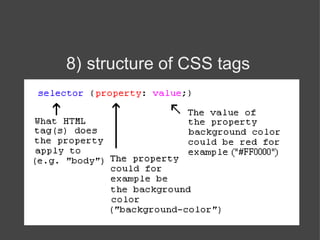
8)   structure of CSS tags
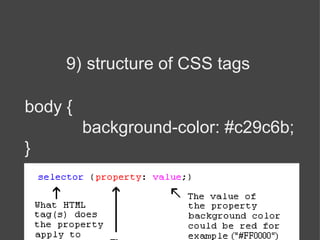
9)   structure of CSS tags body { background-color: #c29c6b; }
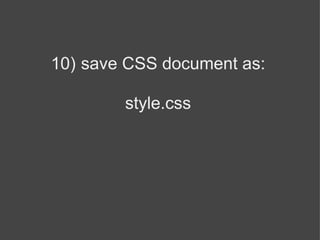
10)   save CSS document as: style.css
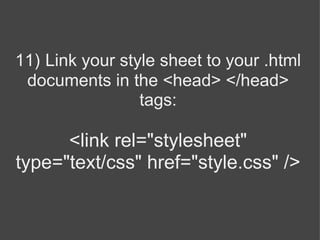
11)   Link your style sheet to your .html documents in the <head> </head> tags:   <link rel=&quot;stylesheet&quot; type=&quot;text/css&quot; href=&quot;style.css&quot; />
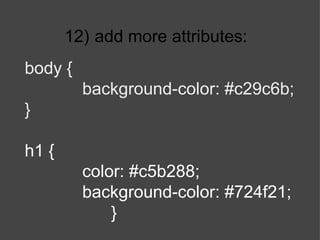
12)   add more attributes: body { background-color: #c29c6b; } h1 { color: #c5b288; background-color: #724f21; }
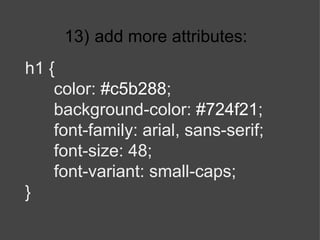
13)   add more attributes: h1 { color:  #c5b288 ; background-color:  #724f21 ; font-family: arial, sans-serif; font-size: 48; font-variant: small-caps; }
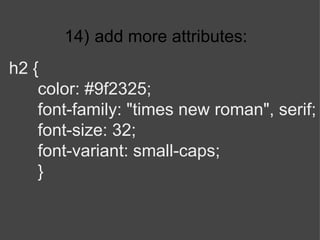
14)   add more attributes: h2 { color: #9f2325; font-family: &quot;times new roman&quot;, serif; font-size: 32; font-variant: small-caps; }
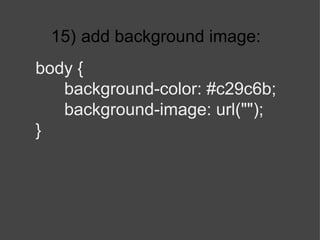
15)   add background image: body { background-color: #c29c6b; background-image: url(&quot;&quot;); }
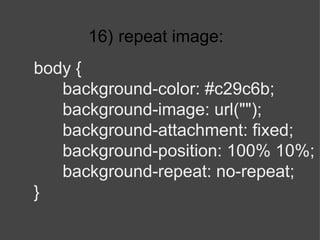
16)   repeat image: body { background-color: #c29c6b; background-image: url(&quot;&quot;); background-attachment: fixed; background-position: 100% 10%; background-repeat: no-repeat; }
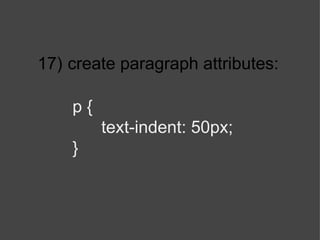
17)   create paragraph attributes: p { text-indent: 50px; }
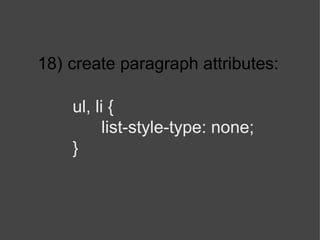
18)   create paragraph attributes: ul, li { list-style-type: none; }
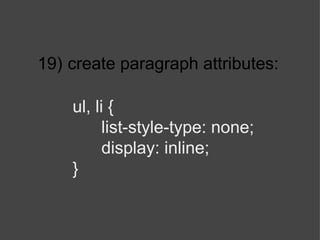
19)   create paragraph attributes: ul, li { list-style-type: none; display: inline; }
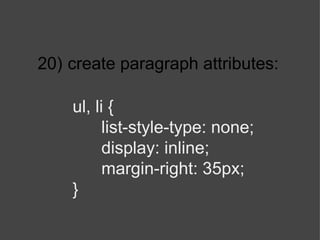
20)   create paragraph attributes: ul, li { list-style-type: none; display: inline; margin-right: 35px; }
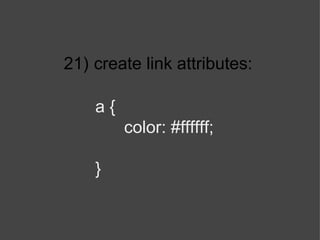
21)   create link attributes: a { color: #ffffff; }
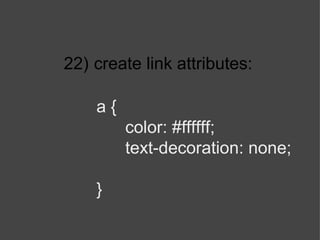
22)   create link attributes: a { color: #ffffff; text-decoration: none; }
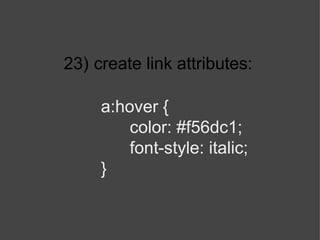
23)   create link attributes: a:hover { color:  #f56dc1 ; font-style: italic; }
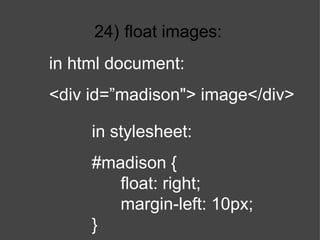
24)   float images: in stylesheet: #madison { float: right; margin-left: 10px; } in html document: <div id=”madison&quot;> image</div>
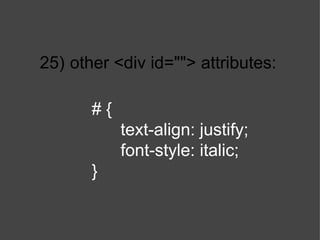
25)   other <div id=&quot;&quot;> attributes: # { text-align: justify; font-style: italic; }

Week 4 css basics

  • 1.
    1) Review &quot;frenchie&quot;folder contents: index.html .jpg, .gif, or .png at lest one more page.html at least one more image check folder structure
  • 2.
    2) Change someattributes of other pages add <h1> </h1> tag to page title wrap <h2> </h2> around <ul> </ul>
  • 3.
    3) Get embedcode for video
  • 4.
    4) Paste embedcode into <body> </body> tags of “about” page
  • 5.
    5) Create anemail link:   <a href=&quot;mailto:ehughes@usc.edu&quot;> contact me </a> in contact page
  • 6.
    CSS & nextphase in the evolution of Web development:  
  • 7.
    6) The CSS stylesheet creates the scripting commands for your HTML pages. You will link to the CSS stylesheet in the <head> </head> tag of each page you want linked. But let's not get ahead of ourselves….first…
  • 8.
    7) open new unformatted text document
  • 9.
    8) structure of CSS tags
  • 10.
    9) structure of CSS tags body { background-color: #c29c6b; }
  • 11.
    10) save CSS document as: style.css
  • 12.
    11) Link your style sheet to your .html documents in the <head> </head> tags:   <link rel=&quot;stylesheet&quot; type=&quot;text/css&quot; href=&quot;style.css&quot; />
  • 13.
    12) add more attributes: body { background-color: #c29c6b; } h1 { color: #c5b288; background-color: #724f21; }
  • 14.
    13) add more attributes: h1 { color: #c5b288 ; background-color: #724f21 ; font-family: arial, sans-serif; font-size: 48; font-variant: small-caps; }
  • 15.
    14) add more attributes: h2 { color: #9f2325; font-family: &quot;times new roman&quot;, serif; font-size: 32; font-variant: small-caps; }
  • 16.
    15) add background image: body { background-color: #c29c6b; background-image: url(&quot;&quot;); }
  • 17.
    16) repeat image: body { background-color: #c29c6b; background-image: url(&quot;&quot;); background-attachment: fixed; background-position: 100% 10%; background-repeat: no-repeat; }
  • 18.
    17) create paragraph attributes: p { text-indent: 50px; }
  • 19.
    18) create paragraph attributes: ul, li { list-style-type: none; }
  • 20.
    19) create paragraph attributes: ul, li { list-style-type: none; display: inline; }
  • 21.
    20) create paragraph attributes: ul, li { list-style-type: none; display: inline; margin-right: 35px; }
  • 22.
    21) create link attributes: a { color: #ffffff; }
  • 23.
    22) create link attributes: a { color: #ffffff; text-decoration: none; }
  • 24.
    23) create link attributes: a:hover { color: #f56dc1 ; font-style: italic; }
  • 25.
    24) float images: in stylesheet: #madison { float: right; margin-left: 10px; } in html document: <div id=”madison&quot;> image</div>
  • 26.
    25) other <div id=&quot;&quot;> attributes: # { text-align: justify; font-style: italic; }