The Transformation of Graphical Data
November 10th 2016
11am Eastern Time, USA
Presenters – Don Larson, Larson Software Technology & David Manock, Vizualsite LLC
Welcome to the Product Webinar
www.cgmlarson.com
Copyright Larson Software Technology (c) 2016
Agenda
• Introduction
• Housekeeping
• Company Overview
• Slide Presentation and Demos
• Summary
• Closing Information
Webinar: Housekeeping
• All attendees will be muted for the duration of the Webinar
• If you experience problems when joining the webinar please
use the questions function to communicate
• VOIP is the recommended audio option
• Post questions during the webinar using the panel
• Questions will be answered following the main presentation
or by email
www.cgmlarson.com
Copyright Larson Software Technology (c) 2016
www.cgmlarson.com
Copyright Larson Software Technology (c) 2016
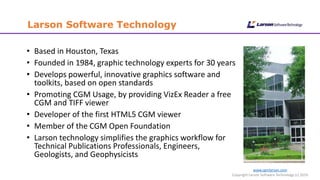
Larson Software Technology
• Based in Houston, Texas
• Founded in 1984, graphic technology experts for 30 years
• Develops powerful, innovative graphics software and
toolkits, based on open standards
• Promoting CGM Usage, by providing VizEx Reader a free
CGM and TIFF viewer
• Developer of the first HTML5 CGM viewer
• Member of the CGM Open Foundation
• Larson technology simplifies the graphics workflow for
Technical Publications Professionals, Engineers,
Geologists, and Geophysicists
Webinar Objectives
www.cgmlarson.com
Copyright Larson Software Technology (c) 2016
• Describe the potential graphical transformation scenarios
• Provide overview of common graphical source formats
• Raster and Vector data
• Highlight the pitfalls of graphic conversion
• Demonstrate the transformation and creation of the published technical
graphics
• VizEx Transform
• VizEx Edit
• Provide Tips, Benefits, Advice and Knowledge during the webinar
• Summarize the graphic conversion and transformation solutions
available from Larson
Introduction
www.cgmlarson.com
Copyright Larson Software Technology (c) 2016
• The repurposing of graphical data can be a challenge during the
publications production process
• Graphic file formats can present varied issues leading to
alternative transformation scenarios
• Data quality is a major consideration from a source and
publishing perspective
• Using the optimum software solution during the production
process will reduce costs and optimize quality
• Definition of Transformation: Convert graphic data to an open
file format, add value to the graphic (annotations, hotspots),
create compliant file format when required (S1000D, ATA)
www.cgmlarson.com
Copyright Larson Software Technology (c) 2016
Possible Data Sources
• Raster files
• Legacy format
• Scanned line art illustrations
• Intermediate format
• Exported from 3rd party software, e.g. CAD
• Photographs a good example, used as is, or traced
• Vector graphics
• 2D or 3D CAD system
• Many formats are possible and used
• Adobe Illustrator, CorelDRAW
• PDF
• Embedded vector and raster data
KNOWLEDGE:
The word Raster originates from
the term 'raster scan,' which was
how old CRT monitors displayed
images, by magnetically steering a
concentrated electron beam line
by line to form an image.
KNOWLEDGE:
Vector graphics is the use of geometrical
primitives such as points, lines, curves, and
shapes or polygons—all of which are based
on mathematical expressions—to
represent images in computer graphics.
www.cgmlarson.com
Copyright Larson Software Technology (c) 2016
Introduction – Raster Data
• Raster legacy data still plays a significant role in the technical
publications process
• Analysis of raster data can prove to be beneficial
• Optimizing production process
• Raster Data may require enhancements with the addition of hotspots
• Larson utilize an Optical Character Recognition (OCR) technology to achieve
the requirement
• Raster Data used as an intermediate format
• CAD export
• Photographic files
• Used as a template
• The deliverable with added value such annotations
www.cgmlarson.com
Copyright Larson Software Technology (c) 2016
File Formats – Raster Data
• Raster File Formats
• TIFF is the most common raster format for line art scans, usually using a
compression algorithm to reduce the file size
• Other raster formats include:
• JPEG (Joint Photographic Experts Group)
• BMP (Bitmap Image File)
• PNG (Portable Network Graphic)
• PCX (PiCture eXchange)
• GIF (Graphics Interchange Format)
• TIP: Specifications compliance to
S1000D etc.
• Save the TIFF as part of a CGM file
• It will retain its quality and properties
• It can also be combined with Vector data
KNOWLEDGE - TIFF (Tagged Image File Format)
Industry-standard method for storing scanned
and other digital black-and-white, grayscale, and
full-color images. Developed mainly for desktop
publishing, TIFF has found applications in several
other areas such as computer aided design
(CAD), fax transmission. TIFF
saves detailed image information with
each pixel, resulting in a relatively large data file.
www.cgmlarson.com
Copyright Larson Software Technology (c) 2016
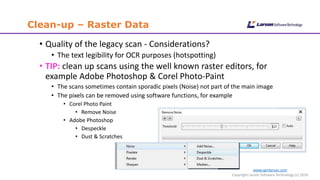
Clean-up – Raster Data
• Quality of the legacy scan - Considerations?
• The text legibility for OCR purposes (hotspotting)
• TIP: clean up scans using the well known raster editors, for
example Adobe Photoshop & Corel Photo-Paint
• The scans sometimes contain sporadic pixels (Noise) not part of the main image
• The pixels can be removed using software functions, for example
• Corel Photo Paint
• Remove Noise
• Adobe Photoshop
• Despeckle
• Dust & Scratches
www.cgmlarson.com
Copyright Larson Software Technology (c) 2016
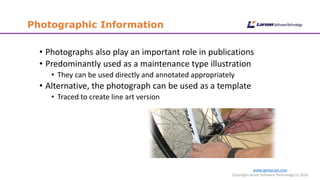
Photographic Information
• Photographs also play an important role in publications
• Predominantly used as a maintenance type illustration
• They can be used directly and annotated appropriately
• Alternative, the photograph can be used as a template
• Traced to create line art version
www.cgmlarson.com
Copyright Larson Software Technology (c) 2016
Introduction - Vector Data
• Vector Data is also available in varied formats
• In the majority of cases it is preferable to Raster Data, mainly for quality
reasons
• BENEFIT: Vector Data can be scaled and the quality is maintained,
easier to edit
• Vector Data, the most common sources:
• CAD Systems
• General Graphics Software
www.cgmlarson.com
Copyright Larson Software Technology (c) 2016
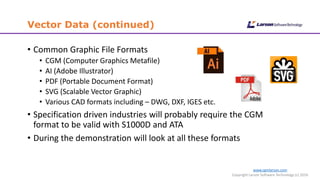
Vector Data (continued)
• Common Graphic File Formats
• CGM (Computer Graphics Metafile)
• AI (Adobe Illustrator)
• PDF (Portable Document Format)
• SVG (Scalable Vector Graphic)
• Various CAD formats including – DWG, DXF, IGES etc.
• Specification driven industries will probably require the CGM
format to be valid with S1000D and ATA
• During the demonstration will look at all these formats
www.cgmlarson.com
Copyright Larson Software Technology (c) 2016
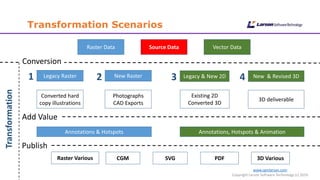
Transformation Scenarios
Legacy & New 2D New & Revised 3DLegacy Raster
Source DataRaster Data Vector Data
New Raster
Photographs
CAD Exports
Converted hard
copy illustrations
Existing 2D
Converted 3D
3D deliverable
Transformation
Annotations & Hotspots Annotations, Hotspots & Animation
Publish
CGM SVG PDF 3D Various
Conversion
Add Value
1 2 3 4
Raster Various
www.cgmlarson.com
Copyright Larson Software Technology (c) 2016
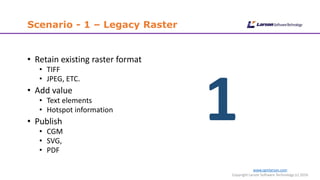
Scenario - 1 – Legacy Raster
• Retain existing raster format
• TIFF
• JPEG, ETC.
• Add value
• Text elements
• Hotspot information
• Publish
• CGM
• SVG,
• PDF
1
www.cgmlarson.com
Copyright Larson Software Technology (c) 2016
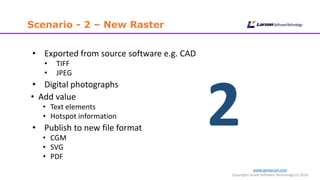
Scenario - 2 – New Raster
• Exported from source software e.g. CAD
• TIFF
• JPEG
• Digital photographs
• Add value
• Text elements
• Hotspot information
• Publish to new file format
• CGM
• SVG
• PDF
2
www.cgmlarson.com
Copyright Larson Software Technology (c) 2016
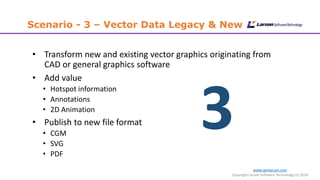
Scenario - 3 – Vector Data Legacy & New
• Transform new and existing vector graphics originating from
CAD or general graphics software
• Add value
• Hotspot information
• Annotations
• 2D Animation
• Publish to new file format
• CGM
• SVG
• PDF
3
www.cgmlarson.com
Copyright Larson Software Technology (c) 2016
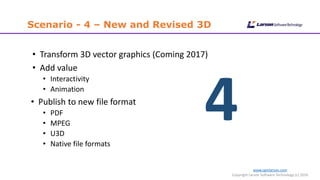
Scenario - 4 – New and Revised 3D
• Transform 3D vector graphics (Coming 2017)
• Add value
• Interactivity
• Animation
• Publish to new file format
• PDF
• MPEG
• U3D
• Native file formats
4
www.cgmlarson.com
Copyright Larson Software Technology (c) 2016
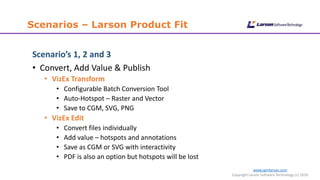
Scenarios – Larson Product Fit
Scenario’s 1, 2 and 3
• Convert, Add Value & Publish
• VizEx Transform
• Configurable Batch Conversion Tool
• Auto-Hotspot – Raster and Vector
• Save to CGM, SVG, PNG
• VizEx Edit
• Convert files individually
• Add value – hotspots and annotations
• Save as CGM or SVG with interactivity
• PDF is also an option but hotspots will be lost
www.cgmlarson.com
Copyright Larson Software Technology (c) 2016
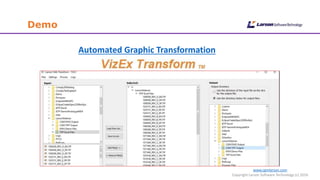
Demo
Automated Graphic Transformation
www.cgmlarson.com
Copyright Larson Software Technology (c) 2016
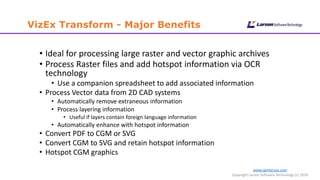
VizEx Transform - Major Benefits
• Ideal for processing large raster and vector graphic archives
• Process Raster files and add hotspot information via OCR
technology
• Use a companion spreadsheet to add associated information
• Process Vector data from 2D CAD systems
• Automatically remove extraneous information
• Process layering information
• Useful if layers contain foreign language information
• Automatically enhance with hotspot information
• Convert PDF to CGM or SVG
• Convert CGM to SVG and retain hotspot information
• Hotspot CGM graphics
www.cgmlarson.com
Copyright Larson Software Technology (c) 2016
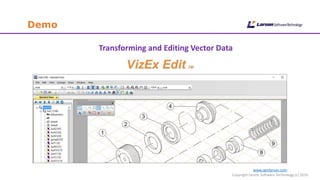
Demo
Transforming and Editing Vector Data
www.cgmlarson.com
Copyright Larson Software Technology (c) 2016
VizEx Edit - Major Benefits
• Support import and export of major open 2D graphic formats
• CGM
• SVG
• PDF
• Easy to use hotspot and annotation capability
• Cost effective illustration tool for maintaining an illustration
archive
• Isometric illustration features and tools
• Fully standards compliant S1000D, ATA iSpec2200 etc.
www.cgmlarson.com
Copyright Larson Software Technology (c) 2016
Summary
• There are many opportunities to source information to produce your
technical graphics
• The number of source formats is diverse
• Selecting the appropriate one can be a challenge
• VizEx Transform and Edit optimize the process of graphic conversion
and transformation
• Both products support the primary graphic publishing formats
• We hope the webinar has provided you with useful and interesting
information
Q&A
www.cgmlarson.com
Copyright Larson Software Technology (c) 2016
www.cgmlarson.com
Copyright Larson Software Technology (c) 2016
Closing Information
• You can discover more information about
Larson Software Technology at www.cgmlarson.com
• A link to a recording of the webinar will be sent via email
• All the materials will be available:
• www.slideshare.net/donlarson1
• Follow us on!
• www.twitter.com/cgmlarson
• Next Larson webinar February 2017

Webinar - Transforming Graphical Data

  • 1.
    The Transformation ofGraphical Data November 10th 2016 11am Eastern Time, USA Presenters – Don Larson, Larson Software Technology & David Manock, Vizualsite LLC Welcome to the Product Webinar
  • 2.
    www.cgmlarson.com Copyright Larson SoftwareTechnology (c) 2016 Agenda • Introduction • Housekeeping • Company Overview • Slide Presentation and Demos • Summary • Closing Information
  • 3.
    Webinar: Housekeeping • Allattendees will be muted for the duration of the Webinar • If you experience problems when joining the webinar please use the questions function to communicate • VOIP is the recommended audio option • Post questions during the webinar using the panel • Questions will be answered following the main presentation or by email www.cgmlarson.com Copyright Larson Software Technology (c) 2016
  • 4.
    www.cgmlarson.com Copyright Larson SoftwareTechnology (c) 2016 Larson Software Technology • Based in Houston, Texas • Founded in 1984, graphic technology experts for 30 years • Develops powerful, innovative graphics software and toolkits, based on open standards • Promoting CGM Usage, by providing VizEx Reader a free CGM and TIFF viewer • Developer of the first HTML5 CGM viewer • Member of the CGM Open Foundation • Larson technology simplifies the graphics workflow for Technical Publications Professionals, Engineers, Geologists, and Geophysicists
  • 5.
    Webinar Objectives www.cgmlarson.com Copyright LarsonSoftware Technology (c) 2016 • Describe the potential graphical transformation scenarios • Provide overview of common graphical source formats • Raster and Vector data • Highlight the pitfalls of graphic conversion • Demonstrate the transformation and creation of the published technical graphics • VizEx Transform • VizEx Edit • Provide Tips, Benefits, Advice and Knowledge during the webinar • Summarize the graphic conversion and transformation solutions available from Larson
  • 6.
    Introduction www.cgmlarson.com Copyright Larson SoftwareTechnology (c) 2016 • The repurposing of graphical data can be a challenge during the publications production process • Graphic file formats can present varied issues leading to alternative transformation scenarios • Data quality is a major consideration from a source and publishing perspective • Using the optimum software solution during the production process will reduce costs and optimize quality • Definition of Transformation: Convert graphic data to an open file format, add value to the graphic (annotations, hotspots), create compliant file format when required (S1000D, ATA)
  • 7.
    www.cgmlarson.com Copyright Larson SoftwareTechnology (c) 2016 Possible Data Sources • Raster files • Legacy format • Scanned line art illustrations • Intermediate format • Exported from 3rd party software, e.g. CAD • Photographs a good example, used as is, or traced • Vector graphics • 2D or 3D CAD system • Many formats are possible and used • Adobe Illustrator, CorelDRAW • PDF • Embedded vector and raster data KNOWLEDGE: The word Raster originates from the term 'raster scan,' which was how old CRT monitors displayed images, by magnetically steering a concentrated electron beam line by line to form an image. KNOWLEDGE: Vector graphics is the use of geometrical primitives such as points, lines, curves, and shapes or polygons—all of which are based on mathematical expressions—to represent images in computer graphics.
  • 8.
    www.cgmlarson.com Copyright Larson SoftwareTechnology (c) 2016 Introduction – Raster Data • Raster legacy data still plays a significant role in the technical publications process • Analysis of raster data can prove to be beneficial • Optimizing production process • Raster Data may require enhancements with the addition of hotspots • Larson utilize an Optical Character Recognition (OCR) technology to achieve the requirement • Raster Data used as an intermediate format • CAD export • Photographic files • Used as a template • The deliverable with added value such annotations
  • 9.
    www.cgmlarson.com Copyright Larson SoftwareTechnology (c) 2016 File Formats – Raster Data • Raster File Formats • TIFF is the most common raster format for line art scans, usually using a compression algorithm to reduce the file size • Other raster formats include: • JPEG (Joint Photographic Experts Group) • BMP (Bitmap Image File) • PNG (Portable Network Graphic) • PCX (PiCture eXchange) • GIF (Graphics Interchange Format) • TIP: Specifications compliance to S1000D etc. • Save the TIFF as part of a CGM file • It will retain its quality and properties • It can also be combined with Vector data KNOWLEDGE - TIFF (Tagged Image File Format) Industry-standard method for storing scanned and other digital black-and-white, grayscale, and full-color images. Developed mainly for desktop publishing, TIFF has found applications in several other areas such as computer aided design (CAD), fax transmission. TIFF saves detailed image information with each pixel, resulting in a relatively large data file.
  • 10.
    www.cgmlarson.com Copyright Larson SoftwareTechnology (c) 2016 Clean-up – Raster Data • Quality of the legacy scan - Considerations? • The text legibility for OCR purposes (hotspotting) • TIP: clean up scans using the well known raster editors, for example Adobe Photoshop & Corel Photo-Paint • The scans sometimes contain sporadic pixels (Noise) not part of the main image • The pixels can be removed using software functions, for example • Corel Photo Paint • Remove Noise • Adobe Photoshop • Despeckle • Dust & Scratches
  • 11.
    www.cgmlarson.com Copyright Larson SoftwareTechnology (c) 2016 Photographic Information • Photographs also play an important role in publications • Predominantly used as a maintenance type illustration • They can be used directly and annotated appropriately • Alternative, the photograph can be used as a template • Traced to create line art version
  • 12.
    www.cgmlarson.com Copyright Larson SoftwareTechnology (c) 2016 Introduction - Vector Data • Vector Data is also available in varied formats • In the majority of cases it is preferable to Raster Data, mainly for quality reasons • BENEFIT: Vector Data can be scaled and the quality is maintained, easier to edit • Vector Data, the most common sources: • CAD Systems • General Graphics Software
  • 13.
    www.cgmlarson.com Copyright Larson SoftwareTechnology (c) 2016 Vector Data (continued) • Common Graphic File Formats • CGM (Computer Graphics Metafile) • AI (Adobe Illustrator) • PDF (Portable Document Format) • SVG (Scalable Vector Graphic) • Various CAD formats including – DWG, DXF, IGES etc. • Specification driven industries will probably require the CGM format to be valid with S1000D and ATA • During the demonstration will look at all these formats
  • 14.
    www.cgmlarson.com Copyright Larson SoftwareTechnology (c) 2016 Transformation Scenarios Legacy & New 2D New & Revised 3DLegacy Raster Source DataRaster Data Vector Data New Raster Photographs CAD Exports Converted hard copy illustrations Existing 2D Converted 3D 3D deliverable Transformation Annotations & Hotspots Annotations, Hotspots & Animation Publish CGM SVG PDF 3D Various Conversion Add Value 1 2 3 4 Raster Various
  • 15.
    www.cgmlarson.com Copyright Larson SoftwareTechnology (c) 2016 Scenario - 1 – Legacy Raster • Retain existing raster format • TIFF • JPEG, ETC. • Add value • Text elements • Hotspot information • Publish • CGM • SVG, • PDF 1
  • 16.
    www.cgmlarson.com Copyright Larson SoftwareTechnology (c) 2016 Scenario - 2 – New Raster • Exported from source software e.g. CAD • TIFF • JPEG • Digital photographs • Add value • Text elements • Hotspot information • Publish to new file format • CGM • SVG • PDF 2
  • 17.
    www.cgmlarson.com Copyright Larson SoftwareTechnology (c) 2016 Scenario - 3 – Vector Data Legacy & New • Transform new and existing vector graphics originating from CAD or general graphics software • Add value • Hotspot information • Annotations • 2D Animation • Publish to new file format • CGM • SVG • PDF 3
  • 18.
    www.cgmlarson.com Copyright Larson SoftwareTechnology (c) 2016 Scenario - 4 – New and Revised 3D • Transform 3D vector graphics (Coming 2017) • Add value • Interactivity • Animation • Publish to new file format • PDF • MPEG • U3D • Native file formats 4
  • 19.
    www.cgmlarson.com Copyright Larson SoftwareTechnology (c) 2016 Scenarios – Larson Product Fit Scenario’s 1, 2 and 3 • Convert, Add Value & Publish • VizEx Transform • Configurable Batch Conversion Tool • Auto-Hotspot – Raster and Vector • Save to CGM, SVG, PNG • VizEx Edit • Convert files individually • Add value – hotspots and annotations • Save as CGM or SVG with interactivity • PDF is also an option but hotspots will be lost
  • 20.
    www.cgmlarson.com Copyright Larson SoftwareTechnology (c) 2016 Demo Automated Graphic Transformation
  • 21.
    www.cgmlarson.com Copyright Larson SoftwareTechnology (c) 2016 VizEx Transform - Major Benefits • Ideal for processing large raster and vector graphic archives • Process Raster files and add hotspot information via OCR technology • Use a companion spreadsheet to add associated information • Process Vector data from 2D CAD systems • Automatically remove extraneous information • Process layering information • Useful if layers contain foreign language information • Automatically enhance with hotspot information • Convert PDF to CGM or SVG • Convert CGM to SVG and retain hotspot information • Hotspot CGM graphics
  • 22.
    www.cgmlarson.com Copyright Larson SoftwareTechnology (c) 2016 Demo Transforming and Editing Vector Data
  • 23.
    www.cgmlarson.com Copyright Larson SoftwareTechnology (c) 2016 VizEx Edit - Major Benefits • Support import and export of major open 2D graphic formats • CGM • SVG • PDF • Easy to use hotspot and annotation capability • Cost effective illustration tool for maintaining an illustration archive • Isometric illustration features and tools • Fully standards compliant S1000D, ATA iSpec2200 etc.
  • 24.
    www.cgmlarson.com Copyright Larson SoftwareTechnology (c) 2016 Summary • There are many opportunities to source information to produce your technical graphics • The number of source formats is diverse • Selecting the appropriate one can be a challenge • VizEx Transform and Edit optimize the process of graphic conversion and transformation • Both products support the primary graphic publishing formats • We hope the webinar has provided you with useful and interesting information
  • 25.
  • 26.
    www.cgmlarson.com Copyright Larson SoftwareTechnology (c) 2016 Closing Information • You can discover more information about Larson Software Technology at www.cgmlarson.com • A link to a recording of the webinar will be sent via email • All the materials will be available: • www.slideshare.net/donlarson1 • Follow us on! • www.twitter.com/cgmlarson • Next Larson webinar February 2017