Components Approach to
Building Web Apps
Vinci Rufus
@areai51
2
Our Approach to
Web App Development
is
‘Broken’
3
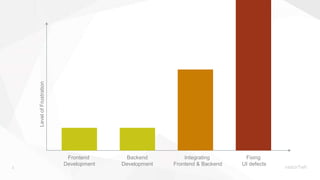
LevelofFrustration
Frontend
Development
Backend
Development
Integrating
Frontend & Backend
Fixing
UI defects
4
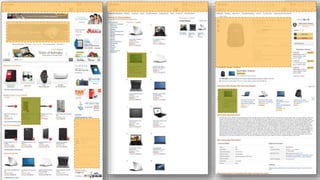
Apps
are
A Collection of Components.
(many of which are re-useable)
5
6
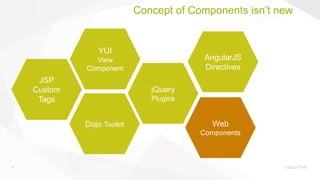
Concept of Components isn’t new
Dojo Toolkit
jQuery
Plugins
YUI
View
Component
JSP
Custom
Tags
AngularJS
Directives
Web
Components
7
8
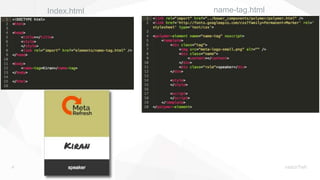
Index.html name-tag.html
9
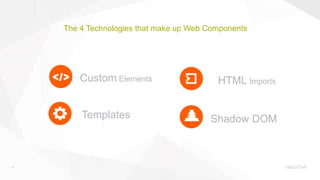
The 4 Technologies that make up Web Components
Custom Elements
Templates Shadow DOM
HTML Imports
10
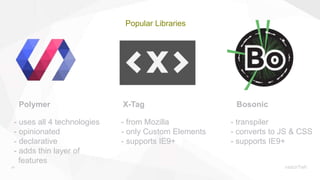
Popular Libraries
Polymer X-Tag Bosonic
- uses all 4 technologies
- opinionated
- declarative
- adds thin layer of
features
- from Mozilla
- only Custom Elements
- supports IE9+
- transpiler
- converts to JS & CSS
- supports IE9+
11
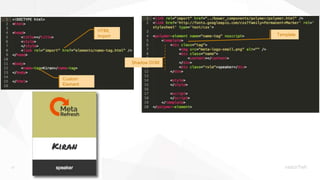
HTML
Import
Custom
Element
Template
Shadow DOM
14
15
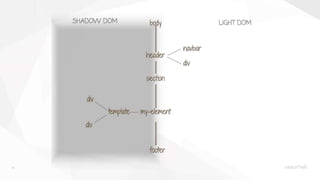
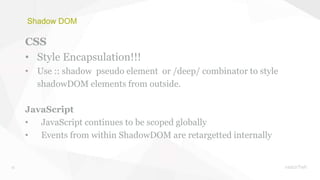
Shadow DOM
CSS
• Style Encapsulation!!!
• Use :: shadow pseudo element or /deep/ combinator to style
shadowDOM elements from outside.
JavaScript
• JavaScript continues to be scoped globally
• Events from within ShadowDOM are retargetted internally
16
The questions everybody is dying
to ask??
17
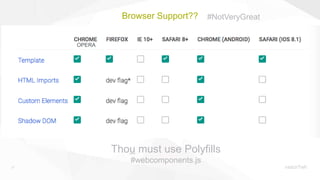
Browser Support??
Thou must use Polyfills
#webcomponents.js
#NotVeryGreat
OPERA
18
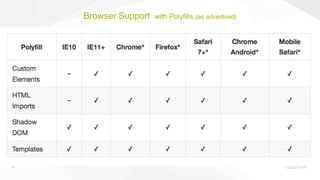
Browser Support with Polyfills (as advertised)
19
Polyfills
is not a magic wand
20
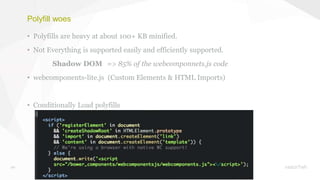
Polyfill woes
• Polyfills are heavy at about 100+ KB minified.
• Not Everything is supported easily and efficiently supported.
Shadow DOM => 85% of the webcomponnets.js code
• webcomponents-lite.js (Custom Elements & HTML Imports)
• Conditionally Load polyfills
21
Staying sane
22
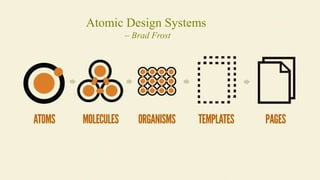
Atomic Design Systems
– Brad Frost
23
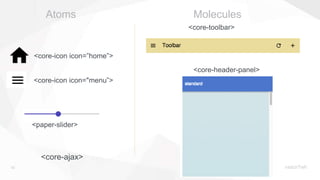
<core-ajax>
<core-icon icon="menu”>
<core-icon icon=”home”>
<paper-slider>
<core-toolbar>
<core-header-panel>
Atoms Molecules
24
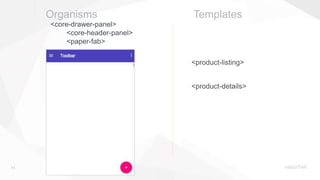
Organisms Templates
<core-drawer-panel>
<core-header-panel>
<paper-fab>
<product-details>
<product-listing>
25
Using Web Components
in an app
26
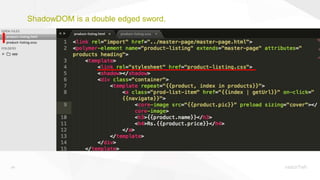
ShadowDOM is a double edged sword.
27
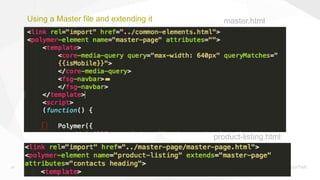
Using a Master file and extending it master.html
product-listing.html
28
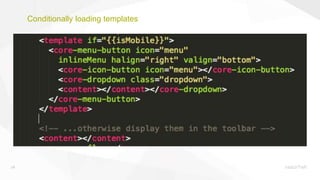
Conditionally loading templates
29
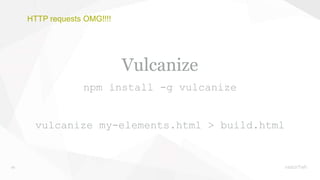
HTTP requests OMG!!!!
Vulcanize
npm install -g vulcanize
vulcanize my-elements.html > build.html
30
The real power is in creating,
sharing and building your own
custom Web Components Library
31
How do you Introduce Web
Components into your Project?
Component by Component!!
@areai51

Components Approach to building Web Apps

Editor's Notes

  • #3 .. And by broken I don’t mean as flawed but more as a metaphor. Our current approach to Web app development involves constantly breaking things apart and putting them back Photoshop files are sliced & diced, assets are extracted to build the HTMLs The HTMLs while being integrated with the backend are again broken apart, chuncks of HTML, are cut/copied and pasted into different sections of the backend code. This process isn’t view efficient and leads to some level of frustration.
  • #11 by Polymer: By Google Uses all the 4 specs Kind of opinionated Quite declarative Well supported X-Tag: By Mozilla A JS library that support only custom elements Bosonic: It is a transplier that converts web components into JS and CSS so that it can run on modern browsers.
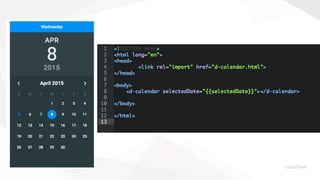
  • #14 Show live demo using name-tag component
  • #16 Show live demo using name-tag component
  • #23 How do we decide what should become a web component