©2018 Acquia Inc. — Confidential and Proprietary
Web Accessibility:
Overview and Paths to Success
Danielle Sheffler, Sr. Program Manager, Professional Services
Rob Fitzgibbon, UX Manager
©2018 Acquia Inc. — Confidential and Proprietary
Agenda
– Introductions
– Accessibility Overview
– WCAG Level AA
– Tools for Accessibility Testing
– Accessibility and Drupal 8
– Next Steps
©2018 Acquia Inc. — Confidential and Proprietary
Introductions
Rob Fitzgibbon
Danielle Sheffler
©2018 Acquia Inc. — Confidential and Proprietary
Accessibility Overview
©2018 Acquia Inc. — Confidential and Proprietary
Accessibility Overview
– Definition of Accessibility
– Accessibility Facts
– Who needs accessibility
– Accessibility laws throughout the world
– Difference between accessibility, 508 compliance, and ADA
©2018 Acquia Inc. — Confidential and Proprietary
What is Accessibility?
– “...Web accessibility means that people with disabilities can use the Web. More
specifically, Web accessibility means that people with disabilities can perceive,
understand, navigate, and interact with the Web, and that they can contribute to the
Web. Web accessibility also benefits others, including older people with changing
abilities due to aging.” https://www.w3.org/WAI/intro/accessibility.php
©2018 Acquia Inc. — Confidential and Proprietary
Accessibility Facts
– More than a billion people are estimated to live with some form of disability
– 15% of the world’s population
– The number of people with disabilities is growing as national populations
grow older and global chronic health conditions, such as diabetes, increase
– Using digital technologies can be a problem not just for the visually impaired
but a much wider section of the community.
– By making websites and digital technologies accessible, we help to create an
inclusive environment for people with a disability
©2018 Acquia Inc. — Confidential and Proprietary
Who Needs Accessibility and Why?
– Everyone!
– Ability to be temporarily disabled
– Universal Design
©2018 Acquia Inc. — Confidential and Proprietary
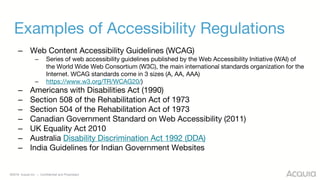
Examples of Accessibility Regulations
– Web Content Accessibility Guidelines (WCAG)
– Series of web accessibility guidelines published by the Web Accessibility Initiative (WAI) of
the World Wide Web Consortium (W3C), the main international standards organization for the
Internet. WCAG standards come in 3 sizes (A, AA, AAA)
– https://www.w3.org/TR/WCAG20/)
– Americans with Disabilities Act (1990)
– Section 508 of the Rehabilitation Act of 1973
– Section 504 of the Rehabilitation Act of 1973
– Canadian Government Standard on Web Accessibility (2011)
– UK Equality Act 2010
– Australia Disability Discrimination Act 1992 (DDA)
– India Guidelines for Indian Government Websites
©2018 Acquia Inc. — Confidential and Proprietary
WCAG Level AA
©2018 Acquia Inc. — Confidential and Proprietary
WCAG Level AA
– Why Level AA is the standard
– Basic rules and principles/resources
©2018 Acquia Inc. — Confidential and Proprietary
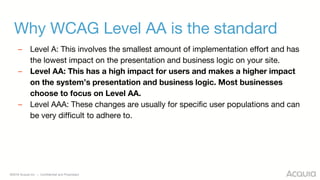
Why WCAG Level AA is the standard
– Level A: This involves the smallest amount of implementation effort and has
the lowest impact on the presentation and business logic on your site.
– Level AA: This has a high impact for users and makes a higher impact
on the system’s presentation and business logic. Most businesses
choose to focus on Level AA.
– Level AAA: These changes are usually for specific user populations and can
be very difficult to adhere to.
©2018 Acquia Inc. — Confidential and Proprietary
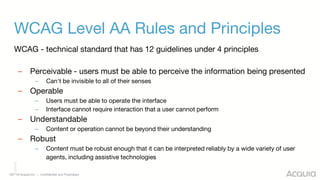
WCAG Level AA Rules and Principles
WCAG - technical standard that has 12 guidelines under 4 principles
– Perceivable - users must be able to perceive the information being presented
– Can't be invisible to all of their senses
– Operable
– Users must be able to operate the interface
– Interface cannot require interaction that a user cannot perform
– Understandable
– Content or operation cannot be beyond their understanding
– Robust
– Content must be robust enough that it can be interpreted reliably by a wide variety of user
agents, including assistive technologies
©2018 Acquia Inc. — Confidential and Proprietary
Tools for Accessibility Testing
©2018 Acquia Inc. — Confidential and Proprietary
Tools for Accessibility Testing
– Screen Reader
– Automated Testing
©2018 Acquia Inc. — Confidential and Proprietary
Tools for Accessibility Testing: Screen Readers
– JAWS for PC
– Narrator for PC (free)
– Apple VoiceOver (free)
©2018 Acquia Inc. — Confidential and Proprietary
Tools for Accessibility Testing: Automated Testing
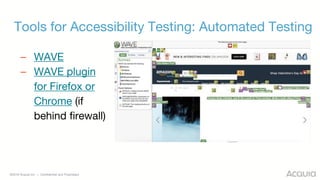
– WAVE
– WAVE plugin
for Firefox or
Chrome (if
behind firewall)
©2018 Acquia Inc. — Confidential and Proprietary
Tools for Accessibility Testing: Automated Testing
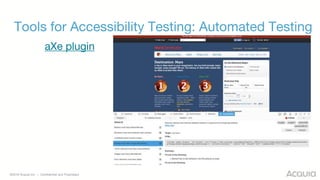
aXe plugin
©2018 Acquia Inc. — Confidential and Proprietary
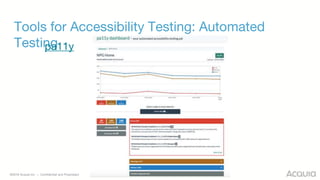
Tools for Accessibility Testing: Automated
Testingpa11y
©2018 Acquia Inc. — Confidential and Proprietary
Accessibility and Drupal 8
©2018 Acquia Inc. — Confidential and Proprietary
How does accessibility fit into Drupal 8?
– What is in Drupal 8 out of the box?
– What can you add to your site to assist with compliance?
©2018 Acquia Inc. — Confidential and Proprietary
What is in Drupal 8 out of the box?
– WAI-ARIA landmarks, live regions, roles & properties
– Drupal.announce( ) to provide timely messages to aural
users
– Controlled tab order
– Fieldsets for forms and advanced search
– jQuery UI delivering autocomplete
– Alt text is required
– Accessible form errors
©2018 Acquia Inc. — Confidential and Proprietary
Additional Modules
– Automatic Alternative Text
– CKEditor Accessibility Checker
– High contrast
– Siteimprove
– Text Resize
Note: Acquia has not evaluated these modules for security and adherence to Drupal best practices
https://www.drupal.org/docs/8/accessibility/contributed-modules-for-extending-accessibility-in-drupal-8
©2018 Acquia Inc. — Confidential and Proprietary
Next Steps
©2018 Acquia Inc. — Confidential and Proprietary
Suggested Next Steps
– Begin testing your homepage and top 20 pages that are
most important to the business and most viewed
according to analytics
– Ensure that all new code and content being added to
your site is accessible
– Utilize checklists sent out after webinar
– Contact Acquia Subject Matter Experts with offerings you
may be interested in
©2018 Acquia Inc. — Confidential and Proprietary
Contact Information
Danielle Sheffler, Sr. Program Manager, Professional Services
danielle.sheffler@acquia.com
Rob Fitzgibbon, UX Manager
robert.fitzgibbon@acquia.com
©2018 Acquia Inc. — Confidential and Proprietary
Thank You
©2018 Acquia Inc. — Confidential and Proprietary
Resources
– WCAG Level AA Requirements and Techniques
– JAWS User Manual
– Narrator User Manual
– Apple VoiceOver User Manual
– WAVE User Guide
– aXe User Guide
– Pa11y User Guide
– Drupal 8 Accessibility
– Additional Drupal 8 Accessibility Modules

Web Accessibility: Overview and Paths to Success

  • 1.
    ©2018 Acquia Inc.— Confidential and Proprietary Web Accessibility: Overview and Paths to Success Danielle Sheffler, Sr. Program Manager, Professional Services Rob Fitzgibbon, UX Manager
  • 2.
    ©2018 Acquia Inc.— Confidential and Proprietary Agenda – Introductions – Accessibility Overview – WCAG Level AA – Tools for Accessibility Testing – Accessibility and Drupal 8 – Next Steps
  • 3.
    ©2018 Acquia Inc.— Confidential and Proprietary Introductions Rob Fitzgibbon Danielle Sheffler
  • 4.
    ©2018 Acquia Inc.— Confidential and Proprietary Accessibility Overview
  • 5.
    ©2018 Acquia Inc.— Confidential and Proprietary Accessibility Overview – Definition of Accessibility – Accessibility Facts – Who needs accessibility – Accessibility laws throughout the world – Difference between accessibility, 508 compliance, and ADA
  • 6.
    ©2018 Acquia Inc.— Confidential and Proprietary What is Accessibility? – “...Web accessibility means that people with disabilities can use the Web. More specifically, Web accessibility means that people with disabilities can perceive, understand, navigate, and interact with the Web, and that they can contribute to the Web. Web accessibility also benefits others, including older people with changing abilities due to aging.” https://www.w3.org/WAI/intro/accessibility.php
  • 7.
    ©2018 Acquia Inc.— Confidential and Proprietary Accessibility Facts – More than a billion people are estimated to live with some form of disability – 15% of the world’s population – The number of people with disabilities is growing as national populations grow older and global chronic health conditions, such as diabetes, increase – Using digital technologies can be a problem not just for the visually impaired but a much wider section of the community. – By making websites and digital technologies accessible, we help to create an inclusive environment for people with a disability
  • 8.
    ©2018 Acquia Inc.— Confidential and Proprietary Who Needs Accessibility and Why? – Everyone! – Ability to be temporarily disabled – Universal Design
  • 9.
    ©2018 Acquia Inc.— Confidential and Proprietary Examples of Accessibility Regulations – Web Content Accessibility Guidelines (WCAG) – Series of web accessibility guidelines published by the Web Accessibility Initiative (WAI) of the World Wide Web Consortium (W3C), the main international standards organization for the Internet. WCAG standards come in 3 sizes (A, AA, AAA) – https://www.w3.org/TR/WCAG20/) – Americans with Disabilities Act (1990) – Section 508 of the Rehabilitation Act of 1973 – Section 504 of the Rehabilitation Act of 1973 – Canadian Government Standard on Web Accessibility (2011) – UK Equality Act 2010 – Australia Disability Discrimination Act 1992 (DDA) – India Guidelines for Indian Government Websites
  • 10.
    ©2018 Acquia Inc.— Confidential and Proprietary WCAG Level AA
  • 11.
    ©2018 Acquia Inc.— Confidential and Proprietary WCAG Level AA – Why Level AA is the standard – Basic rules and principles/resources
  • 12.
    ©2018 Acquia Inc.— Confidential and Proprietary Why WCAG Level AA is the standard – Level A: This involves the smallest amount of implementation effort and has the lowest impact on the presentation and business logic on your site. – Level AA: This has a high impact for users and makes a higher impact on the system’s presentation and business logic. Most businesses choose to focus on Level AA. – Level AAA: These changes are usually for specific user populations and can be very difficult to adhere to.
  • 13.
    ©2018 Acquia Inc.— Confidential and Proprietary WCAG Level AA Rules and Principles WCAG - technical standard that has 12 guidelines under 4 principles – Perceivable - users must be able to perceive the information being presented – Can't be invisible to all of their senses – Operable – Users must be able to operate the interface – Interface cannot require interaction that a user cannot perform – Understandable – Content or operation cannot be beyond their understanding – Robust – Content must be robust enough that it can be interpreted reliably by a wide variety of user agents, including assistive technologies
  • 14.
    ©2018 Acquia Inc.— Confidential and Proprietary Tools for Accessibility Testing
  • 15.
    ©2018 Acquia Inc.— Confidential and Proprietary Tools for Accessibility Testing – Screen Reader – Automated Testing
  • 16.
    ©2018 Acquia Inc.— Confidential and Proprietary Tools for Accessibility Testing: Screen Readers – JAWS for PC – Narrator for PC (free) – Apple VoiceOver (free)
  • 17.
    ©2018 Acquia Inc.— Confidential and Proprietary Tools for Accessibility Testing: Automated Testing – WAVE – WAVE plugin for Firefox or Chrome (if behind firewall)
  • 18.
    ©2018 Acquia Inc.— Confidential and Proprietary Tools for Accessibility Testing: Automated Testing aXe plugin
  • 19.
    ©2018 Acquia Inc.— Confidential and Proprietary Tools for Accessibility Testing: Automated Testingpa11y
  • 20.
    ©2018 Acquia Inc.— Confidential and Proprietary Accessibility and Drupal 8
  • 21.
    ©2018 Acquia Inc.— Confidential and Proprietary How does accessibility fit into Drupal 8? – What is in Drupal 8 out of the box? – What can you add to your site to assist with compliance?
  • 22.
    ©2018 Acquia Inc.— Confidential and Proprietary What is in Drupal 8 out of the box? – WAI-ARIA landmarks, live regions, roles & properties – Drupal.announce( ) to provide timely messages to aural users – Controlled tab order – Fieldsets for forms and advanced search – jQuery UI delivering autocomplete – Alt text is required – Accessible form errors
  • 23.
    ©2018 Acquia Inc.— Confidential and Proprietary Additional Modules – Automatic Alternative Text – CKEditor Accessibility Checker – High contrast – Siteimprove – Text Resize Note: Acquia has not evaluated these modules for security and adherence to Drupal best practices https://www.drupal.org/docs/8/accessibility/contributed-modules-for-extending-accessibility-in-drupal-8
  • 24.
    ©2018 Acquia Inc.— Confidential and Proprietary Next Steps
  • 25.
    ©2018 Acquia Inc.— Confidential and Proprietary Suggested Next Steps – Begin testing your homepage and top 20 pages that are most important to the business and most viewed according to analytics – Ensure that all new code and content being added to your site is accessible – Utilize checklists sent out after webinar – Contact Acquia Subject Matter Experts with offerings you may be interested in
  • 26.
    ©2018 Acquia Inc.— Confidential and Proprietary Contact Information Danielle Sheffler, Sr. Program Manager, Professional Services danielle.sheffler@acquia.com Rob Fitzgibbon, UX Manager robert.fitzgibbon@acquia.com
  • 27.
    ©2018 Acquia Inc.— Confidential and Proprietary Thank You
  • 28.
    ©2018 Acquia Inc.— Confidential and Proprietary Resources – WCAG Level AA Requirements and Techniques – JAWS User Manual – Narrator User Manual – Apple VoiceOver User Manual – WAVE User Guide – aXe User Guide – Pa11y User Guide – Drupal 8 Accessibility – Additional Drupal 8 Accessibility Modules

Editor's Notes

  • #4 Describe background with accessibility and your role at Acquia and how it relates to accessibility Question - how did you get into accessibility? Rob a) learn on the job b) vision impaired member of UXPA
  • #7 Design for disability, making things accessible Products, services, places, experiences Tied into “universal Design/Design for All” Making something in a way that it can be used by the largest number of people Only tangentially related to “usability”
  • #8 Examples of sections of the community that need accessibility: Hearing impairment Dementia Arthritis, Attention Deficit Disorder Dyslexia For last bullet: Accessible websites enable people to make independent decisions, and provide greater opportunity for participation, interaction, education and employment.
  • #9 Discuss temporarily disablement - broken wrist; eye infection, universal design - Universal Design is the design and composition of an environment so that it can be accessed, understood and used to the greatest extent possible by all people regardless of their age, size, ability or disability - humanist approach to product development
  • #10 Web Content Accessibility Guidelines (WCAG) Series of web accessibility guidelines published by the Web Accessibility Initiative (WAI) of the World Wide Web Consortium (W3C), the main international standards organization for the Internet. WCAG standards come in 3 sizes (A, AA, AAA) https://www.w3.org/TR/WCAG20/) Americans with Disabilities Act (1990) The ADA is a civil rights law that prohibits discrimination against individuals with disabilities in all areas of public life, including jobs, schools, transportation, and all public and private places that are open to the general public. Section 508 of the Rehabilitation Act of 1973, as amended (29 U.S.C. § 794 (d)) - public sector Section 504 of the Rehabilitation Act of 1973 - higher education Explain Difference between accessibility (broad concept, approach to design) ADA (top level US federal regulation), 508 compliance ( section from Rehabilitation Act (29 U.S.C. § 794d), as amended by the Workforce Investment Act of 1998 (P.L. 105-220) that covers accessibility requirements for technologies & comm platforms used by federal govt. https://www.w3.org/WAI/Policy/
  • #12 Describe that developers and content creators/editors will each need to take separate actions for each of the guidelines we review in order to make the site compliant. This information will be covered in the checklists we send out after the webinar.
  • #13 levels Level A: For Level A conformance (the minimum level of conformance), the Web page satisfies all the Level A Success Criteria, or a conforming alternate version is provided - starter pack of accesibility options Level AA: For Level AA conformance, the Web page satisfies all the Level A and Level AA Success Criteria, or a Level AA conforming alternate version is provided. - consists of the biggest and most prevalent barriers encountered by disabled users. Level AAA: For Level AAA conformance, the Web page satisfies all the Level A, Level AA and Level AAA Success Criteria, or a Level AAA conforming alternate version is provided - the most stringent level p some content can be rendered to this standard; no time limits for actions, sign language versions posted for all video content Goldilox rule
  • #14 WCAG Design Principles Perceivable, e.g. Information and user interface components must be presentable to users in ways they can perceive. Operable Understandable Robust - Partner with your front end devs (Cal’s top ten tips page for web accessibility https://webaccess.berkeley.edu/resources/tips/web-accessibility) ongoing conversation about it Aesthetics and accessibility (common fear #2) - ReDeCheck - a tool to check accessibility failure points with responsive design Accessibility and micro interactions COMMON FEARS the fear of making having to make it accessible to everyone paralyzes the firm to invest no effort in accessibility at all the dictatorship of the aesthetic proletariat = making things accessible means all design and aesthetic considerations need to be abolished (if it doesn’t look like a nelson norman website from 1996 with 18 point type and blue hyperlinks, than forget it) LevelAccess https://www.levelaccess.com/ Has worked with AirBnB COMMON PRACTICES WW_D (What would ____ Do) copycat design (e.g. theological arguments if links need to be underlined or not) cannot rely on color alone to convey information Contrast checkers like NoCoffee deuteranopia & protanopia (red-green blindness)
  • #16 Describe why manual testing may not be as necessary as it used to be - automated tools are more advanced
  • #26 GAAD = May 21: Global Accessibility Awareness Day Universal Design Gather data on your customer (get a better undersanding of who they are and their need) Include accessibility info in personas Document what you do Do what you do on a schedule One bite at a time Video has its own considerations - e.g issues with auto play Partner with front end devs (see Cal’s top tips for web acessibility) https://webaccess.berkeley.edu/resources/tips/web-accessibility ARIA (Accessible Rich Internet Applications) attributes especially those developed with Ajax, JavaScript and more recent web technologies like Bootstrap Use checklists, include in definition of ready Test test test test test Evangelist team; but avoid the theological arguments
  • #29 Need to follow A and AA standards