OPEN CAMPUS | FACULTY TRAINING


                Reviewing
           Instructor Feedback
Student                            OPEN CAMPUS | FACULTY TRAINING


   Reviewing Instructor Feedback
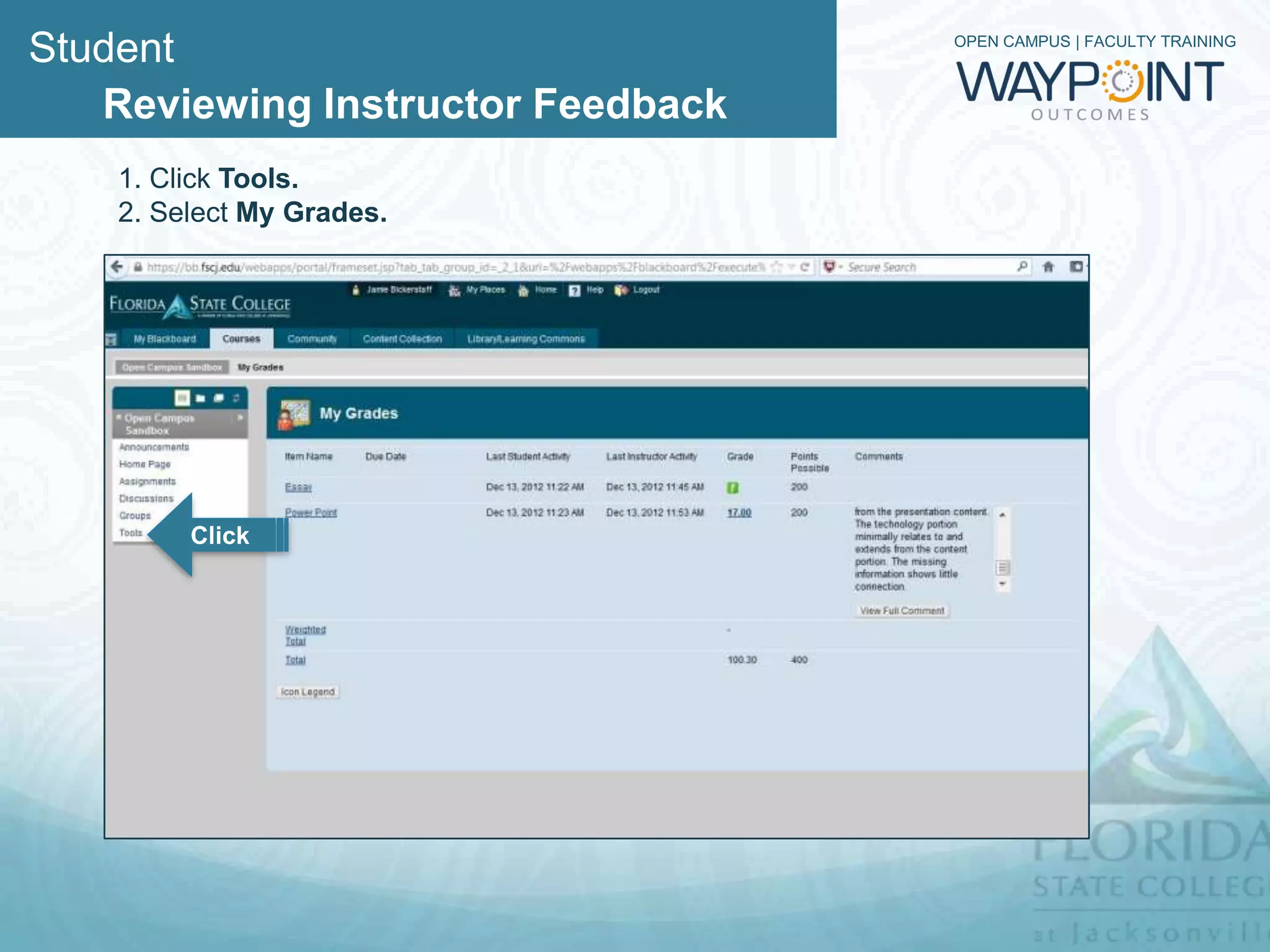
    1. Click Tools.
    2. Select My Grades.


         Click
Student                                                    OPEN CAMPUS | FACULTY TRAINING


   Reviewing Instructor Feedback
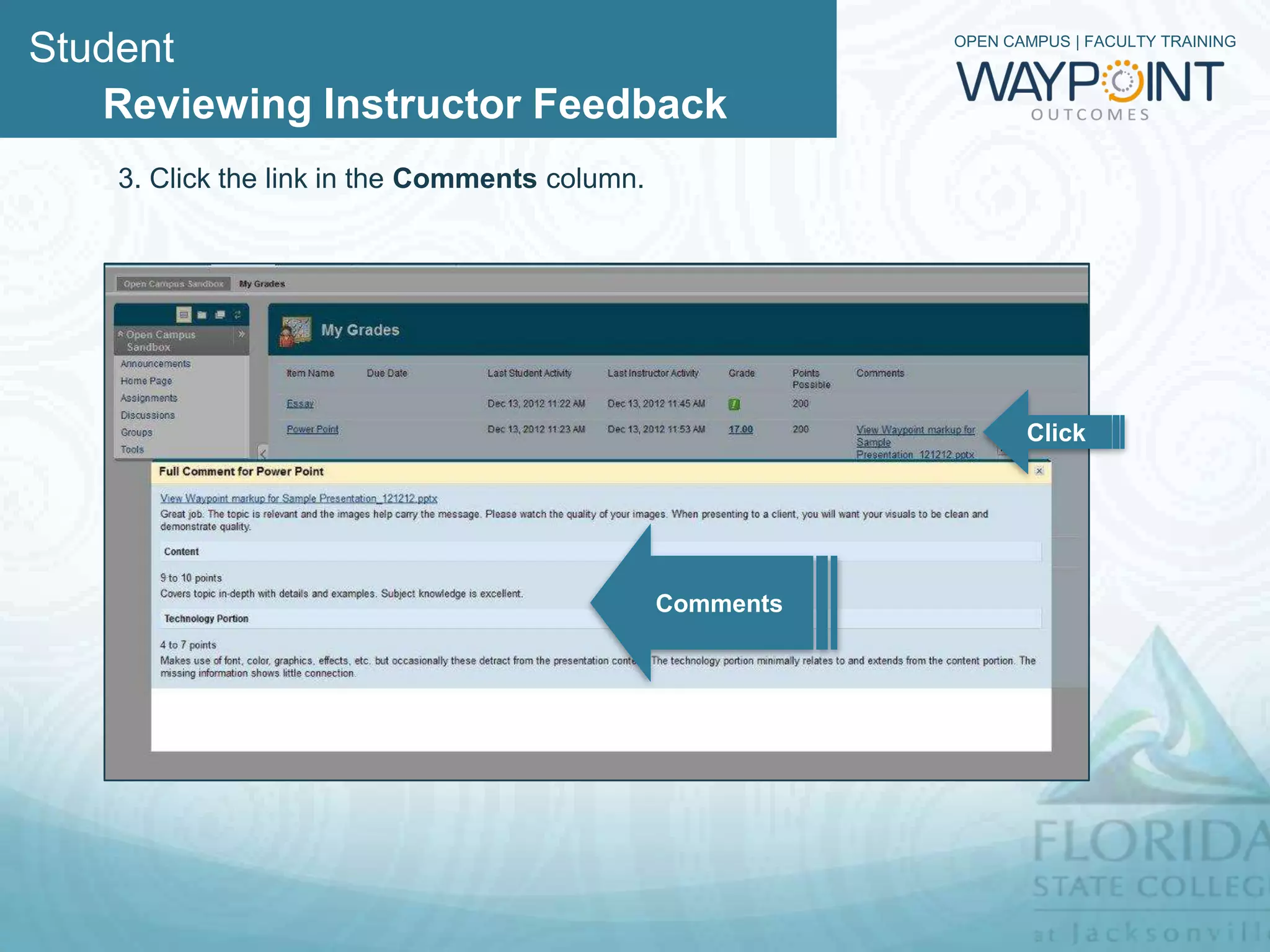
    3. Click the link in the Comments column.


                                                                  Click


                                                Comments
Student                                                               OPEN CAMPUS | FACULTY TRAINING


   Reviewing Instructor Feedback
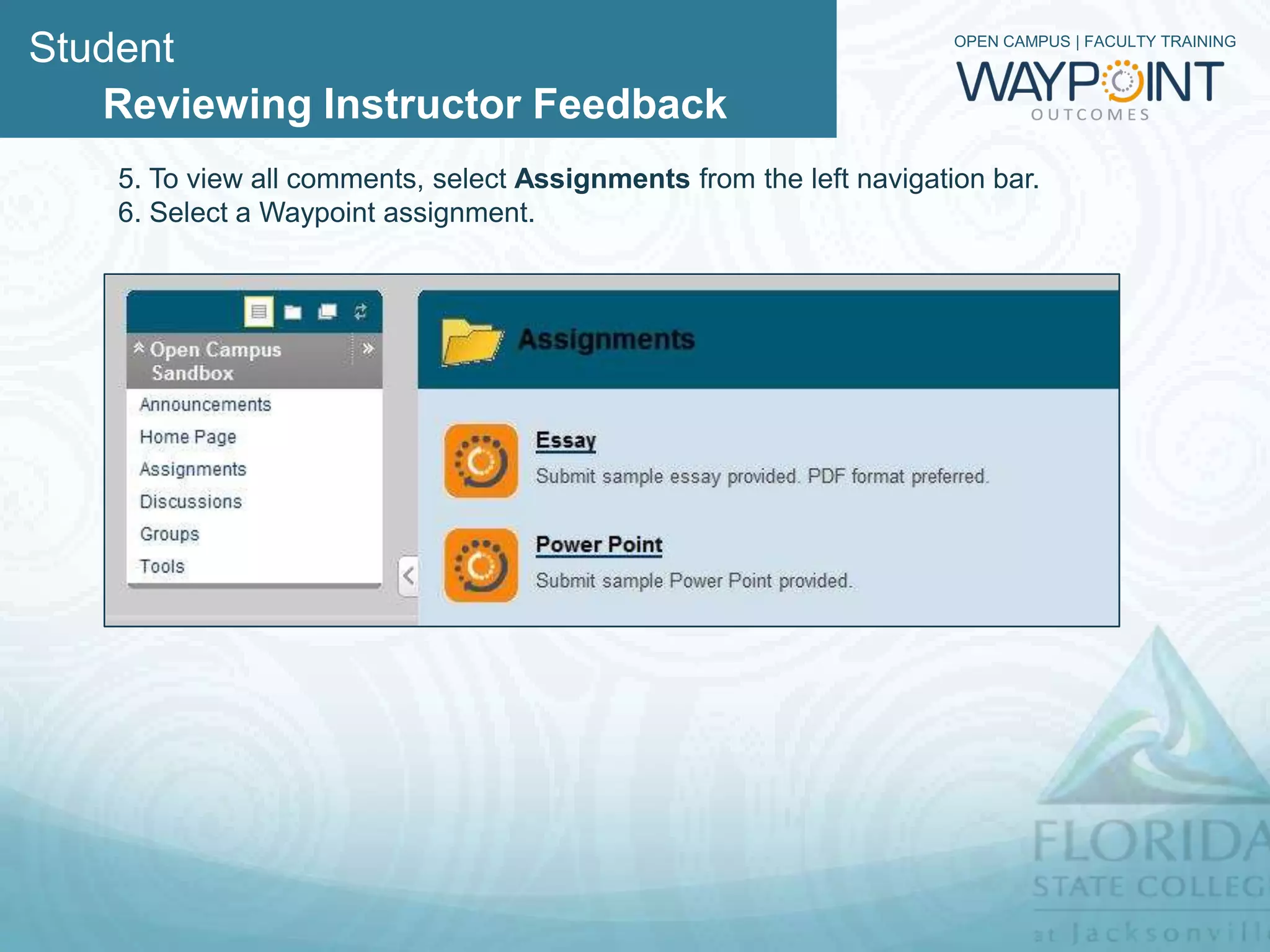
    5. To view all comments, select Assignments from the left navigation bar.
    6. Select a Waypoint assignment.
Student                                    OPEN CAMPUS | FACULTY TRAINING


   Reviewing Instructor Feedback
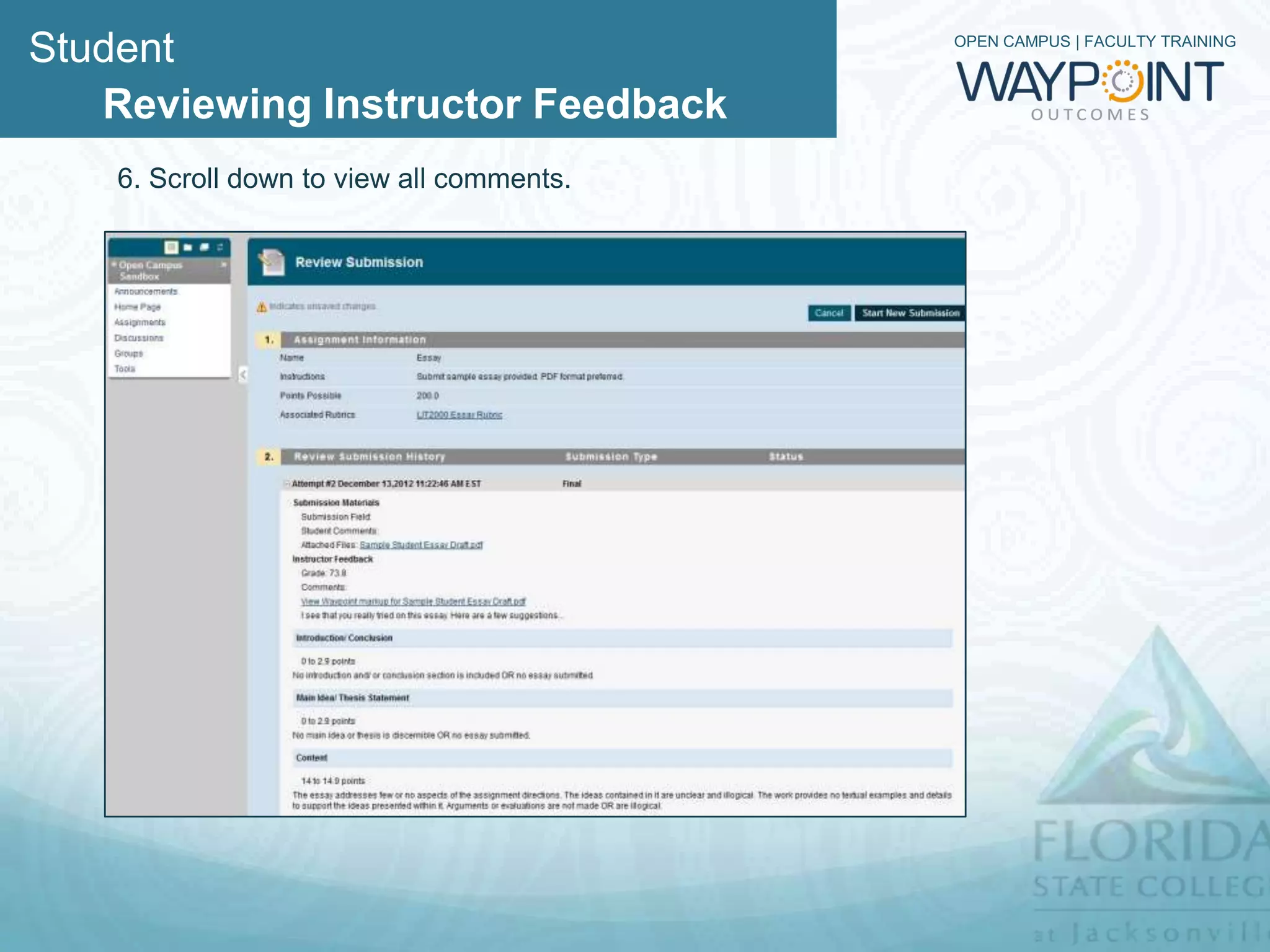
    6. Scroll down to view all comments.
Student                                                             OPEN CAMPUS | FACULTY TRAINING


   Reviewing Instructor Feedback

   Recap

   1. Click Tools.
   2. Select My Grade.
   3. Click the link in the Comments column to access comments.
   4. To view all comments, select Assignments from the left navigation bar.
   5. Select a Waypoint assignment.
   6. Scroll down to view all comments.

Waypoint - Students Can Review Feedback

  • 1.
    OPEN CAMPUS |FACULTY TRAINING Reviewing Instructor Feedback
  • 2.
    Student OPEN CAMPUS | FACULTY TRAINING Reviewing Instructor Feedback 1. Click Tools. 2. Select My Grades. Click
  • 3.
    Student OPEN CAMPUS | FACULTY TRAINING Reviewing Instructor Feedback 3. Click the link in the Comments column. Click Comments
  • 4.
    Student OPEN CAMPUS | FACULTY TRAINING Reviewing Instructor Feedback 5. To view all comments, select Assignments from the left navigation bar. 6. Select a Waypoint assignment.
  • 5.
    Student OPEN CAMPUS | FACULTY TRAINING Reviewing Instructor Feedback 6. Scroll down to view all comments.
  • 6.
    Student OPEN CAMPUS | FACULTY TRAINING Reviewing Instructor Feedback Recap 1. Click Tools. 2. Select My Grade. 3. Click the link in the Comments column to access comments. 4. To view all comments, select Assignments from the left navigation bar. 5. Select a Waypoint assignment. 6. Scroll down to view all comments.