OPEN CAMPUS | FACULTY TRAINING


      Returning an Assignment
Faculty                                                           OPEN CAMPUS | FACULTY TRAINING


   Returning an Assignment
   After you have completed assessing someone's work, you can easily send
   back the grades and feedback to the student. Here's how:
   1. Log into Blackboard http://bb.fscj.edu
   2. Navigate to your course
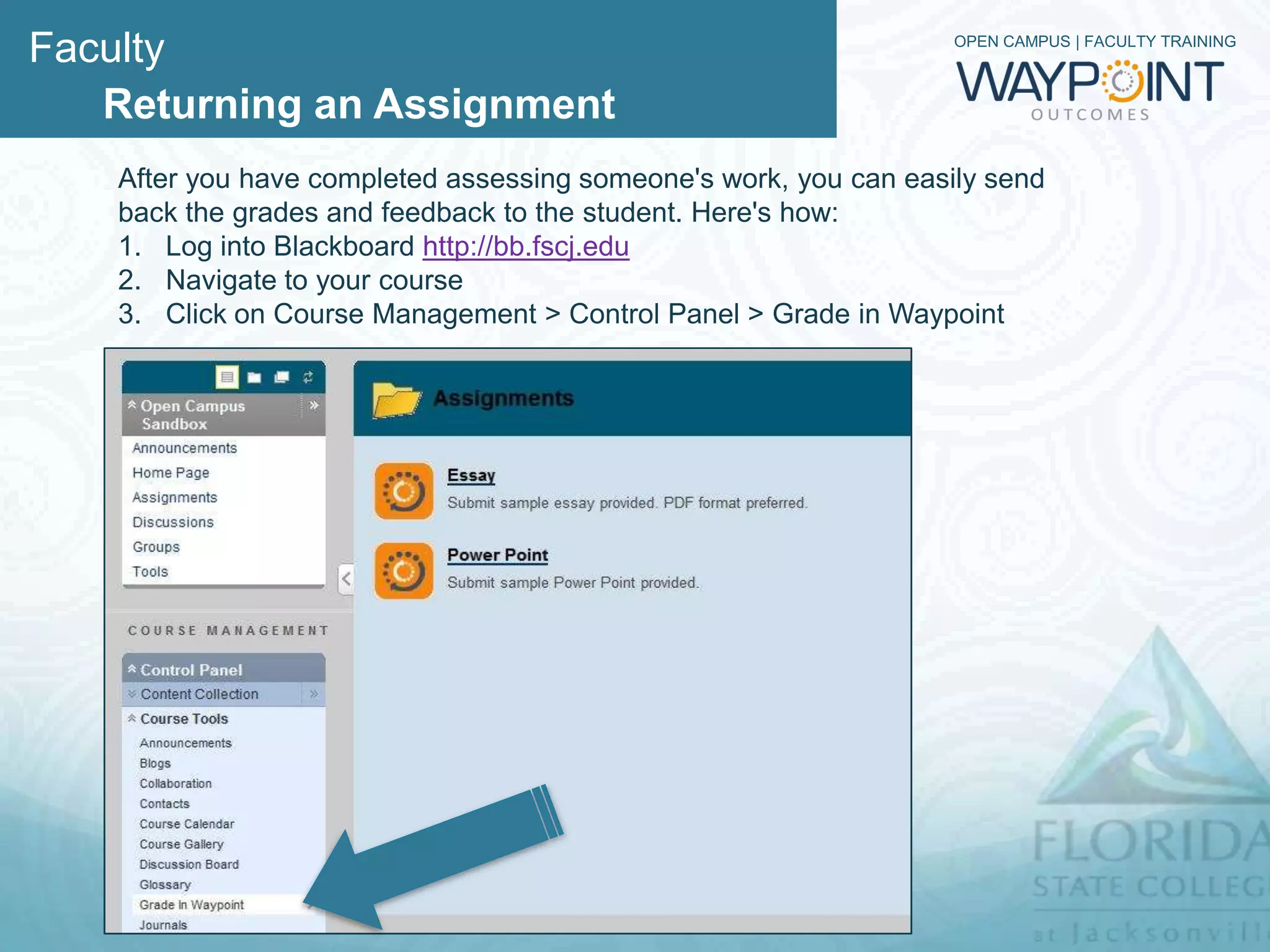
   3. Click on Course Management > Control Panel > Grade in Waypoint
Faculty                          OPEN CAMPUS | FACULTY TRAINING


   Returning an Assignment
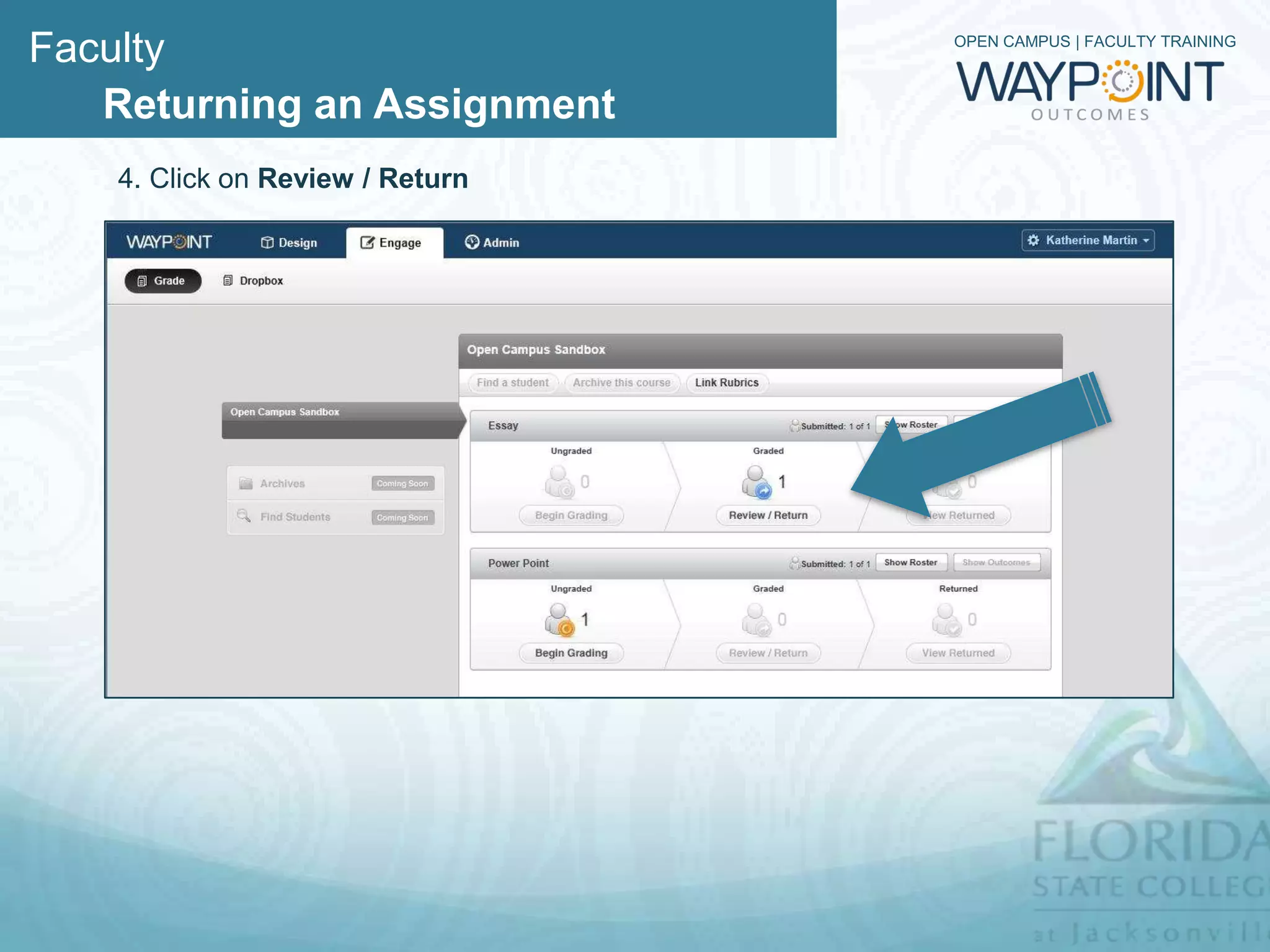
   4. Click on Review / Return
Faculty                         OPEN CAMPUS | FACULTY TRAINING


   Returning an Assignment
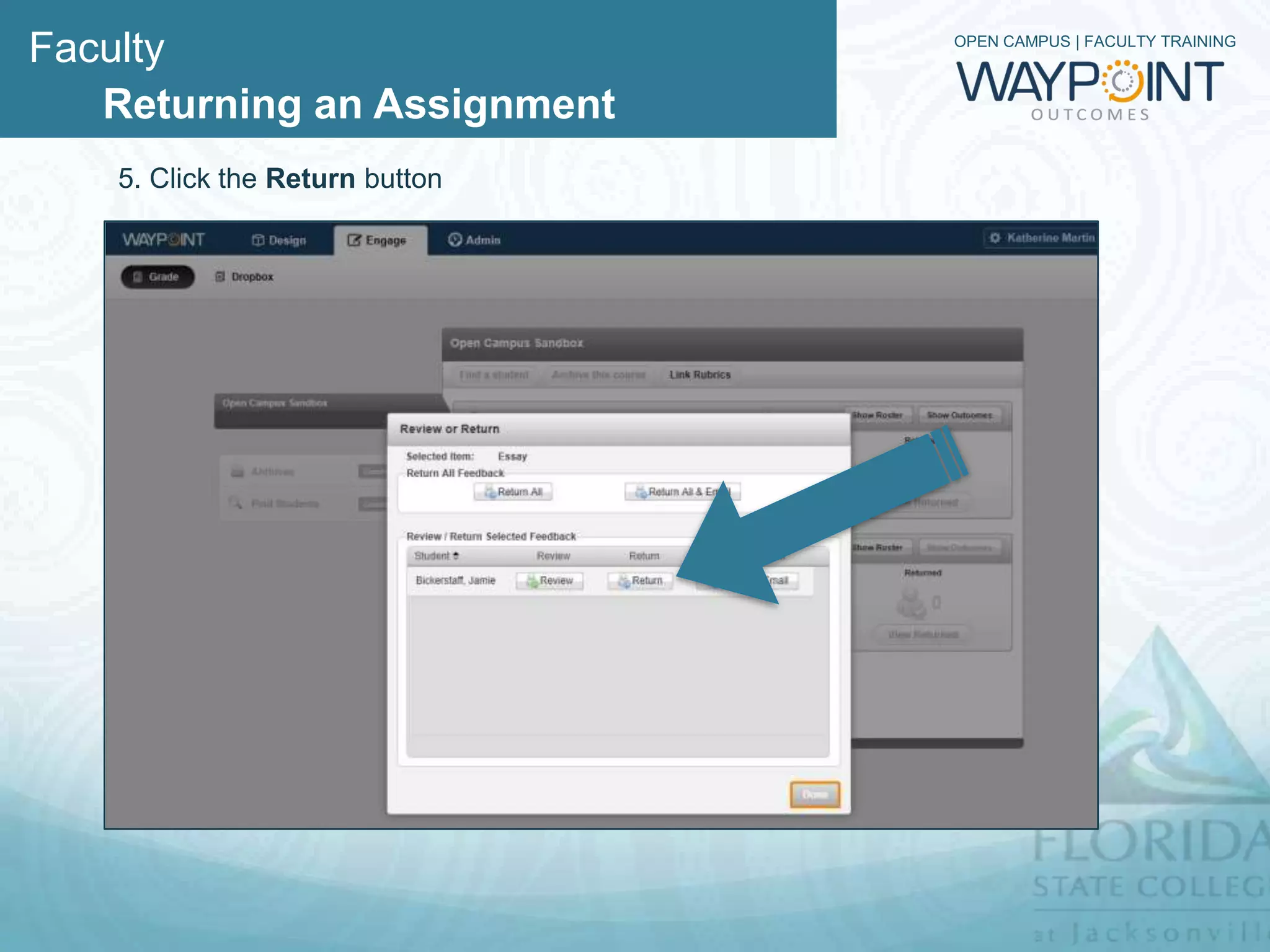
   5. Click the Return button
Faculty                      OPEN CAMPUS | FACULTY TRAINING


   Returning an Assignment
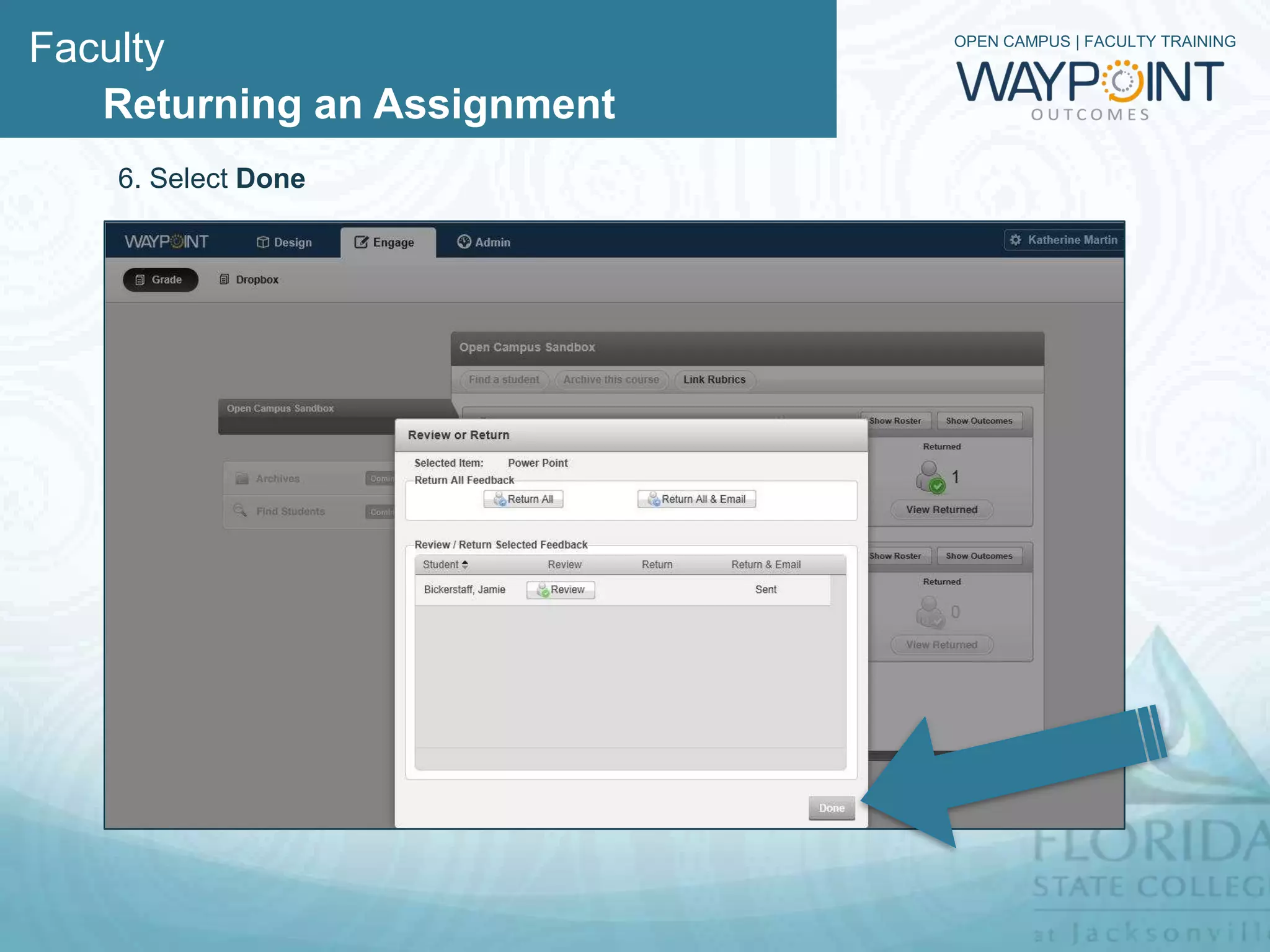
   6. Select Done
Faculty                                                            OPEN CAMPUS | FACULTY TRAINING


   Returning an Assignment

   Recap
   After you have completed assessing someone's work, you can easily
   send back the grades and feedback to the user. Here's how:

   1. Log into Blackboard http://bb.fscj.edu
   2. Navigate to your course
   3. Click on Course Management > Control Panel > Grade in Waypoint
   4. Click on Review / Return
   5. Click the Return button
   6. Select Done

Waypoint - Returning an Assigment

  • 1.
    OPEN CAMPUS |FACULTY TRAINING Returning an Assignment
  • 2.
    Faculty OPEN CAMPUS | FACULTY TRAINING Returning an Assignment After you have completed assessing someone's work, you can easily send back the grades and feedback to the student. Here's how: 1. Log into Blackboard http://bb.fscj.edu 2. Navigate to your course 3. Click on Course Management > Control Panel > Grade in Waypoint
  • 3.
    Faculty OPEN CAMPUS | FACULTY TRAINING Returning an Assignment 4. Click on Review / Return
  • 4.
    Faculty OPEN CAMPUS | FACULTY TRAINING Returning an Assignment 5. Click the Return button
  • 5.
    Faculty OPEN CAMPUS | FACULTY TRAINING Returning an Assignment 6. Select Done
  • 6.
    Faculty OPEN CAMPUS | FACULTY TRAINING Returning an Assignment Recap After you have completed assessing someone's work, you can easily send back the grades and feedback to the user. Here's how: 1. Log into Blackboard http://bb.fscj.edu 2. Navigate to your course 3. Click on Course Management > Control Panel > Grade in Waypoint 4. Click on Review / Return 5. Click the Return button 6. Select Done