© 2013 CA. All rights reserved. 
CA 7 11.3 to 12.0 Database Conversion Database Preparation Conversion Validation Reversion 
October 2014
Overview
3 
3 © 2013 CA. All rights reserved. CA confidential and proprietary information. No unauthorized use, copying or distribution. 
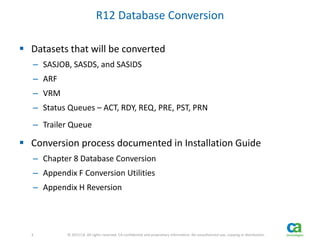
R12 Database Conversion 
 Datasets that will be converted 
– SASJOB, SASDS, and SASIDS 
– ARF 
– VRM 
– Status Queues – ACT, RDY, REQ, PRE, PST, PRN 
– Trailer Queue 
 Conversion process documented in Installation Guide 
– Chapter 8 Database Conversion 
– Appendix F Conversion Utilities 
– Appendix H Reversion
4 
4 © 2013 CA. All rights reserved. CA confidential and proprietary information. No unauthorized use, copying or distribution. 
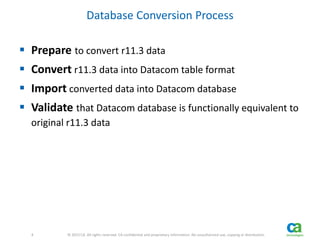
Database Conversion Process 
 Prepare to convert r11.3 data 
 Convert r11.3 data into Datacom table format 
 Import converted data into Datacom database 
 Validate that Datacom database is functionally equivalent to 
original r11.3 data
5 
5 © 2013 CA. All rights reserved. CA confidential and proprietary information. No unauthorized use, copying or distribution. 
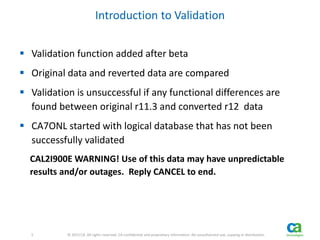
Introduction to Validation 
 Validation function added after beta 
 Original data and reverted data are compared 
 Validation is unsuccessful if any functional differences are 
found between original r11.3 and converted r12 data 
 CA7ONL started with logical database that has not been 
successfully validated 
CAL2I900E WARNING! Use of this data may have unpredictable 
results and/or outages. Reply CANCEL to end.
Database Preparation
7 
7 © 2013 CA. All rights reserved. CA confidential and proprietary information. No unauthorized use, copying or distribution. 
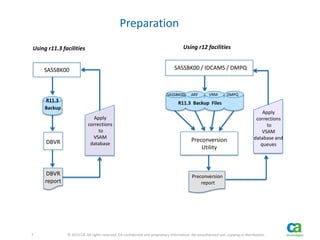
Preparation 
DBVR 
R11.3 
Backup 
DBVR 
report 
SASSBK00 
Apply 
corrections 
to 
VSAM 
database 
R11.3 Backup Files 
SASSBK00 ARF VRM DMPQ 
Preconversion 
Utility 
SASSBK00 / IDCAMS / DMPQ 
Preconversion 
report 
Apply 
corrections 
to 
VSAM 
database and 
queues 
Using r11.3 facilities Using r12 facilities
8 
8 © 2013 CA. All rights reserved. CA confidential and proprietary information. No unauthorized use, copying or distribution. 
Database Preparation 
 Preparation jobs 
– AL2DCB10 (XREF command and DBVR) 
– AL2DCB20 (Preconversion) 
 Apply corrections and re-run jobs until no issues are 
reported 
 Should be executed in advance of actual conversion 
 Should also be executed during production conversion 
window
9 
9 © 2013 CA. All rights reserved. CA confidential and proprietary information. No unauthorized use, copying or distribution. 
Database Preparation 
If DBVR or Preconversion issues are not resolved 
– Some will be reported again by conversion and/or import 
– Some will not show up again until validation fails 
Conversion jobs may execute successfully but validation will fail 
because issues weren’t addressed up front 
– The later an issue is addressed, the harder it is to decipher 
– One unaddressed issue may become multiple issues later in the 
process
10 
10 © 2013 CA. All rights reserved. CA confidential and proprietary information. No unauthorized use, copying or distribution. 
Database Preparation 
Preconversion Data Validation Utility 
 Why didn’t preconversion issues cause problems in r11.3? 
– Database design 
 Enforces validity of data in some columns 
 Enforces relationships between some tables 
– Some actually did cause problems or unexpected behavior in r11.3
11 
11 © 2013 CA. All rights reserved. CA confidential and proprietary information. No unauthorized use, copying or distribution. 
Preconversion Data Validation Utility 
What is Validated? 
 Dates/times 
Some columns are defined as date/time format for SQL. Datacom 
requires they contain valid data. 
 Referential Constraints 
Some tables require an entry in another table. 
Ex 1: Job associated with VRM resource must exist in the JOB table 
Ex 2: Dataset name occurrence must exist in the DATASET table 
 Duplicate RCT resource name / SCHID combinations 
/nnnn was erroneously included as part of key pre-r12
12 
12 © 2013 CA. All rights reserved. CA confidential and proprietary information. No unauthorized use, copying or distribution. 
Preconversion Data Validation Utility 
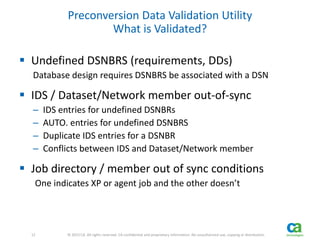
What is Validated? 
 Undefined DSNBRS (requirements, DDs) 
Database design requires DSNBRS be associated with a DSN 
 IDS / Dataset/Network member out-of-sync 
– IDS entries for undefined DSNBRs 
– AUTO. entries for undefined DSNBRS 
– Duplicate IDS entries for a DSNBR 
– Conflicts between IDS and Dataset/Network member 
 Job directory / member out of sync conditions 
One indicates XP or agent job and the other doesn’t
Conversion Process
14 
14 © 2013 CA. All rights reserved. CA confidential and proprietary information. No unauthorized use, copying or distribution. 
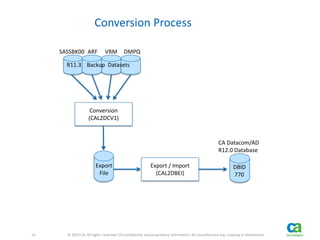
Conversion Process 
R11.3 Backup Datasets 
SASSBK00 ARF VRM DMPQ 
Conversion 
(CAL2DCV1) 
Export / Import 
(CAL2DBEI) 
CA Datacom/AD 
R12.0 Database 
DBID 
770 
Export 
File
15 
15 © 2013 CA. All rights reserved. CA confidential and proprietary information. No unauthorized use, copying or distribution. 
Conversion Process 
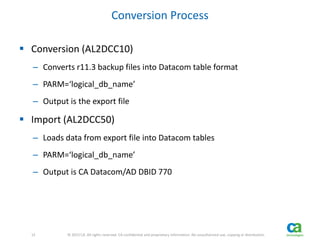
 Conversion (AL2DCC10) 
– Converts r11.3 backup files into Datacom table format 
– PARM=‘logical_db_name’ 
– Output is the export file 
 Import (AL2DCC50) 
– Loads data from export file into Datacom tables 
– PARM=‘logical_db_name’ 
– Output is CA Datacom/AD DBID 770
16 
16 © 2013 CA. All rights reserved. CA confidential and proprietary information. No unauthorized use, copying or distribution. 
Conversion Process 
Issues 
 Conversion will report on some, but not all, previously 
reported but unaddressed issues 
 Import may find other issues not reported previously 
 Conversion process must be restarted from the beginning 
after issues are addressed in r11.3 system 
 If issues are not addressed, validation will fail
17 
17 © 2013 CA. All rights reserved. CA confidential and proprietary information. No unauthorized use, copying or distribution. 
Conversion Process 
Space Estimator 
 Uses the export file to estimate the amount of space needed 
for the database 
 Executed between conversion and import 
 If multiple instances will share a MUF, all the export files 
should be concatenated as input 
 Output is DD cards for database areas 
 Execute allocation job using generated DD cards
Validation
19 
19 © 2013 CA. All rights reserved. CA confidential and proprietary information. No unauthorized use, copying or distribution. 
Validation 
R11.3 Backup Files 
SASSBK00 ARF VRM DMPQ 
Format / Sort 
Reversion 
R12 
Database 
Original 
Compare 
File 
Reverted Files 
SASSBK00 ARF VRM DMPQ 
Reverted 
Compare 
File 
Compare 
Format/ Sort
20 
20 © 2013 CA. All rights reserved. CA confidential and proprietary information. No unauthorized use, copying or distribution. 
Conversion Validation 
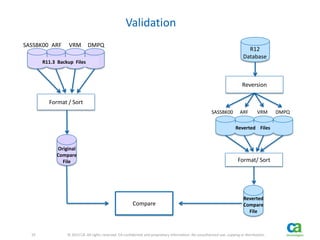
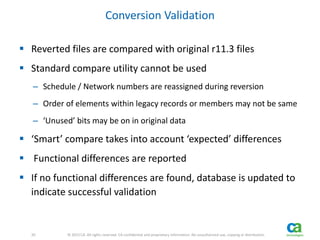
 Reverted files are compared with original r11.3 files 
 Standard compare utility cannot be used 
– Schedule / Network numbers are reassigned during reversion 
– Order of elements within legacy records or members may not be same 
– ‘Unused’ bits may be on in original data 
 ‘Smart’ compare takes into account ‘expected’ differences 
 Functional differences are reported 
 If no functional differences are found, database is updated to 
indicate successful validation
21 
21 © 2013 CA. All rights reserved. CA confidential and proprietary information. No unauthorized use, copying or distribution. 
Conversion Validation 
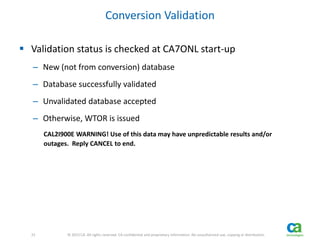
 Validation status is checked at CA7ONL start-up 
– New (not from conversion) database 
– Database successfully validated 
– Unvalidated database accepted 
– Otherwise, WTOR is issued 
CAL2I900E WARNING! Use of this data may have unpredictable results and/or 
outages. Reply CANCEL to end.
22 
22 © 2013 CA. All rights reserved. CA confidential and proprietary information. No unauthorized use, copying or distribution. 
Why Does Validation Fail? 
 Customer did not address issues reported earlier in 
conversion process 
 ‘Unused’ bits that we didn’t realize could be masked or 
ignored 
 Conversion or reversion code error 
 Unexpected r11.3 data
23 
23 © 2013 CA. All rights reserved. CA confidential and proprietary information. No unauthorized use, copying or distribution. 
Validation Failure 
 Hopefully, customer will contact support when validation fails 
prior to the WTOR being issued during CA7ONL start-up 
 Support 
– Verify that DBVR, Preconversion, Conversion, and Import jobs all 
completed with no issues reported 
– If no unresolved issues 
 Development will need to determine why validation failed 
 R11.3 back-up data will usually be needed to diagnose
24 
24 © 2013 CA. All rights reserved. CA confidential and proprietary information. No unauthorized use, copying or distribution. 
Validation Failure 
Possible Outcomes 
 Provide fix for coding error in conversion or reversion 
 Enhance validation to mask or ignore the ‘issue’ 
 Explain why the difference is seen and provide options 
– Accept unvalidated data 
or 
– Go back to r11.3 to correct the problem and restart conversion process 
 In the case where problem can be addressed in r11.3, we may 
enhance preconversion to find the issue in advance
25 
25 © 2013 CA. All rights reserved. CA confidential and proprietary information. No unauthorized use, copying or distribution. 
Validation Failure 
ACCEPT Unvalidated Data 
 It’s possible to continue with a database that did not 
successfully validate 
 Development may advise customer that it is o.k. to continue 
by accepting unvalidated data 
 We don’t document how to continue because we don’t want 
customers to continue without contacting support 
 If unvalidated data is accepted, the database is updated and 
WTOR will not be issued at next restart
26 
26 © 2013 CA. All rights reserved. CA confidential and proprietary information. No unauthorized use, copying or distribution. 
Last Thoughts on Conversion Process 
 Preparation is key to a successful conversion 
 Address issues when they are first reported 
 Window needed for conversion will likely be several hours 
 We feel good about the conversion process 
– Extensive testing with data from 5 customers 
– Extensive effort to avoid validation failures 
 Early in the release cycle 
– Validation failures probably won’t be the exception 
– Development should advise about validation failures
Reversion
28 
28 © 2013 CA. All rights reserved. CA confidential and proprietary information. No unauthorized use, copying or distribution. 
Reversion 
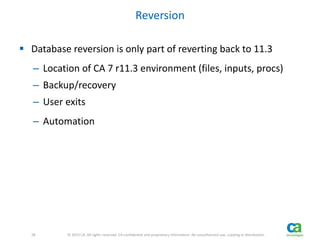
 Database reversion is only part of reverting back to 11.3 
– Location of CA 7 r11.3 environment (files, inputs, procs) 
– Backup/recovery 
– User exits 
– Automation
29 
29 © 2013 CA. All rights reserved. CA confidential and proprietary information. No unauthorized use, copying or distribution. 
Reversion 
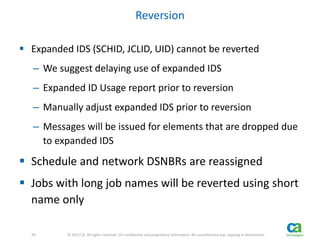
 Expanded IDS (SCHID, JCLID, UID) cannot be reverted 
– We suggest delaying use of expanded IDS 
– Expanded ID Usage report prior to reversion 
– Manually adjust expanded IDS prior to reversion 
– Messages will be issued for elements that are dropped due 
to expanded IDS 
 Schedule and network DSNBRs are reassigned 
 Jobs with long job names will be reverted using short 
name only
30 
30 © 2013 CA. All rights reserved. CA confidential and proprietary information. No unauthorized use, copying or distribution. 
Reversion 
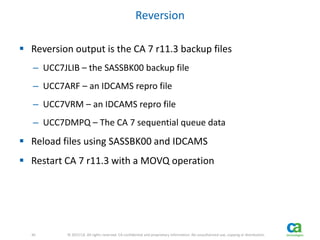
 Reversion output is the CA 7 r11.3 backup files 
– UCC7JLIB – the SASSBK00 backup file 
– UCC7ARF – an IDCAMS repro file 
– UCC7VRM – an IDCAMS repro file 
– UCC7DMPQ – The CA 7 sequential queue data 
 Reload files using SASSBK00 and IDCAMS 
 Restart CA 7 r11.3 with a MOVQ operation
31 © 2013 CA. All rights reserved. 
Principal Consultant Pre-Sales 
Bill.Sherwin@ca.com 
@CA7WA_Expert 
slideshare.net/CAinc 
linkedin.com/company/ca-technologies 
ca.com 
Bill Sherwin

WA CA 7 Edition r12 Database Conversion - CA Workload Automation Technology Summit (WATS) 2014

  • 1.
    © 2013 CA.All rights reserved. © 2013 CA. All rights reserved. CA 7 11.3 to 12.0 Database Conversion Database Preparation Conversion Validation Reversion October 2014
  • 2.
  • 3.
    3 3 ©2013 CA. All rights reserved. CA confidential and proprietary information. No unauthorized use, copying or distribution. R12 Database Conversion  Datasets that will be converted – SASJOB, SASDS, and SASIDS – ARF – VRM – Status Queues – ACT, RDY, REQ, PRE, PST, PRN – Trailer Queue  Conversion process documented in Installation Guide – Chapter 8 Database Conversion – Appendix F Conversion Utilities – Appendix H Reversion
  • 4.
    4 4 ©2013 CA. All rights reserved. CA confidential and proprietary information. No unauthorized use, copying or distribution. Database Conversion Process  Prepare to convert r11.3 data  Convert r11.3 data into Datacom table format  Import converted data into Datacom database  Validate that Datacom database is functionally equivalent to original r11.3 data
  • 5.
    5 5 ©2013 CA. All rights reserved. CA confidential and proprietary information. No unauthorized use, copying or distribution. Introduction to Validation  Validation function added after beta  Original data and reverted data are compared  Validation is unsuccessful if any functional differences are found between original r11.3 and converted r12 data  CA7ONL started with logical database that has not been successfully validated CAL2I900E WARNING! Use of this data may have unpredictable results and/or outages. Reply CANCEL to end.
  • 6.
  • 7.
    7 7 ©2013 CA. All rights reserved. CA confidential and proprietary information. No unauthorized use, copying or distribution. Preparation DBVR R11.3 Backup DBVR report SASSBK00 Apply corrections to VSAM database R11.3 Backup Files SASSBK00 ARF VRM DMPQ Preconversion Utility SASSBK00 / IDCAMS / DMPQ Preconversion report Apply corrections to VSAM database and queues Using r11.3 facilities Using r12 facilities
  • 8.
    8 8 ©2013 CA. All rights reserved. CA confidential and proprietary information. No unauthorized use, copying or distribution. Database Preparation  Preparation jobs – AL2DCB10 (XREF command and DBVR) – AL2DCB20 (Preconversion)  Apply corrections and re-run jobs until no issues are reported  Should be executed in advance of actual conversion  Should also be executed during production conversion window
  • 9.
    9 9 ©2013 CA. All rights reserved. CA confidential and proprietary information. No unauthorized use, copying or distribution. Database Preparation If DBVR or Preconversion issues are not resolved – Some will be reported again by conversion and/or import – Some will not show up again until validation fails Conversion jobs may execute successfully but validation will fail because issues weren’t addressed up front – The later an issue is addressed, the harder it is to decipher – One unaddressed issue may become multiple issues later in the process
  • 10.
    10 10 ©2013 CA. All rights reserved. CA confidential and proprietary information. No unauthorized use, copying or distribution. Database Preparation Preconversion Data Validation Utility  Why didn’t preconversion issues cause problems in r11.3? – Database design  Enforces validity of data in some columns  Enforces relationships between some tables – Some actually did cause problems or unexpected behavior in r11.3
  • 11.
    11 11 ©2013 CA. All rights reserved. CA confidential and proprietary information. No unauthorized use, copying or distribution. Preconversion Data Validation Utility What is Validated?  Dates/times Some columns are defined as date/time format for SQL. Datacom requires they contain valid data.  Referential Constraints Some tables require an entry in another table. Ex 1: Job associated with VRM resource must exist in the JOB table Ex 2: Dataset name occurrence must exist in the DATASET table  Duplicate RCT resource name / SCHID combinations /nnnn was erroneously included as part of key pre-r12
  • 12.
    12 12 ©2013 CA. All rights reserved. CA confidential and proprietary information. No unauthorized use, copying or distribution. Preconversion Data Validation Utility What is Validated?  Undefined DSNBRS (requirements, DDs) Database design requires DSNBRS be associated with a DSN  IDS / Dataset/Network member out-of-sync – IDS entries for undefined DSNBRs – AUTO. entries for undefined DSNBRS – Duplicate IDS entries for a DSNBR – Conflicts between IDS and Dataset/Network member  Job directory / member out of sync conditions One indicates XP or agent job and the other doesn’t
  • 13.
  • 14.
    14 14 ©2013 CA. All rights reserved. CA confidential and proprietary information. No unauthorized use, copying or distribution. Conversion Process R11.3 Backup Datasets SASSBK00 ARF VRM DMPQ Conversion (CAL2DCV1) Export / Import (CAL2DBEI) CA Datacom/AD R12.0 Database DBID 770 Export File
  • 15.
    15 15 ©2013 CA. All rights reserved. CA confidential and proprietary information. No unauthorized use, copying or distribution. Conversion Process  Conversion (AL2DCC10) – Converts r11.3 backup files into Datacom table format – PARM=‘logical_db_name’ – Output is the export file  Import (AL2DCC50) – Loads data from export file into Datacom tables – PARM=‘logical_db_name’ – Output is CA Datacom/AD DBID 770
  • 16.
    16 16 ©2013 CA. All rights reserved. CA confidential and proprietary information. No unauthorized use, copying or distribution. Conversion Process Issues  Conversion will report on some, but not all, previously reported but unaddressed issues  Import may find other issues not reported previously  Conversion process must be restarted from the beginning after issues are addressed in r11.3 system  If issues are not addressed, validation will fail
  • 17.
    17 17 ©2013 CA. All rights reserved. CA confidential and proprietary information. No unauthorized use, copying or distribution. Conversion Process Space Estimator  Uses the export file to estimate the amount of space needed for the database  Executed between conversion and import  If multiple instances will share a MUF, all the export files should be concatenated as input  Output is DD cards for database areas  Execute allocation job using generated DD cards
  • 18.
  • 19.
    19 19 ©2013 CA. All rights reserved. CA confidential and proprietary information. No unauthorized use, copying or distribution. Validation R11.3 Backup Files SASSBK00 ARF VRM DMPQ Format / Sort Reversion R12 Database Original Compare File Reverted Files SASSBK00 ARF VRM DMPQ Reverted Compare File Compare Format/ Sort
  • 20.
    20 20 ©2013 CA. All rights reserved. CA confidential and proprietary information. No unauthorized use, copying or distribution. Conversion Validation  Reverted files are compared with original r11.3 files  Standard compare utility cannot be used – Schedule / Network numbers are reassigned during reversion – Order of elements within legacy records or members may not be same – ‘Unused’ bits may be on in original data  ‘Smart’ compare takes into account ‘expected’ differences  Functional differences are reported  If no functional differences are found, database is updated to indicate successful validation
  • 21.
    21 21 ©2013 CA. All rights reserved. CA confidential and proprietary information. No unauthorized use, copying or distribution. Conversion Validation  Validation status is checked at CA7ONL start-up – New (not from conversion) database – Database successfully validated – Unvalidated database accepted – Otherwise, WTOR is issued CAL2I900E WARNING! Use of this data may have unpredictable results and/or outages. Reply CANCEL to end.
  • 22.
    22 22 ©2013 CA. All rights reserved. CA confidential and proprietary information. No unauthorized use, copying or distribution. Why Does Validation Fail?  Customer did not address issues reported earlier in conversion process  ‘Unused’ bits that we didn’t realize could be masked or ignored  Conversion or reversion code error  Unexpected r11.3 data
  • 23.
    23 23 ©2013 CA. All rights reserved. CA confidential and proprietary information. No unauthorized use, copying or distribution. Validation Failure  Hopefully, customer will contact support when validation fails prior to the WTOR being issued during CA7ONL start-up  Support – Verify that DBVR, Preconversion, Conversion, and Import jobs all completed with no issues reported – If no unresolved issues  Development will need to determine why validation failed  R11.3 back-up data will usually be needed to diagnose
  • 24.
    24 24 ©2013 CA. All rights reserved. CA confidential and proprietary information. No unauthorized use, copying or distribution. Validation Failure Possible Outcomes  Provide fix for coding error in conversion or reversion  Enhance validation to mask or ignore the ‘issue’  Explain why the difference is seen and provide options – Accept unvalidated data or – Go back to r11.3 to correct the problem and restart conversion process  In the case where problem can be addressed in r11.3, we may enhance preconversion to find the issue in advance
  • 25.
    25 25 ©2013 CA. All rights reserved. CA confidential and proprietary information. No unauthorized use, copying or distribution. Validation Failure ACCEPT Unvalidated Data  It’s possible to continue with a database that did not successfully validate  Development may advise customer that it is o.k. to continue by accepting unvalidated data  We don’t document how to continue because we don’t want customers to continue without contacting support  If unvalidated data is accepted, the database is updated and WTOR will not be issued at next restart
  • 26.
    26 26 ©2013 CA. All rights reserved. CA confidential and proprietary information. No unauthorized use, copying or distribution. Last Thoughts on Conversion Process  Preparation is key to a successful conversion  Address issues when they are first reported  Window needed for conversion will likely be several hours  We feel good about the conversion process – Extensive testing with data from 5 customers – Extensive effort to avoid validation failures  Early in the release cycle – Validation failures probably won’t be the exception – Development should advise about validation failures
  • 27.
  • 28.
    28 28 ©2013 CA. All rights reserved. CA confidential and proprietary information. No unauthorized use, copying or distribution. Reversion  Database reversion is only part of reverting back to 11.3 – Location of CA 7 r11.3 environment (files, inputs, procs) – Backup/recovery – User exits – Automation
  • 29.
    29 29 ©2013 CA. All rights reserved. CA confidential and proprietary information. No unauthorized use, copying or distribution. Reversion  Expanded IDS (SCHID, JCLID, UID) cannot be reverted – We suggest delaying use of expanded IDS – Expanded ID Usage report prior to reversion – Manually adjust expanded IDS prior to reversion – Messages will be issued for elements that are dropped due to expanded IDS  Schedule and network DSNBRs are reassigned  Jobs with long job names will be reverted using short name only
  • 30.
    30 30 ©2013 CA. All rights reserved. CA confidential and proprietary information. No unauthorized use, copying or distribution. Reversion  Reversion output is the CA 7 r11.3 backup files – UCC7JLIB – the SASSBK00 backup file – UCC7ARF – an IDCAMS repro file – UCC7VRM – an IDCAMS repro file – UCC7DMPQ – The CA 7 sequential queue data  Reload files using SASSBK00 and IDCAMS  Restart CA 7 r11.3 with a MOVQ operation
  • 31.
    31 © 2013CA. All rights reserved. 31 © 2013 CA. All rights reserved. Principal Consultant Pre-Sales Bill.Sherwin@ca.com @CA7WA_Expert slideshare.net/CAinc linkedin.com/company/ca-technologies ca.com Bill Sherwin