CS114 - Fundamental of Programming
Lecture 1: Introduction
Dr. Nazia Perwaiz
vision.seecs.edu.pk
Content
• Why programming for ChE Students?
• Why Python?
• Course Outline
• Setting up Google Collab
• Printing
• Arithmetic with Python
• Variables and variable typing
2
Why Programming course?
3
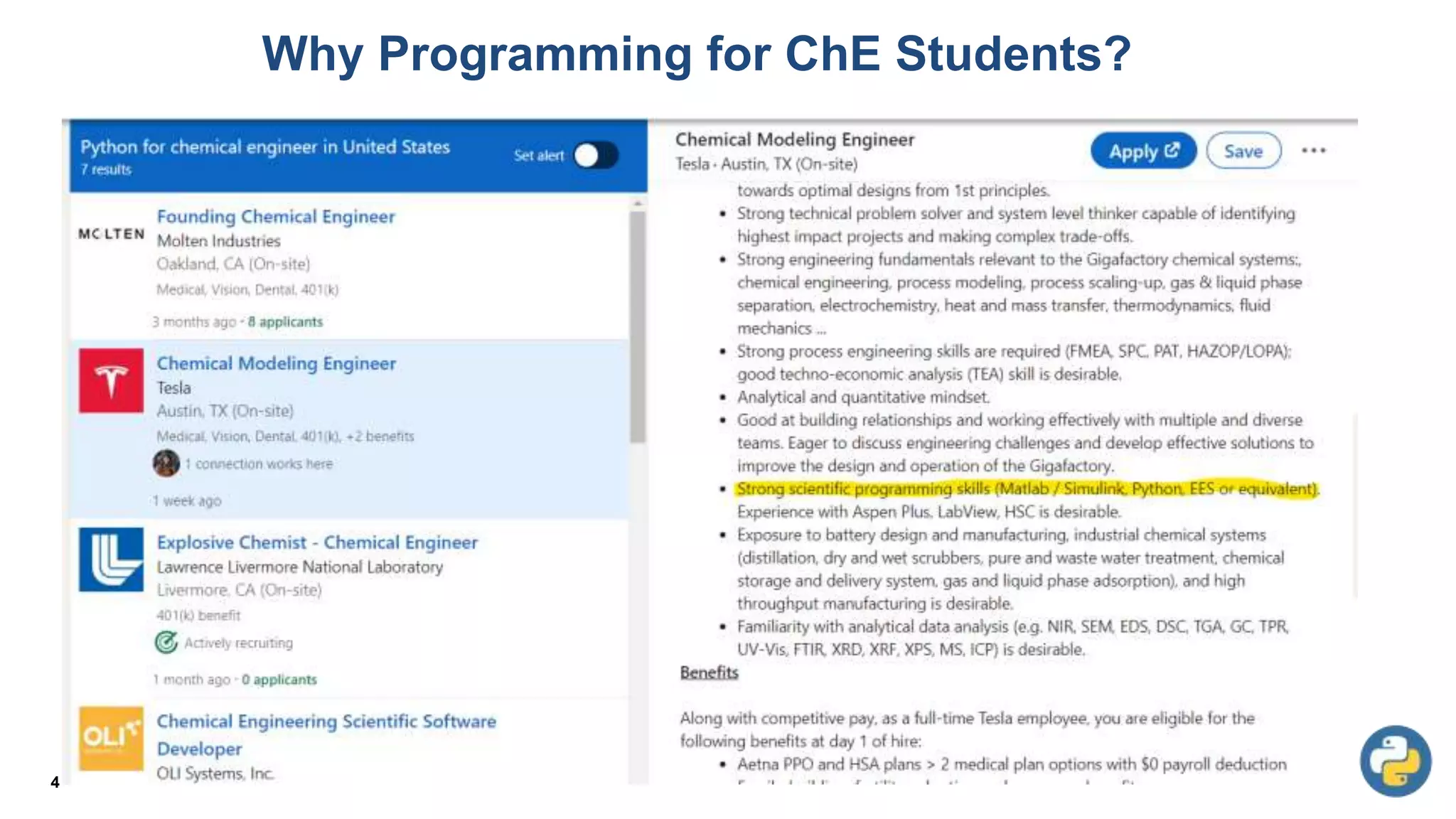
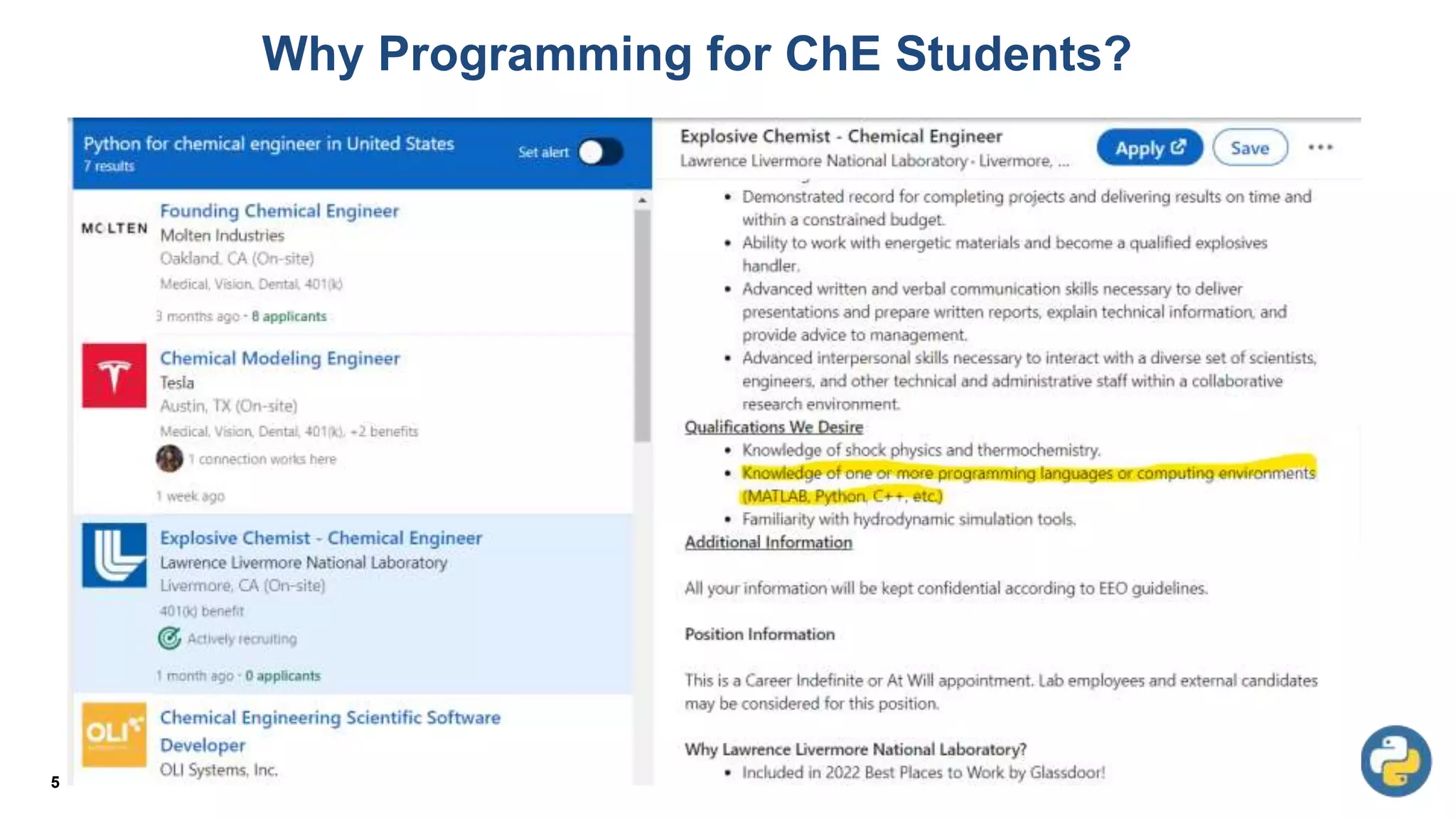
Why Programming for ChE Students?
4
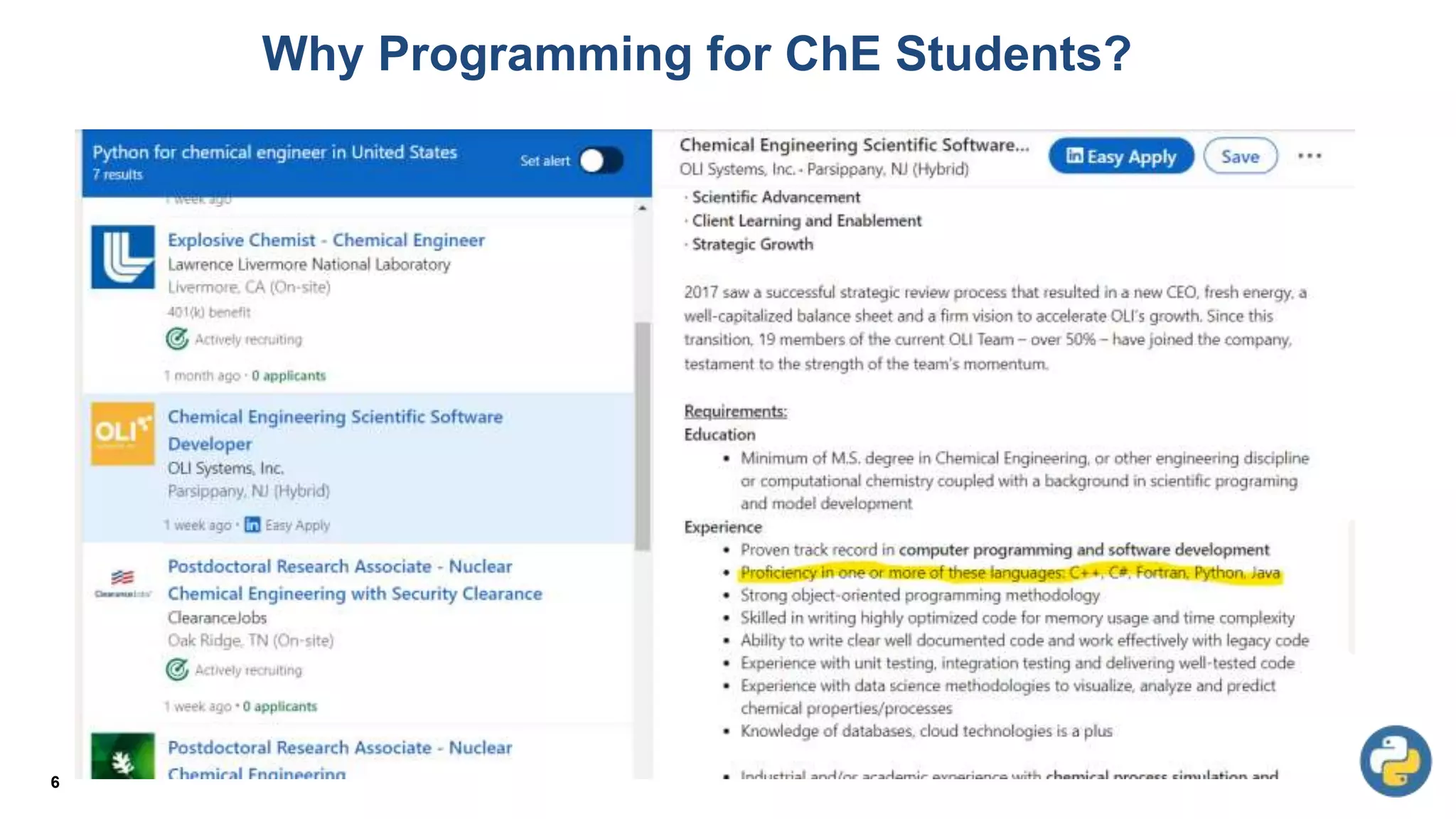
Why Programming for ChE Students?
5
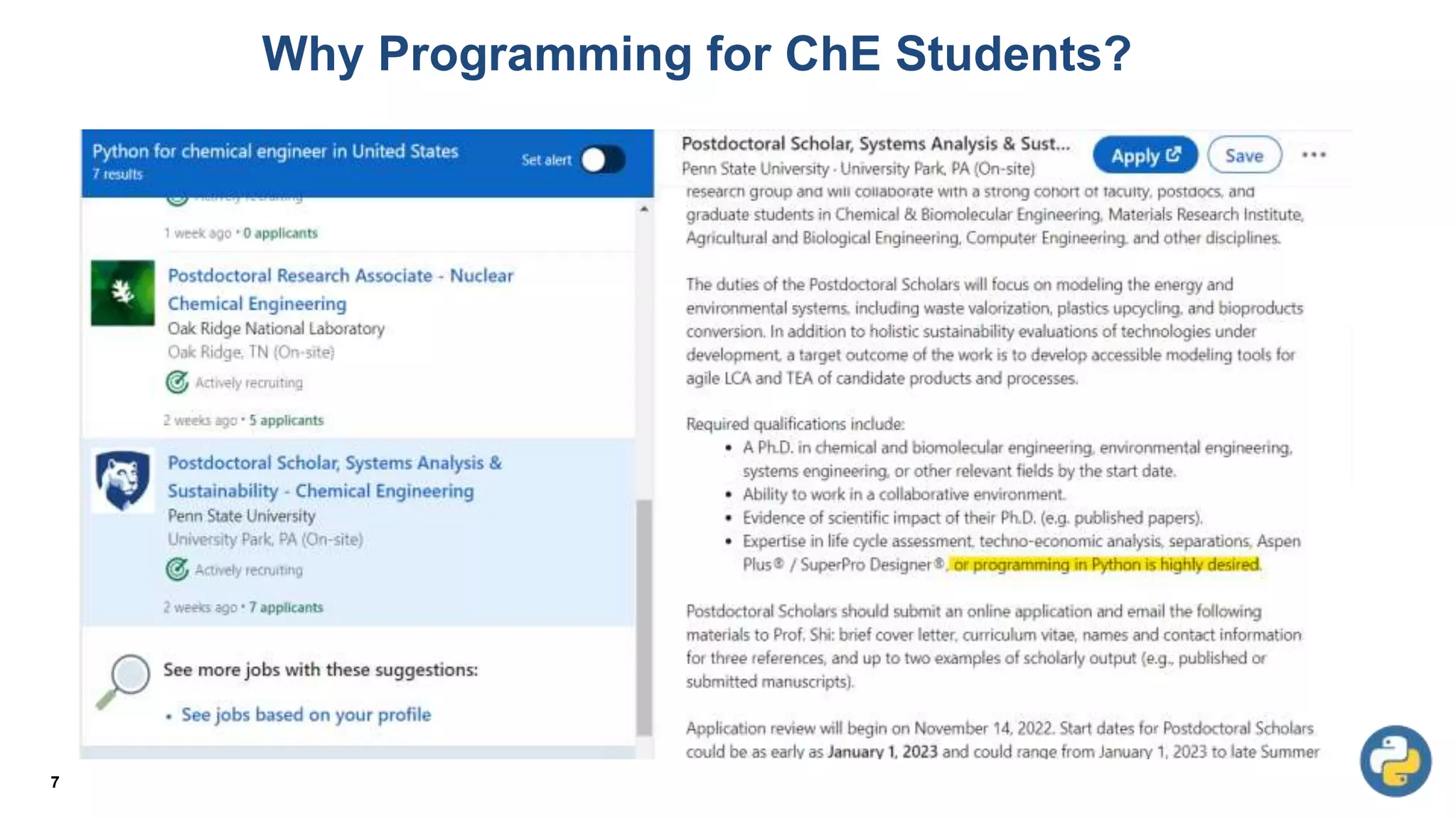
Why Programming for ChE Students?
6
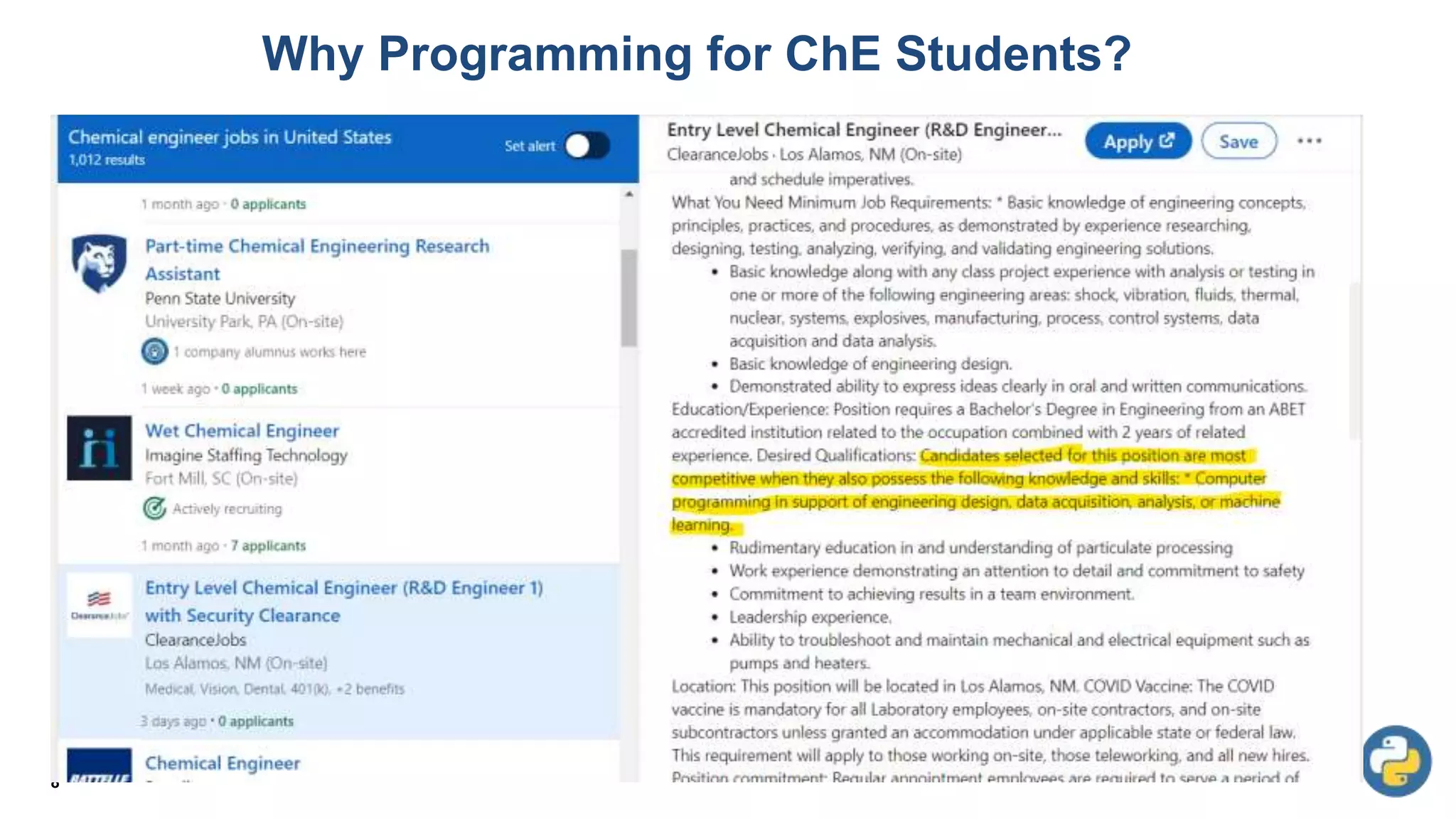
Why Programming for ChE Students?
7
Why Programming for ChE Students?
8
9
10
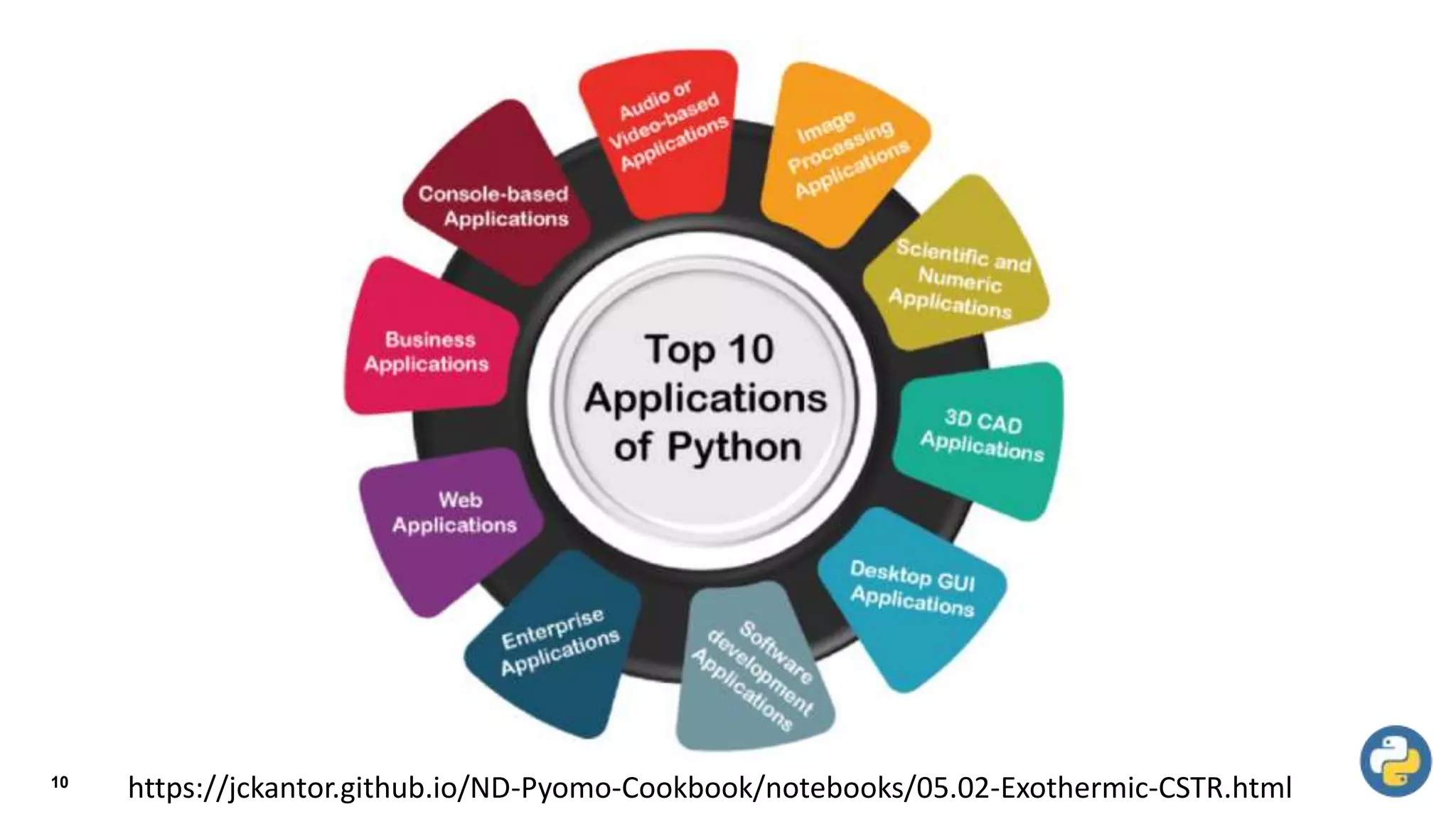
https://jckantor.github.io/ND-Pyomo-Cookbook/notebooks/05.02-Exothermic-CSTR.html
11
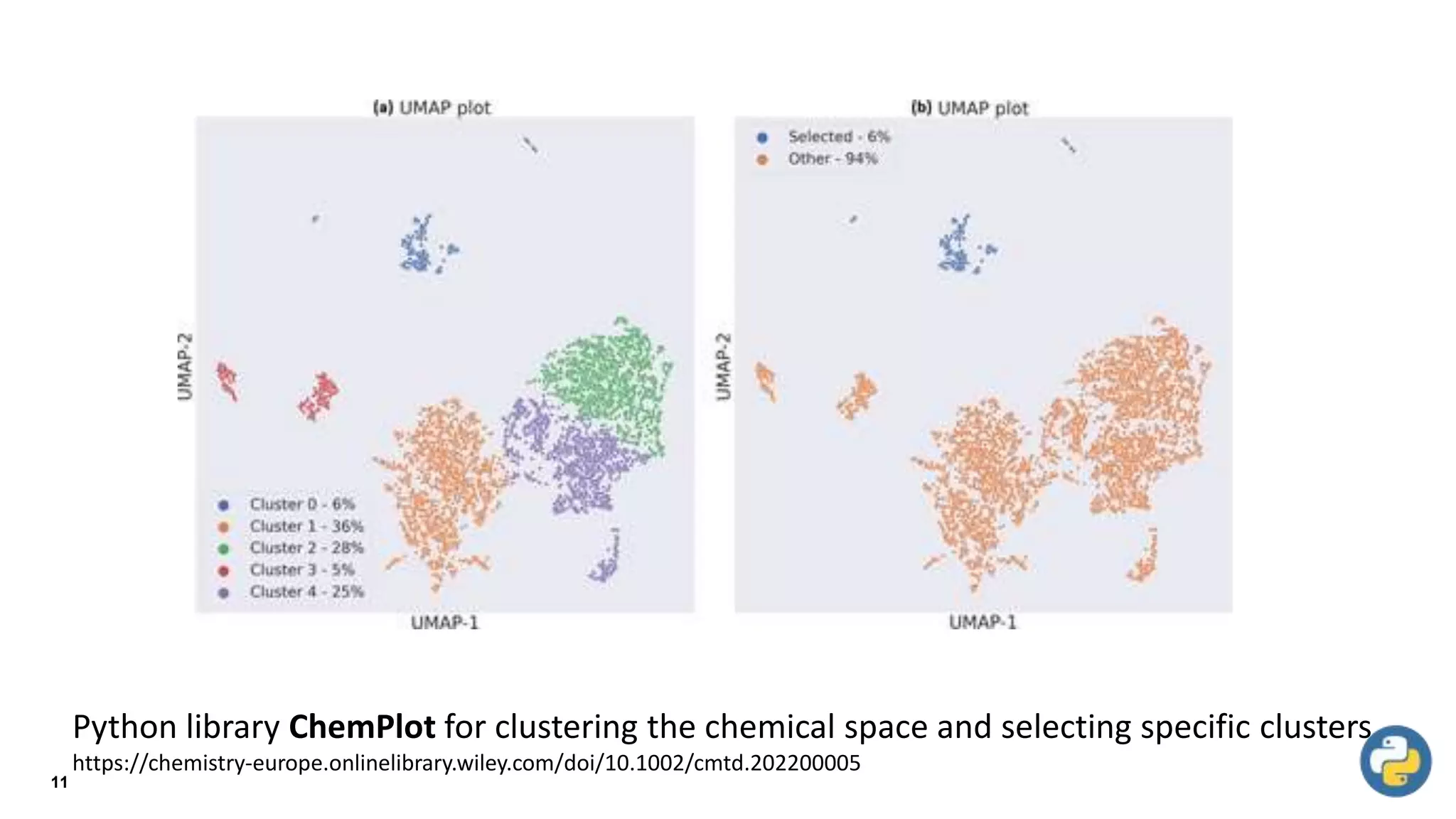
Python library ChemPlot for clustering the chemical space and selecting specific clusters
https://chemistry-europe.onlinelibrary.wiley.com/doi/10.1002/cmtd.202200005
12
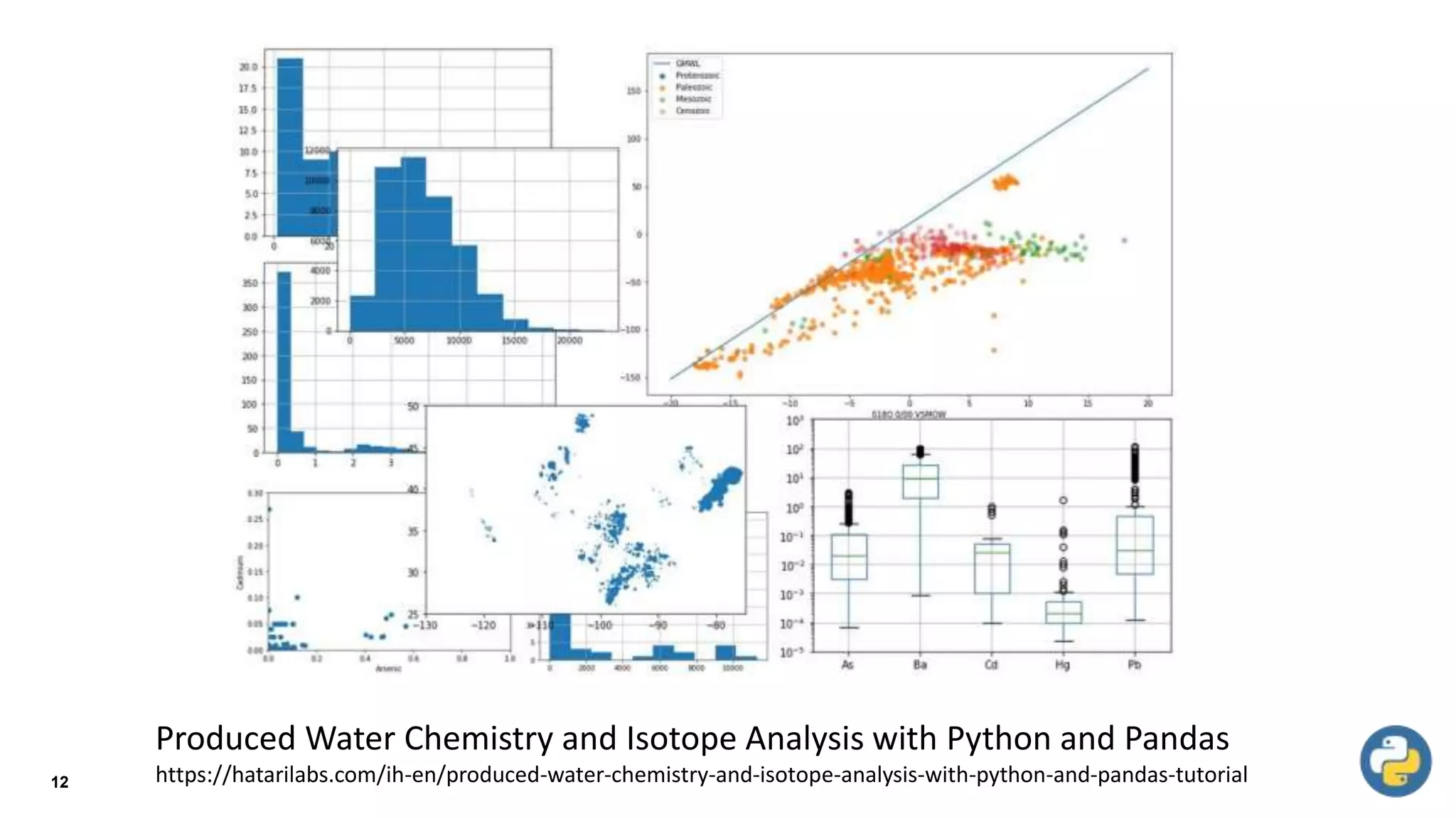
Produced Water Chemistry and Isotope Analysis with Python and Pandas
https://hatarilabs.com/ih-en/produced-water-chemistry-and-isotope-analysis-with-python-and-pandas-tutorial
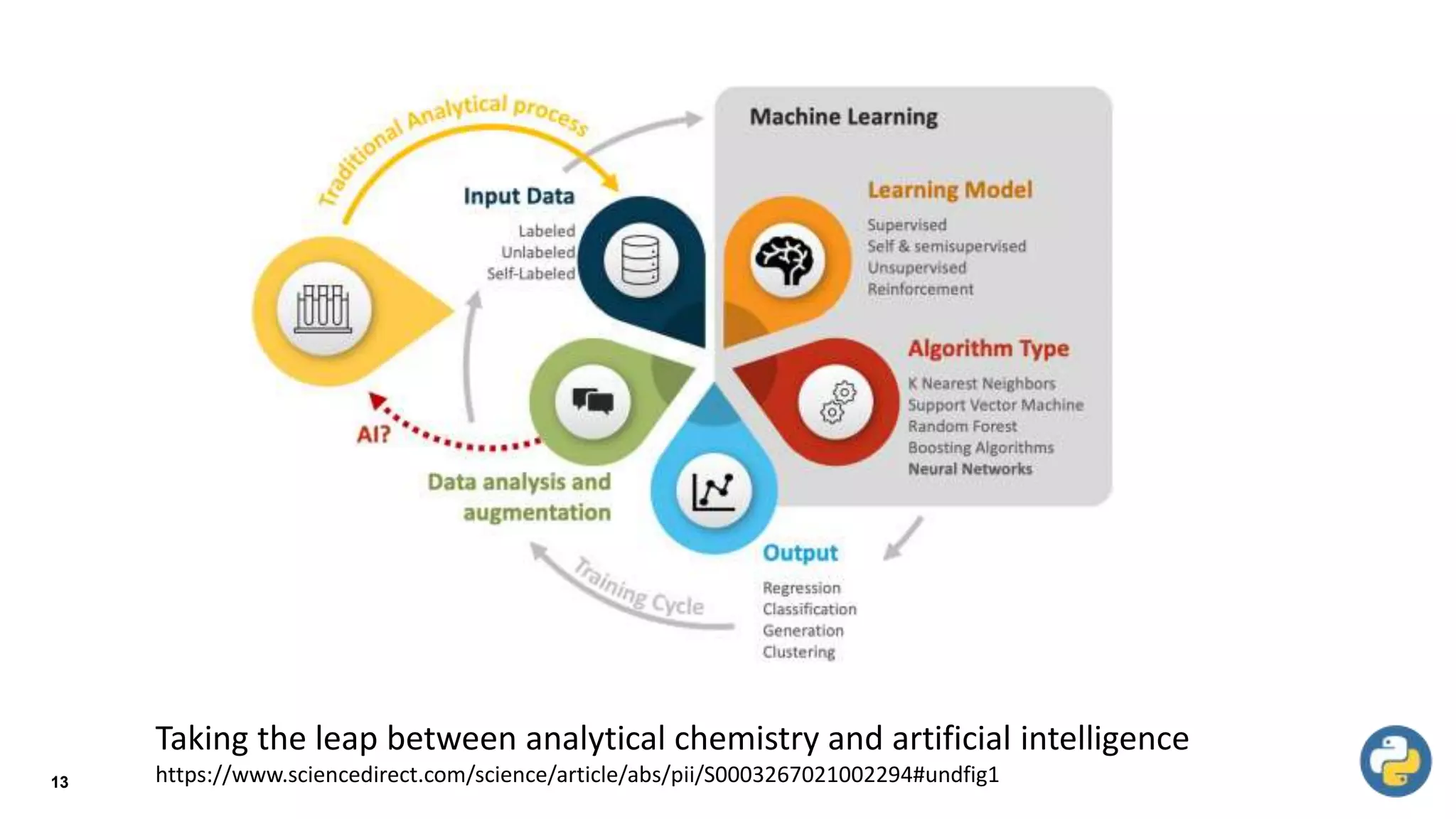
13
Taking the leap between analytical chemistry and artificial intelligence
https://www.sciencedirect.com/science/article/abs/pii/S0003267021002294#undfig1
Python for Chemical Engineering Applications
Python used for chemical engineering tasks:
1. Process simulation: Pyomo is a Python library for modeling and
solving mathematical optimization problems. It can be used to model
and optimize chemical processes, such as distillation columns and
reactors.
2. Data analysis: Pandas is a popular Python library for data analysis.
It can be used to manipulate and analyze large sets of data, such as
process data from sensors or experiments.
14
Python for Chemical Engineering Applications
3. Visualization: Matplotlib is a Python library for creating visualizations.
It can be used to create plots and charts of process variables, such
as temperature and flow rate, to aid in understanding and analyzing
data.
4. Kinetic model: Cantera is a Python library that can be used to create
and simulate kinetic models of chemical reactions. It can be used to
model combustion reactions, atmospheric chemistry and more.
5. Equation solving: Scipy has an optimize module that can be used to
solve equations, it can be used to solve systems of non-linear
equations, which is a common task in chemical engineering.
15
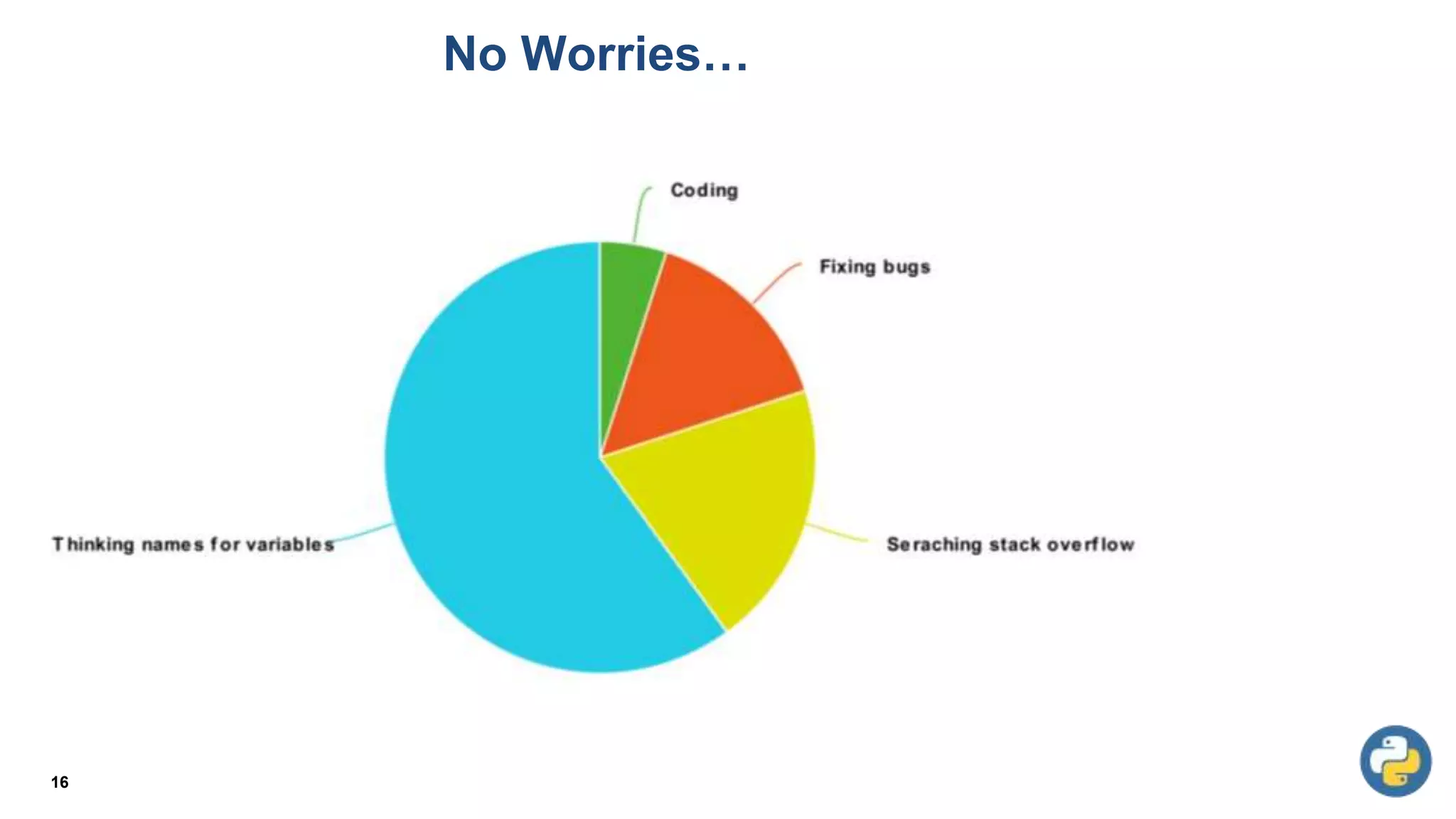
No Worries…
16
Course Objectives
17
• Developing comprehensive knowledge about the
fundamental principles, concepts and constructs of
modern computer programming.
• Developing competencies for the design, coding and
debugging of computer programs.
Course Learning Outcomes
18
• To understand the syntax and semantics of different
programming constructs
• To understand basic algorithms for identifying and solving
real-world problems
• To develop computer programs to implement these
algorithms
• To use the latest IDEs and other supplementary tools to aid
implementation and code management
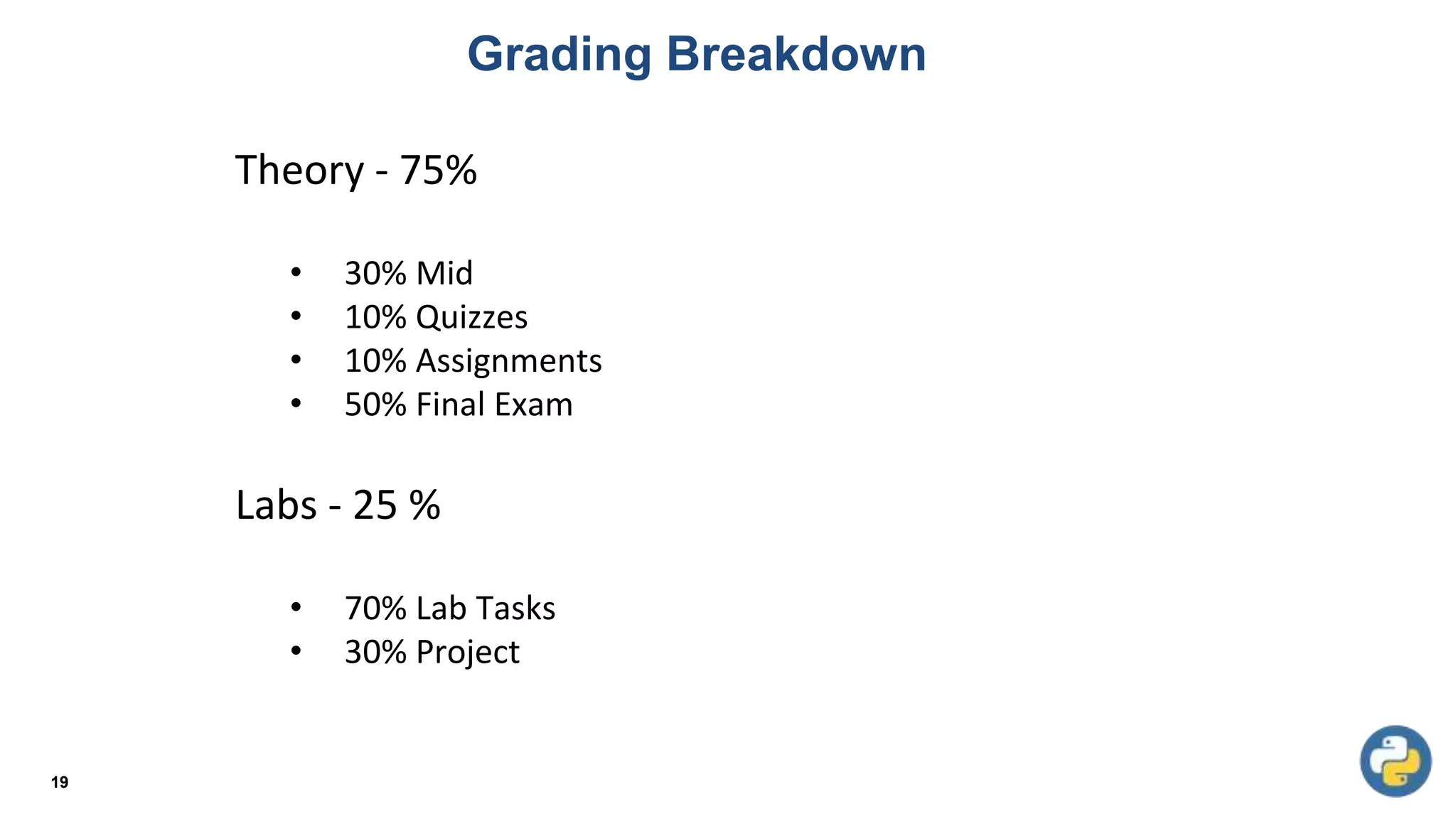
Grading Breakdown
19
Theory - 75%
• 30% Mid
• 10% Quizzes
• 10% Assignments
• 50% Final Exam
Labs - 25 %
• 70% Lab Tasks
• 30% Project
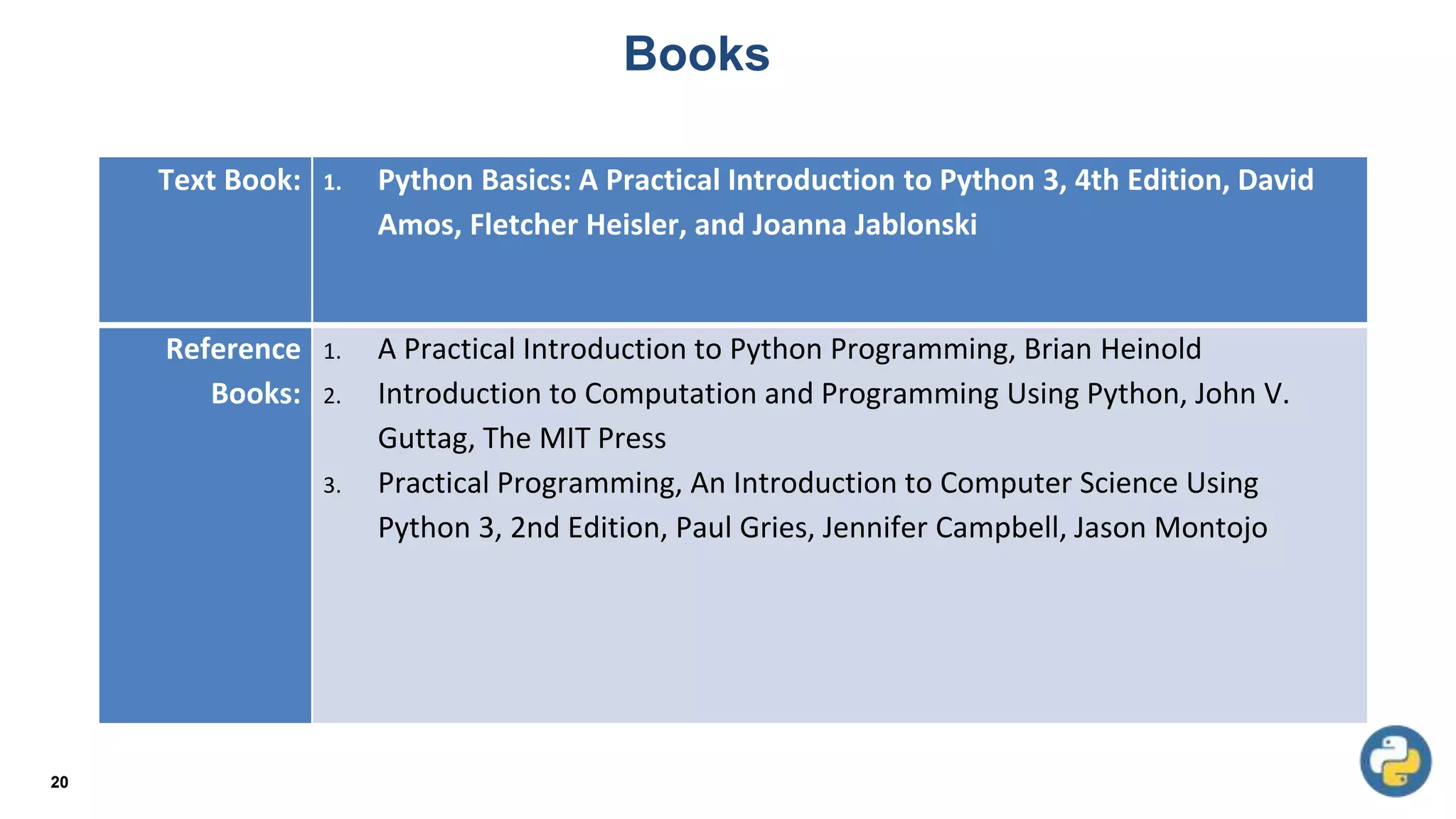
Books
20
Text Book: 1. Python Basics: A Practical Introduction to Python 3, 4th Edition, David
Amos, Fletcher Heisler, and Joanna Jablonski
Reference
Books:
1. A Practical Introduction to Python Programming, Brian Heinold
2. Introduction to Computation and Programming Using Python, John V.
Guttag, The MIT Press
3. Practical Programming, An Introduction to Computer Science Using
Python 3, 2nd Edition, Paul Gries, Jennifer Campbell, Jason Montojo
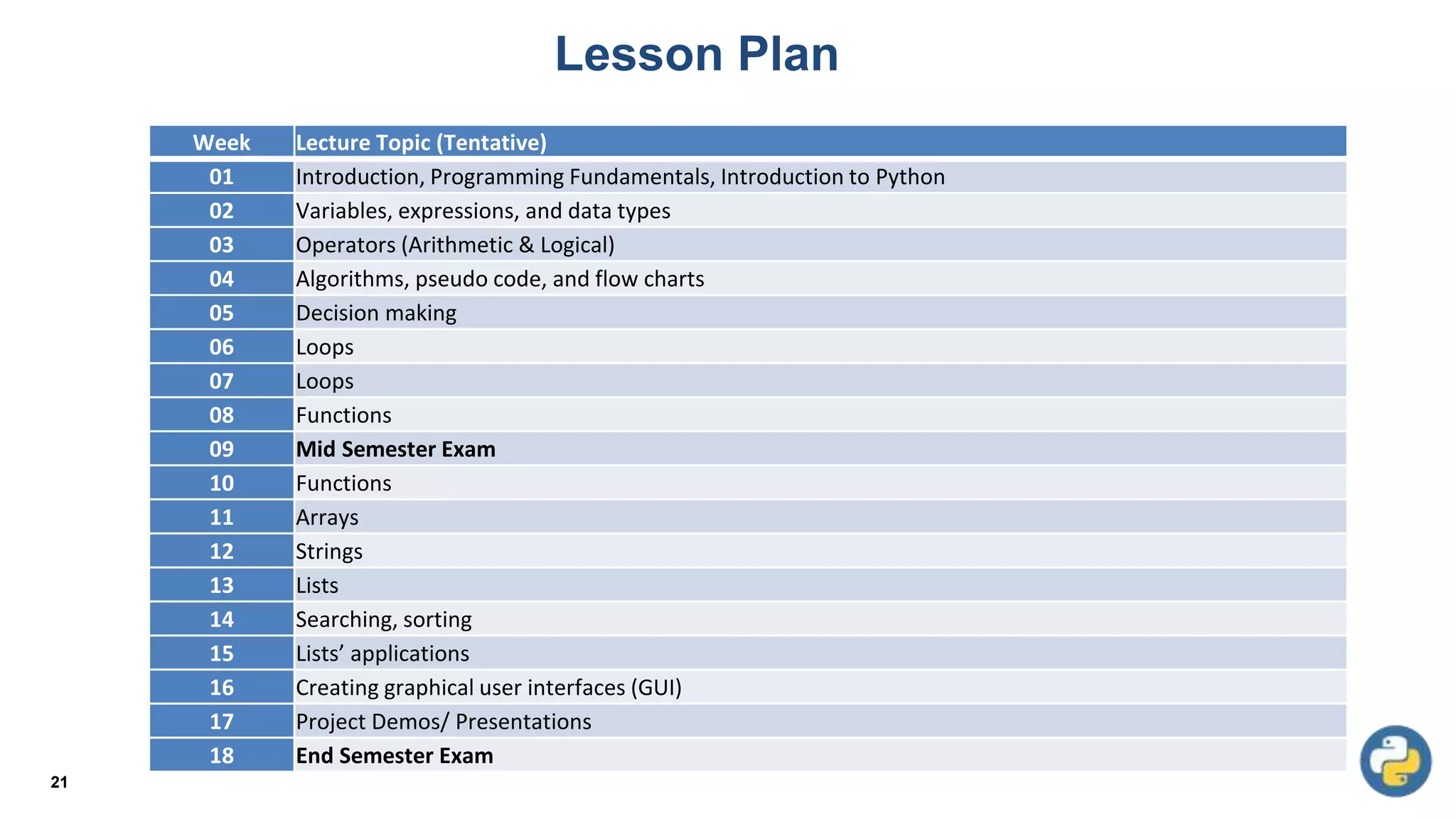
Lesson Plan
21
Week Lecture Topic (Tentative)
01 Introduction, Programming Fundamentals, Introduction to Python
02 Variables, expressions, and data types
03 Operators (Arithmetic & Logical)
04 Algorithms, pseudo code, and flow charts
05 Decision making
06 Loops
07 Loops
08 Functions
09 Mid Semester Exam
10 Functions
11 Arrays
12 Strings
13 Lists
14 Searching, sorting
15 Lists’ applications
16 Creating graphical user interfaces (GUI)
17 Project Demos/ Presentations
18 End Semester Exam
Hardware
vs
Software
???
22
23
Algorithm
vs
Psudocode
???
24
High-level Language
vs
Low-level Language
???
25
Syntax
vs
Semantics
???
High-level Language: Designed to be used and understood by humans
Low-level Language: Computer hardware can only understand a very low level
language known as machine language
Compilers: convert programs written in a high-level language into the machine
language of some computer.
Syntax: Every structure in programming language has a precise form.
Semantic: Every structure in programming language has a precise meaning
26
Definitions
Using Google Colab
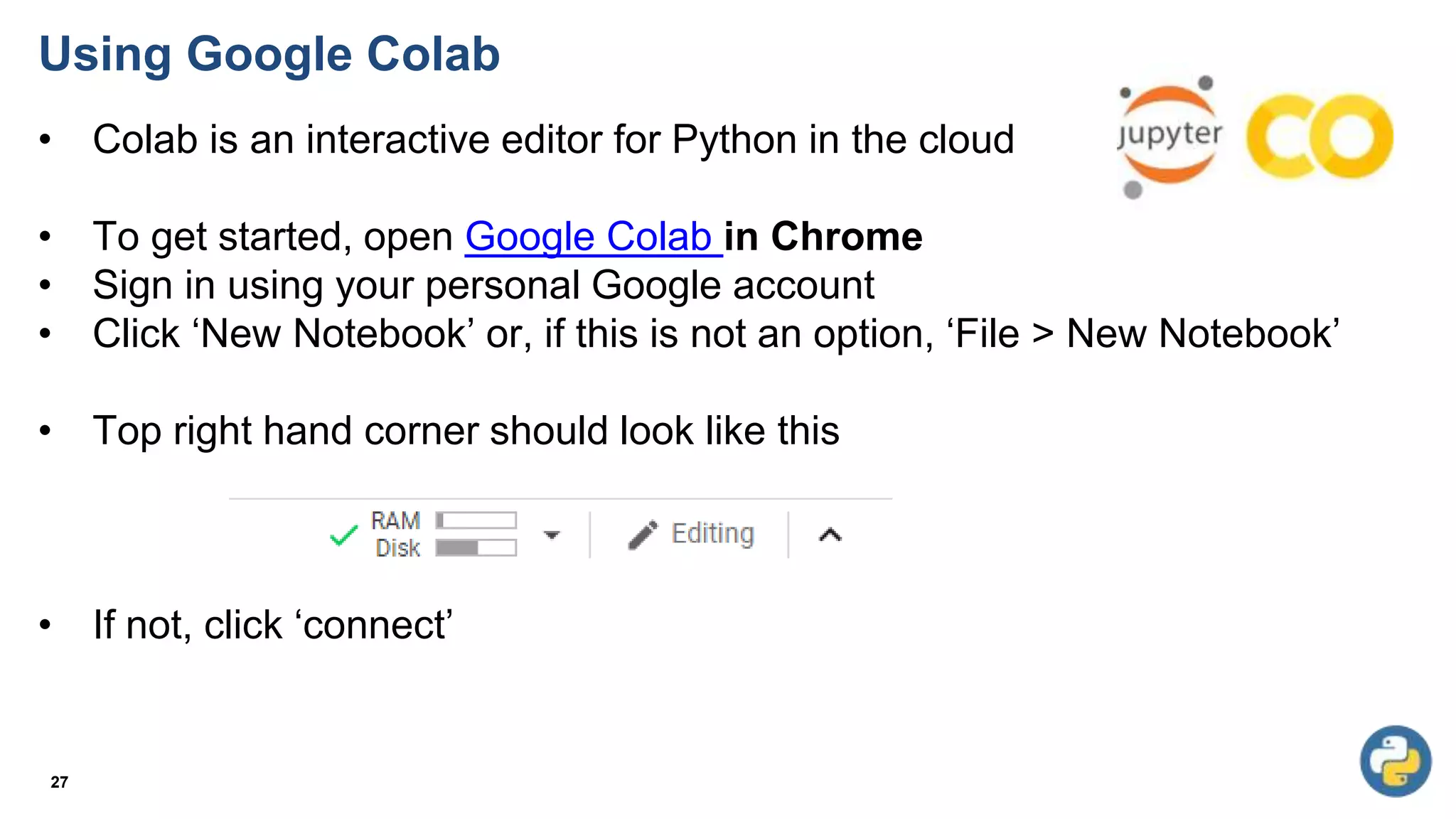
• Colab is an interactive editor for Python in the cloud
• To get started, open Google Colab in Chrome
• Sign in using your personal Google account
• Click ‘New Notebook’ or, if this is not an option, ‘File > New Notebook’
• Top right hand corner should look like this
• If not, click ‘connect’
27
Using Google Colab
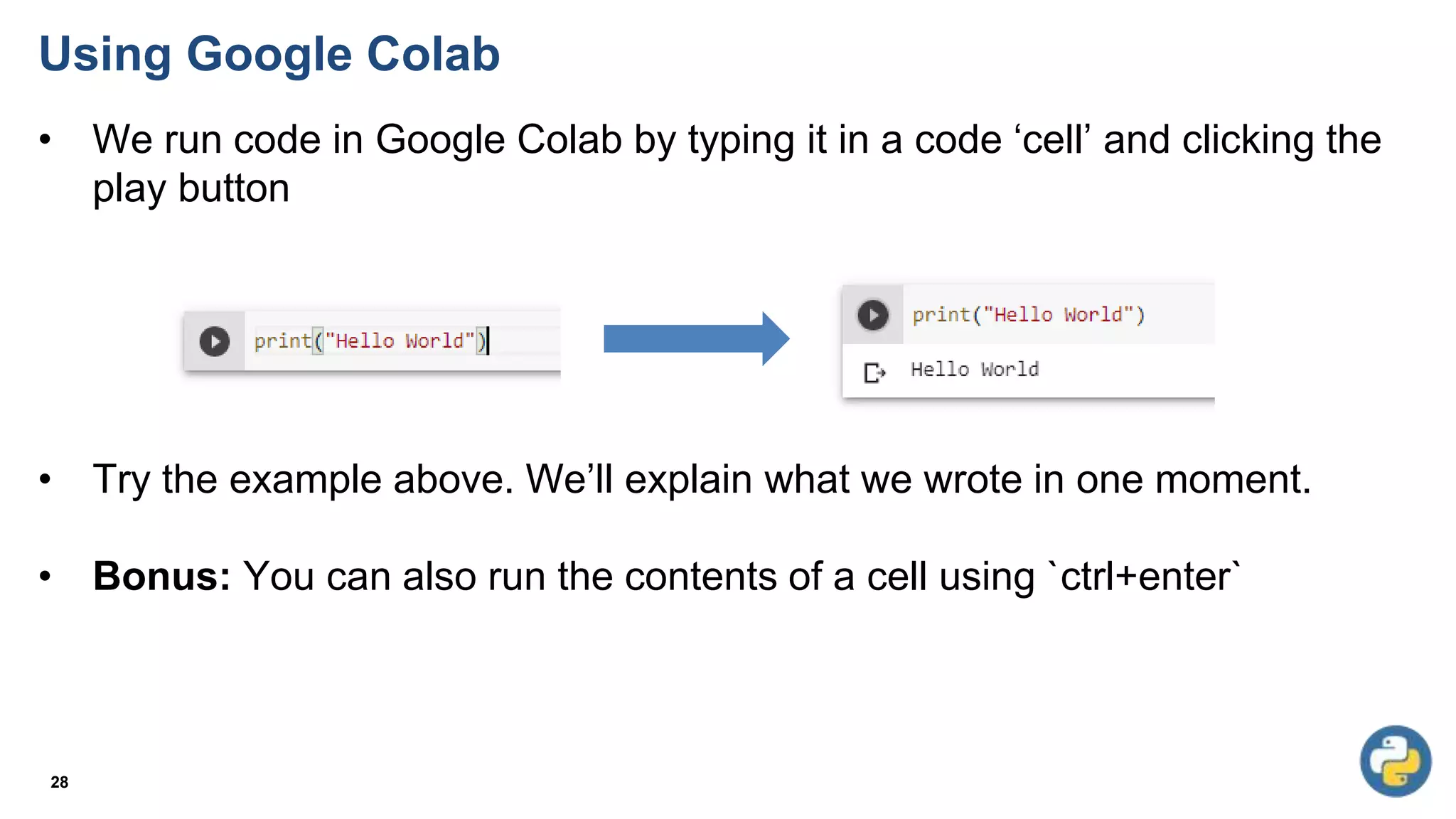
• We run code in Google Colab by typing it in a code ‘cell’ and clicking the
play button
• Try the example above. We’ll explain what we wrote in one moment.
• Bonus: You can also run the contents of a cell using `ctrl+enter`
28
Printing
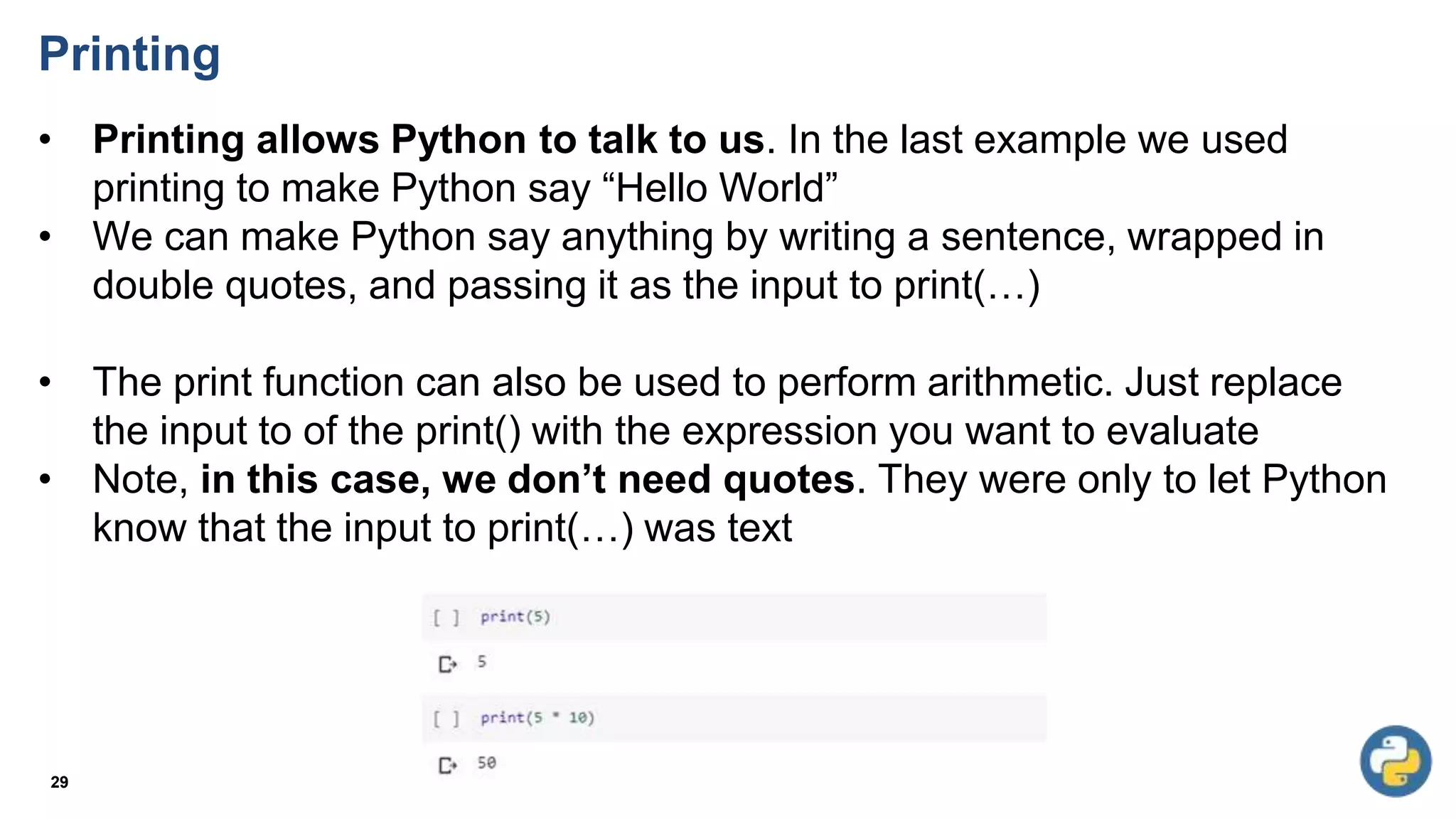
• Printing allows Python to talk to us. In the last example we used
printing to make Python say “Hello World”
• We can make Python say anything by writing a sentence, wrapped in
double quotes, and passing it as the input to print(…)
• The print function can also be used to perform arithmetic. Just replace
the input to of the print() with the expression you want to evaluate
• Note, in this case, we don’t need quotes. They were only to let Python
know that the input to print(…) was text
29
Printing
30
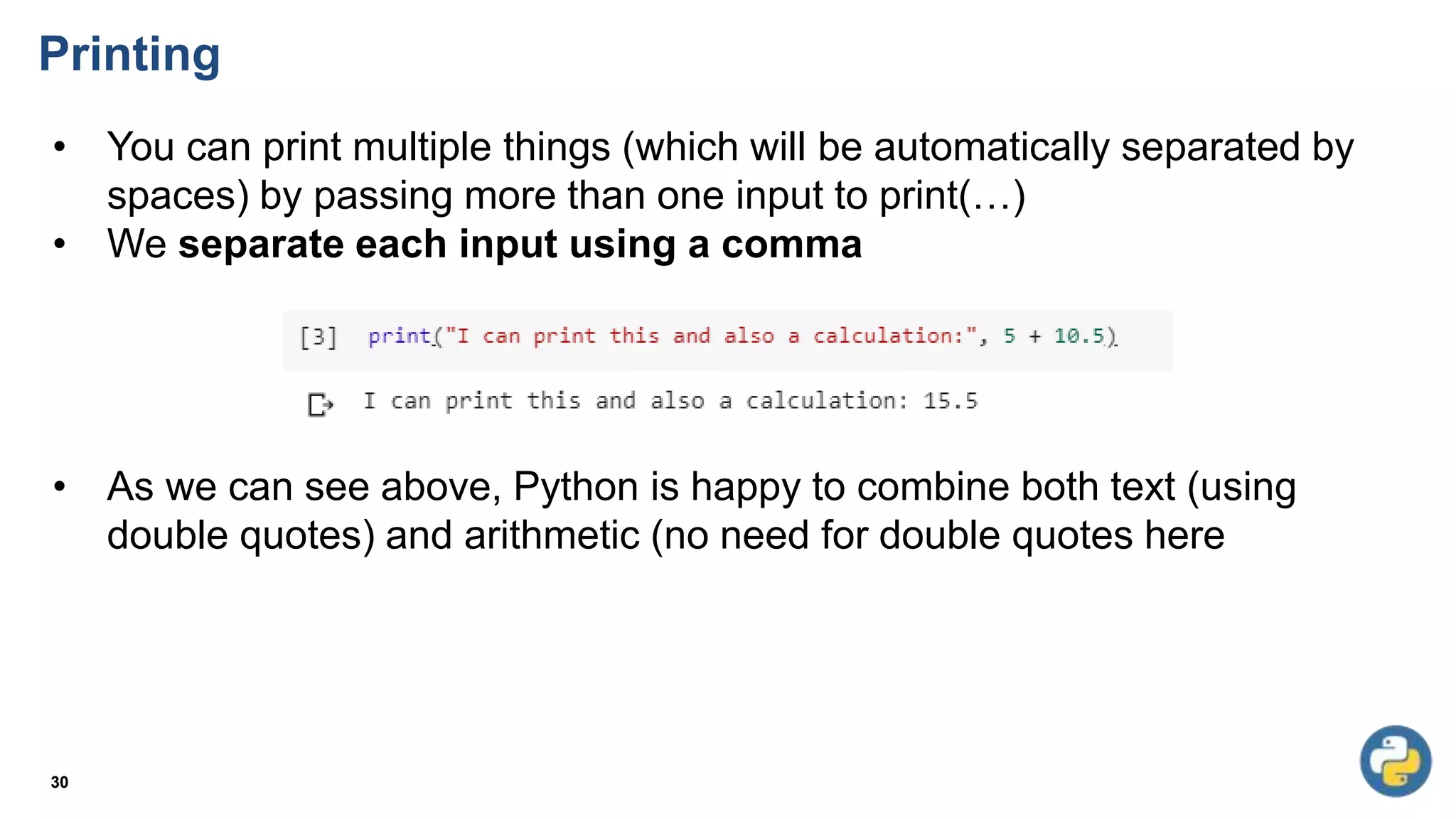
• You can print multiple things (which will be automatically separated by
spaces) by passing more than one input to print(…)
• We separate each input using a comma
• As we can see above, Python is happy to combine both text (using
double quotes) and arithmetic (no need for double quotes here
Printing Practice
31
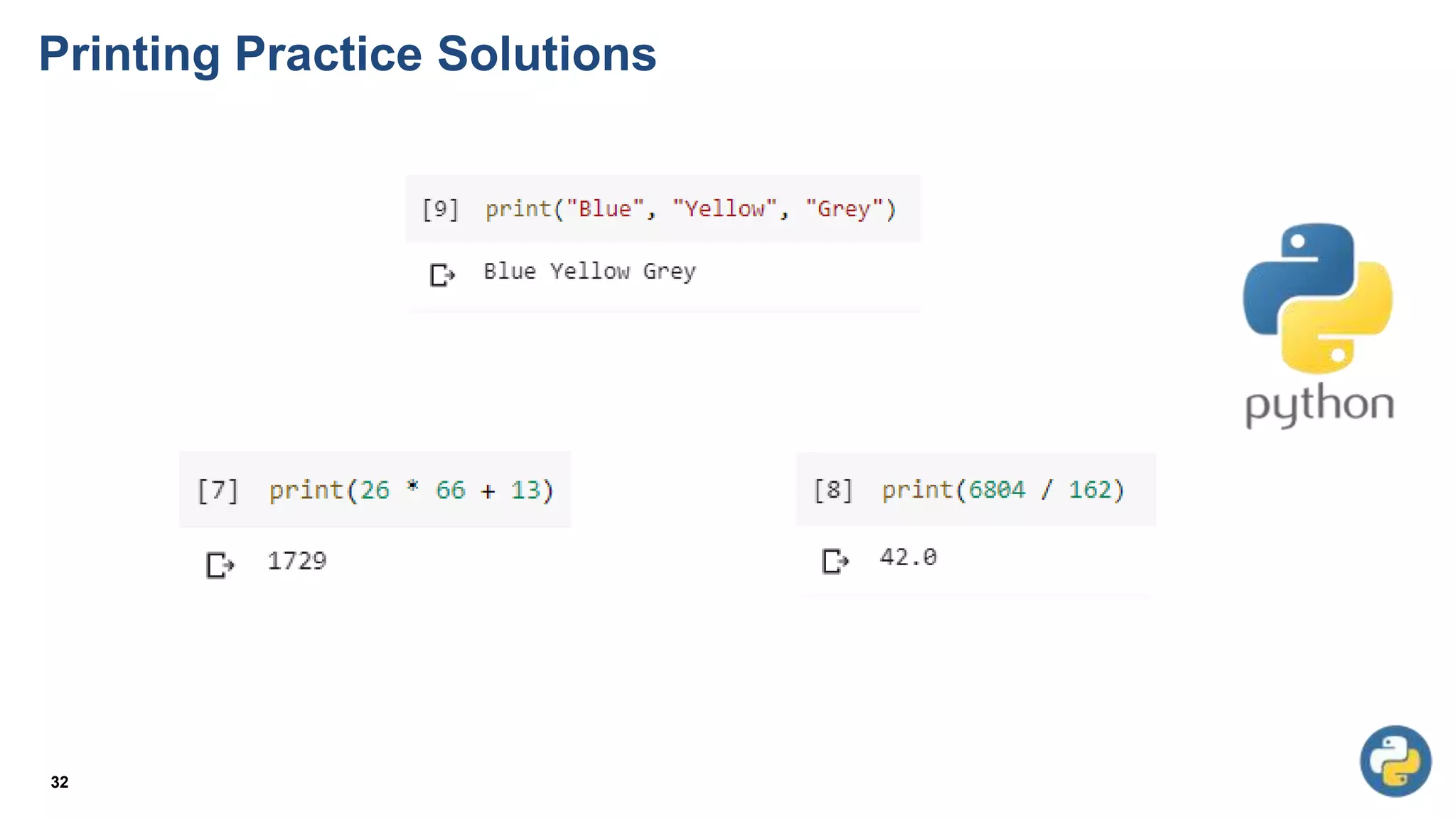
• Print your name using the print() command
• Print your three favourite colours by passing them as three separate
inputs to print() (remember: separate each input with a comma)
• Calculate 26, multiplied by 66, add 13
• Calculate 6804 divided by 162 (hint: use / for division)
• Calculate 2 to the power of 8 (hint: use **)
• What happens if you put a mathematical expression in double quotes
when you are printing it?
• Print(“66+33”)
• Output ?
Printing Practice Solutions
32

W1-Intro to python.pptx

  • 1.
    CS114 - Fundamentalof Programming Lecture 1: Introduction Dr. Nazia Perwaiz vision.seecs.edu.pk
  • 2.
    Content • Why programmingfor ChE Students? • Why Python? • Course Outline • Setting up Google Collab • Printing • Arithmetic with Python • Variables and variable typing 2
  • 3.
  • 4.
    Why Programming forChE Students? 4
  • 5.
    Why Programming forChE Students? 5
  • 6.
    Why Programming forChE Students? 6
  • 7.
    Why Programming forChE Students? 7
  • 8.
    Why Programming forChE Students? 8
  • 9.
  • 10.
  • 11.
    11 Python library ChemPlotfor clustering the chemical space and selecting specific clusters https://chemistry-europe.onlinelibrary.wiley.com/doi/10.1002/cmtd.202200005
  • 12.
    12 Produced Water Chemistryand Isotope Analysis with Python and Pandas https://hatarilabs.com/ih-en/produced-water-chemistry-and-isotope-analysis-with-python-and-pandas-tutorial
  • 13.
    13 Taking the leapbetween analytical chemistry and artificial intelligence https://www.sciencedirect.com/science/article/abs/pii/S0003267021002294#undfig1
  • 14.
    Python for ChemicalEngineering Applications Python used for chemical engineering tasks: 1. Process simulation: Pyomo is a Python library for modeling and solving mathematical optimization problems. It can be used to model and optimize chemical processes, such as distillation columns and reactors. 2. Data analysis: Pandas is a popular Python library for data analysis. It can be used to manipulate and analyze large sets of data, such as process data from sensors or experiments. 14
  • 15.
    Python for ChemicalEngineering Applications 3. Visualization: Matplotlib is a Python library for creating visualizations. It can be used to create plots and charts of process variables, such as temperature and flow rate, to aid in understanding and analyzing data. 4. Kinetic model: Cantera is a Python library that can be used to create and simulate kinetic models of chemical reactions. It can be used to model combustion reactions, atmospheric chemistry and more. 5. Equation solving: Scipy has an optimize module that can be used to solve equations, it can be used to solve systems of non-linear equations, which is a common task in chemical engineering. 15
  • 16.
  • 17.
    Course Objectives 17 • Developingcomprehensive knowledge about the fundamental principles, concepts and constructs of modern computer programming. • Developing competencies for the design, coding and debugging of computer programs.
  • 18.
    Course Learning Outcomes 18 •To understand the syntax and semantics of different programming constructs • To understand basic algorithms for identifying and solving real-world problems • To develop computer programs to implement these algorithms • To use the latest IDEs and other supplementary tools to aid implementation and code management
  • 19.
    Grading Breakdown 19 Theory -75% • 30% Mid • 10% Quizzes • 10% Assignments • 50% Final Exam Labs - 25 % • 70% Lab Tasks • 30% Project
  • 20.
    Books 20 Text Book: 1.Python Basics: A Practical Introduction to Python 3, 4th Edition, David Amos, Fletcher Heisler, and Joanna Jablonski Reference Books: 1. A Practical Introduction to Python Programming, Brian Heinold 2. Introduction to Computation and Programming Using Python, John V. Guttag, The MIT Press 3. Practical Programming, An Introduction to Computer Science Using Python 3, 2nd Edition, Paul Gries, Jennifer Campbell, Jason Montojo
  • 21.
    Lesson Plan 21 Week LectureTopic (Tentative) 01 Introduction, Programming Fundamentals, Introduction to Python 02 Variables, expressions, and data types 03 Operators (Arithmetic & Logical) 04 Algorithms, pseudo code, and flow charts 05 Decision making 06 Loops 07 Loops 08 Functions 09 Mid Semester Exam 10 Functions 11 Arrays 12 Strings 13 Lists 14 Searching, sorting 15 Lists’ applications 16 Creating graphical user interfaces (GUI) 17 Project Demos/ Presentations 18 End Semester Exam
  • 22.
  • 23.
  • 24.
  • 25.
  • 26.
    High-level Language: Designedto be used and understood by humans Low-level Language: Computer hardware can only understand a very low level language known as machine language Compilers: convert programs written in a high-level language into the machine language of some computer. Syntax: Every structure in programming language has a precise form. Semantic: Every structure in programming language has a precise meaning 26 Definitions
  • 27.
    Using Google Colab •Colab is an interactive editor for Python in the cloud • To get started, open Google Colab in Chrome • Sign in using your personal Google account • Click ‘New Notebook’ or, if this is not an option, ‘File > New Notebook’ • Top right hand corner should look like this • If not, click ‘connect’ 27
  • 28.
    Using Google Colab •We run code in Google Colab by typing it in a code ‘cell’ and clicking the play button • Try the example above. We’ll explain what we wrote in one moment. • Bonus: You can also run the contents of a cell using `ctrl+enter` 28
  • 29.
    Printing • Printing allowsPython to talk to us. In the last example we used printing to make Python say “Hello World” • We can make Python say anything by writing a sentence, wrapped in double quotes, and passing it as the input to print(…) • The print function can also be used to perform arithmetic. Just replace the input to of the print() with the expression you want to evaluate • Note, in this case, we don’t need quotes. They were only to let Python know that the input to print(…) was text 29
  • 30.
    Printing 30 • You canprint multiple things (which will be automatically separated by spaces) by passing more than one input to print(…) • We separate each input using a comma • As we can see above, Python is happy to combine both text (using double quotes) and arithmetic (no need for double quotes here
  • 31.
    Printing Practice 31 • Printyour name using the print() command • Print your three favourite colours by passing them as three separate inputs to print() (remember: separate each input with a comma) • Calculate 26, multiplied by 66, add 13 • Calculate 6804 divided by 162 (hint: use / for division) • Calculate 2 to the power of 8 (hint: use **) • What happens if you put a mathematical expression in double quotes when you are printing it? • Print(“66+33”) • Output ?
  • 32.