Programming tutorial course
Lesson 1: Why learn to program?
Python vs Matlab;
The Basics: variables, scripts and
functions
Dr Michael Berks
michael.berks@manchester.ac.uk
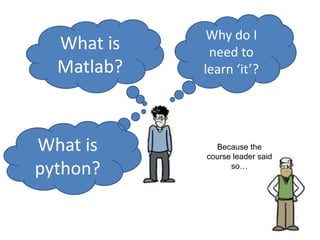
Why do I
need to
learn ‘it’?
What is
Matlab?
Because the
course leader said
so…
What is
python?
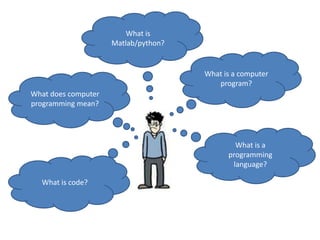
What is
Matlab/python?
What does computer
programming mean?
What is a
programming
language?
What is code?
What is a computer
program?
What is a computer
program?
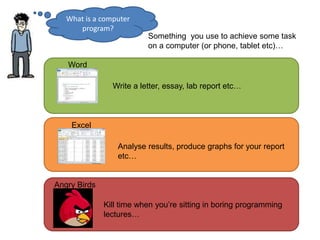
Something you use to achieve some task
on a computer (or phone, tablet etc)…
Word
Write a letter, essay, lab report etc…
Excel
Analyse results, produce graphs for your report
etc…
Angry Birds
Kill time when you’re sitting in boring programming
lectures…
What is a computer
program?
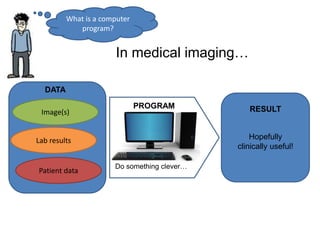
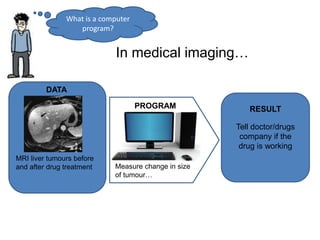
In medical imaging…
Image(s)
Lab results
Patient data
DATA
Do something clever…
PROGRAM
Hopefully
clinically useful!
RESULT
What is a computer
program?
In medical imaging…
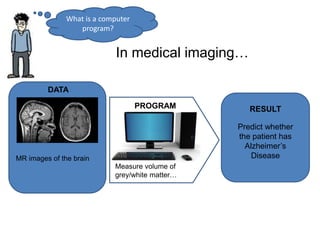
DATA
Measure volume of
grey/white matter…
PROGRAM
Predict whether
the patient has
Alzheimer’s
Disease
RESULT
MR images of the brain
What is a computer
program?
In medical imaging…
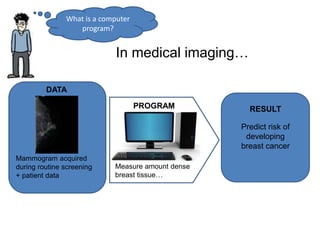
DATA
Measure amount dense
breast tissue…
PROGRAM
Predict risk of
developing
breast cancer
RESULT
Mammogram acquired
during routine screening
+ patient data
What is a computer
program?
In medical imaging…
DATA
Measure change in size
of tumour…
PROGRAM
Tell doctor/drugs
company if the
drug is working
RESULT
MRI liver tumours before
and after drug treatment
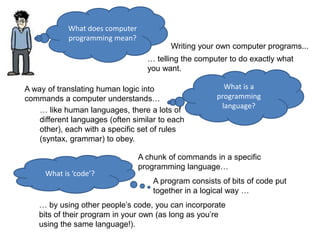
What does computer
programming mean?
Writing your own computer programs...
… telling the computer to do exactly what
you want.
What is a
programming
language?
A way of translating human logic into
commands a computer understands…
… like human languages, there a lots of
different languages (often similar to each
other), each with a specific set of rules
(syntax, grammar) to obey.
What is ‘code’?
A chunk of commands in a specific
programming language…
A program consists of bits of code put
together in a logical way …
… by using other people’s code, you can incorporate
bits of their program in your own (as long as you’re
using the same language!).
Why do I need to learn
how to write my own
computer code?
Think of it like learning to
cook…..
Now the big question….
You’re hungry and want
something good to
eat…..
Get parents to cook
Go to a restaurant
Get a microwave meal
x x
x
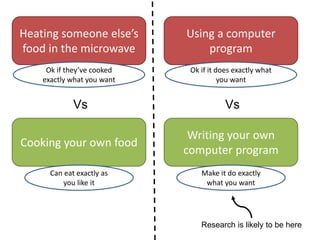
Vs
Heating someone else’s
food in the microwave
Ok if they’ve cooked
exactly what you want
Cooking your own food
Can eat exactly as
you like it
Vs
Using a computer
program
Ok if it does exactly what
you want
Writing your own
computer program
Make it do exactly
what you want
Research is likely to be here
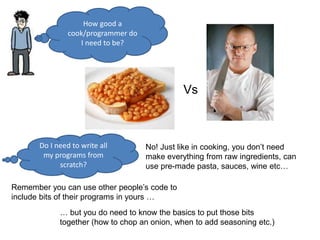
How good a
cook/programmer do
I need to be?
Do I need to write all
my programs from
scratch?
No! Just like in cooking, you don’t need
make everything from raw ingredients, can
use pre-made pasta, sauces, wine etc…
Remember you can use other people’s code to
include bits of their programs in yours …
… but you do need to know the basics to put those bits
together (how to chop an onion, when to add seasoning etc.)
Vs
And finally….
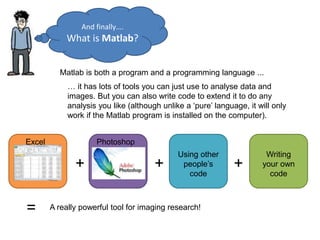
What is Matlab?
Matlab is both a program and a programming language ...
… it has lots of tools you can just use to analyse data and
images. But you can also write code to extend it to do any
analysis you like (although unlike a ‘pure’ language, it will only
work if the Matlab program is installed on the computer).
Excel Photoshop
Writing
your own
code
Using other
people’s
code
+ + +
= A really powerful tool for imaging research!
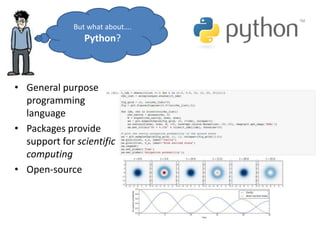
• General purpose
programming
language
• Packages provide
support for scientific
computing
• Open-source
But what about….
Python?
How does python differ from Matlab?
• It’s free
– No need for an expensive license*
– Widely used, both in academia and industry
– Often installed as part of OS
• No single development environment
– This can make it a little trickier get started
– But, also more flexible
– We’ll use Spyder on this course
*Currently free because of COVID, but usually you have to pay for Matlab!
Course aims
• To show you how to use Matlab and/or python
• To introduce some basic programming ideas
common to all programming languages
• To give examples of some tasks in medical imaging
processing
• To provide code you can reuse later in your projects
• To make some pretty pictures!
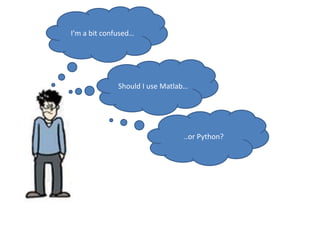
I’m a bit confused…
Should I use Matlab…
..or Python?
For this course, consider Matlab and
python as interchangeable…
you can use either or both.
I will demonstrate mainly in Matlab,
but everything we do will be very
similar in both… just watch out for the
subtle differences!
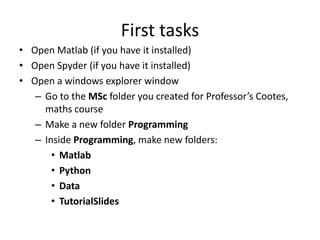
vs
If you see this I’m referring to
Matlab only
If you see this I’m referring to
differences in python
First tasks
• Open Matlab (if you have it installed)
• Open Spyder (if you have it installed)
• Open a windows explorer window
– Go to the MSc folder you created for Professor’s Cootes,
maths course
– Make a new folder Programming
– Inside Programming, make new folders:
• Matlab
• Python
• Data
• TutorialSlides
First tasks
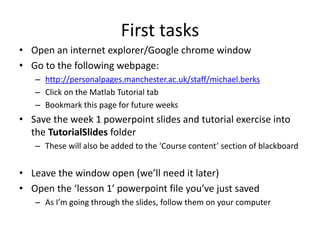
• Open an internet explorer/Google chrome window
• Go to the following webpage:
– http://personalpages.manchester.ac.uk/staff/michael.berks
– Click on the Matlab Tutorial tab
– Bookmark this page for future weeks
• Save the week 1 powerpoint slides and tutorial exercise into
the TutorialSlides folder
– These will also be added to the ‘Course content’ section of blackboard
• Leave the window open (we’ll need it later)
• Open the ‘lesson 1’ powerpoint file you’ve just saved
– As I’m going through the slides, follow them on your computer
Lesson Overview
• Using the Matlab/Spyder interface
• Doing maths in the Command Window
• Assigning variables and suppressing visual output
• Collecting sequences of commands: scripts
• An introduction to functions
• Basic programming tips: expressive variable names
and comments
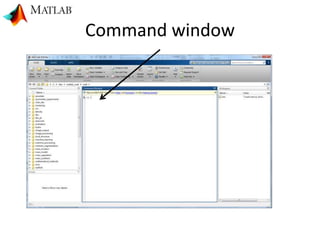
Command window
Command window
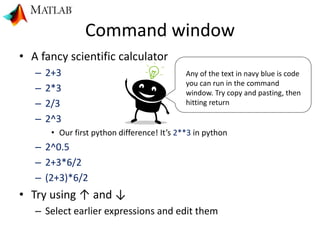
• A fancy scientific calculator
– 2+3
– 2*3
– 2/3
– 2^3
• Our first python difference! It’s 2**3 in python
– 2^0.5
– 2+3*6/2
– (2+3)*6/2
• Try using ↑ and ↓
– Select earlier expressions and edit them
Any of the text in navy blue is code
you can run in the command
window. Try copy and pasting, then
hitting return
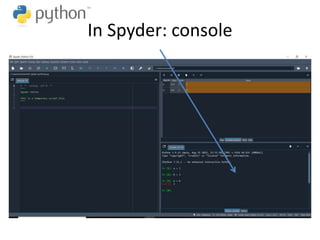
In Spyder: console
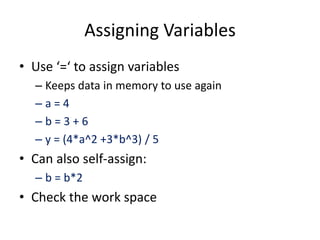
Assigning Variables
• Use ‘=‘ to assign variables
– Keeps data in memory to use again
– a = 4
– b = 3 + 6
– y = (4*a^2 +3*b^3) / 5
• Can also self-assign:
– b = b*2
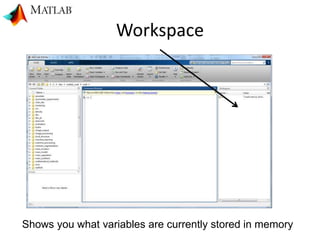
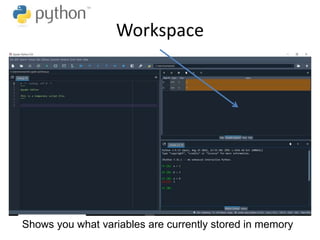
• Check the work space
Workspace
Shows you what variables are currently stored in memory
Workspace
Shows you what variables are currently stored in memory
Suppressing visual output
• Try a = rand(100)
• This creates a 100 x 100 matrix of random
numbers
• Use clc to clear the Command Window
• Try a = rand(100);
Let's compute the number of
seconds in a year…
• Let's create some variables
– seconds_in_minute = 60
– minutes_in_hour = 60
– hours_in_day = 24
– days_in_year = 365
• Then compute:
– seconds_in_year = seconds_in_minute*
minutes_in_hour*hours_in_day*days_in_year
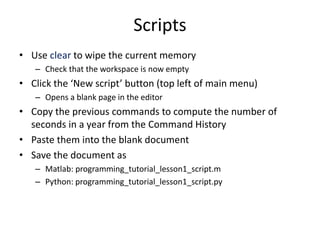
Scripts
• Use clear to wipe the current memory
– Check that the workspace is now empty
• Click the ‘New script’ button (top left of main menu)
– Opens a blank page in the editor
• Copy the previous commands to compute the number of
seconds in a year from the Command History
• Paste them into the blank document
• Save the document as
– Matlab: programming_tutorial_lesson1_script.m
– Python: programming_tutorial_lesson1_script.py
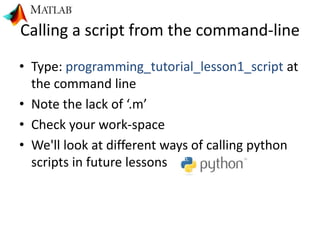
Calling a script from the command-line
• Type: programming_tutorial_lesson1_script at
the command line
• Note the lack of ‘.m’
• Check your work-space
• We'll look at different ways of calling python
scripts in future lessons
How many seconds in…
• 2 years?
• 10 years?
• N-years?
• Scripts are useful… but if we want to re-run
our script with different inputs, we should use
a function
Matlab Functions
• In our script, type %%
• This creates a new cell – a part of a script that can be run separately
• Now at the BOTTOM of the script …
– function [seconds_in_n_years] = compute_seconds_in_years(n_years)
– seconds_in_minute = 60
– minutes_in_hour = 60
– hours_in_day = 24
– days_in_year = 365
– seconds_in_year = seconds_in_hour *hours_in_day*days_in_year
– seconds_in_n_years = n_years * seconds_in_year
– end
• Type another %% above the function, then
– compute_seconds_in_years(2)
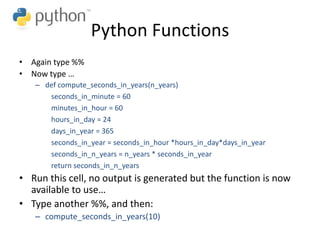
Python Functions
• Again type %%
• Now type …
– def compute_seconds_in_years(n_years)
seconds_in_minute = 60
minutes_in_hour = 60
hours_in_day = 24
days_in_year = 365
seconds_in_year = seconds_in_hour *hours_in_day*days_in_year
seconds_in_n_years = n_years * seconds_in_year
return seconds_in_n_years
• Run this cell, no output is generated but the function is now
available to use…
• Type another %%, and then:
– compute_seconds_in_years(10)
What differences did you spot
between the Matlab and python
functions?
vs
Inputs and output
• The variable n_years is an input to our function
• You will often see this described as an argument
• The variable seconds_in_n_years is the output of our
function
• We look next at using multiple inputs
• We can also have multiple outputs but will see those
in future lessons
Exercises
• Lookup ‘Newton's law of universal gravitation’ (yes, you can
use wikipedia)
• In Matlab, use the command prompt to compute the force
of attraction between the moon and the earth
– You can assume
• Earth’s mass: 5.97x1024 kg
• Moon’s mass: 7.35x10²² kg
• Distance from earth to moon: 380,000km
• Gravitational constant: 6.674×10⁻¹¹ N m2 kg−2
• Rewrite this as a function that takes as input, M1, M2 and r
• Use commas to separate multiple inputs to your function
• Can we write this in python?
Variable, script and function names
• Must start with a letter
• Followed by any number of letters, digits, or
underscores.
• Matlab and python are case sensitive
– A and a, my_fun and My_fun, etc are not the same name
• Certain keywords cannot be used
– if, for, end, etc
• Be expressive: try and use names that
– Describe what functions do
– Describe what variables are
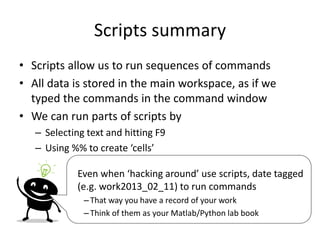
Scripts summary
• Scripts allow us to run sequences of commands
• All data is stored in the main workspace, as if we
typed the commands in the command window
• We can run parts of scripts by
– Selecting text and hitting F9
– Using %% to create ‘cells’
Even when ‘hacking around’ use scripts, date tagged
(e.g. work2013_02_11) to run commands
– That way you have a record of your work
– Think of them as your Matlab/Python lab book
Functions summary
• Functions group commands so that we can run them
with different inputs
• We have looked at defining and calling functions
inside scripts
• Next week we will look at how we can call functions
from other places (hint: you've already done this!)
• Matlab and python have 1,000s of in-built functions,
by learning how to call those we can create really
powerful programs

programming_tutorial_course_ lesson_1.pptx

  • 1.
    Programming tutorial course Lesson1: Why learn to program? Python vs Matlab; The Basics: variables, scripts and functions Dr Michael Berks michael.berks@manchester.ac.uk
  • 2.
    Why do I needto learn ‘it’? What is Matlab? Because the course leader said so… What is python?
  • 3.
    What is Matlab/python? What doescomputer programming mean? What is a programming language? What is code? What is a computer program?
  • 4.
    What is acomputer program? Something you use to achieve some task on a computer (or phone, tablet etc)… Word Write a letter, essay, lab report etc… Excel Analyse results, produce graphs for your report etc… Angry Birds Kill time when you’re sitting in boring programming lectures…
  • 5.
    What is acomputer program? In medical imaging… Image(s) Lab results Patient data DATA Do something clever… PROGRAM Hopefully clinically useful! RESULT
  • 6.
    What is acomputer program? In medical imaging… DATA Measure volume of grey/white matter… PROGRAM Predict whether the patient has Alzheimer’s Disease RESULT MR images of the brain
  • 7.
    What is acomputer program? In medical imaging… DATA Measure amount dense breast tissue… PROGRAM Predict risk of developing breast cancer RESULT Mammogram acquired during routine screening + patient data
  • 8.
    What is acomputer program? In medical imaging… DATA Measure change in size of tumour… PROGRAM Tell doctor/drugs company if the drug is working RESULT MRI liver tumours before and after drug treatment
  • 9.
    What does computer programmingmean? Writing your own computer programs... … telling the computer to do exactly what you want. What is a programming language? A way of translating human logic into commands a computer understands… … like human languages, there a lots of different languages (often similar to each other), each with a specific set of rules (syntax, grammar) to obey. What is ‘code’? A chunk of commands in a specific programming language… A program consists of bits of code put together in a logical way … … by using other people’s code, you can incorporate bits of their program in your own (as long as you’re using the same language!).
  • 10.
    Why do Ineed to learn how to write my own computer code? Think of it like learning to cook….. Now the big question….
  • 11.
    You’re hungry andwant something good to eat….. Get parents to cook Go to a restaurant Get a microwave meal x x x
  • 12.
    Vs Heating someone else’s foodin the microwave Ok if they’ve cooked exactly what you want Cooking your own food Can eat exactly as you like it Vs Using a computer program Ok if it does exactly what you want Writing your own computer program Make it do exactly what you want Research is likely to be here
  • 14.
    How good a cook/programmerdo I need to be? Do I need to write all my programs from scratch? No! Just like in cooking, you don’t need make everything from raw ingredients, can use pre-made pasta, sauces, wine etc… Remember you can use other people’s code to include bits of their programs in yours … … but you do need to know the basics to put those bits together (how to chop an onion, when to add seasoning etc.) Vs
  • 15.
    And finally…. What isMatlab? Matlab is both a program and a programming language ... … it has lots of tools you can just use to analyse data and images. But you can also write code to extend it to do any analysis you like (although unlike a ‘pure’ language, it will only work if the Matlab program is installed on the computer). Excel Photoshop Writing your own code Using other people’s code + + + = A really powerful tool for imaging research!
  • 16.
    • General purpose programming language •Packages provide support for scientific computing • Open-source But what about…. Python?
  • 17.
    How does pythondiffer from Matlab? • It’s free – No need for an expensive license* – Widely used, both in academia and industry – Often installed as part of OS • No single development environment – This can make it a little trickier get started – But, also more flexible – We’ll use Spyder on this course *Currently free because of COVID, but usually you have to pay for Matlab!
  • 18.
    Course aims • Toshow you how to use Matlab and/or python • To introduce some basic programming ideas common to all programming languages • To give examples of some tasks in medical imaging processing • To provide code you can reuse later in your projects • To make some pretty pictures!
  • 19.
    I’m a bitconfused… Should I use Matlab… ..or Python?
  • 20.
    For this course,consider Matlab and python as interchangeable… you can use either or both. I will demonstrate mainly in Matlab, but everything we do will be very similar in both… just watch out for the subtle differences!
  • 21.
    vs If you seethis I’m referring to Matlab only If you see this I’m referring to differences in python
  • 22.
    First tasks • OpenMatlab (if you have it installed) • Open Spyder (if you have it installed) • Open a windows explorer window – Go to the MSc folder you created for Professor’s Cootes, maths course – Make a new folder Programming – Inside Programming, make new folders: • Matlab • Python • Data • TutorialSlides
  • 23.
    First tasks • Openan internet explorer/Google chrome window • Go to the following webpage: – http://personalpages.manchester.ac.uk/staff/michael.berks – Click on the Matlab Tutorial tab – Bookmark this page for future weeks • Save the week 1 powerpoint slides and tutorial exercise into the TutorialSlides folder – These will also be added to the ‘Course content’ section of blackboard • Leave the window open (we’ll need it later) • Open the ‘lesson 1’ powerpoint file you’ve just saved – As I’m going through the slides, follow them on your computer
  • 24.
    Lesson Overview • Usingthe Matlab/Spyder interface • Doing maths in the Command Window • Assigning variables and suppressing visual output • Collecting sequences of commands: scripts • An introduction to functions • Basic programming tips: expressive variable names and comments
  • 25.
  • 26.
    Command window • Afancy scientific calculator – 2+3 – 2*3 – 2/3 – 2^3 • Our first python difference! It’s 2**3 in python – 2^0.5 – 2+3*6/2 – (2+3)*6/2 • Try using ↑ and ↓ – Select earlier expressions and edit them Any of the text in navy blue is code you can run in the command window. Try copy and pasting, then hitting return
  • 27.
  • 28.
    Assigning Variables • Use‘=‘ to assign variables – Keeps data in memory to use again – a = 4 – b = 3 + 6 – y = (4*a^2 +3*b^3) / 5 • Can also self-assign: – b = b*2 • Check the work space
  • 29.
    Workspace Shows you whatvariables are currently stored in memory
  • 30.
    Workspace Shows you whatvariables are currently stored in memory
  • 31.
    Suppressing visual output •Try a = rand(100) • This creates a 100 x 100 matrix of random numbers • Use clc to clear the Command Window • Try a = rand(100);
  • 32.
    Let's compute thenumber of seconds in a year… • Let's create some variables – seconds_in_minute = 60 – minutes_in_hour = 60 – hours_in_day = 24 – days_in_year = 365 • Then compute: – seconds_in_year = seconds_in_minute* minutes_in_hour*hours_in_day*days_in_year
  • 33.
    Scripts • Use clearto wipe the current memory – Check that the workspace is now empty • Click the ‘New script’ button (top left of main menu) – Opens a blank page in the editor • Copy the previous commands to compute the number of seconds in a year from the Command History • Paste them into the blank document • Save the document as – Matlab: programming_tutorial_lesson1_script.m – Python: programming_tutorial_lesson1_script.py
  • 34.
    Calling a scriptfrom the command-line • Type: programming_tutorial_lesson1_script at the command line • Note the lack of ‘.m’ • Check your work-space • We'll look at different ways of calling python scripts in future lessons
  • 35.
    How many secondsin… • 2 years? • 10 years? • N-years? • Scripts are useful… but if we want to re-run our script with different inputs, we should use a function
  • 36.
    Matlab Functions • Inour script, type %% • This creates a new cell – a part of a script that can be run separately • Now at the BOTTOM of the script … – function [seconds_in_n_years] = compute_seconds_in_years(n_years) – seconds_in_minute = 60 – minutes_in_hour = 60 – hours_in_day = 24 – days_in_year = 365 – seconds_in_year = seconds_in_hour *hours_in_day*days_in_year – seconds_in_n_years = n_years * seconds_in_year – end • Type another %% above the function, then – compute_seconds_in_years(2)
  • 37.
    Python Functions • Againtype %% • Now type … – def compute_seconds_in_years(n_years) seconds_in_minute = 60 minutes_in_hour = 60 hours_in_day = 24 days_in_year = 365 seconds_in_year = seconds_in_hour *hours_in_day*days_in_year seconds_in_n_years = n_years * seconds_in_year return seconds_in_n_years • Run this cell, no output is generated but the function is now available to use… • Type another %%, and then: – compute_seconds_in_years(10)
  • 38.
    What differences didyou spot between the Matlab and python functions? vs
  • 39.
    Inputs and output •The variable n_years is an input to our function • You will often see this described as an argument • The variable seconds_in_n_years is the output of our function • We look next at using multiple inputs • We can also have multiple outputs but will see those in future lessons
  • 40.
    Exercises • Lookup ‘Newton'slaw of universal gravitation’ (yes, you can use wikipedia) • In Matlab, use the command prompt to compute the force of attraction between the moon and the earth – You can assume • Earth’s mass: 5.97x1024 kg • Moon’s mass: 7.35x10²² kg • Distance from earth to moon: 380,000km • Gravitational constant: 6.674×10⁻¹¹ N m2 kg−2 • Rewrite this as a function that takes as input, M1, M2 and r • Use commas to separate multiple inputs to your function • Can we write this in python?
  • 41.
    Variable, script andfunction names • Must start with a letter • Followed by any number of letters, digits, or underscores. • Matlab and python are case sensitive – A and a, my_fun and My_fun, etc are not the same name • Certain keywords cannot be used – if, for, end, etc • Be expressive: try and use names that – Describe what functions do – Describe what variables are
  • 42.
    Scripts summary • Scriptsallow us to run sequences of commands • All data is stored in the main workspace, as if we typed the commands in the command window • We can run parts of scripts by – Selecting text and hitting F9 – Using %% to create ‘cells’ Even when ‘hacking around’ use scripts, date tagged (e.g. work2013_02_11) to run commands – That way you have a record of your work – Think of them as your Matlab/Python lab book
  • 43.
    Functions summary • Functionsgroup commands so that we can run them with different inputs • We have looked at defining and calling functions inside scripts • Next week we will look at how we can call functions from other places (hint: you've already done this!) • Matlab and python have 1,000s of in-built functions, by learning how to call those we can create really powerful programs

Editor's Notes

  • #17 Image source: http://nbviewer.jupyter.org/github/jrjohansson/qutip-lectures/blob/master/Lecture-1-Jaynes-Cumming-model.ipynb