PRONTO Server
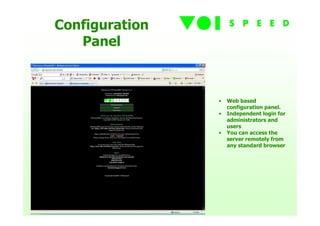
Configuration
   Panel


                •   Web based
                    configuration panel.
                •   Independent login for
                    administrators and
                    users
                •   You can access the
                    server remotely from
                    any standard browser
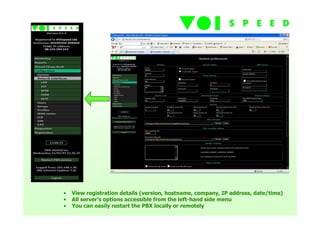
•   View registration details (version, hostname, company, IP address, date/time)
•   All server’s options accessible from the left-hand side menu
•   You can easily restart the PBX locally or remotely
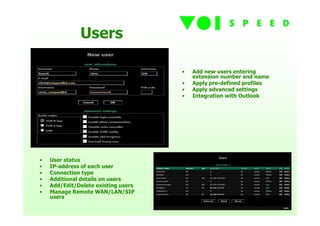
Users

                                     •   Add new users entering
                                         extension number and name
                                     •   Apply pre-defined profiles
                                     •   Apply advanced settings
                                     •   Integration with Outlook


•   User status
•   IP-address of each user
•   Connection type
•   Additional details on users
•   Add/Edit/Delete existing users
•   Manage Remote WAN/LAN/SIP
    users
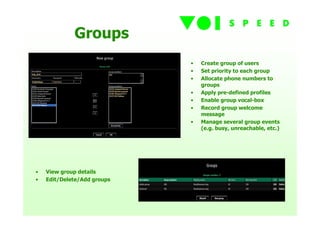
Groups
                             •   Create group of users
                             •   Set priority to each group
                             •   Allocate phone numbers to
                                 groups
                             •   Apply pre-defined profiles
                             •   Enable group vocal-box
                             •   Record group welcome
                                 message
                             •   Manage several group events
                                 (e.g. busy, unreachable, etc.)


•   View group details
•   Edit/Delete/Add groups
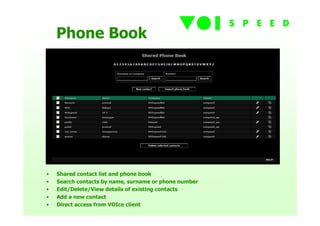
Phone Book


•   Shared contact list and phone book
•   Search contacts by name, surname or phone number
•   Edit/Delete/View details of existing contacts
•   Add a new contact
•   Direct access from VOIce client
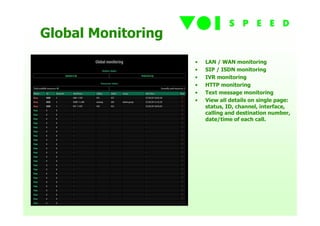
Global Monitoring
                    •   LAN / WAN monitoring
                    •   SIP / ISDN monitoring
                    •   IVR monitoring
                    •   HTTP monitoring
                    •   Text message monitoring
                    •   View all details on single page:
                        status, ID, channel, interface,
                        calling and destination number,
                        date/time of each call.
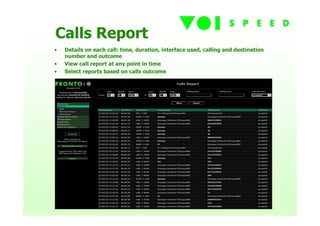
Calls Report
•   Details on each call: time, duration, interface used, calling and destination
    number and outcome
•   View call report at any point in time
•   Select reports based on calls outcome
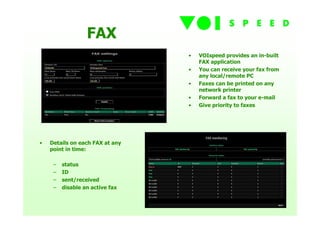
FAX
                                 •   VOIspeed provides an in-built
                                     FAX application
                                 •   You can receive your fax from
                                     any local/remote PC
                                 •   Faxes can be printed on any
                                     network printer
                                 •   Forward a fax to your e-mail
                                 •   Give priority to faxes


•   Details on each FAX at any
    point in time:

     –   status
     –   ID
     –   sent/received
     –   disable an active fax
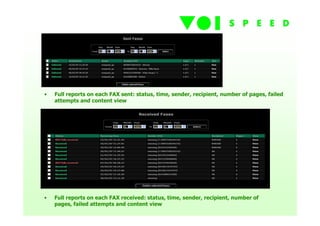
•   Full reports on each FAX sent: status, time, sender, recipient, number of pages, failed
    attempts and content view


•   Full reports on each FAX received: status, time, sender, recipient, number of
    pages, failed attempts and content view
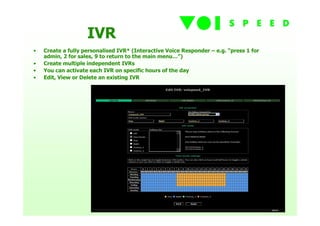
IVR
•   Create a fully personalised IVR* (Interactive Voice Responder – e.g. “press 1 for
    admin, 2 for sales, 9 to return to the main menu…”)
•   Create multiple independent IVRs
•   You can activate each IVR on specific hours of the day
•   Edit, View or Delete an existing IVR
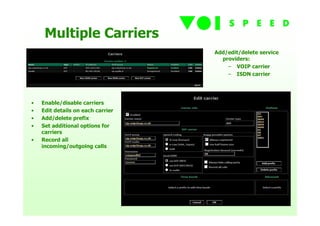
Multiple Carriers
                                   Add/edit/delete service
                                     providers:
                                       – VOIP carrier
                                       – ISDN carrier


•   Enable/disable carriers
•   Edit details on each carrier
•   Add/delete prefix
•   Set additional options for
    carriers
•   Record all
    incoming/outgoing calls
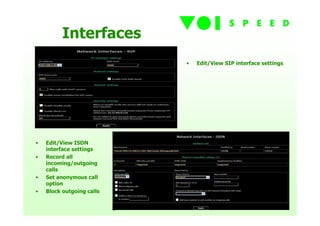
Interfaces
                           •   Edit/View SIP interface settings


•   Edit/View ISDN
    interface settings
•   Record all
    incoming/outgoing
    calls
•   Set anonymous call
    option
•   Block outgoing calls
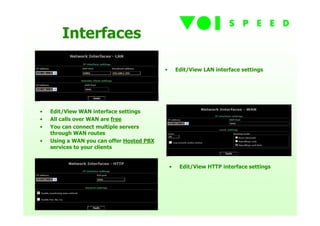
Interfaces

                                           •       Edit/View LAN interface settings


•   Edit/View WAN interface settings
•   All calls over WAN are free
•   You can connect multiple servers
    through WAN routes
•   Using a WAN you can offer Hosted PBX
    services to your clients


                                               •    Edit/View HTTP interface settings
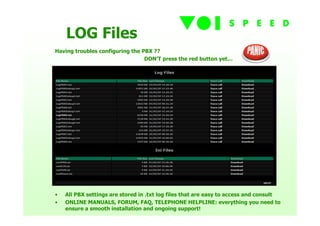
LOG Files
Having troubles configuring the PBX ??
                                 DON’T press the red button yet…


•   All PBX settings are stored in .txt log files that are easy to access and consult
•   ONLINE MANUALS, FORUM, FAQ, TELEPHONE HELPLINE: everything you need to
    ensure a smooth installation and ongoing support!
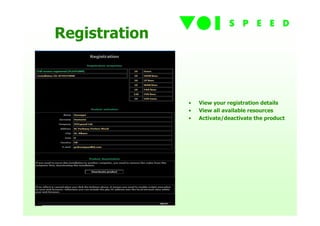
Registration


               •   View your registration details
               •   View all available resources
               •   Activate/deactivate the product

VOIspeed Server

  • 1.
  • 2.
    Configuration Panel • Web based configuration panel. • Independent login for administrators and users • You can access the server remotely from any standard browser
  • 3.
    View registration details (version, hostname, company, IP address, date/time) • All server’s options accessible from the left-hand side menu • You can easily restart the PBX locally or remotely
  • 4.
    Users • Add new users entering extension number and name • Apply pre-defined profiles • Apply advanced settings • Integration with Outlook • User status • IP-address of each user • Connection type • Additional details on users • Add/Edit/Delete existing users • Manage Remote WAN/LAN/SIP users
  • 5.
    Groups • Create group of users • Set priority to each group • Allocate phone numbers to groups • Apply pre-defined profiles • Enable group vocal-box • Record group welcome message • Manage several group events (e.g. busy, unreachable, etc.) • View group details • Edit/Delete/Add groups
  • 6.
    Phone Book • Shared contact list and phone book • Search contacts by name, surname or phone number • Edit/Delete/View details of existing contacts • Add a new contact • Direct access from VOIce client
  • 7.
    Global Monitoring • LAN / WAN monitoring • SIP / ISDN monitoring • IVR monitoring • HTTP monitoring • Text message monitoring • View all details on single page: status, ID, channel, interface, calling and destination number, date/time of each call.
  • 8.
    Calls Report • Details on each call: time, duration, interface used, calling and destination number and outcome • View call report at any point in time • Select reports based on calls outcome
  • 9.
    FAX • VOIspeed provides an in-built FAX application • You can receive your fax from any local/remote PC • Faxes can be printed on any network printer • Forward a fax to your e-mail • Give priority to faxes • Details on each FAX at any point in time: – status – ID – sent/received – disable an active fax
  • 10.
    Full reports on each FAX sent: status, time, sender, recipient, number of pages, failed attempts and content view • Full reports on each FAX received: status, time, sender, recipient, number of pages, failed attempts and content view
  • 11.
    IVR • Create a fully personalised IVR* (Interactive Voice Responder – e.g. “press 1 for admin, 2 for sales, 9 to return to the main menu…”) • Create multiple independent IVRs • You can activate each IVR on specific hours of the day • Edit, View or Delete an existing IVR
  • 12.
    Multiple Carriers Add/edit/delete service providers: – VOIP carrier – ISDN carrier • Enable/disable carriers • Edit details on each carrier • Add/delete prefix • Set additional options for carriers • Record all incoming/outgoing calls
  • 13.
    Interfaces • Edit/View SIP interface settings • Edit/View ISDN interface settings • Record all incoming/outgoing calls • Set anonymous call option • Block outgoing calls
  • 14.
    Interfaces • Edit/View LAN interface settings • Edit/View WAN interface settings • All calls over WAN are free • You can connect multiple servers through WAN routes • Using a WAN you can offer Hosted PBX services to your clients • Edit/View HTTP interface settings
  • 15.
    LOG Files Having troublesconfiguring the PBX ?? DON’T press the red button yet… • All PBX settings are stored in .txt log files that are easy to access and consult • ONLINE MANUALS, FORUM, FAQ, TELEPHONE HELPLINE: everything you need to ensure a smooth installation and ongoing support!
  • 16.
    Registration • View your registration details • View all available resources • Activate/deactivate the product