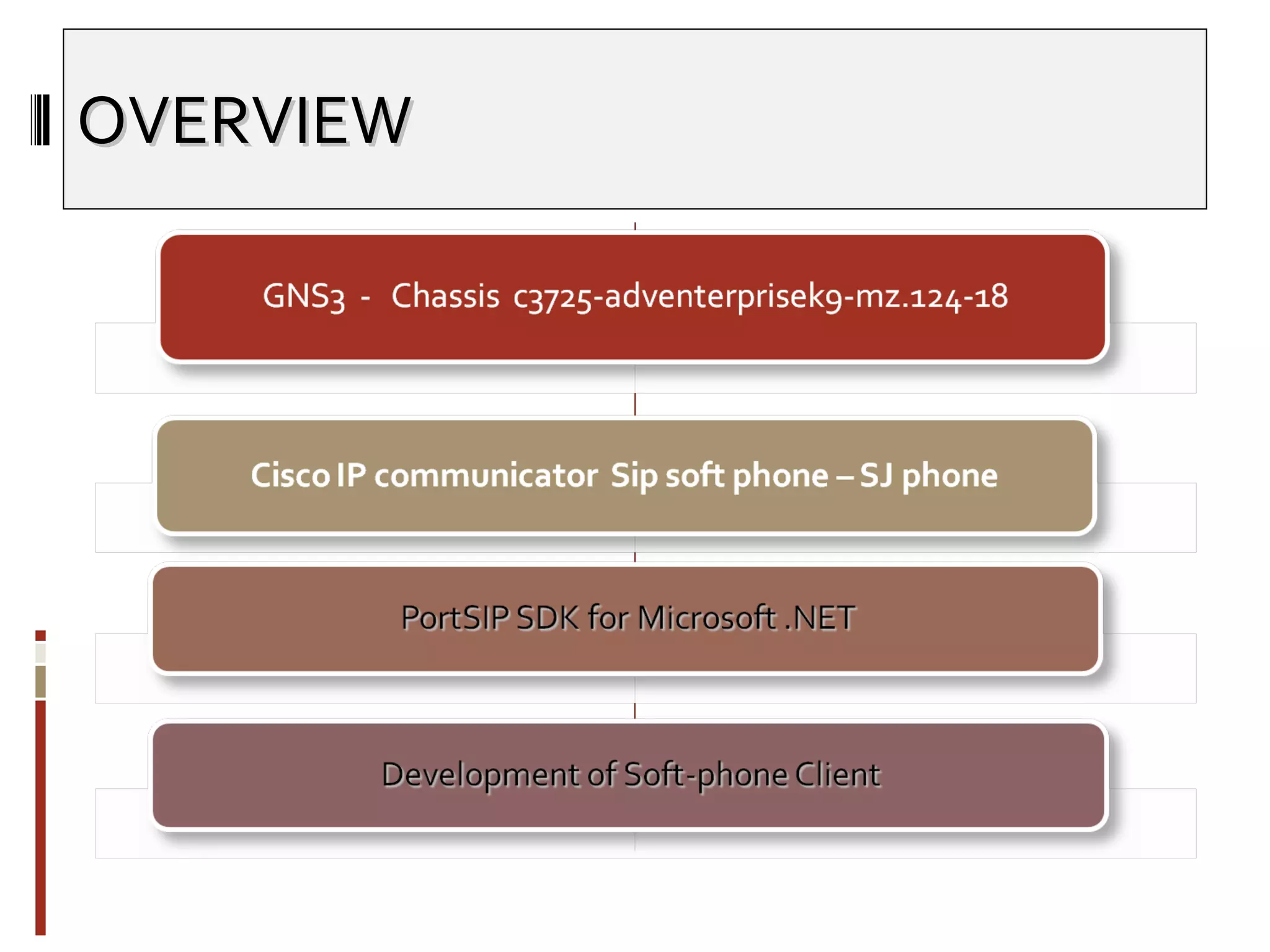
OVERVIEW
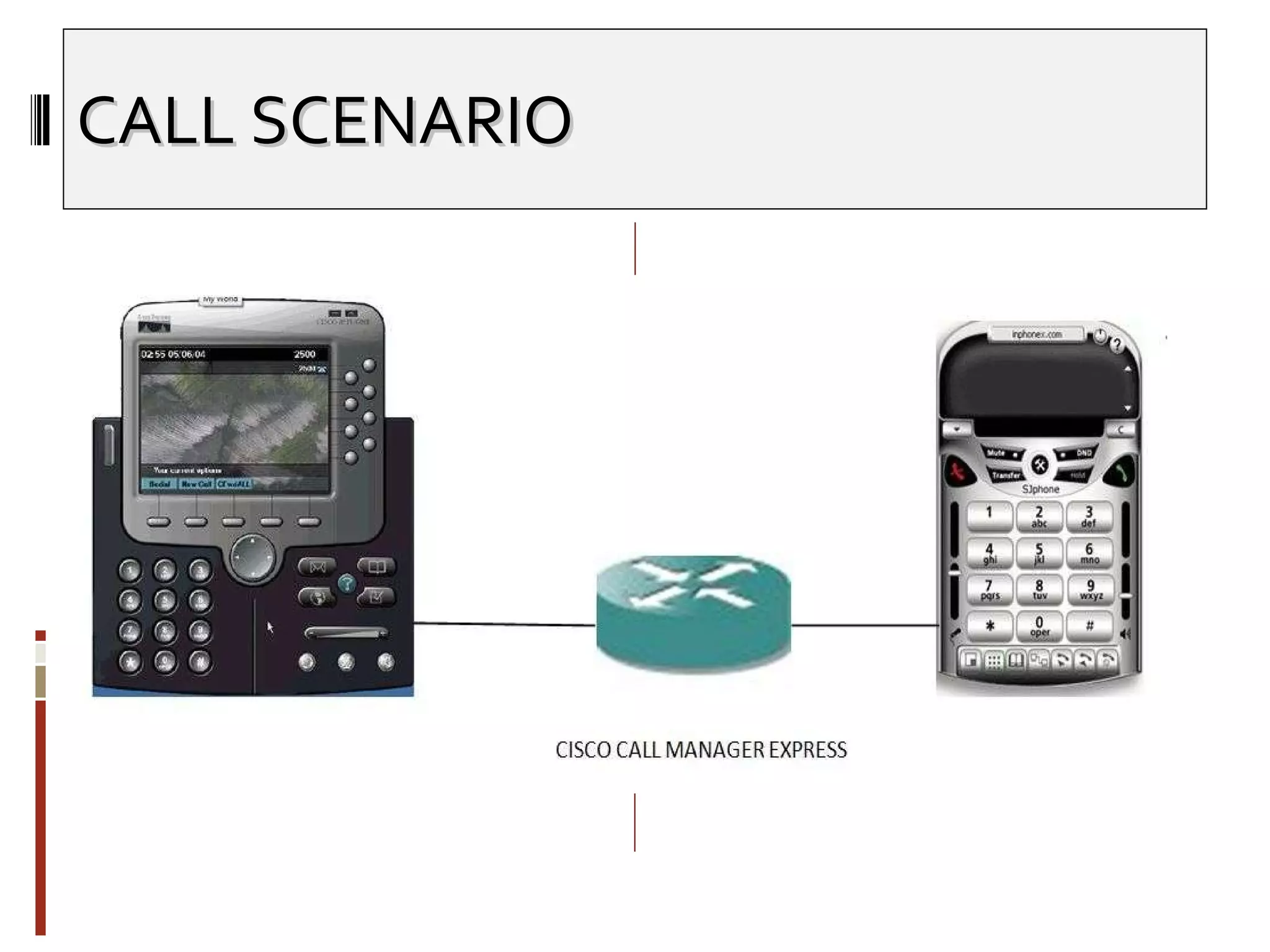
CALL SCENARIO
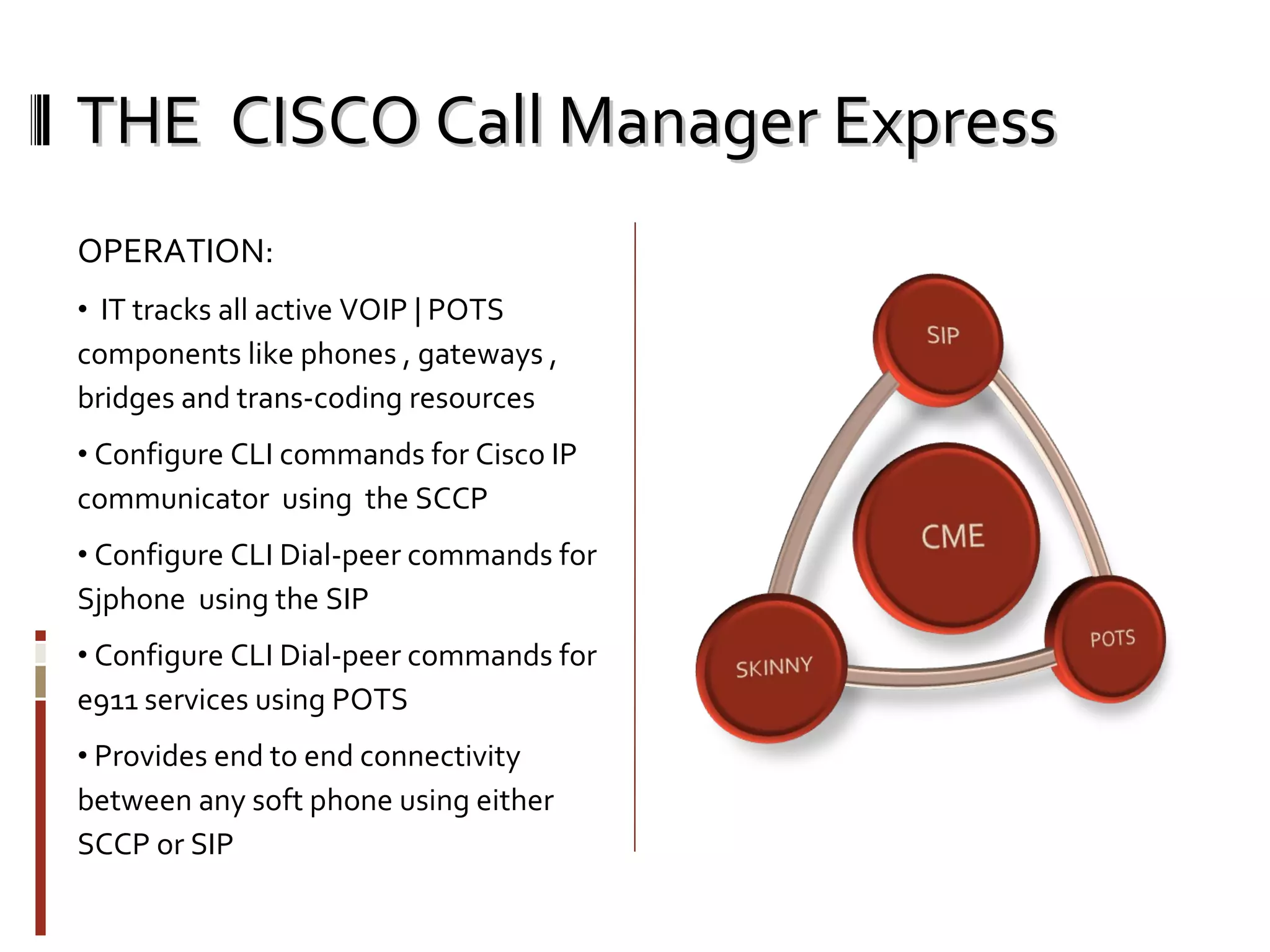
THE  CISCO Call Manager Express OPERATION: IT tracks all active VOIP | POTS components like phones , gateways , bridges and trans-coding resources Configure CLI commands for Cisco IP communicator  using  the SCCP Configure CLI Dial-peer commands for Sjphone  using the SIP Configure CLI Dial-peer commands for e911 services using POTS Provides end to end connectivity between any soft phone using either SCCP or SIP
THE CISCO Call Manager Express THE BASIC’s of VOIP DIAL-PEERS: Router(config)#  dial-peer voice  number  voip Router(config-dial-peer)#  destination-pattern   string Router(config-dial-peer)#  session target  { ipv4: destination-address  |  dns:[]   host-name } Router(config-dial-peer)#  dtmf-relay  [ cisco-rtp ] [ h245-signal ] [ h245-alphanumeric ] Router(config-dial-peer)#  session protocol  { sipv1 |sipv2 |cisco} Dual tone multi frequency relay is the mechanism where a local VOIP gateway listens for DTMF digits during a call and then sends them uncompressed as either RTP or H.245 packets to the remote VOIP gateway which regenerates DTMF digits and prevents digit loss due to compression This in-band uses a special payload type identifier [PTI] in the RTP header of the voice media stream to distinguish digits from the DTMF pad from actual voice communication
THE CISCO Call Manager Express THE BASIC’s of IOS TELEPHONEY : DHCP service  IP source address  SKINNY communication port Number of IP phones [max 8] Dual-line extensions  Phone language  Call Progress Tone  First extension number Direct Inward Dial Call forward voice mail service THE BASIC’s of POTS DIAL-PEERS: Router(config)#  dial-peer voice  number   pots Router(config-dial-peer)# destination-pattern   string Router(config-dial-peer)#  port location
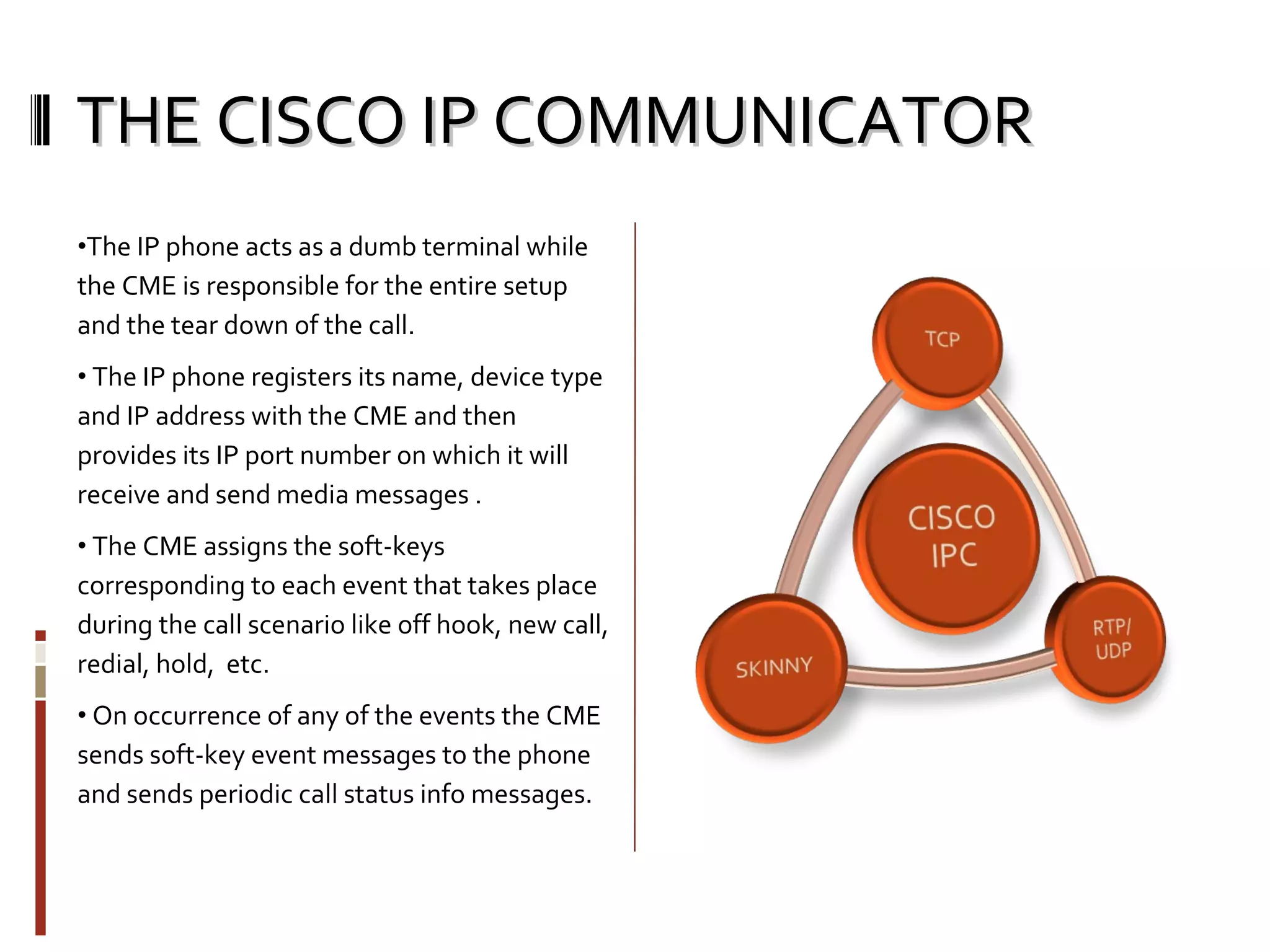
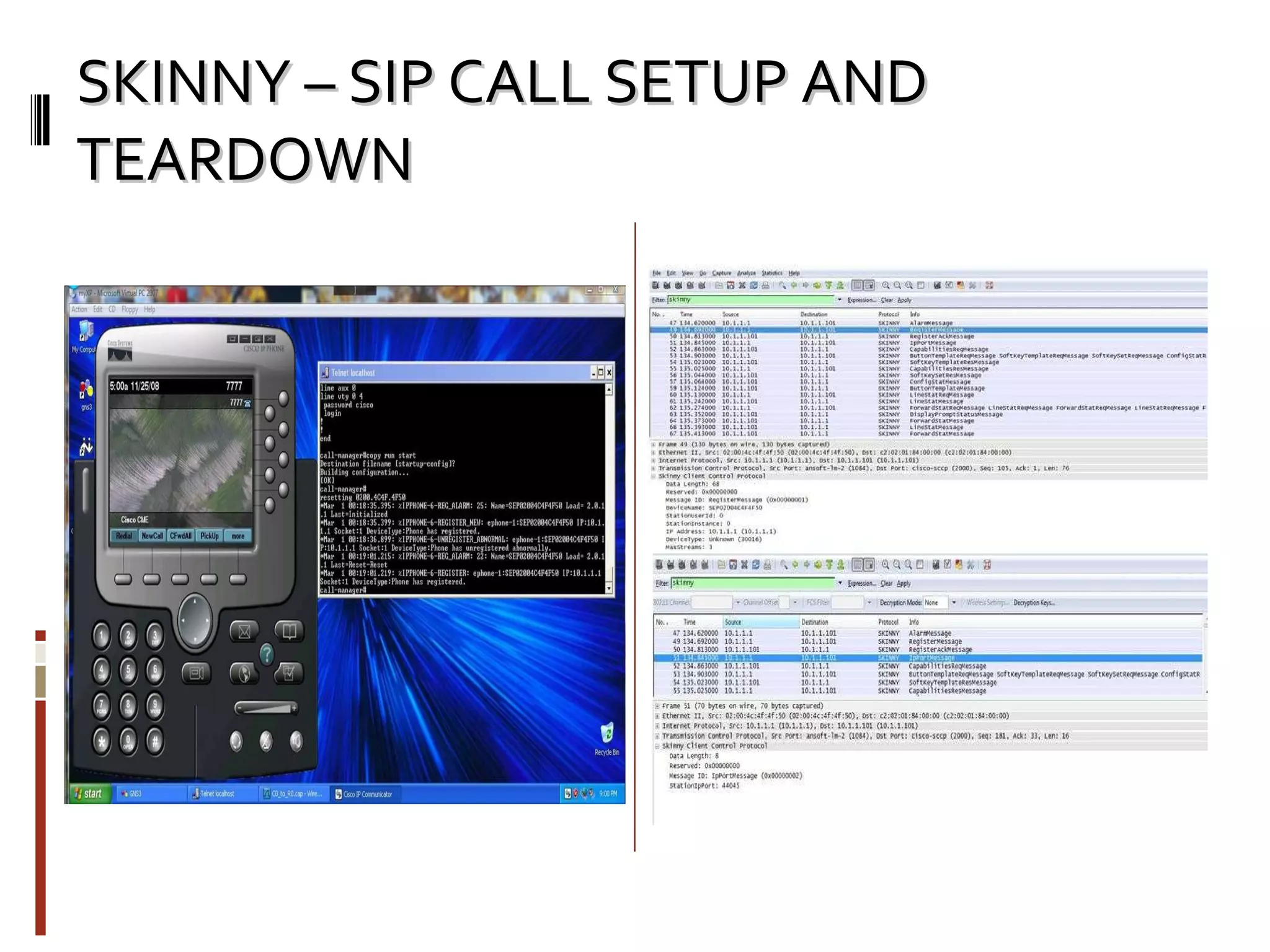
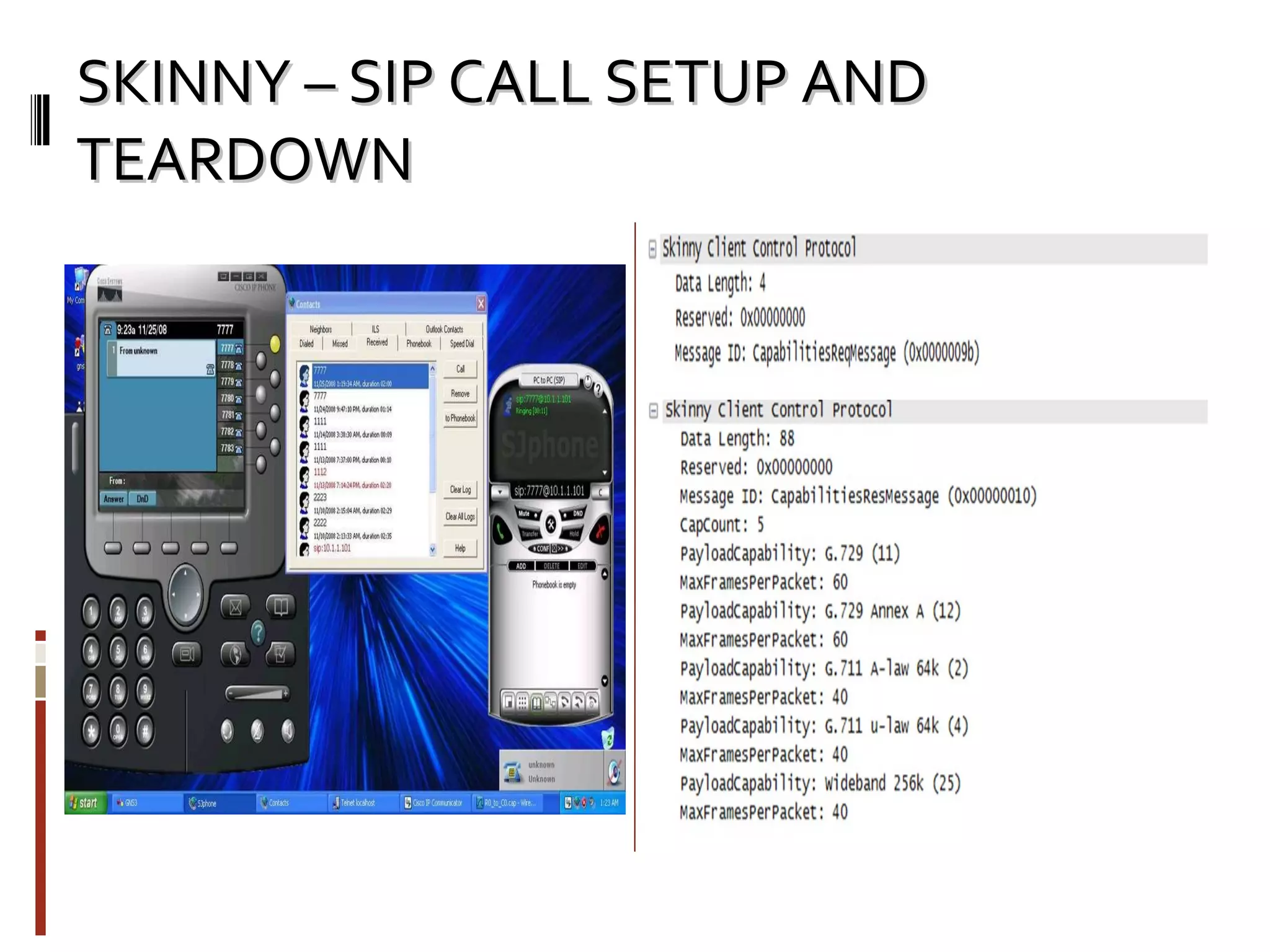
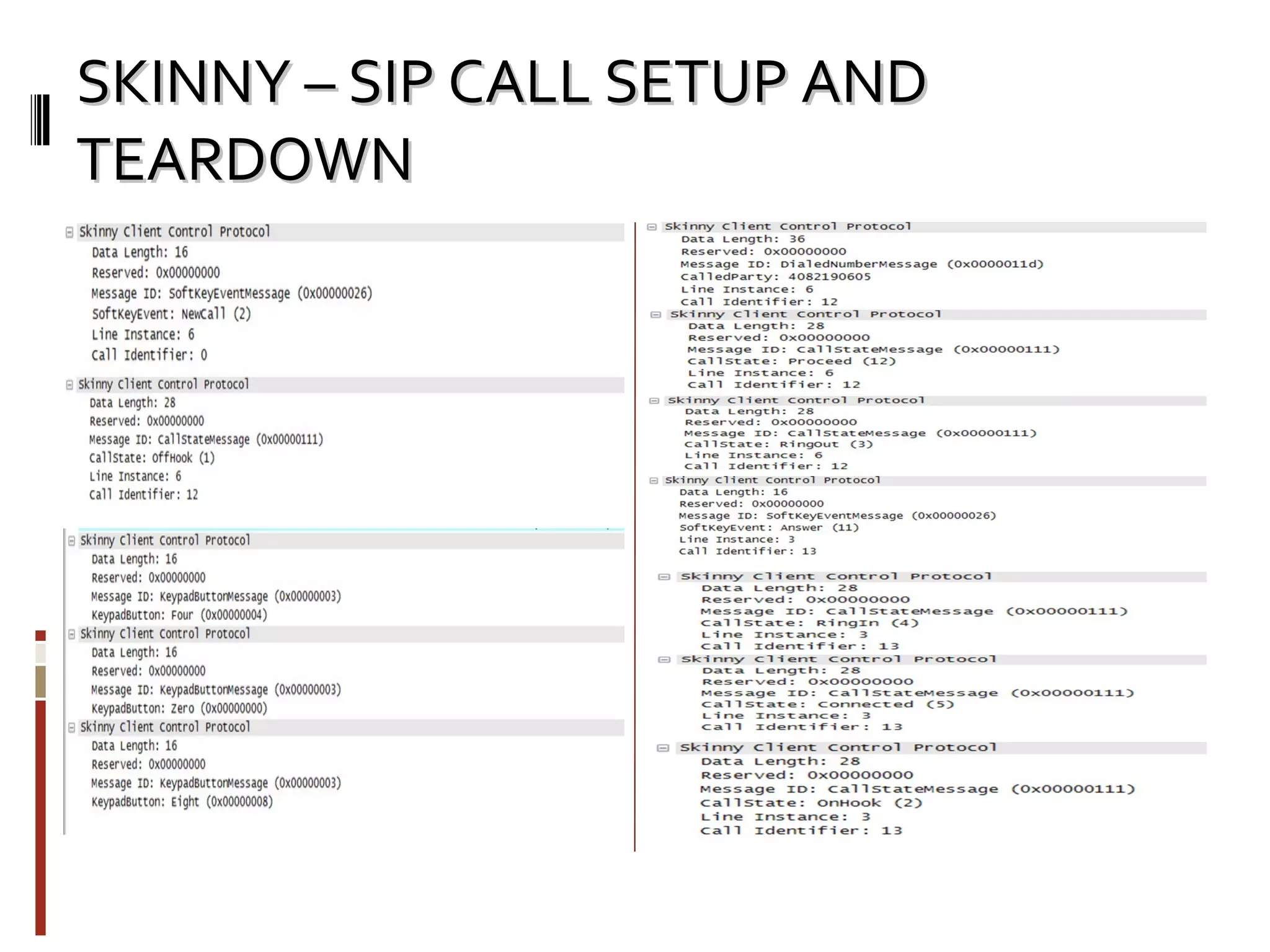
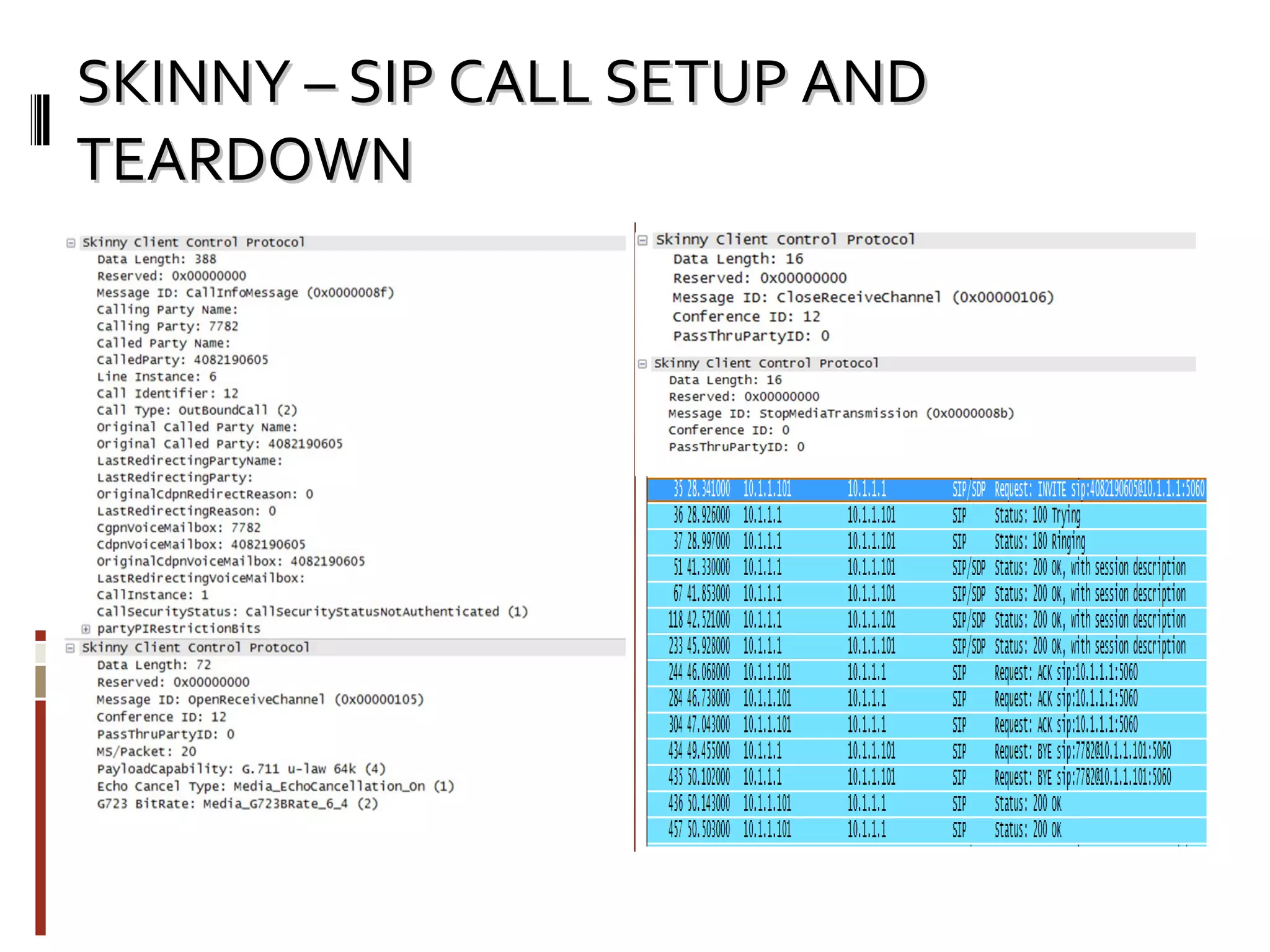
THE CISCO IP COMMUNICATOR The IP phone acts as a dumb terminal while the CME is responsible for the entire setup and the tear down of the call. The IP phone registers its name, device type and IP address with the CME and then provides its IP port number on which it will receive and send media messages . The CME assigns the soft-keys corresponding to each event that takes place during the call scenario like off hook, new call, redial, hold,  etc. On occurrence of any of the events the CME sends soft-key event messages to the phone and sends periodic call status info messages.
THE  SJ SIP SOFT - PHONE SJ phone is a SIP soft-phone which does not require to be registered with a server if it is being accessed within the LAN [ it is its own user-agent client and user-agent server] Integrates with the Microsoft Loopback Driver to receive, parse and translate SIP messages and represent the SIP call scenario Supports 1. SYMBIAN OS 2. MAC OS 3.  WINDOWS OS
SKINNY – SIP CALL SETUP AND TEARDOWN
Part- II:  Development of basic SoftPhone Functionality: Basic SIP softphone client (like k-lite,sjphone etc) Can Register with any SIP server Can receive/make calls from/to SIP enabled phones. Audio codec used: G.729 Can add/modify program to achieve more functionality like call forwarding, conferencing, video chat and many more. Programming Facts for this project: Operating System: Win Vista portSIP SDK for Microsoft .NET Programming Language: C# IDE: Microsoft Visual Studio 2008 Couldn’t have been really possible without help of portSIP SDK documentation.
PortSIP SDK for Microsoft .NET Basic Features: Support platforms: Windows 2000/XP/2003/Vista, Windows Mobile 5/6, Nokia S60 3rd FP2.  Support servers: Cisco CallManager, Open SER,  SER, Asterisk, Portaone, Radvision, Nortel, Rainbow, Avaya and other SIP Platforms.  Audio call: G.711 aLaw/uLaw, GSM, iLBC, G723.1, G729. Video call: H263, H263-1998, H264.  Call transfer: Attended transfer, Blind transfer. Call forwading, Call hold, mute speaker, mute microphone IM Support: SIMPLE(Presence, Subscribe, Pager message) and XMPP.  For full features please see  http://www.portsip.com/features.htm Architecture: SIP SDK for Microsoft.Net. It is easy to use with c# language once it is understood. Contains 3 main libraries DeviceManagerLibV4  PortSIPCoreLibV4  PortXMPPLibV4 DeviceManagerLibV: Its easy to select audio/video devices on a computer for VOIP communication, using various functions which are written in this library  PortSIPCoreLibV4  This library implements the core Session Initiation Protocol stack. It has rich set of functions and events for SIP . PortXMPPLibV4 It has implementation of XMPP protocol for Instant Messaging.
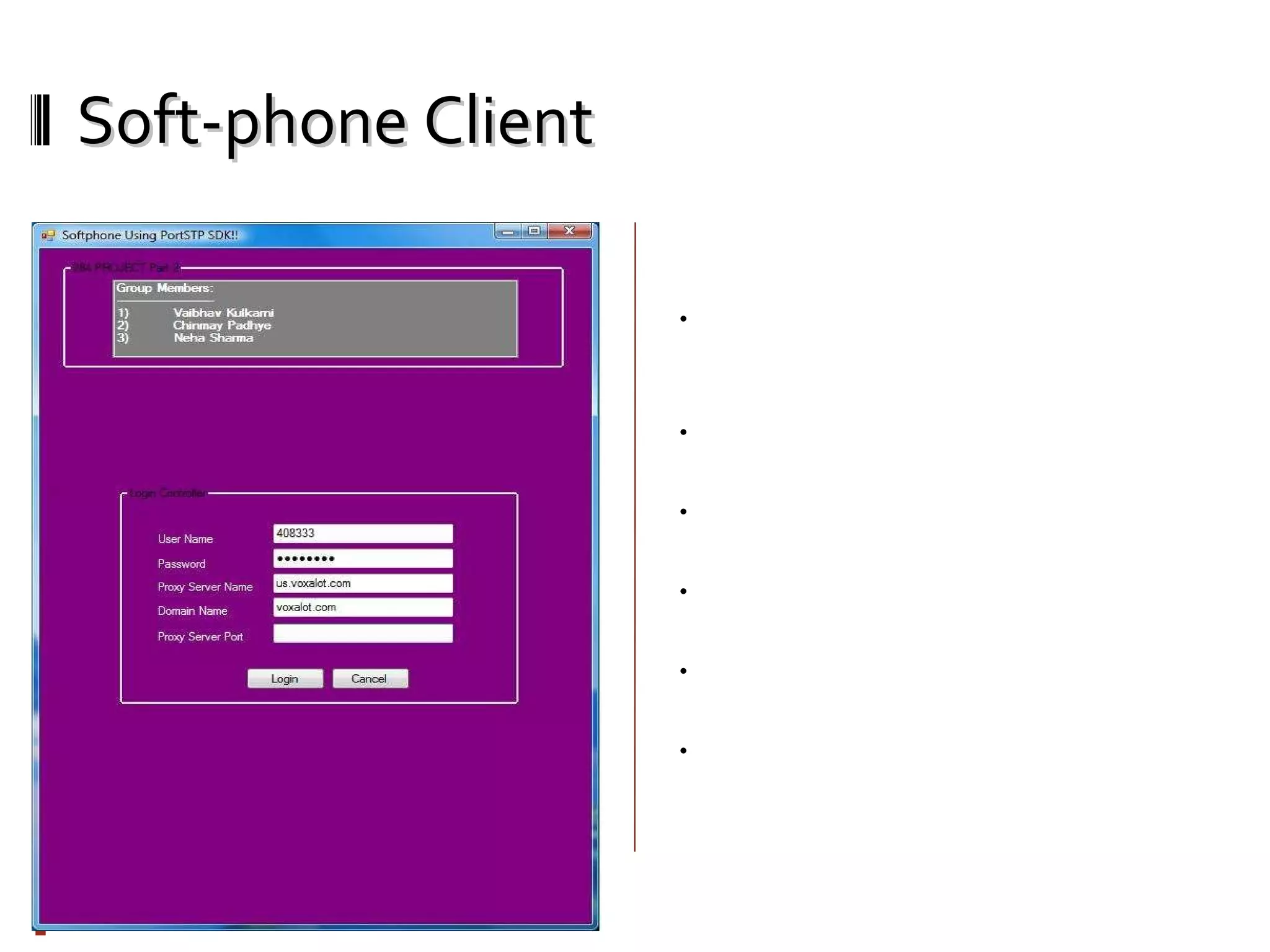
Soft-phone Client Welcome Screen: You need to enter your username, password, proxy server name, domain name of proxy server, proxy server port number (If any). You must have account for any SIP server to use this softphone. We used www.voxalot.com username/password for our testing purpose. If username/password is correct, it will try to register it on SIP proxy server you provided. If registration is successful, you can make/receive calls from SIP enabled devices. To authentication and registration we used initialize() and registerServer() functions from portSIP SDK.
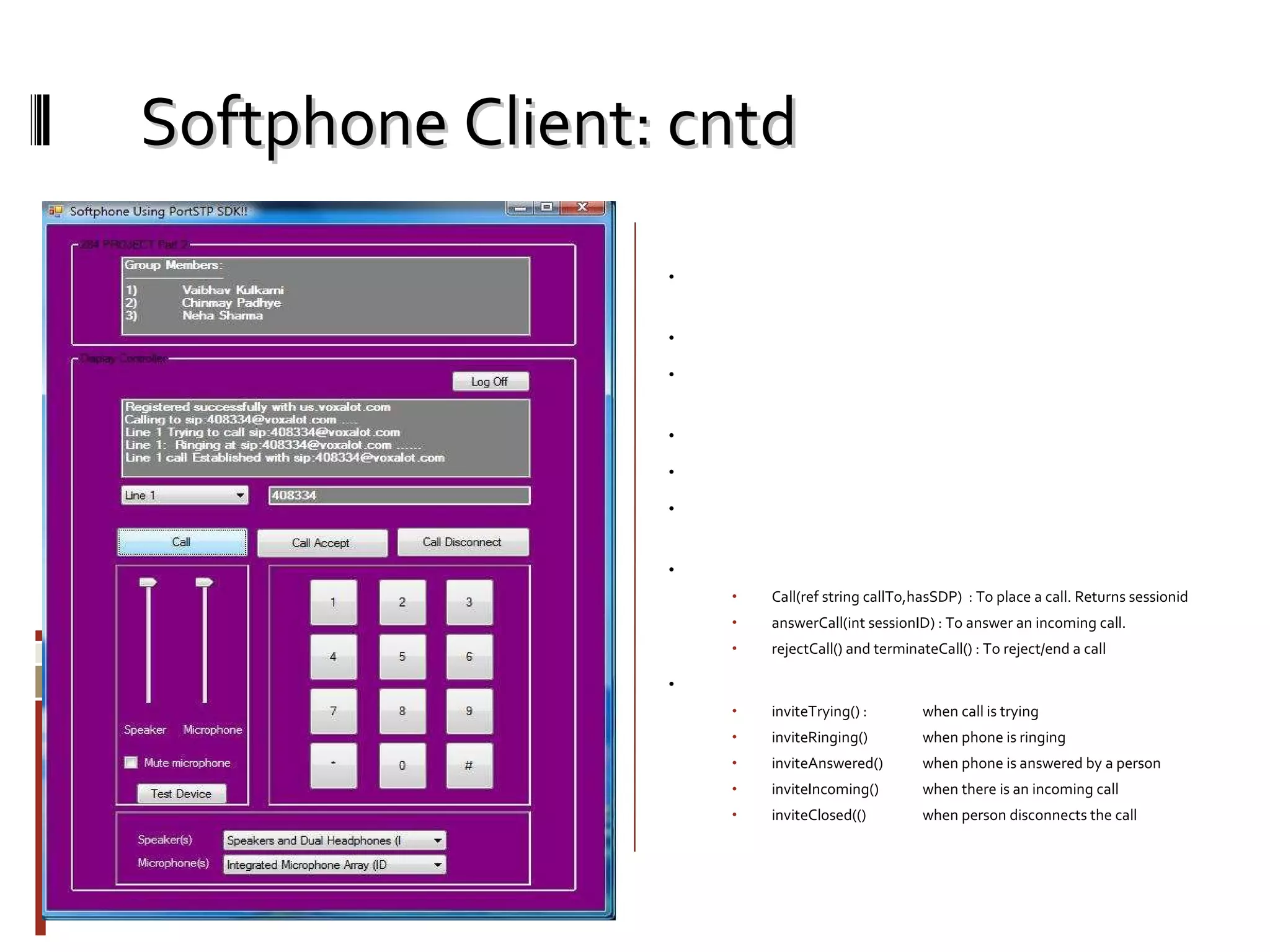
Softphone Client: cntd Phone Screen: Once you are successful authenticated and registered, you will see this screen. You can make call or received calls from sip enabled devices now. Here we are trying to call ‘408334’ which is also a registered number of voxalot. You can see the log of the various events occuring. Same way it will give you notification for incoming call. We have used following main functions and events from portSIP SDK to make this achieved. Methods Call(ref string callTo,hasSDP)  : To place a call. Returns sessionid answerCall(int sessionID) : To answer an incoming call. rejectCall() and terminateCall() : To reject/end a call Events: inviteTrying() :  when call is trying inviteRinging()  when phone is ringing inviteAnswered() when phone is answered by a person inviteIncoming() when there is an incoming call inviteClosed(() when person disconnects the call
REFRENCES  &  AREA OF CONTRIBUTION http://www.cisco.com/en/US/docs/voice_ip_comm/cucme/srnd/design/guide/dialplan.html http://www-europe.cisco.com/univercd/cc/td/doc/product/software/ios122/122sup/122csum/csum3/122cvvf/vsf_r.htm#1736728 http://www.cisco.com/en/US/docs/voice_ip_comm/cusrst/admin/srst/configuration/guide/srstsa.html www.portsip.com CHINMAY PADHYE CME – IP COMM. – SJ PHONE SIMULATION NEHA SHARMA SKINNY – SIP CALL FLOW ANALYSIS VAIBHAV KULKARNI DEVELOPMENT OF SIP SOFT-PHONE

VoIP - Cisco CME & IP Communicator

  • 1.
  • 2.
  • 3.
    THE CISCOCall Manager Express OPERATION: IT tracks all active VOIP | POTS components like phones , gateways , bridges and trans-coding resources Configure CLI commands for Cisco IP communicator using the SCCP Configure CLI Dial-peer commands for Sjphone using the SIP Configure CLI Dial-peer commands for e911 services using POTS Provides end to end connectivity between any soft phone using either SCCP or SIP
  • 4.
    THE CISCO CallManager Express THE BASIC’s of VOIP DIAL-PEERS: Router(config)#  dial-peer voice number voip Router(config-dial-peer)# destination-pattern string Router(config-dial-peer)# session target { ipv4: destination-address | dns:[] host-name } Router(config-dial-peer)# dtmf-relay [ cisco-rtp ] [ h245-signal ] [ h245-alphanumeric ] Router(config-dial-peer)# session protocol { sipv1 |sipv2 |cisco} Dual tone multi frequency relay is the mechanism where a local VOIP gateway listens for DTMF digits during a call and then sends them uncompressed as either RTP or H.245 packets to the remote VOIP gateway which regenerates DTMF digits and prevents digit loss due to compression This in-band uses a special payload type identifier [PTI] in the RTP header of the voice media stream to distinguish digits from the DTMF pad from actual voice communication
  • 5.
    THE CISCO CallManager Express THE BASIC’s of IOS TELEPHONEY : DHCP service IP source address SKINNY communication port Number of IP phones [max 8] Dual-line extensions Phone language Call Progress Tone First extension number Direct Inward Dial Call forward voice mail service THE BASIC’s of POTS DIAL-PEERS: Router(config)# dial-peer voice number pots Router(config-dial-peer)# destination-pattern string Router(config-dial-peer)#  port location
  • 6.
    THE CISCO IPCOMMUNICATOR The IP phone acts as a dumb terminal while the CME is responsible for the entire setup and the tear down of the call. The IP phone registers its name, device type and IP address with the CME and then provides its IP port number on which it will receive and send media messages . The CME assigns the soft-keys corresponding to each event that takes place during the call scenario like off hook, new call, redial, hold, etc. On occurrence of any of the events the CME sends soft-key event messages to the phone and sends periodic call status info messages.
  • 7.
    THE SJSIP SOFT - PHONE SJ phone is a SIP soft-phone which does not require to be registered with a server if it is being accessed within the LAN [ it is its own user-agent client and user-agent server] Integrates with the Microsoft Loopback Driver to receive, parse and translate SIP messages and represent the SIP call scenario Supports 1. SYMBIAN OS 2. MAC OS 3. WINDOWS OS
  • 8.
    SKINNY – SIPCALL SETUP AND TEARDOWN
  • 9.
    SKINNY – SIPCALL SETUP AND TEARDOWN
  • 10.
    SKINNY – SIPCALL SETUP AND TEARDOWN
  • 11.
    SKINNY – SIPCALL SETUP AND TEARDOWN
  • 12.
    Part- II: Development of basic SoftPhone Functionality: Basic SIP softphone client (like k-lite,sjphone etc) Can Register with any SIP server Can receive/make calls from/to SIP enabled phones. Audio codec used: G.729 Can add/modify program to achieve more functionality like call forwarding, conferencing, video chat and many more. Programming Facts for this project: Operating System: Win Vista portSIP SDK for Microsoft .NET Programming Language: C# IDE: Microsoft Visual Studio 2008 Couldn’t have been really possible without help of portSIP SDK documentation.
  • 13.
    PortSIP SDK forMicrosoft .NET Basic Features: Support platforms: Windows 2000/XP/2003/Vista, Windows Mobile 5/6, Nokia S60 3rd FP2. Support servers: Cisco CallManager, Open SER,  SER, Asterisk, Portaone, Radvision, Nortel, Rainbow, Avaya and other SIP Platforms. Audio call: G.711 aLaw/uLaw, GSM, iLBC, G723.1, G729. Video call: H263, H263-1998, H264. Call transfer: Attended transfer, Blind transfer. Call forwading, Call hold, mute speaker, mute microphone IM Support: SIMPLE(Presence, Subscribe, Pager message) and XMPP. For full features please see http://www.portsip.com/features.htm Architecture: SIP SDK for Microsoft.Net. It is easy to use with c# language once it is understood. Contains 3 main libraries DeviceManagerLibV4 PortSIPCoreLibV4 PortXMPPLibV4 DeviceManagerLibV: Its easy to select audio/video devices on a computer for VOIP communication, using various functions which are written in this library PortSIPCoreLibV4 This library implements the core Session Initiation Protocol stack. It has rich set of functions and events for SIP . PortXMPPLibV4 It has implementation of XMPP protocol for Instant Messaging.
  • 14.
    Soft-phone Client WelcomeScreen: You need to enter your username, password, proxy server name, domain name of proxy server, proxy server port number (If any). You must have account for any SIP server to use this softphone. We used www.voxalot.com username/password for our testing purpose. If username/password is correct, it will try to register it on SIP proxy server you provided. If registration is successful, you can make/receive calls from SIP enabled devices. To authentication and registration we used initialize() and registerServer() functions from portSIP SDK.
  • 15.
    Softphone Client: cntdPhone Screen: Once you are successful authenticated and registered, you will see this screen. You can make call or received calls from sip enabled devices now. Here we are trying to call ‘408334’ which is also a registered number of voxalot. You can see the log of the various events occuring. Same way it will give you notification for incoming call. We have used following main functions and events from portSIP SDK to make this achieved. Methods Call(ref string callTo,hasSDP) : To place a call. Returns sessionid answerCall(int sessionID) : To answer an incoming call. rejectCall() and terminateCall() : To reject/end a call Events: inviteTrying() : when call is trying inviteRinging() when phone is ringing inviteAnswered() when phone is answered by a person inviteIncoming() when there is an incoming call inviteClosed(() when person disconnects the call
  • 16.
    REFRENCES & AREA OF CONTRIBUTION http://www.cisco.com/en/US/docs/voice_ip_comm/cucme/srnd/design/guide/dialplan.html http://www-europe.cisco.com/univercd/cc/td/doc/product/software/ios122/122sup/122csum/csum3/122cvvf/vsf_r.htm#1736728 http://www.cisco.com/en/US/docs/voice_ip_comm/cusrst/admin/srst/configuration/guide/srstsa.html www.portsip.com CHINMAY PADHYE CME – IP COMM. – SJ PHONE SIMULATION NEHA SHARMA SKINNY – SIP CALL FLOW ANALYSIS VAIBHAV KULKARNI DEVELOPMENT OF SIP SOFT-PHONE