Cloud Tools:
VMware
TABLE OF CONTENTS
• Introduction to VMware
• VMware Architecture
• Use cases of VMware
• Benefits of VMware
• Popular VMware Products
• Conclusion
Introduction to VMware
• VMware is a global leader in cloud infrastructure and digital
workspace technology. Founded in 1998, VMware is now a
subsidiary of Broadcom Inc.
• VMware enables organizations to run, manage, connect, and
secure applications across different clouds and devices, all while
maintaining freedom of choice.
• VMware’s flagship product, vSphere, helps organizations reduce
IT expenses through virtualization.
VMware Architecture
• VMware’s virtualization architecture consists of the following
components:
- vCenter Server: Provides centralized management for virtualized
environments, allowing admins to monitor, configure and control VMs.
- ESXi: VMware ESXi, also called VMware ESXi Server, is a bare-metal
hypervisor developed by VMware for vSphere. ESXi is one of the primary
components in the VMware infrastructure software suite.
- vSphere Client: A web-based client that serves as the primary interface
for connecting to and managing vCenter instances. Enables users to
interact with vCenter Server and ESXi.
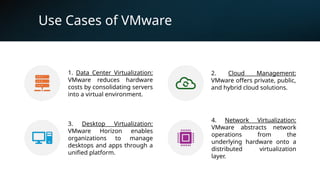
Use Cases of VMware
1. Data Center Virtualization:
VMware reduces hardware
costs by consolidating servers
into a virtual environment.
2. Cloud Management:
VMware offers private, public,
and hybrid cloud solutions.
3. Desktop Virtualization:
VMware Horizon enables
organizations to manage
desktops and apps through a
unified platform.
4. Network Virtualization:
VMware abstracts network
operations from the
underlying hardware onto a
distributed virtualization
layer.
Benefits of VMware
• 1. Cost Efficiency: Reduces capital and operational costs by
consolidating hardware into a virtual environment.
• 2. Flexibility: Supports multiple operating systems and cloud
environments.
• 3. Scalability: Easily scales to meet growing business demands.
• 4. Business Continuity: Offers high availability and disaster recovery
solutions.
Popular VMware Products
• 1. vSphere: VMware vSphere is a virtualization platform that includes a
suite of products for deploying and managing virtual environments. It is
VMware’s flagship product and helps organizations reduce IT expenses
through virtualization. Two of the most important products are the
VMware ESXi hypervisor and vCenter Server management software.
• 2. vSAN: Hyperconverged storage solution for VMware environments.
VMware vSAN pools together direct-attached storage devices across a
VMware vSphere cluster to create a distributed, shared data store.
VMware vSAN is integrated into the VMware hypervisor, ESXi.
• 3. VMware NSX: Network virtualization and security platform for creating
virtual networks. NSX allows an admin to virtualize network components,
enabling them to develop, deploy and configure virtual networks and
switches through software rather than hardware. It virtualizes entire
networks, providing security and efficiency.
• 4. vRealize Suite: The vRealize Suite is a group of software that allows a user to
create and manage hybrid clouds. The vRealize Suite includes vRealize
Operations for monitoring, vRealize Log Insight for centralized logging,
vRealize Automation for data center automation and vRealize Business for
Cloud for cost management.
Conclusion
• VMware’s solutions provide a comprehensive suite of
tools for managing modern IT infrastructures. Its
products facilitate virtualization across compute,
network, and storage resources, allowing businesses to
stay competitive in an increasingly cloud-driven world.
THANK YOU

Virtualization and Cloud Computing in VMWare

  • 1.
  • 2.
    TABLE OF CONTENTS •Introduction to VMware • VMware Architecture • Use cases of VMware • Benefits of VMware • Popular VMware Products • Conclusion
  • 3.
    Introduction to VMware •VMware is a global leader in cloud infrastructure and digital workspace technology. Founded in 1998, VMware is now a subsidiary of Broadcom Inc. • VMware enables organizations to run, manage, connect, and secure applications across different clouds and devices, all while maintaining freedom of choice. • VMware’s flagship product, vSphere, helps organizations reduce IT expenses through virtualization.
  • 4.
    VMware Architecture • VMware’svirtualization architecture consists of the following components: - vCenter Server: Provides centralized management for virtualized environments, allowing admins to monitor, configure and control VMs. - ESXi: VMware ESXi, also called VMware ESXi Server, is a bare-metal hypervisor developed by VMware for vSphere. ESXi is one of the primary components in the VMware infrastructure software suite. - vSphere Client: A web-based client that serves as the primary interface for connecting to and managing vCenter instances. Enables users to interact with vCenter Server and ESXi.
  • 5.
    Use Cases ofVMware 1. Data Center Virtualization: VMware reduces hardware costs by consolidating servers into a virtual environment. 2. Cloud Management: VMware offers private, public, and hybrid cloud solutions. 3. Desktop Virtualization: VMware Horizon enables organizations to manage desktops and apps through a unified platform. 4. Network Virtualization: VMware abstracts network operations from the underlying hardware onto a distributed virtualization layer.
  • 6.
    Benefits of VMware •1. Cost Efficiency: Reduces capital and operational costs by consolidating hardware into a virtual environment. • 2. Flexibility: Supports multiple operating systems and cloud environments. • 3. Scalability: Easily scales to meet growing business demands. • 4. Business Continuity: Offers high availability and disaster recovery solutions.
  • 7.
    Popular VMware Products •1. vSphere: VMware vSphere is a virtualization platform that includes a suite of products for deploying and managing virtual environments. It is VMware’s flagship product and helps organizations reduce IT expenses through virtualization. Two of the most important products are the VMware ESXi hypervisor and vCenter Server management software. • 2. vSAN: Hyperconverged storage solution for VMware environments. VMware vSAN pools together direct-attached storage devices across a VMware vSphere cluster to create a distributed, shared data store. VMware vSAN is integrated into the VMware hypervisor, ESXi.
  • 8.
    • 3. VMwareNSX: Network virtualization and security platform for creating virtual networks. NSX allows an admin to virtualize network components, enabling them to develop, deploy and configure virtual networks and switches through software rather than hardware. It virtualizes entire networks, providing security and efficiency. • 4. vRealize Suite: The vRealize Suite is a group of software that allows a user to create and manage hybrid clouds. The vRealize Suite includes vRealize Operations for monitoring, vRealize Log Insight for centralized logging, vRealize Automation for data center automation and vRealize Business for Cloud for cost management.
  • 9.
    Conclusion • VMware’s solutionsprovide a comprehensive suite of tools for managing modern IT infrastructures. Its products facilitate virtualization across compute, network, and storage resources, allowing businesses to stay competitive in an increasingly cloud-driven world.
  • 10.