Venkat Java Projects
Mobile:+91 9966499110
Visit:www.venkatjavaprojects.com Email:venkatjavaprojects@gmail.com
Virtual Mouse Operation Using Webcam
In this project we are performing mouse operation in virtual environment
using inbuilt webcam, for this project to perform mouse operation no need to
use any additional hardware called mouse. Our application will use webcam to
detect hands movement and based on hands movement position the cursor and if
we take hand closer to left side of screen then left click will happen and we take
hands movement closer to right side of screen then right click will perform and
normal mouse movement can be achieved just by movement of hands.
To build this project we utilize inbuilt webcam and OPENCV API from
python, OPENCV will detect webcam and look for hands in webcam stream
and then move mouse based on hands movement detection. To move mouse we
make use of X and Y Coordinates (Pixels) of screen, whenever hands move then
OPENCV extract current X and Y location of hands in webcam and then using
python PYAUTOGUI API it will instruct mouse to go to that location by using
various methods called pyautogui.moveTo(100, 150), pyautogui.moveRel(0,
10) ,pyautogui.dragTo(100, 150), pyautogui.dragRel(0, 10) .
To detect hands OPENCV will use inbuilt ‘hand.xml’ haarcascade file
which contains all possibleshapes of hands in integer format and using that
shapes only OPENCV will understand whether moving images in webcam
contains hands or any other image.
To run this project double click on ‘run.bat’ file to get below screen
Venkat Java Projects
Mobile:+91 9966499110
Visit:www.venkatjavaprojects.com Email:venkatjavaprojects@gmail.com
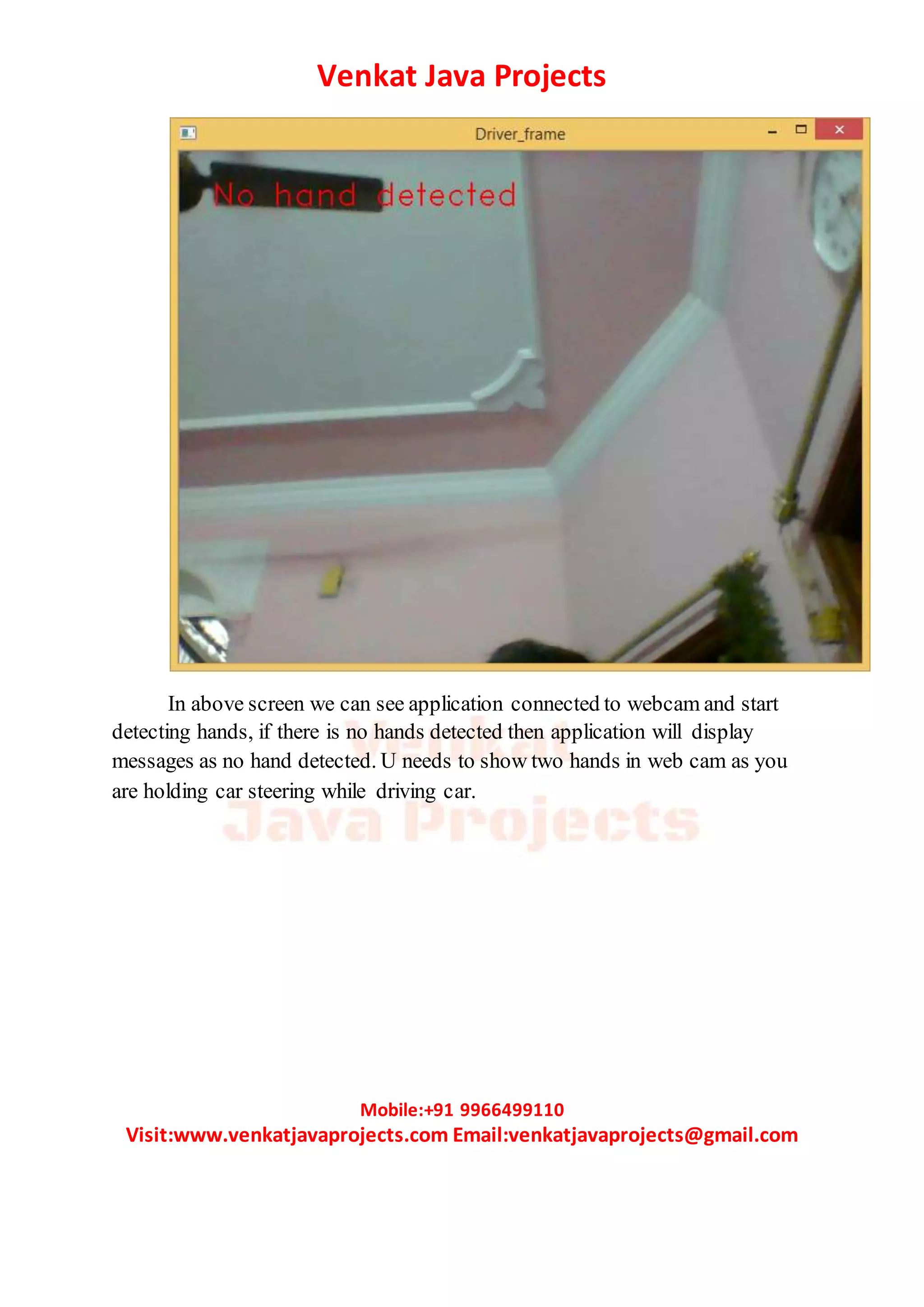
In above screen we can see application connected to webcam and start
detecting hands, if there is no hands detected then application will display
messages as no hand detected. U needs to show two hands in web cam as you
are holding car steering while driving car.
Venkat Java Projects
Mobile:+91 9966499110
Visit:www.venkatjavaprojects.com Email:venkatjavaprojects@gmail.com
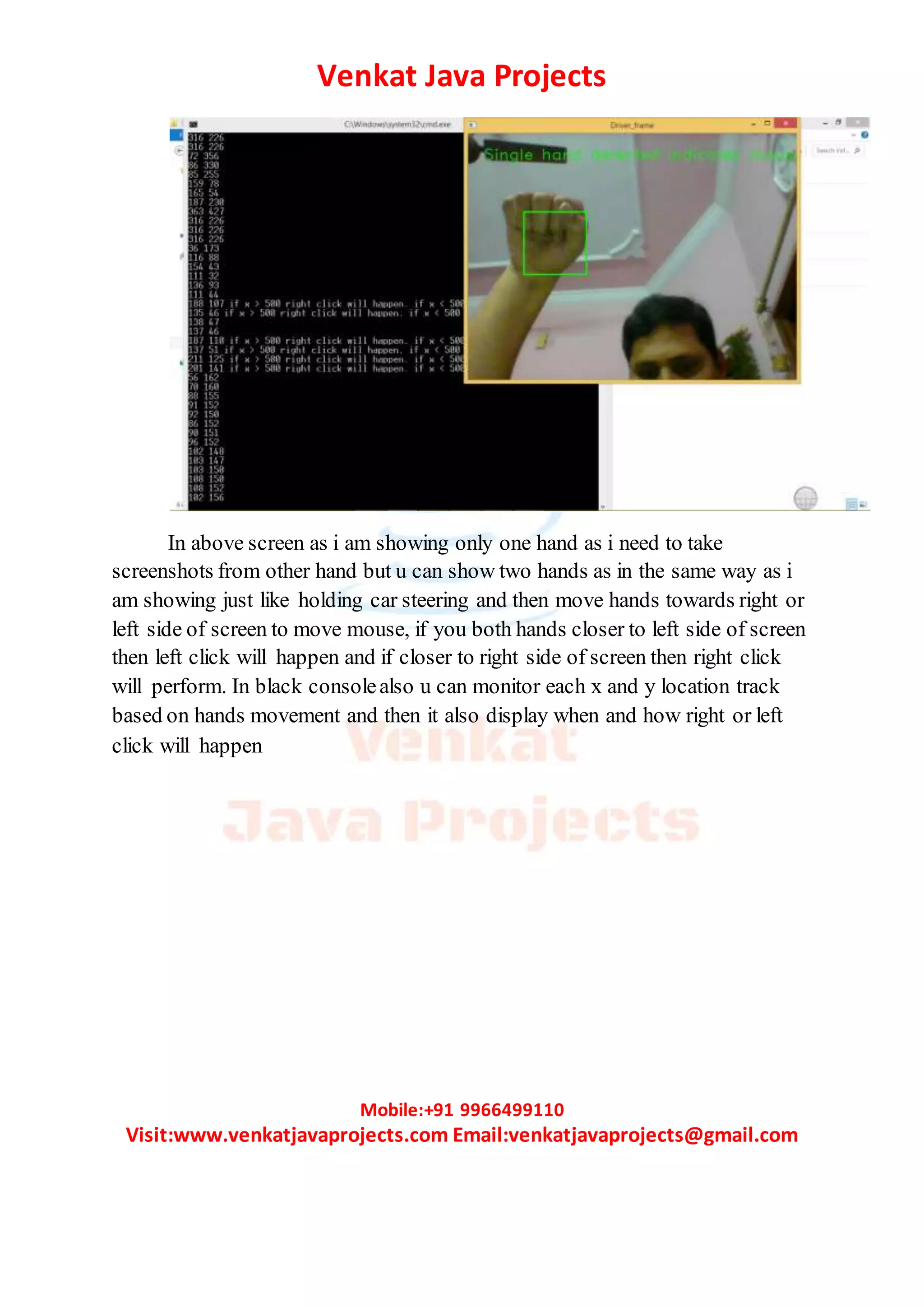
In above screen as i am showing only one hand as i need to take
screenshots from other hand but u can show two hands as in the same way as i
am showing just like holding car steering and then move hands towards right or
left side of screen to move mouse, if you both hands closer to left side of screen
then left click will happen and if closer to right side of screen then right click
will perform. In black consolealso u can monitor each x and y location track
based on hands movement and then it also display when and how right or left
click will happen

Virtual mouse operation using webcam

  • 1.
    Venkat Java Projects Mobile:+919966499110 Visit:www.venkatjavaprojects.com Email:venkatjavaprojects@gmail.com Virtual Mouse Operation Using Webcam In this project we are performing mouse operation in virtual environment using inbuilt webcam, for this project to perform mouse operation no need to use any additional hardware called mouse. Our application will use webcam to detect hands movement and based on hands movement position the cursor and if we take hand closer to left side of screen then left click will happen and we take hands movement closer to right side of screen then right click will perform and normal mouse movement can be achieved just by movement of hands. To build this project we utilize inbuilt webcam and OPENCV API from python, OPENCV will detect webcam and look for hands in webcam stream and then move mouse based on hands movement detection. To move mouse we make use of X and Y Coordinates (Pixels) of screen, whenever hands move then OPENCV extract current X and Y location of hands in webcam and then using python PYAUTOGUI API it will instruct mouse to go to that location by using various methods called pyautogui.moveTo(100, 150), pyautogui.moveRel(0, 10) ,pyautogui.dragTo(100, 150), pyautogui.dragRel(0, 10) . To detect hands OPENCV will use inbuilt ‘hand.xml’ haarcascade file which contains all possibleshapes of hands in integer format and using that shapes only OPENCV will understand whether moving images in webcam contains hands or any other image. To run this project double click on ‘run.bat’ file to get below screen
  • 2.
    Venkat Java Projects Mobile:+919966499110 Visit:www.venkatjavaprojects.com Email:venkatjavaprojects@gmail.com In above screen we can see application connected to webcam and start detecting hands, if there is no hands detected then application will display messages as no hand detected. U needs to show two hands in web cam as you are holding car steering while driving car.
  • 3.
    Venkat Java Projects Mobile:+919966499110 Visit:www.venkatjavaprojects.com Email:venkatjavaprojects@gmail.com In above screen as i am showing only one hand as i need to take screenshots from other hand but u can show two hands as in the same way as i am showing just like holding car steering and then move hands towards right or left side of screen to move mouse, if you both hands closer to left side of screen then left click will happen and if closer to right side of screen then right click will perform. In black consolealso u can monitor each x and y location track based on hands movement and then it also display when and how right or left click will happen