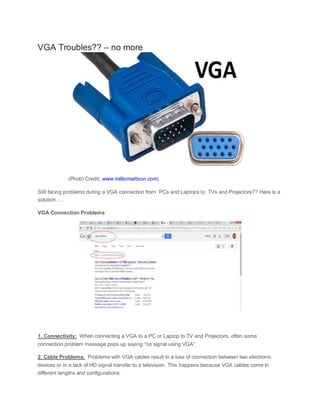
VGA Troubles?? – no more (Photo Credit: www.millermattson.com) Still facing problems during a VGA connection from PCs and Laptops to TVs and Projectors?? Here is a solution….. VGA Connection Problems 1. Connectivity: When connecting a VGA to a PC or Laptop to TV and Projectors, often some connection problem message pops up saying “no signal using VGA”. 2. Cable Problems: Problems with VGA cables result in a loss of connection between two electronic devices or in a lack of HD signal transfer to a television. This happens because VGA cables come in different lengths and configurations.
3. Graphics Problems: VGAs are used to display most of the graphics screens such as the Spatial Data System, Main Menu and Road Design. The problems faced are – (i)All black in full screen mode; (ii)Black with flashing cursor in top left; (iii)Invisible mouse cursor; (iv)Multiple hourglass icons; (v)Blurring and so on. 4. Resolution Problem: Low-resolution video (VGA Mode) in Windows, Linux, MAC. Forcing low- resolution video (VGA) mode each time you start Windows. Are you fed up of these problems?? How about a device that not only effectively solves these problems but also provides instant and wireless connection from you Laptop to TV screens or Projectors?? Meet PRIJECTOR How it works?  Prijector is a slick and powerful device that directly connects to your Television or to any Projector.  It is an agnostic wireless screen sharing device that supports full mirroring from Mac, Linux, iPad, iPhone – Never need to connect “VGA” “Mini DVI” or “Wires” to present – Provides Airplay for all your Devices.  Prijector enables instant and wireless presentation with just a click of the „Share‟ button from any laptop or mobile. It is intuitive and extremely user friendly.  Connect Prijector to your conference room TV or Projector and instantly start sharing your presentation or your entire screen wirelessly.

Vga troubles

  • 1.
    VGA Troubles?? –no more (Photo Credit: www.millermattson.com) Still facing problems during a VGA connection from PCs and Laptops to TVs and Projectors?? Here is a solution….. VGA Connection Problems 1. Connectivity: When connecting a VGA to a PC or Laptop to TV and Projectors, often some connection problem message pops up saying “no signal using VGA”. 2. Cable Problems: Problems with VGA cables result in a loss of connection between two electronic devices or in a lack of HD signal transfer to a television. This happens because VGA cables come in different lengths and configurations.
  • 2.
    3. Graphics Problems:VGAs are used to display most of the graphics screens such as the Spatial Data System, Main Menu and Road Design. The problems faced are – (i)All black in full screen mode; (ii)Black with flashing cursor in top left; (iii)Invisible mouse cursor; (iv)Multiple hourglass icons; (v)Blurring and so on. 4. Resolution Problem: Low-resolution video (VGA Mode) in Windows, Linux, MAC. Forcing low- resolution video (VGA) mode each time you start Windows. Are you fed up of these problems?? How about a device that not only effectively solves these problems but also provides instant and wireless connection from you Laptop to TV screens or Projectors?? Meet PRIJECTOR How it works?  Prijector is a slick and powerful device that directly connects to your Television or to any Projector.  It is an agnostic wireless screen sharing device that supports full mirroring from Mac, Linux, iPad, iPhone – Never need to connect “VGA” “Mini DVI” or “Wires” to present – Provides Airplay for all your Devices.  Prijector enables instant and wireless presentation with just a click of the „Share‟ button from any laptop or mobile. It is intuitive and extremely user friendly.  Connect Prijector to your conference room TV or Projector and instantly start sharing your presentation or your entire screen wirelessly.