Analysis of Variant COMPUT25
COMPUT25 variant program helps to calculate the weighted quantity based average price.

The input parameters are
QPRICE Price
USERDEF Start date for the calculation of an average (YYYYMMDD)

The Output parameters are
QPRICE Time portion weighted average of all prices in the period

The standard function module for this variant is ISU_COMPUT25

Now let’s try to analyze the effect of using COMPUT25 in a schema.
Standard documentation on the Variant and the line item types generated can be found by
executing TCode EA99.

Functionality

A price is multiplied by a factor. This new price is updated (operand update). Prorations of the
factor are taken into account.

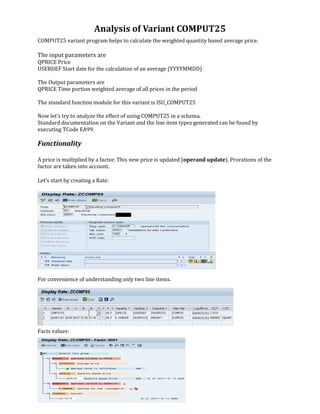
Let’s start by creating a Rate:


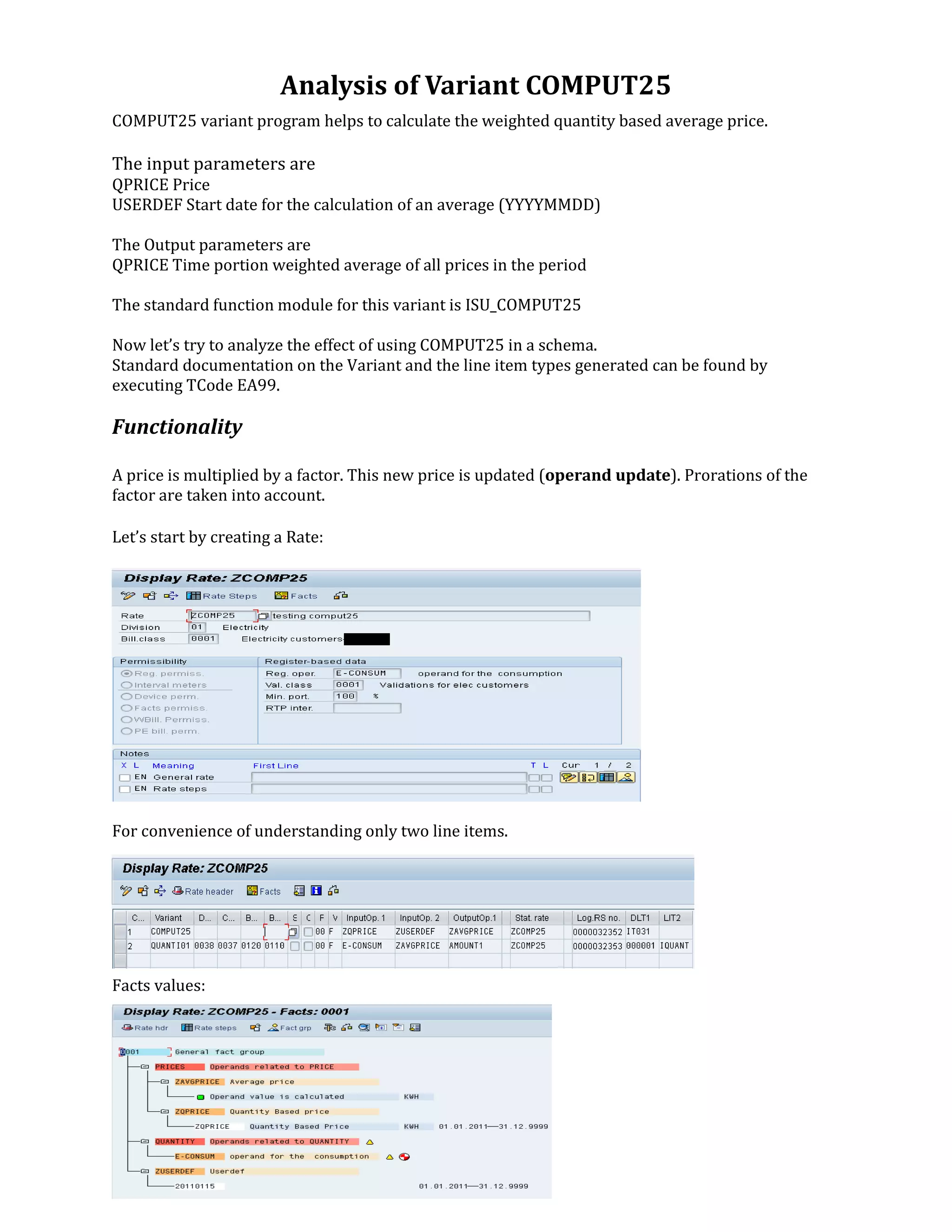
For convenience of understanding only two line items.


Facts values:
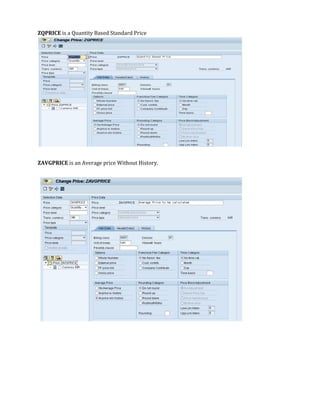
ZQPRICE is a Quantity Based Standard Price


ZAVGPRICE is an Average price Without History.
Test Cases:

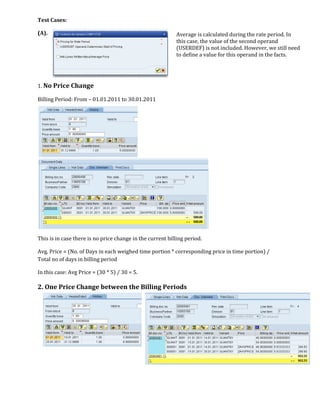
(A).                                                       Average is calculated during the rate period. In
                                                           this case, the value of the second operand
                                                           (USERDEF) is not included. However, we still need
                                                           to define a value for this operand in the facts.


1. No Price Change

Billing Period: From – 01.01.2011 to 30.01.2011


This is in case there is no price change in the current billing period.

Avg. Price = (No. of Days in each weighed time portion * corresponding price in time portion) /
Total no of days in billing period

In this case: Avg Price = (30 * 5) / 30 = 5.

2. One Price Change between the Billing Periods
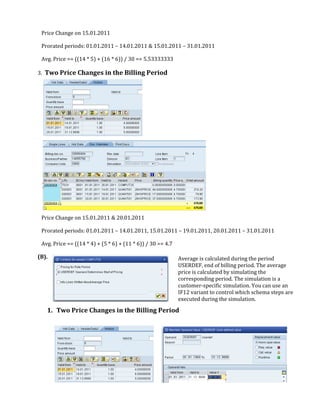
Price Change on 15.01.2011

 Prorated periods: 01.01.2011 – 14.01.2011 & 15.01.2011 – 31.01.2011

 Avg. Price == ((14 * 5) + (16 * 6)) / 30 == 5.53333333

3. Two Price Changes in the Billing Period


 Price Change on 15.01.2011 & 20.01.2011

 Prorated periods: 01.01.2011 – 14.01.2011, 15.01.2011 – 19.01.2011, 20.01.2011 – 31.01.2011

 Avg. Price == ((14 * 4) + (5 * 6) + (11 * 6)) / 30 == 4.7

(B).                                                         Average is calculated during the period
                                                             USERDEF, end of billing period. The average
                                                             price is calculated by simulating the
                                                             corresponding period. The simulation is a
                                                             customer-specific simulation. You can use an
                                                             IF12 variant to control which schema steps are
                                                             executed during the simulation.
   1. Two Price Changes in the Billing Period
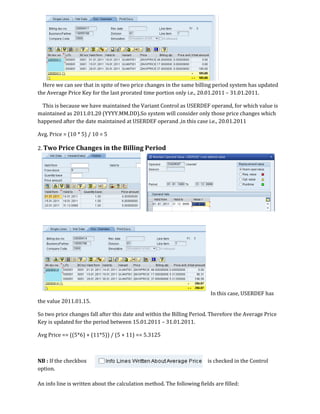
Here we can see that in spite of two price changes in the same billing period system has updated
the Average Price Key for the last prorated time portion only i.e., 20.01.2011 – 31.01.2011.

  This is because we have maintained the Variant Control as USERDEF operand, for which value is
maintained as 2011.01.20 (YYYY.MM.DD).So system will consider only those price changes which
happened after the date maintained at USERDEF operand ,in this case i.e., 20.01.2011

Avg. Price = (10 * 5) / 10 = 5

2. Two Price Changes in the Billing Period


                                                                         In this case, USERDEF has
the value 2011.01.15.

So two price changes fall after this date and within the Billing Period. Therefore the Average Price
Key is updated for the period between 15.01.2011 – 31.01.2011.

Avg Price == ((5*6) + (11*5)) / (5 + 11) == 5.3125


NB : If the checkbox                                                    is checked in the Control
option.

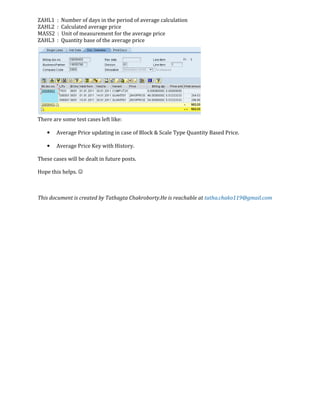
An info line is written about the calculation method. The following fields are filled:
ZAHL1   :   Number of days in the period of average calculation
ZAHL2   :   Calculated average price
MASS2   :   Unit of measurement for the average price
ZAHL3   :   Quantity base of the average price


There are some test cases left like:

    •   Average Price updating in case of Block & Scale Type Quantity Based Price.

    •   Average Price Key with History.

These cases will be dealt in future posts.

Hope this helps. ☺


This document is created by Tathagta Chakroborty.He is reachable at tatha.chako119@gmail.com

Variant COMPUT25 explained

  • 1.
    Analysis of VariantCOMPUT25 COMPUT25 variant program helps to calculate the weighted quantity based average price. The input parameters are QPRICE Price USERDEF Start date for the calculation of an average (YYYYMMDD) The Output parameters are QPRICE Time portion weighted average of all prices in the period The standard function module for this variant is ISU_COMPUT25 Now let’s try to analyze the effect of using COMPUT25 in a schema. Standard documentation on the Variant and the line item types generated can be found by executing TCode EA99. Functionality A price is multiplied by a factor. This new price is updated (operand update). Prorations of the factor are taken into account. Let’s start by creating a Rate: For convenience of understanding only two line items. Facts values:
  • 2.
    ZQPRICE is aQuantity Based Standard Price ZAVGPRICE is an Average price Without History.
  • 3.
    Test Cases: (A). Average is calculated during the rate period. In this case, the value of the second operand (USERDEF) is not included. However, we still need to define a value for this operand in the facts. 1. No Price Change Billing Period: From – 01.01.2011 to 30.01.2011 This is in case there is no price change in the current billing period. Avg. Price = (No. of Days in each weighed time portion * corresponding price in time portion) / Total no of days in billing period In this case: Avg Price = (30 * 5) / 30 = 5. 2. One Price Change between the Billing Periods
  • 4.
    Price Change on15.01.2011 Prorated periods: 01.01.2011 – 14.01.2011 & 15.01.2011 – 31.01.2011 Avg. Price == ((14 * 5) + (16 * 6)) / 30 == 5.53333333 3. Two Price Changes in the Billing Period Price Change on 15.01.2011 & 20.01.2011 Prorated periods: 01.01.2011 – 14.01.2011, 15.01.2011 – 19.01.2011, 20.01.2011 – 31.01.2011 Avg. Price == ((14 * 4) + (5 * 6) + (11 * 6)) / 30 == 4.7 (B). Average is calculated during the period USERDEF, end of billing period. The average price is calculated by simulating the corresponding period. The simulation is a customer-specific simulation. You can use an IF12 variant to control which schema steps are executed during the simulation. 1. Two Price Changes in the Billing Period
  • 5.
    Here we cansee that in spite of two price changes in the same billing period system has updated the Average Price Key for the last prorated time portion only i.e., 20.01.2011 – 31.01.2011. This is because we have maintained the Variant Control as USERDEF operand, for which value is maintained as 2011.01.20 (YYYY.MM.DD).So system will consider only those price changes which happened after the date maintained at USERDEF operand ,in this case i.e., 20.01.2011 Avg. Price = (10 * 5) / 10 = 5 2. Two Price Changes in the Billing Period In this case, USERDEF has the value 2011.01.15. So two price changes fall after this date and within the Billing Period. Therefore the Average Price Key is updated for the period between 15.01.2011 – 31.01.2011. Avg Price == ((5*6) + (11*5)) / (5 + 11) == 5.3125 NB : If the checkbox is checked in the Control option. An info line is written about the calculation method. The following fields are filled:
  • 6.
    ZAHL1 : Number of days in the period of average calculation ZAHL2 : Calculated average price MASS2 : Unit of measurement for the average price ZAHL3 : Quantity base of the average price There are some test cases left like: • Average Price updating in case of Block & Scale Type Quantity Based Price. • Average Price Key with History. These cases will be dealt in future posts. Hope this helps. ☺ This document is created by Tathagta Chakroborty.He is reachable at tatha.chako119@gmail.com