Using the Adobe Connect API
Brian Webster
ISU Extension IT
bwebster@iastate.edu
http://twitter.com/bwebster719
Presented at NETC 2014
(TEKKIES IN THE LITTLE APPLE)
May 20, 2014
Problem Statement
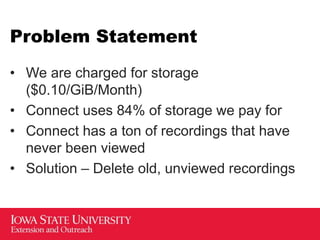
• We are charged for storage
($0.10/GiB/Month)
• Connect uses 84% of storage we pay for
• Connect has a ton of recordings that have
never been viewed
• Solution – Delete old, unviewed recordings
Documentation of API
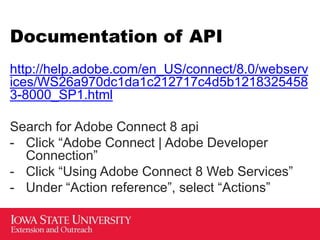
http://help.adobe.com/en_US/connect/8.0/webserv
ices/WS26a970dc1da1c212717c4d5b1218325458
3-8000_SP1.html
Search for Adobe Connect 8 api
- Click “Adobe Connect | Adobe Developer
Connection”
- Click “Using Adobe Connect 8 Web Services”
- Under “Action reference”, select “Actions”
Command Structure
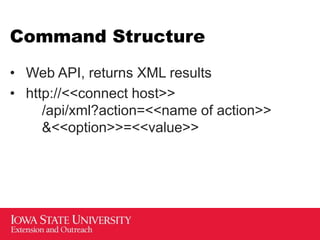
• Web API, returns XML results
• http://<<connect host>>
/api/xml?action=<<name of action>>
&<<option>>=<<value>>
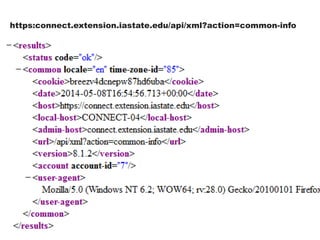
https:connect.extension.iastate.edu/api/xml?action=common-info
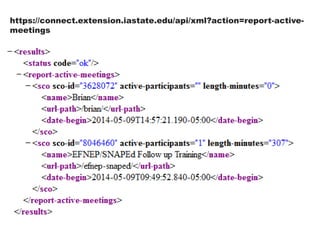
https://connect.extension.iastate.edu/api/xml?action=report-active-
meetings
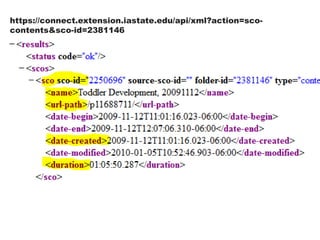
https://connect.extension.iastate.edu/api/xml?action=sco-
contents&sco-id=2381146
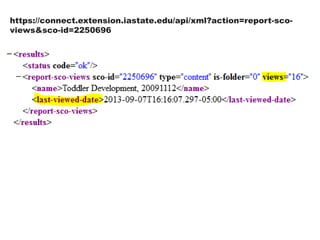
https://connect.extension.iastate.edu/api/xml?action=report-sco-
views&sco-id=2250696
Other Actions
• report-meeting-concurrent-users
(Maximum concurrent users on system)
• report-meeting-sessions
• sco-by-url
• sco-delete
• sco-move
• sco-nav
• sco-search
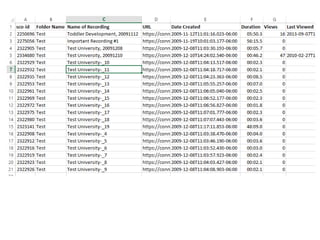
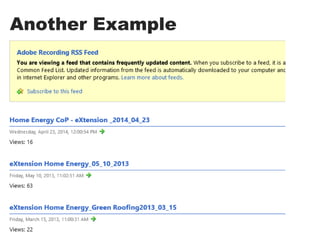
Another Example
Questions?
Brian Webster
ISU Extension IT
bwebster@iastate.edu
http://twitter.com/bwebster719
Presented at NETC 2014
(TEKKIES IN THE LITTLE APPLE)
May 20, 2014

Using the Adobe Connect API - finding unused recordings