PowerPoints are boring
(but they don’t have to be)
Present Yourself
A PowerPoint presentation on “Present Yourself”
Engage the audience
Visuals
• It’s important to incorporate visuals into
your presentation because they can help
the audience better navigate the subject at
hand. Images often carry more information
than text, and are also much easier to
read and understand (e.g: a table versus a
graph depicting the same information)
SlideShare
Show off your skills
• Add videos, a profile, show your di versity and
knowledge as a speaker/expert on a subject
YOUR MAD
SKILLS
youfollowers
Photo credit
Visual resume
Using SlideShare for events
Photo credit Tyler Hoff
Get people hyped up
Storytelling
• Narrative format
• Memorable
Photo credit
Search Engine Optimization
Content Curation
• Your presentations with others on similar
topics
• content curation (curation by editors and
publishers will put your content in the line
of sight of the viewers you hope to reach)
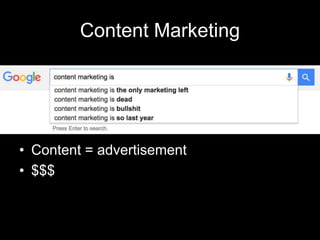
Content Marketing
• Content = advertisement
• $$$
Altimeter
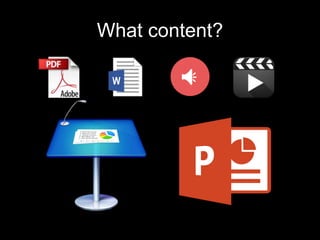
What content?
LeadShare
Where did I lose you?
• Conversion path
Photo Credit
Analytics
Screen capture from “Present Yourself”
“Share my slideshow!”
Ask and ye shall receive
Doggie bag
• Media evolves
• Business follows
See my presentation
on SlideShare!

Using SlideShare: A Presentation on "Present Yourself"

Editor's Notes

  • #2 So what I’m trying to say here is that presentations like PowerPoint are very powerful tools that can really help get people on board with your ideas. You just have to know how to use it. That’s one of the main themes that run through “Present Yourself,” a book by Kit Seeborg and Andrea Meyers.
  • #3 This is the exact opposite of how you want people to feel during your presentations. You want them to engage, to feel involved and to feel that your presentation impacts them in some way, even if it isn’t TED Talk.
  • #4 One way to do this is by using visuals. Look at this slide, it’s horrible. You never need to put this much text on one slide. Visuals are better because they can carry more information than text in a way that is easier for the audience to read.
  • #5 The main point of the book is to promote SlideShare and the different ways you can use it. It’s basically YouTube for presentations. The authors say that because we live in this social sharing world of likes and retweets, SlideShare is a great means to get your ideas out to a worldwide audience.
  • #6 This is the author’s SlideShare page. There’s a place for infographics, videos, documents, your website, social media, and followers! It’s really a social media platform in itself.
  • #7 With Slideshare, you can create a full profile detailing your accomplishments, so it makes it easier for professionals to find you. Since Slideshare is owned by LinkedIn, it’s a good way to connect your LinkedIn network to some of your work.
  • #8 You can actually create a visual resume explaining your past work experience, or you can set up a portfolio. This works particularly well if you’re in a visual field, like photography or advertising. In the end this is just another opportunity to get your name out there.
  • #9 A ridiculously long part of the book is about using SlideShare throughout events. One suggestion that the authors had was to create a SlideShare account for the event, so you can share all the speakers’ presentations in one place.
  • #10 You can also use it to get people excited for an event. In this case, someone posted about SXSW. It keeps your name associated with the event, so when they go, there’s a better chance they’ll remember you’re there and show up to your discussion.
  • #11 Slideshows lend themselves to a narrative structure – each slide is like a mini chapter. That can make the presentation more compelling for the audience (and online, you have a much bigger audience to captivate)
  • #12 SEO helps people find your content by basically pushing it up the Google results page. So there’s a reason that Googling REM shows me the band before the actual rapid eye movement. But you can’t really have good Seo if you don’t publish your content online!
  • #13 Your presentations will be placed with others on similar topics (kind of like how hashtags work), so it puts your content in the line of sight of the viewers that you really want to reach. You can also form a network with others in your field.
  • #14 Obviously some conflicting opinions, but content marketing can be effective. The content (what you’re going to present) becomes the advertisement itself, which saves money. That can be important when you’re just starting out and every cent counts.
  • #15 Altimeter is a research company and they upload their research for free on SlideShare. It’s an investment, the people who see their work on SlideShare get a feel for their expertise, so they find their company first.
  • #16 SlideShare takes all sorts of content, making it flexible in how you can use it. You can create webinars by recording audio over your slides, share research and data, or post videos – which can be of you speaking at an event.
  • #17 On your presentations, you can create forms for people to sign up/subscribe, giving you a direct path to customers. You also get metrics on how they’re interacting with your page and slideshow, which can be telling.
  • #18 Through analytics, you can see when someone clicked away from your page – at what point during the process to get them to sign up (called the conversion path). This really helps develop your online presence and to learn what isn’t working/what needs to be taken out.
  • #19 Having analytics can help you identify experts in your field, get insights on your slides and interaction, and generally learn more about what you’re doing right… and wrong.
  • #20 Seriously, ask people to share, like, embed your slideshow, and they will! So this is yet another means of getting yourself out there.
  • #21 As audiences grow on a global scale, businesses have to keep up – Slideshare just one more way to keep your business on pace with the rest of the world