Smart Slides ChatGPT Plugin
Smart Slides
Make Slides in a flash
Smart Slides ChatGPT Plugin
Introduction
Exploring business ideas at the intersection
of AI, Photovoltaics, and IoT.
Each slide will define a unique business idea,
its key details, and profit opportunities.
Smart Slides ChatGPT Plugin
AI-Driven Solar Farm Management
• Use AI algorithms to optimize solar panel angles for
maximum energy capture.
• IoT sensors monitor panel health and environmental
conditions.
• Profit Opportunity: Energy surplus can be sold back to
the grid.
Smart Slides ChatGPT Plugin
Smart Home Energy System
• Integrate solar panels with IoT-enabled home devices.
• AI algorithms manage energy distribution based on usage
patterns.
• Profit Opportunity: Subscription-based model for energy
management.
Smart Slides ChatGPT Plugin
Automated Greenhouses
• Solar-powered greenhouses with IoT sensors for climate
control.
• AI algorithms optimize conditions for different crops.
• Profit Opportunity: High yield, low energy costs.
Smart Slides ChatGPT Plugin
Solar-Powered IoT Sensors
• Develop solar-powered IoT sensors for various
applications like agriculture, traffic management, etc.
• AI analytics for data interpretation.
• Profit Opportunity: Licensing or selling the sensors.
Smart Slides ChatGPT Plugin
AI-Optimized Microgrids
• Local energy grids powered by solar panels.
• IoT and AI manage energy distribution and storage.
• Profit Opportunity: Energy-as-a-Service model.
Smart Slides ChatGPT Plugin
Conclusion
These ideas offer a blend of sustainability and innovation.
High potential for scalability and profitability.
Smart Slides ChatGPT Plugin
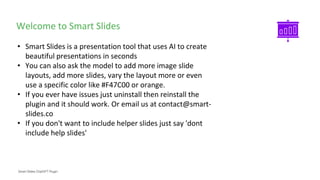
Welcome to Smart Slides
• Smart Slides is a presentation tool that uses AI to create
beautiful presentations in seconds
• You can also ask the model to add more image slide
layouts, add more slides, vary the layout more or even
use a specific color like #F47C00 or orange.
• If you ever have issues just uninstall then reinstall the
plugin and it should work. Or email us at contact@smart-
slides.co
• If you don't want to include helper slides just say 'dont
include help slides'
Smart Slides ChatGPT Plugin
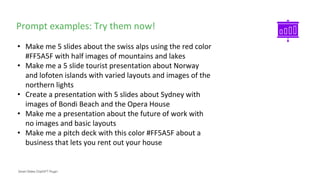
Prompt examples: Try them now!
• Make me 5 slides about the swiss alps using the red color
#FF5A5F with half images of mountains and lakes
• Make me a 5 slide tourist presentation about Norway
and lofoten islands with varied layouts and images of the
northern lights
• Create a presentation with 5 slides about Sydney with
images of Bondi Beach and the Opera House
• Make me a presentation about the future of work with
no images and basic layouts
• Make me a pitch deck with this color #FF5A5F about a
business that lets you rent out your house
Smart Slides ChatGPT Plugin
Custom Layouts
• We use a range of layouts which you can call specifically
in the chat. Here is a list ['1st_Slide_FULL_LAYOUT',
'BASIC_CONTENT', 'BASIC_CONTENT_V1', 'AGENDA',
'HEADING_LEFT_CONTENT_RIGHT',
'FULLPAGE_IMAGE_QUOTE', 'HALF_IMAGE_RIGHT',
'HALF_IMAGE_LEFT', '23RD_IMAGE_RIGHT',
'23RD_IMG_LEFT', 'HALF_TOP_WITH_IMAGE_RIGHT',
'END_SLIDE']
• Experiment with these by telling the model to use
specific layouts and try it out!
• Example prompt: create 2 slides using HALF_IMAGE_LEFT
and 23RD_IMAGE_RIGHT about cats

USing OPENAI API to generate slides(extension)AIGeneratedIdeas.pptxs

  • 1.
    Smart Slides ChatGPTPlugin Smart Slides Make Slides in a flash
  • 2.
    Smart Slides ChatGPTPlugin Introduction Exploring business ideas at the intersection of AI, Photovoltaics, and IoT. Each slide will define a unique business idea, its key details, and profit opportunities.
  • 3.
    Smart Slides ChatGPTPlugin AI-Driven Solar Farm Management • Use AI algorithms to optimize solar panel angles for maximum energy capture. • IoT sensors monitor panel health and environmental conditions. • Profit Opportunity: Energy surplus can be sold back to the grid.
  • 4.
    Smart Slides ChatGPTPlugin Smart Home Energy System • Integrate solar panels with IoT-enabled home devices. • AI algorithms manage energy distribution based on usage patterns. • Profit Opportunity: Subscription-based model for energy management.
  • 5.
    Smart Slides ChatGPTPlugin Automated Greenhouses • Solar-powered greenhouses with IoT sensors for climate control. • AI algorithms optimize conditions for different crops. • Profit Opportunity: High yield, low energy costs.
  • 6.
    Smart Slides ChatGPTPlugin Solar-Powered IoT Sensors • Develop solar-powered IoT sensors for various applications like agriculture, traffic management, etc. • AI analytics for data interpretation. • Profit Opportunity: Licensing or selling the sensors.
  • 7.
    Smart Slides ChatGPTPlugin AI-Optimized Microgrids • Local energy grids powered by solar panels. • IoT and AI manage energy distribution and storage. • Profit Opportunity: Energy-as-a-Service model.
  • 8.
    Smart Slides ChatGPTPlugin Conclusion These ideas offer a blend of sustainability and innovation. High potential for scalability and profitability.
  • 9.
    Smart Slides ChatGPTPlugin Welcome to Smart Slides • Smart Slides is a presentation tool that uses AI to create beautiful presentations in seconds • You can also ask the model to add more image slide layouts, add more slides, vary the layout more or even use a specific color like #F47C00 or orange. • If you ever have issues just uninstall then reinstall the plugin and it should work. Or email us at contact@smart- slides.co • If you don't want to include helper slides just say 'dont include help slides'
  • 10.
    Smart Slides ChatGPTPlugin Prompt examples: Try them now! • Make me 5 slides about the swiss alps using the red color #FF5A5F with half images of mountains and lakes • Make me a 5 slide tourist presentation about Norway and lofoten islands with varied layouts and images of the northern lights • Create a presentation with 5 slides about Sydney with images of Bondi Beach and the Opera House • Make me a presentation about the future of work with no images and basic layouts • Make me a pitch deck with this color #FF5A5F about a business that lets you rent out your house
  • 11.
    Smart Slides ChatGPTPlugin Custom Layouts • We use a range of layouts which you can call specifically in the chat. Here is a list ['1st_Slide_FULL_LAYOUT', 'BASIC_CONTENT', 'BASIC_CONTENT_V1', 'AGENDA', 'HEADING_LEFT_CONTENT_RIGHT', 'FULLPAGE_IMAGE_QUOTE', 'HALF_IMAGE_RIGHT', 'HALF_IMAGE_LEFT', '23RD_IMAGE_RIGHT', '23RD_IMG_LEFT', 'HALF_TOP_WITH_IMAGE_RIGHT', 'END_SLIDE'] • Experiment with these by telling the model to use specific layouts and try it out! • Example prompt: create 2 slides using HALF_IMAGE_LEFT and 23RD_IMAGE_RIGHT about cats