CHOCOLATEY
Software deployments using
Who am i
Owain Perry
Software architect at thetrainline.com
Twitter: owainperry
Blog: owainperry.com
What is Chocolatey?
 Chocolatey NuGet is a Machine Package
Manager, somewhat like apt-get, but built
withWindows in mind. - See more at:
http://chocolatey.org/#sthash.WI0IhYUd.dpu
f
What is a package?
 A collection of stuff, glued into one file
 Msi
 Self extracting zip exe
 Zip file
 Nuget
 Rpm
 Etc…
What version is it?
 Packages should be versioned?
 Question:Which is more helpful?
 Setup.exe
 Setup_Notepadpp_1.2.3.4.exe
 Version.txt inside a zip file.
This is not new
 Unix has been doing this for the last 20 years
 Windows tried to do this with Msi #fail.
How do we get it there?
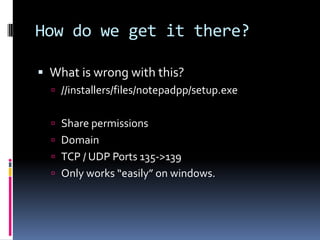
 What is wrong with this?
 //installers/files/notepadpp/setup.exe
 Share permissions
 Domain
 TCP / UDP Ports 135->139
 Only works “easily” on windows.
What is installed?
 How do we find out what is installed on a
machine?
 Check the registry (add / remove programs)?
 Scan in
 c:program files*
 C:program files x86*
 What about stuff installed elsewhere?
How do we replicate?
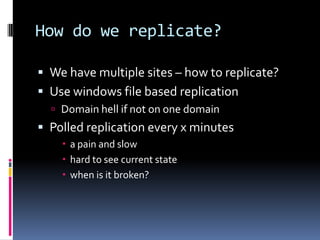
 We have multiple sites – how to replicate?
 Use windows file based replication
 Domain hell if not on one domain
 Polled replication every x minutes
 a pain and slow
 hard to see current state
 when is it broken?
Some technology we have been
using
 Nuget.
 Zip file containing stuff
 API for downloading a specific version via HTTP
 Wide adoption amongst the .NET community
 Written by *Microsoft*
 Lightweight (single .exe)
 Large active open source development
community
Artifactory
 Multiple repositories
 Virtual repositories
 Near real-time replication
 Simple to browse and search
 Thought? - Could use SEMVER and promote
packages between repositories
(environments)
This can help ops people?
 Use the same pattern for installing everything
 Same command line
 Single repository of packages easy to browse
 Obvious version selection
 Easy to script
 Abstract the implementation away – who cares?
What I want?
 Simple and easy to use command line
interface
 Download via HTTP
 Download a specific version(s)
 List packages that have been installed.
 Install / upgrade / uninstall options.
 Simple to create packages using known
language syntax.
Chocolatey
 Chocolatey NuGet is a Machine Package
Manager, somewhat like apt-get, but built
withWindows in mind. - See more at:
http://chocolatey.org/#sthash.WI0IhYUd.dpu
f
Chocolatey
 Nuget packages with extra stuff
 Tools/chocolatey-install.ps1
Commands
 chocolatey [install [packageName [-source source] [-version version] | pathToPac
 kagesConfig] | installmissing packageName [-source source] | update packageName
 [-source source] [-version version] | list [packageName] [-source source] | hel
 p | version [packageName] | webpi packageName | windowsfeatures packageName | ge
 m packageName [-version version] |uninstall packageName]
 example: chocolatey install nunit
 example: chocolatey install nunit -version 2.5.7.10213
 example: chocolatey install packages.config
 example: chocolatey installmissing nunit
 example: chocolatey update nunit -source http://somelocalfeed.com/nuget/
 example: chocolatey help
 example: chocolatey list (might take awhile)
 example: chocolatey list nunit
 example: chocolatey version
 example: chocolatey version nunit
 example: chocolatey uninstall
Commands - shortcuts
Cpack – create a chocolatey package (nuget
style)
Cpush – push a package
Cinst – install
Cup – update
Clist – list
Cuninst – uninstall
Cver – display version
Cwindowsfeature – add a windows feature
How most chocolatey.org
packages work
This is not ideal
 Hundreds of machines installing stuff
 Putting the implementation files into the package
keeps it all in house
 Provides more control over switches and install
options.
Dependants
 Chocolatey like nuget supports pulling down
and installing dependants
 E.g. getting version 2.1.1.0 of packageA to
install a package B with version 4.8.0.34
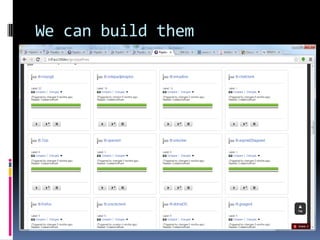
We can build them
What does an install script
look like?
 It’s just PowerShell.
 Everything you can do in PowerShell you
have at your finger tips
What does an install script
look like?
$packageName = 'notepad++'
$silentArgs = '/S'
$validExitCodes = @(0)
$url = $(Split-Path –parent)
$MyInvocation.MyCommand.Definition) +
"..datanpp.6.3.Installer.exe"
$url64 = $url
Install-ChocolateyPackage $packageName "exe"
"$silentArgs" "$url" "$url64" -validExitCodes
$validExitCodes
What is a chocolatey package
then?
 Nuget package with:
 /tools/chocolateyinstall.ps1
 /tools/chocolateyuninstall.ps1
 A bunch of helpers
 https://github.com/chocolatey/chocolatey/wiki/He
lpersReference
Helpers
 Install-ChocolateyPackage
Install-ChocolateyZipPackage
Install-ChocolateyPowershellCommand
Install-ChocolateyVsixPackage - v0.9.8.20+
helpers
 Install-ChocolateyPackage
 Start-ChocolateyProcessAsAdmin
 Install-ChocolateyInstallPackage
 Install-ChocolateyPath - when specifying machine path
 Install-ChocolateyEnvironmentVariable - when specifying
machine path v0.9.8.20+
 Install-ChocolateyExplorerMenuItem - v0.9.8.20+
 Install-ChocolateyFileAssociation - v0.9.8.20+
 Update-SessionEnvironment - v0.9.8.20+
helpers
 Install-ChocolateyZipPackage
 Install-ChocolateyPowershellCommand
 Write-ChocolateySuccess
 Write-ChocolateyFailure
 Get-ChocolateyWebFile
 Get-ChocolateyUnzip
 Install-ChocolateyPath - when specifying user path
 Install-ChocolateyEnvironmentVariable - when specifying user path v0.9.8.20+
 Install-ChocolateyDesktopLink
 Install-ChocolateyPinnedTaskBarItem - v0.9.8.20+
Build a package
 We have a build script in nuget and a
repository layout to make this quick and easy
for 3rd party tools.
Quick demo
Install chocolatey
@powershell -NoProfile -ExecutionPolicy
unrestricted -Command "iex ((new-object
net.webclient).DownloadString('https://chocola
tey.org/install.ps1'))" && SET
PATH=%PATH%;%systemdrive%chocolateybi
n
cinst
 Install a package
 Cinst <package name> (get from chocolatey.org)
 Cinst ttl-msysgit –source
http://get.pkgs.ttldev
 Cinst ttl-msysgit –version 1.2.3.4 –source
http://get.pkgs.ttldev
clist
 Get a list of packages via the command line.
 Clist (get from chocolatey.org)
 Clist –source http://get.pkgs.ttldev
 chocolatey.bat version ttl-msysgit -
localonly
Using chef.
 Installation using chef is just this.
Or really this…
What’s installed? The chef way
 Chocolatey ohai plugin
So…
 We should consider using chocolatey to wrap
all existing installers
 Work is minimal to do this.
 Near real-time robust replication to multiple
sites
 Simple consistent interface to install
applications internal or 3rd party
 Easy to what versions are installed.
Questions?

using Chocolatey for application deployments

  • 1.
  • 2.
    Who am i OwainPerry Software architect at thetrainline.com Twitter: owainperry Blog: owainperry.com
  • 3.
    What is Chocolatey? Chocolatey NuGet is a Machine Package Manager, somewhat like apt-get, but built withWindows in mind. - See more at: http://chocolatey.org/#sthash.WI0IhYUd.dpu f
  • 4.
    What is apackage?  A collection of stuff, glued into one file  Msi  Self extracting zip exe  Zip file  Nuget  Rpm  Etc…
  • 5.
    What version isit?  Packages should be versioned?  Question:Which is more helpful?  Setup.exe  Setup_Notepadpp_1.2.3.4.exe  Version.txt inside a zip file.
  • 6.
    This is notnew  Unix has been doing this for the last 20 years  Windows tried to do this with Msi #fail.
  • 7.
    How do weget it there?  What is wrong with this?  //installers/files/notepadpp/setup.exe  Share permissions  Domain  TCP / UDP Ports 135->139  Only works “easily” on windows.
  • 8.
    What is installed? How do we find out what is installed on a machine?  Check the registry (add / remove programs)?  Scan in  c:program files*  C:program files x86*  What about stuff installed elsewhere?
  • 9.
    How do wereplicate?  We have multiple sites – how to replicate?  Use windows file based replication  Domain hell if not on one domain  Polled replication every x minutes  a pain and slow  hard to see current state  when is it broken?
  • 10.
    Some technology wehave been using  Nuget.  Zip file containing stuff  API for downloading a specific version via HTTP  Wide adoption amongst the .NET community  Written by *Microsoft*  Lightweight (single .exe)  Large active open source development community
  • 11.
    Artifactory  Multiple repositories Virtual repositories  Near real-time replication  Simple to browse and search  Thought? - Could use SEMVER and promote packages between repositories (environments)
  • 12.
    This can helpops people?  Use the same pattern for installing everything  Same command line  Single repository of packages easy to browse  Obvious version selection  Easy to script  Abstract the implementation away – who cares?
  • 13.
    What I want? Simple and easy to use command line interface  Download via HTTP  Download a specific version(s)  List packages that have been installed.  Install / upgrade / uninstall options.  Simple to create packages using known language syntax.
  • 14.
    Chocolatey  Chocolatey NuGetis a Machine Package Manager, somewhat like apt-get, but built withWindows in mind. - See more at: http://chocolatey.org/#sthash.WI0IhYUd.dpu f
  • 15.
    Chocolatey  Nuget packageswith extra stuff  Tools/chocolatey-install.ps1
  • 16.
    Commands  chocolatey [install[packageName [-source source] [-version version] | pathToPac  kagesConfig] | installmissing packageName [-source source] | update packageName  [-source source] [-version version] | list [packageName] [-source source] | hel  p | version [packageName] | webpi packageName | windowsfeatures packageName | ge  m packageName [-version version] |uninstall packageName]  example: chocolatey install nunit  example: chocolatey install nunit -version 2.5.7.10213  example: chocolatey install packages.config  example: chocolatey installmissing nunit  example: chocolatey update nunit -source http://somelocalfeed.com/nuget/  example: chocolatey help  example: chocolatey list (might take awhile)  example: chocolatey list nunit  example: chocolatey version  example: chocolatey version nunit  example: chocolatey uninstall
  • 17.
    Commands - shortcuts Cpack– create a chocolatey package (nuget style) Cpush – push a package Cinst – install Cup – update Clist – list Cuninst – uninstall Cver – display version Cwindowsfeature – add a windows feature
  • 18.
  • 19.
    This is notideal  Hundreds of machines installing stuff  Putting the implementation files into the package keeps it all in house  Provides more control over switches and install options.
  • 20.
    Dependants  Chocolatey likenuget supports pulling down and installing dependants  E.g. getting version 2.1.1.0 of packageA to install a package B with version 4.8.0.34
  • 21.
  • 22.
    What does aninstall script look like?  It’s just PowerShell.  Everything you can do in PowerShell you have at your finger tips
  • 23.
    What does aninstall script look like? $packageName = 'notepad++' $silentArgs = '/S' $validExitCodes = @(0) $url = $(Split-Path –parent) $MyInvocation.MyCommand.Definition) + "..datanpp.6.3.Installer.exe" $url64 = $url Install-ChocolateyPackage $packageName "exe" "$silentArgs" "$url" "$url64" -validExitCodes $validExitCodes
  • 24.
    What is achocolatey package then?  Nuget package with:  /tools/chocolateyinstall.ps1  /tools/chocolateyuninstall.ps1  A bunch of helpers  https://github.com/chocolatey/chocolatey/wiki/He lpersReference
  • 25.
  • 26.
    helpers  Install-ChocolateyPackage  Start-ChocolateyProcessAsAdmin Install-ChocolateyInstallPackage  Install-ChocolateyPath - when specifying machine path  Install-ChocolateyEnvironmentVariable - when specifying machine path v0.9.8.20+  Install-ChocolateyExplorerMenuItem - v0.9.8.20+  Install-ChocolateyFileAssociation - v0.9.8.20+  Update-SessionEnvironment - v0.9.8.20+
  • 27.
    helpers  Install-ChocolateyZipPackage  Install-ChocolateyPowershellCommand Write-ChocolateySuccess  Write-ChocolateyFailure  Get-ChocolateyWebFile  Get-ChocolateyUnzip  Install-ChocolateyPath - when specifying user path  Install-ChocolateyEnvironmentVariable - when specifying user path v0.9.8.20+  Install-ChocolateyDesktopLink  Install-ChocolateyPinnedTaskBarItem - v0.9.8.20+
  • 28.
    Build a package We have a build script in nuget and a repository layout to make this quick and easy for 3rd party tools.
  • 29.
  • 30.
    Install chocolatey @powershell -NoProfile-ExecutionPolicy unrestricted -Command "iex ((new-object net.webclient).DownloadString('https://chocola tey.org/install.ps1'))" && SET PATH=%PATH%;%systemdrive%chocolateybi n
  • 31.
    cinst  Install apackage  Cinst <package name> (get from chocolatey.org)  Cinst ttl-msysgit –source http://get.pkgs.ttldev  Cinst ttl-msysgit –version 1.2.3.4 –source http://get.pkgs.ttldev
  • 32.
    clist  Get alist of packages via the command line.  Clist (get from chocolatey.org)  Clist –source http://get.pkgs.ttldev  chocolatey.bat version ttl-msysgit - localonly
  • 33.
    Using chef.  Installationusing chef is just this.
  • 34.
  • 35.
    What’s installed? Thechef way  Chocolatey ohai plugin
  • 36.
    So…  We shouldconsider using chocolatey to wrap all existing installers  Work is minimal to do this.  Near real-time robust replication to multiple sites  Simple consistent interface to install applications internal or 3rd party  Easy to what versions are installed.
  • 37.