Unraveling the J ar File F
ormat
NADAR SARASWATHI COLLEGE
OF ARTS AND SCIENCE
ADVANCED JAVA PROGRAMMING
By,
SATHIA BAMA M
I-M.Sc(cs)
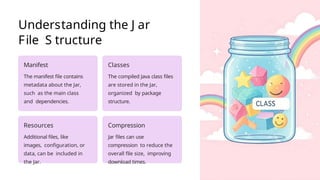
Understanding the J ar
File S tructure
Manifest
The manifest file contains
metadata about the Jar,
such as the main class
and dependencies.
Classes
The compiled Java class files
are stored in the Jar,
organized by package
structure.
Resources
Additional files, like
images, configuration, or
data, can be included in
the Jar.
Compression
Jar files can use
compression to reduce the
overall file size, improving
download times.
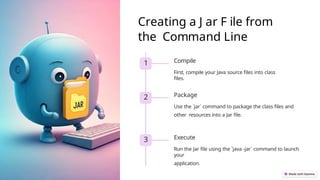
Creating a J ar F ile from
the Command Line
1 Compile
First, compile your Java source files into class
files.
2 Package
Use the `jar` command to package the class files and
other resources into a Jar file.
3 Execute
Run the Jar file using the `java -jar` command to launch
your
application.
The Importance of Manifest
Files
1 Application Entry Point
The manifest specifies the
main class that should be
executed when the Jar is
run.
2 Dependency
Management
Jar file dependencies can
be declared in the
manifest, simplifying
deployment.
3 Metadata
The manifest can store
additional information about
the Jar, such as the version
and vendor.
Jar File Manifest
Attributes
Main-
Class
Specifies the entry point for
the
application.
Class-Path
Lists the external
dependencies
required by the Jar.
Created-
By
Identifies the tool used to create
the Jar
file.
Signing and Verifying Jar
Files
Tamper-Proof
S igning a J ar file ensures its integrity and protects it from unauthorized
modifications.
Trust and Verification
Verified signatures allow users to trust the source and contents of the
J ar file.
Enhanced Security
S igned J ars can be used to grant specific permissions to the
application.
Optimizing Jar File
Performance
Compression
E ffectively compressing the contents of the J ar can
reduce its
overall size.
Dependency Management
Carefully managing external dependencies can
minimize the J ar's footprint.
Lazy Loading
Delaying the loading of non-essential resources can
improve
startup performance.
Jar File Best Practices
and Troubleshooting
1 Consistent Versioning
Use a standardized
versioning scheme to
manage Jar file updates
and dependencies.
2 Proactive
Maintenance
Regularly review and
update the Jar file to
address security
vulnerabilities and
bugs.
3 Diagnostic Tools
Utilize tools like JarAnalyzer to identify and resolve Jar file-
related
issues.

Unraveling the Jar File Format in Advanced java programming

  • 1.
    Unraveling the Jar File F ormat NADAR SARASWATHI COLLEGE OF ARTS AND SCIENCE ADVANCED JAVA PROGRAMMING By, SATHIA BAMA M I-M.Sc(cs)
  • 2.
    Understanding the Jar File S tructure Manifest The manifest file contains metadata about the Jar, such as the main class and dependencies. Classes The compiled Java class files are stored in the Jar, organized by package structure. Resources Additional files, like images, configuration, or data, can be included in the Jar. Compression Jar files can use compression to reduce the overall file size, improving download times.
  • 3.
    Creating a Jar F ile from the Command Line 1 Compile First, compile your Java source files into class files. 2 Package Use the `jar` command to package the class files and other resources into a Jar file. 3 Execute Run the Jar file using the `java -jar` command to launch your application.
  • 4.
    The Importance ofManifest Files 1 Application Entry Point The manifest specifies the main class that should be executed when the Jar is run. 2 Dependency Management Jar file dependencies can be declared in the manifest, simplifying deployment. 3 Metadata The manifest can store additional information about the Jar, such as the version and vendor.
  • 5.
    Jar File Manifest Attributes Main- Class Specifiesthe entry point for the application. Class-Path Lists the external dependencies required by the Jar. Created- By Identifies the tool used to create the Jar file.
  • 6.
    Signing and VerifyingJar Files Tamper-Proof S igning a J ar file ensures its integrity and protects it from unauthorized modifications. Trust and Verification Verified signatures allow users to trust the source and contents of the J ar file. Enhanced Security S igned J ars can be used to grant specific permissions to the application.
  • 7.
    Optimizing Jar File Performance Compression Effectively compressing the contents of the J ar can reduce its overall size. Dependency Management Carefully managing external dependencies can minimize the J ar's footprint. Lazy Loading Delaying the loading of non-essential resources can improve startup performance.
  • 8.
    Jar File BestPractices and Troubleshooting 1 Consistent Versioning Use a standardized versioning scheme to manage Jar file updates and dependencies. 2 Proactive Maintenance Regularly review and update the Jar file to address security vulnerabilities and bugs. 3 Diagnostic Tools Utilize tools like JarAnalyzer to identify and resolve Jar file- related issues.