Content
• Introduction tobasic Modules of ERP System,
• Business Modules in an ERP Package-
Finance
Manufacturing
Human Resource
Plant Maintenance
Materials Management
Quality Management
Sales and Distribution
3.
Introduction
• Enterprise resourceplanning (ERP) systems have become a critical tool for businesses over
the past several decades. An ERP solution automates critical business processes and serves as
a shared database for all financial and operational information from across the company. It
pulls this data from a number of modules built to help various departments, from accounting
to supply chain to human resources, perform their individual functions.
• An ERP solution gives all employees access to the information they need to answer important
questions about their department’s current performance and future planning, as well as target
areas for improvement. This single source of information minimizes data accuracy and
consistency issues and ensures everyone is looking at the same numbers, no matter their role.
It also drives better decision-making that leads to more efficient processes and cost savings.
Additionally, ERP can automate many tasks, reducing errors and freeing up employees to
focus on more strategic work.
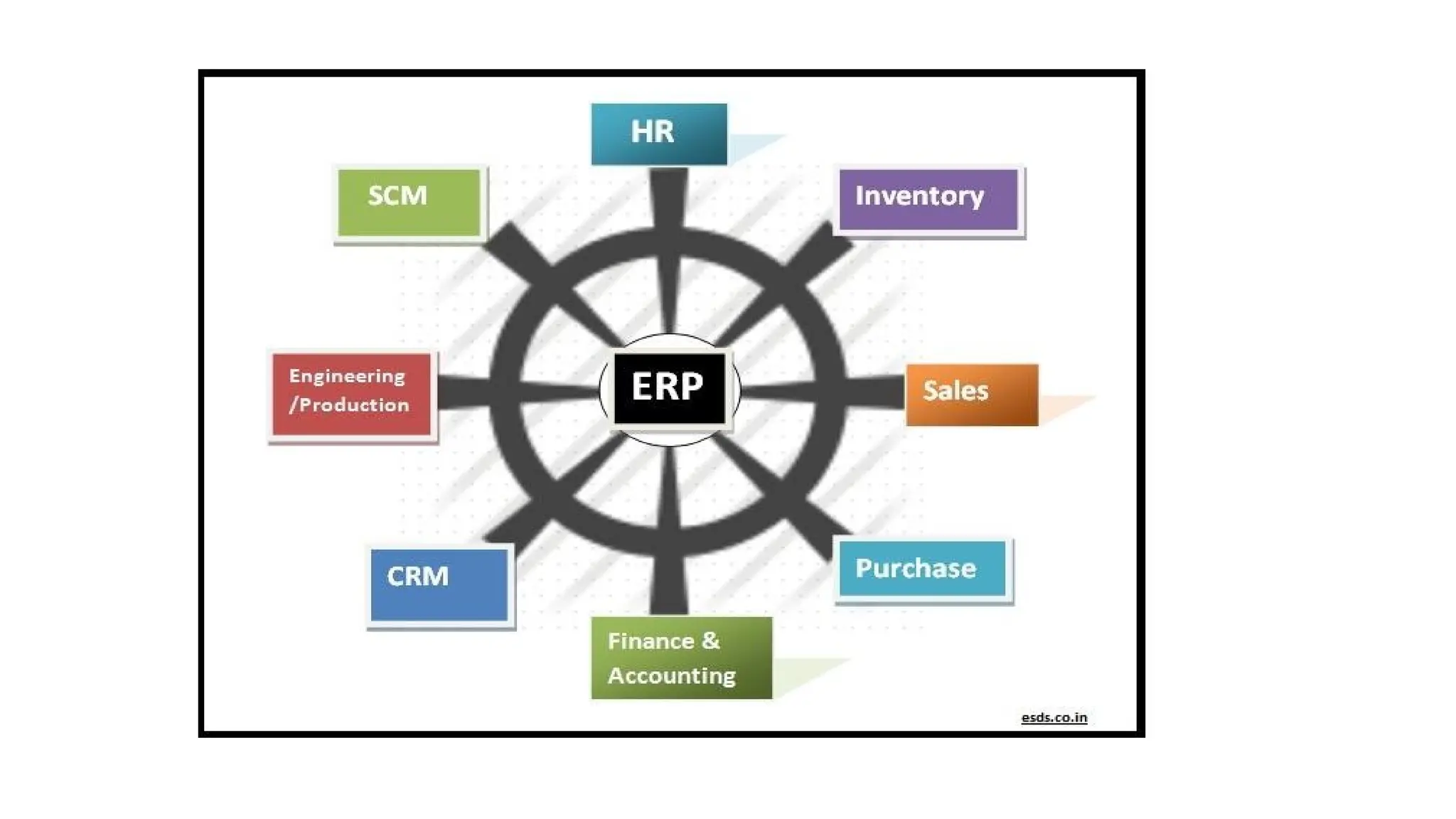
• Common ERP modules support back- and front-office functions like finance and accounting,
procurement, manufacturing, inventory management, order management,
warehouse management, supply chain management,
customer relationship management (CRM) procurement and workforce management. More
functionally rich solutions may also include professional services automation (service
resource management), human resources management, ecommerce and marketing automation.
5.
Finance and Accounting
•This module allows manufacturers to understand the current financial state and future outlook of the organization.
The major features in this module include general ledger, accounts payable, accounts receivable, and taxation.
• The Finance and Accounting module in ERP automates billing tasks, account reconciliation, vendor payments, and
more. Financial planning and analysis data help to prepare key reports such as Profit and Loss statements.
• Financial management components are highly requested and, debatably, one of the most helpful tools to
implement in your ERP program. Because finances are the backbone of your business, an effective financial
management tool will work with every department in your company. For example, your financial management
module could use sales data to calculate real-time revenue.
• ERP, at its core, is about workflow and information centralization, so bookkeeping tools will help you aggregate
and manage how money moves throughout your company. You should be able to view the entirety of your
business’s finances in the program, from your HR department to your marketing department.
• This apparatus typically includes features such as a general ledger, accounts receivable and accounts payable,
reporting and payroll at the most basic level.
• Reports are crucial to managing your finances and can significantly improve actionable insights through advanced
data analysis. Additionally, financial statements can help you develop budgets while keeping your executives
aware of your company’s financial status. Examples include profit and loss, tax, sales, cash flow statements and
balance sheets.
• Security features, a multi-currency system for global transactions and notifications for when finances fall below a
certain threshold are other standard accounting features you may want to consider when selecting. Base ERP
systems typically have financial management tools. They are also available as standalone accounting software.
6.
Manufacturing
• The firstversion of ERP was designed for manufacturers. MRP or Material Requirement Planning was
the earliest version of ERP that helped businesses estimate quantities of raw materials to schedule on-
time deliveries.
• Modern ERP for manufacturers offers functionality such as
1. Material Requirement Planning (MRP)
2. Advanced Planning and Scheduling (APS)
3. Manufacturing Execution System (MES).
• Material Requirement Planning synchronizes the flow of materials that are aligned with the production
schedule. It focuses on customer retention, cost reduction, and productivity through one view of all
demand-driven activities.
• Advanced Planning and Scheduling helps manufacturers map every single resource required to fulfill
the order and deliver it on time. It automates the process of converting planning into production orders.
It also adjusts schedules in real-time and forecasts the downstream impact in operations.
• The Manufacturing Execution System tracks, collects and monitors accurate data about the production
cycle. It promotes data collection, product tracking, and management of quality control and resources.
7.
Human Resource
• HRis another accessory that deals with every department because it involves all of your employees. Because it
contains such valuable information and processes, it’s one of the most commonly implemented modules of ERP.
• Because HR software collects information on every employee, it’s continuously collecting data from every
department. This ERP module, in other words, gathers data from multiple locations simultaneously, whether it be
your employees’ vacation days or their in/out times.
• Because there is such a massive amount of data associated with HR, it can be easy for duplicate or inaccurate
data to enter your system. This software type can help eliminate this inaccuracy by sorting and analyzing
information to ensure it’s correct.
• One of the most significant advantages of ERP system applications is the easy collaboration across internal
workflows. When systems are kept separate, data has to be shared manually. Therefore, if you don’t have an
integrated HR apparatus, you might need to conduct reformatting to share information prone to human error.
• For example, if your sales reps get bonuses based on the number of leads they convert, your HR system would
need CRM data to know whether or not to administer those bonuses. Sure, you could manually count every rep’s
leads, but who has time for that? Instead, when you add an HR application to your ERP, you can automatically
share your CRM data, which could automatically administer those earned bonuses.
• Your management, executives and other higher-ups can also use this application to get a high-level overview of
employees. This tool can make necessary policy changes, whether loosening regulations or making them more
strict. For example, look at how much overtime each department reports and work with outliers to reduce the
need for this extra time, which could ultimately save your company money.
8.
Plant Maintenance
• ERPfor Plant Maintenance is a process that involves regular inspections, checks
and servicing of equipment and machinery to ensure the plant is in optimum
working condition with no breakdown. It also involves repairing or replacing
necessary parts, equipment and machinery.
• Plant maintenance is a type of module that provides an integrated
solution which supports the operational needs of an enterprise-wide system. This
module includes all the products that covers all aspects for the maintenance of
plant or equipment in good operating conditions to avoid production stoppage
and loss. It also becomes integral to access the achievement of the process
improvement.
• t helps in minimizing the loss of production time due to any equipment failure .
• It helps in quality and product improvement.
• It keeps all the assets in proper working conditions.
9.
The major subsystemsof a plant maintenance are :
• Preventive maintenance control :
Preventive maintenance control enables the organization to lower repair cost by
avoidance of down time, machine breakage and process variability. It also provide
planning, scheduling and control of facilities.
• Equipment tracking :
An equipment is a useful thing which needs to be protect and monitor. It’s cost
constitute the single largest expenditure of an organization.
• Component tracking :
Components are the subsets of larger equipment and also it deserve same amount of
cost control expenditure. It enables expenditure managers to identify components with
repair problems.
• Plant maintenance calibration tracking :
It allows organizations to fully use their investments in the plant maintenance module.
• Plant maintenance warranty claims tracking :
It is an administrative system to provide control of all items covered by manufacturer
and vendor warranties. It includes the ability to establish the type and length of
warranty.
10.
Material Management
Material ManagementModule in ERP System:
Determines needs, identifies a potential source of supply, compare alternative quotations, create a
purchase order, track the status of the purchase order, receive goods, and verify invoices upon
receipt of goods.
• An ERP System provides a needed integration between Material Management System and other
sub-modules. For example, All purchase orders are assigned to a cost center in the Management
Accounting module. In production planning, the inventory function post component needed to fill
Production Orders. This shows purchasing and financial accounting share common vendor data.
Importance of Material Management Module :
• The efficient and structured Material Management Module is very advantageous for many
companies. Also, customer satisfaction is can be noticeably increased because only a well-
functioning material is available at the right time in the right place and in the required quantity and
quality. This in turn is the basis for high adherence to deadlines and the lowest possible throughput
times.
• Material management is also important with regard to the warehouse management because
companies will know how many raw material, finished products, and spare parts, etc. are available
in Warehouse at all the time.
11.
• Also, withthe help of the material management module following below tasks can be
handled much easier:
1) Collecting material
2) Shipping planning
3) Container Management
4) Inventory Management
Key Components for setting up Material Management Module
• When multiple projects are being managed then assigning of Unique Project Number
Schema reduces the ambiguity.
• Material Storage Location must be clearly defined and marked.
• Inspection, Certifications, Quality Management, Tracked Digitally.
• The unit of measure and material classifications must be descriptive and accurate to
ensure all material can be found quickly and efficiently.
Material Management
12.
Objective of MaterialManagement
• Get at Right Price
• High Turnover
• Low Procurement and Storage Cost
• Consistency in Quality
• Continuity of Supply
• Inter-Department harmony
• New Material and Product
• Product Improvement
Advantages of Material Management System
• i) Material Valuation: Material Valuation helps in:
• Determining the price of the material.
• Helps in recording tracking and moving material.
• It provides divergent inventory valuation methods such as LIFO, FIFO, Moving Average, etc.
• ii) Multi-location Inventory: For Manufacturing units that produce goods on large scale and for consumer
goods there are more than one Distribution Unit for making Supply Chain Management Easier. In different
distribution units lot tracking, serialized inventory, and specific costing, etc. are properly maintained.
Material Management
13.
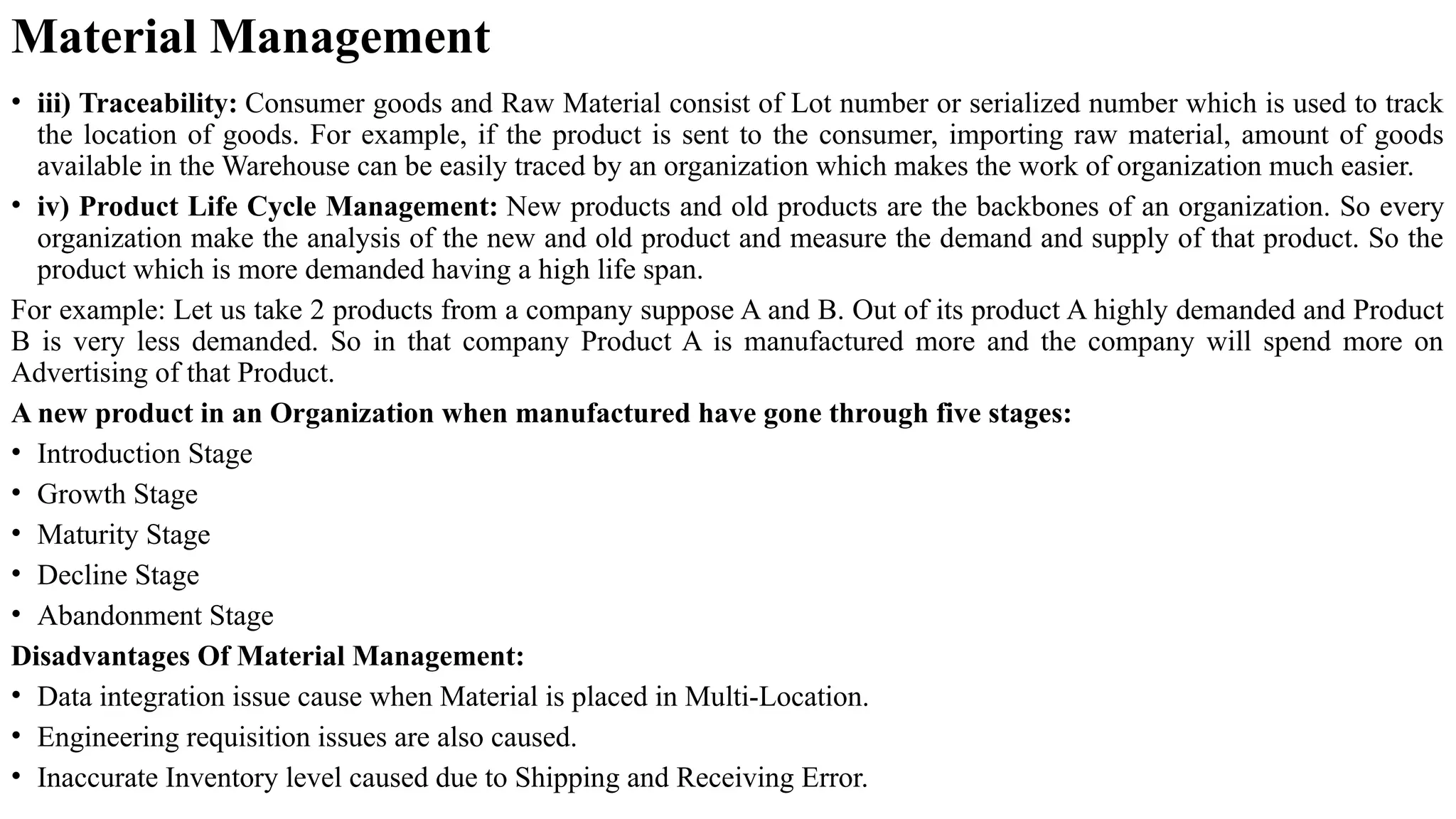
• iii) Traceability:Consumer goods and Raw Material consist of Lot number or serialized number which is used to track
the location of goods. For example, if the product is sent to the consumer, importing raw material, amount of goods
available in the Warehouse can be easily traced by an organization which makes the work of organization much easier.
• iv) Product Life Cycle Management: New products and old products are the backbones of an organization. So every
organization make the analysis of the new and old product and measure the demand and supply of that product. So the
product which is more demanded having a high life span.
For example: Let us take 2 products from a company suppose A and B. Out of its product A highly demanded and Product
B is very less demanded. So in that company Product A is manufactured more and the company will spend more on
Advertising of that Product.
A new product in an Organization when manufactured have gone through five stages:
• Introduction Stage
• Growth Stage
• Maturity Stage
• Decline Stage
• Abandonment Stage
Disadvantages Of Material Management:
• Data integration issue cause when Material is placed in Multi-Location.
• Engineering requisition issues are also caused.
• Inaccurate Inventory level caused due to Shipping and Receiving Error.
Material Management
14.
Quality Management:
Quality Management:
•This module helps organizations manage the quality of their products or services,
including quality control, quality assurance, and compliance with industry
standards.
• The functions in the Quality Management module support the essential elements
of such a system. The other integrated modules in the system complement this
functionality .The ISO standards require that quality management systems
penetrate all processes within an organization. The task priorities, according to the
quality loop, shift from production (implementation phase) to production planning
and product development (planning phase), to procurement, and sales and
distribution, as well as into the entire usage phase
15.
Quality Management Module-Functions
TheQuality Management module fulfills the following functions:
Quality Planning:
Management of basic data for quality planning and inspection planning, Material
specifications, Inspection planning.
Quality Inspection:
Trigger inspections, Inspection processing with inspection plan, selection and
sample calculation, Print shop papers for sampling and inspection, Record results
and defects, Make the usage decision and trigger follow-up actions.
Quality Control:
Dynamic sample determination on the basis of the quality level history, Application
of statistical process control techniques using quality control charts, Quality scores
for inspection lots, Quality notifications for processing internal or external problems
and initiating corrective action to correct the problems, Inspection lot
Quality Management:
16.
• Computer IntegratedQuality Management (CIQ)
The integration of Quality Management in the ERP systems provides considerable
advantages, because only an integrated system can support all the elements of a
quality management system. The integration allows the quality management
functions to influence all processes within a company, thereby affecting all phases of
a product’s life cycle.
The Quality Management module uses the system’s integration to link the tasks of
quality management with those of the other applications, such as materials
management, production, sales/distribution and cost accounting. An inspection that
is triggered automatically upon goods receipt is an example of this. The Quality
Management module is integrated with the master data and processes of the
following applications: Materials management (purchasing, inventory management,
warehouse management, material requirements planning) Production (work
scheduling, shop floor control) .Sales and distribution ( delivery , creation of quality
certificates)
Quality Management:
17.
Sale and Distribution
•Sales and Distribution Module to keep pace with rapid changes in the business world, companies
need an integrated and flexible enterprise system that supports all aspects of their business with
state-of-the-art functionality. This innovative solution should upgrade effortlessly and interface
easily with third-party applications as well as have the ability to incorporate existing systems while
extending its reach to the Internet and e-commerce.
• In today’s competitive business environment, companies are increasingly being forced to streamline
business processes. In a world where it is no longer enough to simply have the best product,
companies are focusing on core competencies and closer partnerships over the whole supply chain.
• Here, increased efficiency in sales and distribution module is a key factor to ensure that companies
retain a competitive edge and improve both profit margins and customer service. In helping
business to ‘beat them on delivery’, the Sales and Distribution module of eresource ERP systems
offers a comprehensive set of best-of-bred component for both order and logistics management.
• eresource ERP software solution is tightly integrated with the Sales and Distribution module. This
integration enables the mapping and supply of single-site or multi-site organizations. Developing
precise logistics planning for just-in-time deliveries, this system can also generate replenishment
orders by using defined warehouse requirements.
18.
The following arethe sales related business transactions:
• Sales queries, such as inquiries and quotations
• Sales orders
• Outline agreements, such as contracts and scheduling agreements
• Delivery/Shipment
• Invoicing/billing
• After sales support
During sales order-processing the following basic functions are carried out:
• Inquiry handling
• Quotation preparation and processing
• Contracts and contact management (order management)
• Monitoring the sales transaction
• Checking for availability
• Transferring requirements to materials planning (MRP)
• Scheduling the delivery
• Calculating pricing and taxes
• Checking credit limits
• Invoicing/billing
• Creating printed or electronically transmitted documents
• Depending on how your particular system is configured, these functions may be completely automated. The data that results from
these basic functions is stored in the system where it can be displayed. eresource ERP ‘s Sales and Distribution module very actively
interacts with the material management and financial accounting module for delivery and billing.


![ERP_Follow_The_Money_Trail[1]](https://cdn.slidesharecdn.com/ss_thumbnails/51f4d72b-e665-4376-8a5b-ec19338fc3d7-161114100330-thumbnail.jpg?width=640&height=640&fit=bounds)


