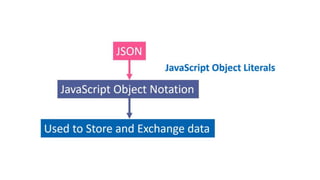
JSON
JavaScript Object Notation
Agenda
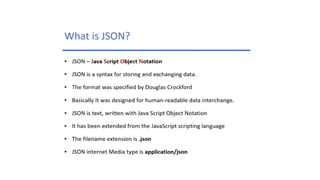
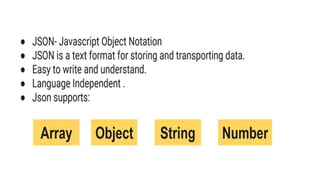
 What is JSON
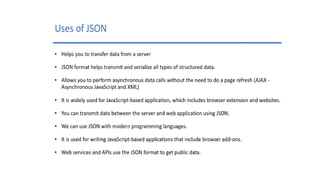
 Uses of JSON
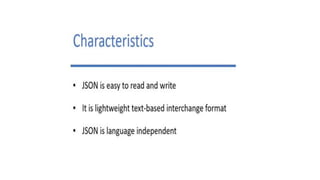
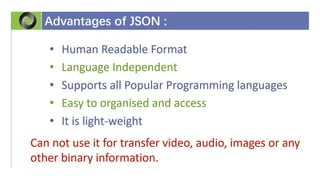
 Characteristics of JSON
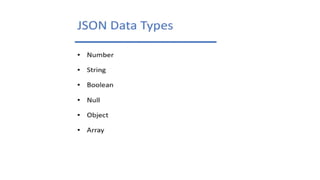
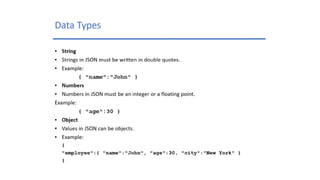
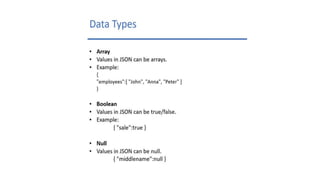
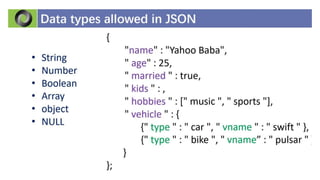
 Data Types in JSON
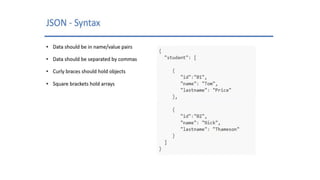
 JSON Syntax
JSON Explanation?
How Services Communicates?
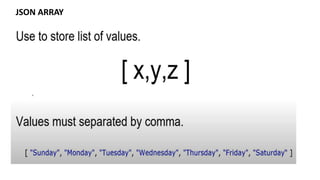
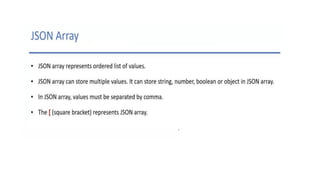
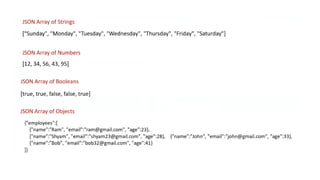
JSON ARRAY
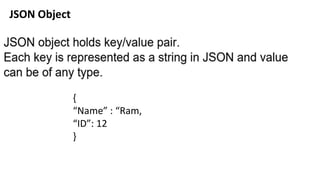
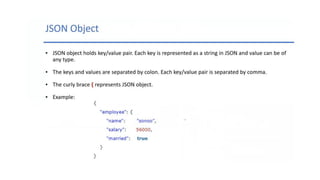
JSON Object
{
“Name” : “Ram,
“ID”: 12
}
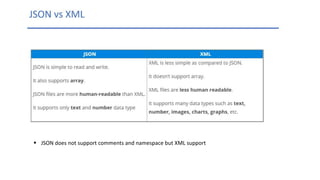
 JSON does not support comments and namespace but XML support
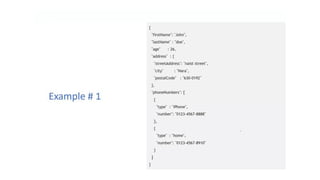
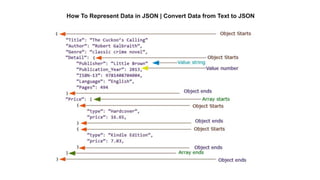
How To Represent Data in JSON | Convert Data from Text to JSON
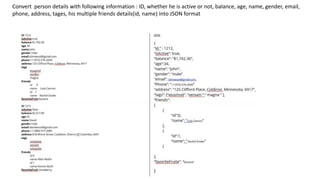
Convert person details with following information : ID, whether he is active or not, balance, age, name, gender, email,
phone, address, tages, his multiple friends details(id, name) into JSON format
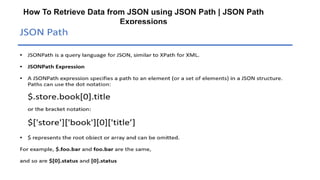
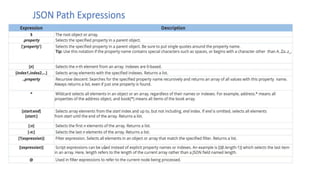
How To Retrieve Data from JSON using JSON Path | JSON Path
Expressions
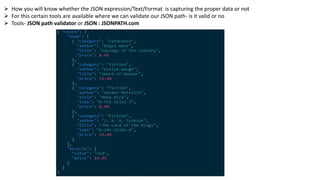
 How you will know whether the JSON expression/Text/Format is capturing the proper data or not
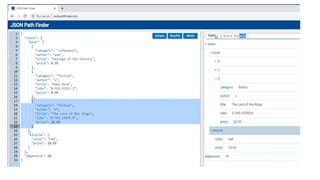
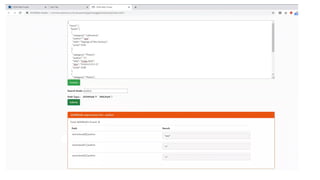
 For this certain tools are available where we can validate our JSON path- is it valid or no
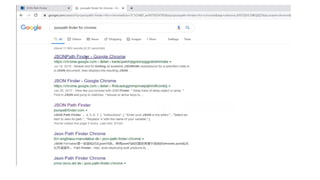
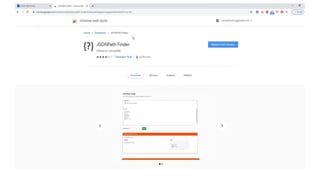
 Tools- JSON path validator or JSON : JSONPATH.com
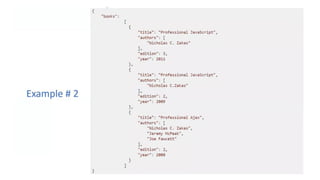
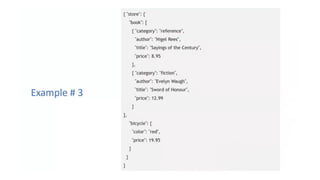
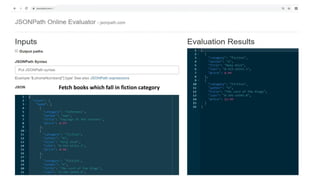
Fetch books which fall in fiction category
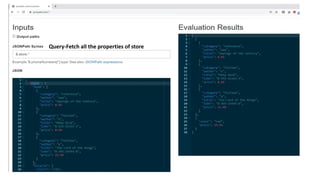
Query-Fetch all the properties of store
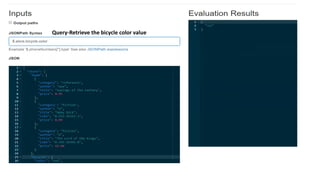
Query-Retrieve the bicycle color value
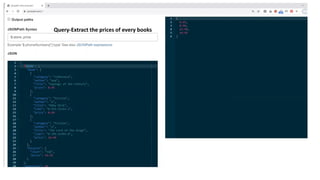
Query-Extract the prices of every books
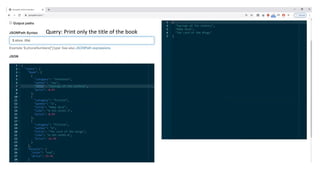
Query: Print only the title of the book
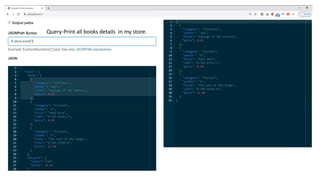
Query-Print all books details in my store.
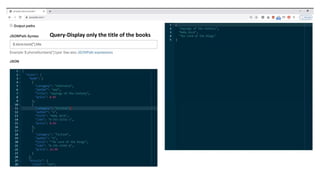
Query-Display only the title of the books
Query-Retrieve the details of first two books [0,1]
How to retrieve data in range
If we don’t have any idea about the node in that case we can use range
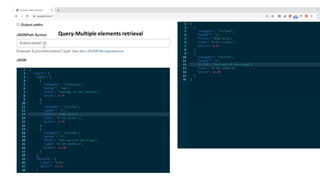
Query-Multiple elements retrieval
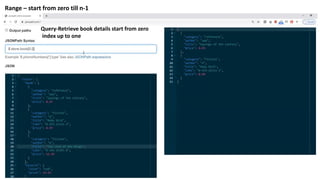
Query-Retrieve book details start from zero
index up to one
Range – start from zero till n-1
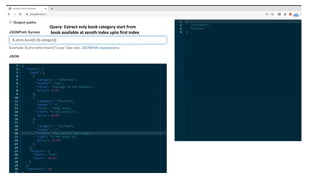
Query- Extract only book category start from
book available at zeroth index upto first index
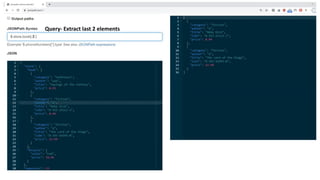
Query- Extract last 2 elements
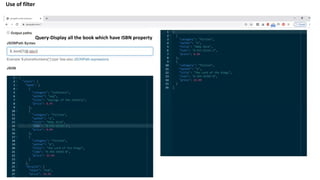
Query-Display all the book which have ISBN property
Use of filter
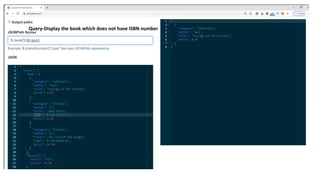
Query-Display the book which does not have ISBN number
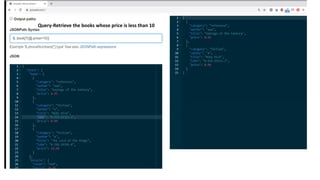
Query-Retrieve the books whose price is less than 10
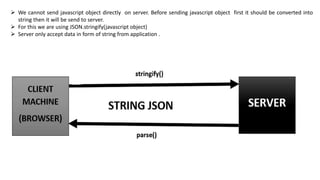
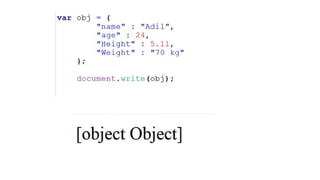
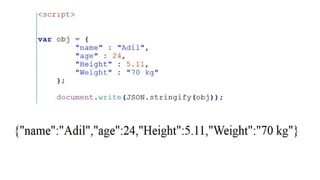
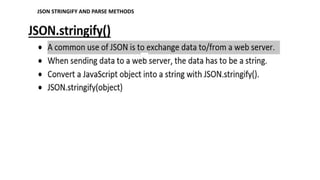
 We cannot send javascript object directly on server. Before sending javascript object first it should be converted into
string then it will be send to server.
 For this we are using JSON.stringify(javascript object)
 Server only accept data in form of string from application .
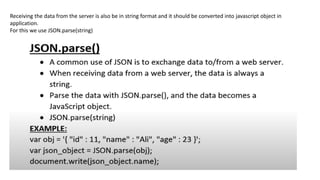
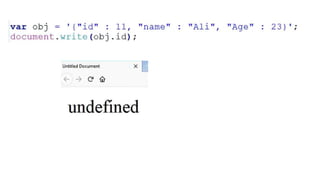
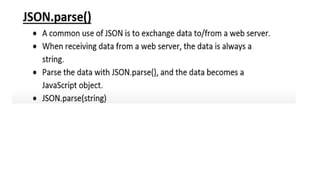
Receiving the data from the server is also be in string format and it should be converted into javascript object in
application.
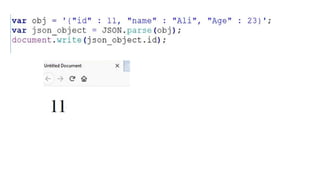
For this we use JSON.parse(string)
JSON stringify() Method
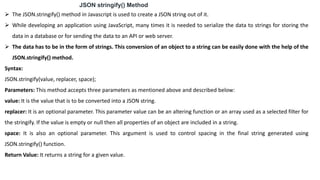
 The JSON.stringify() method in Javascript is used to create a JSON string out of it.
 While developing an application using JavaScript, many times it is needed to serialize the data to strings for storing the
data in a database or for sending the data to an API or web server.
 The data has to be in the form of strings. This conversion of an object to a string can be easily done with the help of the
JSON.stringify() method.
Syntax:
JSON.stringify(value, replacer, space);
Parameters: This method accepts three parameters as mentioned above and described below:
value: It is the value that is to be converted into a JSON string.
replacer: It is an optional parameter. This parameter value can be an altering function or an array used as a selected filter for
the stringify. If the value is empty or null then all properties of an object are included in a string.
space: It is also an optional parameter. This argument is used to control spacing in the final string generated using
JSON.stringify() function.
Return Value: It returns a string for a given value.
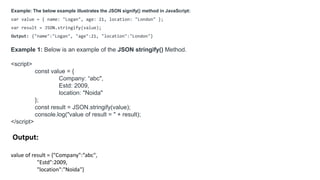
Example: The below example illustrates the JSON signify() method in JavaScript:
var value = { name: "Logan", age: 21, location: "London" };
var result = JSON.stringify(value);
Output: {"name":"Logan", "age":21, "location":"London"}
Example 1: Below is an example of the JSON stringify() Method.
<script>
const value = {
Company: “abc",
Estd: 2009,
location: "Noida"
};
const result = JSON.stringify(value);
console.log("value of result = " + result);
</script>
Output:
value of result = {"Company":“abc",
"Estd":2009,
"location":"Noida"}
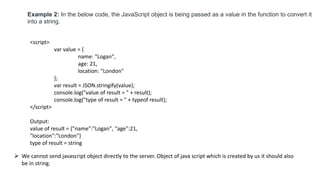
Example 2: In the below code, the JavaScript object is being passed as a value in the function to convert it
into a string.
<script>
var value = {
name: "Logan",
age: 21,
location: "London"
};
var result = JSON.stringify(value);
console.log("value of result = " + result);
console.log("type of result = " + typeof result);
</script>
Output:
value of result = {"name":"Logan", "age":21,
"location":"London"}
type of result = string
 We cannot send javascript object directly to the server. Object of java script which is created by us it should also
be in string.
JSON STRINGIFY AND PARSE METHODS
Unit-2 JSON.pdf

Unit-2 JSON.pdf

  • 1.
  • 2.
    Agenda  What isJSON  Uses of JSON  Characteristics of JSON  Data Types in JSON  JSON Syntax
  • 4.
  • 12.
  • 13.
    JSON Object { “Name” :“Ram, “ID”: 12 }
  • 17.
     JSON doesnot support comments and namespace but XML support
  • 30.
    How To RepresentData in JSON | Convert Data from Text to JSON
  • 31.
    Convert person detailswith following information : ID, whether he is active or not, balance, age, name, gender, email, phone, address, tages, his multiple friends details(id, name) into JSON format
  • 32.
    How To RetrieveData from JSON using JSON Path | JSON Path Expressions
  • 35.
     How youwill know whether the JSON expression/Text/Format is capturing the proper data or not  For this certain tools are available where we can validate our JSON path- is it valid or no  Tools- JSON path validator or JSON : JSONPATH.com
  • 36.
    Fetch books whichfall in fiction category
  • 37.
    Query-Fetch all theproperties of store
  • 38.
  • 39.
  • 40.
    Query: Print onlythe title of the book
  • 41.
    Query-Print all booksdetails in my store.
  • 42.
    Query-Display only thetitle of the books
  • 43.
    Query-Retrieve the detailsof first two books [0,1] How to retrieve data in range If we don’t have any idea about the node in that case we can use range
  • 44.
  • 45.
    Query-Retrieve book detailsstart from zero index up to one Range – start from zero till n-1
  • 46.
    Query- Extract onlybook category start from book available at zeroth index upto first index
  • 47.
  • 48.
    Query-Display all thebook which have ISBN property Use of filter
  • 49.
    Query-Display the bookwhich does not have ISBN number
  • 50.
    Query-Retrieve the bookswhose price is less than 10
  • 56.
     We cannotsend javascript object directly on server. Before sending javascript object first it should be converted into string then it will be send to server.  For this we are using JSON.stringify(javascript object)  Server only accept data in form of string from application .
  • 59.
    Receiving the datafrom the server is also be in string format and it should be converted into javascript object in application. For this we use JSON.parse(string)
  • 62.
    JSON stringify() Method The JSON.stringify() method in Javascript is used to create a JSON string out of it.  While developing an application using JavaScript, many times it is needed to serialize the data to strings for storing the data in a database or for sending the data to an API or web server.  The data has to be in the form of strings. This conversion of an object to a string can be easily done with the help of the JSON.stringify() method. Syntax: JSON.stringify(value, replacer, space); Parameters: This method accepts three parameters as mentioned above and described below: value: It is the value that is to be converted into a JSON string. replacer: It is an optional parameter. This parameter value can be an altering function or an array used as a selected filter for the stringify. If the value is empty or null then all properties of an object are included in a string. space: It is also an optional parameter. This argument is used to control spacing in the final string generated using JSON.stringify() function. Return Value: It returns a string for a given value.
  • 63.
    Example: The belowexample illustrates the JSON signify() method in JavaScript: var value = { name: "Logan", age: 21, location: "London" }; var result = JSON.stringify(value); Output: {"name":"Logan", "age":21, "location":"London"} Example 1: Below is an example of the JSON stringify() Method. <script> const value = { Company: “abc", Estd: 2009, location: "Noida" }; const result = JSON.stringify(value); console.log("value of result = " + result); </script> Output: value of result = {"Company":“abc", "Estd":2009, "location":"Noida"}
  • 64.
    Example 2: Inthe below code, the JavaScript object is being passed as a value in the function to convert it into a string. <script> var value = { name: "Logan", age: 21, location: "London" }; var result = JSON.stringify(value); console.log("value of result = " + result); console.log("type of result = " + typeof result); </script> Output: value of result = {"name":"Logan", "age":21, "location":"London"} type of result = string  We cannot send javascript object directly to the server. Object of java script which is created by us it should also be in string.
  • 65.
    JSON STRINGIFY ANDPARSE METHODS