Unit – 3
3.2 Process Selection
&
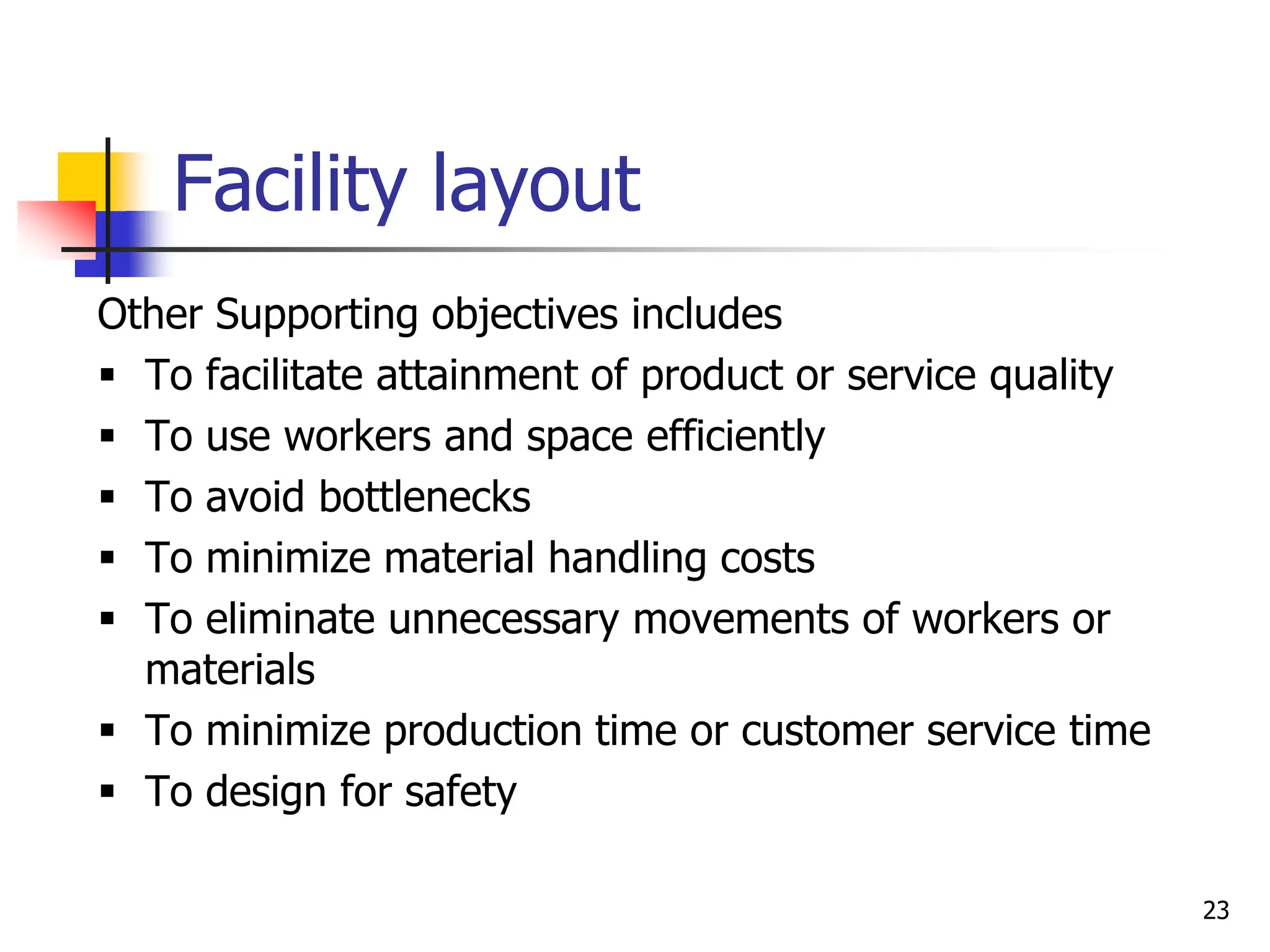
Facility layout
Lecture Outline
 Process selection
 Process strategy
 Process types
 Process technology
 Facility layout
 Product layout
 Process layout
 Fixed-position layout
2
Process Selection
 Process selection
 Deciding on the way production of goods or services
will be organized
 It has Major implications for
 Capacity planning
 Selection of technology
 Layout of facilities
 Equipment
 Design of work systems
3
Process Strategy
 How an organization approaches process selection is
determined by the organization’s process strategy
 Process strategy
 an organization’s overall approach for physically producing goods and
services
 Key aspects of process strategy :
 Vertical integration-the extent to which firm will produce inputs and control
outputs of each stage of production process
 Capital intensity – the mix of equipment and labor used in production process
 Process flexibility- the degree to which the system can be adjusted to
changes in processing requirements such as: - Design, Volume , technology
(in response to changes in demand, technology, resource availability etc)
 Customer involvement –role of customer in production process
4
Process Selection
Factors in process selection
 Variety
- How much variety in products or services will the
system need to handle?
 Flexibility
- What degree of equipment flexibility will be needed?
 Volume
- What is the expected volume of output?
 Answers to these questions will serve as a guide to selecting
an appropriate process type
5
Process Types
 Five basic process types:
1. Project
2. Job shop
3. Batch
4. Repetitive/assembly
5. Continuous
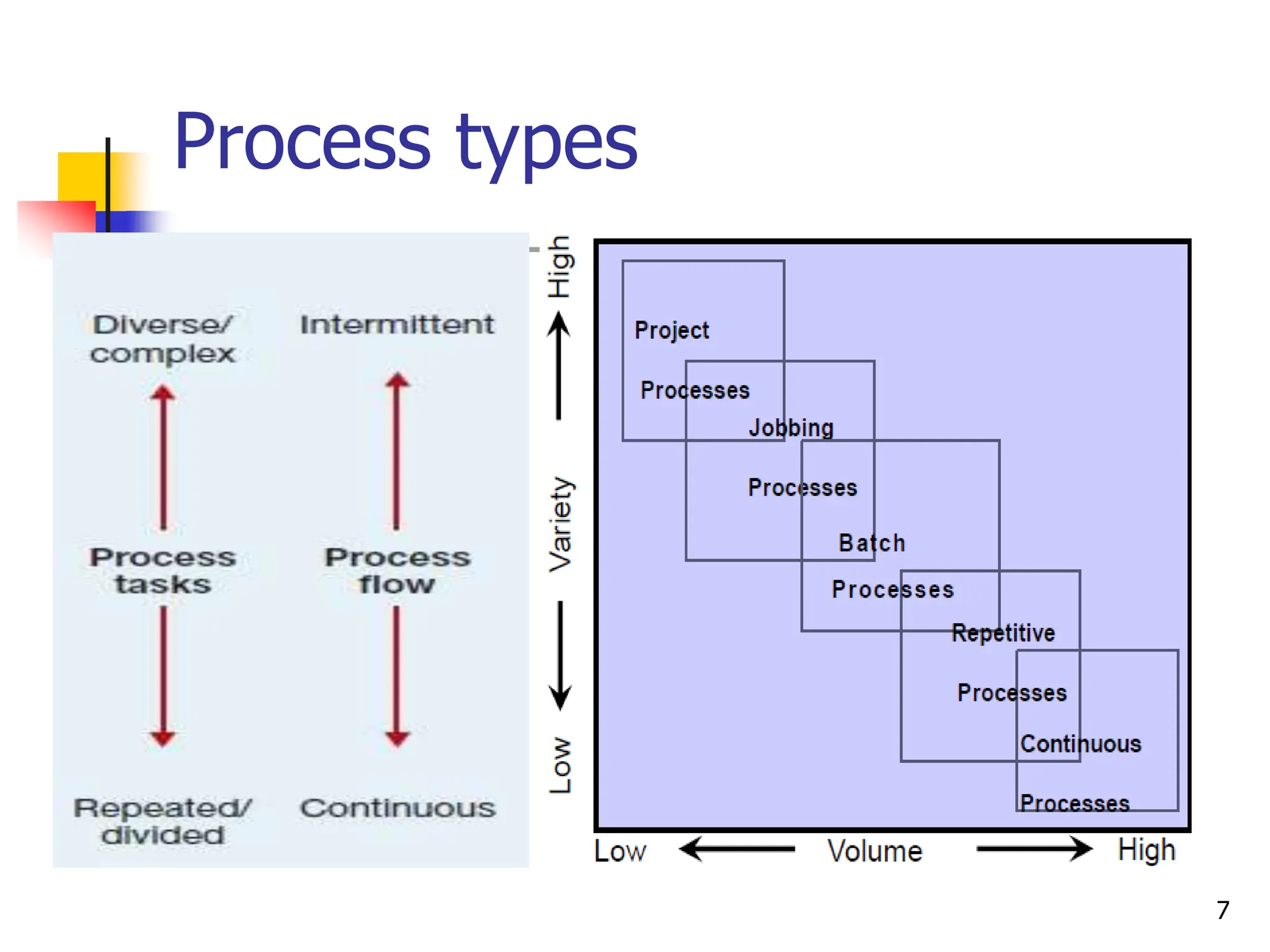
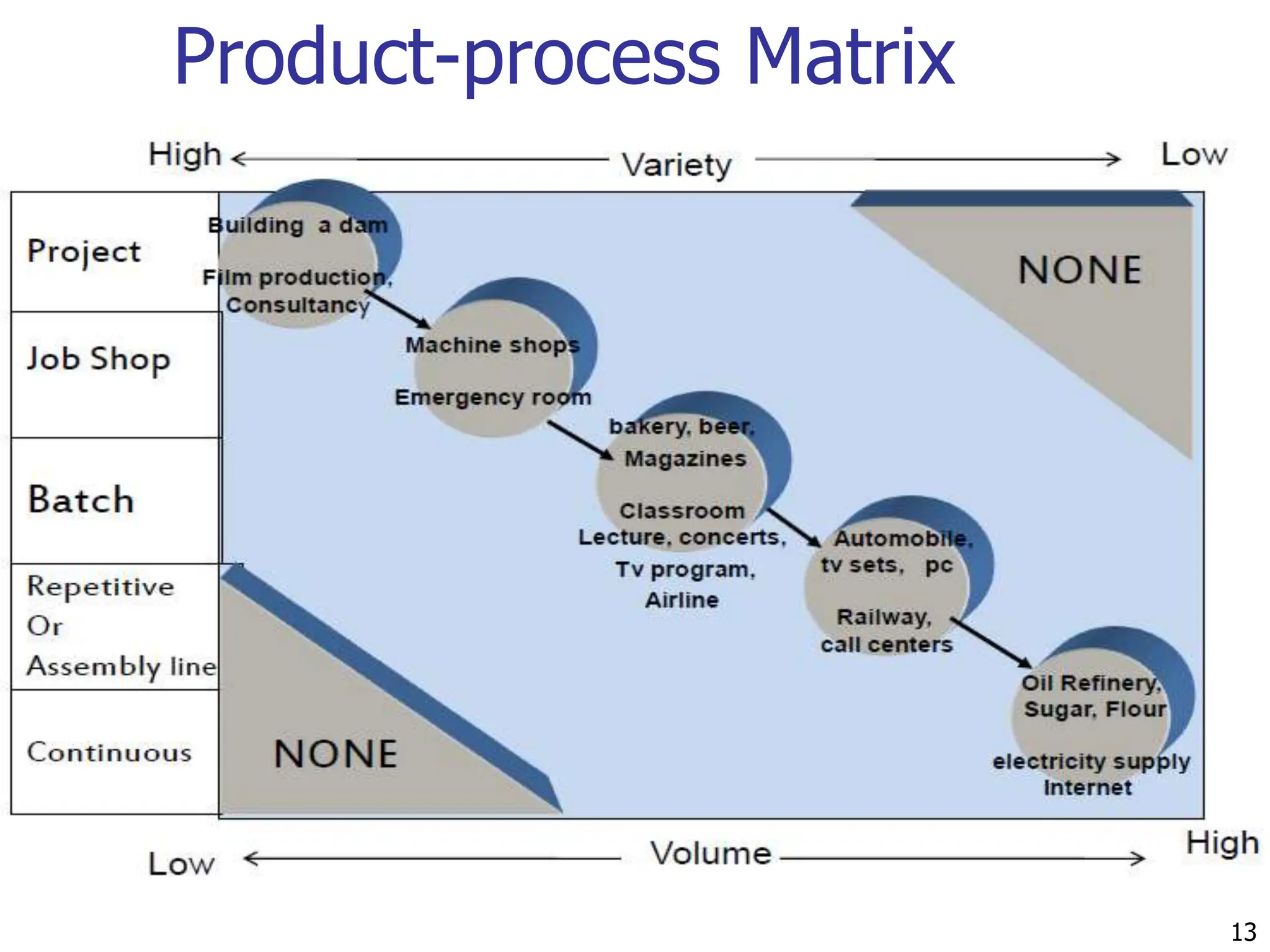
 Process types are defined by the volume
and variety of ‘items’ they process
6
Process types
7
Project
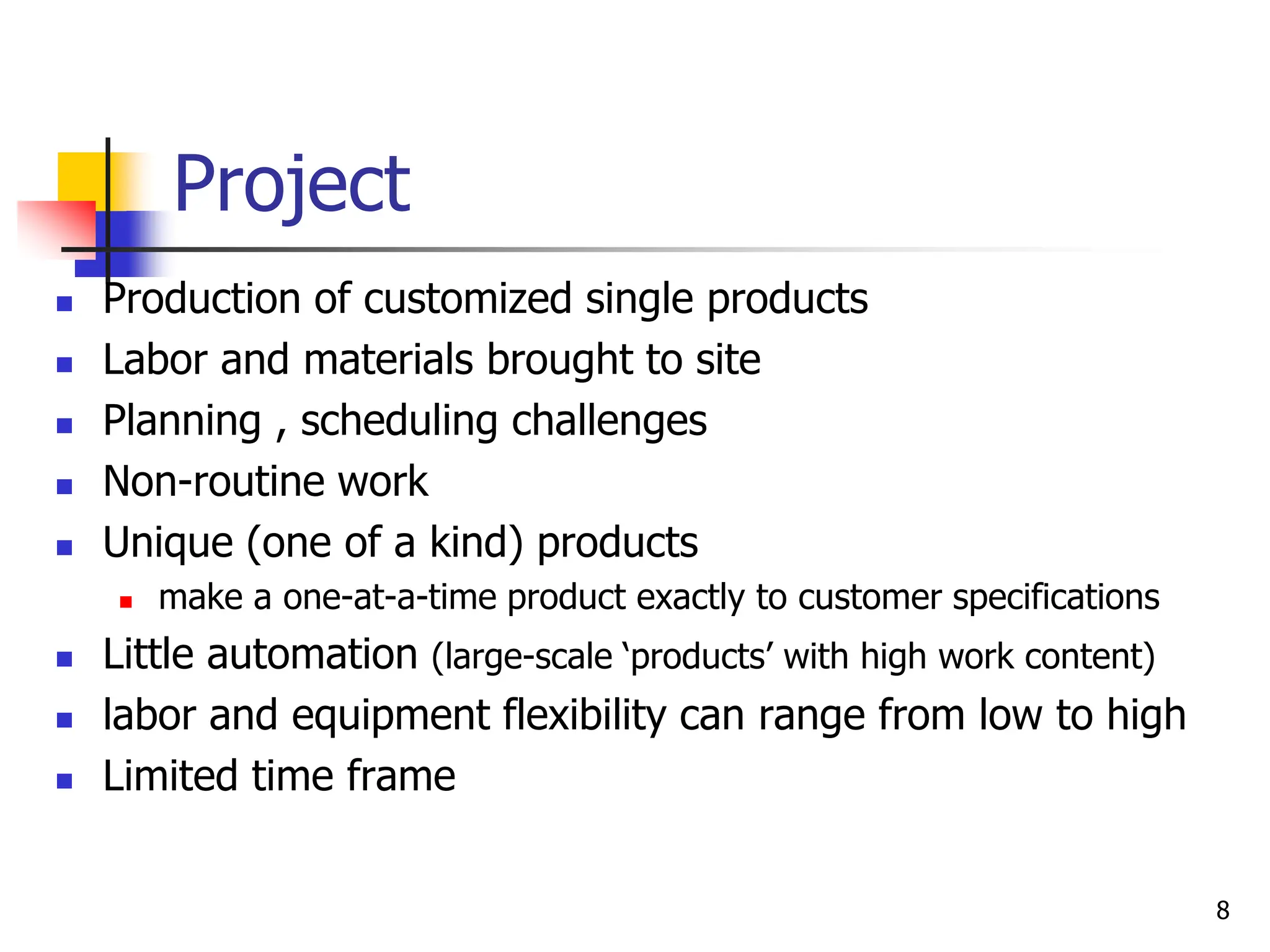
 Production of customized single products
 Labor and materials brought to site
 Planning , scheduling challenges
 Non-routine work
 Unique (one of a kind) products
 make a one-at-a-time product exactly to customer specifications
 Little automation (large-scale ‘products’ with high work content)
 labor and equipment flexibility can range from low to high
 Limited time frame
8
Job shop
 Relatively small scale (and smaller products)
 Low volume of high-variety products
 Customized products
 High flexibility of equipment(general purpose equipment)
 Skilled labor (skill requirements are usually very broad)
 Processing is intermittent
9
Batch
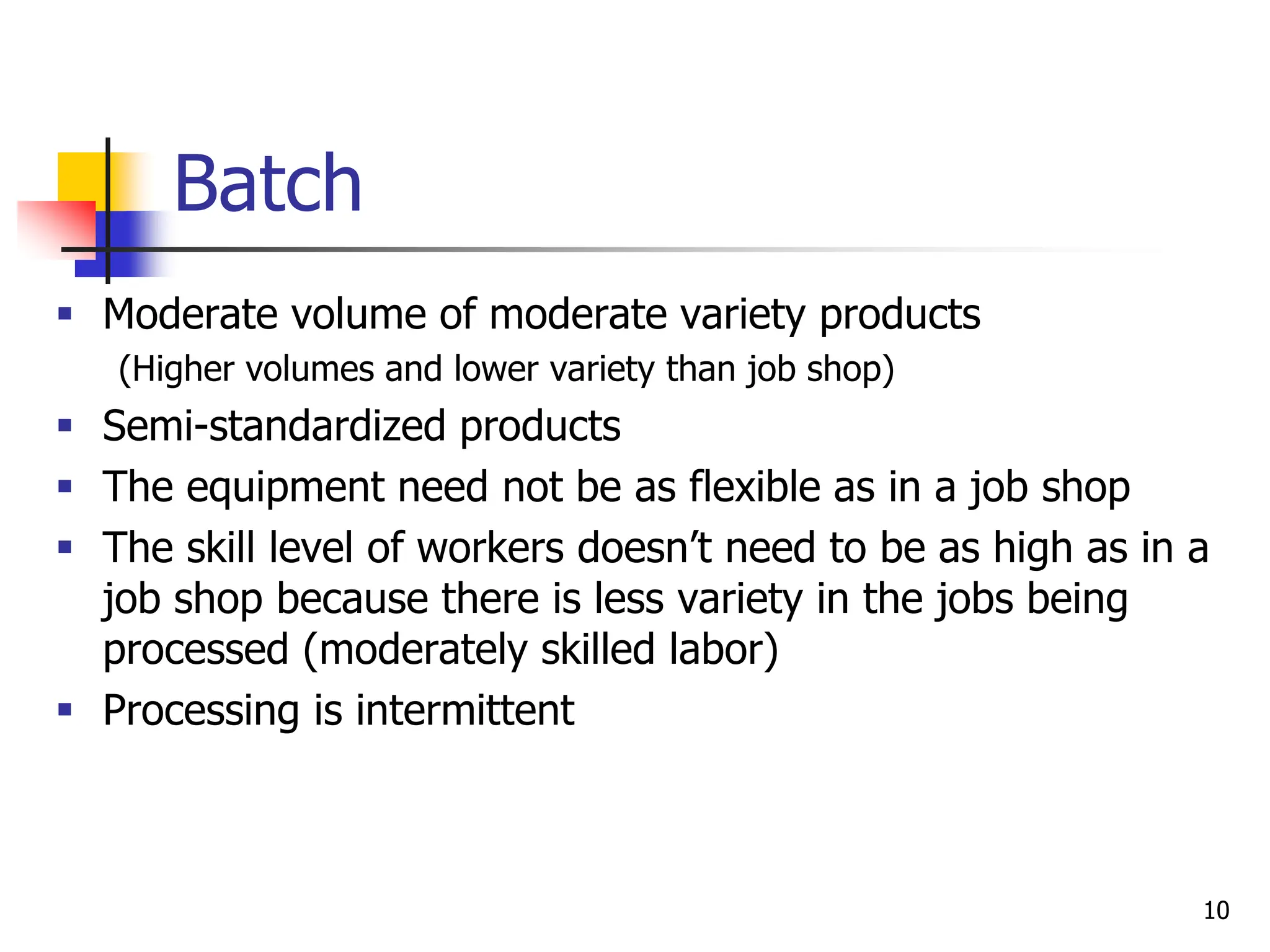
 Moderate volume of moderate variety products
(Higher volumes and lower variety than job shop)
 Semi-standardized products
 The equipment need not be as flexible as in a job shop
 The skill level of workers doesn’t need to be as high as in a
job shop because there is less variety in the jobs being
processed (moderately skilled labor)
 Processing is intermittent
10
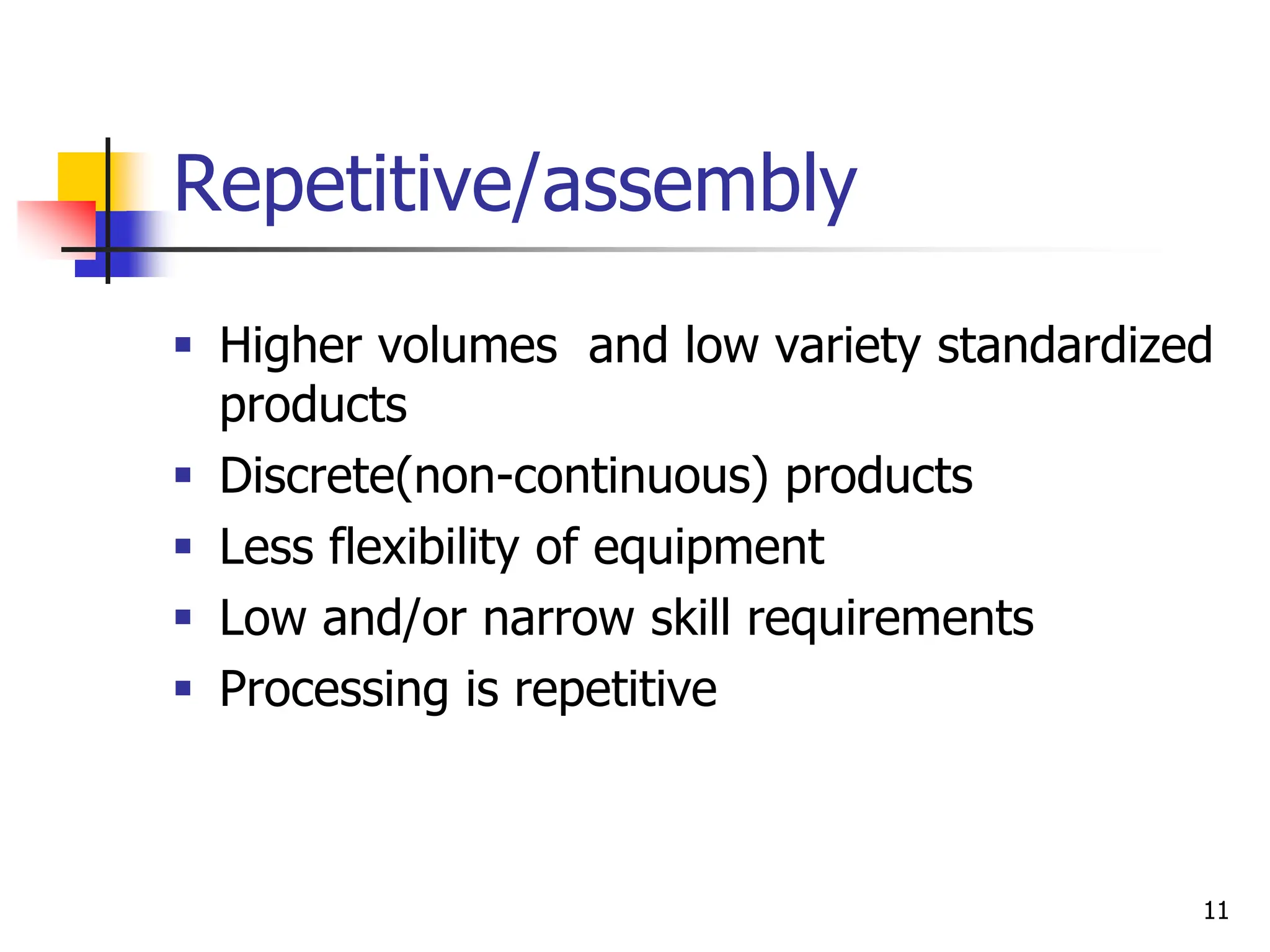
Repetitive/assembly
 Higher volumes and low variety standardized
products
 Discrete(non-continuous) products
 Less flexibility of equipment
 Low and/or narrow skill requirements
 Processing is repetitive
11
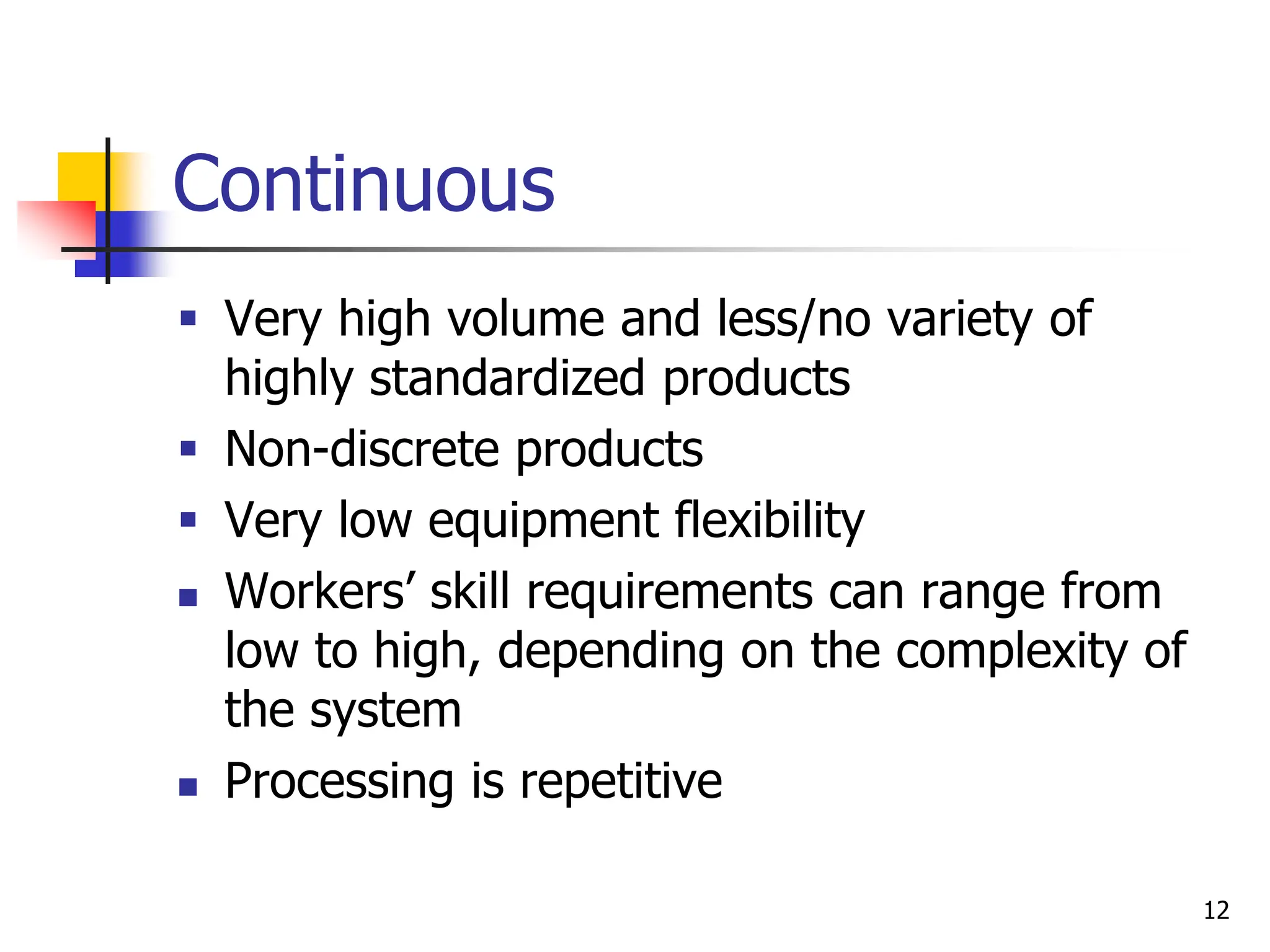
Continuous
 Very high volume and less/no variety of
highly standardized products
 Non-discrete products
 Very low equipment flexibility
 Workers’ skill requirements can range from
low to high, depending on the complexity of
the system
 Processing is repetitive
12
Product-process Matrix
13
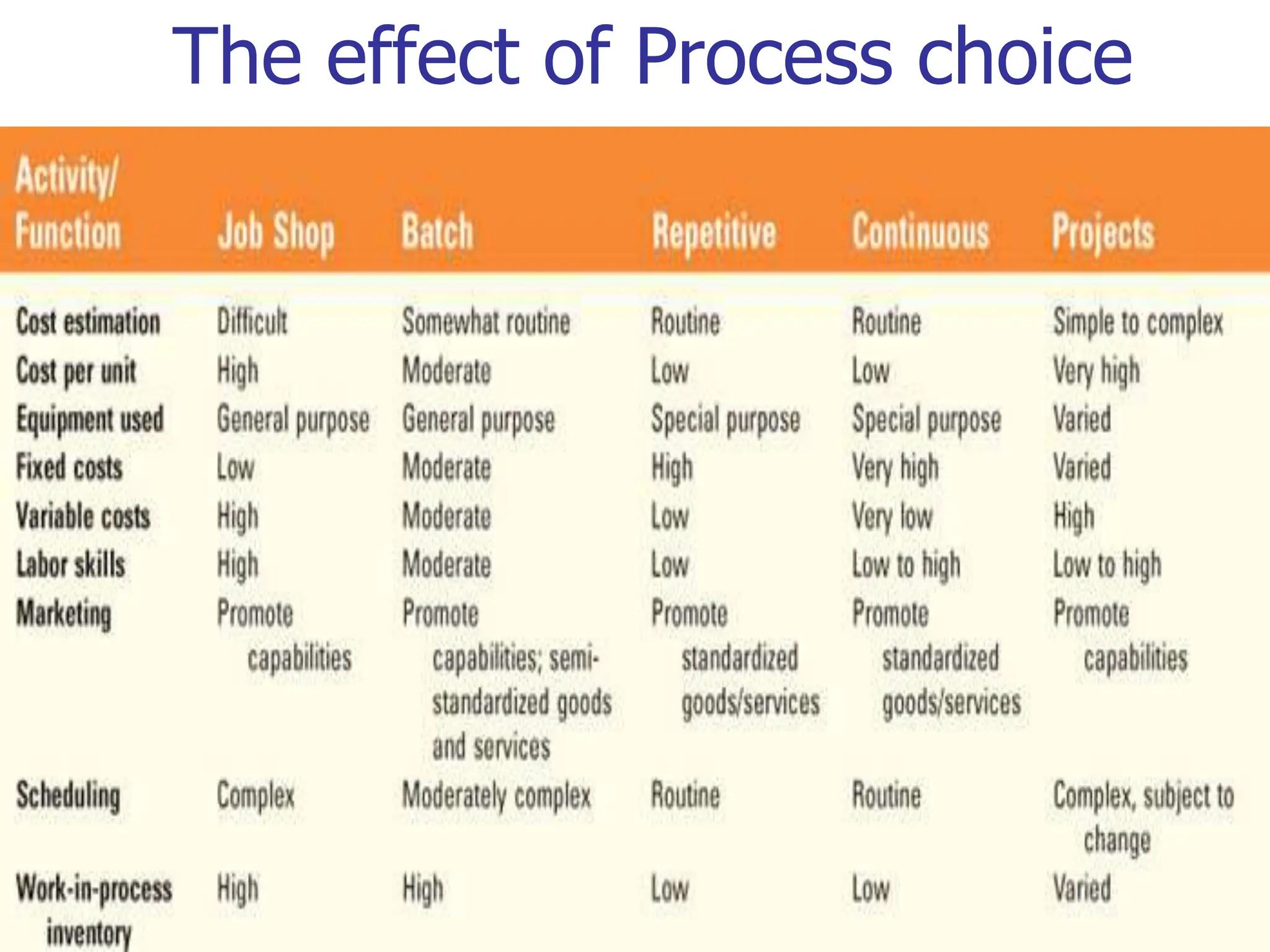
The effect of Process choice
14
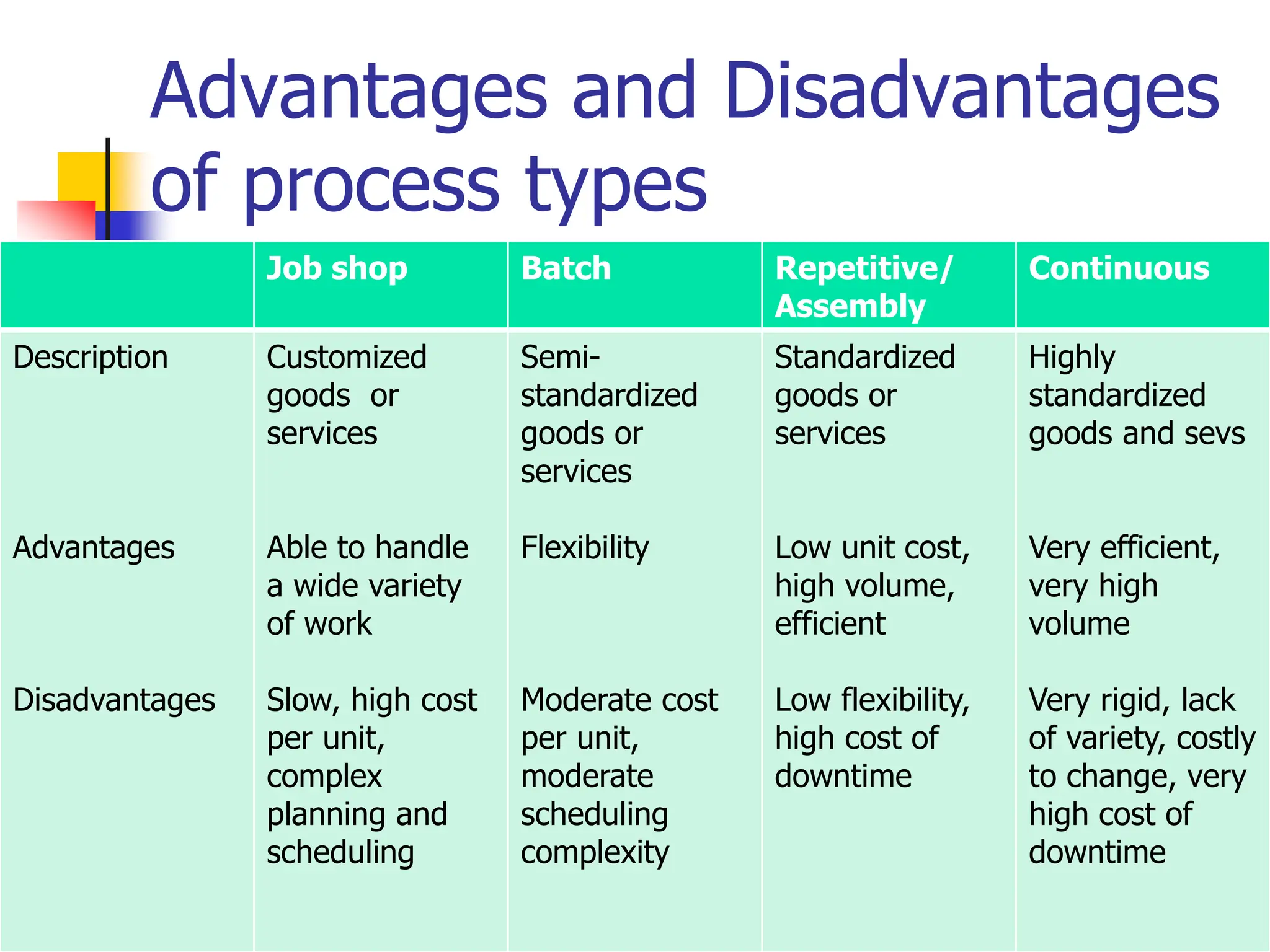
Advantages and Disadvantages
of process types
15
Job shop Batch Repetitive/
Assembly
Continuous
Description
Advantages
Disadvantages
Customized
goods or
services
Able to handle
a wide variety
of work
Slow, high cost
per unit,
complex
planning and
scheduling
Semi-
standardized
goods or
services
Flexibility
Moderate cost
per unit,
moderate
scheduling
complexity
Standardized
goods or
services
Low unit cost,
high volume,
efficient
Low flexibility,
high cost of
downtime
Highly
standardized
goods and sevs
Very efficient,
very high
volume
Very rigid, lack
of variety, costly
to change, very
high cost of
downtime
Process Technology (PT)
 PT refers to the machines, equipment and devices that create
and/or deliver products and services
 all technology needs human intervention, but the ratio of
labor and equipment (capital intensity) used in production
process vary
 Different process technologies are required for different parts
of the volume–variety continuum
 High variety–low volume processes generally require process
technology that is general purpose because it can perform
the wide range of processing activities that high variety
demands
16
Degree of Automation
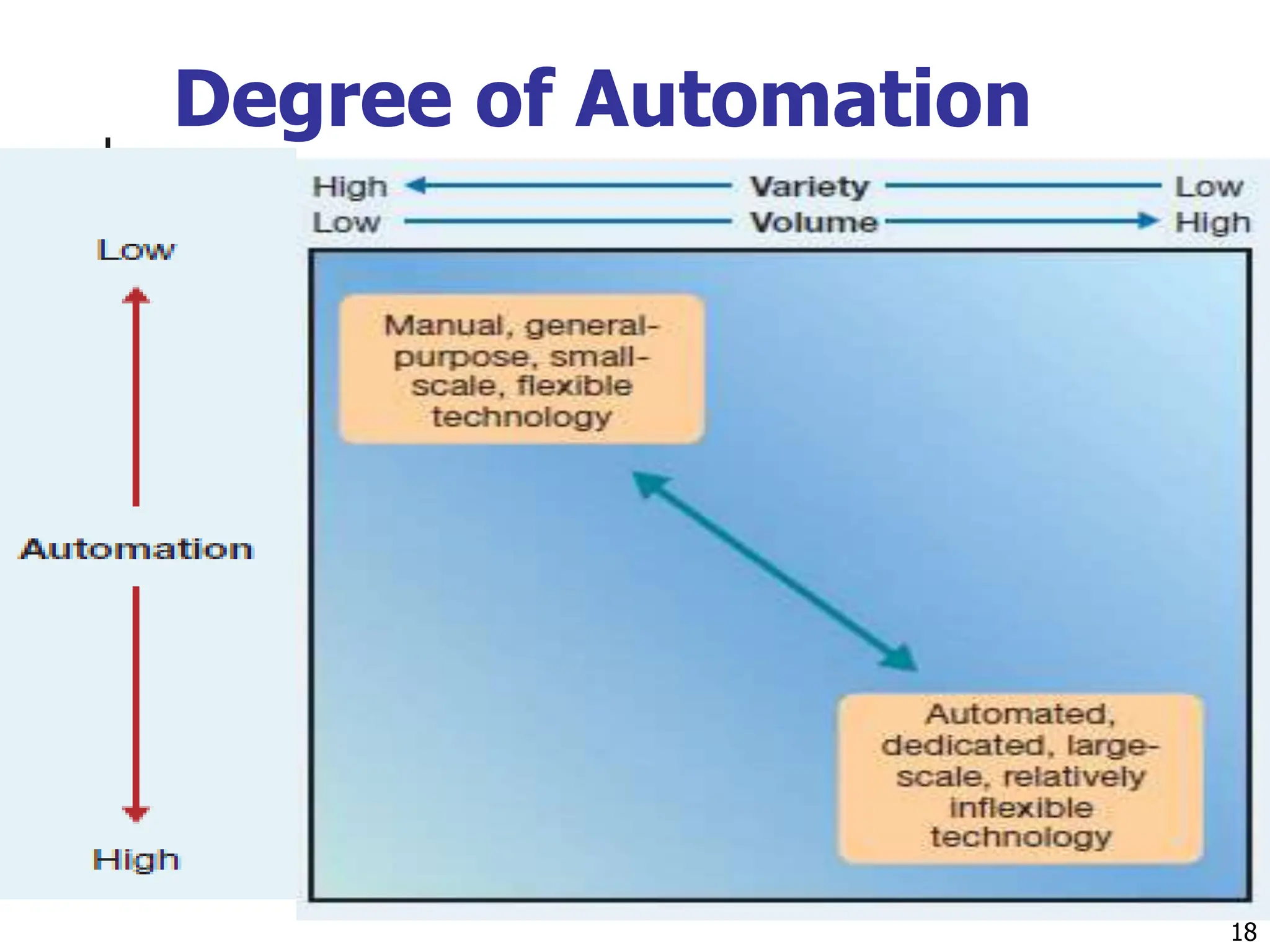
 High volume–low variety processes can use technology that
is more dedicated to its narrower range of processing
requirements
 Processes that have high variety and low volume will
employ process technology with lower degrees of
automation than those with higher volume and lower
variety
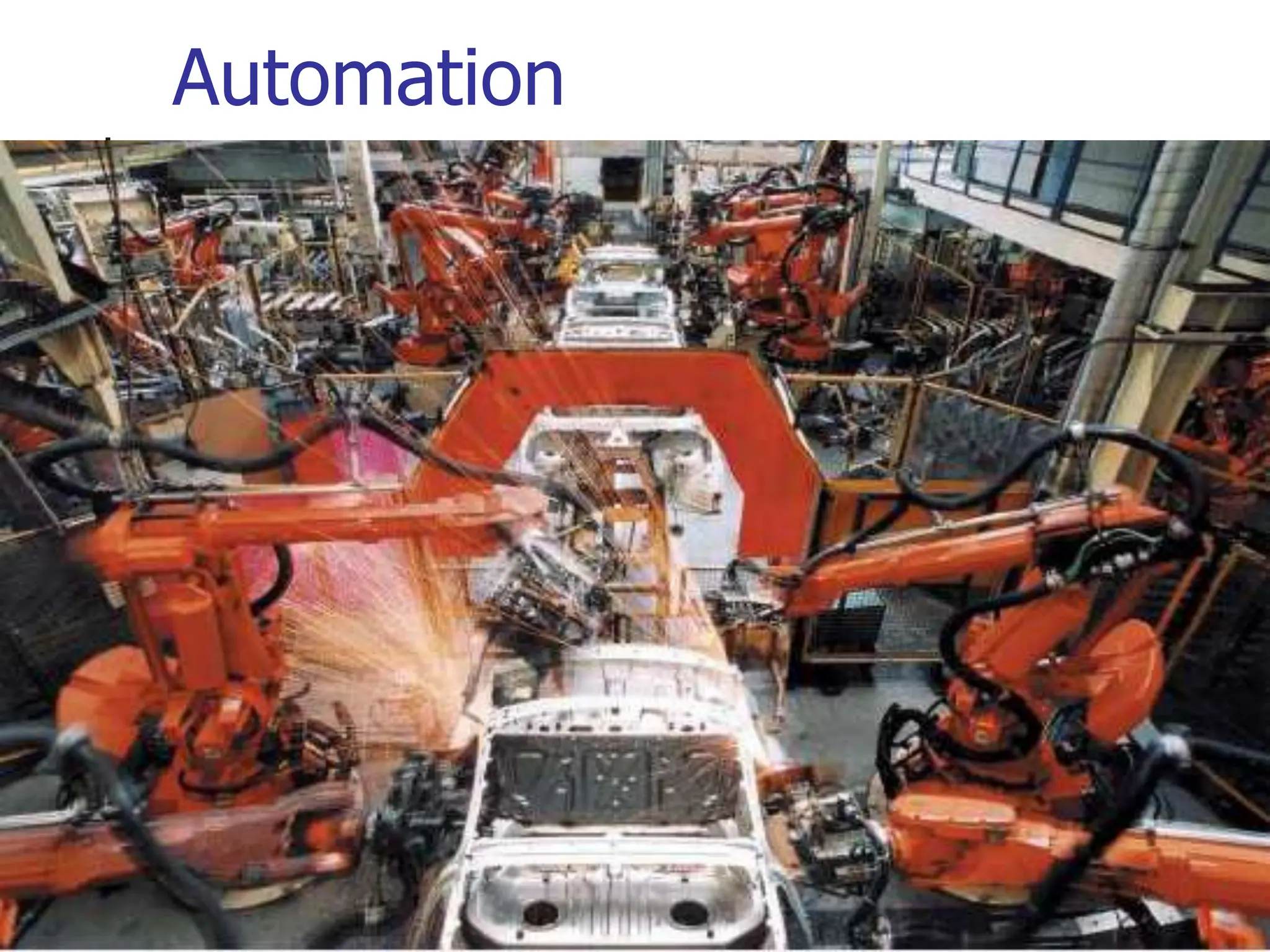
 Automation
 Machinery that has sensing and control devices that
enables it to operate automatically
17
Degree of Automation
18
Automation
 Computer-aided design and manufacturing (CAD/CAM)
 Electronic link between automated design (CAD) and automated manufacture
(CAM)
 Computer numerically control (CNC)
 Machines controlled by software to perform a range of operations with the help of
automated tool changers; collects processing information and quality data
 Flexible manufacturing system (FMS)
 A collection of CNC machines connected by an automated material handling
system to produce a wide variety of parts
 Robots
 Programmable manipulators that can perform repetitive tasks; more consistent
than workers but less flexible
 Computer-integrated manufacturing (CIM)
 Automated manufacturing systems integrated through computer technology; also
called e-manufacturing
Automation
20
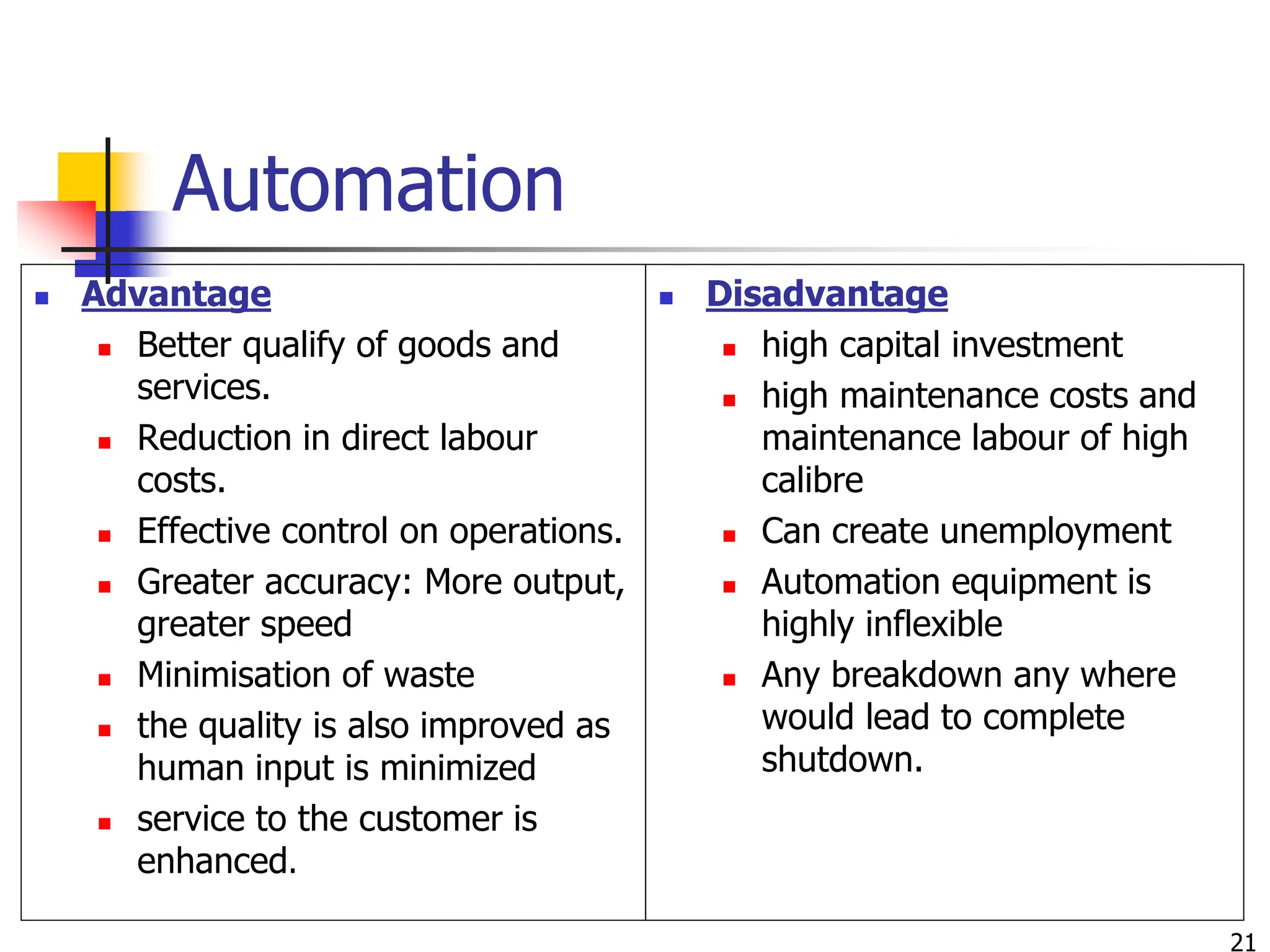
Automation
 Advantage
 Better qualify of goods and
services.
 Reduction in direct labour
costs.
 Effective control on operations.
 Greater accuracy: More output,
greater speed
 Minimisation of waste
 the quality is also improved as
human input is minimized
 service to the customer is
enhanced.
 Disadvantage
 high capital investment
 high maintenance costs and
maintenance labour of high
calibre
 Can create unemployment
 Automation equipment is
highly inflexible
 Any breakdown any where
would lead to complete
shutdown.
21
Facility Layout
 Layout refers to the configuration of departments,
work centers, and equipment, with particular
emphasis on movement of work (customers or
materials) through the system
 The basic objective of layout design is to facilitate
a smooth flow of work, material, and information
through the system
22
Facility layout
Other Supporting objectives includes
 To facilitate attainment of product or service quality
 To use workers and space efficiently
 To avoid bottlenecks
 To minimize material handling costs
 To eliminate unnecessary movements of workers or
materials
 To minimize production time or customer service time
 To design for safety
23
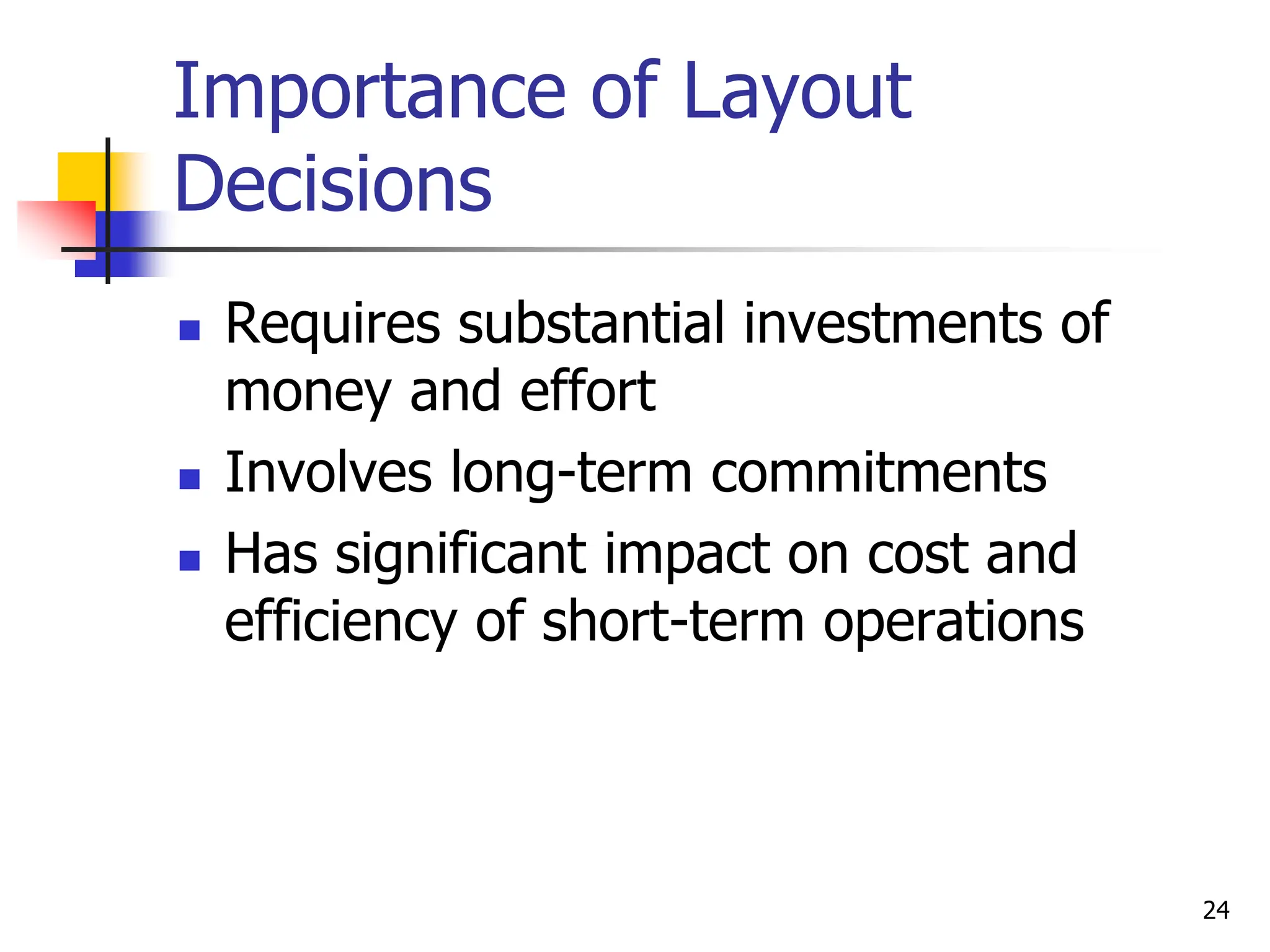
Importance of Layout
Decisions
 Requires substantial investments of
money and effort
 Involves long-term commitments
 Has significant impact on cost and
efficiency of short-term operations
24
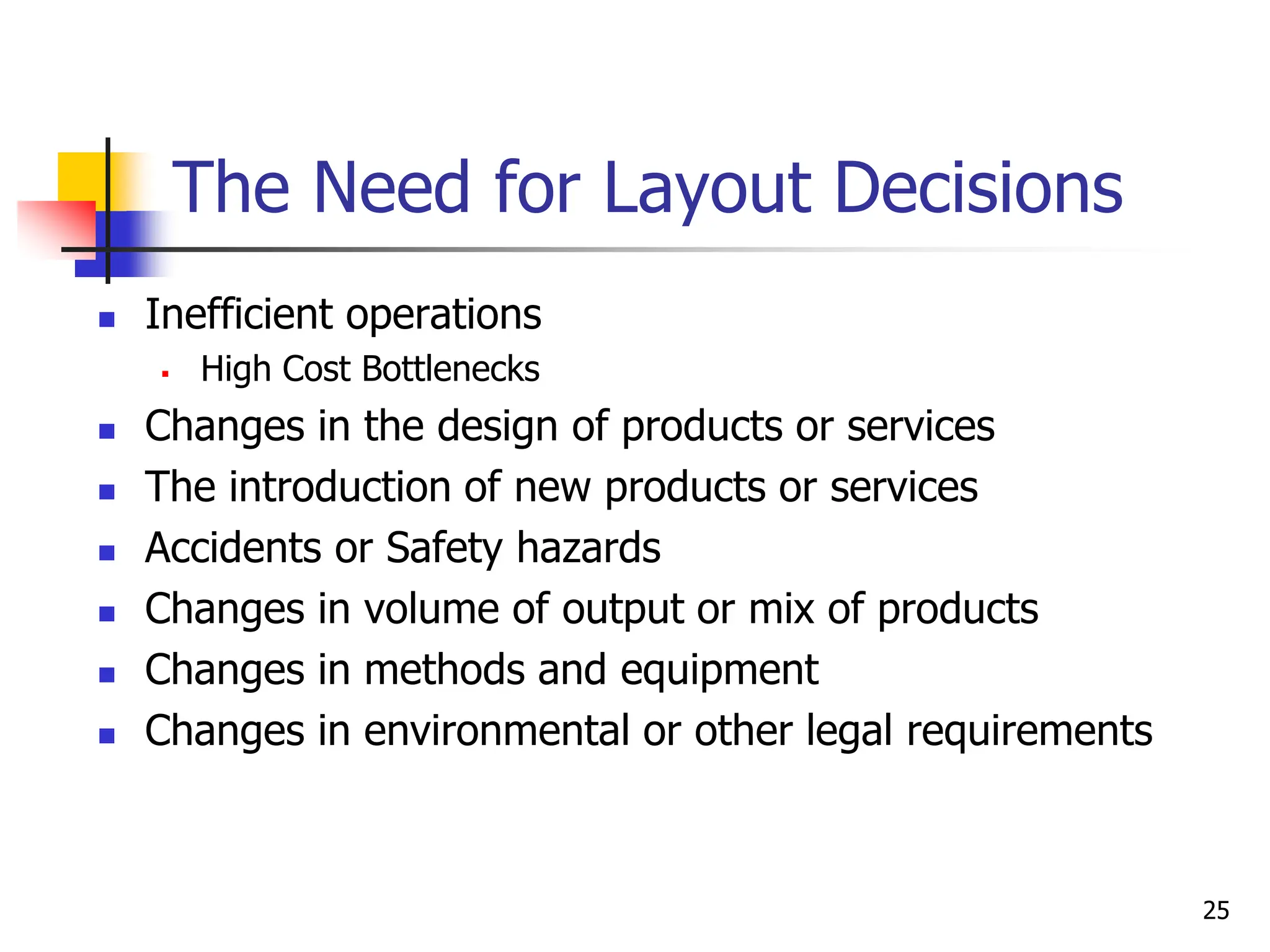
 Inefficient operations
 High Cost Bottlenecks
 Changes in the design of products or services
 The introduction of new products or services
 Accidents or Safety hazards
 Changes in volume of output or mix of products
 Changes in methods and equipment
 Changes in environmental or other legal requirements
25
The Need for Layout Decisions
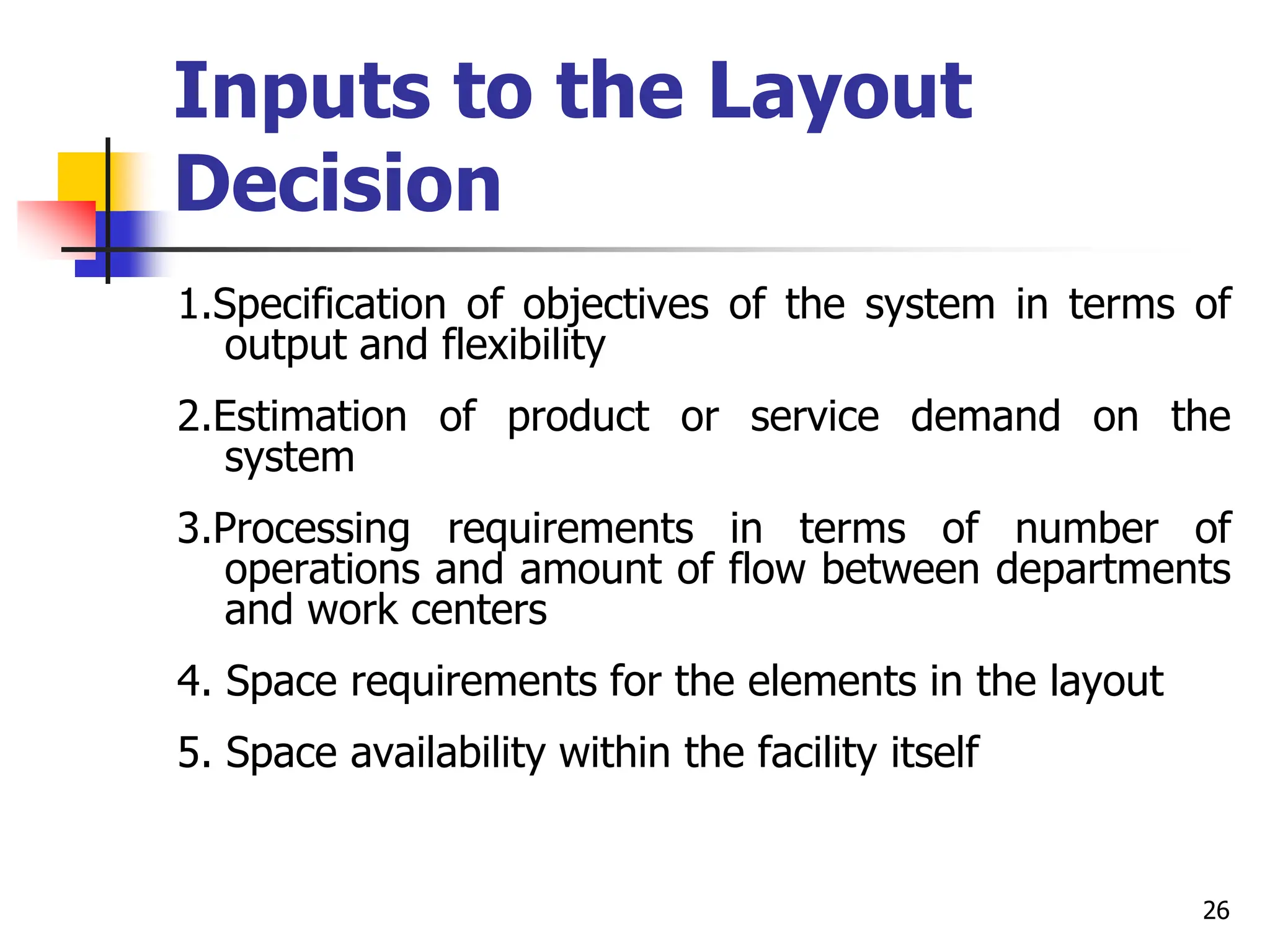
Inputs to the Layout
Decision
1.Specification of objectives of the system in terms of
output and flexibility
2.Estimation of product or service demand on the
system
3.Processing requirements in terms of number of
operations and amount of flow between departments
and work centers
4. Space requirements for the elements in the layout
5. Space availability within the facility itself
26
Layout Types
There are 3 basic types and one hybrid type
 Basic types
 Product layouts
 Process layouts
 Fixed-Position layout
 Hybrid type
 Group Technology or Cellular layouts
27
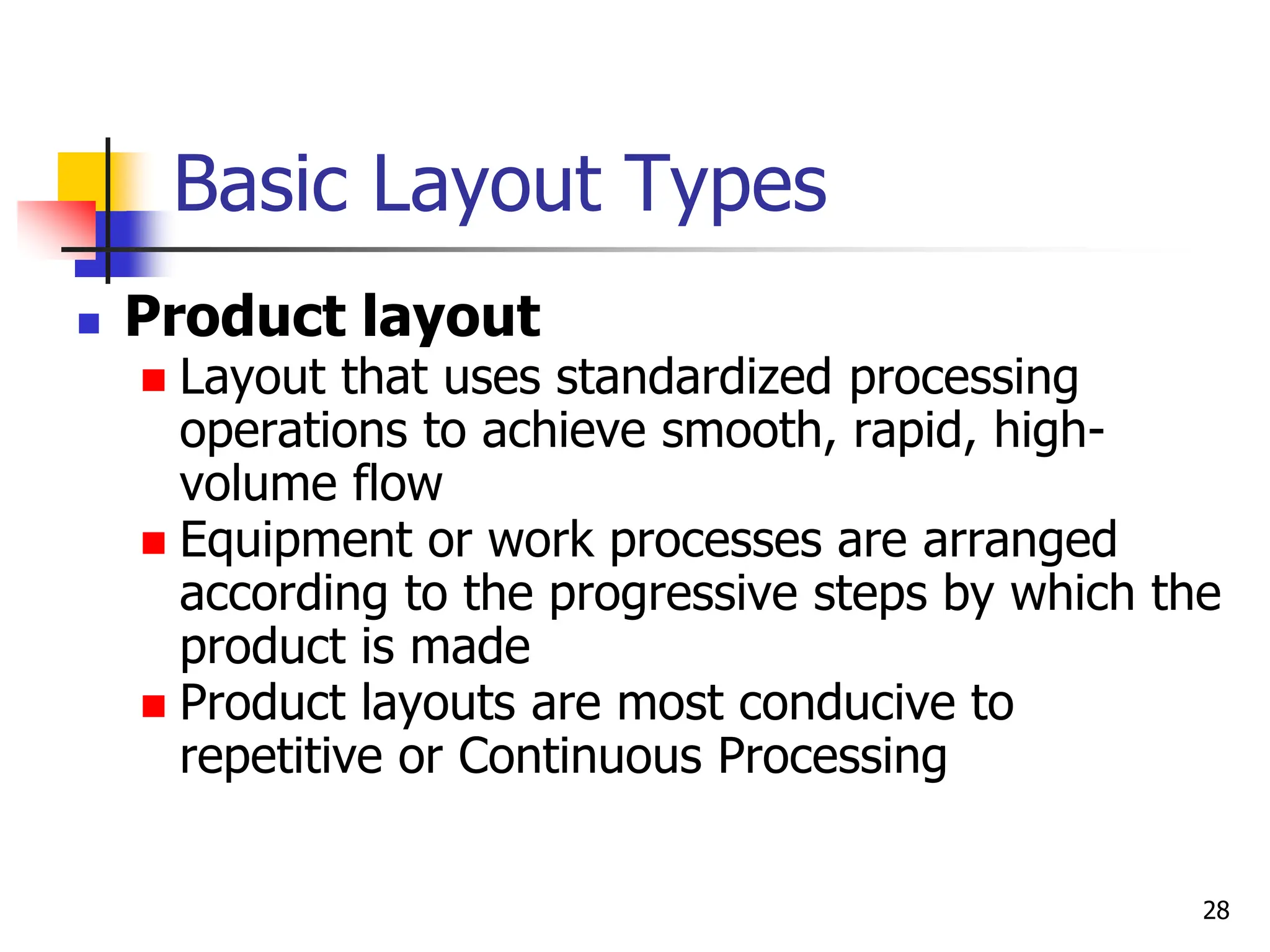
Basic Layout Types
 Product layout
 Layout that uses standardized processing
operations to achieve smooth, rapid, high-
volume flow
 Equipment or work processes are arranged
according to the progressive steps by which the
product is made
 Product layouts are most conducive to
repetitive or Continuous Processing
28
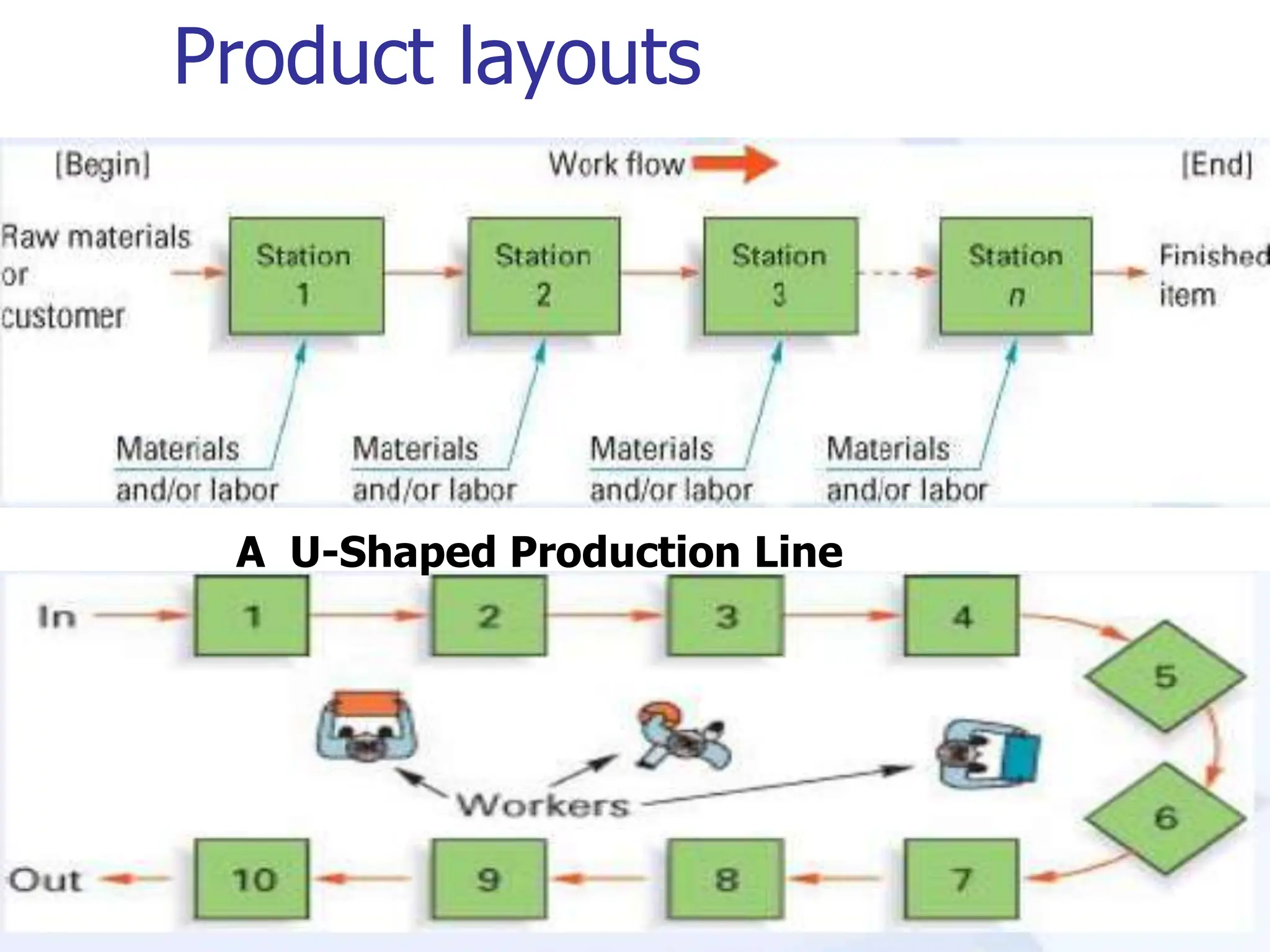
Product layouts
29
A U-Shaped Production Line
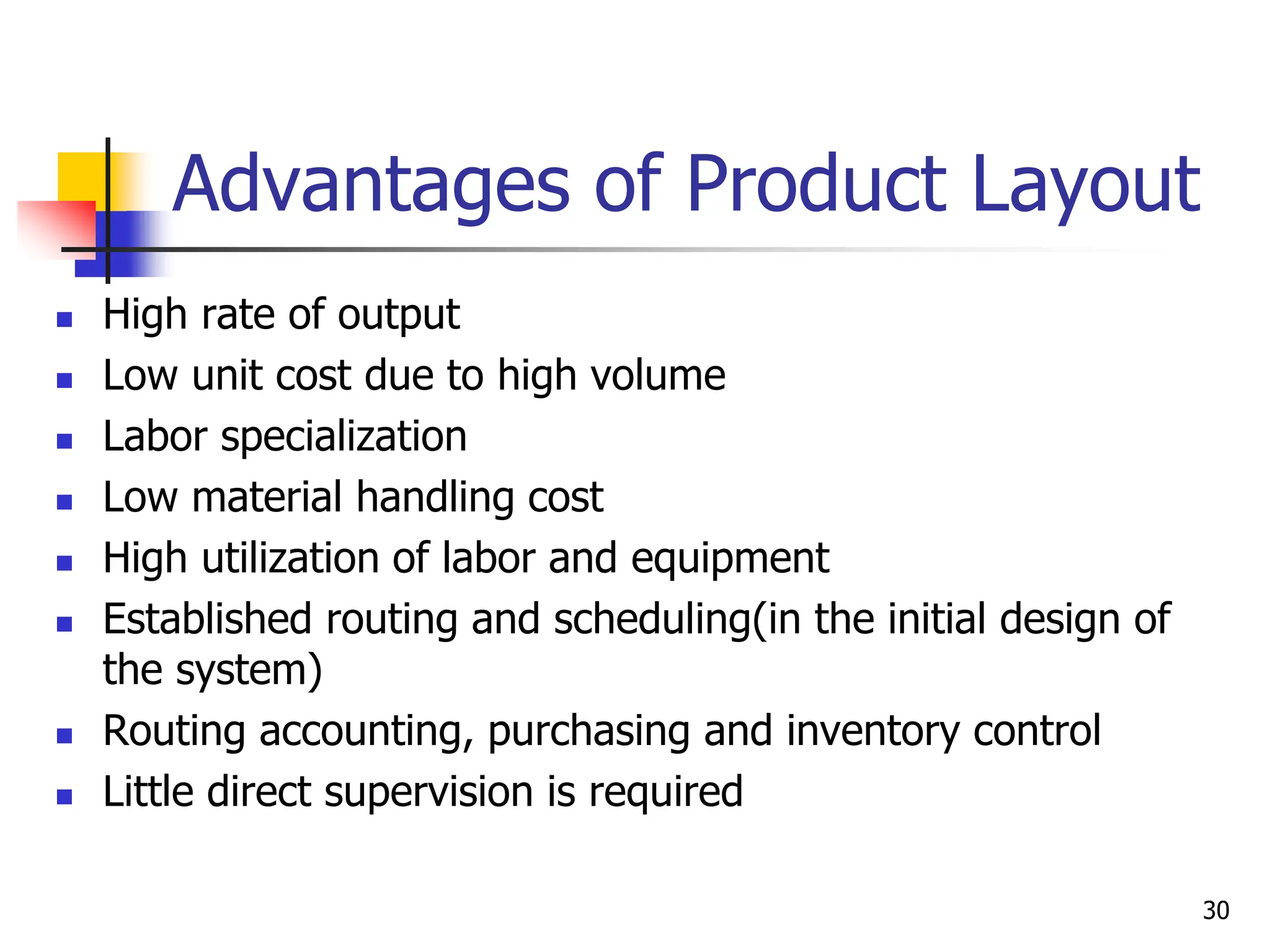
Advantages of Product Layout
 High rate of output
 Low unit cost due to high volume
 Labor specialization
 Low material handling cost
 High utilization of labor and equipment
 Established routing and scheduling(in the initial design of
the system)
 Routing accounting, purchasing and inventory control
 Little direct supervision is required
30
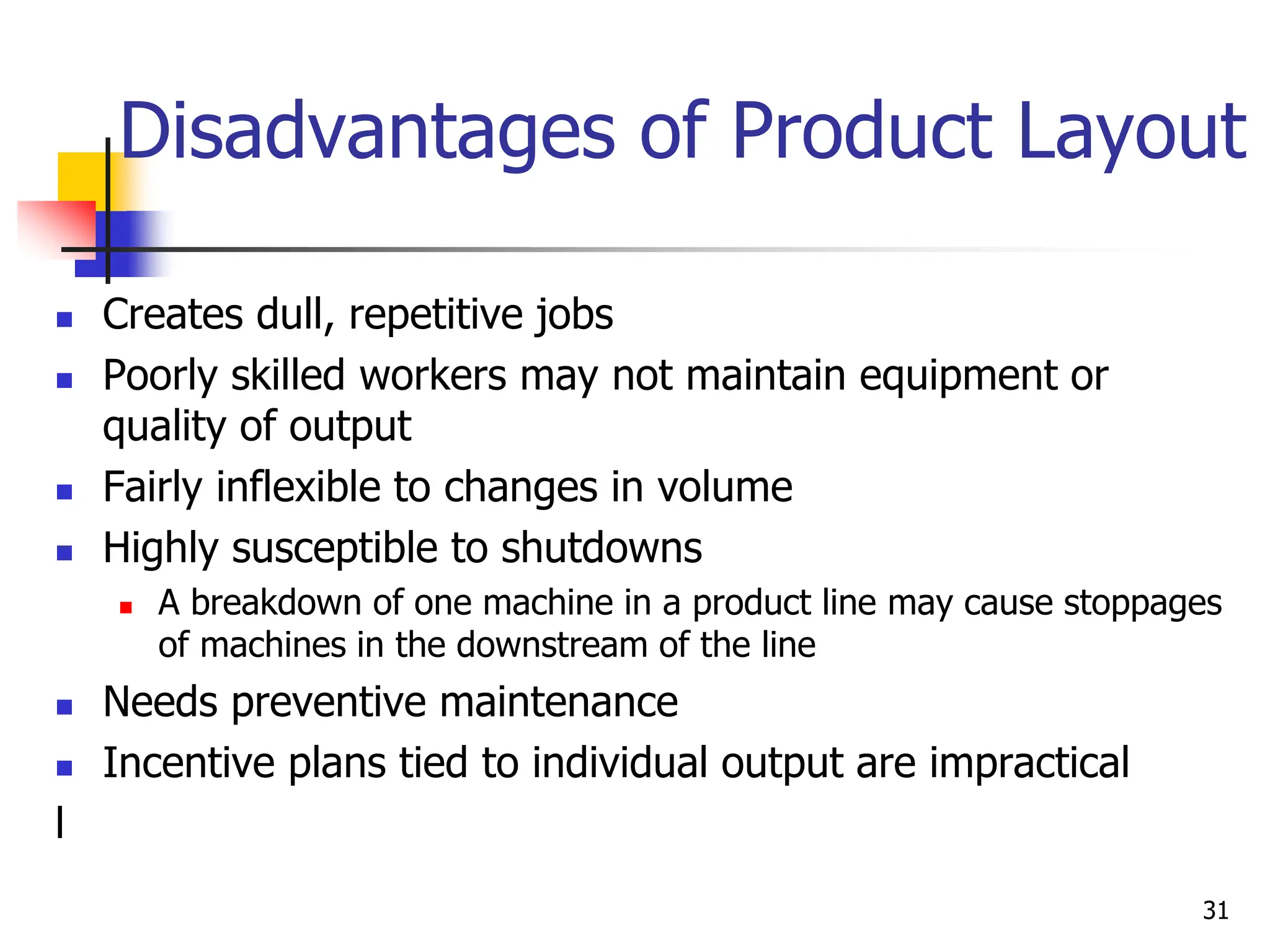
Disadvantages of Product Layout
 Creates dull, repetitive jobs
 Poorly skilled workers may not maintain equipment or
quality of output
 Fairly inflexible to changes in volume
 Highly susceptible to shutdowns
 A breakdown of one machine in a product line may cause stoppages
of machines in the downstream of the line
 Needs preventive maintenance
 Incentive plans tied to individual output are impractical
l
31
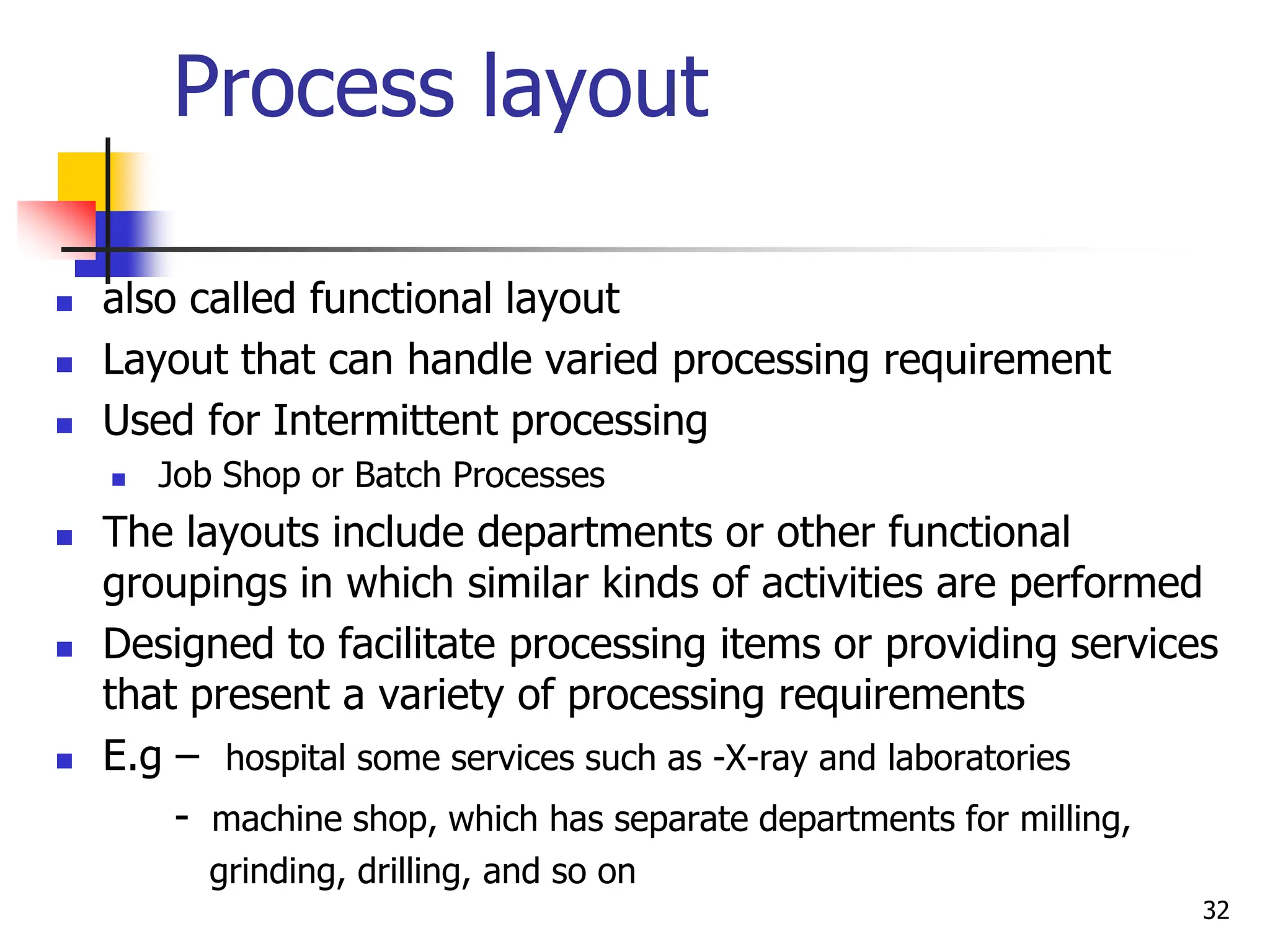
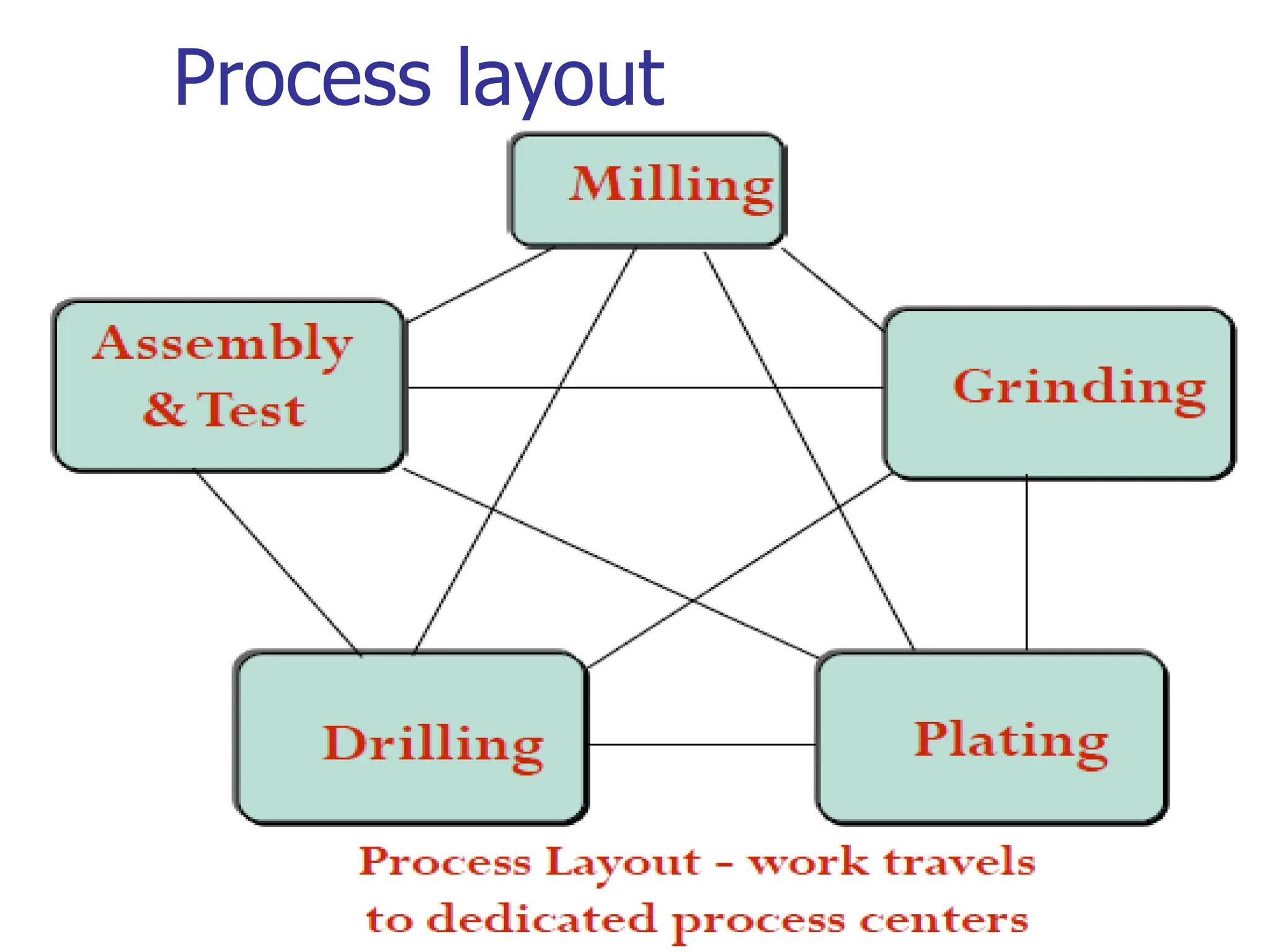
Process layout
 also called functional layout
 Layout that can handle varied processing requirement
 Used for Intermittent processing
 Job Shop or Batch Processes
 The layouts include departments or other functional
groupings in which similar kinds of activities are performed
 Designed to facilitate processing items or providing services
that present a variety of processing requirements
 E.g – hospital some services such as -X-ray and laboratories
- machine shop, which has separate departments for milling,
grinding, drilling, and so on
32
Process layout
33
Advantages of Process Layout
 Can handle a variety of processing
requirements
 Not particularly vulnerable to equipment
failures
 General-purpose equipment is less costly
and is easier and less costly to maintain
 Possible to use individual incentive systems
34
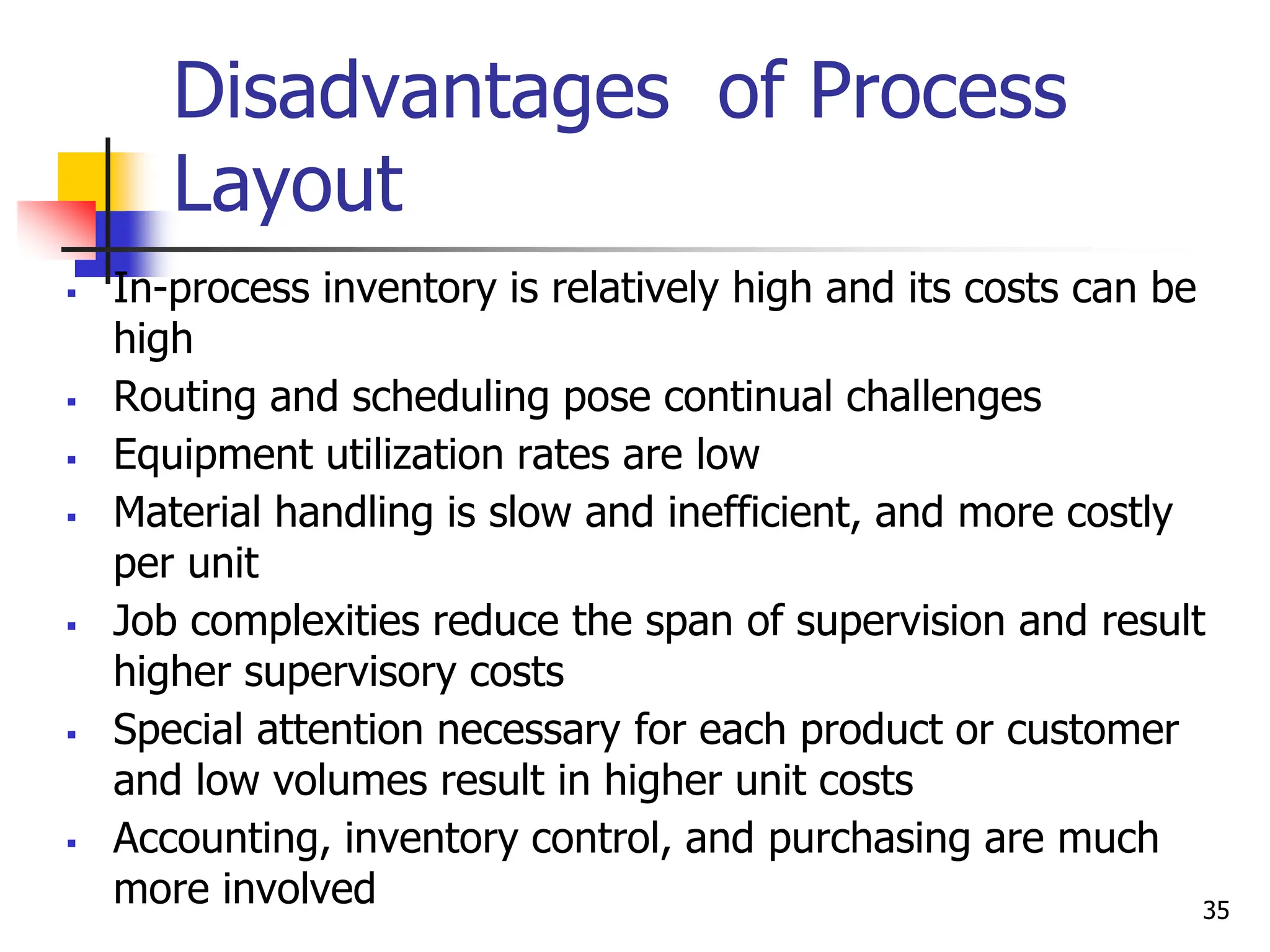
Disadvantages of Process
Layout
 In-process inventory is relatively high and its costs can be
high
 Routing and scheduling pose continual challenges
 Equipment utilization rates are low
 Material handling is slow and inefficient, and more costly
per unit
 Job complexities reduce the span of supervision and result
higher supervisory costs
 Special attention necessary for each product or customer
and low volumes result in higher unit costs
 Accounting, inventory control, and purchasing are much
more involved 35
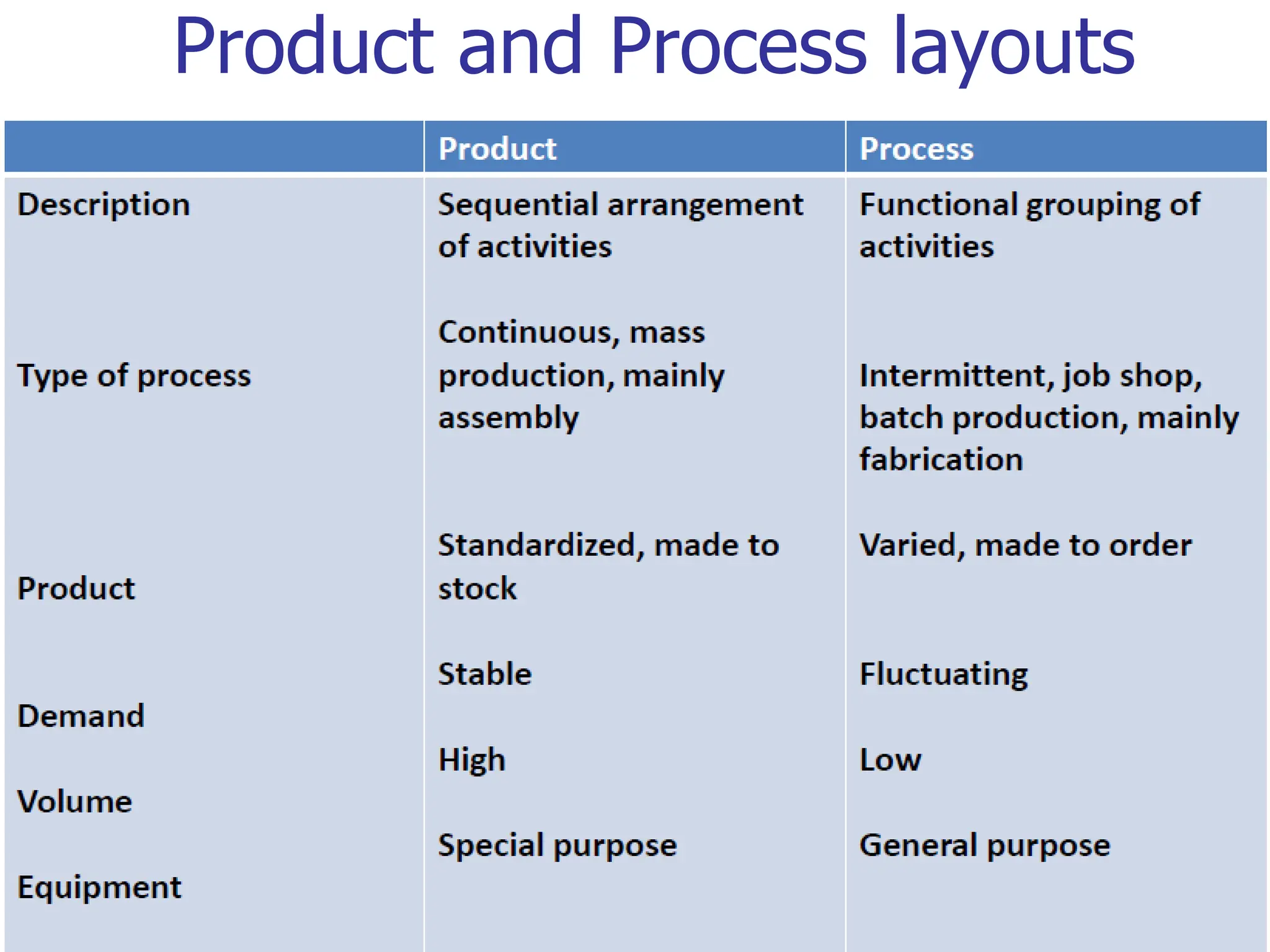
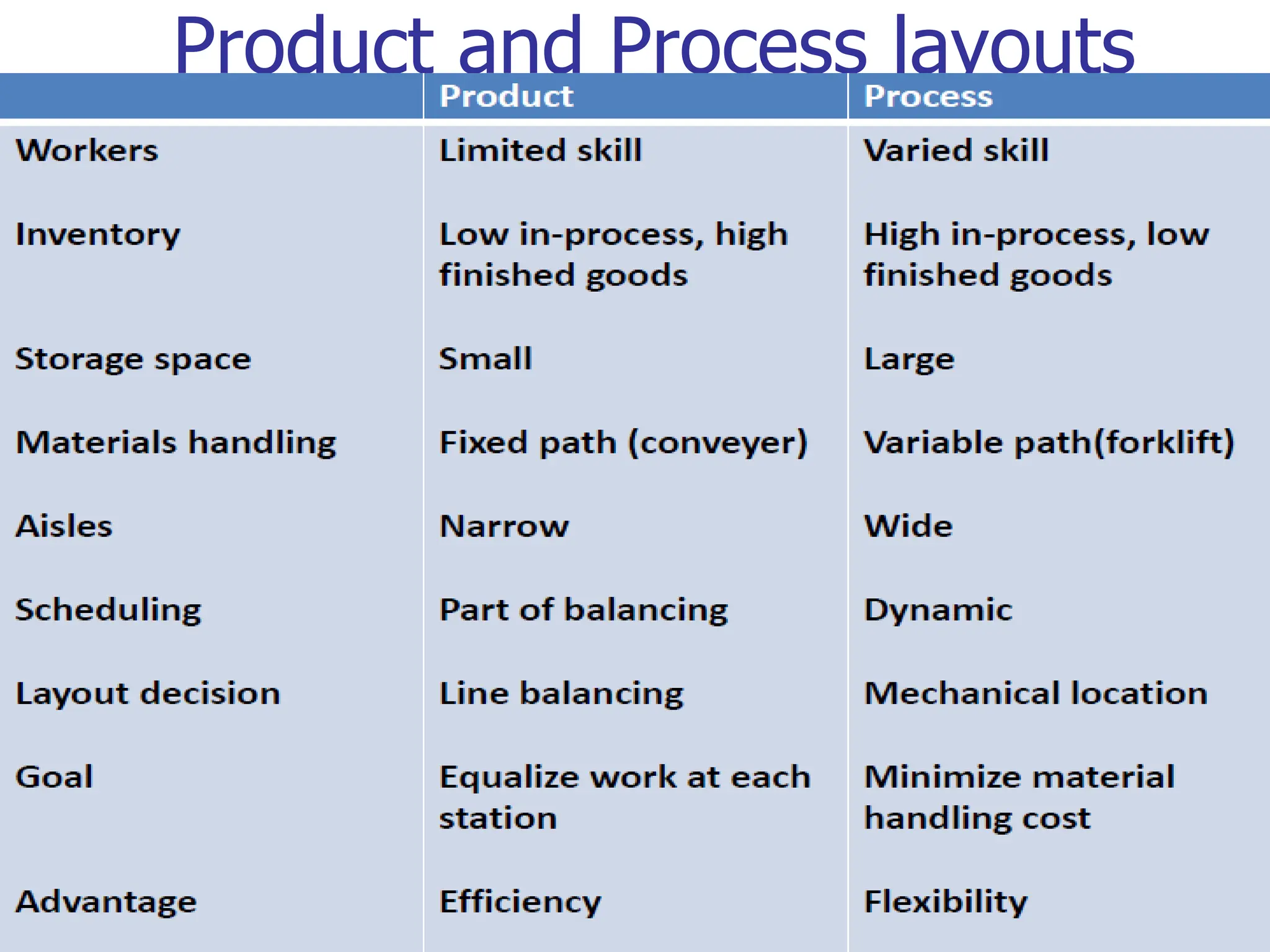
Product and Process layouts
36
Product and Process layouts
37
Fixed Position Layouts
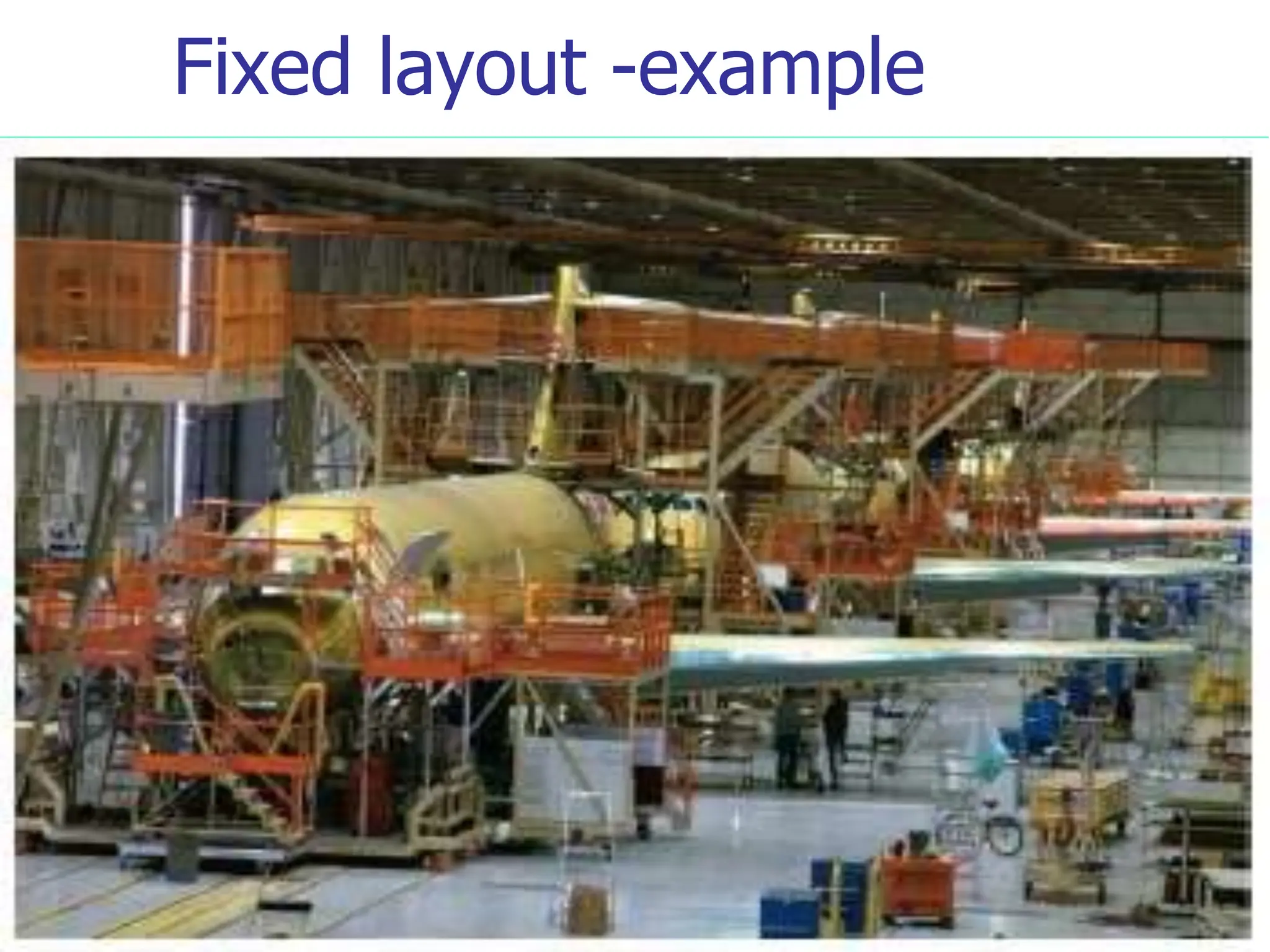
 Layout in which the product or project remains stationary, and
workers, materials, and equipment are moved as needed.
 Nature of the product dictates this type of layout
 Weight
 Size
 Bulk
 Widely used for farming, firefighting, road building, home
building, power plants, dams construction, shipbuilding, and
oil drilling
 In each case, compelling reasons bring workers, materials,
and equipment to the “product’s” location instead of the other
way around.
38
Fixed layout -example
39
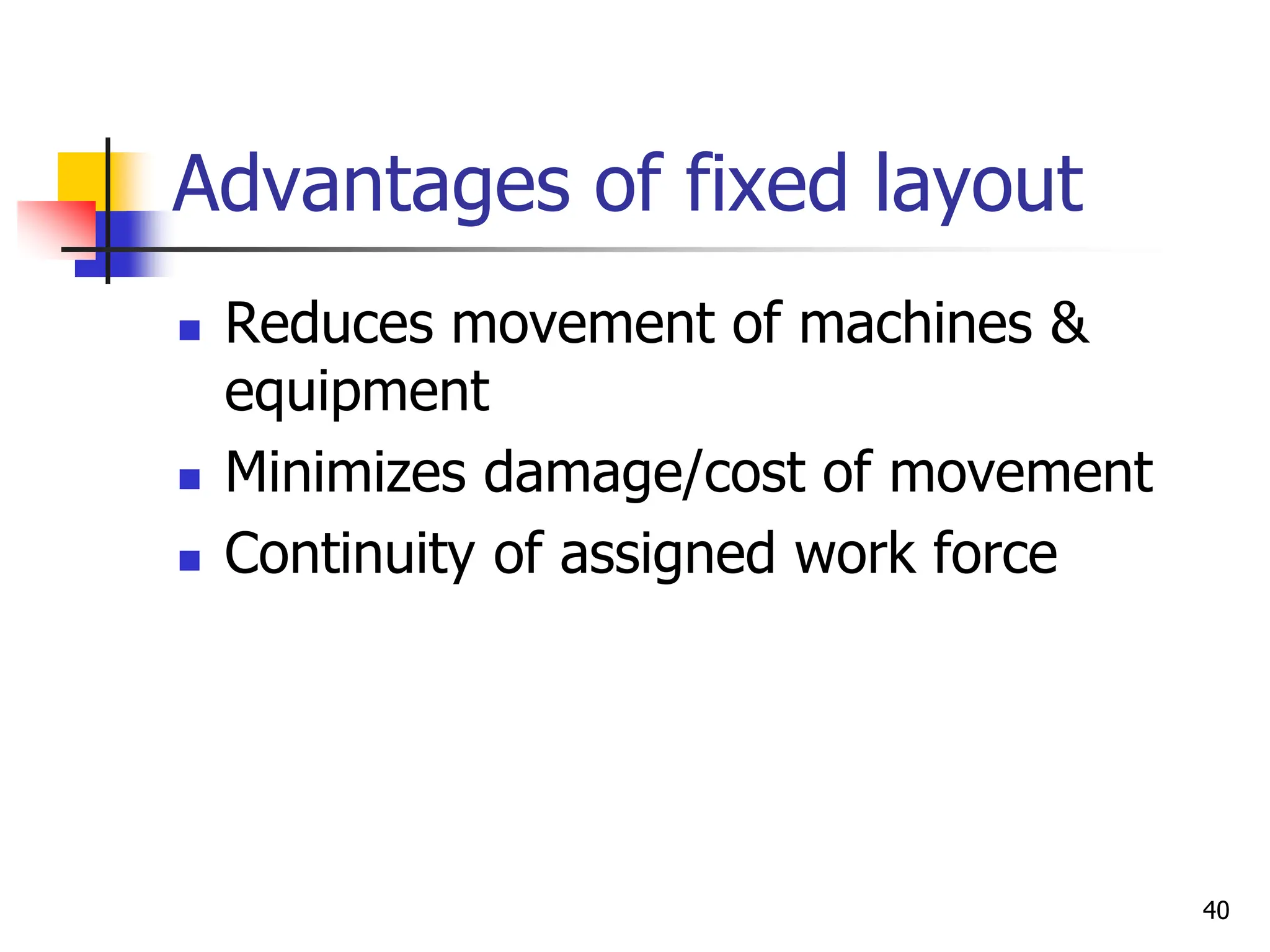
Advantages of fixed layout
 Reduces movement of machines &
equipment
 Minimizes damage/cost of movement
 Continuity of assigned work force
40
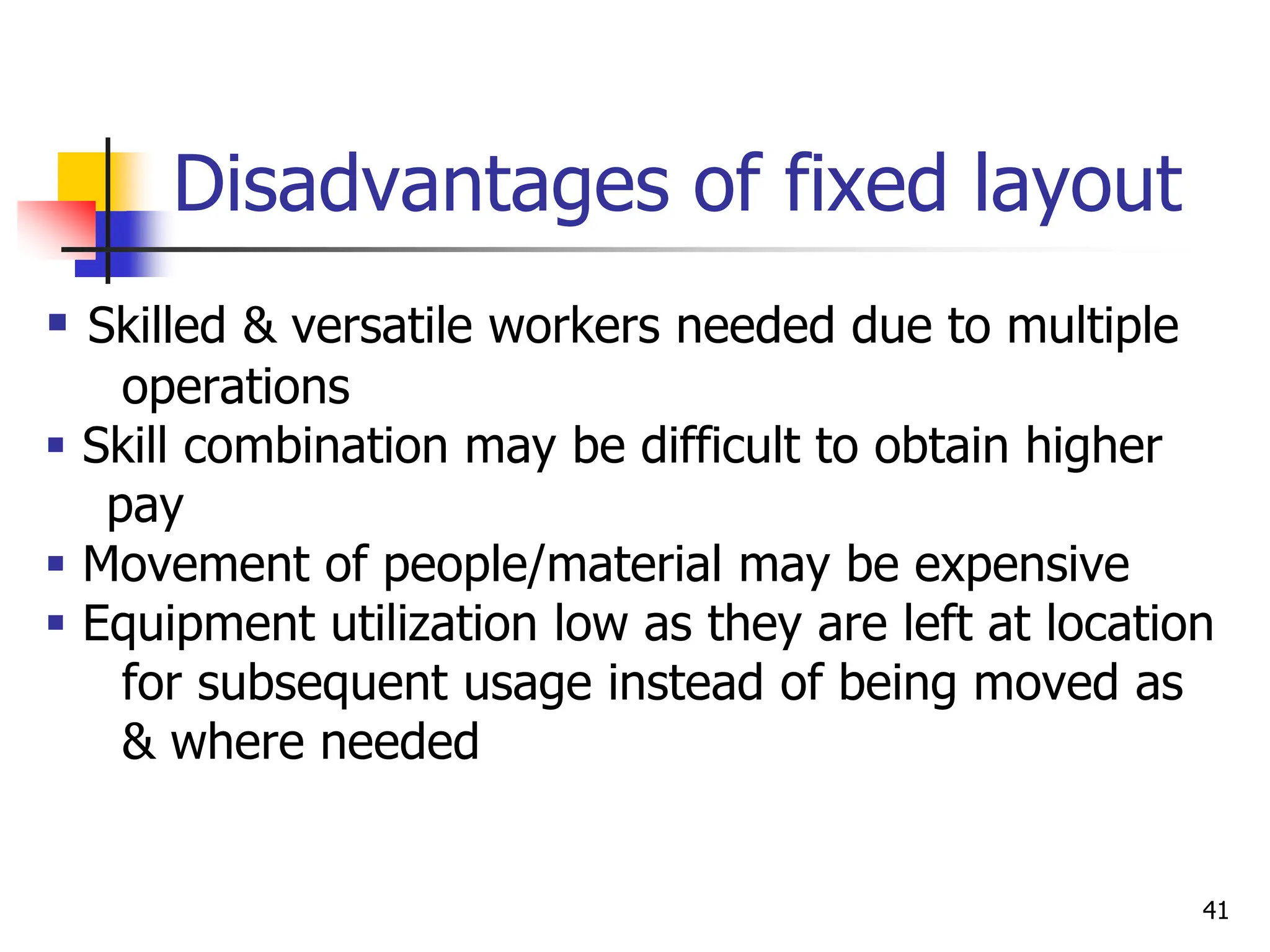
Disadvantages of fixed layout
 Skilled & versatile workers needed due to multiple
operations
 Skill combination may be difficult to obtain higher
pay
 Movement of people/material may be expensive
 Equipment utilization low as they are left at location
for subsequent usage instead of being moved as
& where needed
41
Hybrid Layout
 Many operations either design themselves
hybrid layouts which combine elements of
some or all of the basic layout types or
use the ‘pure’ basic layout types in
different parts of the operation
42
Group Technology(cellular)
layout
 Group dissimilar machines into work centers
(cells) to work on products that have similar
shapes and processing requirements
 It is similar to a process layout in that cells
are designed to perform a specific set of
processes, and it is similar to a product
layout in that the cells are dedicated to a
limited range of products
43
Cellular layout - example
1. computer component manufacture
the processing and assembly of some types of
computer parts may need a special area dedicated to
the manufacturing of parts for one particular
customer who has special requirements such as
especially high quality levels
44
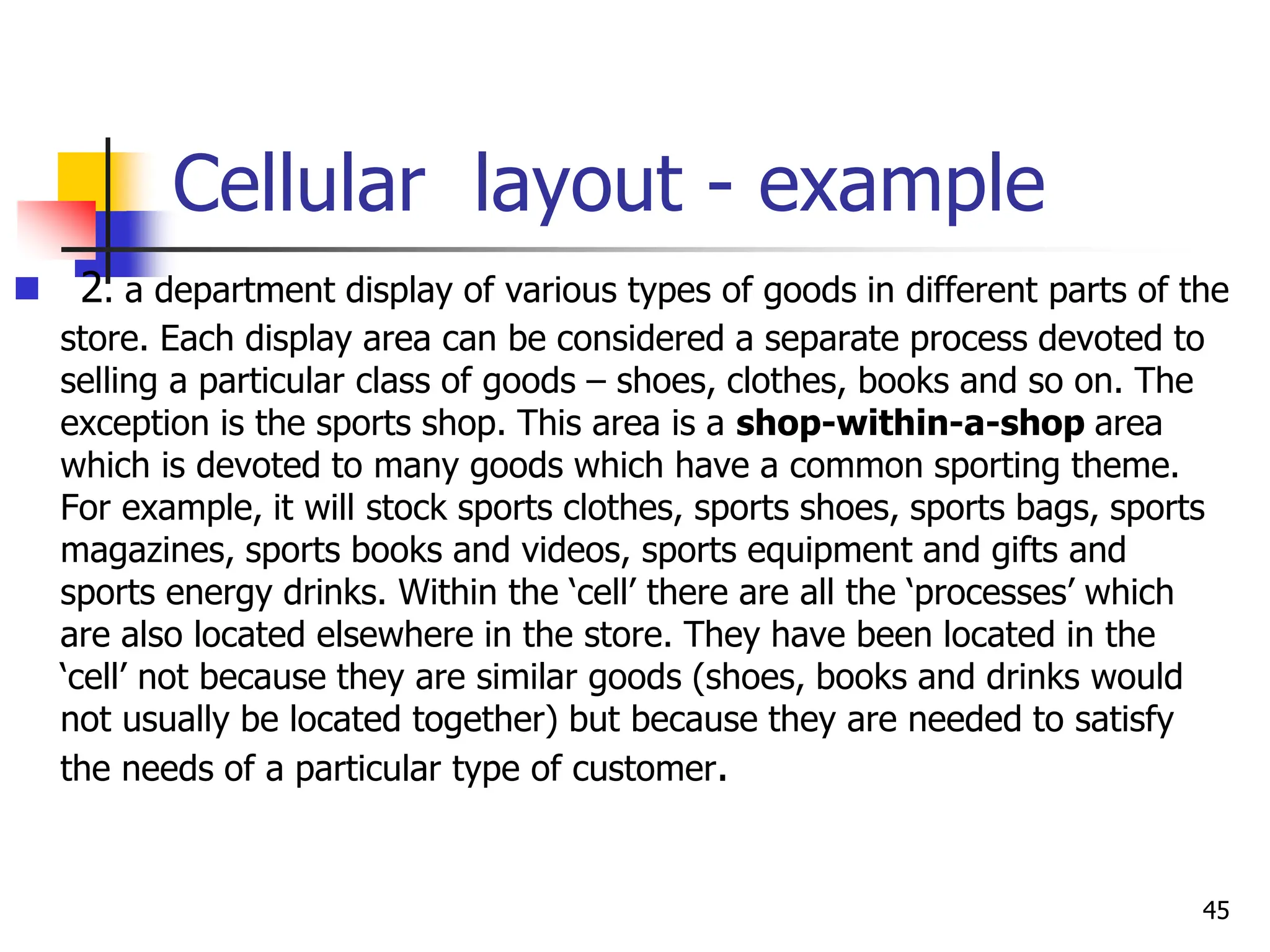
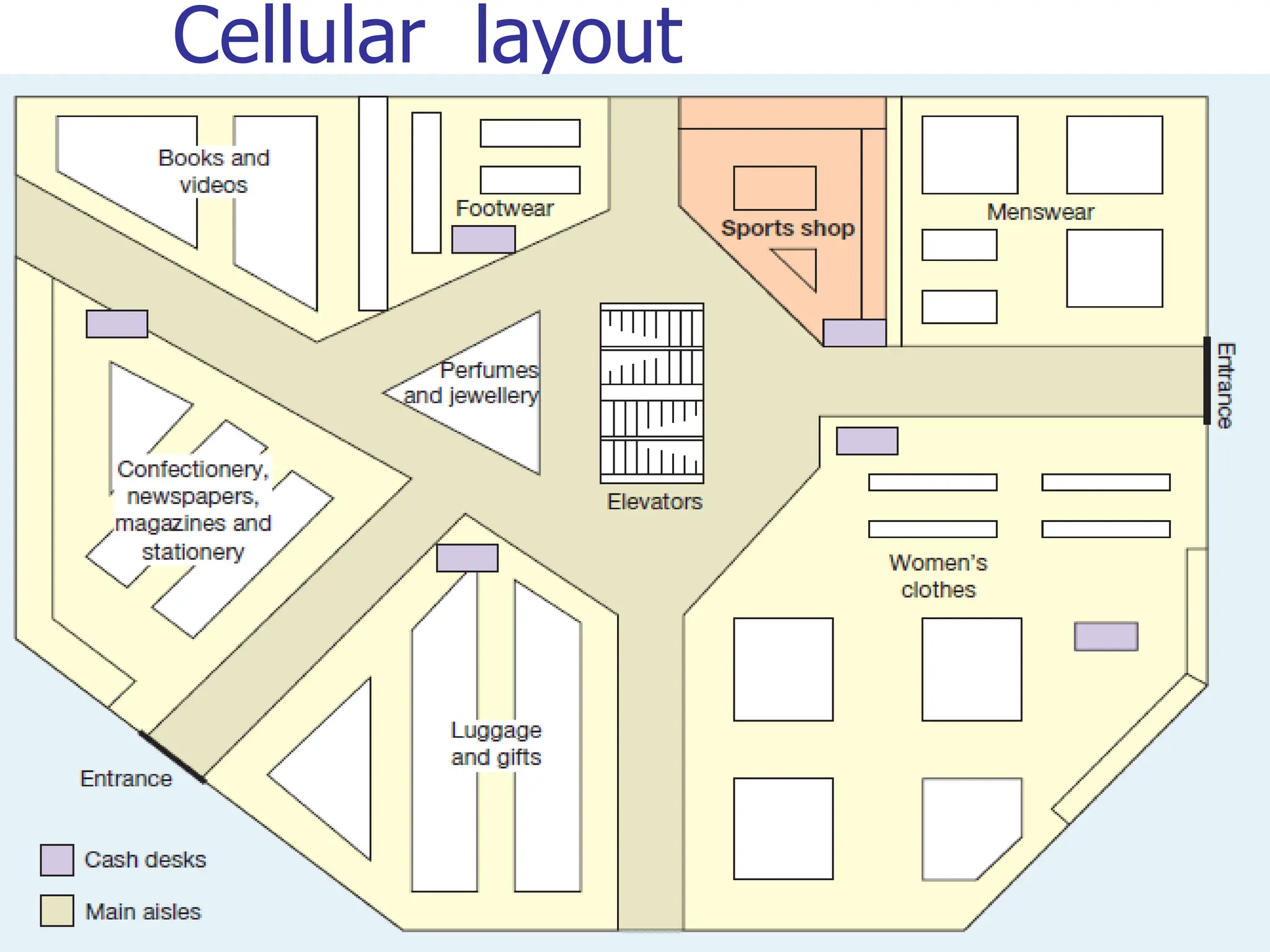
Cellular layout - example
 2. a department display of various types of goods in different parts of the
store. Each display area can be considered a separate process devoted to
selling a particular class of goods – shoes, clothes, books and so on. The
exception is the sports shop. This area is a shop-within-a-shop area
which is devoted to many goods which have a common sporting theme.
For example, it will stock sports clothes, sports shoes, sports bags, sports
magazines, sports books and videos, sports equipment and gifts and
sports energy drinks. Within the ‘cell’ there are all the ‘processes’ which
are also located elsewhere in the store. They have been located in the
‘cell’ not because they are similar goods (shoes, books and drinks would
not usually be located together) but because they are needed to satisfy
the needs of a particular type of customer.
45
Cellular layout
46
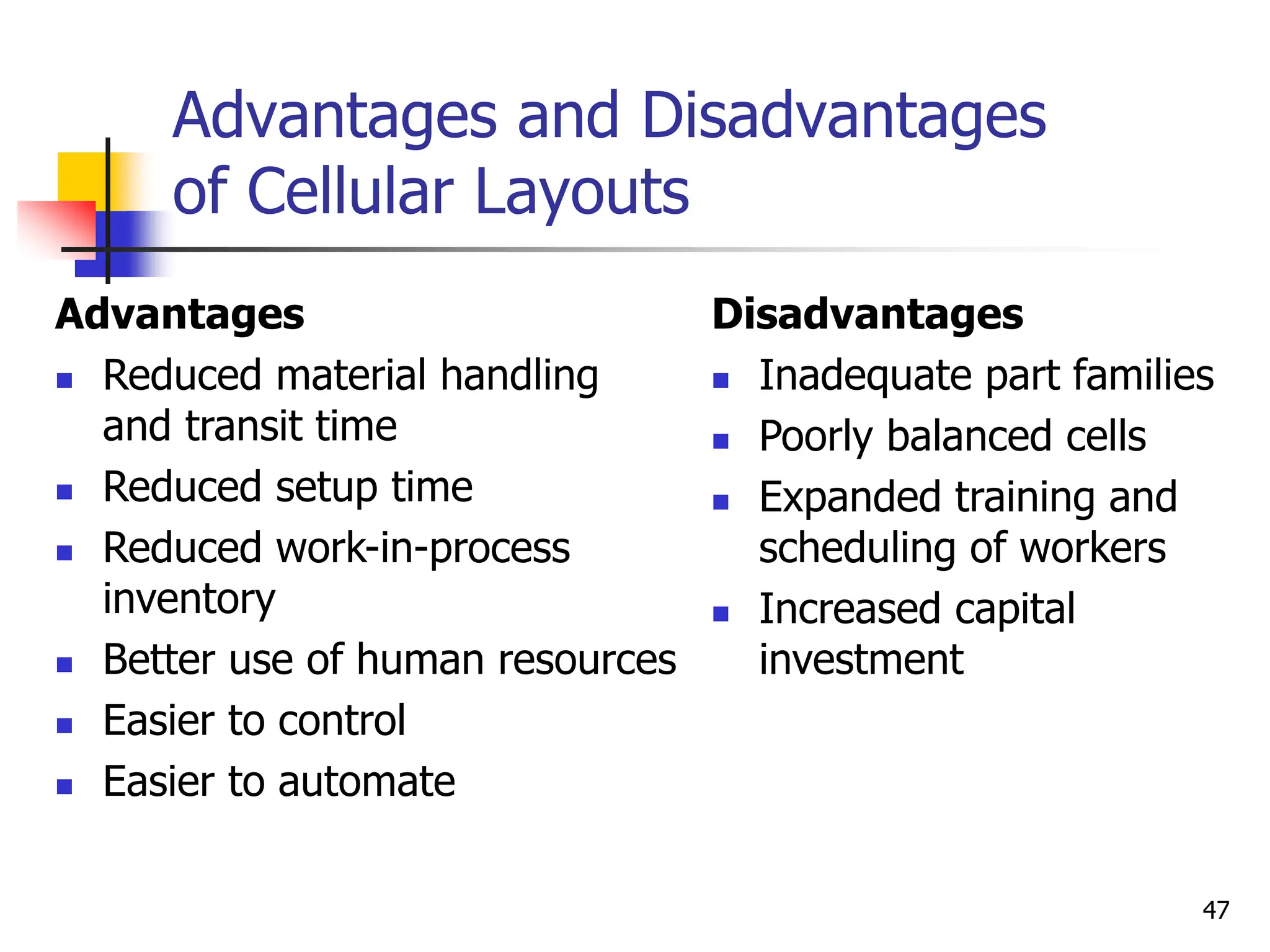
Advantages and Disadvantages
of Cellular Layouts
Advantages
 Reduced material handling
and transit time
 Reduced setup time
 Reduced work-in-process
inventory
 Better use of human resources
 Easier to control
 Easier to automate
Disadvantages
 Inadequate part families
 Poorly balanced cells
 Expanded training and
scheduling of workers
 Increased capital
investment
47
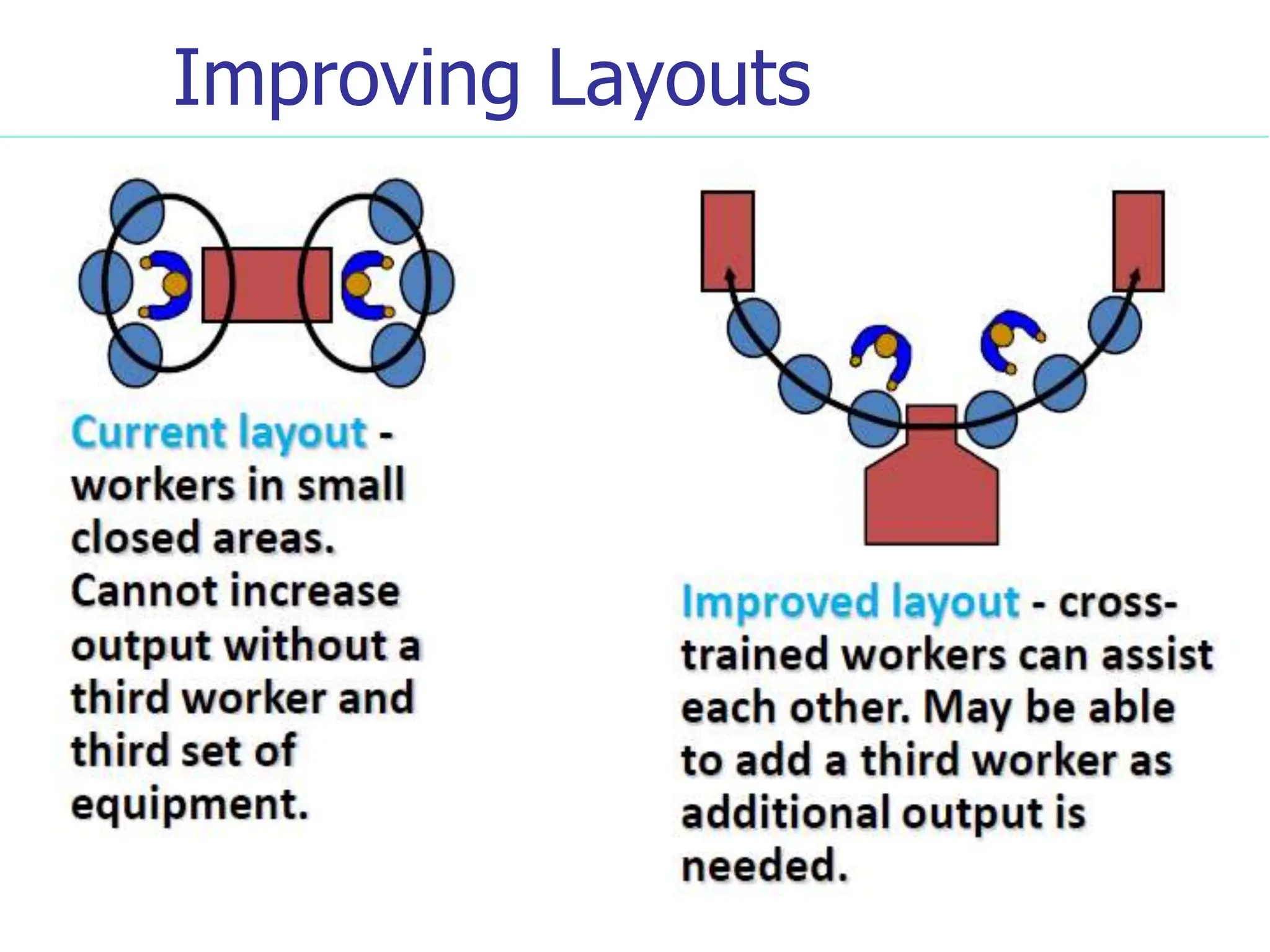
Improving Layouts
48
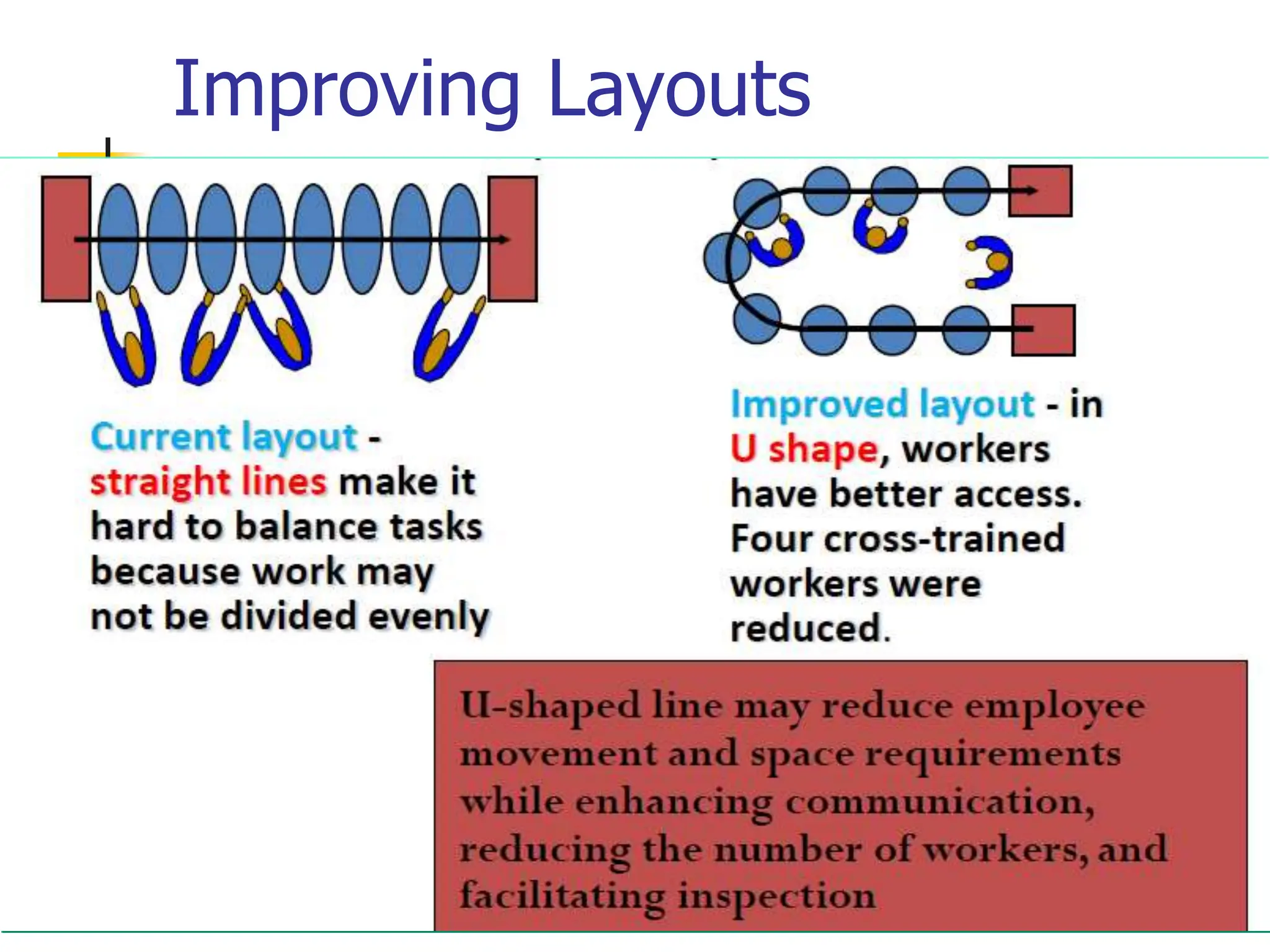
Improving Layouts
49
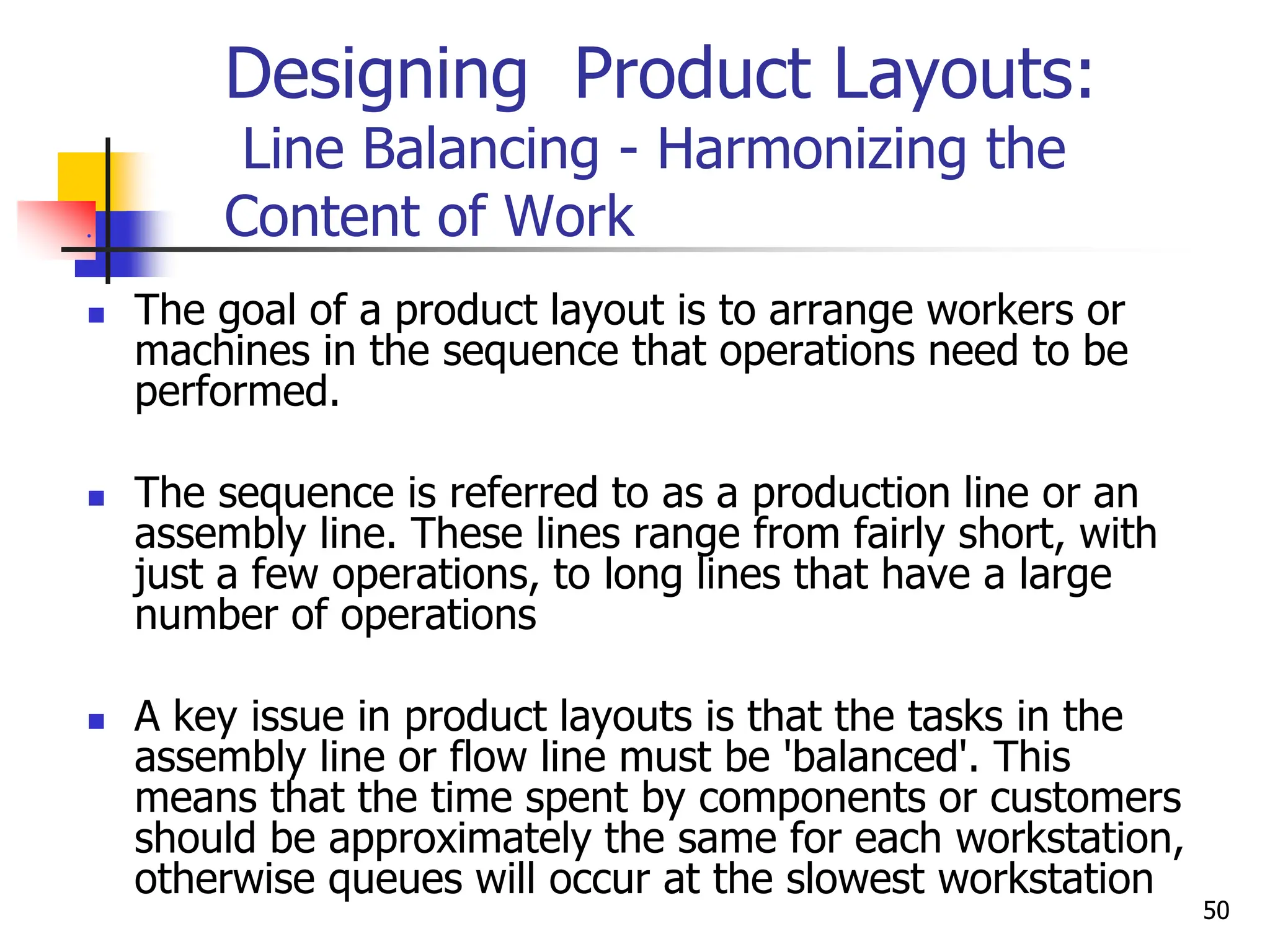
Designing Product Layouts:
Line Balancing - Harmonizing the
Content of Work

 The goal of a product layout is to arrange workers or
machines in the sequence that operations need to be
performed.
 The sequence is referred to as a production line or an
assembly line. These lines range from fairly short, with
just a few operations, to long lines that have a large
number of operations
 A key issue in product layouts is that the tasks in the
assembly line or flow line must be 'balanced'. This
means that the time spent by components or customers
should be approximately the same for each workstation,
otherwise queues will occur at the slowest workstation
50
Line balancing
 Line Balancing is the process of assigning tasks to
workstations in a manner that minimizes the number of
workstations and the total amount of idle time at all
stations for a given output level
 Objective
 Balance the assembly line i.e. minimize the imbalance
between machines or personnel while meeting
required output
51
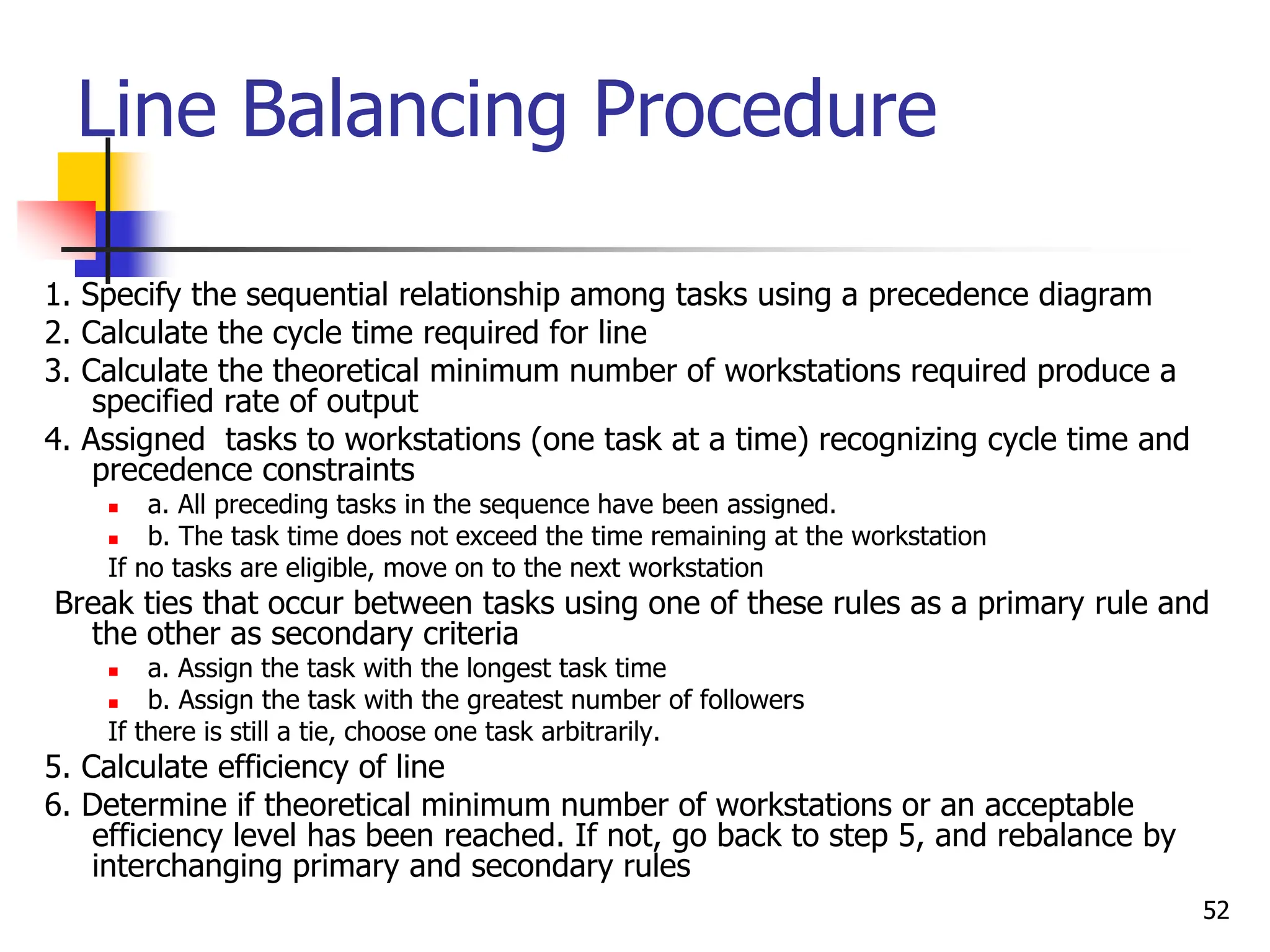
Line Balancing Procedure
1. Specify the sequential relationship among tasks using a precedence diagram
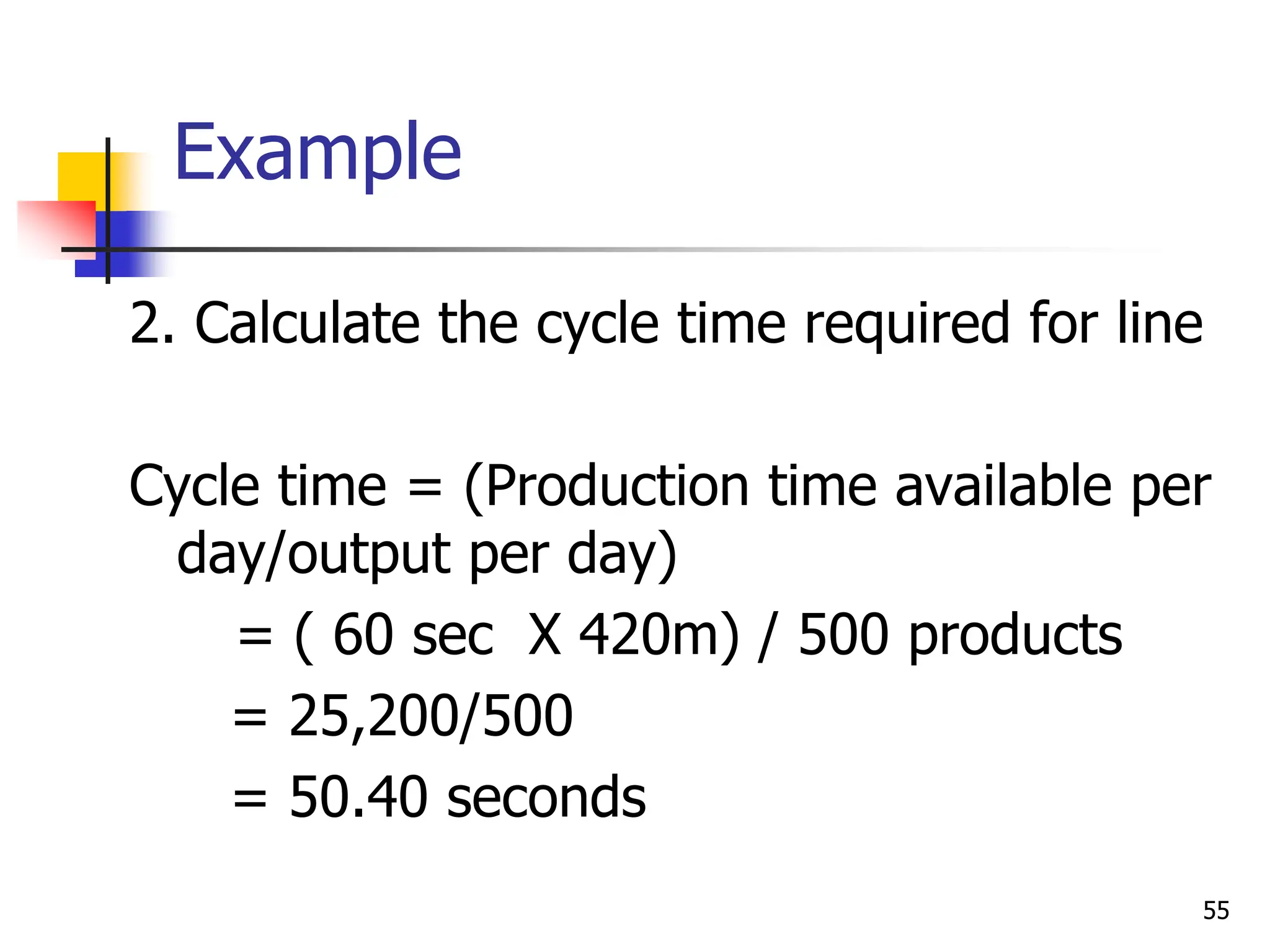
2. Calculate the cycle time required for line
3. Calculate the theoretical minimum number of workstations required produce a
specified rate of output
4. Assigned tasks to workstations (one task at a time) recognizing cycle time and
precedence constraints
 a. All preceding tasks in the sequence have been assigned.
 b. The task time does not exceed the time remaining at the workstation
If no tasks are eligible, move on to the next workstation
Break ties that occur between tasks using one of these rules as a primary rule and
the other as secondary criteria
 a. Assign the task with the longest task time
 b. Assign the task with the greatest number of followers
If there is still a tie, choose one task arbitrarily.
5. Calculate efficiency of line
6. Determine if theoretical minimum number of workstations or an acceptable
efficiency level has been reached. If not, go back to step 5, and rebalance by
interchanging primary and secondary rules
52
Example
53
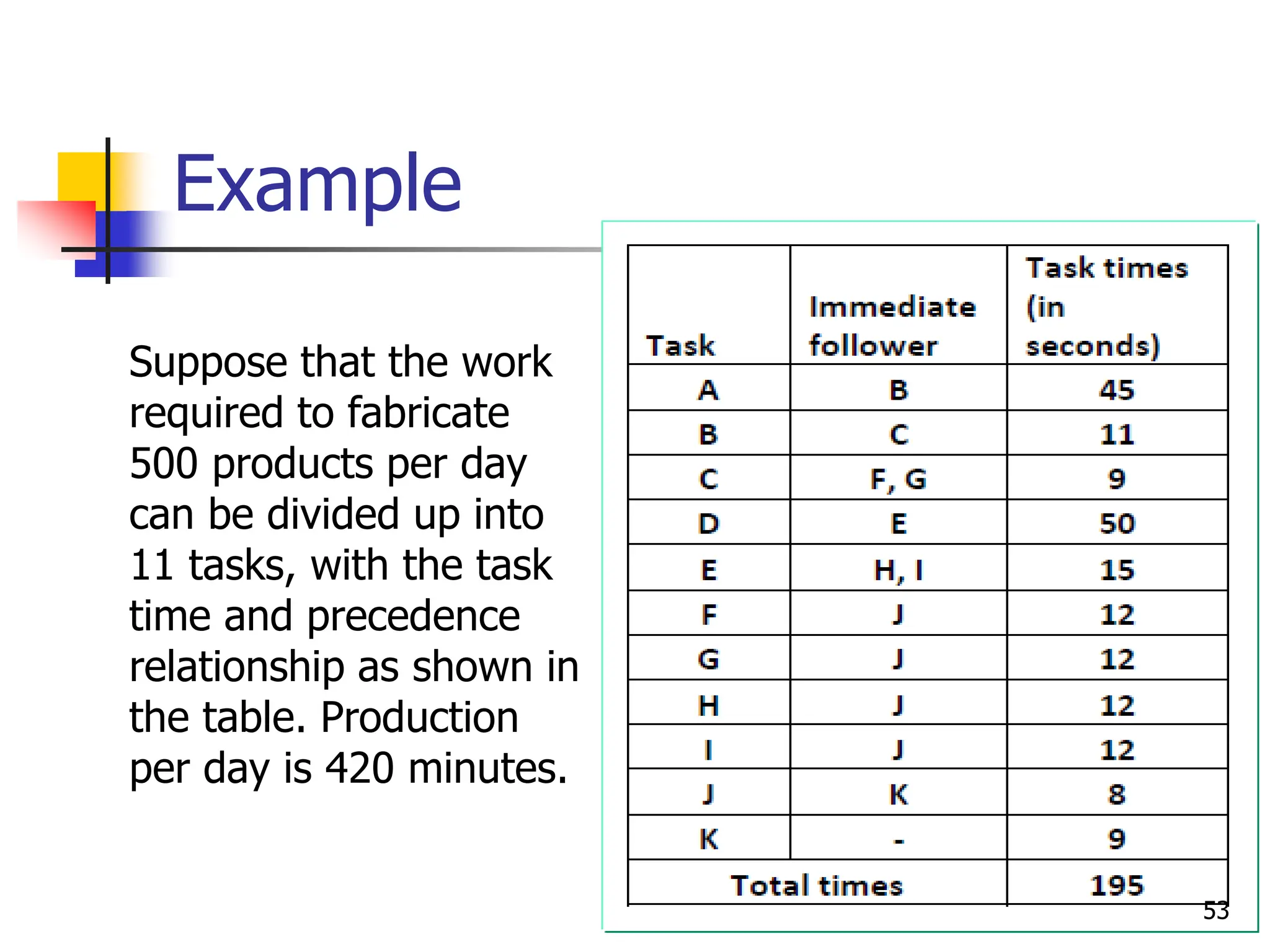
Suppose that the work
required to fabricate
500 products per day
can be divided up into
11 tasks, with the task
time and precedence
relationship as shown in
the table. Production
per day is 420 minutes.
Example
54
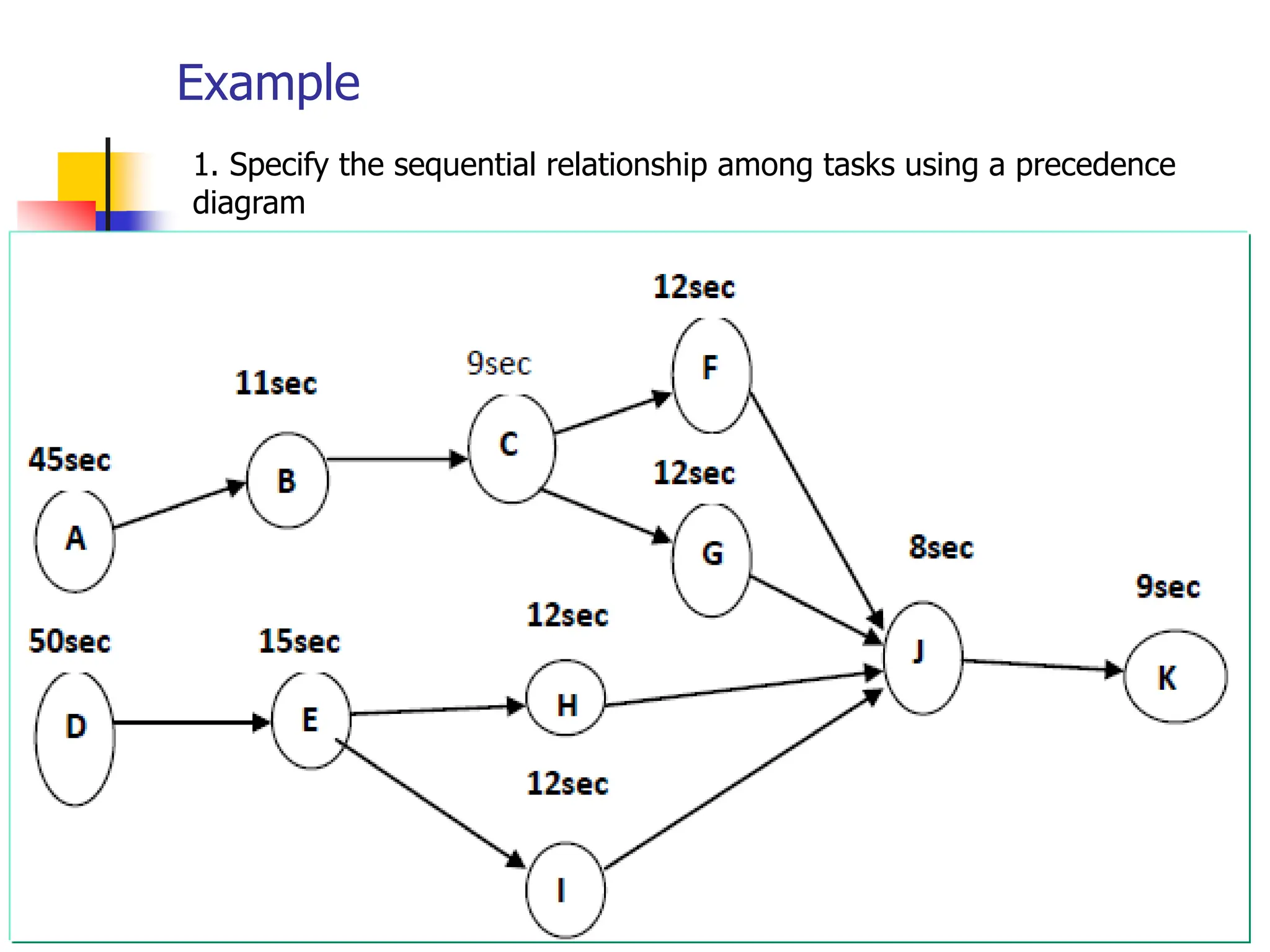
1.
1. Specify the sequential relationship among tasks using a precedence
diagram
Example
2. Calculate the cycle time required for line
Cycle time = (Production time available per
day/output per day)
= ( 60 sec X 420m) / 500 products
= 25,200/500
= 50.40 seconds
55
Example
3. Calculate the theoretical minimum number
of workstations required produce a specified
rate of output
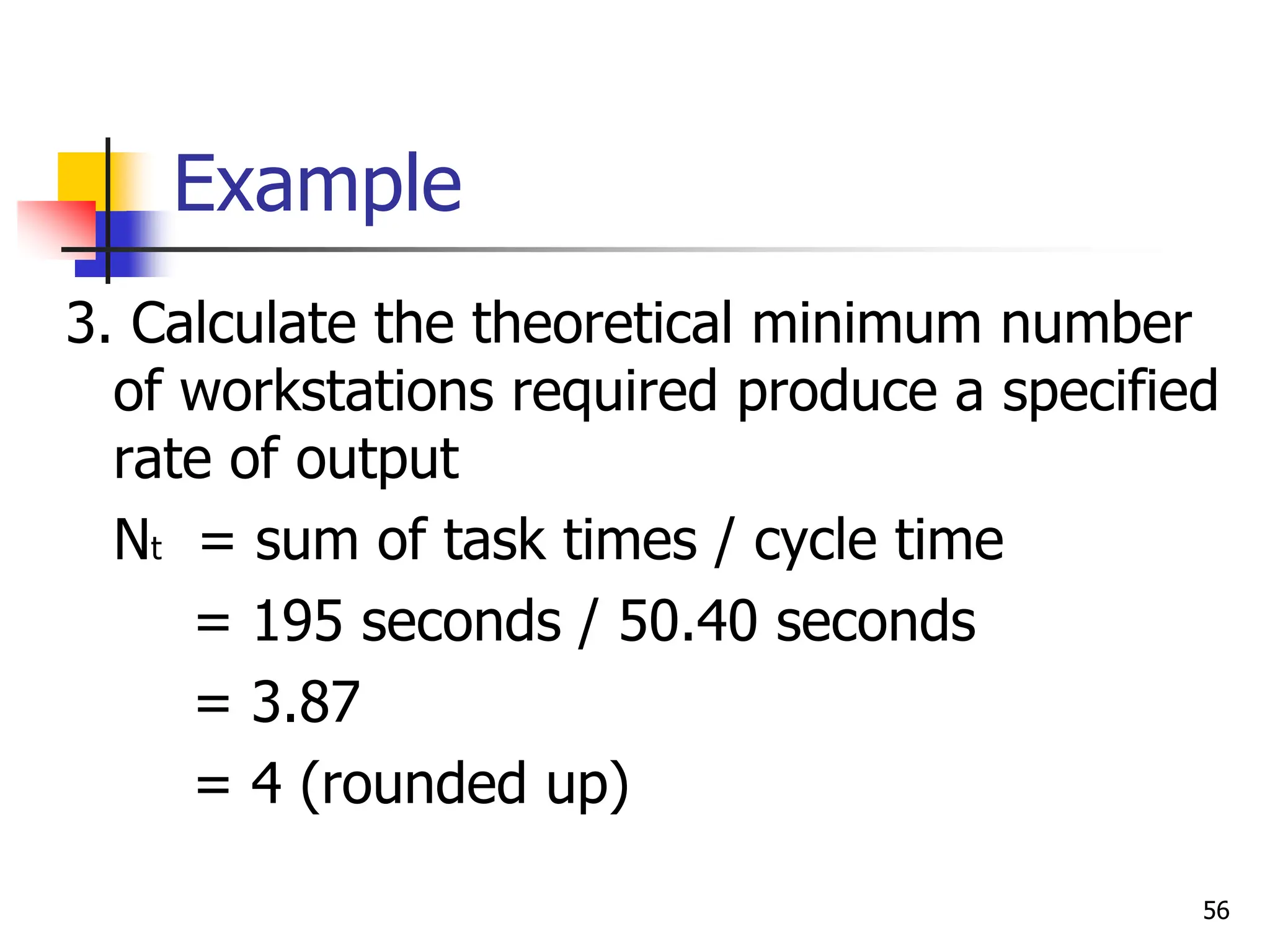
Nt = sum of task times / cycle time
= 195 seconds / 50.40 seconds
= 3.87
= 4 (rounded up)
56
Example
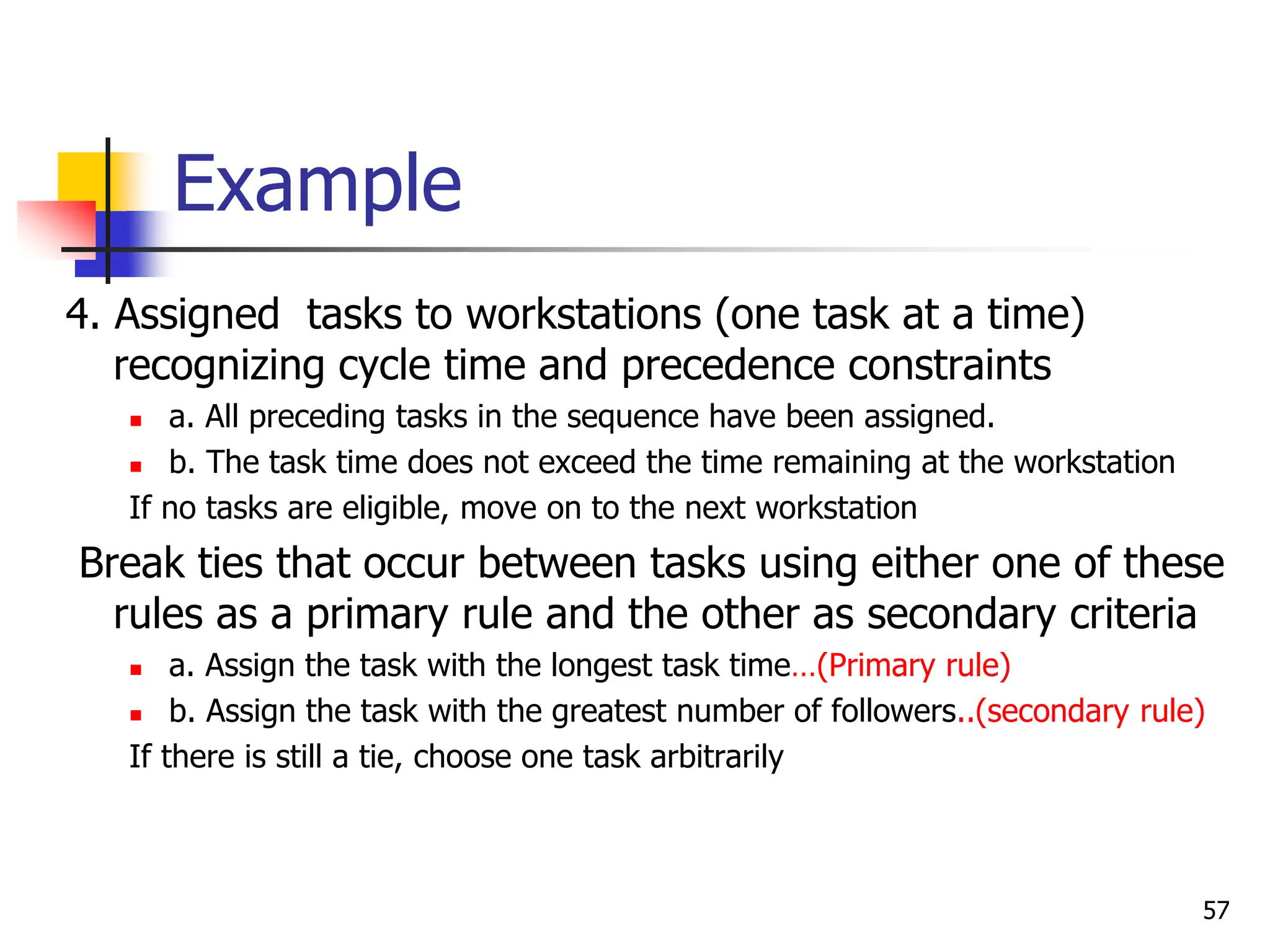
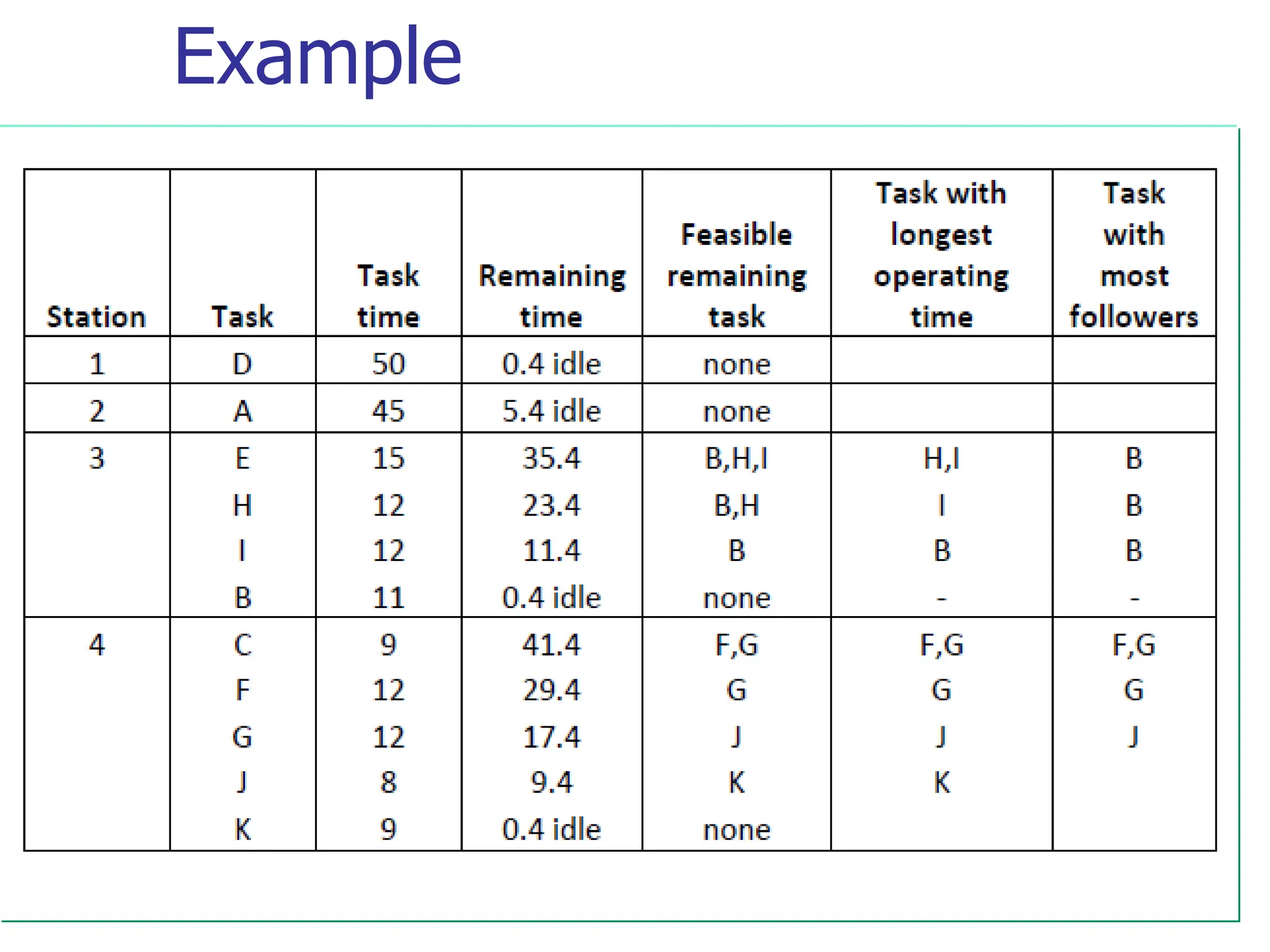
4. Assigned tasks to workstations (one task at a time)
recognizing cycle time and precedence constraints
 a. All preceding tasks in the sequence have been assigned.
 b. The task time does not exceed the time remaining at the workstation
If no tasks are eligible, move on to the next workstation
Break ties that occur between tasks using either one of these
rules as a primary rule and the other as secondary criteria
 a. Assign the task with the longest task time…(Primary rule)
 b. Assign the task with the greatest number of followers..(secondary rule)
If there is still a tie, choose one task arbitrarily
57
Example
58
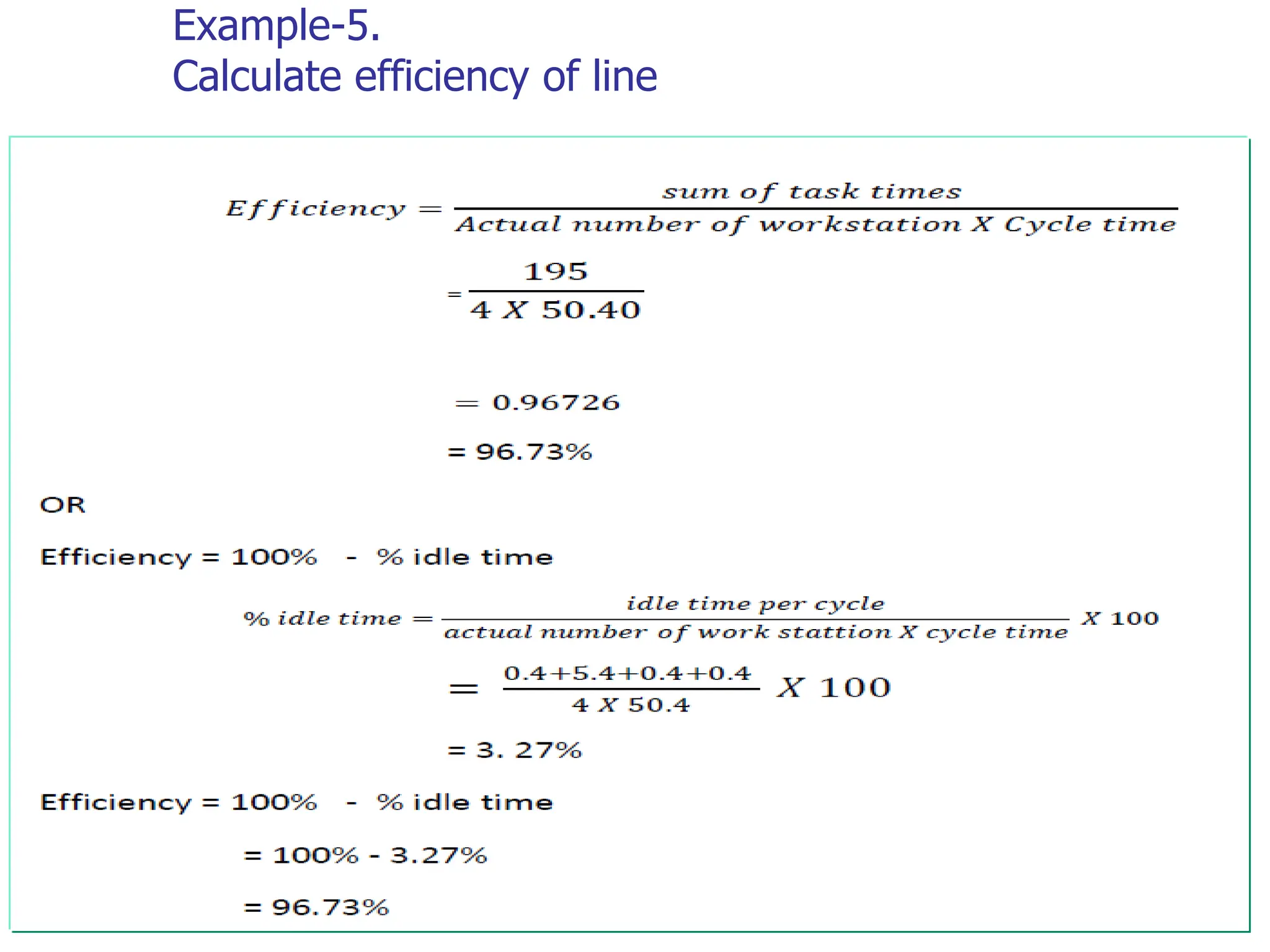
Example-5.
Calculate efficiency of line
59
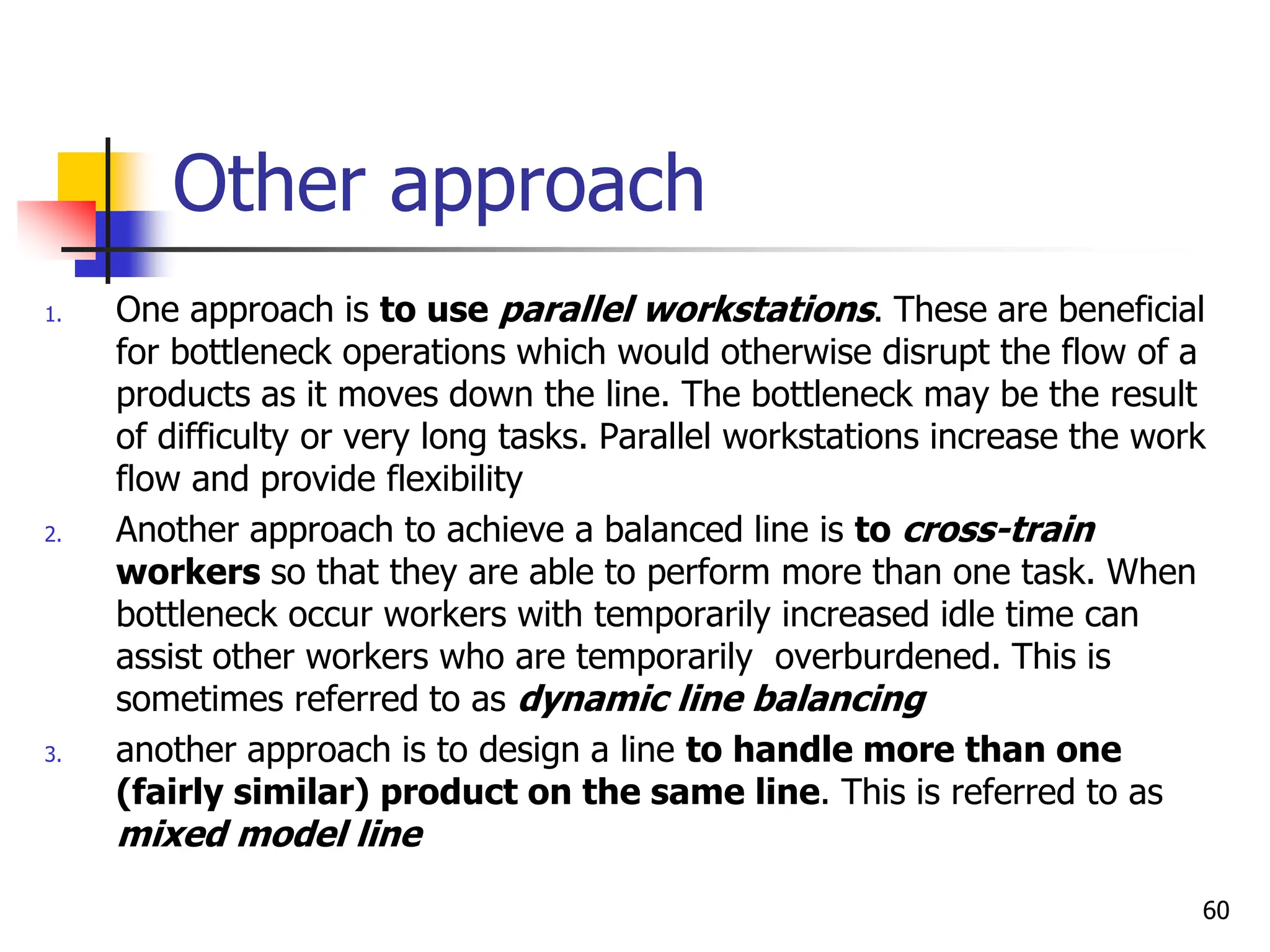
Other approach
1. One approach is to use parallel workstations. These are beneficial
for bottleneck operations which would otherwise disrupt the flow of a
products as it moves down the line. The bottleneck may be the result
of difficulty or very long tasks. Parallel workstations increase the work
flow and provide flexibility
2. Another approach to achieve a balanced line is to cross-train
workers so that they are able to perform more than one task. When
bottleneck occur workers with temporarily increased idle time can
assist other workers who are temporarily overburdened. This is
sometimes referred to as dynamic line balancing
3. another approach is to design a line to handle more than one
(fairly similar) product on the same line. This is referred to as
mixed model line
60
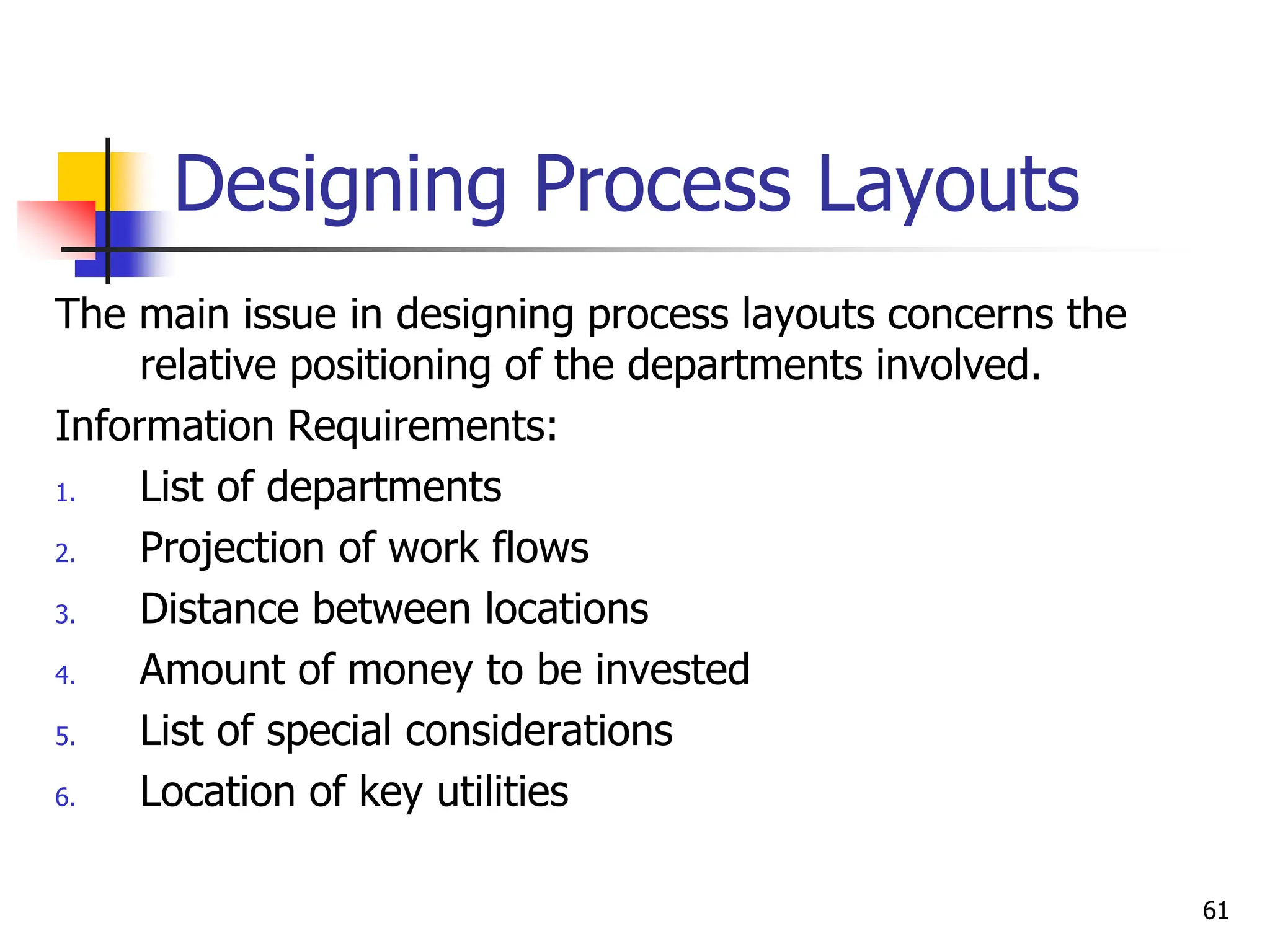
Designing Process Layouts
The main issue in designing process layouts concerns the
relative positioning of the departments involved.
Information Requirements:
1. List of departments
2. Projection of work flows
3. Distance between locations
4. Amount of money to be invested
5. List of special considerations
6. Location of key utilities
61
Designing Process Layouts
 Minimizing Transportation Costs or
Distances
 Closeness rating
62
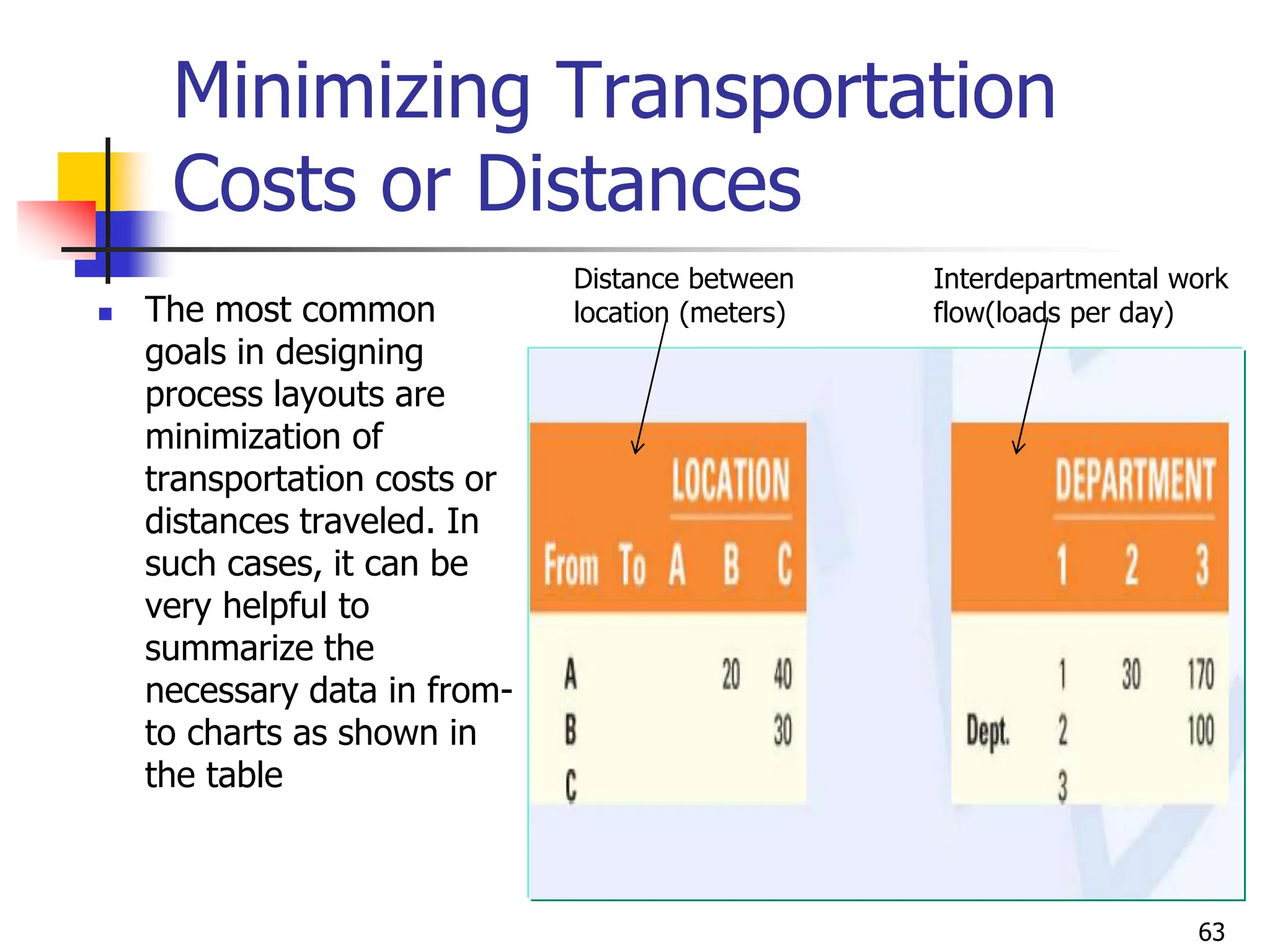
Minimizing Transportation
Costs or Distances
 The most common
goals in designing
process layouts are
minimization of
transportation costs or
distances traveled. In
such cases, it can be
very helpful to
summarize the
necessary data in from-
to charts as shown in
the table
63
Distance between
location (meters)
Interdepartmental work
flow(loads per day)
Example
 Assign the three dept’s shown in the left side table
above to locations A, B, and C, which are separated by
the distances shown on the right side table in such a
way that transportation cost is minimized
 Assign departments with the greatest interdepartmental
work flow first to locations that are close to each other
64
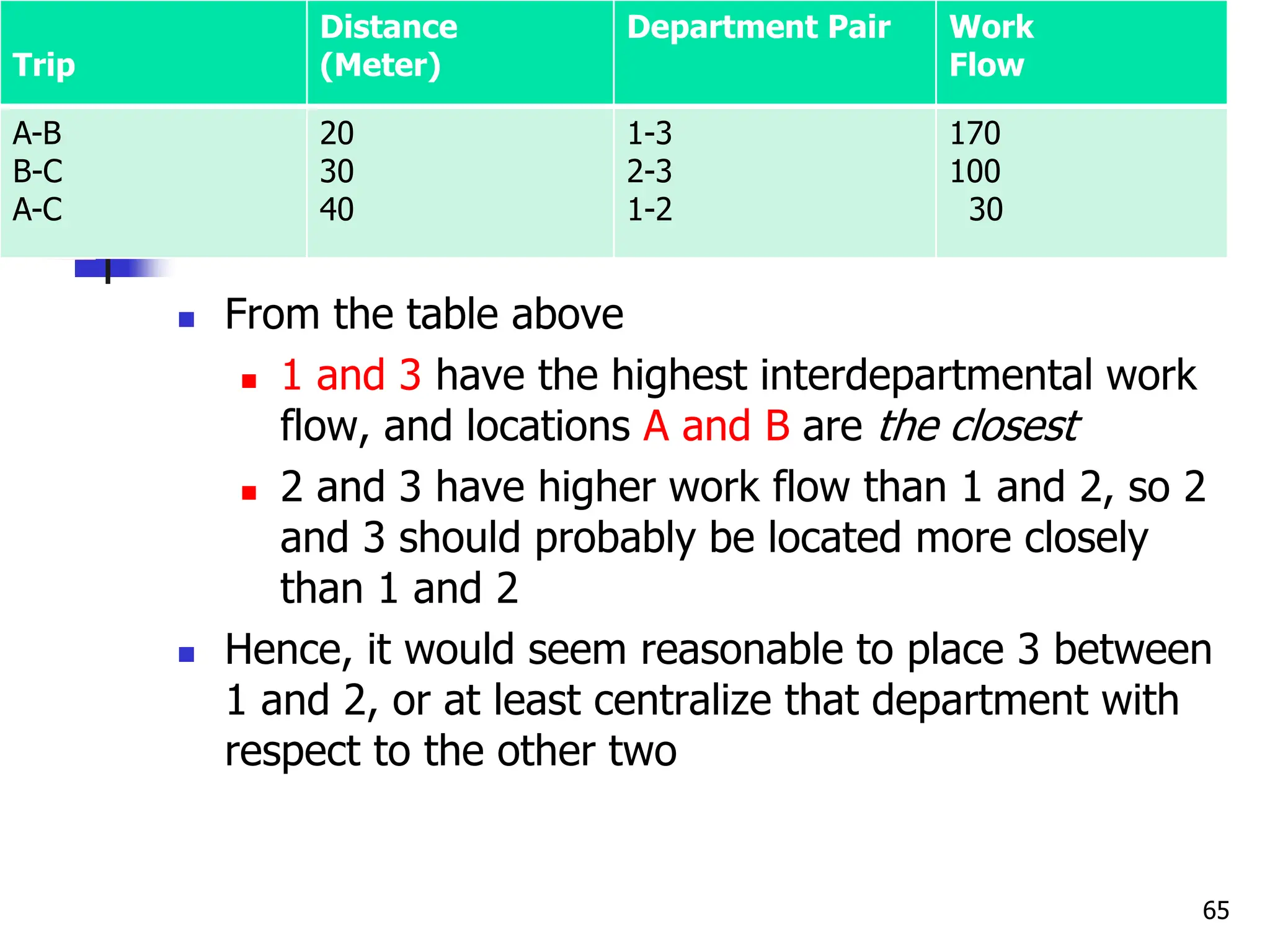
 From the table above
 1 and 3 have the highest interdepartmental work
flow, and locations A and B are the closest
 2 and 3 have higher work flow than 1 and 2, so 2
and 3 should probably be located more closely
than 1 and 2
 Hence, it would seem reasonable to place 3 between
1 and 2, or at least centralize that department with
respect to the other two
65
Trip
Distance
(Meter)
Department Pair Work
Flow
A-B
B-C
A-C
20
30
40
1-3
2-3
1-2
170
100
30
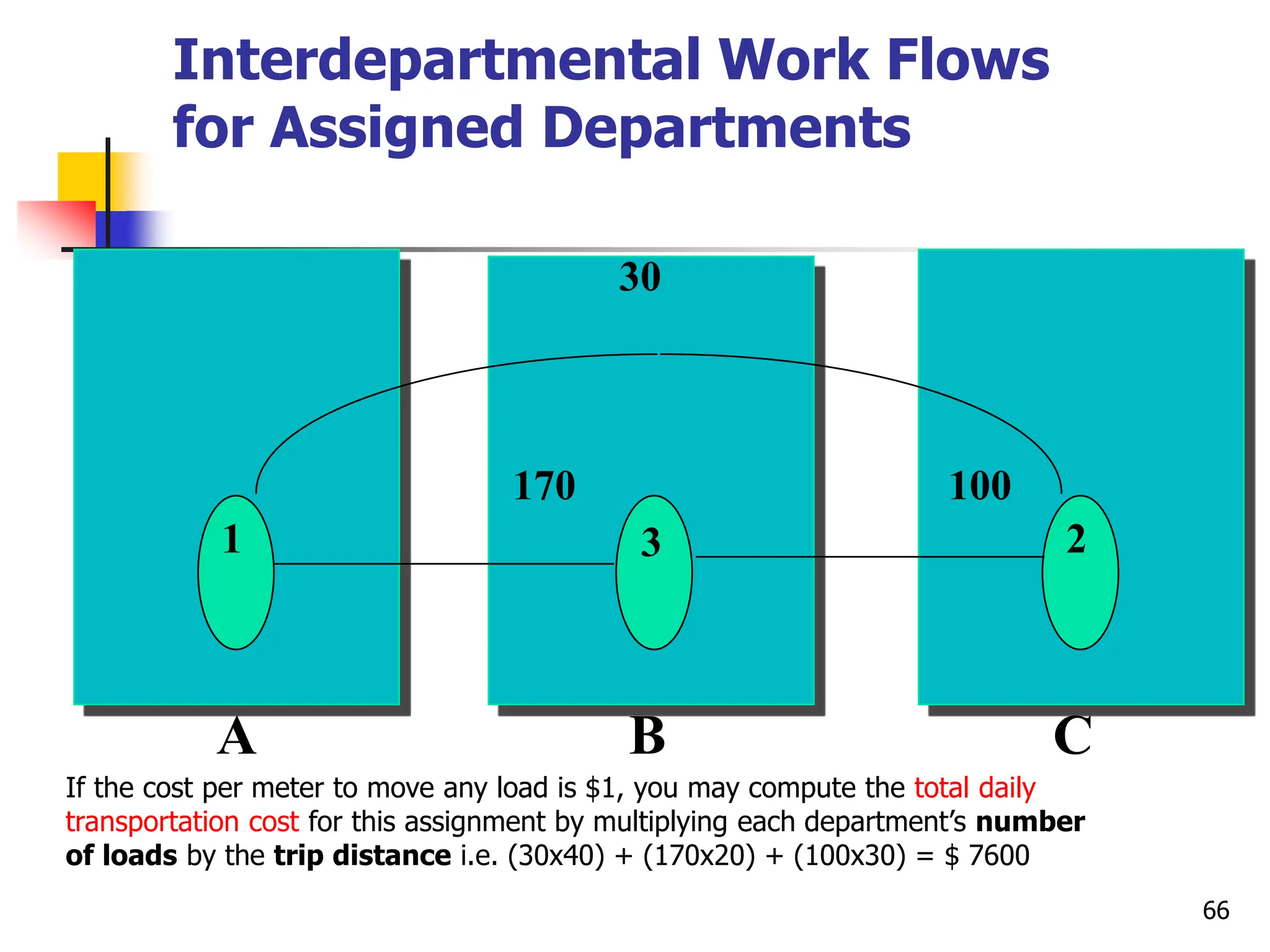
Interdepartmental Work Flows
for Assigned Departments
66
1 3 2
30
170 100
A B C
If the cost per meter to move any load is $1, you may compute the total daily
transportation cost for this assignment by multiplying each department’s number
of loads by the trip distance i.e. (30x40) + (170x20) + (100x30) = $ 7600
CLOSENESS RATINGS
 Although Minimizing Transportation Costs or
Distances approach is widely used, it suffers from the
limitation of focusing on only one objective, and many
situations involve multiple criteria
 Richard Muther developed a more general approach to
the problem, which allows subjective inputs from
analysis or managers to indicate the relative importance
of each combination of department pairs
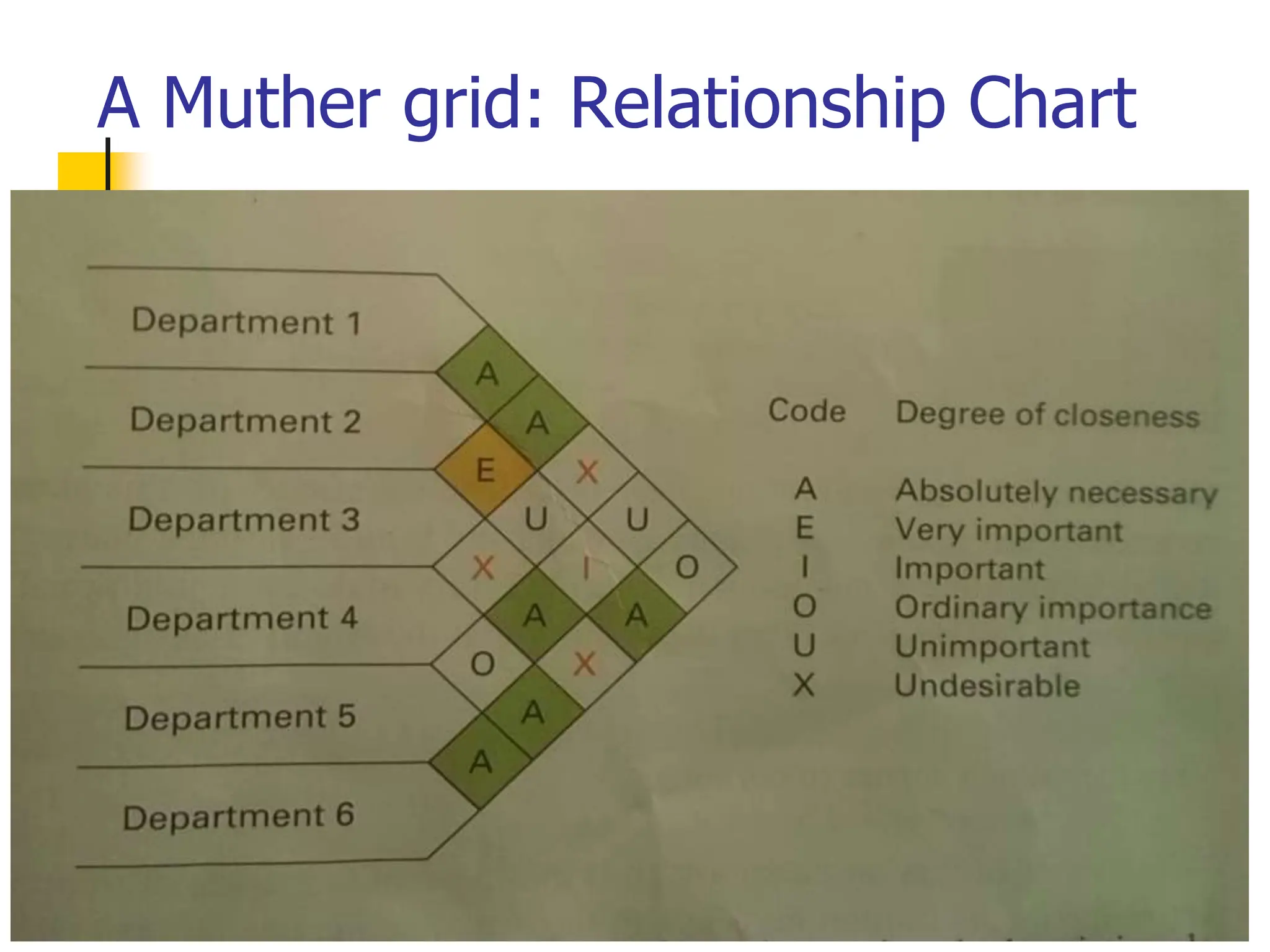
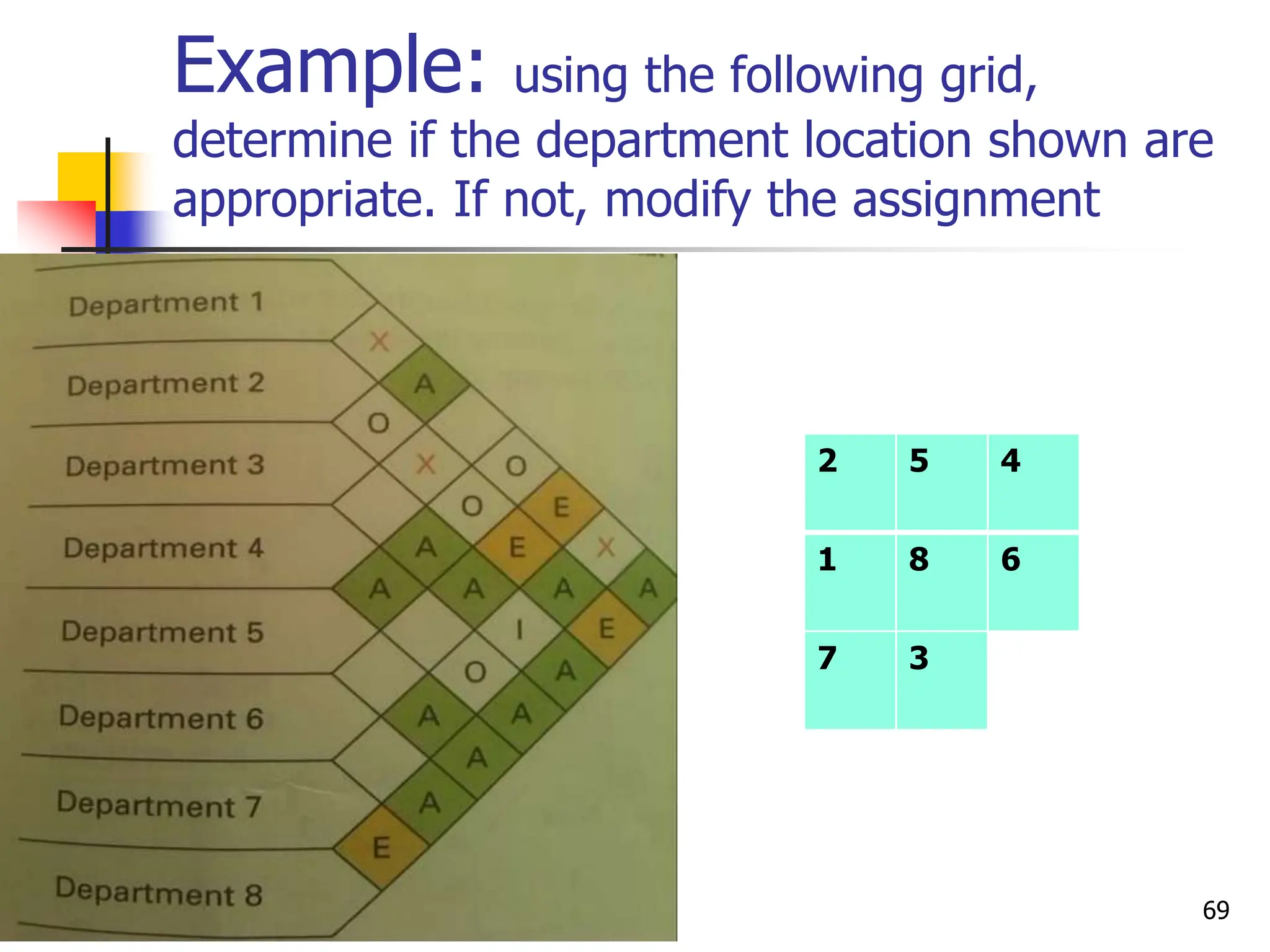
 The letters on the grid represent the importance of
closeness for each department pair
67
A Muther grid: Relationship Chart
68
Example: using the following grid,
determine if the department location shown are
appropriate. If not, modify the assignment
2 5 4
1 8 6
7 3
69
Example
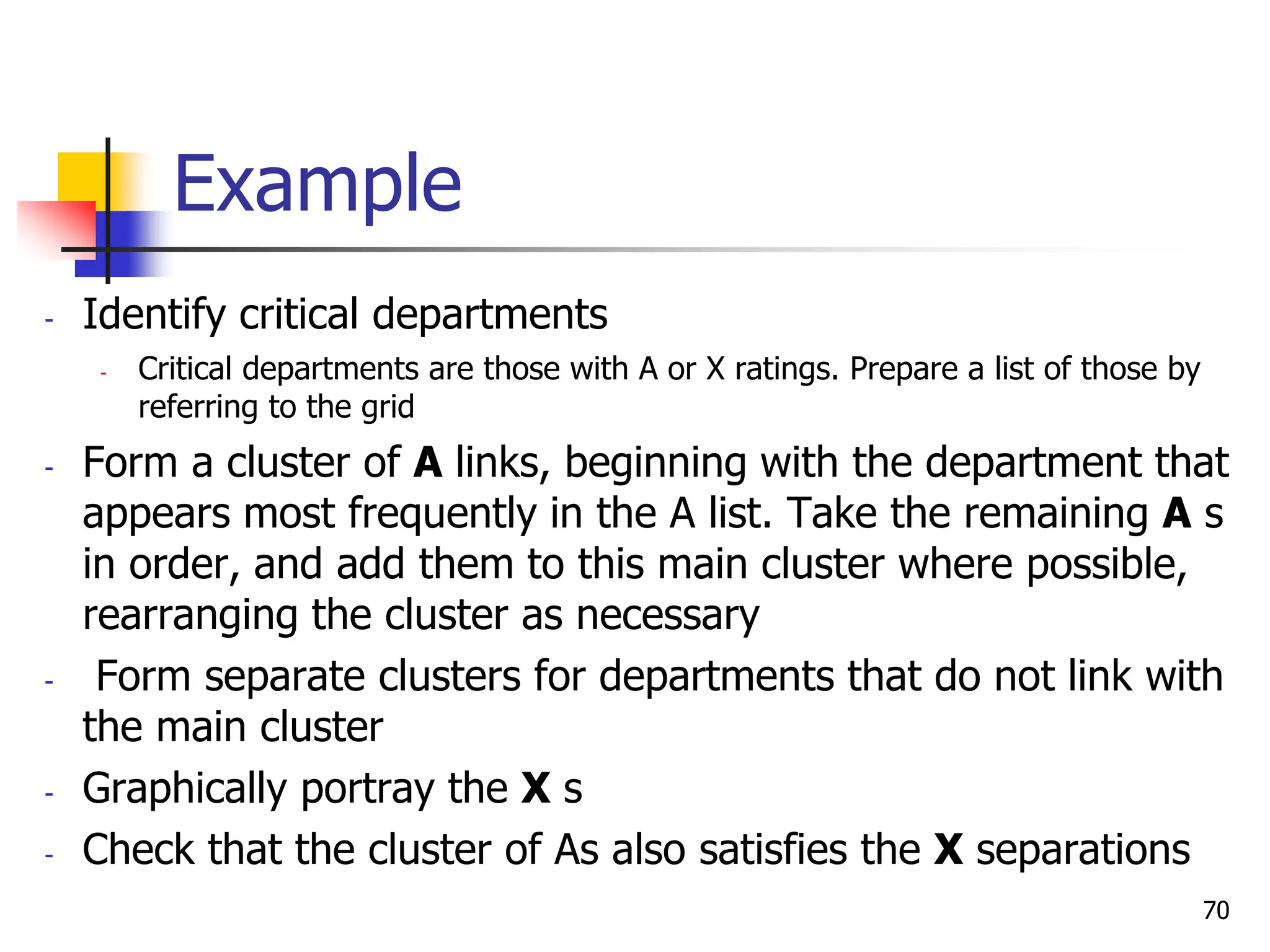
- Identify critical departments
- Critical departments are those with A or X ratings. Prepare a list of those by
referring to the grid
- Form a cluster of A links, beginning with the department that
appears most frequently in the A list. Take the remaining A s
in order, and add them to this main cluster where possible,
rearranging the cluster as necessary
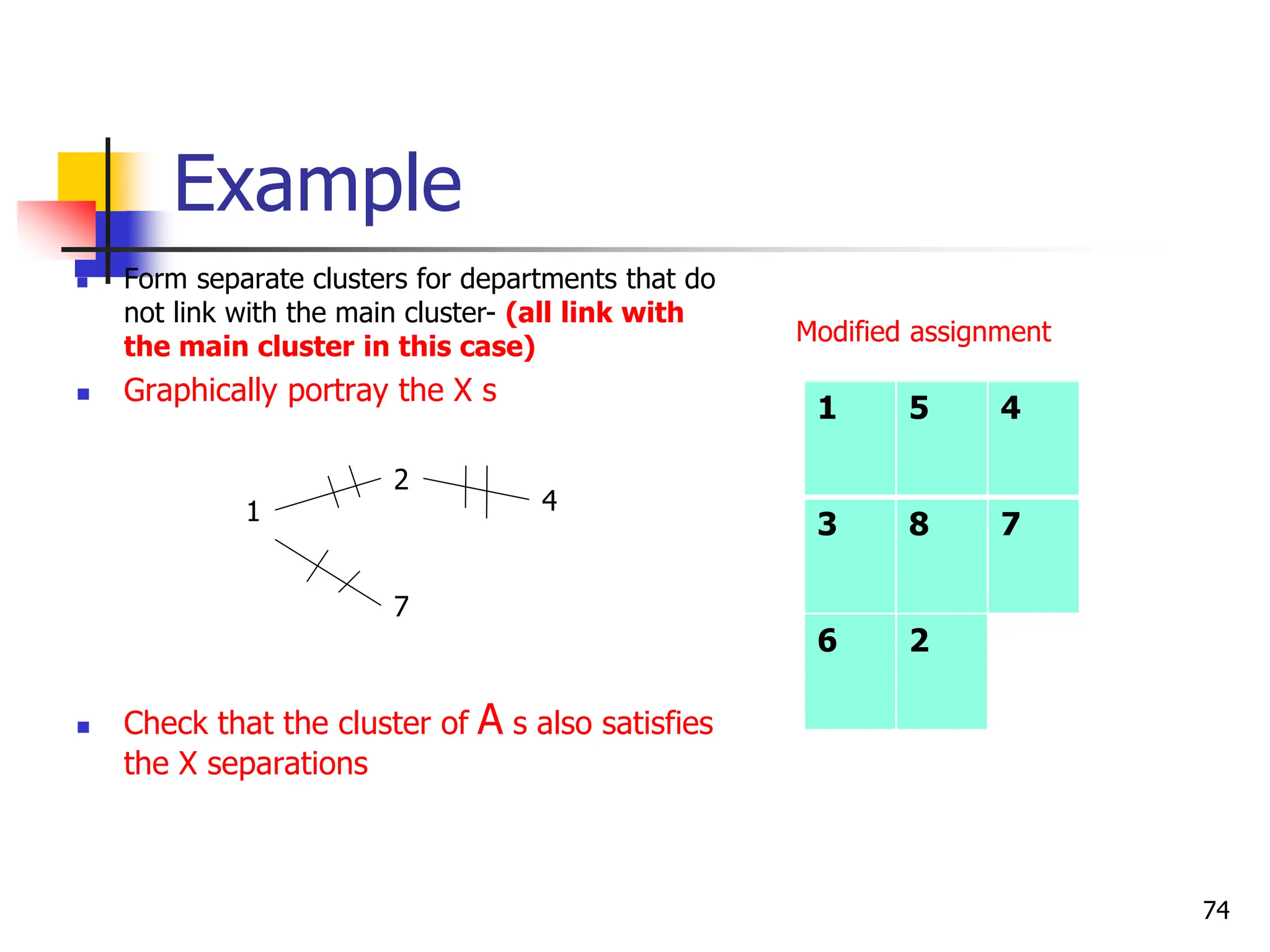
- Form separate clusters for departments that do not link with
the main cluster
- Graphically portray the X s
- Check that the cluster of As also satisfies the X separations
70
Example
- Identify critical
departments
- Critical
departments are
those with A or X
ratings. Prepare a
list of those by
referring to the
grid
71
A s X s
1 - 3 1 - 2
1 - 8 2 - 4
2 - 7 1 - 7
3 - 5
3 - 6
3 - 8
4 - 5
4 – 8
5 – 7
5 - 8
6 - 8
Example
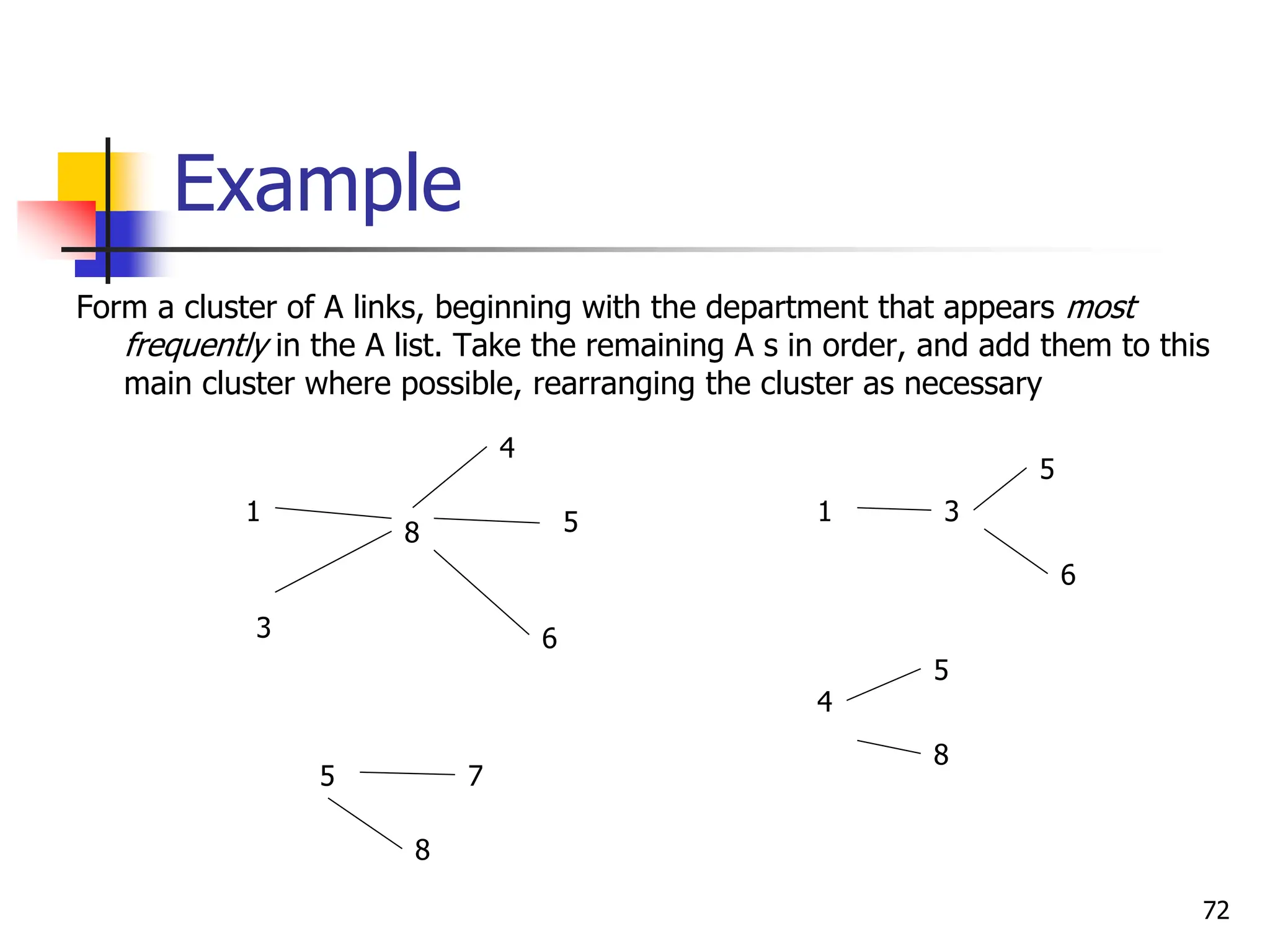
Form a cluster of A links, beginning with the department that appears most
frequently in the A list. Take the remaining A s in order, and add them to this
main cluster where possible, rearranging the cluster as necessary
72
8
6
4
1 5
3
6
5
3
1
5
8
5
4
7
8
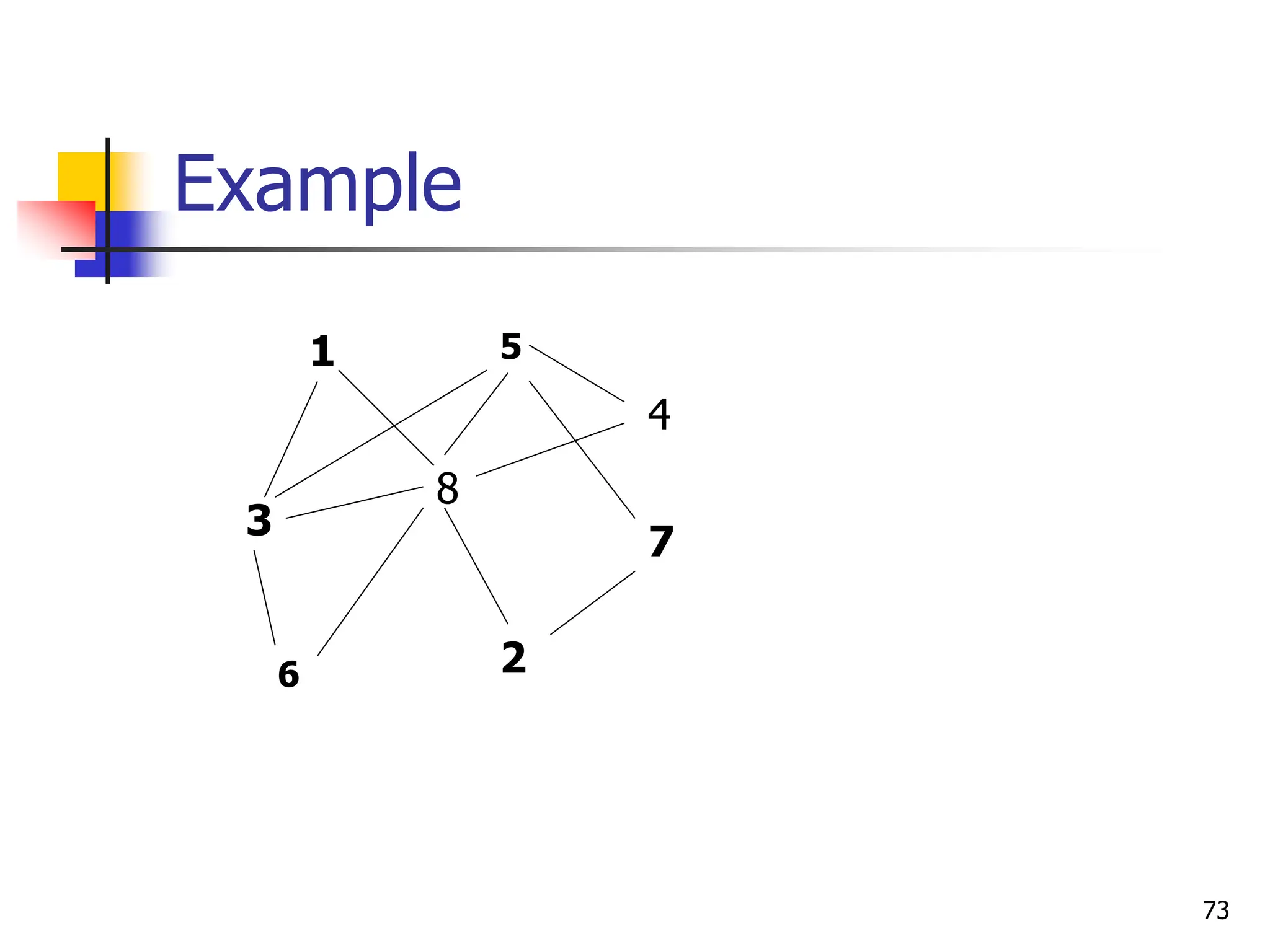
Example
73
3
8
6
1 5
7
4
2
Example
 Form separate clusters for departments that do
not link with the main cluster- (all link with
the main cluster in this case)
 Graphically portray the X s
 Check that the cluster of A s also satisfies
the X separations
74
1
2
4
7
1 5 4
3 8 7
6 2
Modified assignment
End
75

unit -3-2 Process Selection and facility layout.ppt

  • 1.
    Unit – 3 3.2Process Selection & Facility layout
  • 2.
    Lecture Outline  Processselection  Process strategy  Process types  Process technology  Facility layout  Product layout  Process layout  Fixed-position layout 2
  • 3.
    Process Selection  Processselection  Deciding on the way production of goods or services will be organized  It has Major implications for  Capacity planning  Selection of technology  Layout of facilities  Equipment  Design of work systems 3
  • 4.
    Process Strategy  Howan organization approaches process selection is determined by the organization’s process strategy  Process strategy  an organization’s overall approach for physically producing goods and services  Key aspects of process strategy :  Vertical integration-the extent to which firm will produce inputs and control outputs of each stage of production process  Capital intensity – the mix of equipment and labor used in production process  Process flexibility- the degree to which the system can be adjusted to changes in processing requirements such as: - Design, Volume , technology (in response to changes in demand, technology, resource availability etc)  Customer involvement –role of customer in production process 4
  • 5.
    Process Selection Factors inprocess selection  Variety - How much variety in products or services will the system need to handle?  Flexibility - What degree of equipment flexibility will be needed?  Volume - What is the expected volume of output?  Answers to these questions will serve as a guide to selecting an appropriate process type 5
  • 6.
    Process Types  Fivebasic process types: 1. Project 2. Job shop 3. Batch 4. Repetitive/assembly 5. Continuous  Process types are defined by the volume and variety of ‘items’ they process 6
  • 7.
  • 8.
    Project  Production ofcustomized single products  Labor and materials brought to site  Planning , scheduling challenges  Non-routine work  Unique (one of a kind) products  make a one-at-a-time product exactly to customer specifications  Little automation (large-scale ‘products’ with high work content)  labor and equipment flexibility can range from low to high  Limited time frame 8
  • 9.
    Job shop  Relativelysmall scale (and smaller products)  Low volume of high-variety products  Customized products  High flexibility of equipment(general purpose equipment)  Skilled labor (skill requirements are usually very broad)  Processing is intermittent 9
  • 10.
    Batch  Moderate volumeof moderate variety products (Higher volumes and lower variety than job shop)  Semi-standardized products  The equipment need not be as flexible as in a job shop  The skill level of workers doesn’t need to be as high as in a job shop because there is less variety in the jobs being processed (moderately skilled labor)  Processing is intermittent 10
  • 11.
    Repetitive/assembly  Higher volumesand low variety standardized products  Discrete(non-continuous) products  Less flexibility of equipment  Low and/or narrow skill requirements  Processing is repetitive 11
  • 12.
    Continuous  Very highvolume and less/no variety of highly standardized products  Non-discrete products  Very low equipment flexibility  Workers’ skill requirements can range from low to high, depending on the complexity of the system  Processing is repetitive 12
  • 13.
  • 14.
    The effect ofProcess choice 14
  • 15.
    Advantages and Disadvantages ofprocess types 15 Job shop Batch Repetitive/ Assembly Continuous Description Advantages Disadvantages Customized goods or services Able to handle a wide variety of work Slow, high cost per unit, complex planning and scheduling Semi- standardized goods or services Flexibility Moderate cost per unit, moderate scheduling complexity Standardized goods or services Low unit cost, high volume, efficient Low flexibility, high cost of downtime Highly standardized goods and sevs Very efficient, very high volume Very rigid, lack of variety, costly to change, very high cost of downtime
  • 16.
    Process Technology (PT) PT refers to the machines, equipment and devices that create and/or deliver products and services  all technology needs human intervention, but the ratio of labor and equipment (capital intensity) used in production process vary  Different process technologies are required for different parts of the volume–variety continuum  High variety–low volume processes generally require process technology that is general purpose because it can perform the wide range of processing activities that high variety demands 16
  • 17.
    Degree of Automation High volume–low variety processes can use technology that is more dedicated to its narrower range of processing requirements  Processes that have high variety and low volume will employ process technology with lower degrees of automation than those with higher volume and lower variety  Automation  Machinery that has sensing and control devices that enables it to operate automatically 17
  • 18.
  • 19.
    Automation  Computer-aided designand manufacturing (CAD/CAM)  Electronic link between automated design (CAD) and automated manufacture (CAM)  Computer numerically control (CNC)  Machines controlled by software to perform a range of operations with the help of automated tool changers; collects processing information and quality data  Flexible manufacturing system (FMS)  A collection of CNC machines connected by an automated material handling system to produce a wide variety of parts  Robots  Programmable manipulators that can perform repetitive tasks; more consistent than workers but less flexible  Computer-integrated manufacturing (CIM)  Automated manufacturing systems integrated through computer technology; also called e-manufacturing
  • 20.
  • 21.
    Automation  Advantage  Betterqualify of goods and services.  Reduction in direct labour costs.  Effective control on operations.  Greater accuracy: More output, greater speed  Minimisation of waste  the quality is also improved as human input is minimized  service to the customer is enhanced.  Disadvantage  high capital investment  high maintenance costs and maintenance labour of high calibre  Can create unemployment  Automation equipment is highly inflexible  Any breakdown any where would lead to complete shutdown. 21
  • 22.
    Facility Layout  Layoutrefers to the configuration of departments, work centers, and equipment, with particular emphasis on movement of work (customers or materials) through the system  The basic objective of layout design is to facilitate a smooth flow of work, material, and information through the system 22
  • 23.
    Facility layout Other Supportingobjectives includes  To facilitate attainment of product or service quality  To use workers and space efficiently  To avoid bottlenecks  To minimize material handling costs  To eliminate unnecessary movements of workers or materials  To minimize production time or customer service time  To design for safety 23
  • 24.
    Importance of Layout Decisions Requires substantial investments of money and effort  Involves long-term commitments  Has significant impact on cost and efficiency of short-term operations 24
  • 25.
     Inefficient operations High Cost Bottlenecks  Changes in the design of products or services  The introduction of new products or services  Accidents or Safety hazards  Changes in volume of output or mix of products  Changes in methods and equipment  Changes in environmental or other legal requirements 25 The Need for Layout Decisions
  • 26.
    Inputs to theLayout Decision 1.Specification of objectives of the system in terms of output and flexibility 2.Estimation of product or service demand on the system 3.Processing requirements in terms of number of operations and amount of flow between departments and work centers 4. Space requirements for the elements in the layout 5. Space availability within the facility itself 26
  • 27.
    Layout Types There are3 basic types and one hybrid type  Basic types  Product layouts  Process layouts  Fixed-Position layout  Hybrid type  Group Technology or Cellular layouts 27
  • 28.
    Basic Layout Types Product layout  Layout that uses standardized processing operations to achieve smooth, rapid, high- volume flow  Equipment or work processes are arranged according to the progressive steps by which the product is made  Product layouts are most conducive to repetitive or Continuous Processing 28
  • 29.
  • 30.
    Advantages of ProductLayout  High rate of output  Low unit cost due to high volume  Labor specialization  Low material handling cost  High utilization of labor and equipment  Established routing and scheduling(in the initial design of the system)  Routing accounting, purchasing and inventory control  Little direct supervision is required 30
  • 31.
    Disadvantages of ProductLayout  Creates dull, repetitive jobs  Poorly skilled workers may not maintain equipment or quality of output  Fairly inflexible to changes in volume  Highly susceptible to shutdowns  A breakdown of one machine in a product line may cause stoppages of machines in the downstream of the line  Needs preventive maintenance  Incentive plans tied to individual output are impractical l 31
  • 32.
    Process layout  alsocalled functional layout  Layout that can handle varied processing requirement  Used for Intermittent processing  Job Shop or Batch Processes  The layouts include departments or other functional groupings in which similar kinds of activities are performed  Designed to facilitate processing items or providing services that present a variety of processing requirements  E.g – hospital some services such as -X-ray and laboratories - machine shop, which has separate departments for milling, grinding, drilling, and so on 32
  • 33.
  • 34.
    Advantages of ProcessLayout  Can handle a variety of processing requirements  Not particularly vulnerable to equipment failures  General-purpose equipment is less costly and is easier and less costly to maintain  Possible to use individual incentive systems 34
  • 35.
    Disadvantages of Process Layout In-process inventory is relatively high and its costs can be high  Routing and scheduling pose continual challenges  Equipment utilization rates are low  Material handling is slow and inefficient, and more costly per unit  Job complexities reduce the span of supervision and result higher supervisory costs  Special attention necessary for each product or customer and low volumes result in higher unit costs  Accounting, inventory control, and purchasing are much more involved 35
  • 36.
  • 37.
  • 38.
    Fixed Position Layouts Layout in which the product or project remains stationary, and workers, materials, and equipment are moved as needed.  Nature of the product dictates this type of layout  Weight  Size  Bulk  Widely used for farming, firefighting, road building, home building, power plants, dams construction, shipbuilding, and oil drilling  In each case, compelling reasons bring workers, materials, and equipment to the “product’s” location instead of the other way around. 38
  • 39.
  • 40.
    Advantages of fixedlayout  Reduces movement of machines & equipment  Minimizes damage/cost of movement  Continuity of assigned work force 40
  • 41.
    Disadvantages of fixedlayout  Skilled & versatile workers needed due to multiple operations  Skill combination may be difficult to obtain higher pay  Movement of people/material may be expensive  Equipment utilization low as they are left at location for subsequent usage instead of being moved as & where needed 41
  • 42.
    Hybrid Layout  Manyoperations either design themselves hybrid layouts which combine elements of some or all of the basic layout types or use the ‘pure’ basic layout types in different parts of the operation 42
  • 43.
    Group Technology(cellular) layout  Groupdissimilar machines into work centers (cells) to work on products that have similar shapes and processing requirements  It is similar to a process layout in that cells are designed to perform a specific set of processes, and it is similar to a product layout in that the cells are dedicated to a limited range of products 43
  • 44.
    Cellular layout -example 1. computer component manufacture the processing and assembly of some types of computer parts may need a special area dedicated to the manufacturing of parts for one particular customer who has special requirements such as especially high quality levels 44
  • 45.
    Cellular layout -example  2. a department display of various types of goods in different parts of the store. Each display area can be considered a separate process devoted to selling a particular class of goods – shoes, clothes, books and so on. The exception is the sports shop. This area is a shop-within-a-shop area which is devoted to many goods which have a common sporting theme. For example, it will stock sports clothes, sports shoes, sports bags, sports magazines, sports books and videos, sports equipment and gifts and sports energy drinks. Within the ‘cell’ there are all the ‘processes’ which are also located elsewhere in the store. They have been located in the ‘cell’ not because they are similar goods (shoes, books and drinks would not usually be located together) but because they are needed to satisfy the needs of a particular type of customer. 45
  • 46.
  • 47.
    Advantages and Disadvantages ofCellular Layouts Advantages  Reduced material handling and transit time  Reduced setup time  Reduced work-in-process inventory  Better use of human resources  Easier to control  Easier to automate Disadvantages  Inadequate part families  Poorly balanced cells  Expanded training and scheduling of workers  Increased capital investment 47
  • 48.
  • 49.
  • 50.
    Designing Product Layouts: LineBalancing - Harmonizing the Content of Work   The goal of a product layout is to arrange workers or machines in the sequence that operations need to be performed.  The sequence is referred to as a production line or an assembly line. These lines range from fairly short, with just a few operations, to long lines that have a large number of operations  A key issue in product layouts is that the tasks in the assembly line or flow line must be 'balanced'. This means that the time spent by components or customers should be approximately the same for each workstation, otherwise queues will occur at the slowest workstation 50
  • 51.
    Line balancing  LineBalancing is the process of assigning tasks to workstations in a manner that minimizes the number of workstations and the total amount of idle time at all stations for a given output level  Objective  Balance the assembly line i.e. minimize the imbalance between machines or personnel while meeting required output 51
  • 52.
    Line Balancing Procedure 1.Specify the sequential relationship among tasks using a precedence diagram 2. Calculate the cycle time required for line 3. Calculate the theoretical minimum number of workstations required produce a specified rate of output 4. Assigned tasks to workstations (one task at a time) recognizing cycle time and precedence constraints  a. All preceding tasks in the sequence have been assigned.  b. The task time does not exceed the time remaining at the workstation If no tasks are eligible, move on to the next workstation Break ties that occur between tasks using one of these rules as a primary rule and the other as secondary criteria  a. Assign the task with the longest task time  b. Assign the task with the greatest number of followers If there is still a tie, choose one task arbitrarily. 5. Calculate efficiency of line 6. Determine if theoretical minimum number of workstations or an acceptable efficiency level has been reached. If not, go back to step 5, and rebalance by interchanging primary and secondary rules 52
  • 53.
    Example 53 Suppose that thework required to fabricate 500 products per day can be divided up into 11 tasks, with the task time and precedence relationship as shown in the table. Production per day is 420 minutes.
  • 54.
    Example 54 1. 1. Specify thesequential relationship among tasks using a precedence diagram
  • 55.
    Example 2. Calculate thecycle time required for line Cycle time = (Production time available per day/output per day) = ( 60 sec X 420m) / 500 products = 25,200/500 = 50.40 seconds 55
  • 56.
    Example 3. Calculate thetheoretical minimum number of workstations required produce a specified rate of output Nt = sum of task times / cycle time = 195 seconds / 50.40 seconds = 3.87 = 4 (rounded up) 56
  • 57.
    Example 4. Assigned tasksto workstations (one task at a time) recognizing cycle time and precedence constraints  a. All preceding tasks in the sequence have been assigned.  b. The task time does not exceed the time remaining at the workstation If no tasks are eligible, move on to the next workstation Break ties that occur between tasks using either one of these rules as a primary rule and the other as secondary criteria  a. Assign the task with the longest task time…(Primary rule)  b. Assign the task with the greatest number of followers..(secondary rule) If there is still a tie, choose one task arbitrarily 57
  • 58.
  • 59.
  • 60.
    Other approach 1. Oneapproach is to use parallel workstations. These are beneficial for bottleneck operations which would otherwise disrupt the flow of a products as it moves down the line. The bottleneck may be the result of difficulty or very long tasks. Parallel workstations increase the work flow and provide flexibility 2. Another approach to achieve a balanced line is to cross-train workers so that they are able to perform more than one task. When bottleneck occur workers with temporarily increased idle time can assist other workers who are temporarily overburdened. This is sometimes referred to as dynamic line balancing 3. another approach is to design a line to handle more than one (fairly similar) product on the same line. This is referred to as mixed model line 60
  • 61.
    Designing Process Layouts Themain issue in designing process layouts concerns the relative positioning of the departments involved. Information Requirements: 1. List of departments 2. Projection of work flows 3. Distance between locations 4. Amount of money to be invested 5. List of special considerations 6. Location of key utilities 61
  • 62.
    Designing Process Layouts Minimizing Transportation Costs or Distances  Closeness rating 62
  • 63.
    Minimizing Transportation Costs orDistances  The most common goals in designing process layouts are minimization of transportation costs or distances traveled. In such cases, it can be very helpful to summarize the necessary data in from- to charts as shown in the table 63 Distance between location (meters) Interdepartmental work flow(loads per day)
  • 64.
    Example  Assign thethree dept’s shown in the left side table above to locations A, B, and C, which are separated by the distances shown on the right side table in such a way that transportation cost is minimized  Assign departments with the greatest interdepartmental work flow first to locations that are close to each other 64
  • 65.
     From thetable above  1 and 3 have the highest interdepartmental work flow, and locations A and B are the closest  2 and 3 have higher work flow than 1 and 2, so 2 and 3 should probably be located more closely than 1 and 2  Hence, it would seem reasonable to place 3 between 1 and 2, or at least centralize that department with respect to the other two 65 Trip Distance (Meter) Department Pair Work Flow A-B B-C A-C 20 30 40 1-3 2-3 1-2 170 100 30
  • 66.
    Interdepartmental Work Flows forAssigned Departments 66 1 3 2 30 170 100 A B C If the cost per meter to move any load is $1, you may compute the total daily transportation cost for this assignment by multiplying each department’s number of loads by the trip distance i.e. (30x40) + (170x20) + (100x30) = $ 7600
  • 67.
    CLOSENESS RATINGS  AlthoughMinimizing Transportation Costs or Distances approach is widely used, it suffers from the limitation of focusing on only one objective, and many situations involve multiple criteria  Richard Muther developed a more general approach to the problem, which allows subjective inputs from analysis or managers to indicate the relative importance of each combination of department pairs  The letters on the grid represent the importance of closeness for each department pair 67
  • 68.
    A Muther grid:Relationship Chart 68
  • 69.
    Example: using thefollowing grid, determine if the department location shown are appropriate. If not, modify the assignment 2 5 4 1 8 6 7 3 69
  • 70.
    Example - Identify criticaldepartments - Critical departments are those with A or X ratings. Prepare a list of those by referring to the grid - Form a cluster of A links, beginning with the department that appears most frequently in the A list. Take the remaining A s in order, and add them to this main cluster where possible, rearranging the cluster as necessary - Form separate clusters for departments that do not link with the main cluster - Graphically portray the X s - Check that the cluster of As also satisfies the X separations 70
  • 71.
    Example - Identify critical departments -Critical departments are those with A or X ratings. Prepare a list of those by referring to the grid 71 A s X s 1 - 3 1 - 2 1 - 8 2 - 4 2 - 7 1 - 7 3 - 5 3 - 6 3 - 8 4 - 5 4 – 8 5 – 7 5 - 8 6 - 8
  • 72.
    Example Form a clusterof A links, beginning with the department that appears most frequently in the A list. Take the remaining A s in order, and add them to this main cluster where possible, rearranging the cluster as necessary 72 8 6 4 1 5 3 6 5 3 1 5 8 5 4 7 8
  • 73.
  • 74.
    Example  Form separateclusters for departments that do not link with the main cluster- (all link with the main cluster in this case)  Graphically portray the X s  Check that the cluster of A s also satisfies the X separations 74 1 2 4 7 1 5 4 3 8 7 6 2 Modified assignment
  • 75.

Editor's Notes

  • #5 The ratio of technological to human effort it employs is sometimes called the capital intensity of the process technology. Generally processes that have high variety and low volume will employ process technology with lower degrees of automation than those with higher volume and lower variety.
  • #11 Batch production describes a process where products or services are produced in groups of similar (or mostly similar) outputs at higher volume and lower variety than in jobbing.
  • #12 At greater volumes than batch operations, products and services are usually highly standardized, with little variation between one unit of output and the next. Line operations are usually found when the process can focus on a conversion activity that results in a single type of output, but where each stage of the process between input and output is distinct from the other stages.
  • #13 Unlike the other four process types, continuous production does not result in discrete outputs (we cannot count or separate units of output within the production process). Continuous production differs from line production because the latter can be stopped at a particular stage of production and the production process can be restarted again without affecting the product, whilst stopping a continuous process is generally avoided because production cannot easily be restarted without having to discard all of the materials being processed. In addition, there may be significant costs associated with the stoppage – shutting down blast furnaces used in steel production generally requires that the furnace be re-lined, at a cost of many tens of thousands of pounds.
  • #51 Harmonizing the content of work means to design the following so that they require the same length of time: (1) the various production structure levels, and (2) the times required for individual operations within a production structure level.