UNIT - I
INTRODUCTION
CONTENTS
 Generation and Classification of Computers
 Basic Organization of a Computer
 Number System
 Binary – Decimal – Conversion – Problems
 Need for logical analysis and thinking
 Algorithm
 Pseudo code
 Flow Chart
LEARNING OBJECTIVES
 To learn about the origin of the computer system
 To enable the student to learn the major components of a computer system
 To know about different conversions in number system
 To know the correct and efficient ways of solving problems
LEARNING OUTCOMES
 Knows about the basics of computers
 Solve the problems related to number systems( Conversions)
 Able to think logically and write own Algorithm and Pseudocode for the given problem
 Able to draw own Flowchart for the given problem
Generations of Computer
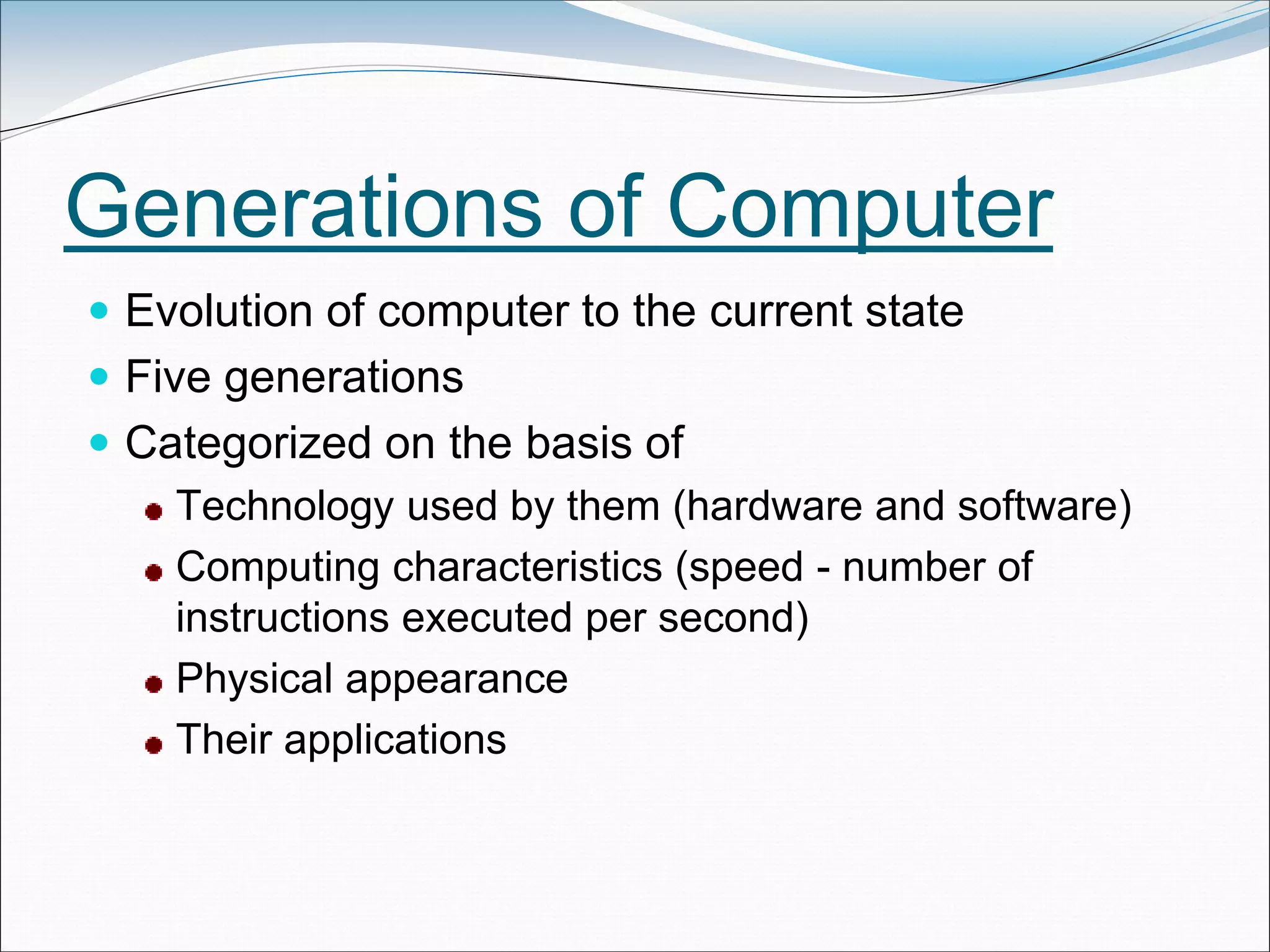
 Evolution of computer to the current state
 Five generations
 Categorized on the basis of
Technology used by them (hardware and software)
Computing characteristics (speed - number of
instructions executed per second)
Physical appearance
Their applications
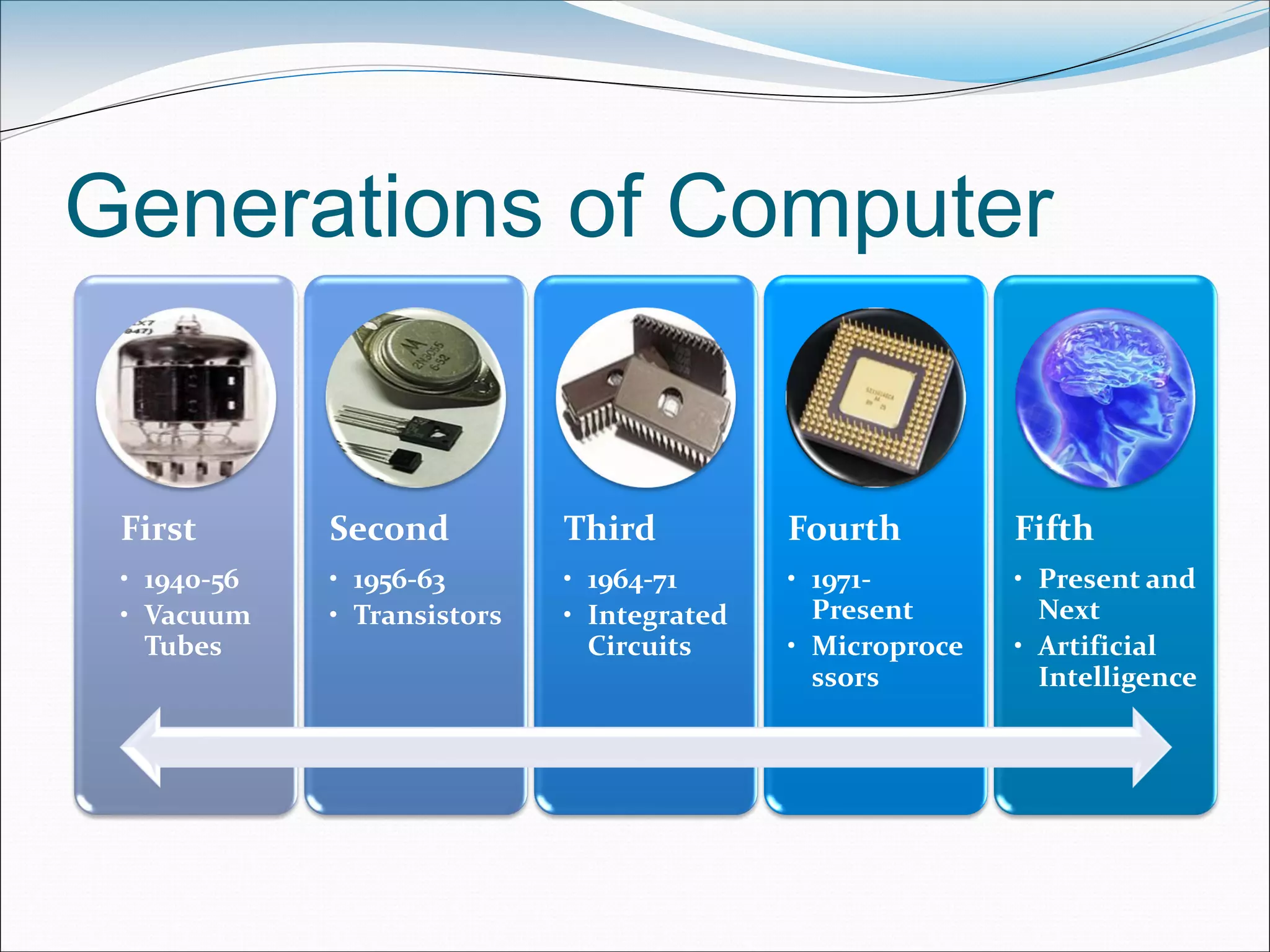
Generations of Computer
First
• 1940-56
• Vacuum
Tubes
Second
• 1956-63
• Transistors
Third
• 1964-71
• Integrated
Circuits
Fourth
• 1971-
Present
• Microproce
ssors
Fifth
• Present and
Next
• Artificial
Intelligence
First Generation: 1940-56
 Vacuum tubes, magnetic drums, punched
cards, paper tapes and printouts
 Machine language
 Computation time in milliseconds
 Enormous in size
 For scientific applications
 Examples
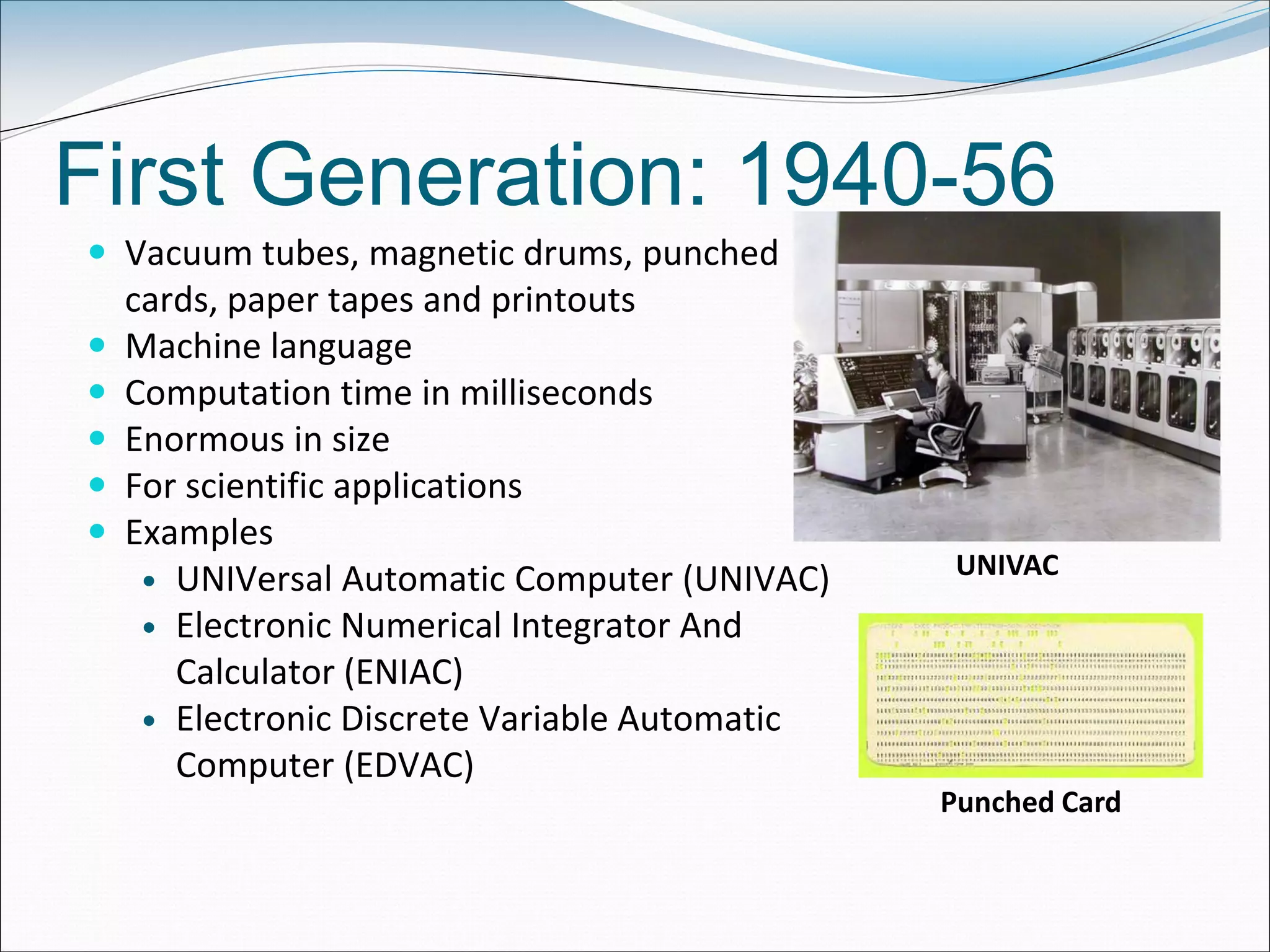
 UNIVersal Automatic Computer (UNIVAC)
 Electronic Numerical Integrator And
Calculator (ENIAC)
 Electronic Discrete Variable Automatic
Computer (EDVAC)
UNIVAC
Punched Card
Second Generation: 1956-1963
 Transistors, magnetic core
technology , magnetic tapes and
magnetic disks, concept of a
stored program
 Assembly language
 Computation time in
microseconds.
 Reduced size compared to first
generation computers
 Cost of commercial production
was very high
 Examples
 PDP-8
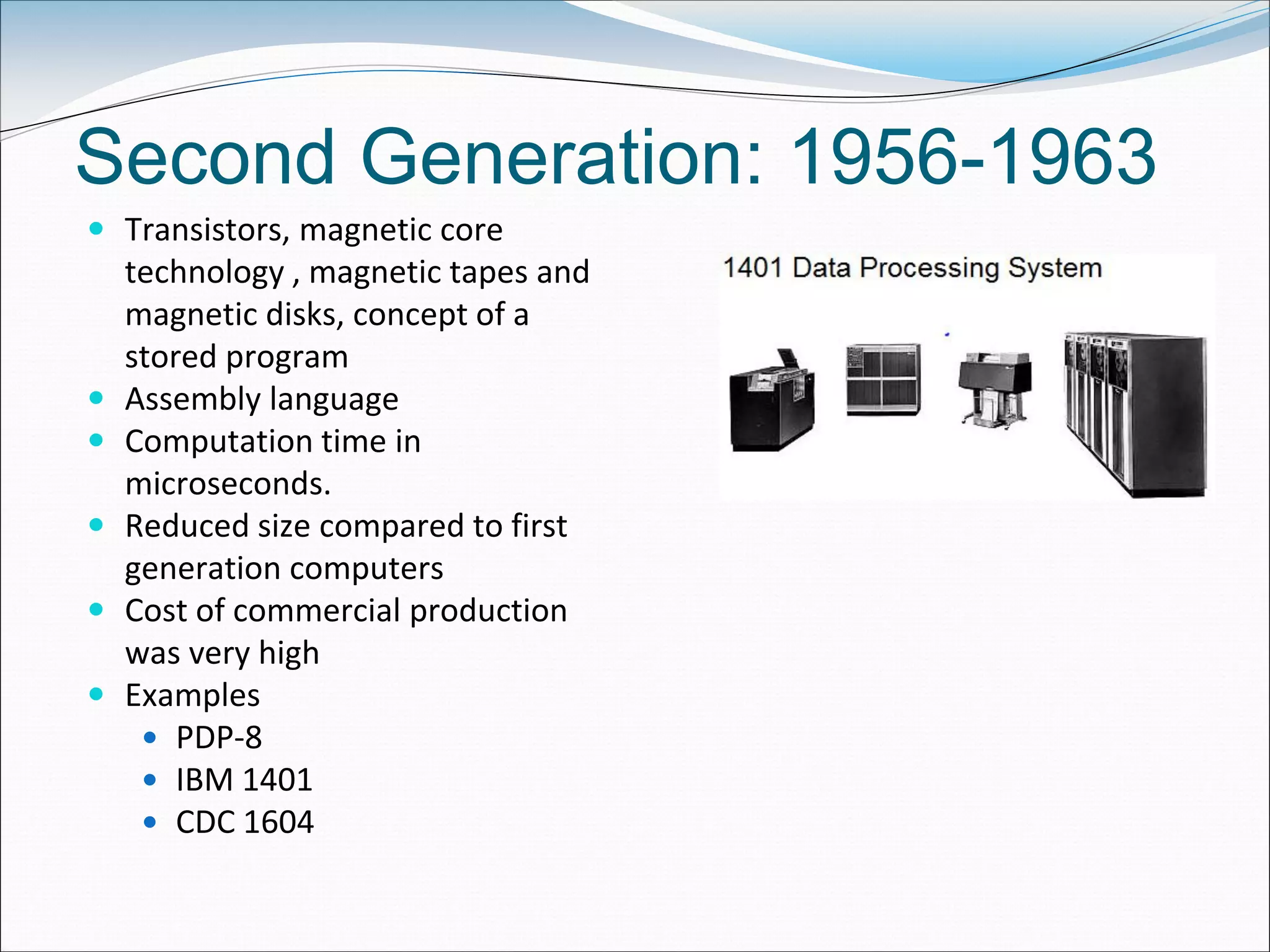
 IBM 1401
 CDC 1604
Third Generation: 1964-1971
 Integrated Circuit (IC) chips, keyboard,
Monitor
 Operating system, High-level languages
 Computation time in nanoseconds
 Quite small compared to second
generation computers
 Accessible to mass audience
 Produced commercially
 Examples
IBM 370
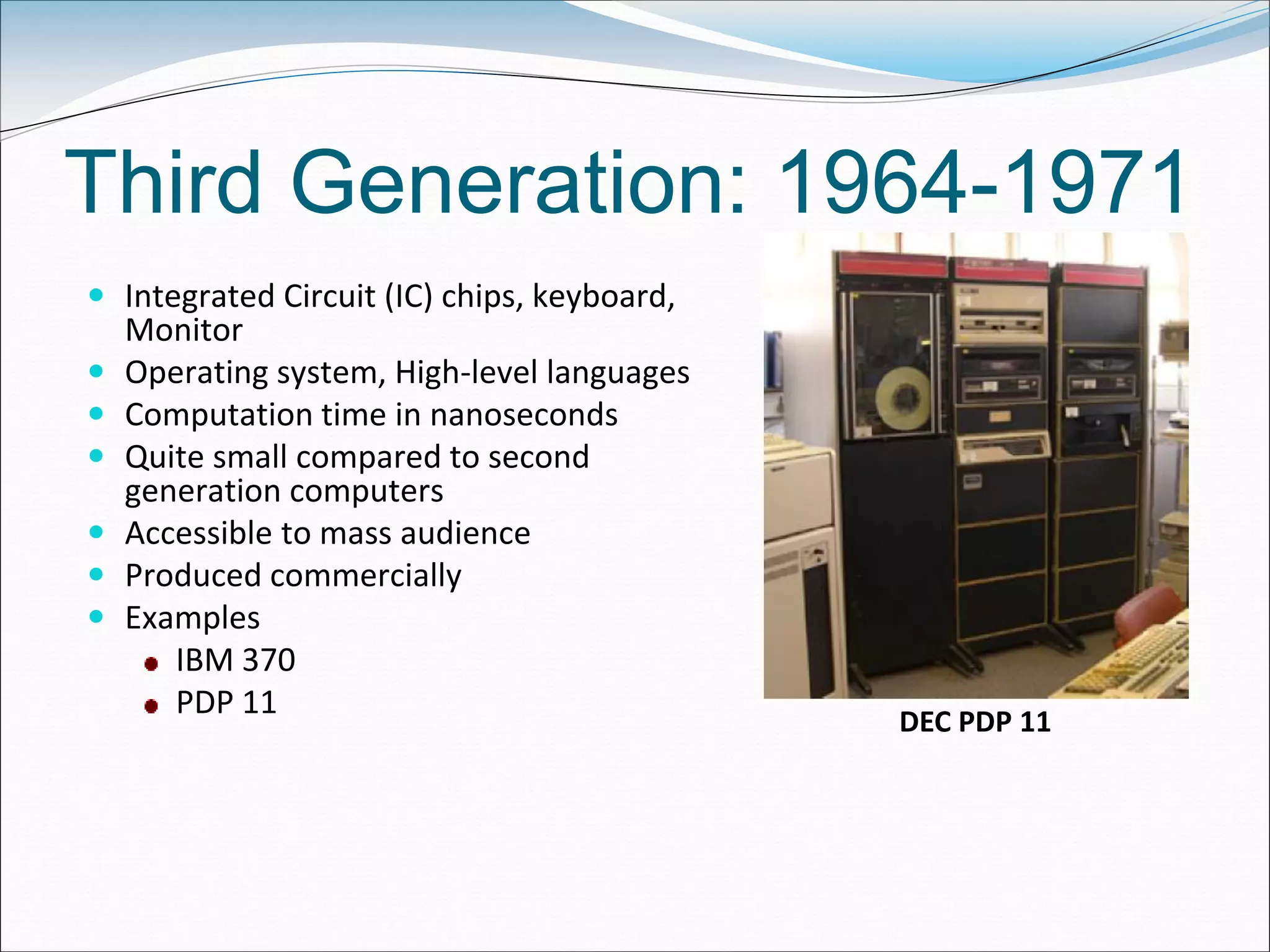
PDP 11
DEC PDP 11
Fourth Generation: 1971-Present
 LSI, VLSI, Microprocessor, PC, Semiconductor
Memory, Linking of computers, Mouse and
Handheld Devices
 GUI, OS like MS-DOS and MS-Windows
 High-Level Programming Languages
 Computation time in picoseconds
 Smaller than computers of previous
generation
 Widely available for commercial purposes
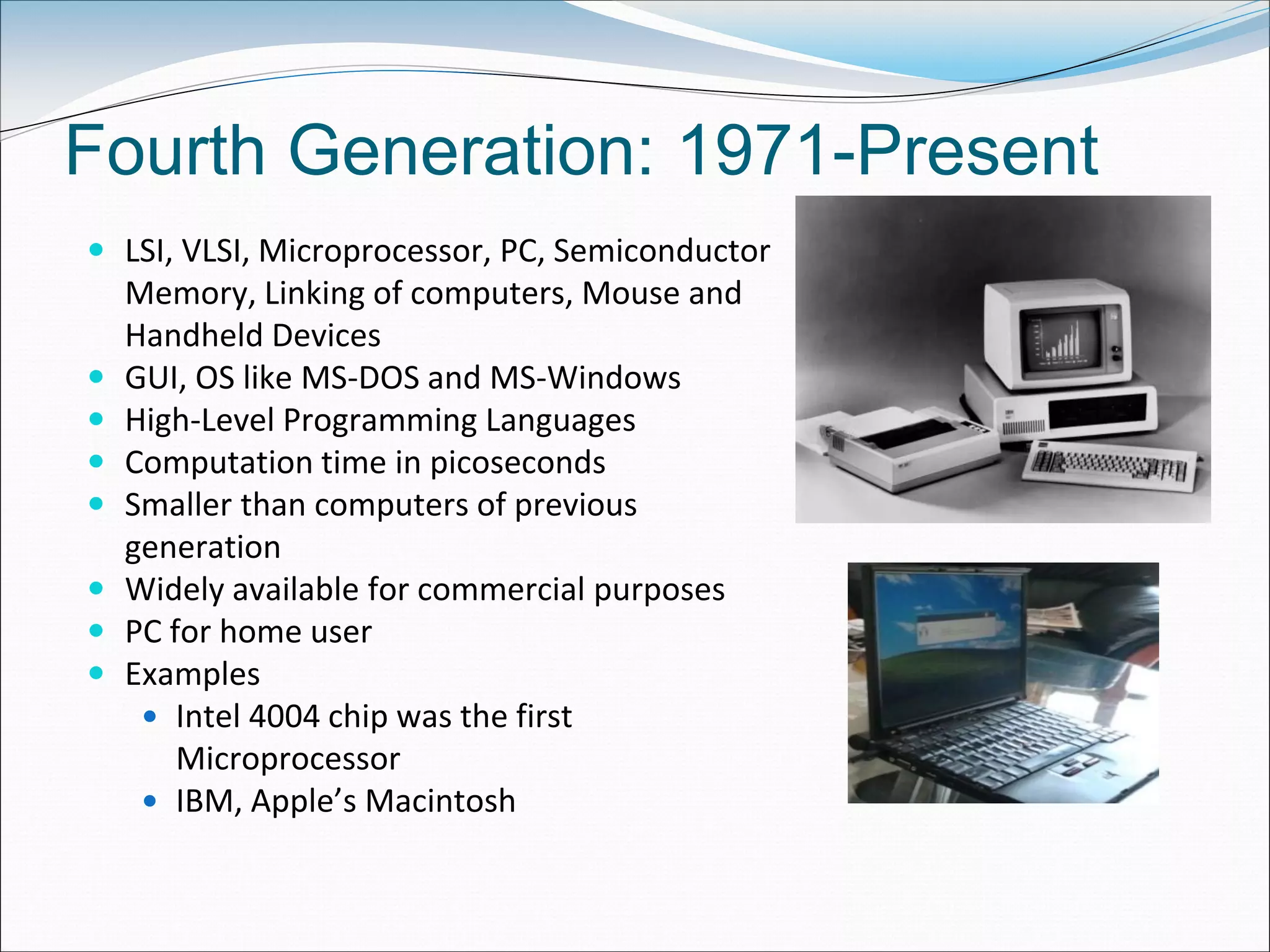
 PC for home user
 Examples
 Intel 4004 chip was the first
Microprocessor
 IBM, Apple’s Macintosh
Fifth Generation: Present & Next
 Using Artificial Intelligence (AI)
Expert Systems (ES), NLP,
Speech recognition, Voice
recognition, Robotics etc.
 Capable of learning and self
organization
 SLSI, large memory
 Parallel processing
• Gutenberg Printing Press (1400’s) to
Digital Press (1990’s)
• ENIAC (1940’s) to iPAD (2010)
What are the similarities and
differences in the above two
journeys?
Classification of Computers
 Categories based on
Size
Type
 Categories
Microcomputers
Minicomputers
Mainframe computers
Supercomputer
Microcomputer
 Small, low-cost, single-user digital computer.
 Include
 Desktop computer or PC: Stand-alone machine, not very expensive, for single
user.
• Manufacturers: Apple, Microsoft, HP, Dell, Lenovo, …
 Notebook or laptop: Portable , small size, costlier than desktop
 Netbook: Smaller notebooks, low weight, low cost, for web-based applications.
 Tablet computer: Input via stylus or pen, Portable
 Handheld computer or PDA: Held on top of palm, small in size, uses pen or
stylus, limited memory, less powerful.
 Smart phones: Cellular phones (function both as phone and small PC), to
access e-mail, download music, play games etc.
• Manufacturers: Blackberry, Apple, HTC, Nokia, LG, Motorola
Minicomputers
 Multi-user systems.
 High processing speed
 High storage capacity than the microcomputers.
 Support 4 to 200 users simultaneously.
 Examples
PDP 11
IBM (8000 series)
Mainframe computers
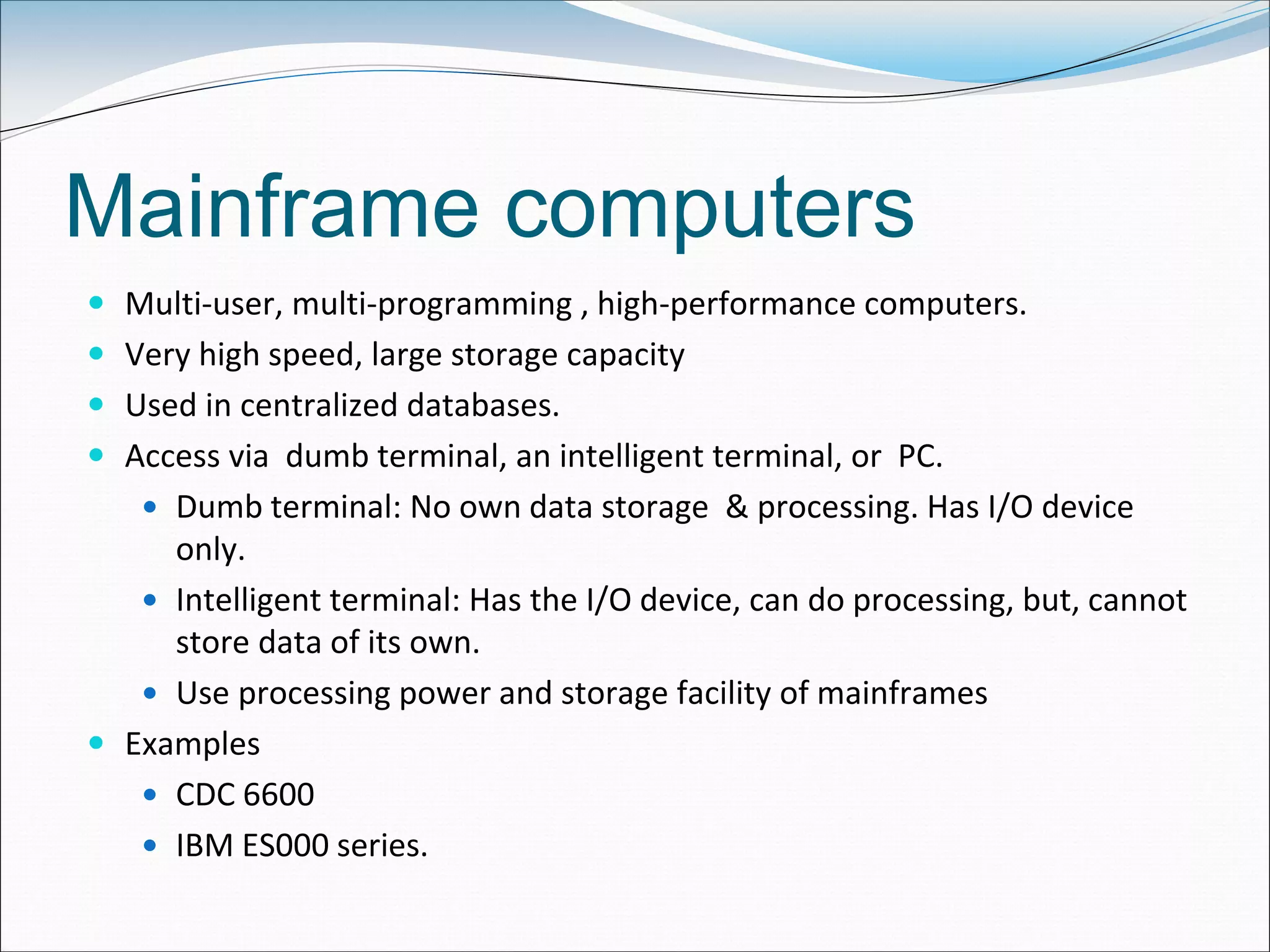
 Multi-user, multi-programming , high-performance computers.
 Very high speed, large storage capacity
 Used in centralized databases.
 Access via dumb terminal, an intelligent terminal, or PC.
 Dumb terminal: No own data storage & processing. Has I/O device
only.
 Intelligent terminal: Has the I/O device, can do processing, but, cannot
store data of its own.
 Use processing power and storage facility of mainframes
 Examples
 CDC 6600
 IBM ES000 series.
Supercomputers
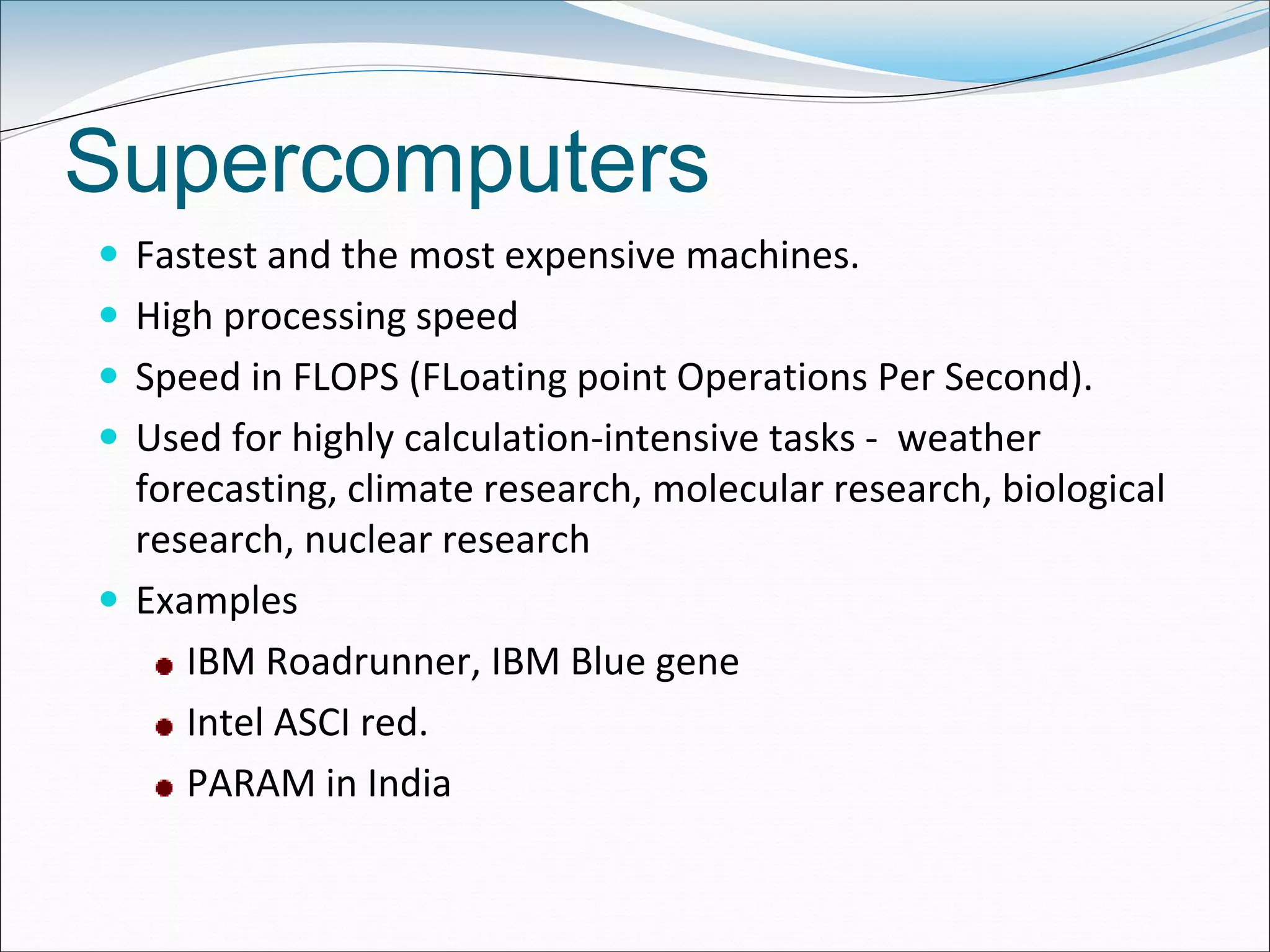
 Fastest and the most expensive machines.
 High processing speed
 Speed in FLOPS (FLoating point Operations Per Second).
 Used for highly calculation-intensive tasks - weather
forecasting, climate research, molecular research, biological
research, nuclear research
 Examples
IBM Roadrunner, IBM Blue gene
Intel ASCI red.
PARAM in India
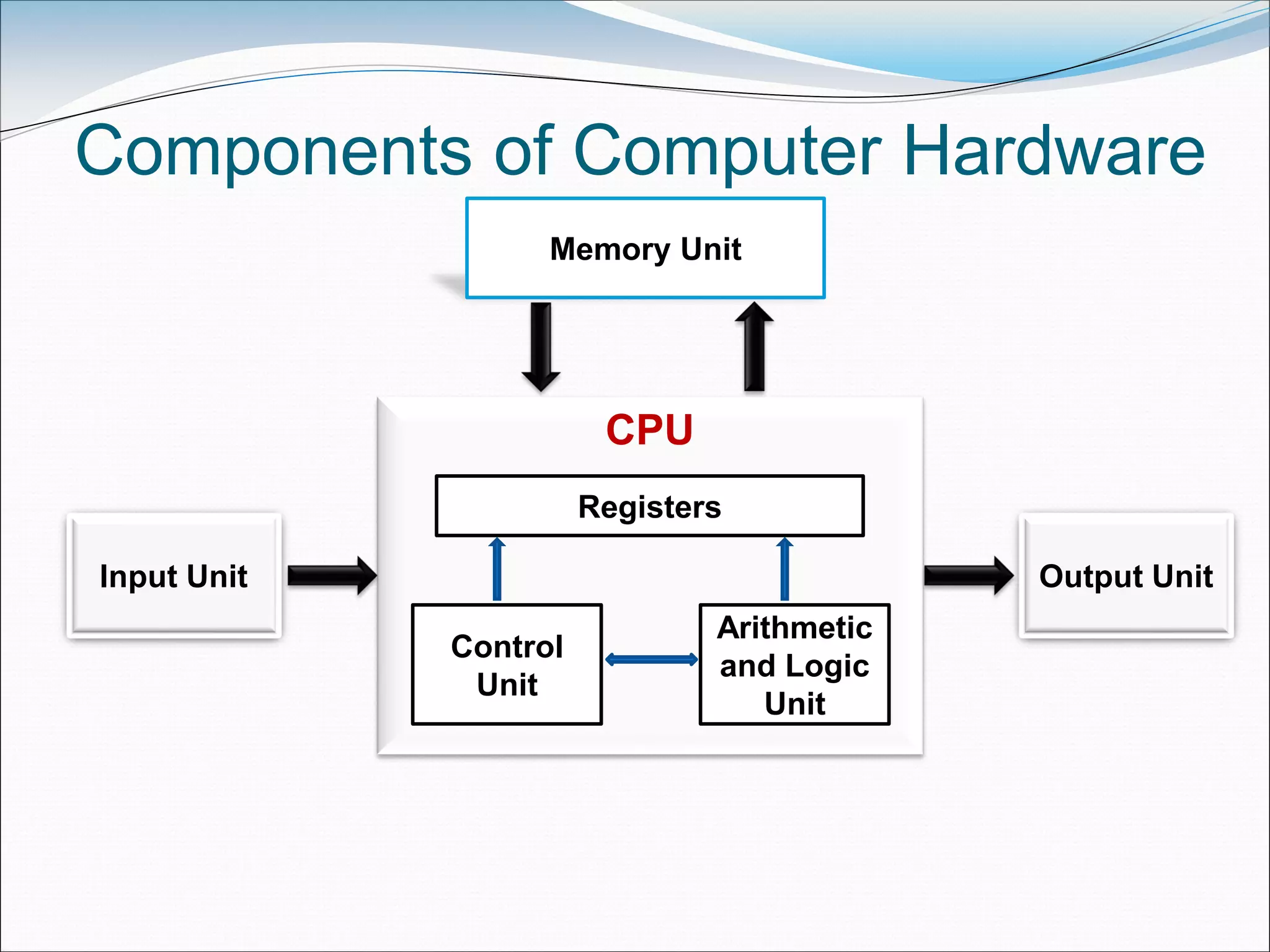
Components of Computer Hardware
CPU
Registers
Control
Unit
Arithmetic
and Logic
Unit
Input Unit Output Unit
Memory Unit
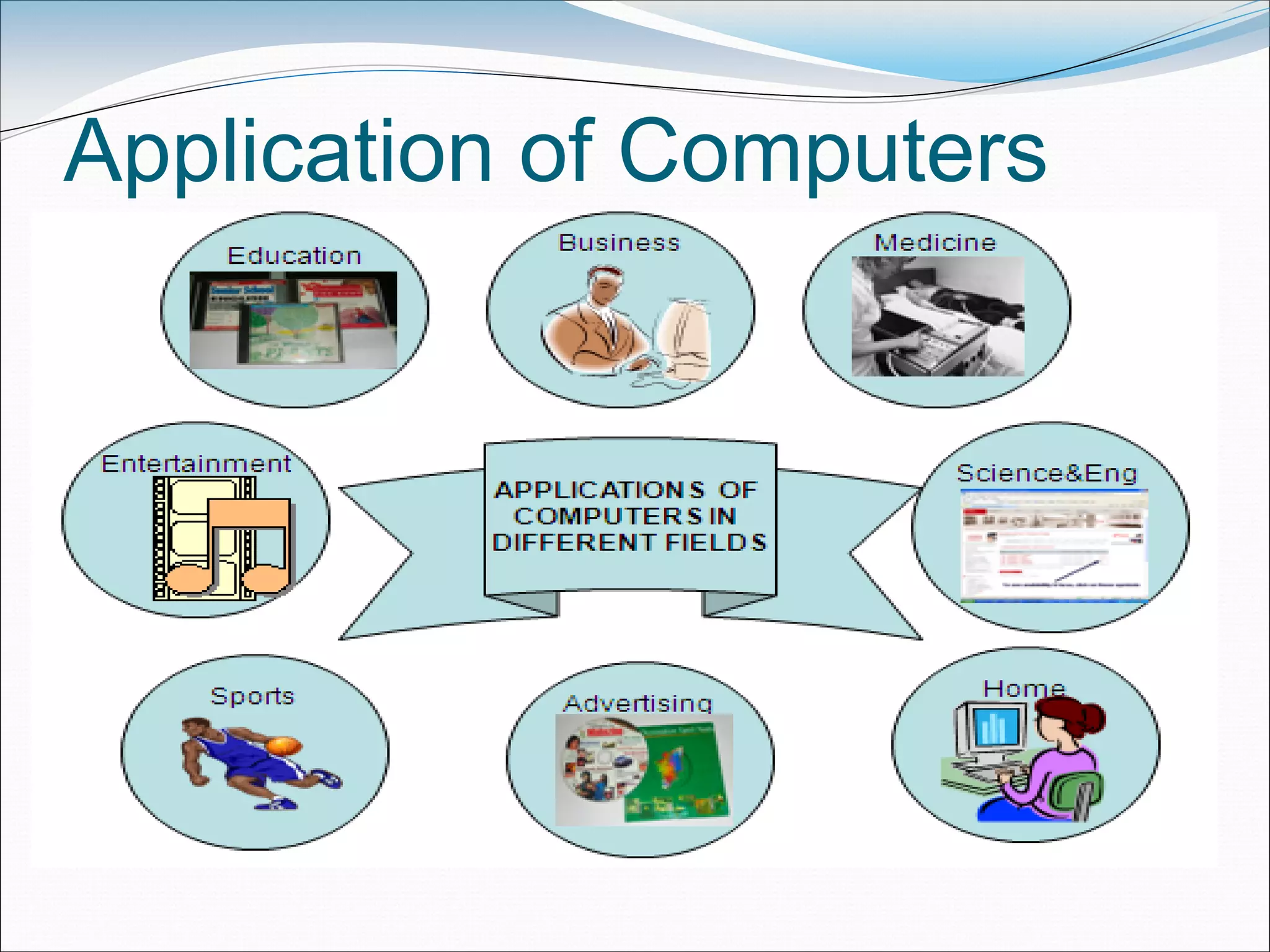
Application of Computers
Number System
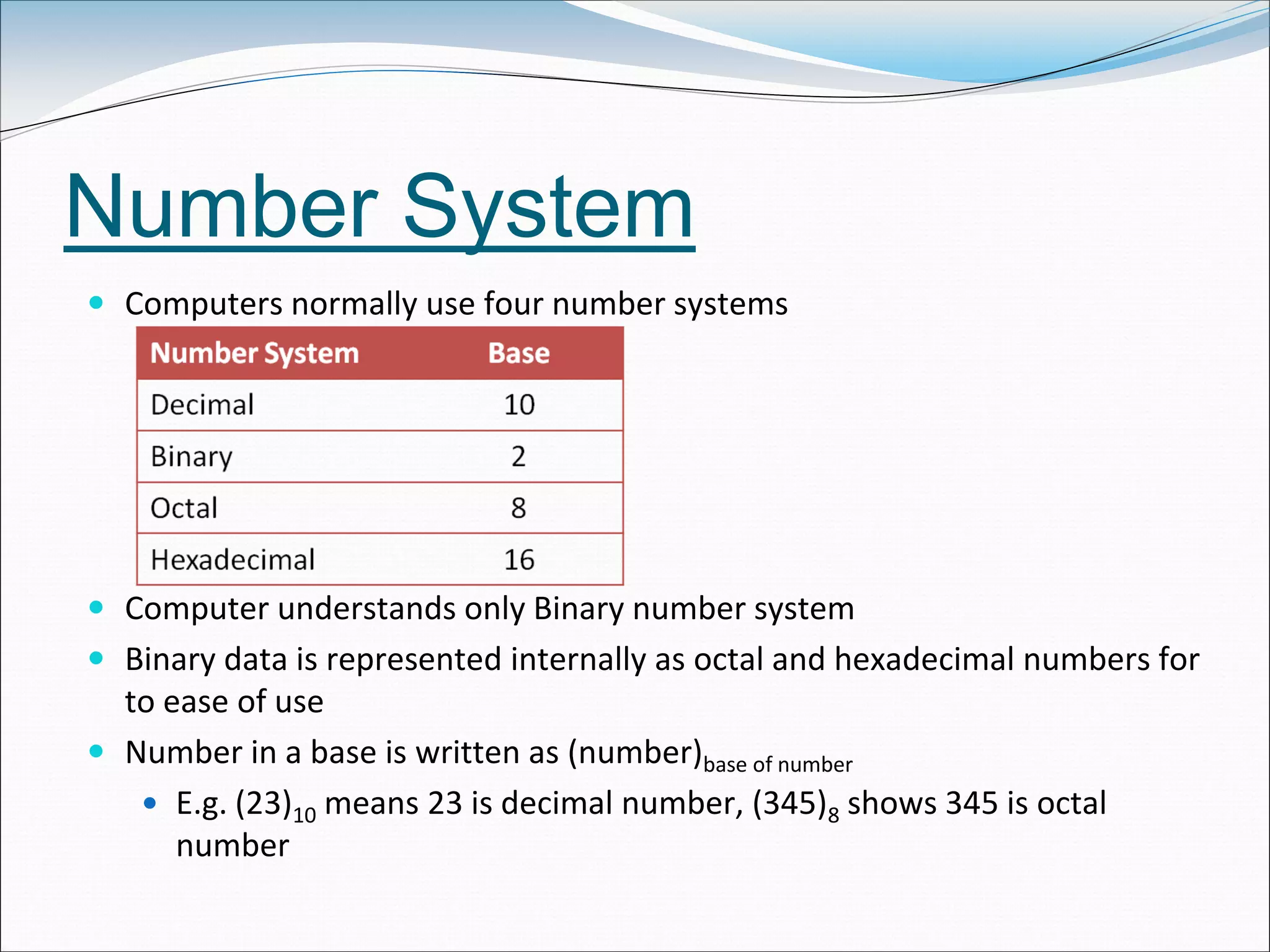
 Computers normally use four number systems
 Computer understands only Binary number system
 Binary data is represented internally as octal and hexadecimal numbers for
to ease of use
 Number in a base is written as (number)base of number
 E.g. (23)10 means 23 is decimal number, (345)8 shows 345 is octal
number
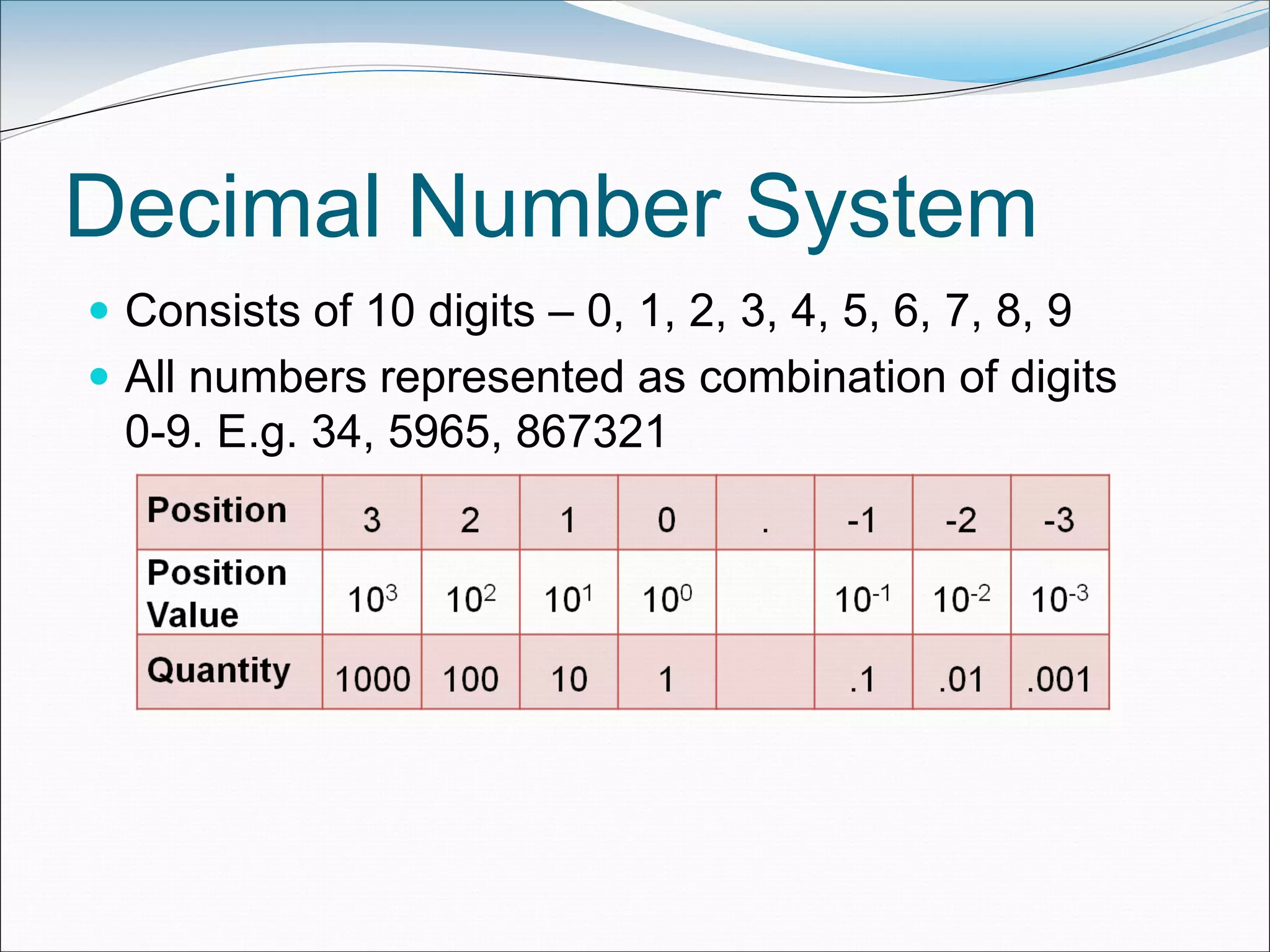
Decimal Number System
 Consists of 10 digits – 0, 1, 2, 3, 4, 5, 6, 7, 8, 9
 All numbers represented as combination of digits
0-9. E.g. 34, 5965, 867321
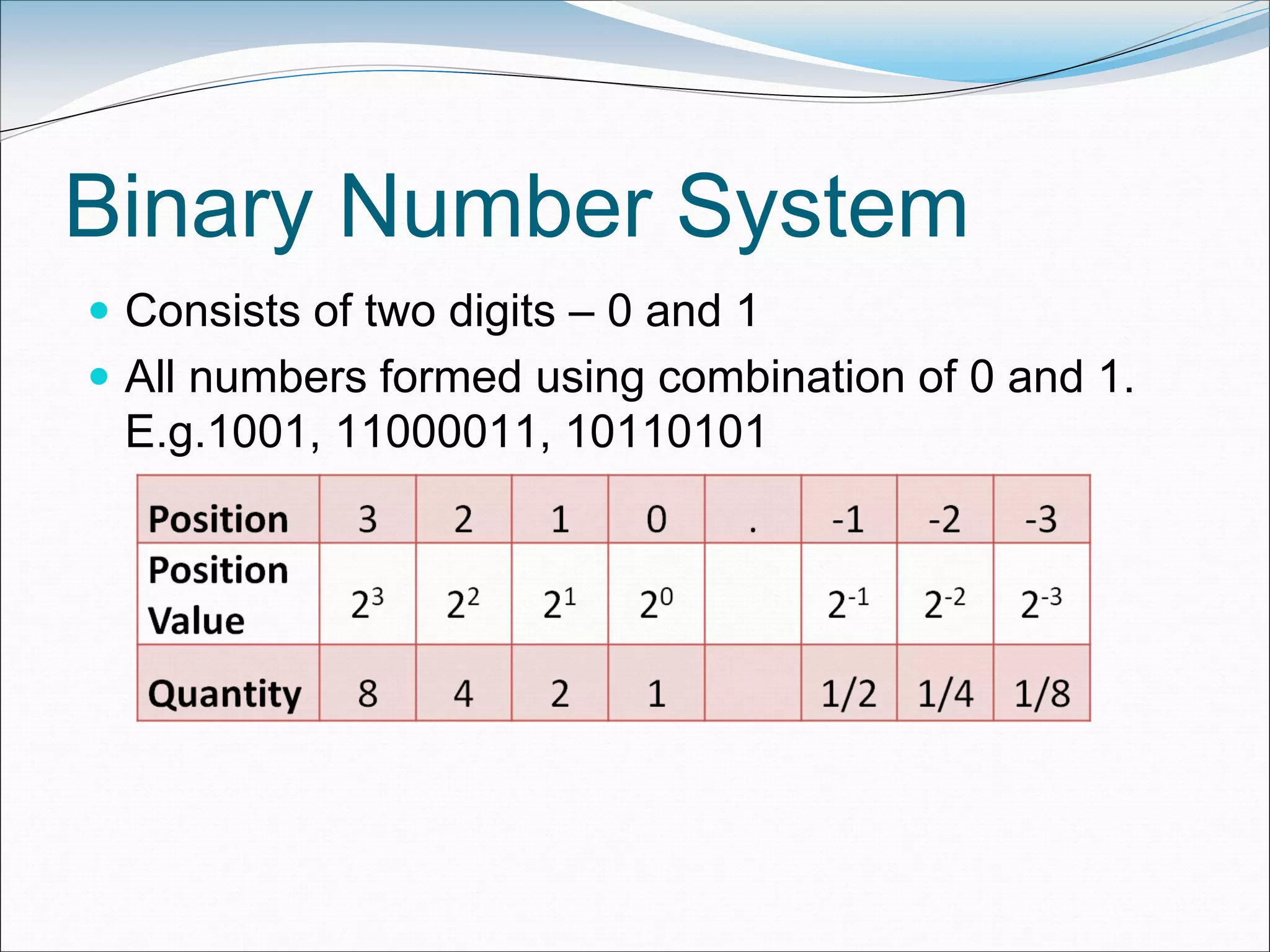
Binary Number System
 Consists of two digits – 0 and 1
 All numbers formed using combination of 0 and 1.
E.g.1001, 11000011, 10110101
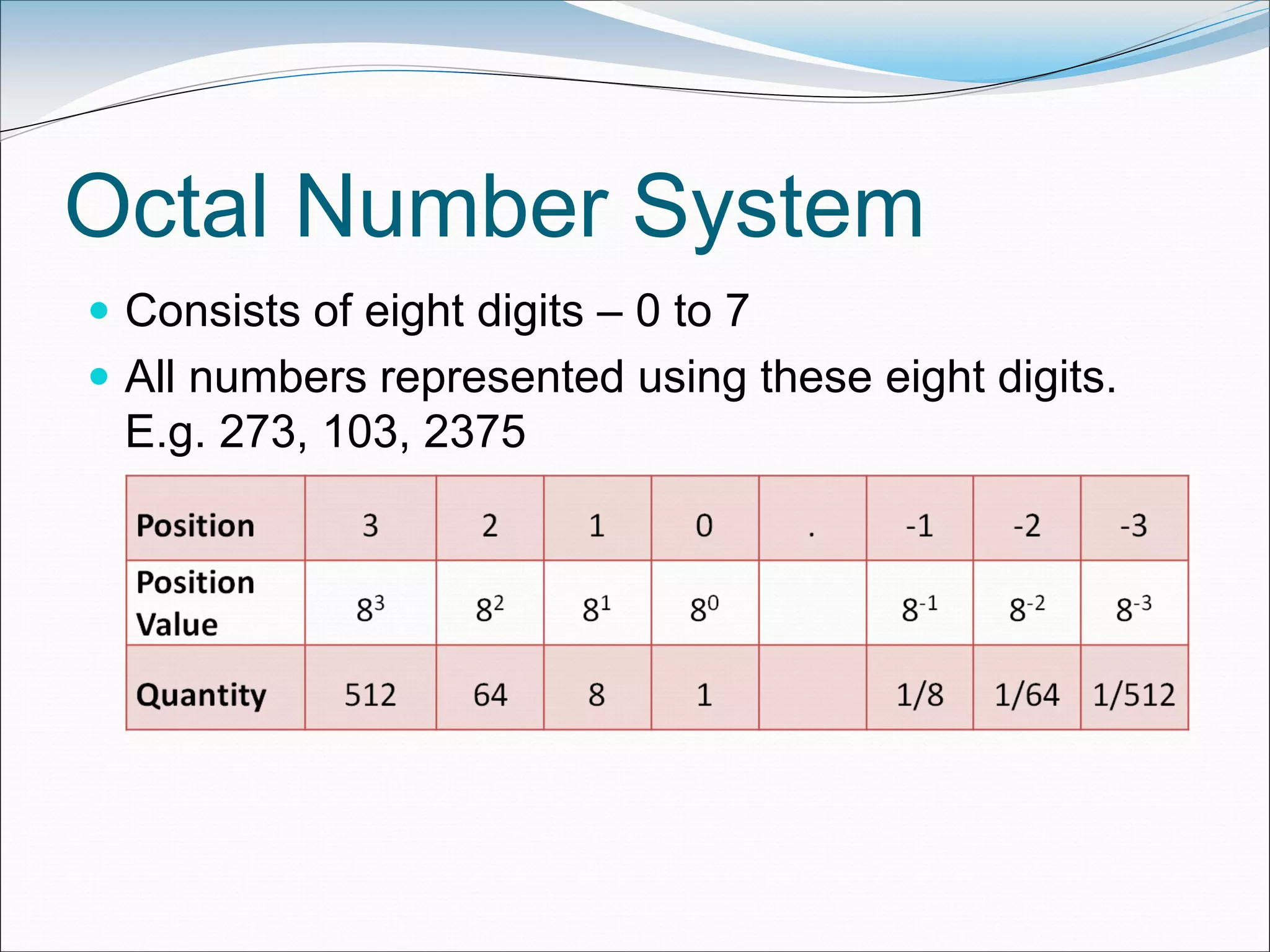
Octal Number System
 Consists of eight digits – 0 to 7
 All numbers represented using these eight digits.
E.g. 273, 103, 2375
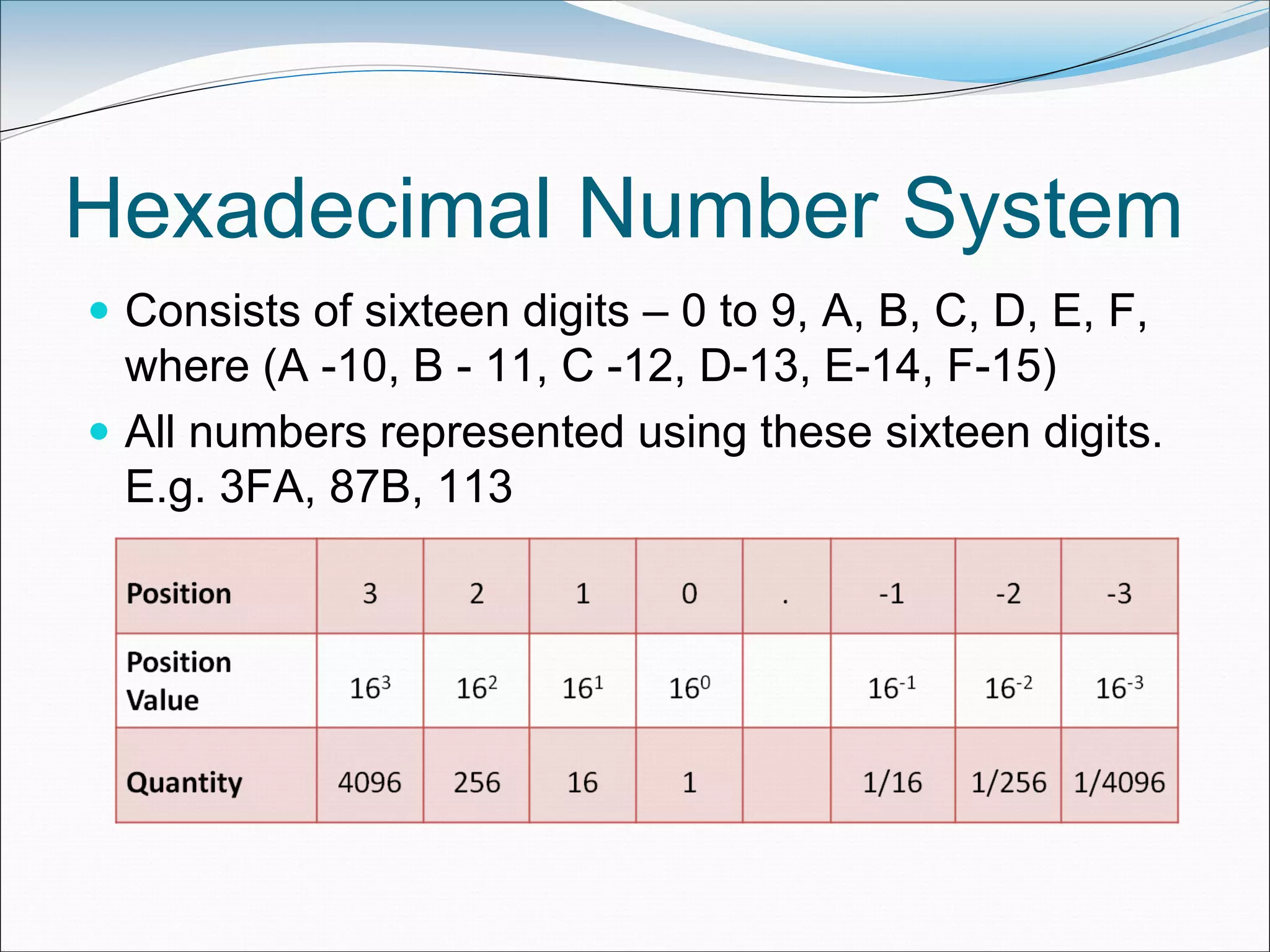
Hexadecimal Number System
 Consists of sixteen digits – 0 to 9, A, B, C, D, E, F,
where (A -10, B - 11, C -12, D-13, E-14, F-15)
 All numbers represented using these sixteen digits.
E.g. 3FA, 87B, 113
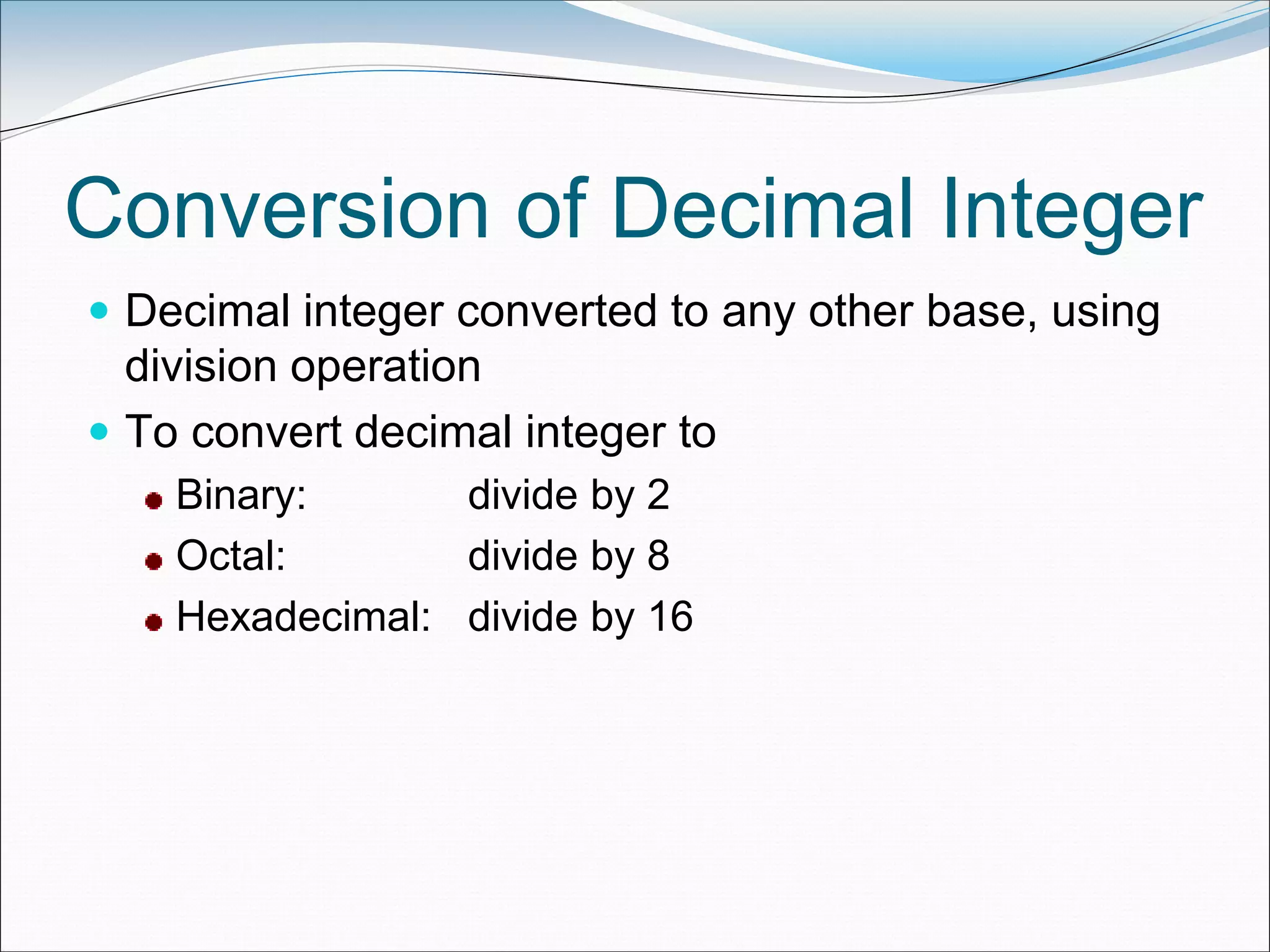
Conversion of Decimal Integer
 Decimal integer converted to any other base, using
division operation
 To convert decimal integer to
Binary: divide by 2
Octal: divide by 8
Hexadecimal: divide by 16
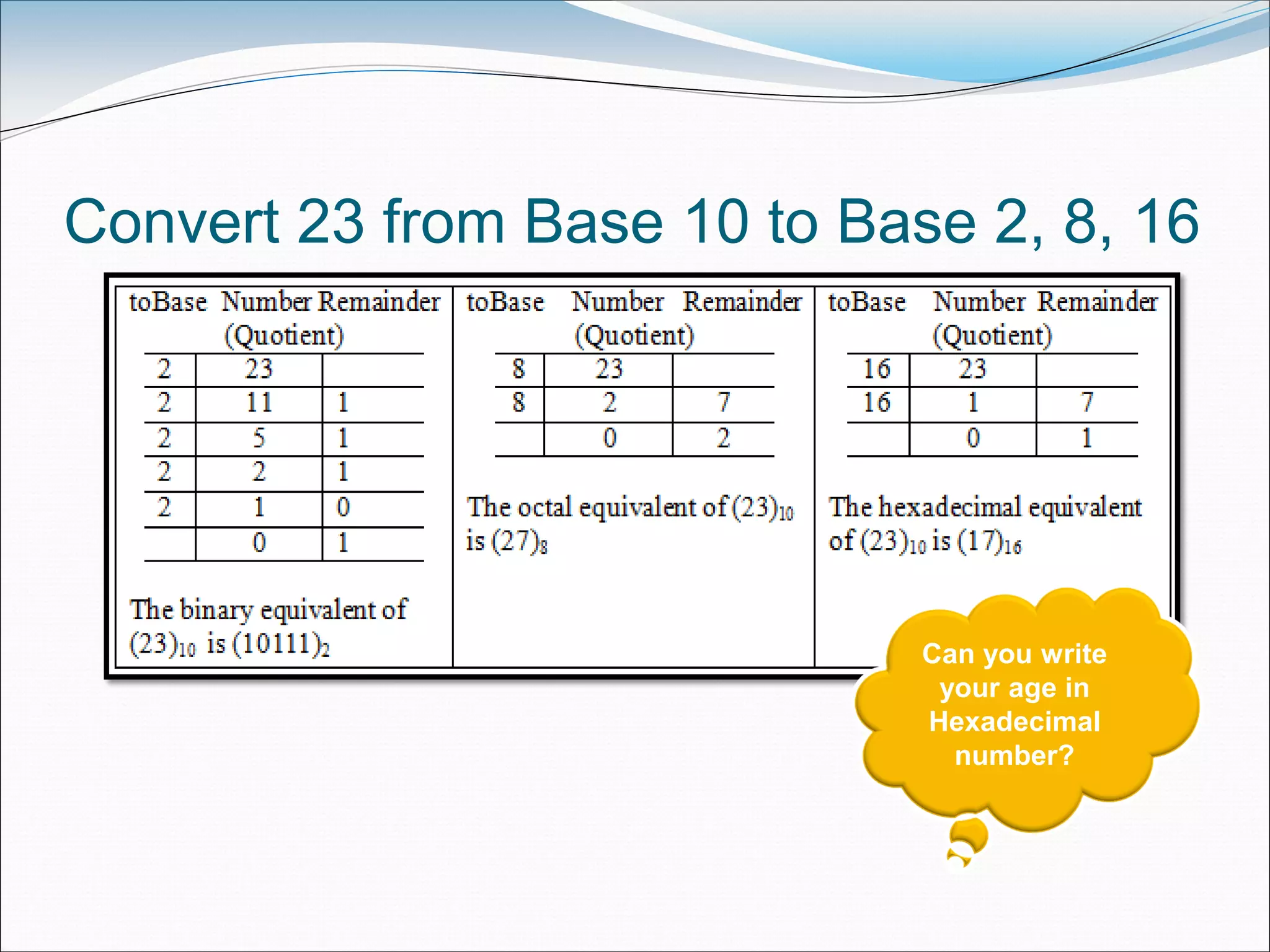
Convert 23 from Base 10 to Base 2, 8, 16
Can you write
your age in
Hexadecimal
number?
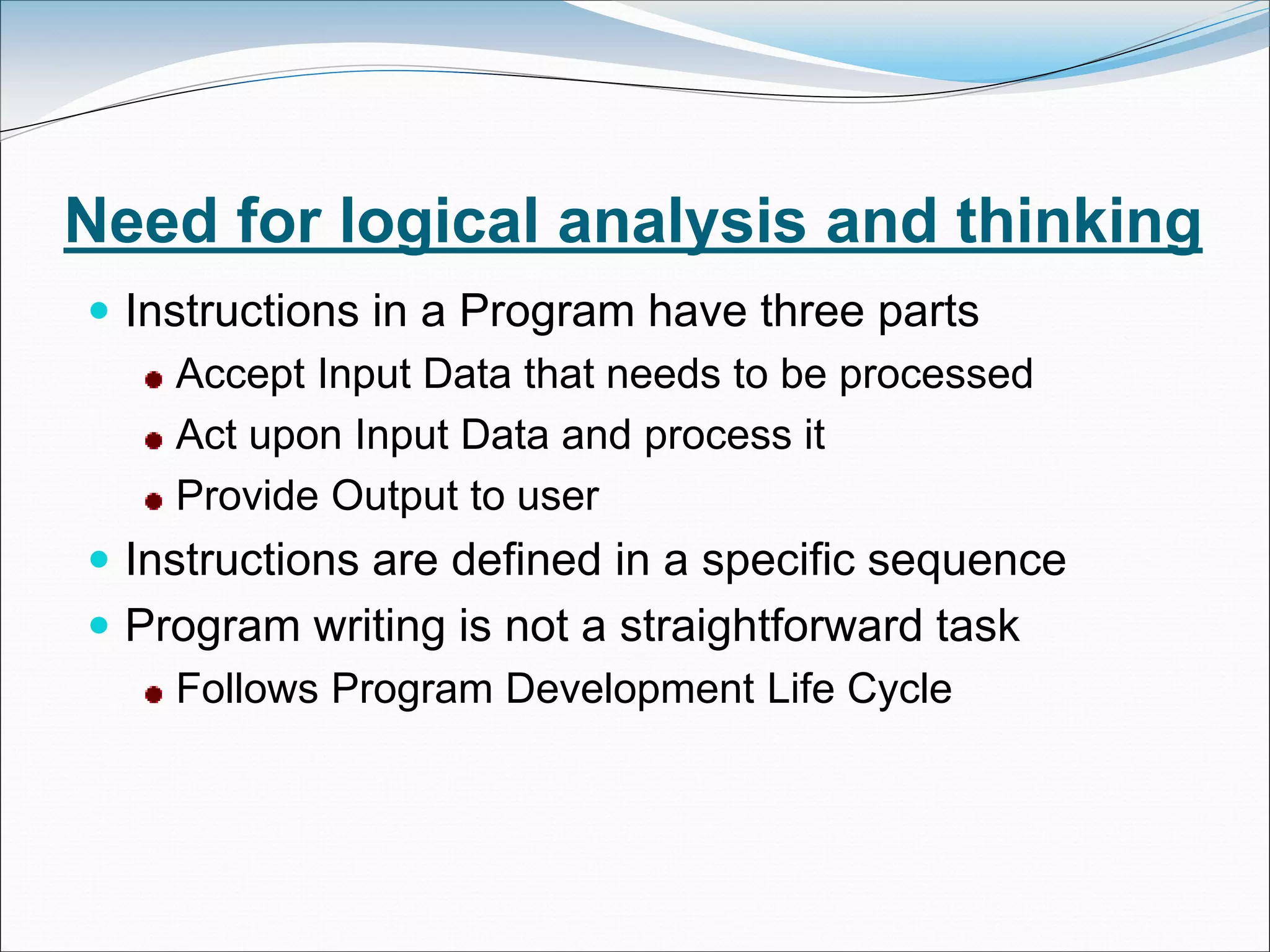
Need for logical analysis and thinking
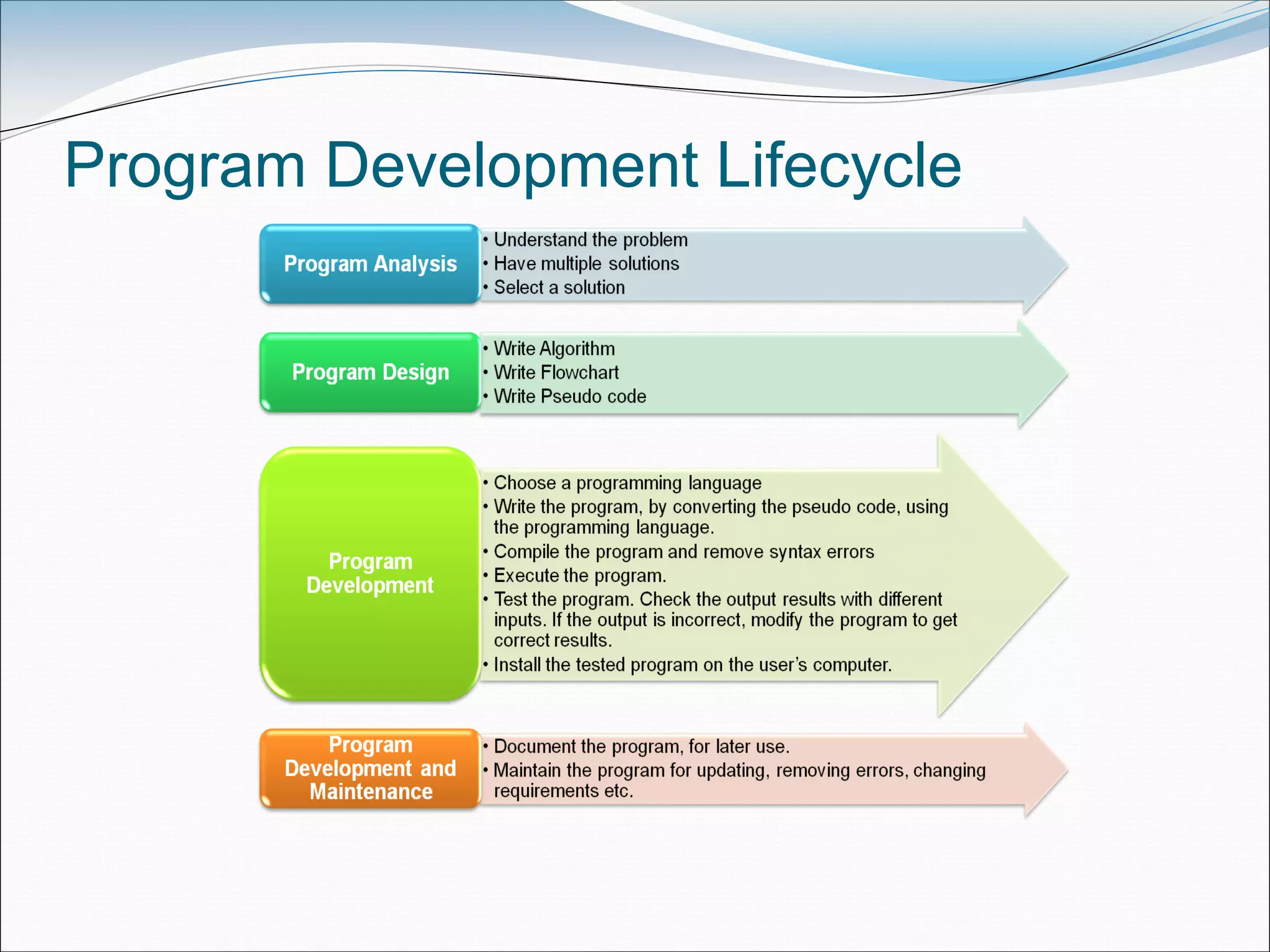
 Instructions in a Program have three parts
Accept Input Data that needs to be processed
Act upon Input Data and process it
Provide Output to user
 Instructions are defined in a specific sequence
 Program writing is not a straightforward task
Follows Program Development Life Cycle
Program Development Lifecycle
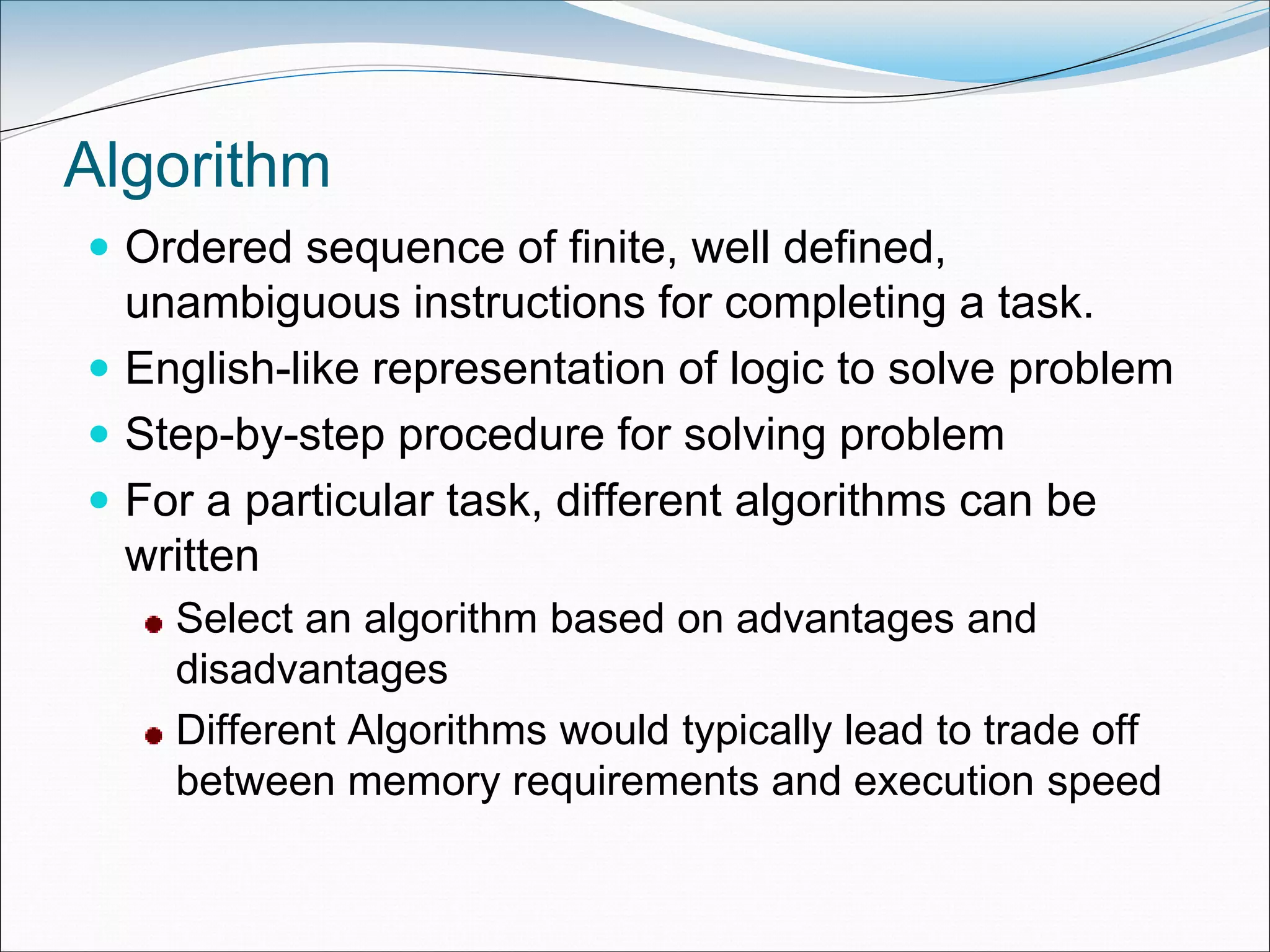
Algorithm
 Ordered sequence of finite, well defined,
unambiguous instructions for completing a task.
 English-like representation of logic to solve problem
 Step-by-step procedure for solving problem
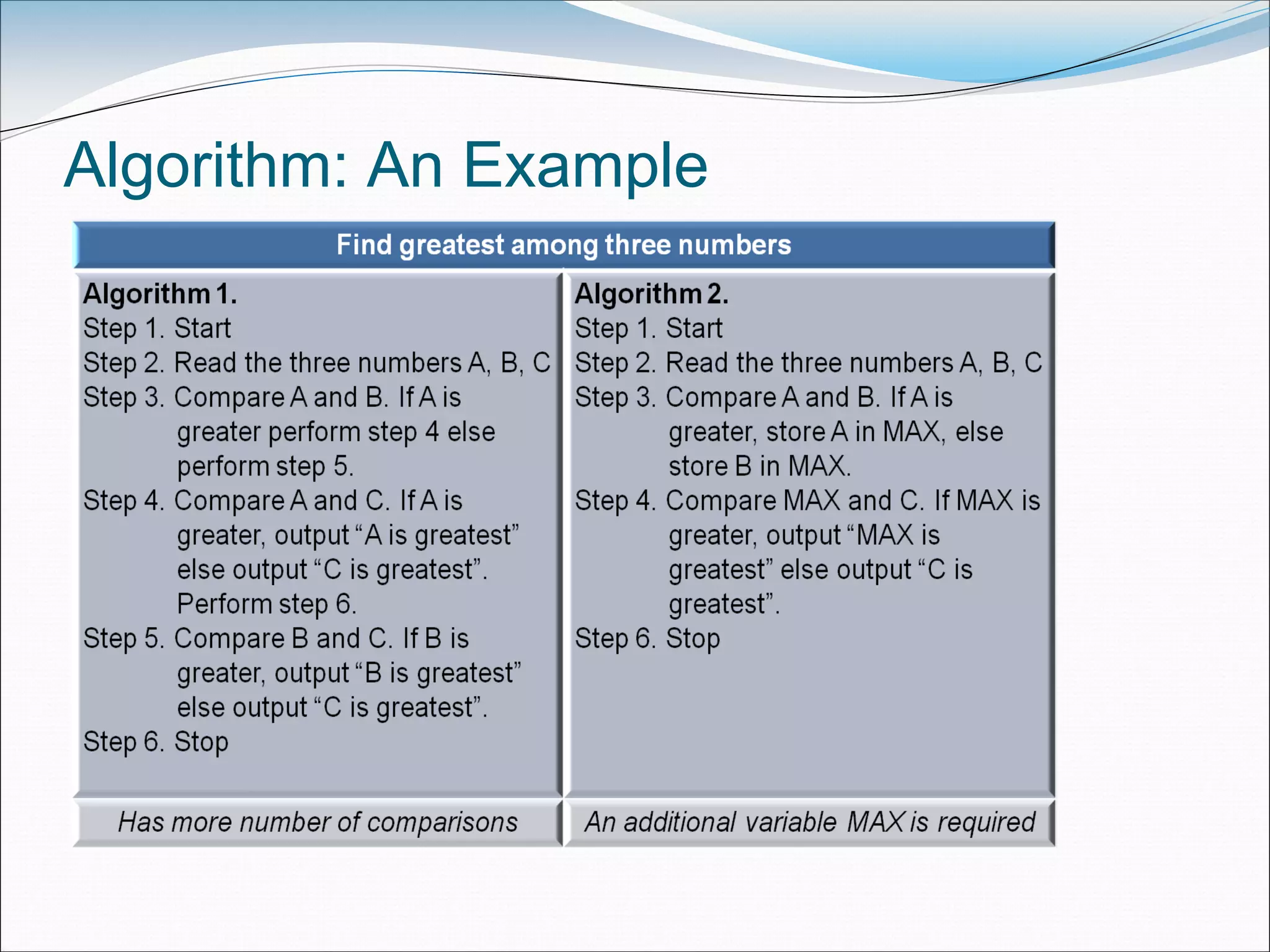
 For a particular task, different algorithms can be
written
Select an algorithm based on advantages and
disadvantages
Different Algorithms would typically lead to trade off
between memory requirements and execution speed
Algorithm: An Example
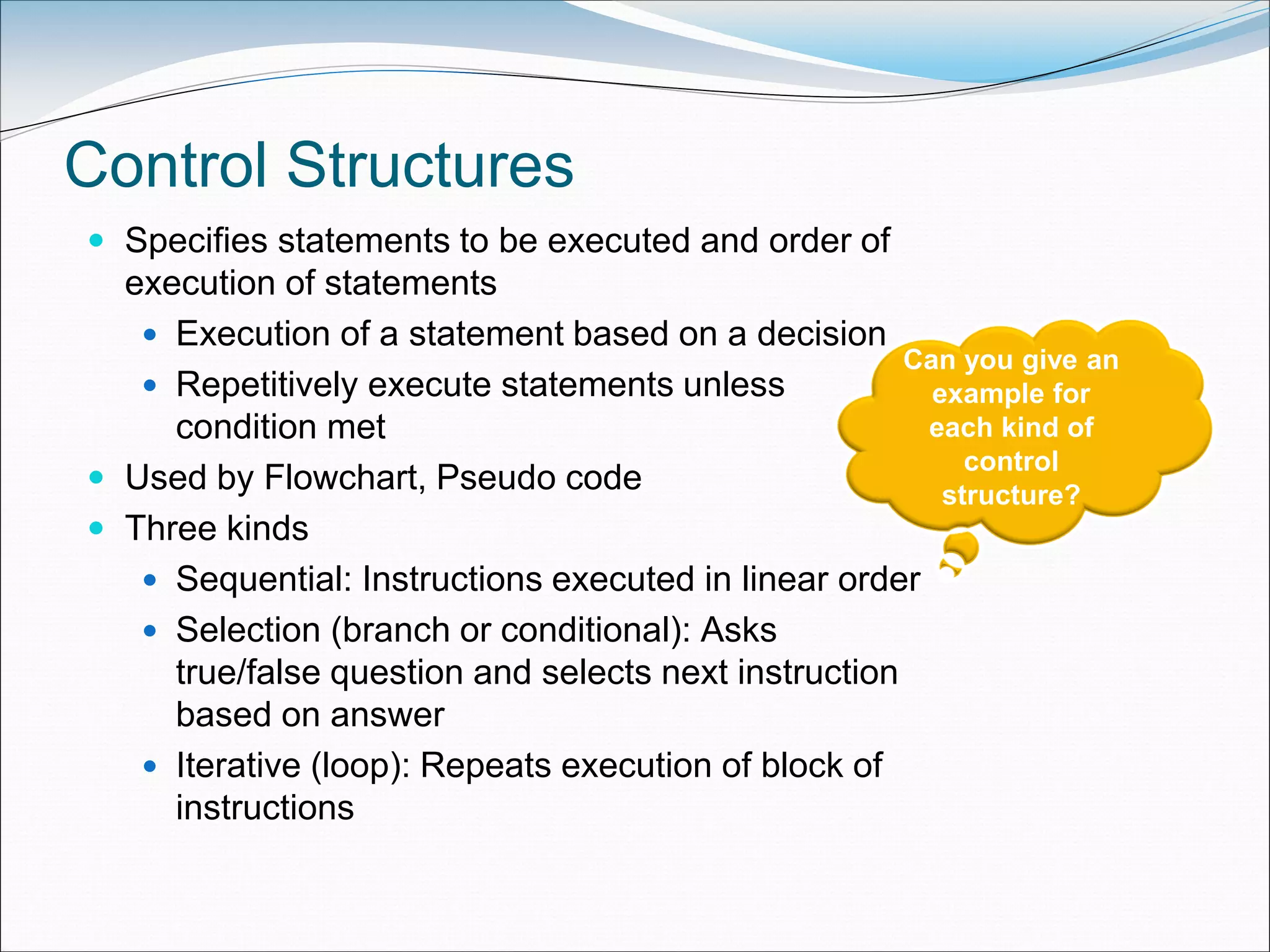
Control Structures
 Specifies statements to be executed and order of
execution of statements
 Execution of a statement based on a decision
 Repetitively execute statements unless
condition met
 Used by Flowchart, Pseudo code
 Three kinds
 Sequential: Instructions executed in linear order
 Selection (branch or conditional): Asks
true/false question and selects next instruction
based on answer
 Iterative (loop): Repeats execution of block of
instructions
Can you give an
example for
each kind of
control
structure?
Flowchart
 Diagrammatic representation of logic for solving task
 Drawn using boxes of different shapes with lines
connecting them to show the flow of control
 Make logic of program clearer in a visual form
 Diagrammatic representation forms a common medium
of communication
 Drawn using different kinds of symbols.
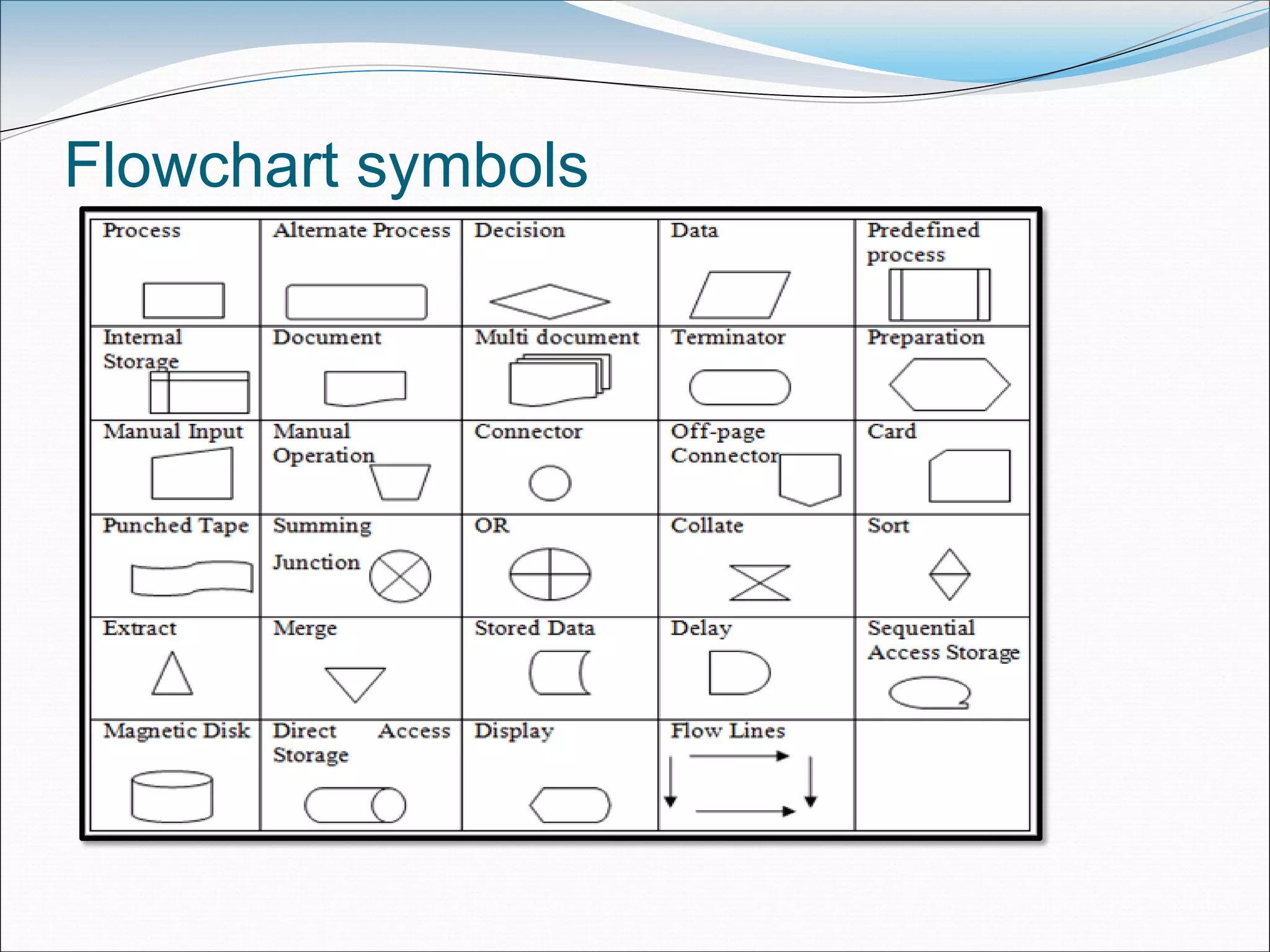
Flowchart symbols
Preparing a Flowchart
 Common symbols that are used to draw a flowchart
Process, Decision, Data, Terminator, Connector and
Flow lines
 Rules
Should have Start and End
Direction of flow must be from top to bottom and left to
right
Relevant symbols must be used while drawing a
flowchart
Sequence, selection, iterative structures may be used
wherever required
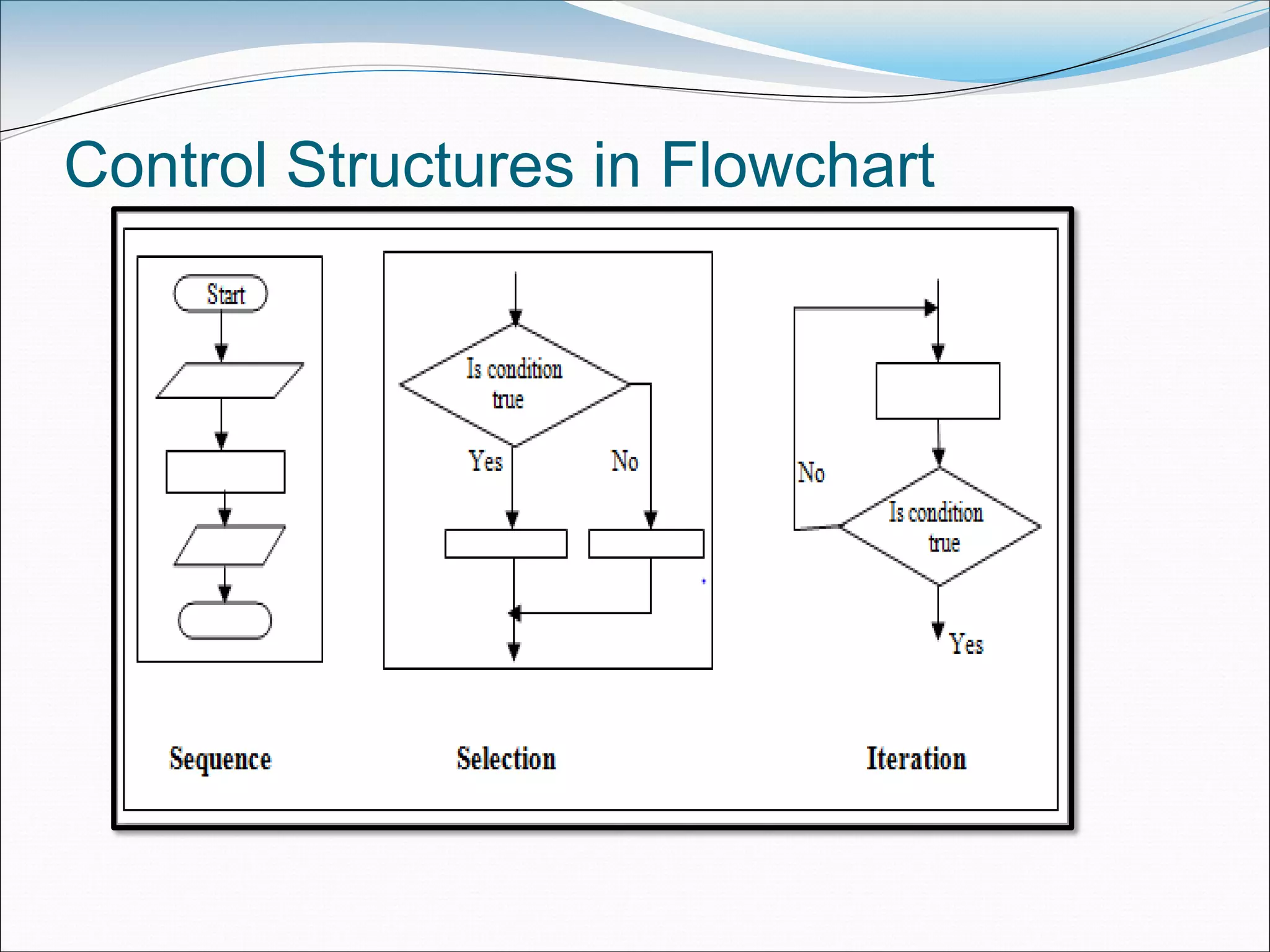
Control Structures in Flowchart
Preparing a Flowchart (contd..)
 Sequence: Steps executed in linear order
 Selection: Step to be executed next is based on
decision taken. Different path followed for True and
False
 Iterative: Condition is checked. Either next step in
sequence is executed or control goes back to one of
the already executed steps to make a loop
 Limitations
May run into multiple pages, difficult to understand
Updating with changing requirements
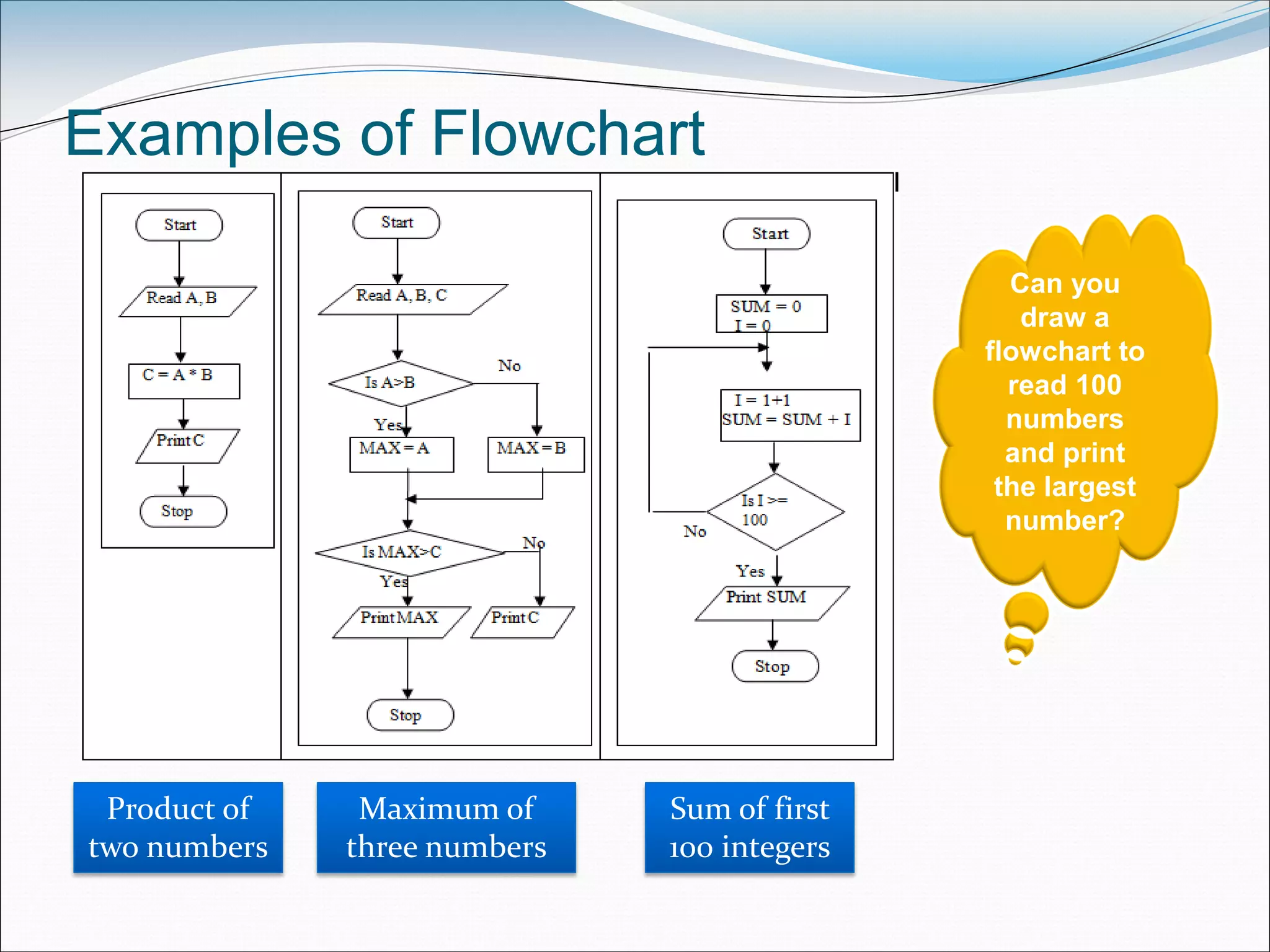
Examples of Flowchart
Product of
two numbers
Maximum of
three numbers
Sum of first
100 integers
Can you
draw a
flowchart to
read 100
numbers
and print
the largest
number?
Pseudo code
 Consists of short, readable and formally-styled English
language used for explaining an algorithm.
 Does not include details like variable declarations,
subroutines etc.
 Short-hand way of describing computer program
 Not based on any programming language
 Uses structured constructs of programming language but
is not machine readable
 Cannot be compiled or executed
 No standard for syntax of pseudo code exists
 Easily translated into a programming language
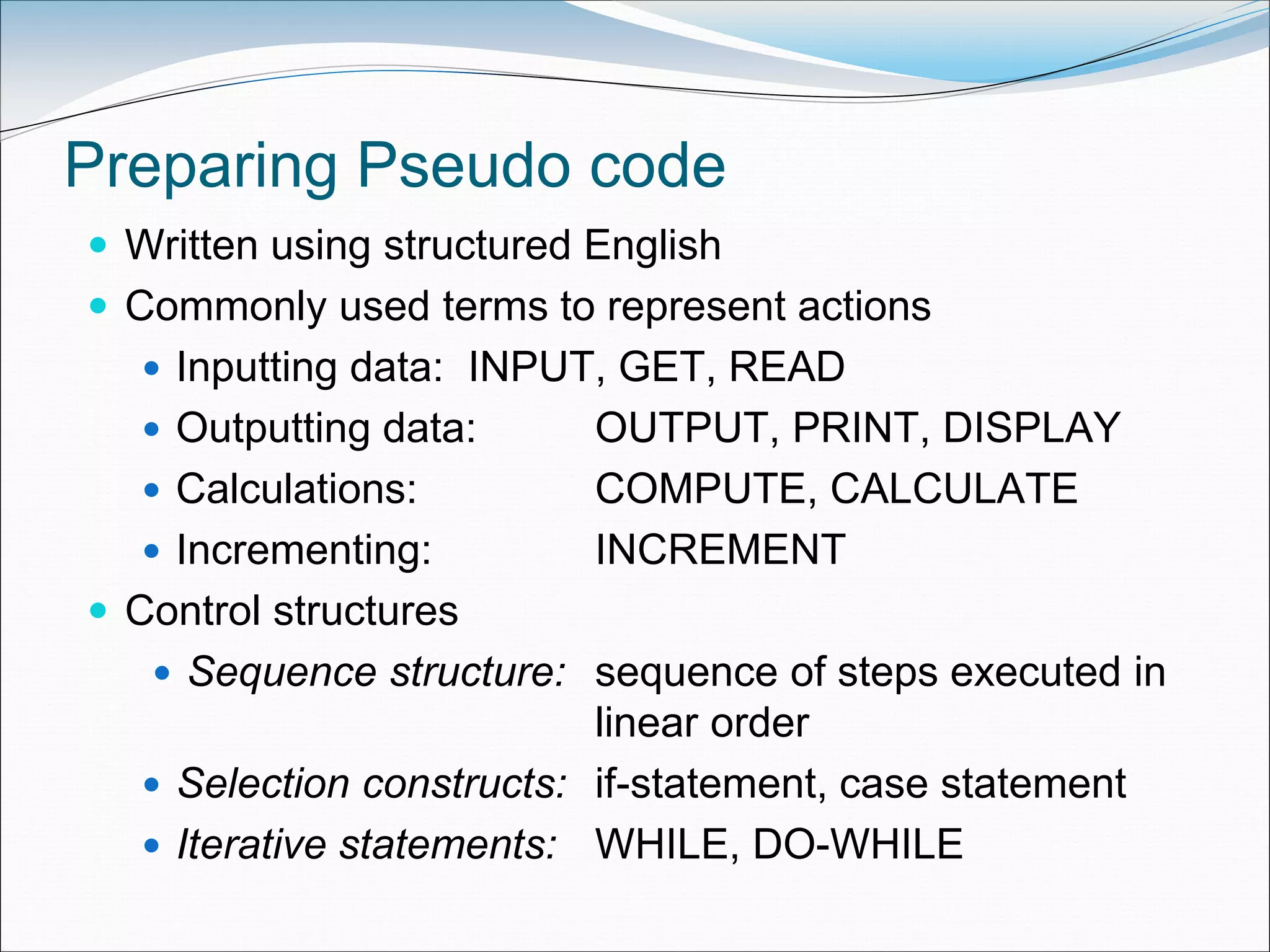
Preparing Pseudo code
 Written using structured English
 Commonly used terms to represent actions
 Inputting data: INPUT, GET, READ
 Outputting data: OUTPUT, PRINT, DISPLAY
 Calculations: COMPUTE, CALCULATE
 Incrementing: INCREMENT
 Control structures
 Sequence structure: sequence of steps executed in
linear order
 Selection constructs: if-statement, case statement
 Iterative statements: WHILE, DO-WHILE
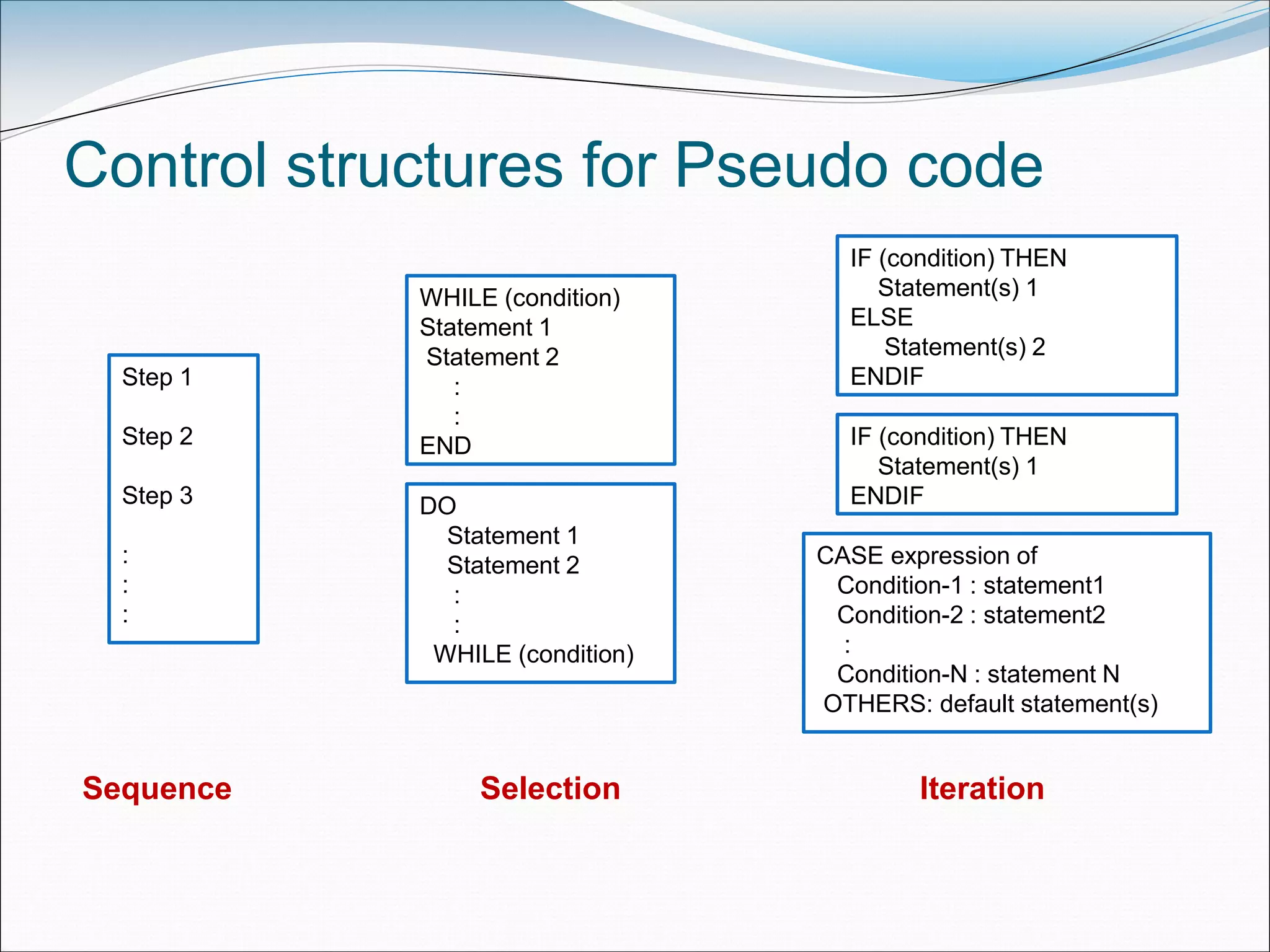
Control structures for Pseudo code
IF (condition) THEN
Statement(s) 1
ELSE
Statement(s) 2
ENDIFStep 1
Step 2
Step 3
:
:
:
WHILE (condition)
Statement 1
Statement 2
:
:
END
DO
Statement 1
Statement 2
:
:
WHILE (condition)
CASE expression of
Condition-1 : statement1
Condition-2 : statement2
:
Condition-N : statement N
OTHERS: default statement(s)
IF (condition) THEN
Statement(s) 1
ENDIF
Sequence Selection Iteration
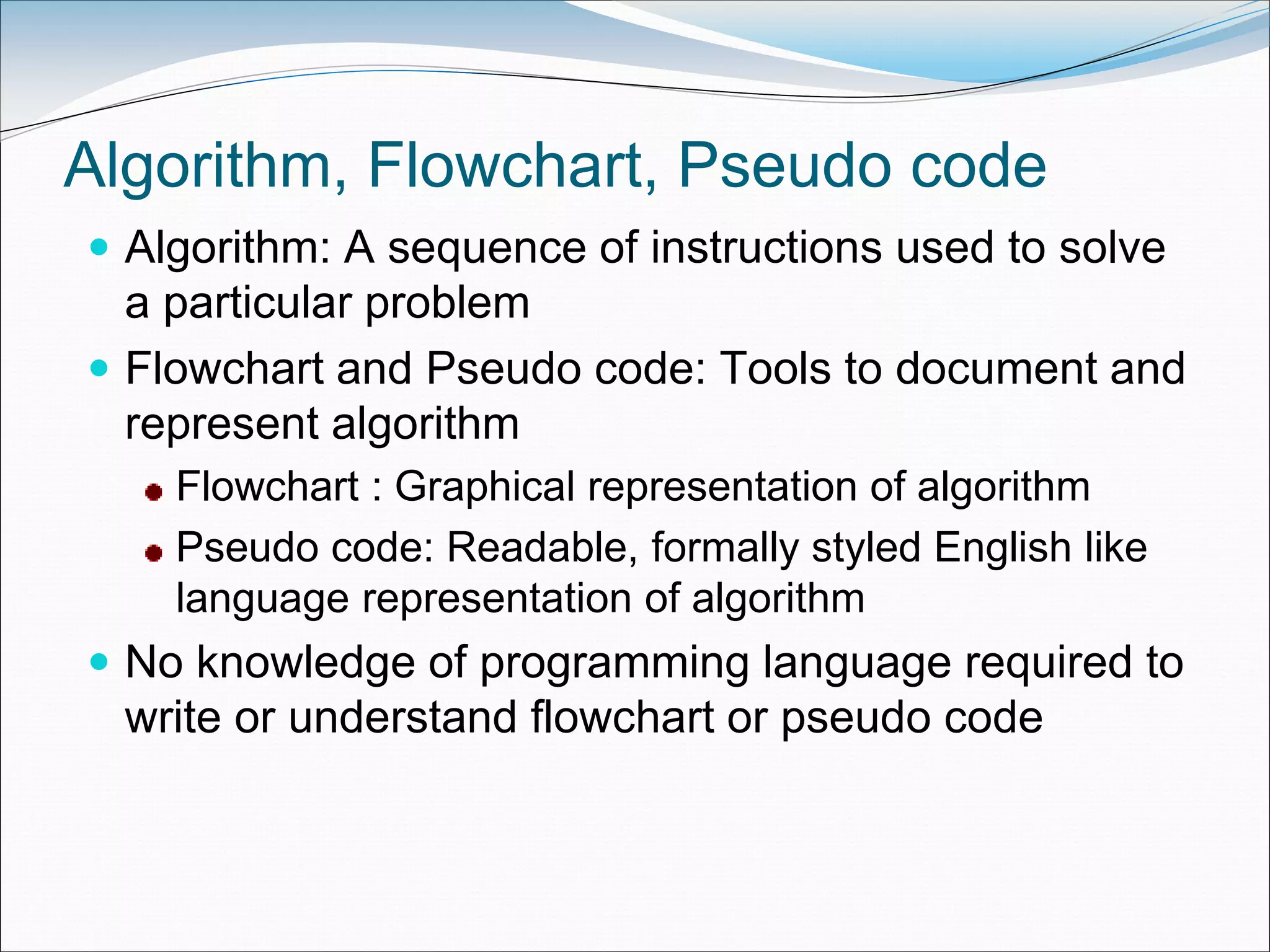
Algorithm, Flowchart, Pseudo code
 Algorithm: A sequence of instructions used to solve
a particular problem
 Flowchart and Pseudo code: Tools to document and
represent algorithm
Flowchart : Graphical representation of algorithm
Pseudo code: Readable, formally styled English like
language representation of algorithm
 No knowledge of programming language required to
write or understand flowchart or pseudo code
Thank You

Computer Programming_Unit 1

  • 1.
  • 2.
    CONTENTS  Generation andClassification of Computers  Basic Organization of a Computer  Number System  Binary – Decimal – Conversion – Problems  Need for logical analysis and thinking  Algorithm  Pseudo code  Flow Chart LEARNING OBJECTIVES  To learn about the origin of the computer system  To enable the student to learn the major components of a computer system  To know about different conversions in number system  To know the correct and efficient ways of solving problems LEARNING OUTCOMES  Knows about the basics of computers  Solve the problems related to number systems( Conversions)  Able to think logically and write own Algorithm and Pseudocode for the given problem  Able to draw own Flowchart for the given problem
  • 3.
    Generations of Computer Evolution of computer to the current state  Five generations  Categorized on the basis of Technology used by them (hardware and software) Computing characteristics (speed - number of instructions executed per second) Physical appearance Their applications
  • 4.
    Generations of Computer First •1940-56 • Vacuum Tubes Second • 1956-63 • Transistors Third • 1964-71 • Integrated Circuits Fourth • 1971- Present • Microproce ssors Fifth • Present and Next • Artificial Intelligence
  • 5.
    First Generation: 1940-56 Vacuum tubes, magnetic drums, punched cards, paper tapes and printouts  Machine language  Computation time in milliseconds  Enormous in size  For scientific applications  Examples  UNIVersal Automatic Computer (UNIVAC)  Electronic Numerical Integrator And Calculator (ENIAC)  Electronic Discrete Variable Automatic Computer (EDVAC) UNIVAC Punched Card
  • 6.
    Second Generation: 1956-1963 Transistors, magnetic core technology , magnetic tapes and magnetic disks, concept of a stored program  Assembly language  Computation time in microseconds.  Reduced size compared to first generation computers  Cost of commercial production was very high  Examples  PDP-8  IBM 1401  CDC 1604
  • 7.
    Third Generation: 1964-1971 Integrated Circuit (IC) chips, keyboard, Monitor  Operating system, High-level languages  Computation time in nanoseconds  Quite small compared to second generation computers  Accessible to mass audience  Produced commercially  Examples IBM 370 PDP 11 DEC PDP 11
  • 8.
    Fourth Generation: 1971-Present LSI, VLSI, Microprocessor, PC, Semiconductor Memory, Linking of computers, Mouse and Handheld Devices  GUI, OS like MS-DOS and MS-Windows  High-Level Programming Languages  Computation time in picoseconds  Smaller than computers of previous generation  Widely available for commercial purposes  PC for home user  Examples  Intel 4004 chip was the first Microprocessor  IBM, Apple’s Macintosh
  • 9.
    Fifth Generation: Present& Next  Using Artificial Intelligence (AI) Expert Systems (ES), NLP, Speech recognition, Voice recognition, Robotics etc.  Capable of learning and self organization  SLSI, large memory  Parallel processing • Gutenberg Printing Press (1400’s) to Digital Press (1990’s) • ENIAC (1940’s) to iPAD (2010) What are the similarities and differences in the above two journeys?
  • 10.
    Classification of Computers Categories based on Size Type  Categories Microcomputers Minicomputers Mainframe computers Supercomputer
  • 11.
    Microcomputer  Small, low-cost,single-user digital computer.  Include  Desktop computer or PC: Stand-alone machine, not very expensive, for single user. • Manufacturers: Apple, Microsoft, HP, Dell, Lenovo, …  Notebook or laptop: Portable , small size, costlier than desktop  Netbook: Smaller notebooks, low weight, low cost, for web-based applications.  Tablet computer: Input via stylus or pen, Portable  Handheld computer or PDA: Held on top of palm, small in size, uses pen or stylus, limited memory, less powerful.  Smart phones: Cellular phones (function both as phone and small PC), to access e-mail, download music, play games etc. • Manufacturers: Blackberry, Apple, HTC, Nokia, LG, Motorola
  • 12.
    Minicomputers  Multi-user systems. High processing speed  High storage capacity than the microcomputers.  Support 4 to 200 users simultaneously.  Examples PDP 11 IBM (8000 series)
  • 13.
    Mainframe computers  Multi-user,multi-programming , high-performance computers.  Very high speed, large storage capacity  Used in centralized databases.  Access via dumb terminal, an intelligent terminal, or PC.  Dumb terminal: No own data storage & processing. Has I/O device only.  Intelligent terminal: Has the I/O device, can do processing, but, cannot store data of its own.  Use processing power and storage facility of mainframes  Examples  CDC 6600  IBM ES000 series.
  • 14.
    Supercomputers  Fastest andthe most expensive machines.  High processing speed  Speed in FLOPS (FLoating point Operations Per Second).  Used for highly calculation-intensive tasks - weather forecasting, climate research, molecular research, biological research, nuclear research  Examples IBM Roadrunner, IBM Blue gene Intel ASCI red. PARAM in India
  • 15.
    Components of ComputerHardware CPU Registers Control Unit Arithmetic and Logic Unit Input Unit Output Unit Memory Unit
  • 16.
  • 17.
    Number System  Computersnormally use four number systems  Computer understands only Binary number system  Binary data is represented internally as octal and hexadecimal numbers for to ease of use  Number in a base is written as (number)base of number  E.g. (23)10 means 23 is decimal number, (345)8 shows 345 is octal number
  • 18.
    Decimal Number System Consists of 10 digits – 0, 1, 2, 3, 4, 5, 6, 7, 8, 9  All numbers represented as combination of digits 0-9. E.g. 34, 5965, 867321
  • 19.
    Binary Number System Consists of two digits – 0 and 1  All numbers formed using combination of 0 and 1. E.g.1001, 11000011, 10110101
  • 20.
    Octal Number System Consists of eight digits – 0 to 7  All numbers represented using these eight digits. E.g. 273, 103, 2375
  • 21.
    Hexadecimal Number System Consists of sixteen digits – 0 to 9, A, B, C, D, E, F, where (A -10, B - 11, C -12, D-13, E-14, F-15)  All numbers represented using these sixteen digits. E.g. 3FA, 87B, 113
  • 22.
    Conversion of DecimalInteger  Decimal integer converted to any other base, using division operation  To convert decimal integer to Binary: divide by 2 Octal: divide by 8 Hexadecimal: divide by 16
  • 23.
    Convert 23 fromBase 10 to Base 2, 8, 16 Can you write your age in Hexadecimal number?
  • 24.
    Need for logicalanalysis and thinking  Instructions in a Program have three parts Accept Input Data that needs to be processed Act upon Input Data and process it Provide Output to user  Instructions are defined in a specific sequence  Program writing is not a straightforward task Follows Program Development Life Cycle
  • 25.
  • 26.
    Algorithm  Ordered sequenceof finite, well defined, unambiguous instructions for completing a task.  English-like representation of logic to solve problem  Step-by-step procedure for solving problem  For a particular task, different algorithms can be written Select an algorithm based on advantages and disadvantages Different Algorithms would typically lead to trade off between memory requirements and execution speed
  • 27.
  • 28.
    Control Structures  Specifiesstatements to be executed and order of execution of statements  Execution of a statement based on a decision  Repetitively execute statements unless condition met  Used by Flowchart, Pseudo code  Three kinds  Sequential: Instructions executed in linear order  Selection (branch or conditional): Asks true/false question and selects next instruction based on answer  Iterative (loop): Repeats execution of block of instructions Can you give an example for each kind of control structure?
  • 29.
    Flowchart  Diagrammatic representationof logic for solving task  Drawn using boxes of different shapes with lines connecting them to show the flow of control  Make logic of program clearer in a visual form  Diagrammatic representation forms a common medium of communication  Drawn using different kinds of symbols.
  • 30.
  • 31.
    Preparing a Flowchart Common symbols that are used to draw a flowchart Process, Decision, Data, Terminator, Connector and Flow lines  Rules Should have Start and End Direction of flow must be from top to bottom and left to right Relevant symbols must be used while drawing a flowchart Sequence, selection, iterative structures may be used wherever required
  • 32.
  • 33.
    Preparing a Flowchart(contd..)  Sequence: Steps executed in linear order  Selection: Step to be executed next is based on decision taken. Different path followed for True and False  Iterative: Condition is checked. Either next step in sequence is executed or control goes back to one of the already executed steps to make a loop  Limitations May run into multiple pages, difficult to understand Updating with changing requirements
  • 34.
    Examples of Flowchart Productof two numbers Maximum of three numbers Sum of first 100 integers Can you draw a flowchart to read 100 numbers and print the largest number?
  • 35.
    Pseudo code  Consistsof short, readable and formally-styled English language used for explaining an algorithm.  Does not include details like variable declarations, subroutines etc.  Short-hand way of describing computer program  Not based on any programming language  Uses structured constructs of programming language but is not machine readable  Cannot be compiled or executed  No standard for syntax of pseudo code exists  Easily translated into a programming language
  • 36.
    Preparing Pseudo code Written using structured English  Commonly used terms to represent actions  Inputting data: INPUT, GET, READ  Outputting data: OUTPUT, PRINT, DISPLAY  Calculations: COMPUTE, CALCULATE  Incrementing: INCREMENT  Control structures  Sequence structure: sequence of steps executed in linear order  Selection constructs: if-statement, case statement  Iterative statements: WHILE, DO-WHILE
  • 37.
    Control structures forPseudo code IF (condition) THEN Statement(s) 1 ELSE Statement(s) 2 ENDIFStep 1 Step 2 Step 3 : : : WHILE (condition) Statement 1 Statement 2 : : END DO Statement 1 Statement 2 : : WHILE (condition) CASE expression of Condition-1 : statement1 Condition-2 : statement2 : Condition-N : statement N OTHERS: default statement(s) IF (condition) THEN Statement(s) 1 ENDIF Sequence Selection Iteration
  • 38.
    Algorithm, Flowchart, Pseudocode  Algorithm: A sequence of instructions used to solve a particular problem  Flowchart and Pseudo code: Tools to document and represent algorithm Flowchart : Graphical representation of algorithm Pseudo code: Readable, formally styled English like language representation of algorithm  No knowledge of programming language required to write or understand flowchart or pseudo code
  • 39.