Empowering the Content
Creator in a CMS
Environment: the art of
balancing consistency and
flexibility
VCSA Technology Services,
UC Riverside
Randal Maile
UCR Campus Branding Initiative
Consistent:
Logo / Monogram
Color palette
Fonts
Navigation
Layout chrome
CSS –powerful huge
consistency tool - leverage
heavily on the approved UCR
Campus Style guides
Flexible
Departments have unique
content – establish
messaging that’s consistent
with their mission.
Branding Distinctions:
Unique masthead
images
Approved color scheme
variants
Color stylesheets
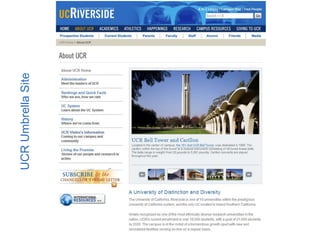
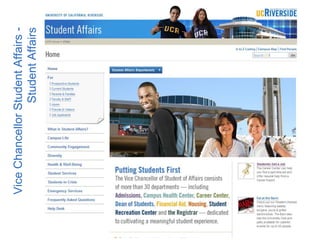
UCRUmbrellaSite
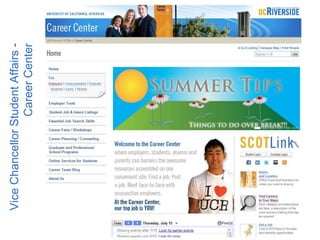
ViceChancellorStudentAffairs-
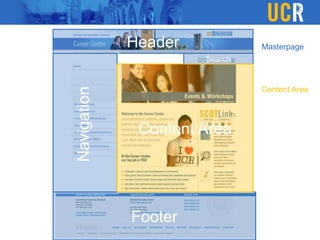
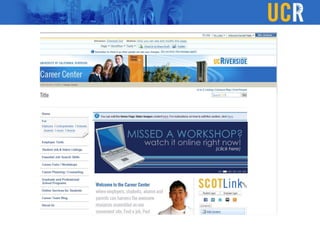
CareerCenter
ViceChancellorStudentAffairs-
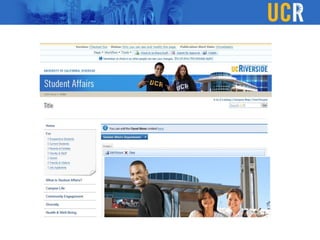
StudentAffairs
Header
Footer
Navigation
Search
Masterpage
Content Area
Content Area
Project Scope
VCSA TS will provide a custom CMS solution that
meets user needs and incorporates the UCR web
design branding standards
Redesigning all 30+ VCSA sites using a full featured
CMS solution.
Implement measures to ensure a uniform design
standard.
Provide the best possible tools for the end user to
easily manage and update their content.
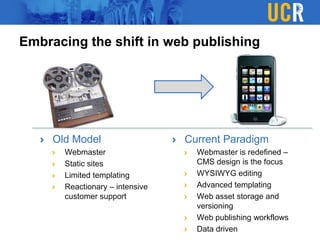
Embracing the shift in web publishing
Old Model
Webmaster
Static sites
Limited templating
Reactionary – intensive
customer support
Current Paradigm
Webmaster is redefined –
CMS design is the focus
WYSIWYG editing
Advanced templating
Web asset storage and
versioning
Web publishing workflows
Data driven
Consistency
Content Forces in a CMS
Flexibility
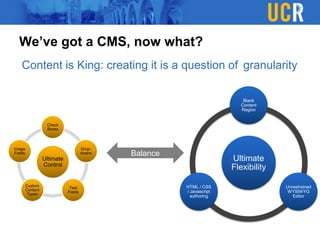
We’ve got a CMS, now what?
Content is King: creating it is a question of
Ultimate
Control
Check
Boxes
Drop-
downs
Text
Fields
Custom
Content
Types
Image
Fields
Ultimate
Flexibility
Blank
Content
Region
Unrestrained
WYSIWYG
Editor
HTML / CSS
/ Javascript
authoring
Balance
granularity
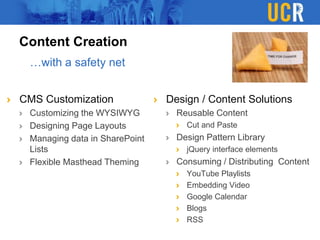
Content Creation
CMS Customization
Customizing the WYSIWYG
Designing Page Layouts
Managing data in SharePoint
Lists
Flexible Masthead Theming
Design / Content Solutions
Reusable Content
Cut and Paste
Design Pattern Library
jQuery interface elements
Consuming / Distributing Content
YouTube Playlists
Embedding Video
Google Calendar
Blogs
RSS
…with a safety net
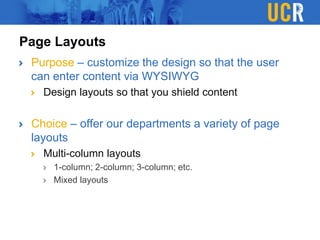
Page Layouts
Purpose – customize the design so that the user
can enter content via WYSIWYG
Design layouts so that you shield content
Choice – offer our departments a variety of page
layouts
Multi-column layouts
1-column; 2-column; 3-column; etc.
Mixed layouts
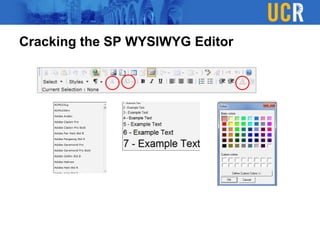
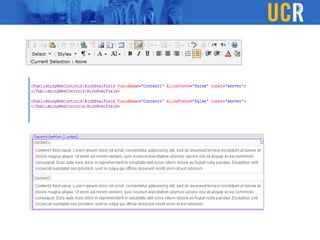
Cracking the SP WYSIWYG Editor
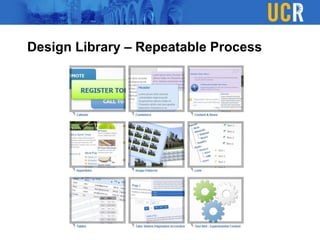
Design Library – Repeatable Process
DYNAMIC
jQuery interactive solutions solve design problems:
Consolidate content: tabs, accordions, sliders
Facilitate a step-wise process: process sliders
Enhance usability:
Enhance navigation: mega menu
Facilitate search: ask Waylon
Provide visual balance and enhance aesthetics
Promoting Interactive Content
= ENGAGING
Leveraging jQuery
jQuery is our js library of choice –
how to integrate with SharePoint
Skill set lies here
Challenge: integrate interactive page elements w/ the
editing experience
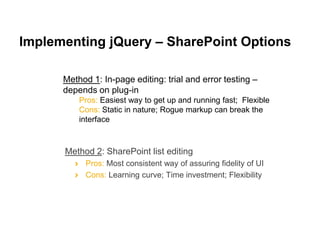
Implementing jQuery – SharePoint Options
Method 2: SharePoint list editing
Pros: Most consistent way of assuring fidelity of UI
Cons: Learning curve; Time investment; Flexibility
Method 1: In-page editing: trial and error testing –
depends on plug-in
Pros: Easiest way to get up and running fast; Flexible
Cons: Static in nature; Rogue markup can break the
interface
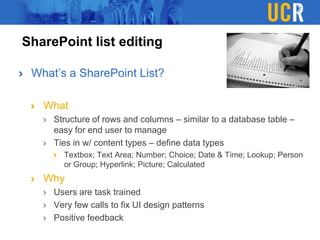
SharePoint list editing
What’s a SharePoint List?
What
Structure of rows and columns – similar to a database table –
easy for end user to manage
Ties in w/ content types – define data types
Textbox; Text Area; Number; Choice; Date & Time; Lookup; Person
or Group; Hyperlink; Picture; Calculated
Why
Users are task trained
Very few calls to fix UI design patterns
Positive feedback
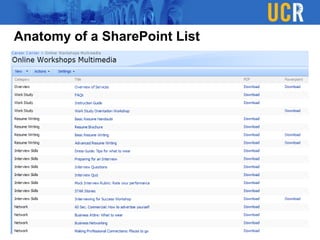
Anatomy of a SharePoint List
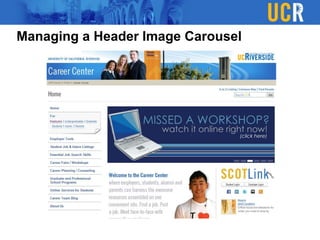
Managing a Header Image Carousel
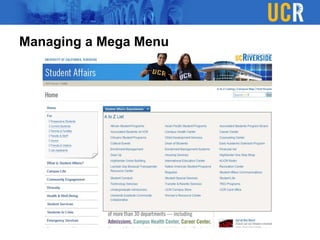
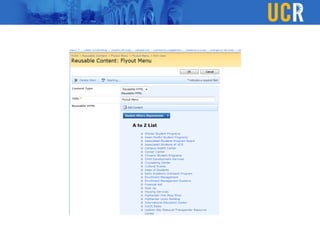
Managing a Mega Menu
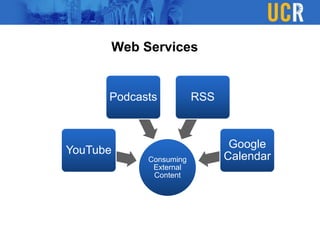
Consuming
External
Content
YouTube
Podcasts RSS
Google
Calendar
Web Services
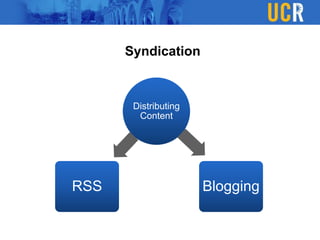
Distributing
Content
RSS Blogging
Syndication
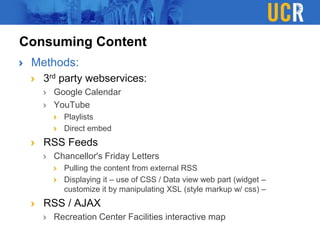
Consuming Content
Methods:
3rd party webservices:
Google Calendar
YouTube
Playlists
Direct embed
RSS Feeds
Chancellor's Friday Letters
Pulling the content from external RSS
Displaying it – use of CSS / Data view web part (widget –
customize it by manipulating XSL (style markup w/ css) –
RSS / AJAX
Recreation Center Facilities interactive map
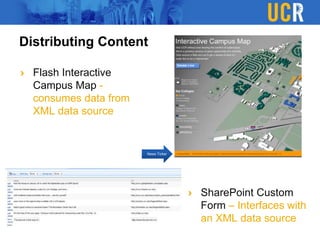
Distributing Content
Flash Interactive
Campus Map -
consumes data from
XML data source
SharePoint Custom
Form – Interfaces with
an XML data source
News Ticker
Masthead Branding
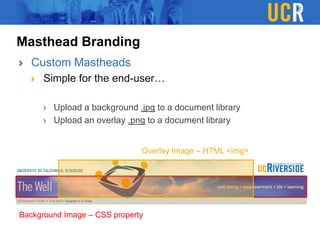
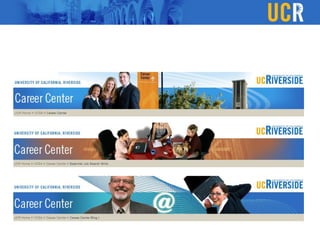
Custom Mastheads
Simple for the end-user…
Upload a background .jpg to a document library
Upload an overlay .png to a document library
Background Image – CSS property
Overlay Image – HTML <img>
Our Team(s)
VCSA Technology Services
Sean Dillingham – Director
Hadeel Elamin – Programmer
Mansur Syed – Web / UI Designer
Joseph Sexton – Network
Administrator / DBA
Waylon Baumgardner – Web / UI
Designer
Eugene O’Neill – Student Worker
Jimmy Tam – Student Worker
Student Affairs Communications
Paul Simon – Web / UI Designer
Jeffrey Girod – Web Copywriter /
Designer

2010 UCCSC - Empowering the Content Creator

  • 1.
    Empowering the Content Creatorin a CMS Environment: the art of balancing consistency and flexibility VCSA Technology Services, UC Riverside Randal Maile
  • 2.
    UCR Campus BrandingInitiative Consistent: Logo / Monogram Color palette Fonts Navigation Layout chrome CSS –powerful huge consistency tool - leverage heavily on the approved UCR Campus Style guides Flexible Departments have unique content – establish messaging that’s consistent with their mission. Branding Distinctions: Unique masthead images Approved color scheme variants Color stylesheets
  • 3.
  • 4.
  • 5.
  • 6.
  • 7.
    Project Scope VCSA TSwill provide a custom CMS solution that meets user needs and incorporates the UCR web design branding standards Redesigning all 30+ VCSA sites using a full featured CMS solution. Implement measures to ensure a uniform design standard. Provide the best possible tools for the end user to easily manage and update their content.
  • 8.
    Embracing the shiftin web publishing Old Model Webmaster Static sites Limited templating Reactionary – intensive customer support Current Paradigm Webmaster is redefined – CMS design is the focus WYSIWYG editing Advanced templating Web asset storage and versioning Web publishing workflows Data driven
  • 10.
  • 11.
  • 13.
    We’ve got aCMS, now what? Content is King: creating it is a question of Ultimate Control Check Boxes Drop- downs Text Fields Custom Content Types Image Fields Ultimate Flexibility Blank Content Region Unrestrained WYSIWYG Editor HTML / CSS / Javascript authoring Balance granularity
  • 14.
    Content Creation CMS Customization Customizingthe WYSIWYG Designing Page Layouts Managing data in SharePoint Lists Flexible Masthead Theming Design / Content Solutions Reusable Content Cut and Paste Design Pattern Library jQuery interface elements Consuming / Distributing Content YouTube Playlists Embedding Video Google Calendar Blogs RSS …with a safety net
  • 15.
    Page Layouts Purpose –customize the design so that the user can enter content via WYSIWYG Design layouts so that you shield content Choice – offer our departments a variety of page layouts Multi-column layouts 1-column; 2-column; 3-column; etc. Mixed layouts
  • 16.
    Cracking the SPWYSIWYG Editor
  • 18.
    Design Library –Repeatable Process
  • 19.
    DYNAMIC jQuery interactive solutionssolve design problems: Consolidate content: tabs, accordions, sliders Facilitate a step-wise process: process sliders Enhance usability: Enhance navigation: mega menu Facilitate search: ask Waylon Provide visual balance and enhance aesthetics Promoting Interactive Content = ENGAGING
  • 20.
    Leveraging jQuery jQuery isour js library of choice – how to integrate with SharePoint Skill set lies here Challenge: integrate interactive page elements w/ the editing experience
  • 21.
    Implementing jQuery –SharePoint Options Method 2: SharePoint list editing Pros: Most consistent way of assuring fidelity of UI Cons: Learning curve; Time investment; Flexibility Method 1: In-page editing: trial and error testing – depends on plug-in Pros: Easiest way to get up and running fast; Flexible Cons: Static in nature; Rogue markup can break the interface
  • 22.
    SharePoint list editing What’sa SharePoint List? What Structure of rows and columns – similar to a database table – easy for end user to manage Ties in w/ content types – define data types Textbox; Text Area; Number; Choice; Date & Time; Lookup; Person or Group; Hyperlink; Picture; Calculated Why Users are task trained Very few calls to fix UI design patterns Positive feedback
  • 23.
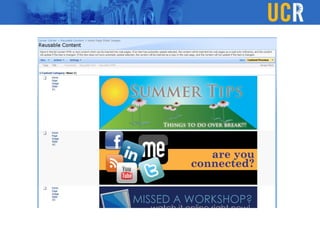
    Anatomy of aSharePoint List
  • 24.
    Managing a HeaderImage Carousel
  • 27.
  • 30.
  • 31.
  • 32.
    Consuming Content Methods: 3rd partywebservices: Google Calendar YouTube Playlists Direct embed RSS Feeds Chancellor's Friday Letters Pulling the content from external RSS Displaying it – use of CSS / Data view web part (widget – customize it by manipulating XSL (style markup w/ css) – RSS / AJAX Recreation Center Facilities interactive map
  • 34.
    Distributing Content Flash Interactive CampusMap - consumes data from XML data source SharePoint Custom Form – Interfaces with an XML data source News Ticker
  • 35.
    Masthead Branding Custom Mastheads Simplefor the end-user… Upload a background .jpg to a document library Upload an overlay .png to a document library Background Image – CSS property Overlay Image – HTML <img>
  • 37.
    Our Team(s) VCSA TechnologyServices Sean Dillingham – Director Hadeel Elamin – Programmer Mansur Syed – Web / UI Designer Joseph Sexton – Network Administrator / DBA Waylon Baumgardner – Web / UI Designer Eugene O’Neill – Student Worker Jimmy Tam – Student Worker Student Affairs Communications Paul Simon – Web / UI Designer Jeffrey Girod – Web Copywriter / Designer

Editor's Notes

  • #3 Introduce yourself – come from a web/UI design background – focused (during the last few years) on customizing and leveraging content management systems – to empower the user to create content in an effective manner.Campus Branding Initiative – When someone visits a UCR website there’s no question where they are.
  • #4 Outline the parts of our overall design – briefly cover the objectives of the campus redesign
  • #7 Click through the various functional and structure components of our sites – go through (very briefly) the process we initially took to get SP off the ground and how we adapted the SharePoint WCM featuresCreate a custom navigation control that renders as unordered listCreate a custom search utility – Google SearchIncorporate sIFR to render Trade Gothic as H2 tagsCustomize the login processCreate placeholder regions in the masterpage – setting the stage for page layoutsCreate Columns / Content types so we can add editable regions to our page layoutsText FieldsRich Text Editable Regions – WYSIWTGImage Fields
  • #8 CMS Deliverables1. We are committed to redesigning all 30+ VCSA sites using a full featured CMS solution, one that requires extensive customization and branding.2. We recognize the importance of a uniform design standard and will implement a coordinated process for site discovery, prototyping, and design implementation with a focus on CMS usability.3. We will provide the best possible tools for the user to easily manage and update their content.
  • #9 In our division, with a significant # of sites, we’ve shifted to Content Management – has many advantages but also comes with challenges----How can we make the user experience positive?----How can we encourage content creation so that the sites don’t become static?----How can we ensure design consistency?----How can we make the user feel comfortable with the technology?
  • #10 Why SharePoint:Ties in with the VCSA Department intranet sites – our users are familiar w/ the interface and operations of SharePoint – been task trained to some degreePowerful Data management – can consume internal and external data sources with relative easePage Layout tools – powerfulDocument Management is powerfulCustom Web Authoring toolsExtensibility – in terms of development, Built on top of ASP.NET 2.0 works well w/ our developer’s and network admin’s skill set – Microsoft shop
  • #11 With the two emphasized goals listed in the previous slide we are confronted with the delicate balance of allowing flexibility and choice for the user without compromising the design standards of the UCR campus branding initiativeCONSISTENCY vs. FLEXIBILITYThe fidelity of the content is what lies in the balance between the two.Everyone can understand and can appreciate the challenges that are inherent in this somewhat paradoxical situation – useful discussion – inherent problem in all CMS solutions that needs to be addressed
  • #14 The sweet spot in the balance equation is a moving target – we’re starting to see more and more benefits of the fine grained approach – our organization is moving in this direction
  • #15 Sweet spot between ultimate consistency and flexibility – give the user multiple ways to manage their contentConsuming / distributing content - allows for great interactivity - disribution channels - good for the end user – not just for the content creator(encourage copying and reusing approved design concepts
  • #16 Introduce some examples of layouts – real life – next slide
  • #19 Repository of patterns that we recycle and repurposeList the different design patterns that are available to internal and departmental staff
  • #21 In-page editing: trial and error testing – depends on plug-in - can render in unusable way!!Sharepoint list editing: pull content from data lists and render the proper markup for jQuery to traverse and consume.Has been a learning curve – dynamic – also from an end user standpoint – less prone to break
  • #23 Familiar with the concept of managing lists – most departments have ext. experience w/ managing intranet sites. - Easy transitionExplain a sharepoint listScreen shot of listSS slider – publicSS slider – edit mode – messageSS
  • #25 ExamplesSlider – Career HP Slider – banner rotatorMention edit-mode message – visual cue – alert user that they go to a list