Lecture 2
What are the Types of Malware?
While there are many different variations of malware, you are most likely to
encounter the following malware types:
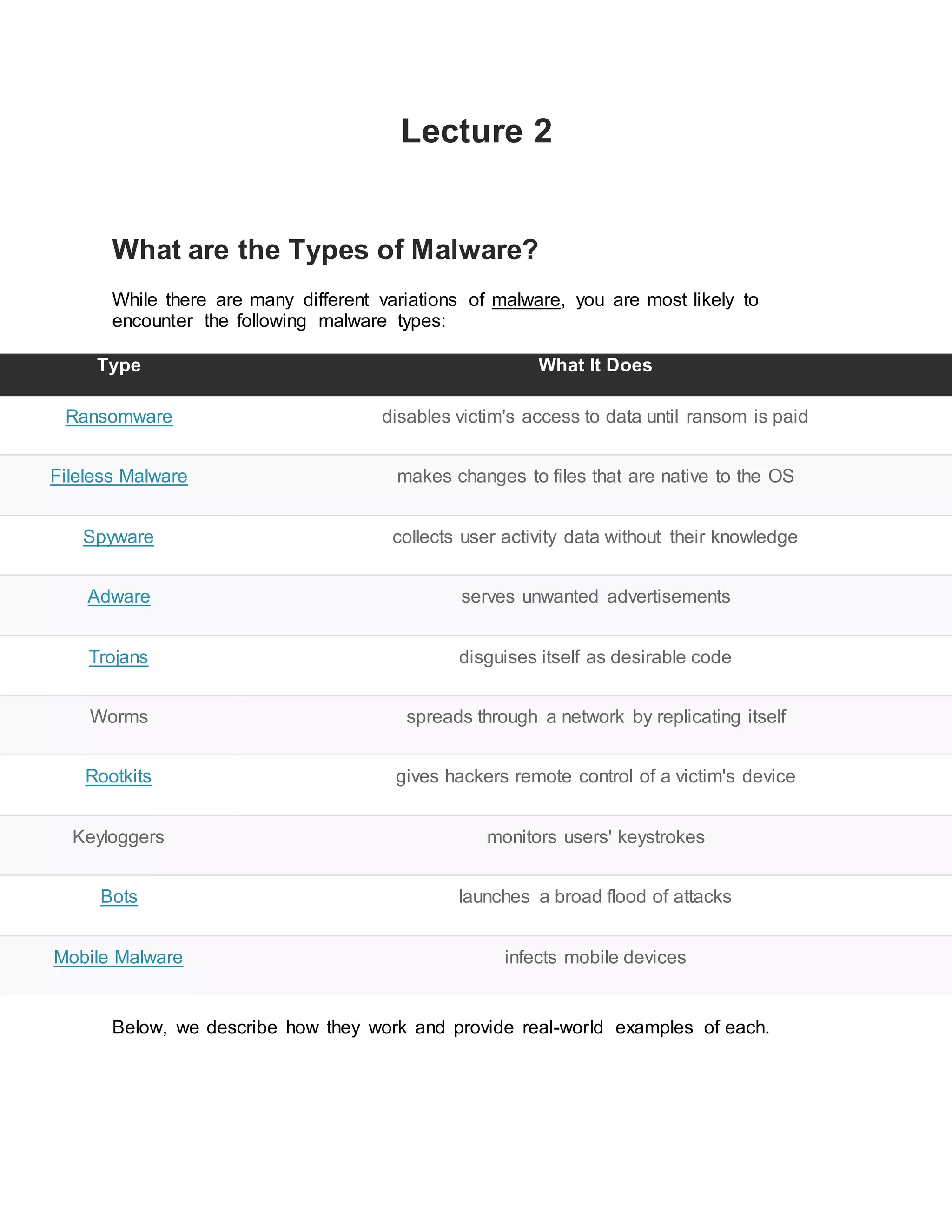
Type What It Does
Ransomware disables victim's access to data until ransom is paid
Fileless Malware makes changes to files that are native to the OS
Spyware collects user activity data without their knowledge
Adware serves unwanted advertisements
Trojans disguises itself as desirable code
Worms spreads through a network by replicating itself
Rootkits gives hackers remote control of a victim's device
Keyloggers monitors users' keystrokes
Bots launches a broad flood of attacks
Mobile Malware infects mobile devices
Below, we describe how they work and provide real-world examples of each.
1. Ransomware
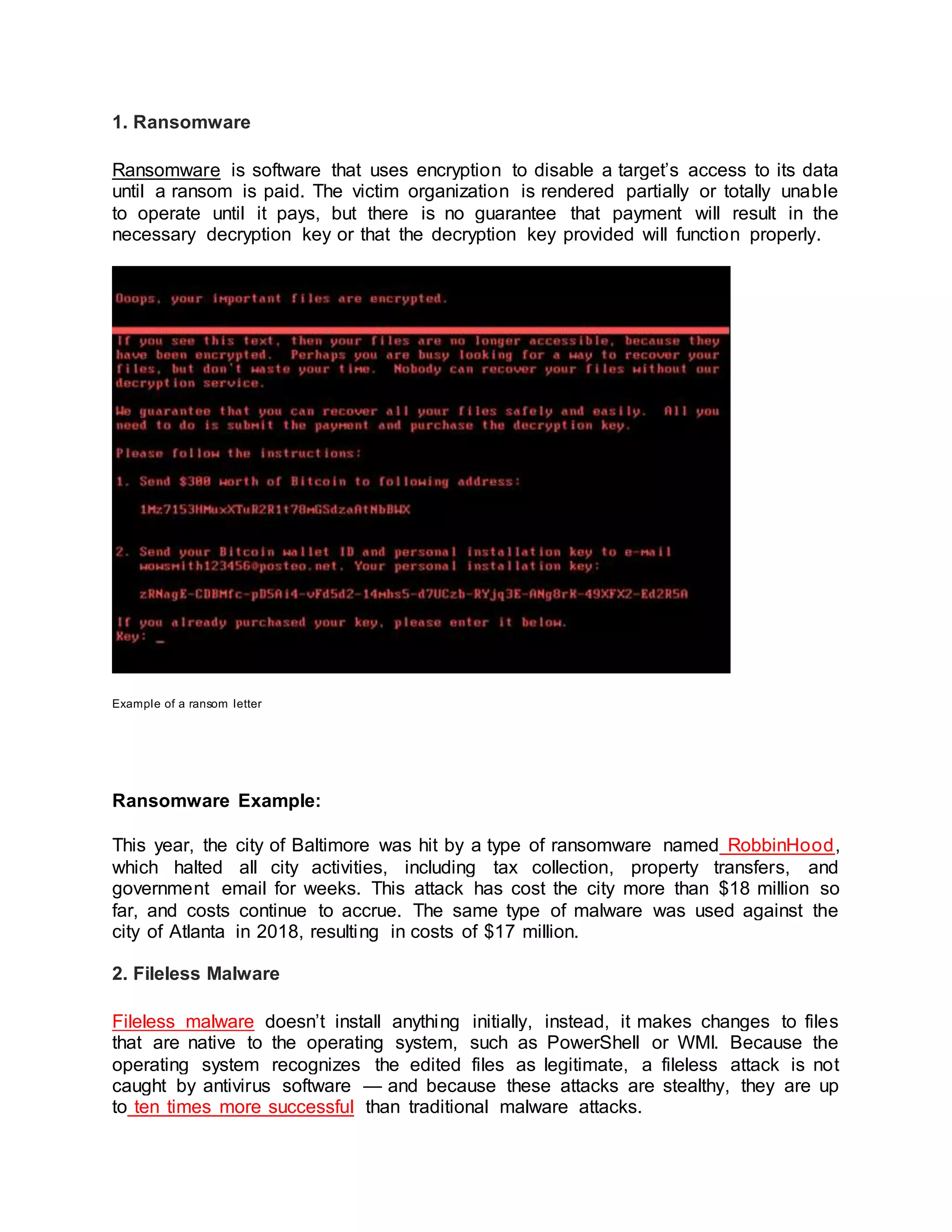
Ransomware is software that uses encryption to disable a target’s access to its data
until a ransom is paid. The victim organization is rendered partially or totally unable
to operate until it pays, but there is no guarantee that payment will result in the
necessary decryption key or that the decryption key provided will function properly.
Example of a ransom letter
Ransomware Example:
This year, the city of Baltimore was hit by a type of ransomware named RobbinHood,
which halted all city activities, including tax collection, property transfers, and
government email for weeks. This attack has cost the city more than $18 million so
far, and costs continue to accrue. The same type of malware was used against the
city of Atlanta in 2018, resulting in costs of $17 million.
2. Fileless Malware
Fileless malware doesn’t install anything initially, instead, it makes changes to files
that are native to the operating system, such as PowerShell or WMI. Because the
operating system recognizes the edited files as legitimate, a fileless attack is not
caught by antivirus software — and because these attacks are stealthy, they are up
to ten times more successful than traditional malware attacks.
Fileless Malware Example:
Astaroth is a fileless malware campaign that spammed users with links to a .LNK
shortcut file. When users downloaded the file, a WMIC tool was launched, along with
a number of other legitimate Windows tools. These tools downloaded additional code
that was executed only in memory, leaving no evidence that could be detected by
vulnerability scanners. Then the attacker downloaded and ran a Trojan that stole
credentials and uploaded them to a remote server.
3. Spyware
Spyware collects information about users’ activities without their knowledge or
consent. This can include passwords, pins, payment information and unstructured
messages.
The use of spyware is not limited to the desktop browser: it can also operate in a
critical app or on a mobile phone.
Even if the data stolen is not critical, the effects of spyware often ripple throughout
the organization as performance is degraded and productivity eroded.
Spyware Example:
DarkHotel, which targeted business and government leaders using hotel WIFI, used
several types of malware in order to gain access to the systems belonging to specific
powerful people. Once that access was gained, the attackers installed key loggers to
capture their targets passwords and other sensitive information.
4. Adware
Adware tracks a user’s surfing activity to determine which ads to serve them. Although
adware is similar to spyware, it does not install any software on a user’s computer,
nor does it capture keystrokes.
The danger in adware is the erosion of a user’s privacy — the data captured by
adware is collated with data captured, overtly or covertly, about the user’s activity
elsewhere on the internet and used to create a profile of that person which includes
who their friends are, what they’ve purchased, where they’ve traveled, and more. That
information can be shared or sold to advertisers without the user’s consent.
Adware Example:
Adware called Fireball infected 250 million computers and devices in 2017, hijacking
browsers to change default search engines and track web activity. However, the
malware had the potential to become more than a mere nuisance. Three-quarters of
it was able to run code remotely and download malicious files.
5. Trojan
A Trojan disguises itself as desirable code or software. Once downloaded by
unsuspecting users, the Trojan can take control of victims’ systems for malicious
purposes. Trojans may hide in games, apps, or even software patches, or they may
be embedded in attachments included in phishing emails.
Trojan Example:
Emotet is a sophisticated banking trojan that has been around since 2014. It is hard
to fight Emotet because it evades signature-based detection, is persistent, and
includes spreader modules that help it propagate. The trojan is so widespread that it
is the subject of a US Department of Homeland Security alert, which notes that
Emotet has cost state, local, tribal and territorial governments up to $1 million per
incident to remediate.
6. Worms
Worms target vulnerabilities in operating systems to install themselves into networks.
They may gain access in several ways: through backdoors built into software, through
unintentional software vulnerabilities, or through flash drives. Once in place, worms
can be used by malicious actors to launch DDoS attacks, steal sensitive data, or
conduct ransomware attacks.
Worm Example:
Stuxnet was probably developed by the US and Israeli intelligence forces with the
intent of setting back Iran’s nuclear program. It was introduced into Iran’s environment
through a flash drive. Because the environment was air-gapped, its creators never
thought Stuxnet would escape its target’s network — but it did. Once in the wild,
Stuxnet spread aggressively but did little damage, since its only function was to
interfere with industrial controllers that managed the uranium enrichment process.
7. Virus
A virus is a piece of code that inserts itself into an application and executes when the
app is run. Once inside a network, a virus may be used to steal sensitive data, launch
DDoS attacks or conduct ransomware attacks.
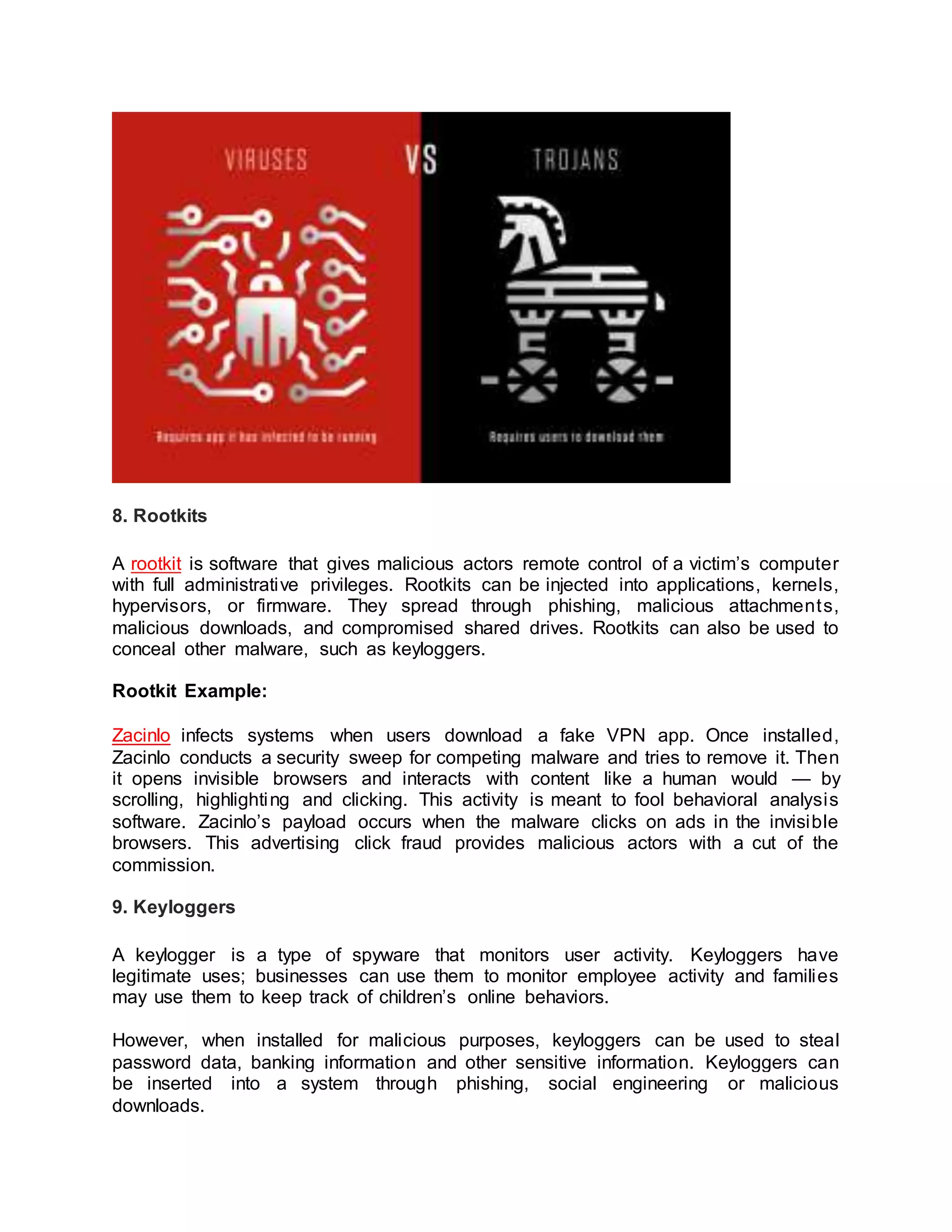
Viruses vs. Trojans
A virus cannot execute or reproduce unless the app it has infected is running. This
dependence on a host application makes viruses different from trojans, which require
users to download them, and worms, which do not use applications to execute. Many
instances of malware fit into multiple categories: for instance, Stuxnet is a worm, a
virus and a rootkit.
8. Rootkits
A rootkit is software that gives malicious actors remote control of a victim’s computer
with full administrative privileges. Rootkits can be injected into applications, kernels,
hypervisors, or firmware. They spread through phishing, malicious attachments,
malicious downloads, and compromised shared drives. Rootkits can also be used to
conceal other malware, such as keyloggers.
Rootkit Example:
Zacinlo infects systems when users download a fake VPN app. Once installed,
Zacinlo conducts a security sweep for competing malware and tries to remove it. Then
it opens invisible browsers and interacts with content like a human would — by
scrolling, highlighting and clicking. This activity is meant to fool behavioral analysis
software. Zacinlo’s payload occurs when the malware clicks on ads in the invisible
browsers. This advertising click fraud provides malicious actors with a cut of the
commission.
9. Keyloggers
A keylogger is a type of spyware that monitors user activity. Keyloggers have
legitimate uses; businesses can use them to monitor employee activity and families
may use them to keep track of children’s online behaviors.
However, when installed for malicious purposes, keyloggers can be used to steal
password data, banking information and other sensitive information. Keyloggers can
be inserted into a system through phishing, social engineering or malicious
downloads.
Keylogger Example:
A keylogger called Olympic Vision has been used to target US, Middle Eastern and
Asian businessmen for business email compromise (BEC) attacks. Olympic Vision
uses spear-phishing and social engineering techniques to infect its targets’ systems
in order to steal sensitive data and spy on business transactions. The keylogger is
not sophisticated, but it’s available on the black market for $25 so it’s highly
accessible to malicious actors.
10. Bots/Botnets
A bot is a software application that performs automated tasks on command. They’re
used for legitimate purposes, such as indexing search engines, but when used for
malicious purposes, they take the form of self-propagating malware that can connect
back to a central server.
Usually, bots are used in large numbers to create a botnet, which is a network of bots
used to launch broad remotely-controlled floods of attacks, such as DDoS attacks.
Botnets can become quite expansive. For example, the Mirai IoT botnet ranged from
800,000 to 2.5M computers.
Botnet Example:
Echobot is a variant of the well-known Mirai. Echobot attacks a wide range of IoT
devices, exploiting over 50 different vulnerabilities, but it also includes exploits for
Oracle WebLogic Server and VMWare’s SD-Wan networking software. In addition,
the malware looks for unpatched legacy systems. Echobot could be used by malicious
actors to launch DDoS attacks, interrupt supply chains, steal sensitive supply chain
information and conduct corporate sabotage.
11. Mobile Malware
Attacks targeting mobile devices have risen 50 percent since last year. Mobile
malware threats are as various as those targeting desktops and include Trojans,
ransomware, advertising click fraud and more. They are distributed through phishing
and malicious downloads and are a particular problem for jailbroken phones, which
tend to lack the default protections that were part of those devices’ original operating
systems.
Mobile Malware Example:
Triada is a rooting Trojan that was injected into the supply chain when millions of
Android devices shipped with the malware pre-installed. Triada gains access to
sensitive areas in the operating system and installs spam apps. The spam apps
display ads, sometimes replacing legitimate ads. When a user clicks on one of the
unauthorized ads, the revenue from that click goes to Triada’s developers.

Types of Malware.docx

  • 1.
    Lecture 2 What arethe Types of Malware? While there are many different variations of malware, you are most likely to encounter the following malware types: Type What It Does Ransomware disables victim's access to data until ransom is paid Fileless Malware makes changes to files that are native to the OS Spyware collects user activity data without their knowledge Adware serves unwanted advertisements Trojans disguises itself as desirable code Worms spreads through a network by replicating itself Rootkits gives hackers remote control of a victim's device Keyloggers monitors users' keystrokes Bots launches a broad flood of attacks Mobile Malware infects mobile devices Below, we describe how they work and provide real-world examples of each.
  • 2.
    1. Ransomware Ransomware issoftware that uses encryption to disable a target’s access to its data until a ransom is paid. The victim organization is rendered partially or totally unable to operate until it pays, but there is no guarantee that payment will result in the necessary decryption key or that the decryption key provided will function properly. Example of a ransom letter Ransomware Example: This year, the city of Baltimore was hit by a type of ransomware named RobbinHood, which halted all city activities, including tax collection, property transfers, and government email for weeks. This attack has cost the city more than $18 million so far, and costs continue to accrue. The same type of malware was used against the city of Atlanta in 2018, resulting in costs of $17 million. 2. Fileless Malware Fileless malware doesn’t install anything initially, instead, it makes changes to files that are native to the operating system, such as PowerShell or WMI. Because the operating system recognizes the edited files as legitimate, a fileless attack is not caught by antivirus software — and because these attacks are stealthy, they are up to ten times more successful than traditional malware attacks.
  • 3.
    Fileless Malware Example: Astarothis a fileless malware campaign that spammed users with links to a .LNK shortcut file. When users downloaded the file, a WMIC tool was launched, along with a number of other legitimate Windows tools. These tools downloaded additional code that was executed only in memory, leaving no evidence that could be detected by vulnerability scanners. Then the attacker downloaded and ran a Trojan that stole credentials and uploaded them to a remote server. 3. Spyware Spyware collects information about users’ activities without their knowledge or consent. This can include passwords, pins, payment information and unstructured messages. The use of spyware is not limited to the desktop browser: it can also operate in a critical app or on a mobile phone. Even if the data stolen is not critical, the effects of spyware often ripple throughout the organization as performance is degraded and productivity eroded. Spyware Example: DarkHotel, which targeted business and government leaders using hotel WIFI, used several types of malware in order to gain access to the systems belonging to specific powerful people. Once that access was gained, the attackers installed key loggers to capture their targets passwords and other sensitive information. 4. Adware Adware tracks a user’s surfing activity to determine which ads to serve them. Although adware is similar to spyware, it does not install any software on a user’s computer, nor does it capture keystrokes. The danger in adware is the erosion of a user’s privacy — the data captured by adware is collated with data captured, overtly or covertly, about the user’s activity elsewhere on the internet and used to create a profile of that person which includes who their friends are, what they’ve purchased, where they’ve traveled, and more. That information can be shared or sold to advertisers without the user’s consent. Adware Example: Adware called Fireball infected 250 million computers and devices in 2017, hijacking browsers to change default search engines and track web activity. However, the malware had the potential to become more than a mere nuisance. Three-quarters of it was able to run code remotely and download malicious files.
  • 4.
    5. Trojan A Trojandisguises itself as desirable code or software. Once downloaded by unsuspecting users, the Trojan can take control of victims’ systems for malicious purposes. Trojans may hide in games, apps, or even software patches, or they may be embedded in attachments included in phishing emails. Trojan Example: Emotet is a sophisticated banking trojan that has been around since 2014. It is hard to fight Emotet because it evades signature-based detection, is persistent, and includes spreader modules that help it propagate. The trojan is so widespread that it is the subject of a US Department of Homeland Security alert, which notes that Emotet has cost state, local, tribal and territorial governments up to $1 million per incident to remediate. 6. Worms Worms target vulnerabilities in operating systems to install themselves into networks. They may gain access in several ways: through backdoors built into software, through unintentional software vulnerabilities, or through flash drives. Once in place, worms can be used by malicious actors to launch DDoS attacks, steal sensitive data, or conduct ransomware attacks. Worm Example: Stuxnet was probably developed by the US and Israeli intelligence forces with the intent of setting back Iran’s nuclear program. It was introduced into Iran’s environment through a flash drive. Because the environment was air-gapped, its creators never thought Stuxnet would escape its target’s network — but it did. Once in the wild, Stuxnet spread aggressively but did little damage, since its only function was to interfere with industrial controllers that managed the uranium enrichment process. 7. Virus A virus is a piece of code that inserts itself into an application and executes when the app is run. Once inside a network, a virus may be used to steal sensitive data, launch DDoS attacks or conduct ransomware attacks. Viruses vs. Trojans A virus cannot execute or reproduce unless the app it has infected is running. This dependence on a host application makes viruses different from trojans, which require users to download them, and worms, which do not use applications to execute. Many instances of malware fit into multiple categories: for instance, Stuxnet is a worm, a virus and a rootkit.
  • 5.
    8. Rootkits A rootkitis software that gives malicious actors remote control of a victim’s computer with full administrative privileges. Rootkits can be injected into applications, kernels, hypervisors, or firmware. They spread through phishing, malicious attachments, malicious downloads, and compromised shared drives. Rootkits can also be used to conceal other malware, such as keyloggers. Rootkit Example: Zacinlo infects systems when users download a fake VPN app. Once installed, Zacinlo conducts a security sweep for competing malware and tries to remove it. Then it opens invisible browsers and interacts with content like a human would — by scrolling, highlighting and clicking. This activity is meant to fool behavioral analysis software. Zacinlo’s payload occurs when the malware clicks on ads in the invisible browsers. This advertising click fraud provides malicious actors with a cut of the commission. 9. Keyloggers A keylogger is a type of spyware that monitors user activity. Keyloggers have legitimate uses; businesses can use them to monitor employee activity and families may use them to keep track of children’s online behaviors. However, when installed for malicious purposes, keyloggers can be used to steal password data, banking information and other sensitive information. Keyloggers can be inserted into a system through phishing, social engineering or malicious downloads.
  • 6.
    Keylogger Example: A keyloggercalled Olympic Vision has been used to target US, Middle Eastern and Asian businessmen for business email compromise (BEC) attacks. Olympic Vision uses spear-phishing and social engineering techniques to infect its targets’ systems in order to steal sensitive data and spy on business transactions. The keylogger is not sophisticated, but it’s available on the black market for $25 so it’s highly accessible to malicious actors. 10. Bots/Botnets A bot is a software application that performs automated tasks on command. They’re used for legitimate purposes, such as indexing search engines, but when used for malicious purposes, they take the form of self-propagating malware that can connect back to a central server. Usually, bots are used in large numbers to create a botnet, which is a network of bots used to launch broad remotely-controlled floods of attacks, such as DDoS attacks. Botnets can become quite expansive. For example, the Mirai IoT botnet ranged from 800,000 to 2.5M computers. Botnet Example: Echobot is a variant of the well-known Mirai. Echobot attacks a wide range of IoT devices, exploiting over 50 different vulnerabilities, but it also includes exploits for Oracle WebLogic Server and VMWare’s SD-Wan networking software. In addition, the malware looks for unpatched legacy systems. Echobot could be used by malicious actors to launch DDoS attacks, interrupt supply chains, steal sensitive supply chain information and conduct corporate sabotage. 11. Mobile Malware Attacks targeting mobile devices have risen 50 percent since last year. Mobile malware threats are as various as those targeting desktops and include Trojans, ransomware, advertising click fraud and more. They are distributed through phishing and malicious downloads and are a particular problem for jailbroken phones, which tend to lack the default protections that were part of those devices’ original operating systems. Mobile Malware Example: Triada is a rooting Trojan that was injected into the supply chain when millions of Android devices shipped with the malware pre-installed. Triada gains access to
  • 7.
    sensitive areas inthe operating system and installs spam apps. The spam apps display ads, sometimes replacing legitimate ads. When a user clicks on one of the unauthorized ads, the revenue from that click goes to Triada’s developers.