The set of instructions (also called a
program) that guides the hardware to
operate effectively. Software is split into two
main types: System Software and
Application software.
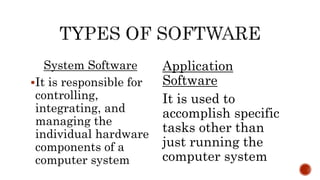
System Software
It is responsible for
controlling,
integrating, and
managing the
individual hardware
components of a
computer system
Application
Software
It is used to
accomplish specific
tasks other than
just running the
computer system
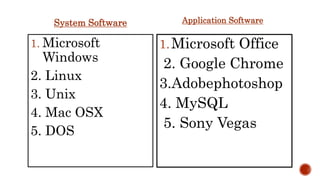
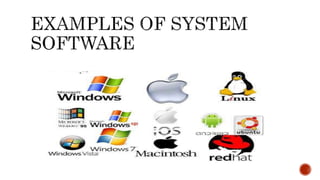
System Software
1. Microsoft
Windows
2. Linux
3. Unix
4. Mac OSX
5. DOS
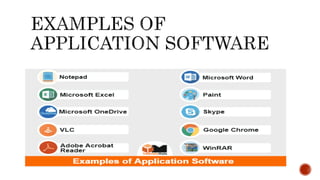
Application Software
1.Microsoft Office
2. Google Chrome
3.Adobephotoshop
4. MySQL
5. Sony Vegas
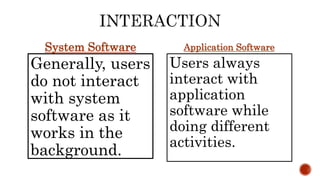
System Software
Generally, users
do not interact
with system
software as it
works in the
background.
Application Software
Users always
interact with
application
software while
doing different
activities.
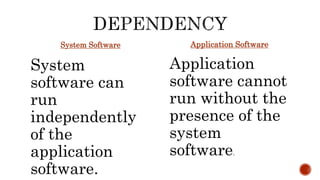
System Software
System
software can
run
independently
of the
application
software.
Application Software
Application
software cannot
run without the
presence of the
system
software.
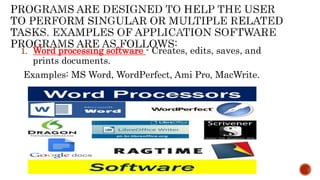
1. Word processing software - Creates, edits, saves, and
prints documents.
Examples: MS Word, WordPerfect, Ami Pro, MacWrite.
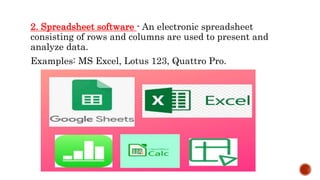
2. Spreadsheet software - An electronic spreadsheet
consisting of rows and columns are used to present and
analyze data.
Examples: MS Excel, Lotus 123, Quattro Pro.
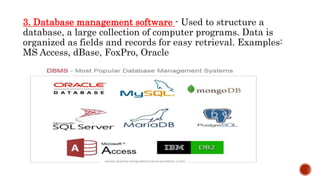
3. Database management software - Used to structure a
database, a large collection of computer programs. Data is
organized as fields and records for easy retrieval. Examples:
MS Access, dBase, FoxPro, Oracle
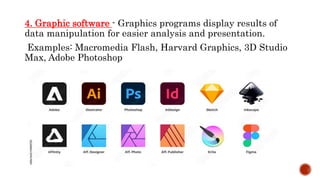
4. Graphic software - Graphics programs display results of
data manipulation for easier analysis and presentation.
Examples: Macromedia Flash, Harvard Graphics, 3D Studio
Max, Adobe Photoshop
Instagram is a free photo and video sharing app available on
iPhone and Android. People can upload photos or videos to our
service and share them with their followers or with a select
group of friends. They can also view, comment and like posts
shared by their friends on Instagram.
Snapchat was initially focused on private, person-to-person
photo sharing, but you can now use it for a range of asks,
including sending videos, live video chatting, messaging,
creating caricature-like Bitmoji avatars, and sharing a
chronological “story” that’s broadcasted to all your followers.
YouTube is a free video sharing website that
makes it easy to watch online videos. You can even
create and upload your own videos to share with
others.
Facebook is a social networking site that makes it
easy for you to connect and share with family and
friends online
Google Chrome browser is an open source program
for accessing the World Wide Web and running Web-
based applications.
Types and different examples of software.pptx

Types and different examples of software.pptx

  • 1.
    The set ofinstructions (also called a program) that guides the hardware to operate effectively. Software is split into two main types: System Software and Application software.
  • 2.
    System Software It isresponsible for controlling, integrating, and managing the individual hardware components of a computer system Application Software It is used to accomplish specific tasks other than just running the computer system
  • 3.
    System Software 1. Microsoft Windows 2.Linux 3. Unix 4. Mac OSX 5. DOS Application Software 1.Microsoft Office 2. Google Chrome 3.Adobephotoshop 4. MySQL 5. Sony Vegas
  • 5.
    System Software Generally, users donot interact with system software as it works in the background. Application Software Users always interact with application software while doing different activities.
  • 7.
    System Software System software can run independently ofthe application software. Application Software Application software cannot run without the presence of the system software.
  • 8.
    1. Word processingsoftware - Creates, edits, saves, and prints documents. Examples: MS Word, WordPerfect, Ami Pro, MacWrite.
  • 9.
    2. Spreadsheet software- An electronic spreadsheet consisting of rows and columns are used to present and analyze data. Examples: MS Excel, Lotus 123, Quattro Pro.
  • 10.
    3. Database managementsoftware - Used to structure a database, a large collection of computer programs. Data is organized as fields and records for easy retrieval. Examples: MS Access, dBase, FoxPro, Oracle
  • 11.
    4. Graphic software- Graphics programs display results of data manipulation for easier analysis and presentation. Examples: Macromedia Flash, Harvard Graphics, 3D Studio Max, Adobe Photoshop
  • 12.
    Instagram is afree photo and video sharing app available on iPhone and Android. People can upload photos or videos to our service and share them with their followers or with a select group of friends. They can also view, comment and like posts shared by their friends on Instagram. Snapchat was initially focused on private, person-to-person photo sharing, but you can now use it for a range of asks, including sending videos, live video chatting, messaging, creating caricature-like Bitmoji avatars, and sharing a chronological “story” that’s broadcasted to all your followers.
  • 13.
    YouTube is afree video sharing website that makes it easy to watch online videos. You can even create and upload your own videos to share with others. Facebook is a social networking site that makes it easy for you to connect and share with family and friends online Google Chrome browser is an open source program for accessing the World Wide Web and running Web- based applications.