Twitter for Educators
11/18/13
2:00—2:45
By Joe Scozzaro (@JoeSco77)
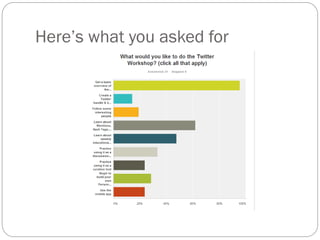
Here’s what you asked for
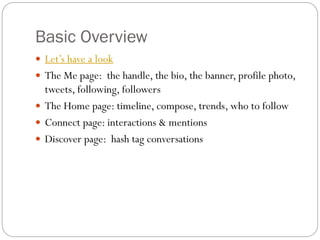
Basic Overview
 Let’s have a look

 The Me page: the handle, the bio, the banner, profile photo,

tweets, following, followers
 The Home page: timeline, compose, trends, who to follow
 Connect page: interactions & mentions
 Discover page: hash tag conversations
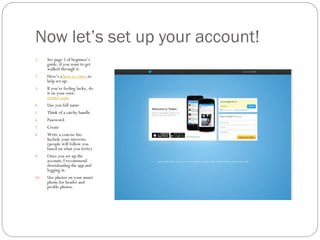
Now let’s set up your account!
1.

2.
3.

4.
5.
6.
7.
8.

9.

10.

See page 5 of beginner’s
guide, if you want to get
walked through it.
Here’s a how-to video to
help set up.
If you’re feeling lucky, do
it on your own:
twitter.com
Use you full name
Think of a catchy handle
Password.
Create
Write a concise bio.
Include your interests.
(people will follow you
based on what you write)
Once you set up the
account, I recommend
downloading the app and
logging in.
Use photos on your smart
phone for header and
profile photos.
Weekly Twitter Chats: Something for
everyone!
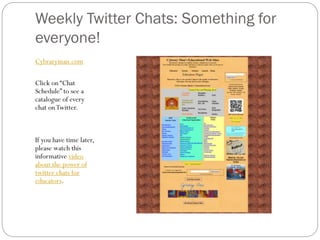
Cybraryman.com
Click on “Chat
Schedule” to see a
catalogue of every
chat on Twitter.

If you have time later,
please watch this
informative video
about the power of
twitter chats for
educators.
Now, let’s have a discussion!
 Use #naedcon (North Attleboro Educators Connect)

somewhere in the compose box.
 Click on Discover tab and enter #naedcon in the search box
to see chat timeline.
 I will moderate by asking the Questions in Q1, Q2, Q3
format.
 You compose answers and label them A1, A2, A3 to refer to
the question.
Building Your Own PLN
PLN=Personal
Learning Network
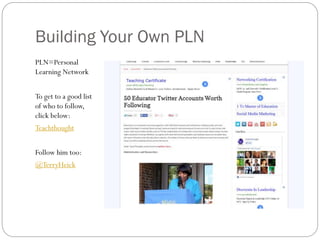
To get to a good list
of who to follow,
click below:

Teachthought
Follow him too:
@TerryHeick

Twitter workshop1

  • 1.
  • 2.
  • 3.
    Basic Overview  Let’shave a look  The Me page: the handle, the bio, the banner, profile photo, tweets, following, followers  The Home page: timeline, compose, trends, who to follow  Connect page: interactions & mentions  Discover page: hash tag conversations
  • 4.
    Now let’s setup your account! 1. 2. 3. 4. 5. 6. 7. 8. 9. 10. See page 5 of beginner’s guide, if you want to get walked through it. Here’s a how-to video to help set up. If you’re feeling lucky, do it on your own: twitter.com Use you full name Think of a catchy handle Password. Create Write a concise bio. Include your interests. (people will follow you based on what you write) Once you set up the account, I recommend downloading the app and logging in. Use photos on your smart phone for header and profile photos.
  • 5.
    Weekly Twitter Chats:Something for everyone! Cybraryman.com Click on “Chat Schedule” to see a catalogue of every chat on Twitter. If you have time later, please watch this informative video about the power of twitter chats for educators.
  • 6.
    Now, let’s havea discussion!  Use #naedcon (North Attleboro Educators Connect) somewhere in the compose box.  Click on Discover tab and enter #naedcon in the search box to see chat timeline.  I will moderate by asking the Questions in Q1, Q2, Q3 format.  You compose answers and label them A1, A2, A3 to refer to the question.
  • 7.
    Building Your OwnPLN PLN=Personal Learning Network To get to a good list of who to follow, click below: Teachthought Follow him too: @TerryHeick