Squidoo
Another way to create a traffic hub to your site is a Squidoo lens. Squidoo is a community website
that allows users to create pages (called lenses) on a specific interest. Lenses resemble blog posts,
except they’re on a single subject.
As a bonus Squidoo allows content creators to earn revenue from links to sites like E-bay and
Amazon. So if you get a lot of traffic you earn extra income ☺


The idea behind this lens is that you give the reader just enough information about your offer to
warm them up and send them to your site or squeeze page. Just don’t tell them the whole story, this
pushes the visitor to your main site.


First you have to Join on www.squidoo.com to create an account and you’re ready to go.
It’s real easy to create a Squidoo lens, so I’m not going to explain all of it and just show you some
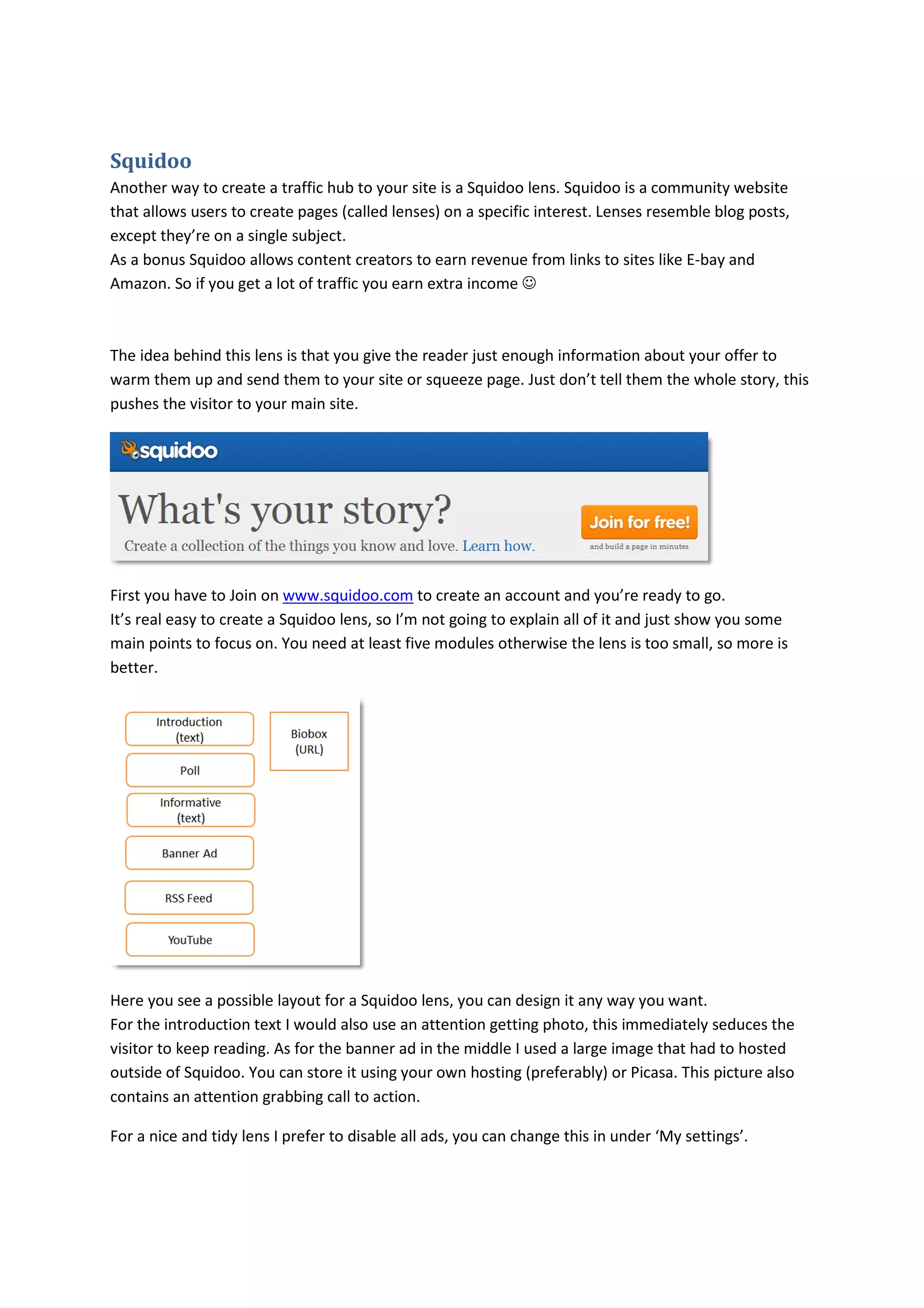
main points to focus on. You need at least five modules otherwise the lens is too small, so more is
better.


Here you see a possible layout for a Squidoo lens, you can design it any way you want.
For the introduction text I would also use an attention getting photo, this immediately seduces the
visitor to keep reading. As for the banner ad in the middle I used a large image that had to hosted
outside of Squidoo. You can store it using your own hosting (preferably) or Picasa. This picture also
contains an attention grabbing call to action.

For a nice and tidy lens I prefer to disable all ads, you can change this in under ‘My settings’.
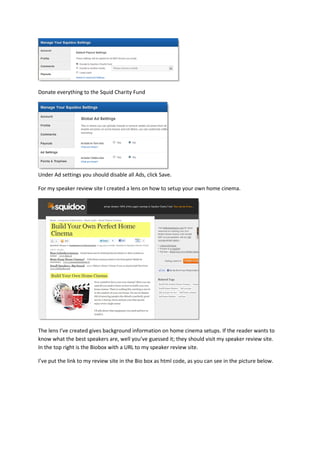
Donate everything to the Squid Charity Fund


Under Ad settings you should disable all Ads, click Save.

For my speaker review site I created a lens on how to setup your own home cinema.


The lens I’ve created gives background information on home cinema setups. If the reader wants to
know what the best speakers are, well you’ve guessed it; they should visit my speaker review site.
In the top right is the Biobox with a URL to my speaker review site.

I’ve put the link to my review site in the Bio box as html code, as you can see in the picture below.
The big banner on my lens with the attention grabbing call to action also contains a URL to my review
site.

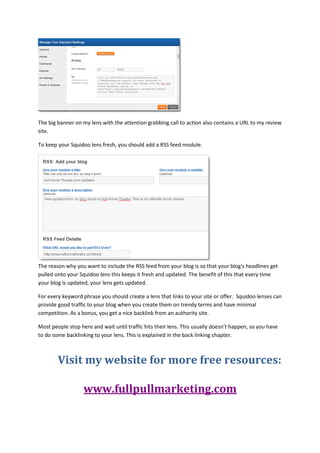
To keep your Squidoo lens fresh, you should add a RSS feed module.


The reason why you want to include the RSS feed from your blog is so that your blog's headlines get
pulled onto your Squidoo lens this keeps it fresh and updated. The benefit of this that every time
your blog is updated, your lens gets updated.

For every keyword phrase you should create a lens that links to your site or offer. Squidoo lenses can
provide good traffic to your blog when you create them on trendy terms and have minimal
competition. As a bonus, you get a nice backlink from an authority site.

Most people stop here and wait until traffic hits their lens. This usually doesn’t happen, so you have
to do some backlinking to your lens. This is explained in the back linking chapter.


        Visit my website for more free resources:

                   www.fullpullmarketing.com

Traffic generation using squidoo

  • 1.
    Squidoo Another way tocreate a traffic hub to your site is a Squidoo lens. Squidoo is a community website that allows users to create pages (called lenses) on a specific interest. Lenses resemble blog posts, except they’re on a single subject. As a bonus Squidoo allows content creators to earn revenue from links to sites like E-bay and Amazon. So if you get a lot of traffic you earn extra income ☺ The idea behind this lens is that you give the reader just enough information about your offer to warm them up and send them to your site or squeeze page. Just don’t tell them the whole story, this pushes the visitor to your main site. First you have to Join on www.squidoo.com to create an account and you’re ready to go. It’s real easy to create a Squidoo lens, so I’m not going to explain all of it and just show you some main points to focus on. You need at least five modules otherwise the lens is too small, so more is better. Here you see a possible layout for a Squidoo lens, you can design it any way you want. For the introduction text I would also use an attention getting photo, this immediately seduces the visitor to keep reading. As for the banner ad in the middle I used a large image that had to hosted outside of Squidoo. You can store it using your own hosting (preferably) or Picasa. This picture also contains an attention grabbing call to action. For a nice and tidy lens I prefer to disable all ads, you can change this in under ‘My settings’.
  • 2.
    Donate everything tothe Squid Charity Fund Under Ad settings you should disable all Ads, click Save. For my speaker review site I created a lens on how to setup your own home cinema. The lens I’ve created gives background information on home cinema setups. If the reader wants to know what the best speakers are, well you’ve guessed it; they should visit my speaker review site. In the top right is the Biobox with a URL to my speaker review site. I’ve put the link to my review site in the Bio box as html code, as you can see in the picture below.
  • 3.
    The big banneron my lens with the attention grabbing call to action also contains a URL to my review site. To keep your Squidoo lens fresh, you should add a RSS feed module. The reason why you want to include the RSS feed from your blog is so that your blog's headlines get pulled onto your Squidoo lens this keeps it fresh and updated. The benefit of this that every time your blog is updated, your lens gets updated. For every keyword phrase you should create a lens that links to your site or offer. Squidoo lenses can provide good traffic to your blog when you create them on trendy terms and have minimal competition. As a bonus, you get a nice backlink from an authority site. Most people stop here and wait until traffic hits their lens. This usually doesn’t happen, so you have to do some backlinking to your lens. This is explained in the back linking chapter. Visit my website for more free resources: www.fullpullmarketing.com