Tracking Profit Margins in
Sales Orders with Odoo 18
Enterprise
Enterprise
Introduction
In Odoo, we can calculate the profitability of the sale orders. We know that,
the margin are the fundamental matric for assessing the profitability of a
business by comparing the difference between the sales revenue and the
associated cost of the business process. Using Odoo 18 features, we can
easily determine how efficiently they can convert their sale into profit.
Let’s see how this is done in Odoo 18.
In Odoo Sales, the Sales Margin or the Profit Margin feature allows you to
track and analyze the profitability of your sales. It helps you calculate the
difference between the sale price and the cost price of a product, giving you
insights into your profit margins.
Enterprise
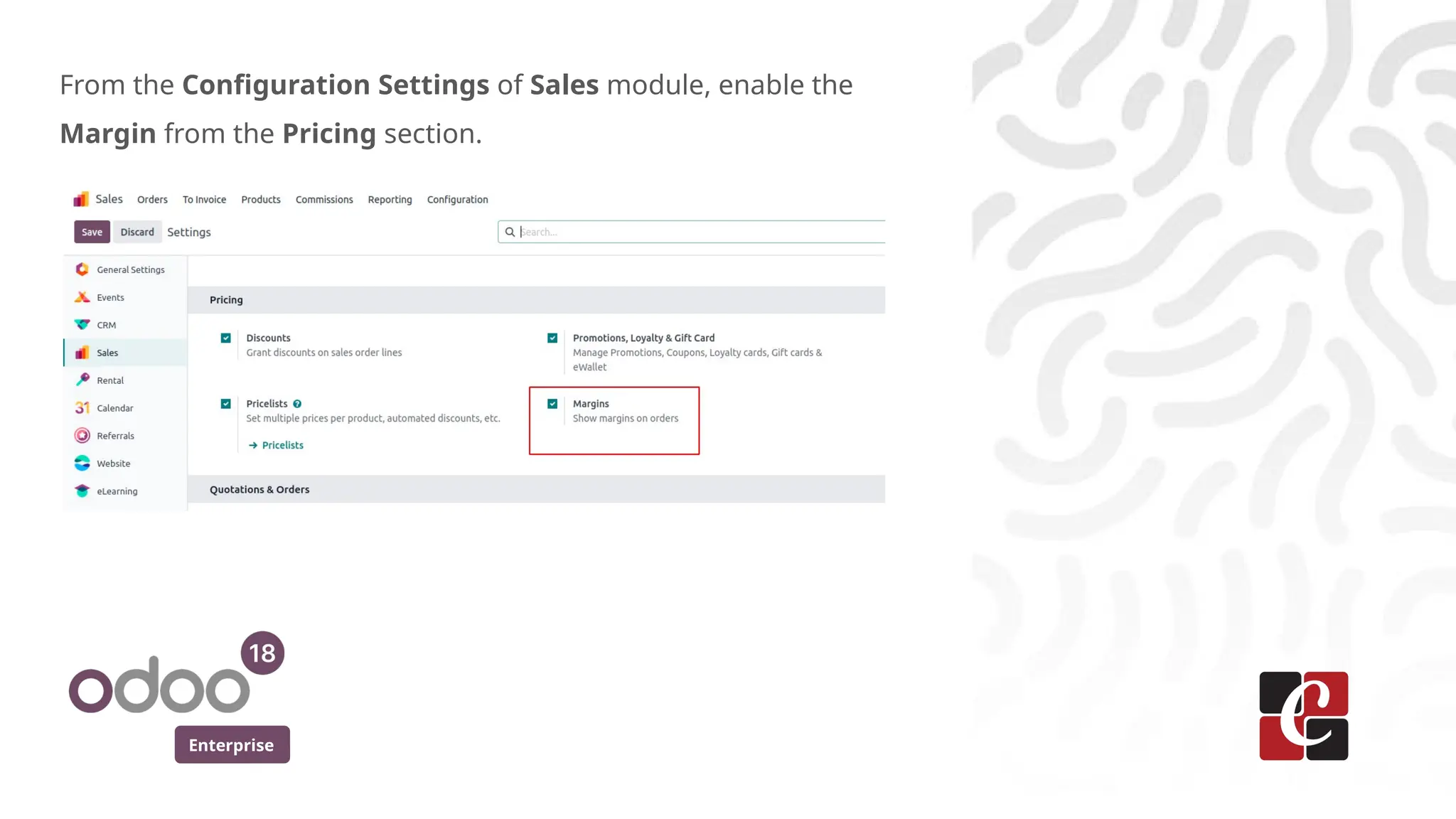
From the Configuration Settings of Sales module, enable the
Margin from the Pricing section.
Enterprise
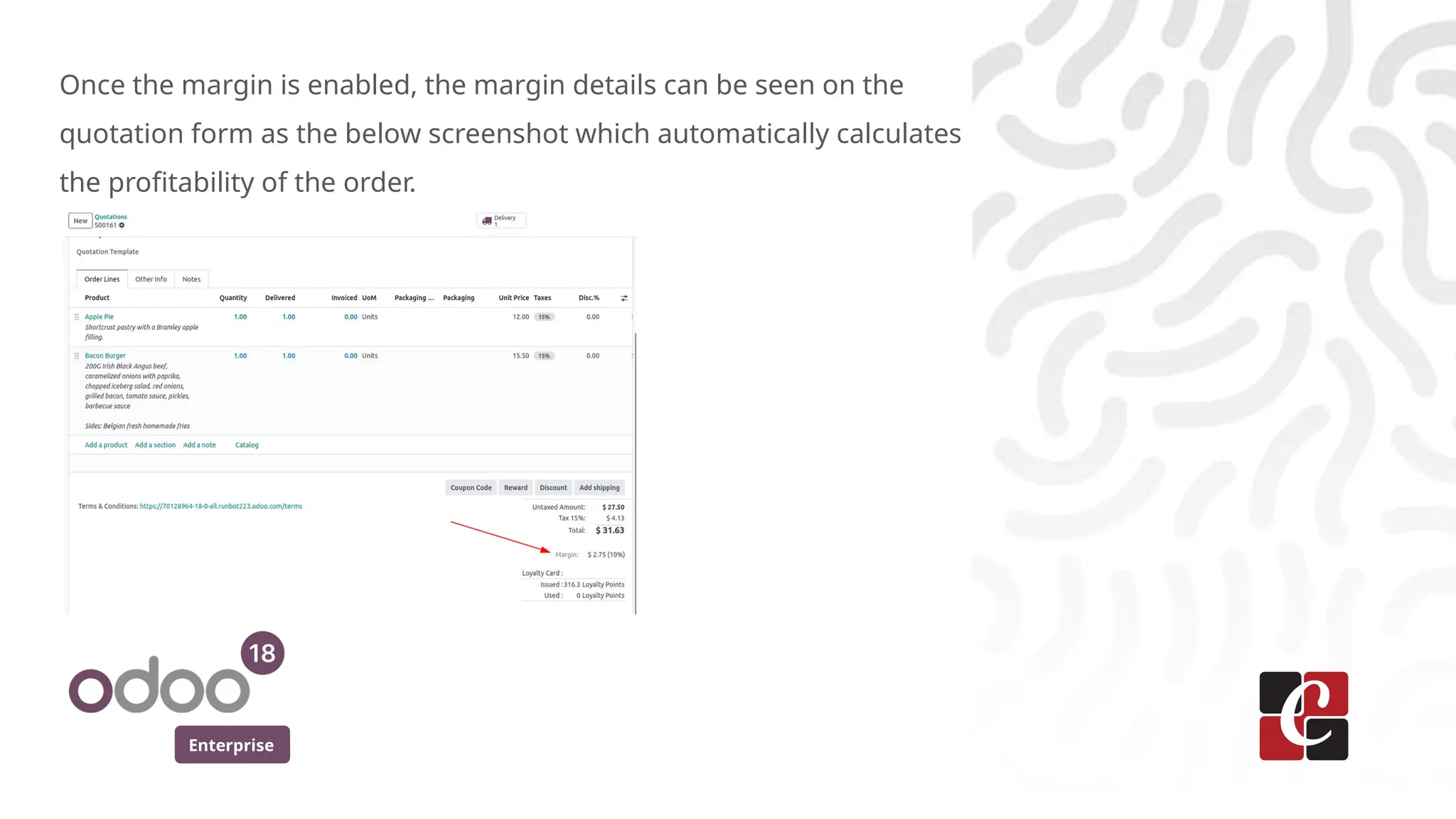
Once the margin is enabled, the margin details can be seen on the
quotation form as the below screenshot which automatically calculates
the profitability of the order.
Enterprise
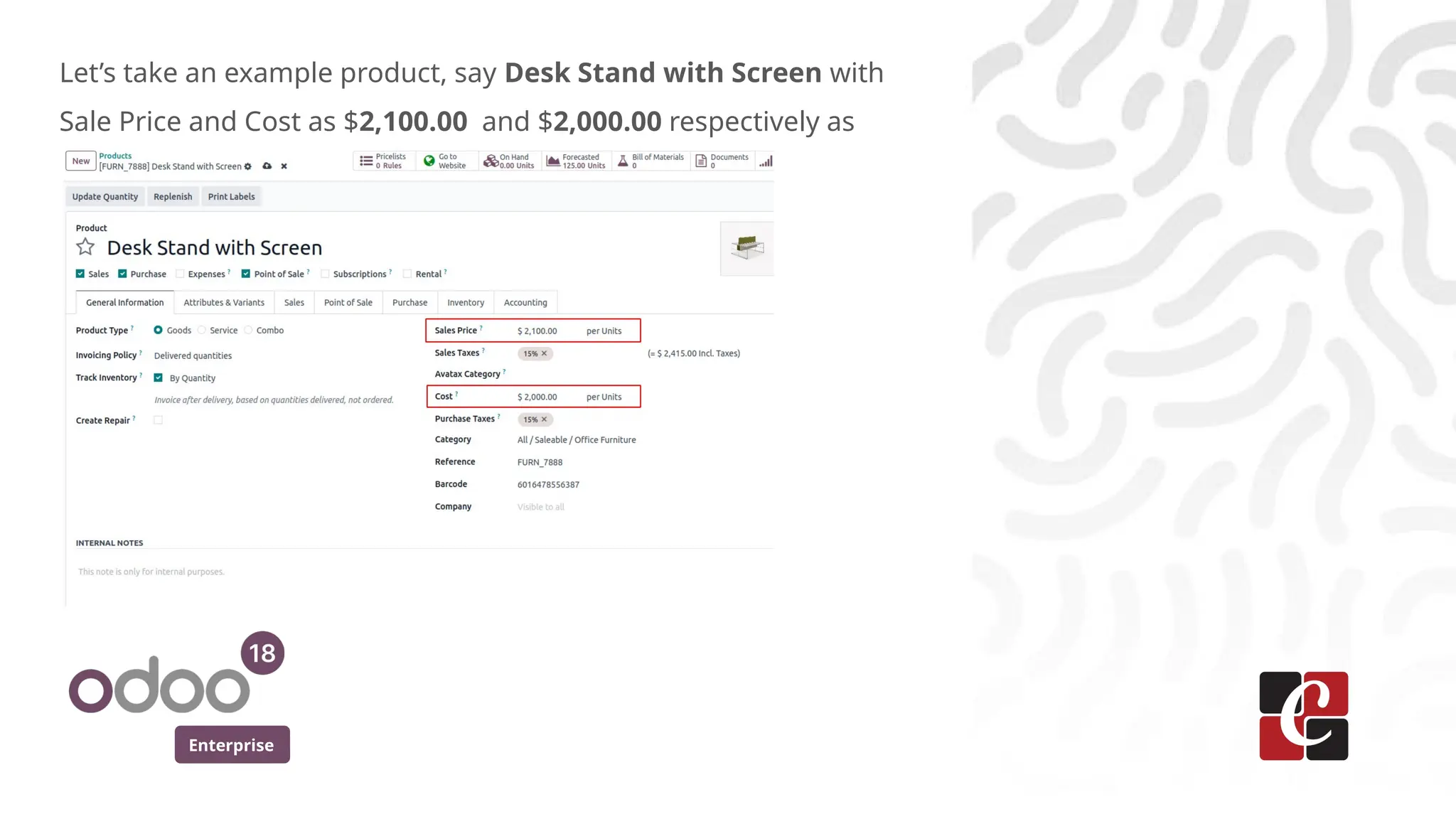
Let’s take an example product, say Desk Stand with Screen with
Sale Price and Cost as $2,100.00 and $2,000.00 respectively as
Enterprise
In Odoo, margin of the sales are often associated with the pricing of
the products. The margin represents the difference between the cost
price and the selling price of the product.
The sales margin is set up by deducting the total product cost from
the sales price. That is
Sales price - Cost price (Sales Margin = Sales price - Cost price).
In the case of the product, the Corner Desk, the cost is $2,000.00, and
the Sales price is $2,100.00. Therefore, Sales margin =$ 2100 - $2000
= $100.
Enterprise
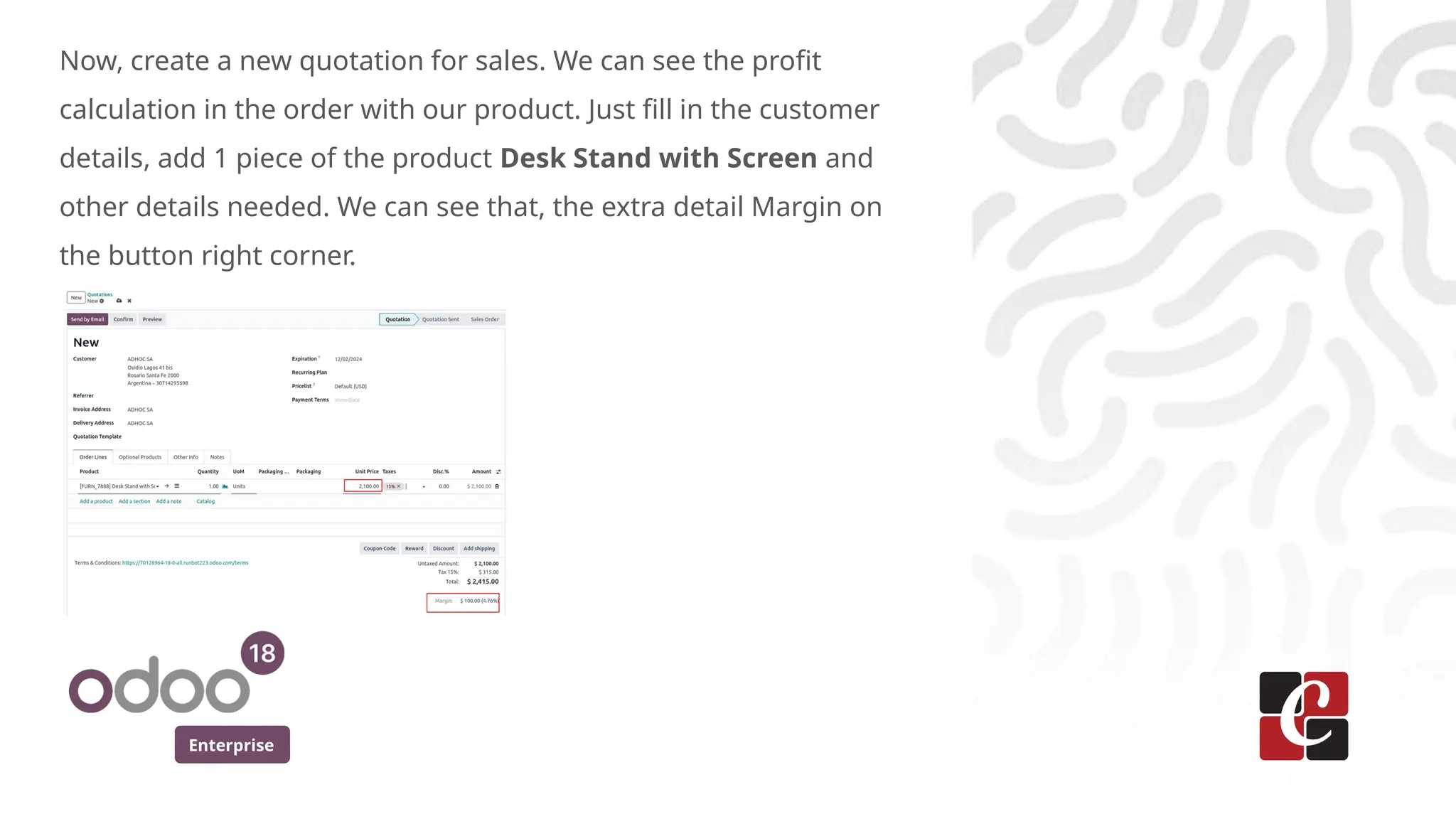
Now, create a new quotation for sales. We can see the profit
calculation in the order with our product. Just fill in the customer
details, add 1 piece of the product Desk Stand with Screen and
other details needed. We can see that, the extra detail Margin on
the button right corner.
Enterprise
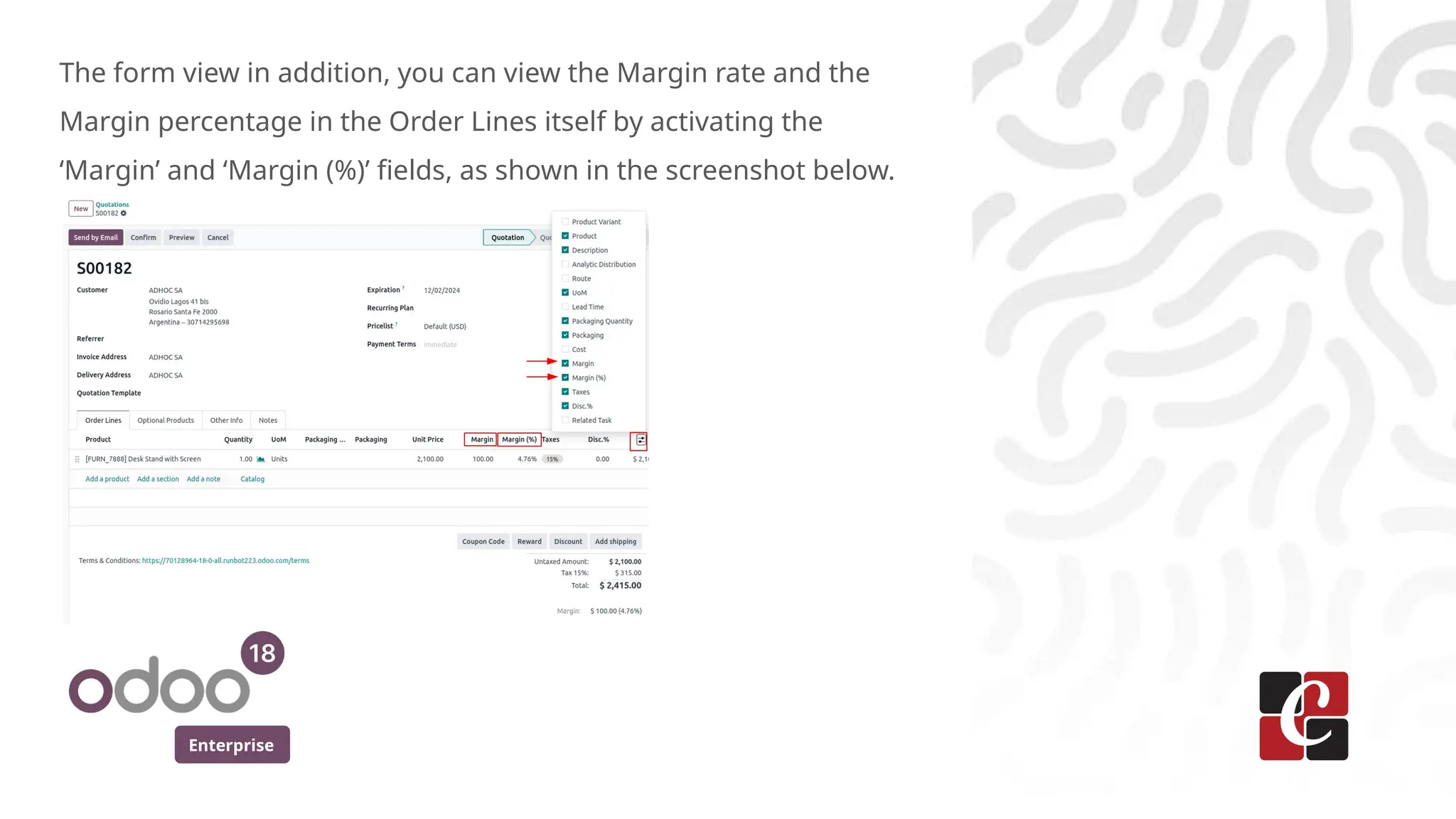
The form view in addition, you can view the Margin rate and the
Margin percentage in the Order Lines itself by activating the
‘Margin’ and ‘Margin (%)’ fields, as shown in the screenshot below.
Enterprise
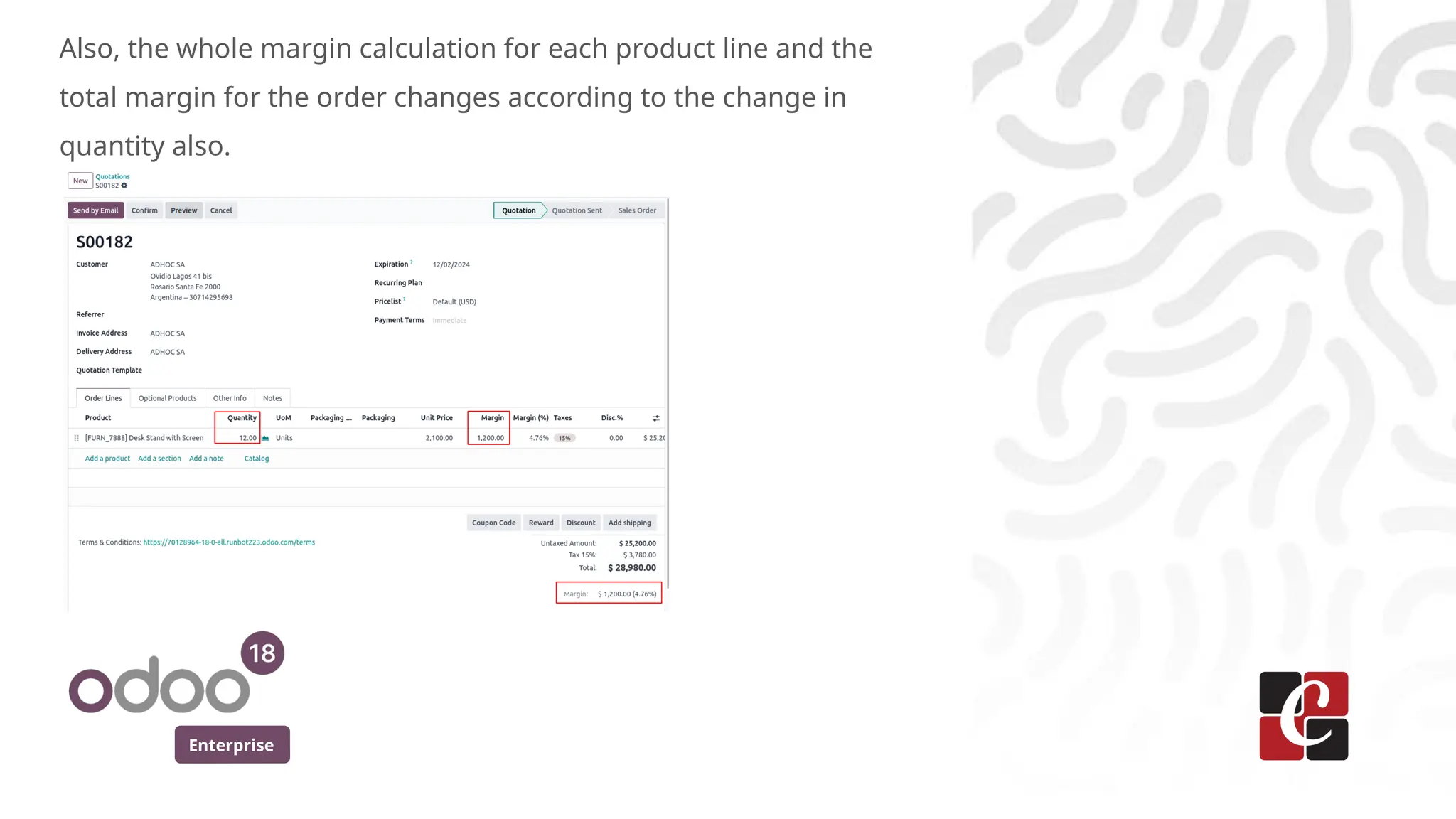
Also, the whole margin calculation for each product line and the
total margin for the order changes according to the change in
quantity also.
Enterprise
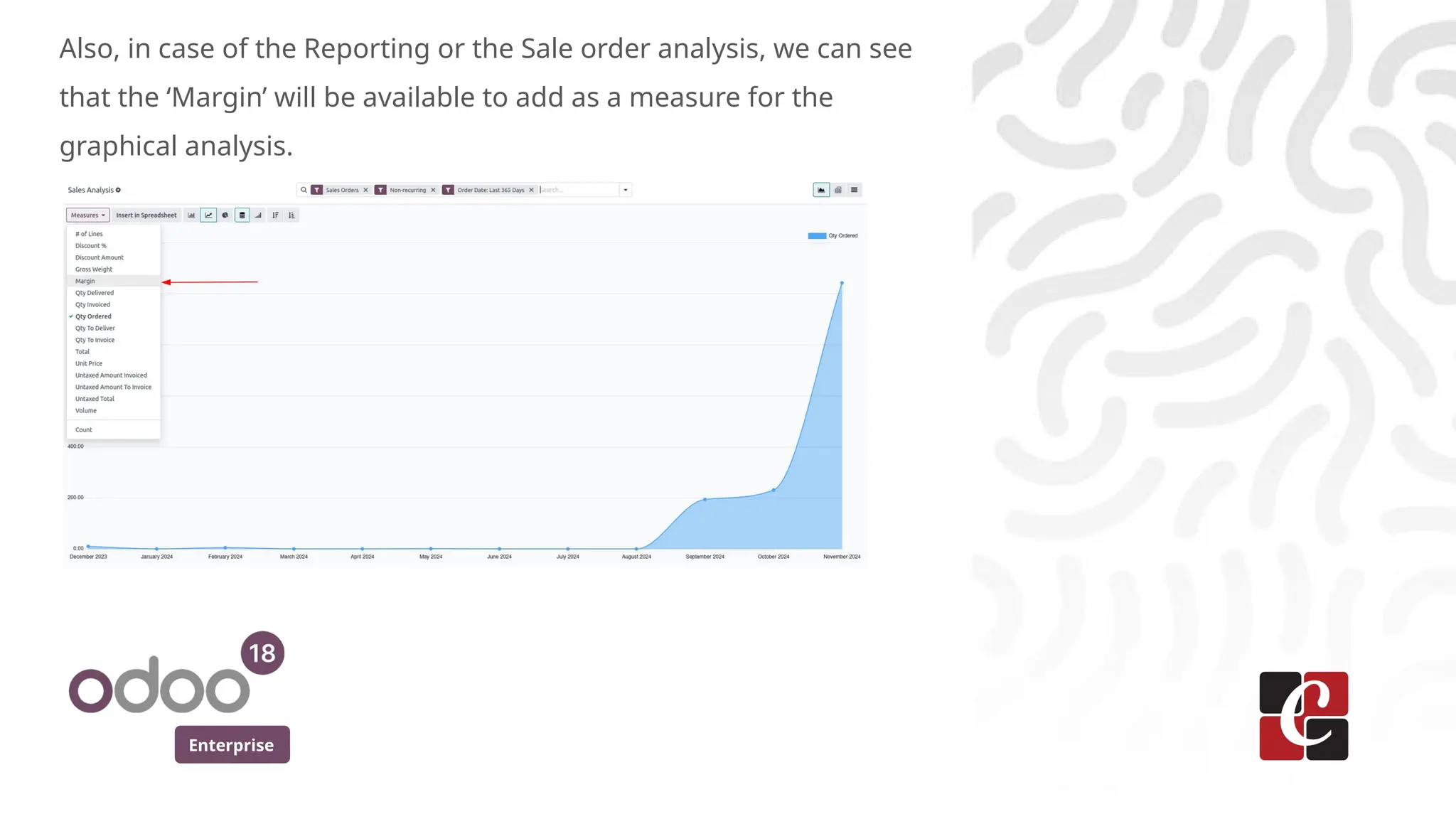
Also, in case of the Reporting or the Sale order analysis, we can see
that the ‘Margin’ will be available to add as a measure for the
graphical analysis.
For More Info.
Check our company website for related blogs
and Odoo book.
Check our YouTube channel for
functional and technical videos in Odoo.
Enterprise
www.cybrosys.com

Tracking Profit Margins in Sales Orders with Odoo 18

  • 1.
    Tracking Profit Marginsin Sales Orders with Odoo 18 Enterprise
  • 2.
    Enterprise Introduction In Odoo, wecan calculate the profitability of the sale orders. We know that, the margin are the fundamental matric for assessing the profitability of a business by comparing the difference between the sales revenue and the associated cost of the business process. Using Odoo 18 features, we can easily determine how efficiently they can convert their sale into profit. Let’s see how this is done in Odoo 18. In Odoo Sales, the Sales Margin or the Profit Margin feature allows you to track and analyze the profitability of your sales. It helps you calculate the difference between the sale price and the cost price of a product, giving you insights into your profit margins.
  • 3.
    Enterprise From the ConfigurationSettings of Sales module, enable the Margin from the Pricing section.
  • 4.
    Enterprise Once the marginis enabled, the margin details can be seen on the quotation form as the below screenshot which automatically calculates the profitability of the order.
  • 5.
    Enterprise Let’s take anexample product, say Desk Stand with Screen with Sale Price and Cost as $2,100.00 and $2,000.00 respectively as
  • 6.
    Enterprise In Odoo, marginof the sales are often associated with the pricing of the products. The margin represents the difference between the cost price and the selling price of the product. The sales margin is set up by deducting the total product cost from the sales price. That is Sales price - Cost price (Sales Margin = Sales price - Cost price). In the case of the product, the Corner Desk, the cost is $2,000.00, and the Sales price is $2,100.00. Therefore, Sales margin =$ 2100 - $2000 = $100.
  • 7.
    Enterprise Now, create anew quotation for sales. We can see the profit calculation in the order with our product. Just fill in the customer details, add 1 piece of the product Desk Stand with Screen and other details needed. We can see that, the extra detail Margin on the button right corner.
  • 8.
    Enterprise The form viewin addition, you can view the Margin rate and the Margin percentage in the Order Lines itself by activating the ‘Margin’ and ‘Margin (%)’ fields, as shown in the screenshot below.
  • 9.
    Enterprise Also, the wholemargin calculation for each product line and the total margin for the order changes according to the change in quantity also.
  • 10.
    Enterprise Also, in caseof the Reporting or the Sale order analysis, we can see that the ‘Margin’ will be available to add as a measure for the graphical analysis.
  • 11.
    For More Info. Checkour company website for related blogs and Odoo book. Check our YouTube channel for functional and technical videos in Odoo. Enterprise www.cybrosys.com