PUO-AZRUL JUNAIDI ABD AZIZ
JTMK 2012
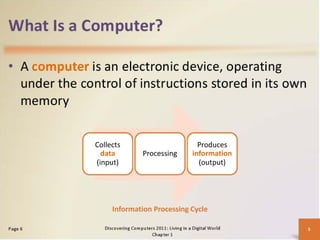
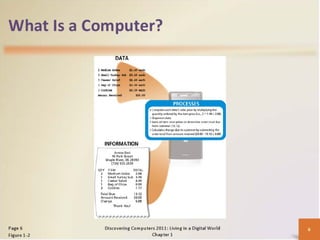
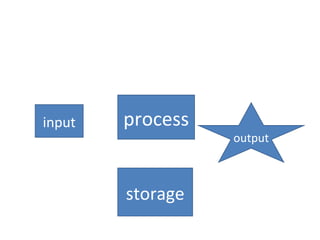
input   process
                  output


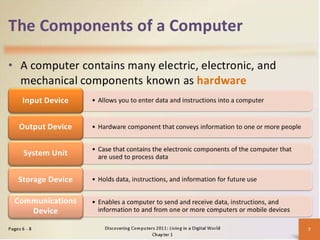
        storage
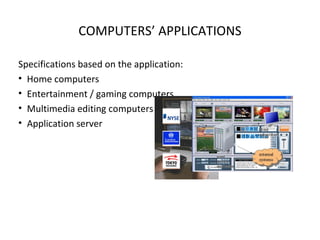
COMPUTERS’ APPLICATIONS

Specifications based on the application:
• Home computers
• Entertainment / gaming computers
• Multimedia editing computers
• Application server
Classes of computer
Computer case (chassis)

CHASSIS ABCs
• The computer case or chassis is the body of the computer.
• Cases allow for manufacturers to include all computer comments
  together and have it able to be moved, if needed.
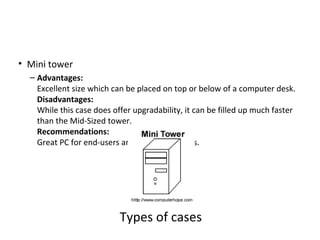
• Mini tower
  – Advantages:
    Excellent size which can be placed on top or below of a computer desk.
    Disadvantages:
    While this case does offer upgradability, it can be filled up much faster
    than the Mid-Sized tower.
    Recommendations:
    Great PC for end-users and small businesses.


                           Types of cases
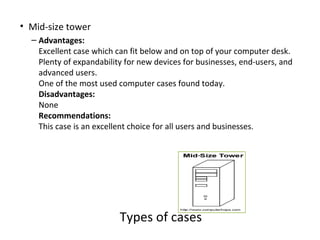
• Mid-size tower
  – Advantages:
    Excellent case which can fit below and on top of your computer desk.
    Plenty of expandability for new devices for businesses, end-users, and
    advanced users.
    One of the most used computer cases found today.
    Disadvantages:
    None
    Recommendations:
    This case is an excellent choice for all users and businesses.


                          Types of cases
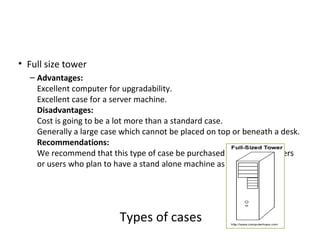
• Full size tower
  – Advantages:
    Excellent computer for upgradability.
    Excellent case for a server machine.
    Disadvantages:
    Cost is going to be a lot more than a standard case.
    Generally a large case which cannot be placed on top or beneath a desk.
    Recommendations:
    We recommend that this type of case be purchased by advanced users
    or users who plan to have a stand alone machine as a server.


                          Types of cases
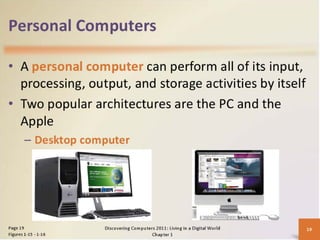
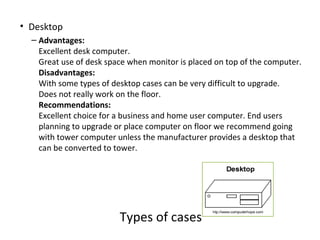
• Desktop
  – Advantages:
    Excellent desk computer.
    Great use of desk space when monitor is placed on top of the computer.
    Disadvantages:
    With some types of desktop cases can be very difficult to upgrade.
    Does not really work on the floor.
    Recommendations:
    Excellent choice for a business and home user computer. End users
    planning to upgrade or place computer on floor we recommend going
    with tower computer unless the manufacturer provides a desktop that
    can be converted to tower.


                         Types of cases
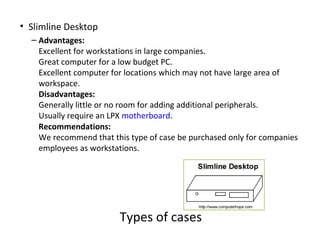
• Slimline Desktop
  – Advantages:
    Excellent for workstations in large companies.
    Great computer for a low budget PC.
    Excellent computer for locations which may not have large area of
    workspace.
    Disadvantages:
    Generally little or no room for adding additional peripherals.
    Usually require an LPX motherboard.
    Recommendations:
    We recommend that this type of case be purchased only for companies
    employees as workstations.


                        Types of cases

Topik 1

  • 1.
    PUO-AZRUL JUNAIDI ABDAZIZ JTMK 2012
  • 8.
    input process output storage
  • 39.
    COMPUTERS’ APPLICATIONS Specifications basedon the application: • Home computers • Entertainment / gaming computers • Multimedia editing computers • Application server
  • 40.
  • 41.
    Computer case (chassis) CHASSISABCs • The computer case or chassis is the body of the computer. • Cases allow for manufacturers to include all computer comments together and have it able to be moved, if needed.
  • 42.
    • Mini tower – Advantages: Excellent size which can be placed on top or below of a computer desk. Disadvantages: While this case does offer upgradability, it can be filled up much faster than the Mid-Sized tower. Recommendations: Great PC for end-users and small businesses. Types of cases
  • 43.
    • Mid-size tower – Advantages: Excellent case which can fit below and on top of your computer desk. Plenty of expandability for new devices for businesses, end-users, and advanced users. One of the most used computer cases found today. Disadvantages: None Recommendations: This case is an excellent choice for all users and businesses. Types of cases
  • 44.
    • Full sizetower – Advantages: Excellent computer for upgradability. Excellent case for a server machine. Disadvantages: Cost is going to be a lot more than a standard case. Generally a large case which cannot be placed on top or beneath a desk. Recommendations: We recommend that this type of case be purchased by advanced users or users who plan to have a stand alone machine as a server. Types of cases
  • 45.
    • Desktop – Advantages: Excellent desk computer. Great use of desk space when monitor is placed on top of the computer. Disadvantages: With some types of desktop cases can be very difficult to upgrade. Does not really work on the floor. Recommendations: Excellent choice for a business and home user computer. End users planning to upgrade or place computer on floor we recommend going with tower computer unless the manufacturer provides a desktop that can be converted to tower. Types of cases
  • 46.
    • Slimline Desktop – Advantages: Excellent for workstations in large companies. Great computer for a low budget PC. Excellent computer for locations which may not have large area of workspace. Disadvantages: Generally little or no room for adding additional peripherals. Usually require an LPX motherboard. Recommendations: We recommend that this type of case be purchased only for companies employees as workstations. Types of cases